
Dell Optiplex 3050 SFF
4.2Editor score
Quad Core i5 Processor
16GB DDR4 RAM
256GB SSD Storage
Explore our expert guide on the best Desktop PC for Teens in October 2026, comparing top models for gaming, study, and creative tasks.
Finding the right desktop computer for a teenager can be a challenging task given the wide variety of options available in today's market. Whether your teen needs a machine for schoolwork, creative projects, or gaming, selecting the right specifications is crucial for long-term satisfaction and performance.
We have carefully evaluated ten top-rated desktop PCs specifically suited for teenage users based on performance, reliability, and value. Our comparison process involves analyzing processor power, memory capacity, storage speed, and connectivity options to ensure each recommendation meets diverse needs effectively.
Each product in this list highlights key strengths and potential trade-offs to help you make an informed decision. Please note that prices and availability change frequently, so verify current details before purchasing to ensure you get the best deal available now.
4.2Editor score

4.0Editor score

4.1Editor score
This side-by-side comparison provides a clear overview of the top ten desktop PCs we evaluated for teenage users, highlighting their unique specifications and capabilities to aid your selection process.




The Dell Optiplex 7060 SFF stands out as a top choice for teens needing robust performance for multitasking and productivity. With an Intel 8th Gen i7 processor and 32GB of RAM, it handles demanding applications smoothly. Its Windows 11 Pro setup ensures modern compatibility and security features.
We may earn a commission when you buy through this link, at no additional cost to you.
This desktop excels in speed thanks to its 512GB NVMe SSD which boots up quickly and loads applications without delay. The included wireless keyboard and mouse add convenience right out of the box. Its compact design saves desk space while maintaining strong connectivity options for peripherals.
While the refurbished status means cosmetic conditions can vary, functionality remains reliable and tested. The small form factor restricts adding discrete graphics cards but works well for integrated graphics needs. This makes it ideal for students rather than hardcore gamers seeking high-end visuals.
We recommend this unit for teens focused on schoolwork, coding, or content creation where memory and processing power are critical. It offers a balance of performance and value that fits most educational and creative home setups effectively.
The 32GB DDR4 RAM allows teenagers to run multiple browsers, software programs, and virtual machines without system slowdowns or crashes during peak usage times.
Pre-installed Windows 11 Pro provides access to latest productivity tools and security updates ensuring a safe and efficient computing environment for academic tasks.
We may earn a commission when you buy through this link, at no additional cost to you.
This bundle offers a complete solution for teens needing a ready-to-use system without extra peripheral purchases. It includes a 20-inch monitor and essential accessories making setup straightforward for families. The Windows 11 Pro OS ensures access to modern software tools.
We may earn a commission when you buy through this link, at no additional cost to you.
The processor provides adequate power for basic web browsing and office tasks though memory might bottleneck heavy workloads. Storage relies on a traditional hard drive which is slower than SSDs but offers decent capacity for files and media. Its compact form saves space nicely.
Performance limitations exist due to older RAM technology and storage type which might show lag during intensive use. However for casual usage or basic homework this system delivers value especially considering the included monitor. It suits teens just starting out with personal computers.
Consider this option if budget is tight and having a monitor included is a priority. It serves well as a secondary computer or for light daily tasks where high-end speed is not a primary requirement for success.
Having a monitor included simplifies the purchasing process for parents and teens saving time and money compared to buying components separately.
The quad-core processor handles everyday applications well though users should close unused programs to maintain smooth operation during multitasking.
We may earn a commission when you buy through this link, at no additional cost to you.
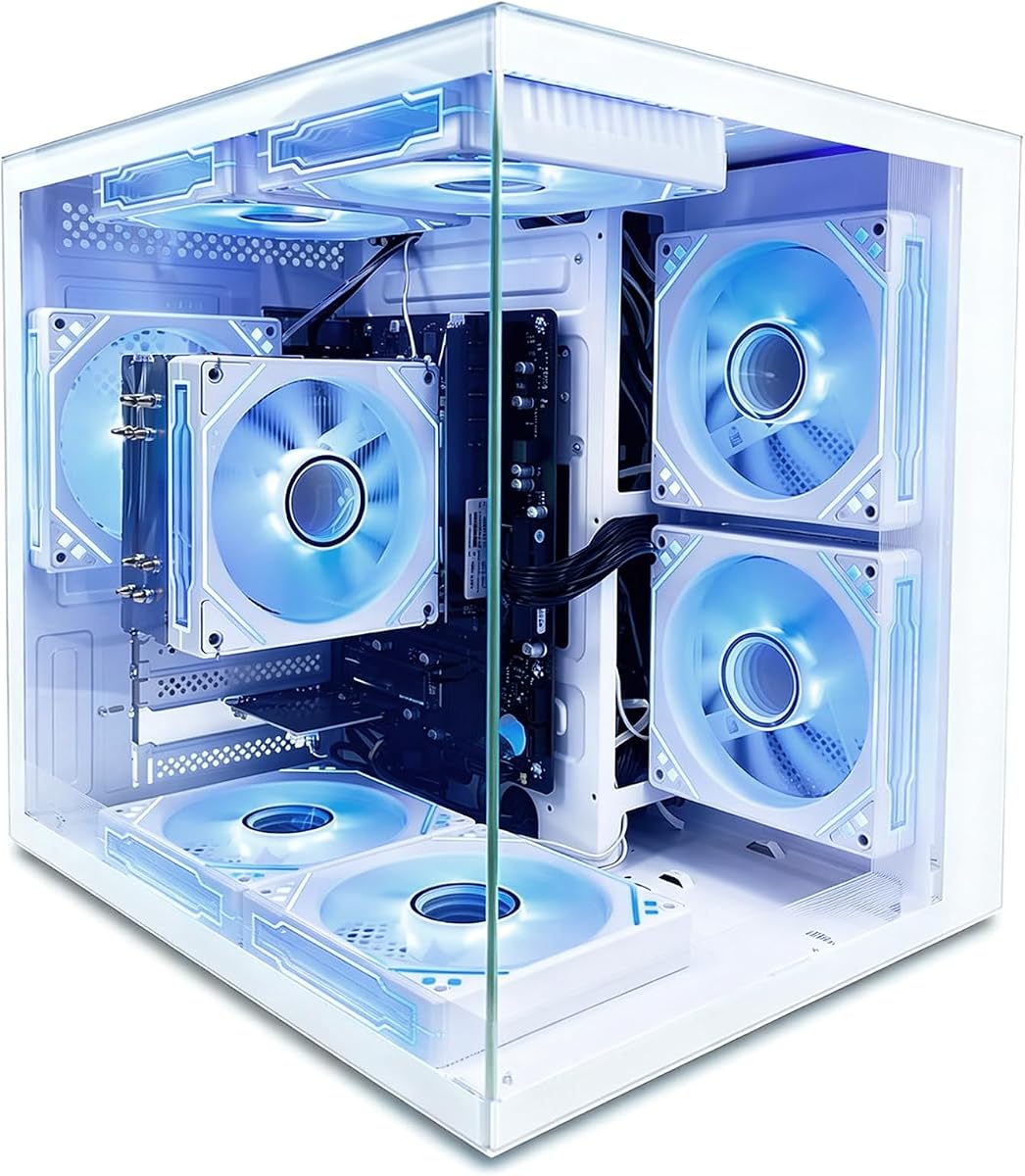
This prebuilt tower combines solid performance with appealing aesthetics suitable for teens who want style and function. The AMD Ryzen 5 APU supports casual gaming without a separate graphics card while handling schoolwork efficiently. Wi-Fi 6 ensures fast and stable internet connections.
We may earn a commission when you buy through this link, at no additional cost to you.
Memory and storage are well balanced for typical daily use allowing quick boots and smooth multitasking. The RGB fans add visual flair that many younger users enjoy while maintaining quiet operation during extended sessions. It offers good value for the feature set provided.
Storage capacity may fill up quickly with games and media files so external drives might be needed soon. Upgrading to a discrete graphics card could be challenging due to case design but the integrated GPU covers basic gaming needs well.
This desktop is ideal for teens wanting a gaming-capable machine without breaking the bank. It delivers reliable performance for online classes entertainment and light gaming making it a versatile choice for home setups today.
The Radeon RX Vega 11 graphics allow smooth play of popular esports titles at 1080p without needing expensive dedicated graphics hardware.
Wi-Fi 6 technology provides faster download speeds and lower latency perfect for online gaming and streaming videos without interruptions.
We may earn a commission when you buy through this link, at no additional cost to you.
This compact desktop delivers impressive performance relative to its small size making it suitable for tight desk spaces. The i7 processor paired with 16GB RAM handles multitasking well for homework and streaming. NVMe storage ensures fast load times and system responsiveness.
We may earn a commission when you buy through this link, at no additional cost to you.
Refurbished condition typically means tested and clean units ready for immediate use without extra setup. The included keyboard and mouse simplify initial configuration and save additional costs. Ports support dual monitors for expanded productivity workflows easily.
Being older generation hardware limits future upgrades significantly which might shorten its lifecycle compared to newer models. However for immediate needs it offers strong value. The small footprint is perfect for shared family workspaces or small bedroom setups.
Ideal for teens needing a reliable computer for education and general use without occupying much desk room. It balances performance and size effectively providing a practical solution for modern home learning environments.
The small form factor allows placement on shelves or under desks freeing up valuable workspace for books and other study materials.
NVMe SSD technology delivers significantly faster data access compared to traditional drives improving boot speeds and application launch times.
We may earn a commission when you buy through this link, at no additional cost to you.
This setup offers a visually appealing desktop solution with RGB lighting that enhances the desk ambiance for teens. It includes a larger 24-inch monitor and full accessories reducing the need for separate purchases. The i7 processor ensures smooth performance for daily tasks and productivity.
We may earn a commission when you buy through this link, at no additional cost to you.
Storage and memory are balanced for typical home use allowing efficient running of multiple applications. Windows 11 Pro provides access to modern features and security updates. The RGB panel adds customization options that appeal to users wanting style alongside functionality.
Lack of a dedicated graphics card limits high-end gaming potential but fits casual play well. Refurbished units may have cosmetic imperfections though functionality remains tested. The monitor inclusion is a significant value add compared to bare systems.
This bundle suits teens who prioritize aesthetics and a complete ready-to-use experience. It works well for schoolwork content creation and casual entertainment without extra assembly or peripheral shopping hassles.
Customizable LED lights allow teens to personalize their workspace colors and effects matching their room decor or mood easily.
Keyboard mouse and headset inclusion saves time and money ensuring all basic inputs are covered right from setup.
We may earn a commission when you buy through this link, at no additional cost to you.
This model offers exceptional value for students needing a reliable computer without spending much. The 16GB RAM and SSD ensure responsive performance for typical school applications and web browsing. Certified refurbished status guarantees functionality checks before shipping.
We may earn a commission when you buy through this link, at no additional cost to you.
Support for 4K displays allows connection to modern high-resolution monitors for crisp visuals during study or media consumption. Ports include DisplayPort and HDMI for flexible setups. Included keyboard and mouse add convenience right away.
Processor limitations may slow complex rendering tasks but suffice for general use. Storage capacity is modest and might need external drives for large media collections. Despite these limits it provides strong entry-level computing power.
We recommend this as an ideal first desktop for budget-conscious families. It meets everyday educational requirements effectively without sacrificing core performance for standard learning tasks and online collaboration.
4K output capability enables connecting to modern monitors for sharper text and media making study sessions more comfortable and clear.
Quality assurance testing ensures hardware meets operational standards providing peace of mind with lower costs than new units.
We may earn a commission when you buy through this link, at no additional cost to you.
This desktop excels in storage and memory making it perfect for teens dealing with large files. The 1TB SSD provides ample room for projects and media while maintaining fast access speeds. 32GB RAM supports heavy multitasking without slowdowns.
We may earn a commission when you buy through this link, at no additional cost to you.
Integrated WiFi and Bluetooth ensure modern connectivity for peripherals and online work. Windows 11 Professional adds advanced security features suitable for school environments. Its design fits home office setups neatly without bulky tower space.
Processor power is adequate for general use but may struggle with video editing rendering. However for storage and multitasking it outperforms many competitors. The SSD ensures quick boot and application loads regardless of workload.
Choose this unit for teens who need substantial storage for creative projects or extensive media libraries. It delivers reliable performance for data-heavy tasks and everyday productivity efficiently.
A 1TB SSD eliminates the need for external drives storing large video files or game libraries directly on the system drive.
Built-in wireless and Bluetooth simplify setup with printers and headphones while Windows 11 Pro adds layers of security for safe browsing.
We may earn a commission when you buy through this link, at no additional cost to you.
This PC targets teens wanting dedicated gaming performance on a budget. The included GT 1030 GPU enables play of popular competitive games at medium settings. Bundled accessories and monitor mean instant setup for gaming sessions.
We may earn a commission when you buy through this link, at no additional cost to you.
Fast SSD storage reduces game load times and improves system responsiveness overall. RGB lighting adds a gamer feel to the desk setup. Windows 11 Pro provides stability during extended play or study periods.
The GPU is modest so newer AAA titles may not run smoothly. However it fits esports titles well. Refurbished condition means testing hardware thoroughly upon arrival to ensure components function correctly.
Consider this option for gamers starting out who want an all-in-one gaming station without extra purchases. It balances entry-level graphics with solid general computing performance for school.
The GT 1030 provides better gaming performance than integrated graphics allowing smooth play of competitive shooters and esports titles.
Having a monitor headset and peripherals included creates a full gaming experience ready to use immediately after unboxing.
We may earn a commission when you buy through this link, at no additional cost to you.
This premium option delivers near flagship performance suitable for advanced teens in coding or media editing. The 9th Gen i7 processor handles intensive multitasking effortlessly. NVMe SSD storage ensures rapid access to files and apps.
We may earn a commission when you buy through this link, at no additional cost to you.
Wi-Fi 6E provides fastest available wireless speeds reducing lag during online classes. Wireless keyboard and mouse add comfort and cable reduction. Compact design fits well on modern desks without compromising power.
High cost might be a barrier but longevity justifies the investment. Small tower prevents adding powerful discrete graphics cards limiting high-end gaming. For professional workloads it excels significantly over budget units.
Choose this desktop for serious students needing top-tier processing and modern wireless features. It offers a high-quality workstation experience that supports demanding academic and creative projects effectively.
Wi-Fi 6E offers wider channels and less interference for smoother streaming and online gaming compared to older standards.
Eight cores and high clock speeds enable running multiple heavy applications simultaneously without performance drops or freezes.
We may earn a commission when you buy through this link, at no additional cost to you.
This model strikes a balance between performance and affordability making it a safe choice for general use. The 16GB RAM and 512GB SSD offer sufficient capacity for most student needs. Integrated wireless ensures connectivity without extra adapters.
We may earn a commission when you buy through this link, at no additional cost to you.
4K support allows sharp visuals on modern screens ideal for design work. Windows 11 Pro keeps the system updated and secure. Refurbished quality checks ensure reliable operation upon arrival for immediate use.
Processor limitations mean heavy video editing or gaming may lag. However for standard homework and browsing it performs well. Its small design saves space and fits well in small apartments or dorms.
We recommend this for teens needing dependable daily computing without extra features. It offers a steady platform for learning and entertainment at a reasonable price point.
Connecting to 4K monitors provides crisp text and detailed graphics enhancing focus during study or creative editing tasks.
Built-in Wi-Fi and Bluetooth remove the need for dongles simplifying setup and keeping desks cleaner and more organized.
We may earn a commission when you buy through this link, at no additional cost to you.
Selecting a desktop PC for teenagers involves balancing performance needs with budget and physical space. This guide outlines key factors to consider ensuring you find a system that grows with their changing requirements.
The processor acts as the brain of the computer handling all calculations and tasks. For teens, an Intel Core i5 or i7 provides enough power for schoolwork, coding, and casual gaming without unnecessary expense.
Prioritize at least a quad-core processor from recent generations to ensure smooth operation over several years.
Random Access Memory determines how many applications can run simultaneously without slowdowns. 16GB is recommended as a comfortable standard for multitasking between browsers, streaming, and study tools.
While 8GB works for basics, 16GB prevents bottlenecks and extends the usable life of the machine significantly.
Solid State Drives (SSDs) offer faster boot times and quicker application loads compared to traditional hard drives. Ensure at least 512GB of SSD storage to accommodate system files and growing personal data.
Consider models that allow storage expansion if teens expect to store many photos or videos locally.
Integrated graphics suffice for general use and light gaming. If your teen plays demanding games, a dedicated GPU improves visual quality and frame rates considerably.
Check if the system allows graphics upgrades or if pre-bundled options meet expected gaming standards.
Modern connectivity like Wi-Fi 6 and Bluetooth ensures seamless connection to wireless peripherals and smart devices. Check ports available for monitors, keyboards, and storage drives.
Ensure the PC has enough USB ports to avoid needing extra hubs for daily use.
The desktop case must fit comfortably on your teen's desk without crowding other items. Small form factor towers are ideal for compact spaces while still offering performance.
Measure your available workspace before purchasing to avoid sizing issues later on.
Windows 11 Pro offers enhanced security and productivity tools compared to Home editions. It supports more advanced features beneficial for students and creative tasks.
Ensure the OS version supports all desired educational software and security updates.
Refurbished PCs can provide excellent value if they come with warranties. Look for certified sellers who guarantee functionality and provide support options.
A minimum 90-day warranty ensures protection against unexpected hardware failures.
Begin by setting up the desktop in a well-ventilated area away from direct sunlight or heat sources. Ensure all cables are securely connected to avoid connectivity interruptions during use.
Teach your teen to keep the software updated and run antivirus scans regularly to maintain security. Organize files into folders early to foster good digital hygiene habits that last throughout their studies.
Schedule regular restarts and avoid keeping the computer on continuously to extend hardware lifespan. Clean dust from ports and vents periodically to prevent overheating and maintain consistent performance.
16GB of RAM is the recommended minimum for smooth multitasking and longevity. While 8GB might suffice for basic browsing, 16GB ensures the computer handles modern applications without slowing down as needs grow.
Desktops offer better performance per dollar and easier upgradability making them ideal for fixed locations. Laptops provide portability so choose based on whether your teen needs to move between classes or stay home.
Integrated graphics are sufficient for typical schoolwork, video streaming, and light gaming. A dedicated graphics card is only necessary if your teen plays resource-heavy games or does video editing professionally.
Certified refurbished PCs from reputable sellers are tested and cleaned to meet strict quality standards. They often include warranties providing peace of mind while costing less than brand-new equivalents.
At least 512GB is recommended to store documents, photos, and applications comfortably. If they enjoy gaming or media creation, aim for 1TB or plan to add external storage later.
Desktops generally allow hardware upgrades like adding more RAM or storage easily. Check the specific model's limits on processor and GPU upgrades before purchasing to ensure future flexibility.
Windows 11 Pro is an advanced version of Windows offering security features like BitLocker encryption suitable for business and education. It supports more tools for multitasking and better device management than the Home edition.
Mini PCs save space and are perfect for small desks. Towers offer more expansion options and better cooling. Choose a tower if performance is paramount and space allows.
Selecting the right desktop PC for teenagers requires balancing performance power with budget considerations and physical space. Our guide highlights top picks like the Dell Optiplex 7060 and suevery Prebuilt PC that cater to diverse needs effectively.
Prioritize core components like processor, RAM, and storage type to ensure longevity and smooth daily operations. Features like Wi-Fi 6 and SSD storage make a significant difference in usability and speed.
Always verify current availability and pricing before purchasing since these factors change frequently. By considering these elements, you can find a reliable desktop PC that supports your teen's academic and recreational goals.