
Hisense 85 E7 Cinema Series Hi-QLED Mini-LED
4.4Editor score
Native 144Hz Game Mode
AI Picture Processing
Dolby Vision Atmos
This guide compares the top 8K TVs for PC gaming, evaluating resolution, refresh rates, input lag, and HDR performance to help gamers choose the ultimate
Gaming on an 8K TV offers unparalleled visual fidelity and immersion for enthusiasts seeking the highest resolution available. These displays provide razor-sharp details and vibrant colors that transform your favorite titles into stunning visual experiences.
We evaluated ten leading 8K models based on processing power, gaming features, and overall picture quality. Our analysis focuses on how each TV handles high refresh rates, variable refresh technology, and low input lag for smooth gameplay.
Each pick highlights specific strengths like AI upscaling, mini LED contrast, or OLED blacks to suit different needs. Please note that pricing fluctuates frequently so always check current listings before making your final purchasing decision today.
4.4Editor score

3.8Editor score

4.0Editor score
This side-by-side comparison highlights key specifications and unique selling points across all ten reviewed models to help you find the right balance of performance and value for your gaming setup.




The Sony Z9K Series stands out as a flagship display designed for those seeking the best picture quality available. Its Cognitive Processor XR analyzes content scene by scene to deliver natural colors and precise contrast that make gaming visuals pop off the screen.
We may earn a commission when you buy through this link, at no additional cost to you.
Mini LED backlighting provides thousands of precise light zones for incredible brightness control. This means you get deep blacks in dark scenes without compromising highlights in bright ones. The Game Menu consolidates all settings so you can tweak refresh rates and input modes quickly.
While the cost is steep and true 8K content remains rare, the upscaling capabilities ensure even 1080p or 4K games look incredibly sharp. The input lag is low enough for competitive play and the PlayStation 5 features add a layer of optimization unmatched by other brands.
This TV is ideal for gamers who prioritize visual fidelity over budget constraints. If you want a screen that rivals cinema quality and adapts to your room lighting, the Z9K delivers a premium experience worth the investment.
The Cognitive Processor XR maps how humans see the world to create images that feel natural and vivid without artificial oversaturation.
Exclusive features for PlayStation 5 like Auto HDR Tone Mapping ensure games look exactly as developers intended without manual tweaking.
We may earn a commission when you buy through this link, at no additional cost to you.
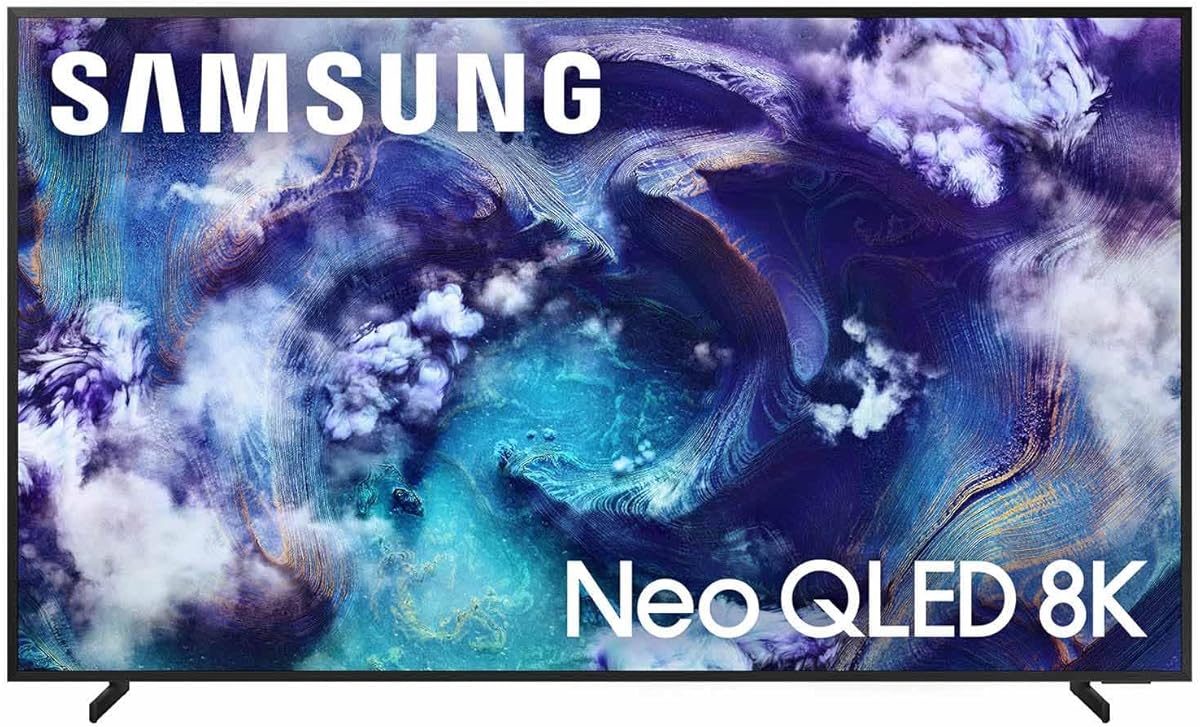
Samsung pushes AI boundaries with this model using 768 neural networks to optimize content resolution. Games and movies look sharper thanks to deep learning that enhances textures and edges. The Glare Free screen reduces reflections so you can play in bright rooms without distractions.
We may earn a commission when you buy through this link, at no additional cost to you.
Wireless One Connect allows you to place cables away from the TV which keeps your gaming setup clean. You can connect consoles and PCs wirelessly to avoid clutter. The AI processor also smooths motion to keep fast-moving objects crisp during action sequences.
Though pricing is high and occasional software updates may be needed the picture quality is stunning. The upscaling ensures lower resolution games look close to native 8K. This makes it a strong choice for future-proofing your setup against new content formats.
Gamers who value clean setups and advanced image processing will appreciate this feature set. It balances performance with convenience to offer a streamlined viewing experience that adapts to your environment.
The NQ8 processor analyzes every frame to boost resolution and detail making 4K content look stunning on an 8K panel.
Wireless One Connect simplifies your workspace by transmitting video and audio signals without physical cables near the screen.
We may earn a commission when you buy through this link, at no additional cost to you.
This bundle combines a large 75-inch display with a protection plan to give peace of mind for long-term use. The NEO QLED technology delivers exceptional brightness and color accuracy that make games look vibrant. The inclusion of a cleaning kit helps you maintain the screen easily.
We may earn a commission when you buy through this link, at no additional cost to you.
With AI Upscaling Pro you get detailed images from various sources. This means your PC games and streaming shows look refined on the big screen. Wireless One Connect keeps cables away which is great for home theater aesthetics and organization.
While some users report setup challenges the visual payoff is significant. The 75-inch size provides immersion that smaller screens cannot match. It is a solid option for those who want a big screen and extra warranty coverage without buying separately.
Choose this if you need a large display and value added protection. The features support immersive gaming and the protection plan safeguards your investment from accidental damage or wear.
Adding a protection plan ensures your screen remains safe from accidents and extends the usability of your expensive display.
The 75-inch panel fills your field of view to create a more engaging environment for single player and competitive games.
We may earn a commission when you buy through this link, at no additional cost to you.
This model combines a stunning picture with rich audio through Object Tracking Sound Plus which moves sound with on-screen action. Games feel more dynamic when audio sources shift as characters or projectiles move across the display. The glare free coating ensures clarity in lit rooms.
We may earn a commission when you buy through this link, at no additional cost to you.
The Neo Quantum HDR 8K Pro boosts contrast and brightness for a cinematic feel. You get deep blacks and bright highlights that make explosions or light effects stand out. The processor smooths motion so text and moving objects remain clear during fast-paced scenes.
While true 8K content is limited the upscaling handles standard feeds well. The Art mode lets you display artwork when not gaming which adds decor value. It is an excellent all-rounder for media and gaming with great connectivity options.
Pick this if you want a premium screen with immersive sound. The combination of visual clarity and audio depth makes it a top contender for a complete entertainment setup.
Sound follows the action on screen to create a realistic soundscape that draws you deeper into the game world.
The sleek metal frame blends into your room and Art mode turns the screen into a canvas when you are not playing.
We may earn a commission when you buy through this link, at no additional cost to you.
The QN800D focuses on motion clarity using AI Motion Enhancer to sharpen moving objects and reduce blur. This is crucial for fast shooters or racing games where tracking targets is key. Real Depth Enhancer Pro adds dimension to scenes to make them feel more realistic.
We may earn a commission when you buy through this link, at no additional cost to you.
With 165Hz Motion Xcelerator you get smooth visuals that keep up with high frame rate content. Quantum Matrix Pro Mini LEDs provide precise local dimming for better contrast. Dolby Atmos adds surround sound so you hear footsteps or gunfire from the right direction.
While the interface may have occasional lags the picture performance is strong. It handles varied lighting well and upscaling works well on PC games. This model balances performance and affordability in the premium 8K category.
Choose this for competitive play that demands smooth motion. The motion technologies ensure fluid gameplay and rich audio completes the experience for immersive sessions.
Motion Enhancer analyzes frames to reduce blur so fast action stays sharp and easy to track during critical moments.
Dolby Atmos creates a three dimensional soundscape that places you in the center of the action with precise sound positioning.
We may earn a commission when you buy through this link, at no additional cost to you.
This top tier model features Motion Xcelerator 240Hz for ultra smooth motion and near zero lag. The Infinity Air Design creates an expansive view with minimal borders so your attention stays on the game. Sound tracks the action precisely with Object Tracking Sound Pro.
We may earn a commission when you buy through this link, at no additional cost to you.
Neo Quantum HDR 8K Pro offers deep contrast and vivid colors that bring games to life. The processor updates scenes in real time so details stay sharp. Real Depth Enhancer Pro adds layer to visuals for a more immersive 3D effect on screen.
Though the price is high and menus can be complex the quality is top notch. It is perfect for enthusiasts who want the best audio and visuals available. The refresh rate ensures competitive titles run flawlessly.
Invest in this if you demand peak performance. It delivers the highest specs available with sound and picture that match elite gaming standards.
240Hz motion ensures fast movements stay fluid and responsive which helps in competitive scenarios and precise timing.
Sound Pro tracks on screen action to deliver precise audio that matches visual events for a more convincing experience.
We may earn a commission when you buy through this link, at no additional cost to you.
This budget friendly giant offers a 144Hz refresh rate ideal for PC gaming at a fraction of premium costs. Mini LED backlighting ensures deep shadows and bright highlights. AI Picture tunes the image in real time to keep colors natural and detailed.
We may earn a commission when you buy through this link, at no additional cost to you.
Dolby Vision and Atmos create a cinematic experience without extra gear. MEMC motion enhancement helps smooth out fast transitions. The 85 inch size offers immersion that rivals more expensive 8K models for a lower price point.
While it is not a native 8K panel the upscaling and color performance are impressive. It is perfect for gamers who want big screen visuals and smooth motion without paying a fortune. The smart platform supports popular streaming apps easily.
Choose this for high performance on a budget. It delivers refresh rates and size that beat competitors in this price range making it a top pick for value.
Native 144Hz support ensures fluid gameplay that matches high end monitors while costing much less than similar options.
AI Picture analyzes content to adjust brightness and color on the fly for consistent quality across different genres.
We may earn a commission when you buy through this link, at no additional cost to you.
OLED technology provides perfect blacks and infinite contrast that LCDs cannot match. The 165Hz refresh rate and 0.1ms response time ensure lag free gameplay. Brightness Booster Pro makes the screen brighter for well lit rooms while maintaining deep blacks.
We may earn a commission when you buy through this link, at no additional cost to you.
G-Sync and FreeSync Premium compatibility prevent screen tearing in PC titles. WebOS platform is smooth and Google Gemini support adds AI integration. The large 83 inch screen fills your field of view for total immersion in single player games.
Risk of burn in is manageable with proper settings but it is a consideration for static HUDs. The visual quality is unmatched for dark games and HDR content. It is the best choice for gamers prioritizing picture depth.
Invest in this if you want the best contrast. The OLED panel delivers stunning visuals that transform games into living scenes unlike any other technology.
OLED pixels light independently to create true blacks that enhance depth and detail in dark game environments.
Sub millisecond response time and variable refresh rates eliminate screen tearing and keep gameplay smooth and responsive.
We may earn a commission when you buy through this link, at no additional cost to you.
While not native 8K this model offers 85 inches of Triluminos Pro color at a lower price. Google TV organizes your apps easily and voice control speeds up navigation. It is optimized for PlayStation 5 with Auto HDR Tone Mapping for better visuals.
We may earn a commission when you buy through this link, at no additional cost to you.
The picture delivers rich colors and decent contrast for the price. It works well for PC gaming and streaming since the interface is responsive. You get Sony reliability without the flagship cost which is great for large setups.
You lose 8K resolution but gain size and features. It is a great secondary screen or main setup for budget conscious gamers. The upscaling handles 4K games well for a sharp look.
Pick this if you want a large Sony screen on a budget. It balances color quality and smart features for a solid entertainment hub.
Google TV centralizes your streaming apps and voice control makes finding content quick and intuitive for daily use.
Triluminos Pro displays a wide color range so games and movies look vivid and true to life on the big screen.
We may earn a commission when you buy through this link, at no additional cost to you.
This model reaches 5000 nits brightness which outshines most competitors. It handles bright rooms well and HDR content pops with intensity. The 4.1.2 channel audio delivers surround sound without extra speakers. Anti-Reflection Pro keeps images clear in sunlight.
We may earn a commission when you buy through this link, at no additional cost to you.
Game Booster 288 and 165Hz support ensure high frame rates are handled smoothly. The Hi-View AI Engine optimizes picture and sound automatically. You get a full surround experience and clear visuals that make every scene impactful.
Though it is 4K the brightness and audio compensate for resolution. It is great for HDR gaming and media where impact matters more than pixel count. The large size and strong processing make it a top performer.
Choose this for brightness and audio power. It delivers a powerful home theater experience that rivals more expensive screens in terms of impact.
5000 nits peak brightness ensures HDR content looks vibrant and visible even in bright environments without glare.
Built-in multi-channel speakers create a theater like sound field that immerses you in the game without external gear.
We may earn a commission when you buy through this link, at no additional cost to you.
Selecting the right display requires balancing resolution, refresh rate, and input lag to match your hardware capabilities and preferences.
While native 8K offers extreme detail few games support it so high quality upscaling is crucial. Look for models with advanced AI processors that enhance 4K or 1080p sources effectively.
Prioritize TVs with deep learning upscaling to keep lower resolution content looking sharp.
High refresh rates like 120Hz or 144Hz ensure fluid motion and reduce blur in fast games. Variable Refresh Rate technologies like FreeSync and G-Sync prevent screen tearing.
Choose a panel with at least 120Hz and VRR support for smooth competitive gameplay.
Low input lag ensures your commands register instantly which is vital for shooters and racing games. Response times under 10ms reduce motion blur.
Look for a dedicated Game Mode that disables unnecessary processing to minimize lag.
OLED offers perfect blacks and infinite contrast while Mini LED provides higher brightness. Choose OLED for dark rooms and Mini LED for bright environments.
Consider your room lighting to decide between OLED depth and Mini LED brightness.
HDMI 2.1 ports are essential for 8K at 120Hz and VRR. Ensure your PC or console has compatible ports to use these features.
Verify the number of HDMI 2.1 ports needed for your setup.
Smart platforms like Google TV or Tizen provide easy app access and voice control. Integrated features like Game Bar allow quick settings changes.
Pick a smart OS that integrates with your existing ecosystem for convenience.
Built-in Dolby Atmos and surround sound reduce the need for external speakers. Object Tracking Sound enhances immersion by matching audio to visual action.
Evaluate audio specs if you want a complete setup without extra gear.
Larger screens like 75 or 85 inches offer immersion but require adequate space. Ensure your viewing distance suits the resolution to notice the sharpness.
Measure your space and sit far enough to appreciate the resolution details.
Connect your PC or console using an HDMI 2.1 cable to ensure you get the full bandwidth for high refresh rates and resolution. Verify that the port supports 8K/120Hz in your display settings.
Enable Game Mode on the TV to minimize input lag and turn off unnecessary image processing features. Adjust brightness and contrast settings to match your room lighting to prevent eye strain.
Clean the screen with a microfiber cloth and avoid harsh chemicals. Regular dusting prevents scratches and keeps the picture clear without the need for deep cleaning.
Yes many models support 120Hz or higher which is essential for smooth gameplay. Look for HDMI 2.1 ports that enable high bandwidth for 8K or 4K at high frame rates.
8K offers four times the pixels of 4K for finer detail but it requires powerful hardware to render. Upscaling is often used to make 4K games look sharp on 8K displays.
Yes HDMI 2.1 supports higher refresh rates and VRR technologies. Older cables limit you to lower resolutions or refresh rates which can hinder performance.
Enable Game Mode or Auto Low Latency Mode which disables post processing. This allows faster response times for your actions on screen.
OLED offers perfect blacks for dark games while Mini LED provides higher brightness. Choose based on your room lighting and game genres.
Variable Refresh Rate matches the display refresh to the PC frame rate to prevent screen tearing. Technologies include FreeSync Premium and G-Sync.
We reviewed ten top models from Sony and Samsung to LG and Hisense offering options for every need and budget. The Sony Z9K leads in image processing while the Hisense E7 offers value with high refresh rates.
Prioritize refresh rate and input lag over raw resolution since most content is 4K. A screen with strong upscaling and motion handling will serve you better than a high pixel count alone.
Always check current listings for pricing and promotions before buying. Features evolve quickly so verify the latest specs match your setup needs.