
Alienware 34 Curved Gaming Monitor AW3425DWM
4.6Editor score
180Hz refresh rate
WQHD resolution
1ms response time
Finding the perfect gaming display means balancing speed, clarity, and immersion. Alienware curved monitors deliver exceptional visuals with high refresh rates and advanced panel technology to help you dominate your games.
We evaluated ten top models based on resolution, response time, HDR support, and build quality. Our team analyzed real-world performance data to ensure each pick meets the rigorous demands of modern gaming.
Each review highlights key strengths and trade-offs to help you choose wisely. Please note that pricing fluctuates frequently, so check current deals before making your final purchase decision today.
4.6Editor score

4.5Editor score

4.3Editor score
As an Amazon Associate we earn from qualifying purchases.
The following table provides a side-by-side comparison of all ten selected models to help you quickly identify the specifications that matter most for your gaming setup.





This monitor delivers exceptional value for gamers seeking high performance without the premium price tag. With a solid 4.6 rating, it balances speed and clarity effectively for modern titles.
We may earn a commission when you buy through this link, at no additional cost to you.
The 180Hz refresh rate combined with a 1ms response time ensures fluid visuals even in fast-paced competitive games. WQHD resolution provides crisp details across the 34-inch ultrawide panel.
While it lacks OLED contrast, the HDR400 certification and 95% DCI-P3 coverage still offer vibrant visuals. The console mode is a useful feature for mixed-use setups.
Buyers prioritizing speed and resolution over deep blacks will find this model compelling. It remains a strong entry point into the Alienware ecosystem.
The 180Hz refresh rate and FreeSync Premium support eliminate screen tearing effectively.
WQHD resolution ensures text and game assets appear sharp on the 34-inch screen.
We may earn a commission when you buy through this link, at no additional cost to you.
This model stands out as the ultimate choice for enthusiasts seeking the best in speed and color accuracy. The QD-OLED panel delivers unmatched vibrancy and deep blacks for immersive gameplay.
We may earn a commission when you buy through this link, at no additional cost to you.
With a 240Hz refresh rate and near-instant 0.03ms response time, motion clarity is phenomenal. The 1800R curve enhances immersion across the expansive field of view.
While expensive, the TrueBlack 400 certification and 1000 nits peak brightness justify the investment. Adaptive sync tech ensures smooth play regardless of your GPU choice.
Ideal for dedicated gamers who demand top-tier specs, this monitor sets a high standard. It balances cutting-edge tech with broad compatibility.
The 240Hz rate makes tracking fast-moving targets significantly easier in shooters.
Quantum Dot technology boosts color range, making HDR content look stunning.
We may earn a commission when you buy through this link, at no additional cost to you.
This model is a powerhouse for creators and gamers alike, offering G-SYNC Ultimate certification for seamless visuals. Its QD-OLED panel ensures colors pop while maintaining excellent accuracy.
We may earn a commission when you buy through this link, at no additional cost to you.
The 175Hz refresh rate and 0.1ms response time deliver near-identical speed to newer models. Creator Mode helps professionals ensure their work translates well to screens.
While the 1800R curve is standard for ultrawides, the ergonomic stand and Legend 2.0 design improve usability. The contrast ratio creates deep shadows for cinematic effects.
High-end users seeking top performance will appreciate the feature set. It remains a benchmark for premium ultrawide displays.
Delta E less than 2 ensures colors are rendered true to industry standards.
G-SYNC Ultimate eliminates tearing without compromising refresh performance.
We may earn a commission when you buy through this link, at no additional cost to you.
This classic model continues to impress with its IPS Nano color technology and reliable G-Sync compatibility. It provides a stable, high-quality experience for general gaming and media consumption.
We may earn a commission when you buy through this link, at no additional cost to you.
The 120Hz refresh rate is sufficient for casual play, while the anti-glare coating reduces reflections effectively. The stand offers height adjustment and robust build quality.
While slower than newer competitors, the 2ms response time remains acceptable for most genres. It is a solid choice for those prioritizing color accuracy over speed.
Users wanting proven reliability and strong visuals should consider this option. It offers great performance without breaking the bank.
Nano technology ensures 98% DCI-P3 coverage for rich, lifelike visuals.
Anti-glare coating and ComfortView Plus reduce strain during long sessions.
We may earn a commission when you buy through this link, at no additional cost to you.
This bundle pairs the powerful AW3423DW monitor with essential accessories for a complete gaming setup. It eliminates the need to search for compatible high-speed cables separately.
We may earn a commission when you buy through this link, at no additional cost to you.
The QD-OLED panel delivers stunning visuals, while the included DisplayPort cable ensures you can utilize the full 175Hz refresh rate. A cleaning kit keeps the screen pristine.
While the total price is higher than the monitor alone, the convenience is valuable for new builds. It ensures immediate readiness without extra purchases.
Buyers looking for a plug-and-play experience will appreciate this package. It simplifies the setup process significantly.
The included DisplayPort cable supports the high bandwidth needed for 175Hz.
The cleaning kit helps maintain the OLED panel without damaging it.
We may earn a commission when you buy through this link, at no additional cost to you.
This bundle offers a comprehensive set of connectivity tools alongside the acclaimed AW3423DW monitor. It ensures you have the necessary ports and extensions for complex setups.
We may earn a commission when you buy through this link, at no additional cost to you.
With a DisplayPort, HDMI, and headphone extender, connection options are plentiful. The included cleaning kit is a thoughtful touch for maintaining the sensitive screen.
The monitor itself boasts fast refresh rates and deep contrast. While the bundle increases cost, it removes setup friction effectively.
Perfect for users wanting a ready-to-go solution without buying cables separately. It streamlines the hardware installation.
Multiple cable options ensure you can connect consoles and PCs easily.
The headphone extender simplifies audio connections during long sessions.
We may earn a commission when you buy through this link, at no additional cost to you.
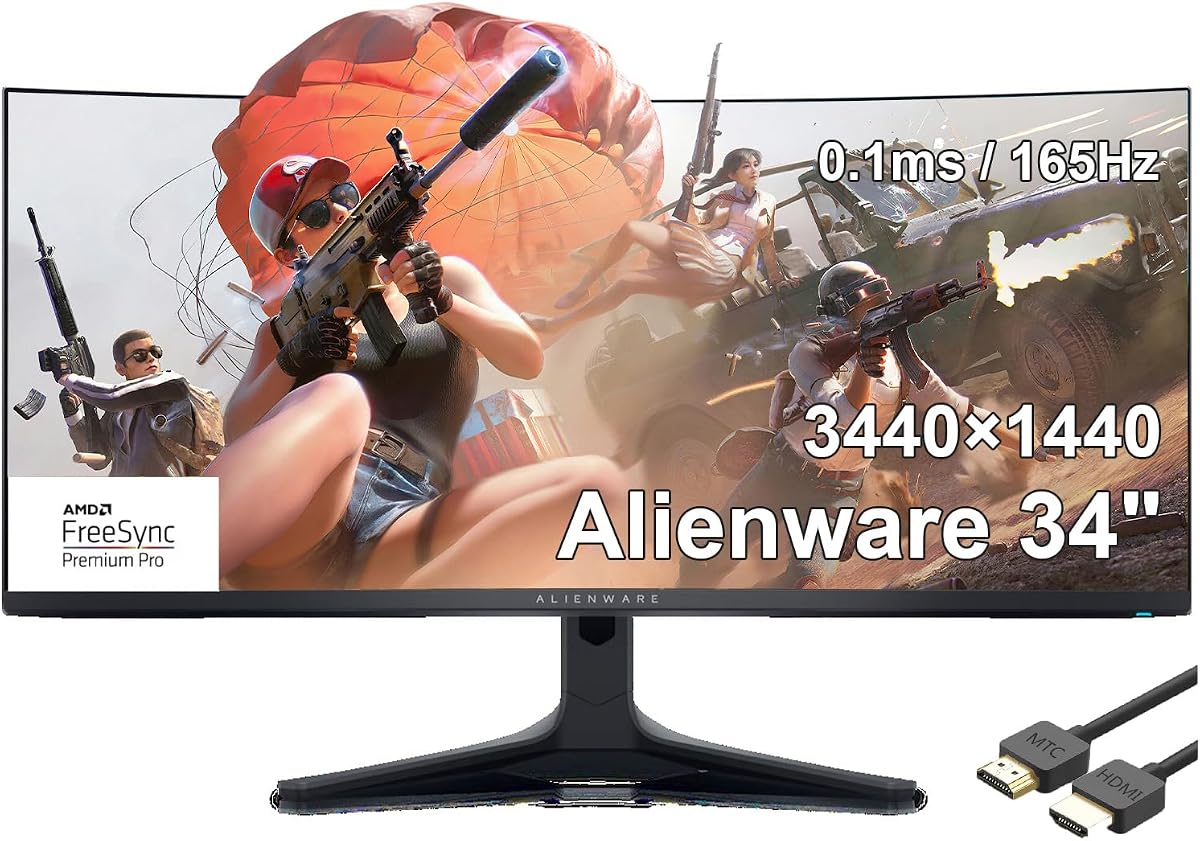
This model is optimized for AMD GPU users with FreeSync Premium Pro support. It maintains the color accuracy and contrast benefits of the QD-OLED panel.
We may earn a commission when you buy through this link, at no additional cost to you.
With a 165Hz refresh rate, it delivers fluid gameplay suitable for competitive titles. The inclusion of an HDMI cable makes it easier to connect immediately.
While slightly lower in refresh rate than other variants, the core performance remains excellent. It balances cost and features effectively.
Ideal for AMD system owners looking for an ultrawide OLED experience. It simplifies the purchase process with included accessories.
FreeSync Premium Pro ensures smooth play without screen tearing on compatible hardware.
The included HDMI cable reduces the need for additional purchases.
We may earn a commission when you buy through this link, at no additional cost to you.
This model pushes visual boundaries with 4K Ultra HD resolution on a QD-OLED panel. It provides incredible detail for gaming and content creation tasks.
We may earn a commission when you buy through this link, at no additional cost to you.
The 32-inch size balances resolution and immersion effectively. QD-OLED technology ensures deep blacks and vibrant colors simultaneously.
While driving 4K requires a powerful graphics card, the clarity is unmatched. It is a premium choice for high-fidelity experiences.
Buyers prioritizing resolution and color depth will find this compelling. It sets a new standard for clarity.
3840 x 2160 resolution delivers crisp text and high detail.
The panel type ensures superior contrast and color gamut.
We may earn a commission when you buy through this link, at no additional cost to you.
This bundle offers extreme speed for competitive gamers seeking a faster response. The 280Hz refresh rate provides an edge in reaction-based titles.
We may earn a commission when you buy through this link, at no additional cost to you.
With a 1ms response time and integrated USB hub, connectivity and performance are solid. The included cables simplify setup further.
While it uses an IPS panel rather than OLED, the speed compensates for some. It is a tactical choice for e-sports.
Buyers focused on maximum frame rates should consider this model. It prioritizes motion clarity above all.
Overclocking to 280Hz ensures the smoothest possible motion for competitive play.
The integrated hub provides quick access to charging and peripherals.
We may earn a commission when you buy through this link, at no additional cost to you.
This Samsung model offers a wide alternative to the Alienware list with a massive 40-inch screen. The 1000R curve wraps around the user for maximum immersion.
We may earn a commission when you buy through this link, at no additional cost to you.
With WUHD resolution and HDR 600, visuals are sharp and bright. The 180Hz refresh rate ensures smooth performance comparable to top competitors.
While not an Alienware product, it complements the guide for those seeking size over specific branding. It brings unique benefits to the table.
Buyers prioritizing screen size and curvature should investigate this option. It offers a distinct experience for media consumption.
The 1000R radius matches the human eye's field of view perfectly.
WUHD resolution keeps pixels tight even on a large 40-inch display.
We may earn a commission when you buy through this link, at no additional cost to you.
Choosing the right monitor requires balancing performance metrics with your specific gaming needs. This guide breaks down the critical factors to consider.
High refresh rates like 180Hz or 240Hz reduce motion blur significantly. Response times under 1ms ensure inputs translate instantly to on-screen actions.
Prioritize models with 144Hz+ refresh and 1ms response for competitive gaming.
QD-OLED panels offer deep blacks and vibrant colors unmatched by LCD. IPS panels provide consistent viewing angles and often lower cost.
Choose QD-OLED for contrast and IPS for cost-effective color accuracy.
WQHD resolution is the sweet spot for 34-inch ultrawide displays. 4K requires more GPU power but delivers higher detail.
Stick to WQHD for smooth gameplay unless you have high-end graphics hardware.
Curvature wraps the screen around your field of view for immersion. 1800R is standard, while 1000R offers deeper engagement.
Select deeper curves for cinematic immersion and standard curves for general use.
G-SYNC Ultimate and FreeSync Premium Pro eliminate screen tearing and stuttering. Ensure your GPU supports the sync standard you choose.
Match the sync technology to your graphics card brand for best results.
HDR certification like TrueBlack 400 or HDR600 enhances contrast in games. Look for nits brightness to ensure visibility in bright scenes.
Look for HDR400 or higher for a noticeable visual upgrade in supported titles.
High-speed HDMI and DisplayPort connections are essential for max refresh. Ensure the monitor includes necessary cables for immediate setup.
Check port availability to avoid buying extra cables after purchase.
Adjustable stands for height and tilt improve comfort during long sessions. Look for VESA mounting options if you prefer a custom arm setup.
Prioritize ergonomic stands to reduce neck strain during extended play.
Always connect via the recommended high-bandwidth cable to support full refresh rates. Using standard cables may limit performance or cause signal issues.
Clean the screen with a microfiber cloth and mild solution to protect sensitive panels. Avoid harsh chemicals that can damage OLED or IPS coatings.
Adjust brightness and contrast settings based on ambient light to reduce eye strain. Use presets like Game Mode to optimize visuals for different genres.
Yes, QD-OLED provides superior contrast and color accuracy compared to standard IPS. It is worth the investment if you value deep blacks and vibrant visuals.
A refresh rate of 144Hz or higher is generally recommended for smooth gameplay. Competitive shooters benefit most from rates exceeding 180Hz.
Most models support color spaces like DCI-P3 which are essential for creation. Creator modes on select monitors ensure high accuracy for professional work.
Driving high refresh rates at WQHD requires a powerful GPU. Ensure your system can sustain high frame rates to fully utilize the monitor.
Curved screens wrap visuals around the peripheral vision to increase immersion. This helps maintain focus and creates a more cinematic experience.
Yes, most models support HDMI inputs suitable for consoles like Xbox and PlayStation. Check resolution and refresh support for your specific console.
Enable screen savers and avoid static images for extended periods. Modern monitors have pixel shifting technology to help prevent burn-in.
34-inch ultrawides fit most standard desks comfortably. Ensure your desk depth supports the stand footprint before buying.
We reviewed ten top Alienware curved monitors ranging from budget options to premium OLED models. Each offers unique strengths in speed, color, and immersion for modern gaming.
Prioritize refresh rates and panel type based on your genre. Speed is key for shooters, while contrast matters for cinematic experiences.
Prices fluctuate frequently so verify current deals before finalizing your order. Check compatibility with your existing setup to ensure a smooth upgrade.