
ARCTIC Case Fan Hub – 10-fold PWM Fan Distributor with SATA Power – Black
4.7Editor score
Ten PWM Fan Slots Available
Direct SATA Power Input
Compact and Simple Design
This guide compares the top ten fan control hub for PC options to help you optimize airflow and cable management in your modern computer build today.
Building a high-performance PC often requires multiple case fans to ensure optimal cooling and airflow. A fan control hub for PC allows you to connect these fans to a single motherboard header, simplifying your setup and reducing clutter inside your chassis.
We have evaluated ten leading fan hubs based on port count, power delivery, mounting options, and compatibility with PWM and ARGB standards. Our analysis focuses on reliability, ease of installation, and how well each hub manages heat and cable organization.
Each pick below highlights specific strengths and weaknesses to help you match a hub to your build needs. Please note that availability and pricing can fluctuate frequently, so verify current stock before finalizing your purchase decision.
4.7Editor score

4.7Editor score
4.6Editor score
The following table provides a side-by-side comparison of all ten selected fan hubs. We list key specifications such as port count, power input type, and mounting style to help you quickly identify the right fit for your case.


This hub from Thermalright offers a reliable solution for users needing to expand their fan connectivity. With a rating of 4.5 stars, it is known for supporting both standard PWM fans and 5V ARGB devices effectively.
We may earn a commission when you buy through this link, at no additional cost to you.
The hub features eight ports, allowing you to connect multiple fans to a single motherboard header. It includes strong adhesive and magnetic mounting options to secure the unit inside your chassis easily. The SATA power input ensures stable power delivery under high loads.
Users should note that this hub does not support 12V 4-pin RGB devices, which could be a limitation for older lighting setups. Additionally, while it reads RPM, it typically recognizes speed from only one fan on the hub.
If you are looking for a straightforward way to organize cables and add more fans without breaking the bank, this hub is a solid choice. It is particularly useful for mid-range builds where RGB synchronization and clean wiring are priorities.
By consolidating multiple fan connections into one unit, you reduce the number of cables running across your motherboard and case interior.
Direct SATA power ensures that fans receive consistent voltage, preventing flickering or performance drops during intensive system use.
We may earn a commission when you buy through this link, at no additional cost to you.
The ARCTIC Fan Controller stands out as an Editor's Choice for those who want granular control over their cooling system. With a high rating of 4.7 stars, it offers features that go beyond simple fan splitting.
We may earn a commission when you buy through this link, at no additional cost to you.
Unlike many hubs that sync all fans to a single PWM signal, this controller allows individual control over each port. It supports up to 2 amps per port and 4.5 amps total, handling large fan arrays efficiently. It also includes native driver support for Linux and Windows.
The main trade-off is that it often requires specific software or a motherboard connection to function fully. If you are not comfortable configuring control software, this might add complexity to your build process.
For enthusiasts who want precise airflow management and the ability to tune each fan independently, this controller is the best option in this roundup. It is ideal for high-end builds where thermal performance is critical.
Control each fan individually to optimize cooling zones and reduce noise where full speed is not required.
Native compatibility with Linux and Windows allows you to use advanced monitoring tools across different operating systems.
We may earn a commission when you buy through this link, at no additional cost to you.
Noctua is renowned for quality, and the NA-FH1 hub reflects this reputation. Rated at 4.6 stars, it is a premium choice for users who prioritize durability and safety features in their PC components.
We may earn a commission when you buy through this link, at no additional cost to you.
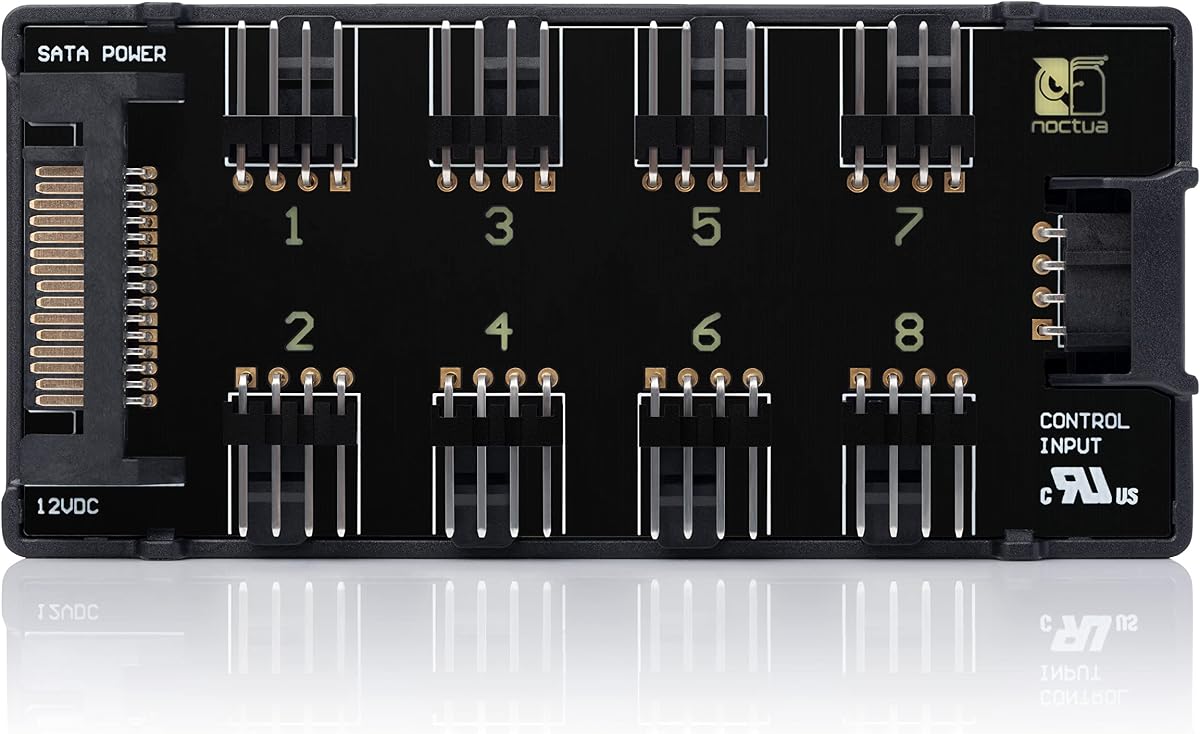
This hub includes safety fuses to protect against overcurrent and short circuits, a rare feature in consumer fan hubs. It uses strong magnets to attach to steel surfaces and supports both SATA and 4-pin inputs for flexible power options.
While the price is higher than other options on this list, the six-year warranty provides long-term peace of mind. The fewer port count may be a drawback if you need to connect ten or more fans simultaneously.
If you value build quality and safety features above all else, this hub is worth the investment. It is perfect for quiet, stable builds where reliability is more important than maximum port availability.
Integrated safety fuses provide critical protection against electrical faults that could damage your fans or motherboard.
A six-year manufacturer warranty ensures that you are covered for a long time if any component failure occurs.
We may earn a commission when you buy through this link, at no additional cost to you.
The ARCTIC Case Fan Hub is a budget-friendly option that delivers essential functionality without extra frills. It carries a rating of 4.7 stars, indicating high satisfaction among users looking for straightforward fan management.
We may earn a commission when you buy through this link, at no additional cost to you.
It provides ten PWM fan slots, which is a high number for the price. The hub synchronizes the PWM signal across all connected fans and uses a single SATA power cable to drive them all. This simplicity reduces complexity inside the case.
Keep in mind that this hub does not support ARGB lighting or individual fan control. It is purely for airflow management. If you need lighting synchronization or unique fan speeds, you will need a more feature-rich model.
For budget-conscious builders who simply need to add more fans to their case without spending much, this is the best value pick. It is reliable, functional, and gets the job done effectively.
Plug and play design means you can connect all fans quickly without needing to configure complex settings or drivers.
Achieve excellent airflow for a minimal investment, making it ideal for entry-level or budget gaming PC builds.
We may earn a commission when you buy through this link, at no additional cost to you.
This model from Thermalright is designed for users who need to connect a large number of fans. With a rating of 4.4 stars, it offers a unique white aesthetic that appeals to clean builds.
We may earn a commission when you buy through this link, at no additional cost to you.
It supports up to 12 groups of fans and integrates both PWM and ARGB connectors. This allows you to manage power and lighting in one place. The SATA power input ensures stable performance under load.
However, like many Thermalright hubs, it does not support 12V 4-pin RGB. Also, while it reads RPM, it only registers the speed of one fan. This is a standard limitation for passive hubs.
If you have a large case with many fans and want to keep wiring tidy, this hub is a strong candidate. It balances port availability with affordability and visual appeal.
The white color scheme helps match white-themed PC builds and keeps the internal aesthetic consistent.
The hub allows ARGB lighting synchronization for all connected devices through a single 5V connection.
We may earn a commission when you buy through this link, at no additional cost to you.
The upHere hub stands out because it includes a remote control for lighting changes. With a rating of 4.6 stars, it is popular among users who want easy access to RGB settings without opening software.
We may earn a commission when you buy through this link, at no additional cost to you.
It supports up to nine fans and ARGB devices. The magnetic mounting makes it very easy to place anywhere on a steel surface. The hub also features a front-facing RGB panel that syncs with your fans.
The remote is convenient but can be lost or misplaced. Also, the software support is not as robust as what you might find on higher-end controllers. It relies mostly on hardware control.
If you want an easy way to manage RGB lighting and fans without complex software, this hub is a great option. It is user-friendly and well-suited for casual users who prioritize ease of use.
Change lighting modes and colors without needing to boot into an operating system or open control software.
Magnetic mounting allows you to place the hub in hidden spots for a cleaner look or in accessible spots for adjustments.
We may earn a commission when you buy through this link, at no additional cost to you.
This hub from Thermalright is a straightforward 10-port option for managing PWM fans. It has a rating of 4.6 stars and focuses on delivering reliable power and organization for cooling setups.
We may earn a commission when you buy through this link, at no additional cost to you.
It uses a direct SATA power input to drive fans, ensuring stable output. The adhesive mounting allows you to fix it firmly to a chassis panel. It is compact enough to fit in most cases.
The main limitation is the lack of ARGB support. If your case fans rely on lighting that you want to control, this hub does not handle that. It is purely for airflow.
For users who need to connect ten fans and want a simple, reliable solution without extra features, this hub is a good choice. It keeps the wiring tidy and runs efficiently.
The direct SATA power connection ensures that fans receive enough power to run smoothly without voltage drops.
Strong double-sided adhesive keeps the hub secure, reducing vibration and potential noise inside the chassis.
We may earn a commission when you buy through this link, at no additional cost to you.
This hub offers eight ports for fans and lighting, balancing performance with size. With a rating of 4.5 stars, it is a popular choice for mid-sized builds that need RGB and airflow control.
We may earn a commission when you buy through this link, at no additional cost to you.
It supports both PWM fans and 5V ARGB devices. The compact black housing helps it blend into dark cases. It uses adhesive mounting to stay in place and SATA power for stability.
Keep in mind that it does not support 12V 4-pin RGB. If your fans use older 12V lighting, this hub will not work with them. Also, the SATA power cable may need to be purchased separately.
If you have a mid-range build with mixed fans and want to keep cables neat, this hub is a solid pick. It provides the essential connectivity you need at a reasonable price.
Manage both fan speed and lighting through one hub to reduce the number of separate controllers needed.
The compact design ensures the hub does not block other components or cable paths inside a tight case.
We may earn a commission when you buy through this link, at no additional cost to you.
This hub offers a unique feature: chassis key control for fans and lighting. With a rating of 4.4 stars, it targets users who want physical buttons for control in addition to a remote.
We may earn a commission when you buy through this link, at no additional cost to you.
It supports ten fans and ARGB lighting. The magnetic suction makes installation easy. It connects to SATA power to ensure stable voltage for all devices.
While having both a remote and key is convenient, it adds to the complexity. You need to route the key cable to the front of the case. This is an extra step in installation.
If you prefer physical controls over software, this hub is a great fit. It gives you quick access to lighting and fan settings without using your keyboard or mouse.
Use a physical chassis key to toggle lighting and fan modes directly without opening software or using a remote.
Supporting ten fans ensures you can fill a large case with cooling without needing multiple hubs.
We may earn a commission when you buy through this link, at no additional cost to you.
This hub is a budget option for users who need both PWM and ARGB connectivity. With a rating of 4.6 stars, it is highly regarded for its value and reliable performance.
We may earn a commission when you buy through this link, at no additional cost to you.
It supports eight groups of fans and provides connectors for both power and lighting. The adhesive mounting keeps it secure. SATA power ensures stable operation under load.
Note that this hub does not support 12V 4-pin RGB. You must ensure your devices are 5V ARGB. Also, check if cables are included in the box as they may be sold separately.
If you are on a budget but need RGB synchronization, this hub is a solid option. It offers essential features without costing much, making it ideal for entry-level RGB builds.
Get both fan and lighting control for a minimal price, making it accessible for budget builds.
Direct SATA power ensures that all fans and lights run consistently without interruptions.
We may earn a commission when you buy through this link, at no additional cost to you.
Choosing the right fan hub depends on your specific needs regarding port count, power delivery, and lighting compatibility. This guide outlines the key factors to consider before making a purchase.
The first factor to consider is the number of fans you plan to connect. Some hubs support eight ports, while others support ten or twelve. Ensure the hub has enough slots to accommodate all your case fans plus any additional cooling components you might add later.
Check the total number of ports available on the hub and compare it with your current fan setup. If you have many fans, a hub with higher port count will reduce the need for splitters.
Fan hubs require power to drive the motors. Most use a SATA power connector directly from your power supply. Check the maximum wattage or amperage the hub supports to ensure it can handle the total load of all connected fans.
Ensure the hub provides enough power for all your fans without voltage drop. High-amperage hubs are better for larger setups with many fans.
Some hubs only support PWM fans for speed control. Others also support 5V ARGB for lighting synchronization. Check if your fans are PWM or DC and if you need lighting control features.
Select a hub that matches the type of fans you own. If you have ARGB fans, ensure the hub supports 5V 3-pin connections.
Installation can be easier with good mounting options. Look for hubs that come with strong adhesive tape or magnets. Magnets are useful for attaching to steel panels inside the case.
Choose a hub with mounting that fits your case interior. Magnetic or adhesive mounts save space and avoid drilling.
Some hubs offer individual control over each fan, while others sync all fans to a single signal. If you want to tune specific fans, look for controllers with individual PWM features.
Decide if you need individual fan control or if synchronized control is sufficient. Controllers with software support offer more granular control.
Some hubs come with remotes, chassis keys, or extra cables. These can improve usability. Ensure the hub includes everything you need to install it properly.
Check the package contents to see if cables and accessories are included. Buying a hub with necessary cables saves extra trips to the store.
Quality varies by brand. Look for hubs from reputable manufacturers that offer safety features like short circuit protection. A good warranty ensures you are protected against defects.
Read reviews regarding build quality and durability. Brands that offer longer warranties often provide better quality components.
Hubs range from basic models to advanced controllers. Basic hubs are cheaper but lack features. Advanced controllers cost more but offer better control and reliability.
Balance your budget with the features you need. A basic hub may suffice for simple airflow expansion without extra costs.
Start by connecting the SATA power cable to your power supply to ensure the hub gets enough power to drive all fans. Next, connect one fan header cable from the hub to a PWM header on your motherboard to enable speed control.
Arrange the fan cables carefully inside the case to avoid blocking airflow. If your fans are ARGB, connect the 5V 3-pin cables to the motherboard ARGB header using the hub as a splitter.
After installation, check that all fans are spinning correctly and responding to software commands. Use a tool like HWMonitor to verify RPMs and ensure there are no voltage drops under load.
No, 12V RGB fans use a different voltage and connector type than 5V ARGB fans. Connecting them to a 5V ARGB hub can damage the equipment. Always check the voltage of your fans before connecting.
Most hubs support between eight and twelve fans. The exact limit depends on the hub's wattage capacity. Check the product specifications to see the maximum supported fan count.
Some hubs include a SATA power cable, but others require you to buy one separately. Check the product description to ensure you have the necessary power cables for installation.
A fan hub typically splits one signal to multiple fans, while a controller offers more advanced features like individual fan control or software integration. Hubs are simpler and cheaper.
You can use a hub even if your motherboard has limited headers, but you need at least one header to control the speed. If you have no headers, you may need a PCIe controller.
Yes, most hubs with magnetic mounting are designed to stick securely to steel panels. If your hub is heavy, consider using adhesive or zip ties for extra security.
We hope this guide has helped you identify the right fan control hub for your PC. The top picks range from budget-friendly options to advanced controllers, covering a wide variety of needs and budgets.
Prioritize features like port count and power capacity that match your specific build. Consider whether you need lighting support or advanced control features before making a final decision.
Remember to check current stock and availability before purchasing as prices and inventory can change. Ensure your chosen hub is compatible with your fans and motherboard headers.