
Canon imageCLASS LBP6030w
3.8Editor score
Compact space-saving design
Wireless connectivity options
Energy efficient operation
This guide compares the top laser printers with cheap toner options to help you find the best value for your home or office printing needs.
Finding a reliable laser printer with affordable toner is essential for maintaining cost-effective printing in any environment. These devices deliver sharp monochrome output while ensuring ongoing supply costs remain manageable for your budget.
We evaluated ten leading models based on print speed, connectivity options, paper handling, and overall value. Each selection offers distinct advantages for different workflows, from compact home units to robust office solutions.
Each pick details key features and real-world performance to help you make an informed decision. Please note that product availability and pricing may change, so verify current listings before purchasing.
3.8Editor score

4.1Editor score

4.3Editor score
This side-by-side comparison highlights key specifications across all ten models to help you quickly identify which printer best fits your specific workflow requirements.





The Brother HL-L2405W stands out as a top contender for home offices seeking efficiency and affordability. With a solid 4.1 rating and 30 ppm speed, it delivers professional black and white output quickly. This model ensures sharp text and crisp graphics for everyday document needs.
We may earn a commission when you buy through this link, at no additional cost to you.
Its dual-band wireless connectivity allows seamless printing from multiple devices without cluttering your desk with cables. The Brother Mobile Connect app makes managing prints and tracking toner usage simple. Additionally, the 250-sheet tray reduces frequent refills, supporting longer work sessions.
While it lacks automatic duplex printing, manual duplex remains an option for two-sided jobs. The absence of color limits versatility but keeps costs low for monochrome users. These trade-offs are acceptable given the competitive performance and value it provides.
Ideal for small teams and home offices needing consistent output, this printer balances speed and cost effectively. Its subscription service offers long-term savings on toner. For those prioritizing reliable performance and ease of use, this model is a strong recommendation.
Built-in dual-band wireless ensures stable connections across devices, while the intuitive app simplifies remote management and supply ordering.
The option to use genuine toner with subscription services helps maintain consistent quality and reduces long-term printing expenses significantly.
We may earn a commission when you buy through this link, at no additional cost to you.
The Canon imageCLASS LBP6030w is an excellent choice for users needing basic monochrome printing on a tight budget. Its compact size fits easily in small spaces like dorm rooms or small workstations. Despite its simplicity, it delivers reliable prints for everyday documents.
We may earn a commission when you buy through this link, at no additional cost to you.
Wireless connectivity allows printing from smartphones and tablets without installing extra software on every device. The low power consumption makes it eco-friendly and cost-effective over time. Setup is straightforward, getting you printing quickly with minimal frustration.
Print speeds of 19 ppm are slower than competitors, which may delay large jobs. The lack of duplex means manual flipping is needed for double-sided pages. However, these limitations are minor for low-volume users prioritizing affordability and space.
This model suits students or freelancers needing occasional professional output. It provides essential features without unnecessary extras. For those seeking a no-fuss printer that keeps costs low both upfront and ongoing, this is a solid choice.
Its minimalist build saves valuable desk space, making it ideal for confined areas where larger printers simply won't fit.
Built-in wireless lets you print directly from mobile devices, eliminating the need for permanent computer connections.
We may earn a commission when you buy through this link, at no additional cost to you.
The Brother MFC-L2820DW offers premium performance for small offices needing versatility. With a 4.3 rating, it delivers fast 36 ppm printing and scanning up to 23.6 ipm. This all-in-one model consolidates print, copy, scan, and fax into a single unit.
We may earn a commission when you buy through this link, at no additional cost to you.
Its 2.7 touchscreen simplifies navigation and supports direct printing to cloud services like Google Drive and Dropbox. Dual-band wireless and Ethernet ensure reliable connections for multiple users. The auto document feeder speeds up multi-page tasks significantly.
The larger footprint and higher price may deter home users with limited space or budget. Color printing is also absent, focusing purely on monochrome efficiency. Still, the speed and multifunctionality justify the cost for active offices.
This printer is ideal for teams needing high-volume output and document management tools. It streamlines workflows with integrated scanning and cloud support. For businesses prioritizing productivity and professional quality, this model is a top investment.
By combining printing scanning and faxing, this device reduces equipment clutter and simplifies document management for busy teams.
The responsive touchscreen offers quick access to settings and cloud services, enhancing usability without complex menus.
We may earn a commission when you buy through this link, at no additional cost to you.
The Canon imageCLASS MF3010 VP provides a straightforward wired solution for single-user workstations. With a 4.2 rating, it offers solid print quality and essential scanning functions. Its simplicity ensures reliable operation without the complexity of wireless networks.
We may earn a commission when you buy through this link, at no additional cost to you.
USB connectivity guarantees stable performance without signal interference. The included cable speeds up setup significantly. Its 2,300-page toner yield in the box reduces early replacement costs. Energy-saving features further minimize operational expenses over time.
Lack of wireless limits flexibility for mobile users or shared environments. It is designed primarily for direct computer connection. While functional, this restriction may not suit modern flexible work setups.
This printer suits users who prefer direct, secure connections and minimal configuration. It is ideal for environments where network access is restricted or unnecessary. For consistent monochrome output without wireless needs, it is a dependable option.
Wired USB connectivity ensures your documents remain secure and protected from potential network-based threats or unauthorized access.
Energy saver modes and high toner yields keep operating costs low, making it economical for long-term basic printing needs.
We may earn a commission when you buy through this link, at no additional cost to you.
The Brother HL-L2460DW combines speed and versatility for active home offices. With a 4.0 rating, it prints up to 36 ppm and includes automatic duplex to save paper. Its dual-band wireless ensures consistent connectivity across all devices.
We may earn a commission when you buy through this link, at no additional cost to you.
The Brother Mobile Connect app enables remote printing and supply management easily. A 250-sheet tray supports high-volume tasks without constant refilling. This model balances performance and cost-effectiveness well for regular document production.
Lacking scanning capabilities means you need a separate scanner for digitizing documents. The price is higher than non-duplex models, but it offers tangible long-term savings. For users focused solely on printing speed and efficiency, these trade-offs are minor.
Ideal for teams or households needing reliable high-speed monochrome printing, this model streamlines daily workflows. Its duplex feature reduces waste and enhances professional output. For those prioritizing speed and wireless ease, it is a smart pick.
Automatic duplex printing halves paper usage for two-sided documents, reducing waste and maintaining professional appearance effortlessly.
With 36 ppm speeds, this printer handles urgent large jobs quickly, minimizing downtime and keeping productivity high.
We may earn a commission when you buy through this link, at no additional cost to you.
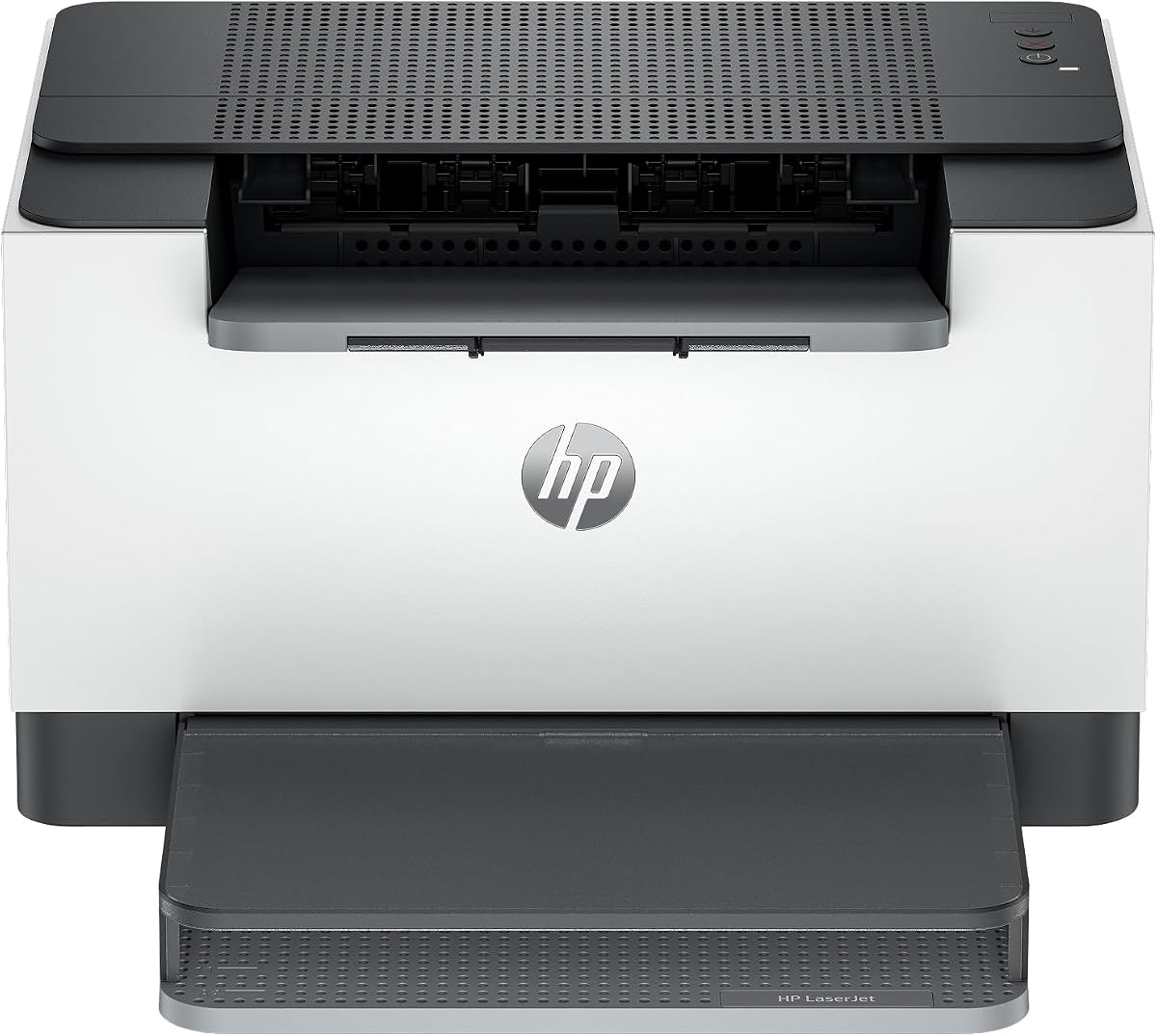
The HP LaserJet M110w is designed for small teams needing a compact, easy-to-use printer. With a 3.9 rating, it delivers 21 ppm speeds and fits almost anywhere. Its self-reset wireless feature helps maintain connection stability automatically.
We may earn a commission when you buy through this link, at no additional cost to you.
HP Smart app integration streamlines printing and scanning tasks from mobile devices. Firmware updates enhance security but may restrict third-party cartridges. This ensures print quality but limits flexibility in supply choices for some users.
The lack of duplex printing increases paper use for two-sided documents. Setup is simple, ideal for non-technical users needing quick deployment. While limitations exist, its ease of use compensates for small workspaces.
This printer suits offices or households prioritizing simplicity and space efficiency. It provides essential features without complexity. For users needing a reliable, compact wireless printer with strong app support, it is a viable option.
Its straightforward setup process gets you printing quickly, even without technical expertise, saving valuable time.
Periodic firmware updates help protect against threats and ensure optimal performance and security for your documents.
We may earn a commission when you buy through this link, at no additional cost to you.
The HP LaserJet M209dw offers impressive speed and reliability for small teams. With a 4.2 rating, it prints up to 30 ppm and includes fast two-sided printing. Dual-band Wi-Fi with self-reset ensures stable, uninterrupted connections.
We may earn a commission when you buy through this link, at no additional cost to you.
Built-in security features protect sensitive documents from potential attacks. Instant Ink eligibility allows flexible subscription options for supplies. Mobile printing works seamlessly across devices, supporting modern work habits and remote access.
It lacks scanning capabilities, requiring separate hardware for digitizing. Firmware restrictions ensure cartridge compatibility but limit third-party options. Despite these constraints, its performance and security make it strong for focused printing needs.
This printer is ideal for environments needing fast, secure monochrome output. It balances speed and safety effectively. For users prioritizing quick turnaround and connection stability, it delivers consistent value and performance.
Dual-band Wi-Fi helps detect and resolve connection issues automatically, ensuring you stay connected and productive.
Instant Ink eligibility offers flexible subscription options that adapt to your printing volume and simplify supply management.
We may earn a commission when you buy through this link, at no additional cost to you.
The Canon imageCLASS LBP122dw delivers fast duplex printing in a compact form. With a 3.9 rating, it prints 30 ppm and reduces paper use with automatic two-sided output. Its wireless connectivity supports printing on-the-go via mobile devices.
We may earn a commission when you buy through this link, at no additional cost to you.
The Canon PRINT app streamlines document management and remote printing tasks. High-capacity toner options reduce replacement frequency and maintenance. Its compact build makes it suitable for small offices needing efficient workflows.
Absence of scanning functions means extra hardware for digitization. Paper tray capacity is modest compared to larger models. These constraints are acceptable for users focused solely on reliable monochrome printing.
This printer suits users needing speed and duplex without excess features. It is effective for home offices or personal use. For those valuing efficiency and compact design, it provides solid value and consistent performance.
Automatic duplex printing over Wi-Fi simplifies double-sided document production while reducing paper consumption effectively.
The Canon PRINT app allows remote document management and printing from anywhere with a compatible mobile device.
We may earn a commission when you buy through this link, at no additional cost to you.
The HP LaserJet MFP M235sdw provides robust all-in-one capabilities for offices. With a 4.0 rating, it prints, scans, and copies at 28 ppm. Dual-band Wi-Fi and Ethernet ensure flexible connectivity for multiple devices and secure network integration.
We may earn a commission when you buy through this link, at no additional cost to you.
Built-in security features safeguard sensitive business documents from threats. Fast two-sided printing completes multipage projects efficiently. Mobile printing support accommodates remote and hybrid work scenarios seamlessly.
Setup complexity may require some technical attention for network integration. The larger footprint needs dedicated office space. These considerations are minor compared to its versatile functionality and professional output quality.
This printer suits offices needing a reliable multifunction machine. It streamlines document workflows effectively. For teams requiring speed, security, and flexibility, it offers comprehensive value and consistent results.
Ethernet and dual-band Wi-Fi provide secure, stable connectivity options suitable for professional environments and data protection.
Integrating scanning and copying with printing simplifies document management, reducing the need for multiple devices.
We may earn a commission when you buy through this link, at no additional cost to you.
The Brother HL-L2480DW excels as a top-rated compact multifunction printer. With a 4.5 rating, it combines printing scanning and copying in one unit. Fast 36 ppm speeds and automatic duplex support high-volume home office demands.
We may earn a commission when you buy through this link, at no additional cost to you.
Its 2.7 touchscreen offers intuitive navigation and cloud app integration for easy file access. The Brother Mobile Connect app facilitates remote management and toner tracking. Dual-band wireless ensures reliable connections across multiple devices.
While slightly higher in cost, its feature set justifies the investment for frequent users. Fax functionality is absent, which may affect specific business needs. Overall, its speed and usability stand out prominently.
This printer suits users needing reliable multifunctional performance. It balances quality and efficiency well. For those prioritizing speed, intuitive controls, and cloud integration, it remains a highly recommended option for home offices.
The touchscreen interface simplifies navigation and setup, making advanced features accessible to users of all skill levels.
Cloud app support and mobile printing enable seamless access to documents from anywhere, enhancing workflow flexibility.
We may earn a commission when you buy through this link, at no additional cost to you.
Selecting a laser printer requires balancing upfront cost, toner expenses, and performance to meet your workflow needs.
Always evaluate the page yield and cost per page for toner cartridges. High-yield cartridges may cost more initially but reduce frequent replacements and overall costs.
Prioritize printers compatible with high-capacity toners to maintain affordability and minimize downtime from running out of supplies.
Print speeds affect how quickly documents are produced. Look for models with at least 20 ppm for efficient workflow and avoiding bottlenecks during busy periods.
Faster printers save time but may consume more power; balance speed with your typical daily volume requirements.
Modern printers offer wireless Ethernet and USB connections. Wireless flexibility enables printing from mobile devices without cables, ideal for dynamic offices.
Choose models with dual-band Wi-Fi for more stable performance in environments with many devices competing for network access.
Paper trays reduce how often you refill. Standard 250-sheet trays suit most users while 500-sheet options support high-volume tasks.
Consider manual feed slots for special media types like envelopes to avoid needing additional equipment for unique prints.
Printers with scan and copy functions reduce equipment clutter. All-in-one models simplify workflows by consolidating multiple tasks into one device.
Ensure scanning speed matches your needs, especially if digitizing documents frequently for digital storage or sharing.
Automatic duplex printing saves paper and costs by enabling two-sided output. Manual duplex adds steps and time to each job.
If environmental impact and paper usage are priorities, prioritize models with built-in duplex features for convenience and savings.
Intuitive interfaces like touchscreens simplify setup and daily tasks. Models with mobile apps allow remote management and monitoring of supplies.
Check compatibility with your operating systems to avoid driver or software conflicts during installation and use.
Reliable customer service and warranty terms protect your investment. Look for manufacturers offering live chat or phone support for quick troubleshooting.
Long warranties indicate confidence in durability and reduce financial risk if components fail prematurely during the warranty period.
Always use genuine toner recommended by the manufacturer to maintain print quality and prevent hardware issues. Third-party cartridges may save money but can cause jams or void warranties.
Keep your printer in a cool dry place away from dust and direct sunlight. Regular cleaning of rollers and trays prevents paper jams and extends the machine lifespan.
Update firmware regularly to benefit from security patches and performance improvements. Proper storage and handling ensure your printer operates smoothly for years.
Compatible toners can be reliable but vary by brand quality. Choose well-rated third-party options carefully to avoid print defects or hardware problems. Review user feedback and return policies before committing.
Use draft modes for internal drafts and only high quality for final documents. Enabling duplex printing cuts paper use and indirectly saves toner by reducing total print volume.
Most laser printers last several years with proper maintenance. Regular cleaning and avoiding overloading paper trays help prevent wear and extend usability significantly.
Yes, many models support Mac OS natively. Check the manufacturer website for driver availability to ensure seamless integration with your system.
Modern wireless printers include encryption and firmware updates for security. Use strong network passwords and enable built-in security features to protect sensitive documents.
Clean rollers and trays every few months to prevent jams. Use soft lint-free cloths and avoid abrasive materials to protect internal components.
Most printers support mobile printing via apps or AirPrint. Ensure Wi-Fi settings match your device for direct printing without extra configuration.
Most models pause the job until refilled. Keeping spare cartridges on hand prevents interruptions and maintains productivity during busy periods.
We've reviewed ten top models balancing speed connectivity and toner value. The Brother HL-L2405W and Canon imageCLASS LBP6030w stand out for different budgets and needs.
Prioritize features that align with your daily workload such as duplex printing or multifunction options. Consider long-term costs and ease of use when making your final decision.
Remember that product availability and specs may change so verify details before purchase. Choosing the right printer ensures efficient and affordable printing for your home or office.