
SANSUI 24 Inch Curved 160Hz Gaming Monitor
4.4Editor score
160Hz refresh rate
1500R curvature
1ms MPRT response
Finding the right gaming monitor can transform your experience from flat and detached to deep and immersive. Curved screens wrap around your field of view, while high refresh rates ensure smooth motion during fast-paced action. Today we explore the best options available for enthusiasts seeking performance without breaking the bank.
We have evaluated ten real products based on their refresh rates, curvature, panel types, and connectivity options. Each entry offers unique strengths whether you prefer ultra-wide formats or compact setups. Our analysis focuses on how these displays handle competitive gaming and media consumption alike.
Every pick below includes detailed specifications and honest assessments of strengths and weaknesses. Prices fluctuate often so verify current listings before buying. This resource aims to guide you toward a display that matches your specific gaming needs and desk space.
4.4Editor score
4.5Editor score

4.6Editor score
As an Amazon Associate we earn from qualifying purchases.
This side-by-side comparison highlights key differences across ten leading curved monitors. We focus on resolution, refresh capabilities, and unique features to help you differentiate between similar models quickly.






The SANSUI 24 Inch Curved 160Hz Gaming Monitor delivers exceptional value for budget-conscious gamers. With a 4.4 rating, it stands out for providing high refresh rates at an accessible price point. This display aims to bring smooth motion and immersive curves to smaller desks.
We may earn a commission when you buy through this link, at no additional cost to you.
Its 160Hz refresh rate ensures fluid visuals during competitive matches while FreeSync compatibility reduces screen tearing. The 1500R curvature wraps around your vision to enhance focus. Colors appear vibrant thanks to 110 percent sRGB coverage and strong contrast ratios typical of VA panels.
Trade-offs include the lack of built-in speakers and basic tilt-only adjustment. You will need external audio and careful desk placement since height or swivel are missing. However these limitations are acceptable given the aggressive pricing and core performance specs.
This monitor is ideal for students or casual gamers seeking high speeds without overspending. If you prioritize refresh rates over premium ergonomics, this SANSUI model offers a compelling starting point for a curved gaming setup.
The 1500R curve draws your eyes into the screen making games feel more engaging and realistic during extended sessions.
With 160Hz refresh and 1ms response time moving graphics remain sharp without distracting blur or lag in fast titles.
We may earn a commission when you buy through this link, at no additional cost to you.
The SANSUI 27 Inch Curved 160Hz Gaming Monitor expands the visual field while maintaining budget-friendly pricing. Rated at 4.4 stars this model offers a bigger canvas for gaming and multitasking. It retains the key benefits of high refresh rates and curved immersion.
We may earn a commission when you buy through this link, at no additional cost to you.
Its 160Hz refresh rate delivers smooth motion handling for competitive play. The 1500R curve reduces distortion and eyestrain during long sessions. Additional features like black level adjustment and crosshair presets cater directly to FPS and RTS players seeking tactical advantages.
While the FHD resolution on a 27-inch screen may lack pixel density compared to QHD options the affordability makes it a strong contender. Stand adjustments remain limited to tilt which might require desk space planning. Overall it balances size and speed well for most users.
Choose this monitor if you want more screen real estate without paying premium prices. It suits gamers who value refresh rates and immersion over ultra-sharp text clarity or ergonomic stands.
Built-in tools like timers and crosshairs provide practical advantages during competitive matches without needing third-party software.
Enabling HDR mode via HDMI port adds depth and contrast to compatible content enhancing the visual experience.
We may earn a commission when you buy through this link, at no additional cost to you.
The SANSUI 24 Inch Curved Gaming Monitor stands out with impressive color coverage and solid ratings. With a 4.5 score this display emphasizes visual fidelity alongside gaming performance. It is a strong choice for those wanting vibrant colors in a compact format.
We may earn a commission when you buy through this link, at no additional cost to you.
Its VA panel delivers deep blacks and high contrast ratios ideal for dark scenes in games. The 97 percent DCI-P3 coverage ensures rich hues while 160Hz refresh rates keep motion smooth. Flicker-free technology helps reduce eye fatigue over long periods of use.
As with many budget models it lacks built-in speakers and offers only tilt adjustment. You will need separate audio and a desk setup that suits the fixed stand. Still the color accuracy and contrast make up for these minor conveniences.
This monitor is best for gamers who prioritize color quality alongside speed. If you value accurate representation and deep blacks in a 24-inch form factor this SANSUI model is worth considering.
With 97 percent DCI-P3 coverage colors appear vivid and true to life enhancing both games and media content.
Flicker-free technology and blue light reduction features protect your vision during extended gaming sessions.
We may earn a commission when you buy through this link, at no additional cost to you.
The CRUA 32 inch 4K UHD Curved Gaming Monitor offers a step up in resolution and immersion. Rated at 4.3 stars it combines detailed imagery with smooth refresh rates for a premium feel. This model suits users wanting high pixel density in a large format.
We may earn a commission when you buy through this link, at no additional cost to you.
With 4K UHD resolution you get crisp text and intricate textures in games. The 160Hz refresh rate maintains fluidity while AMD FreeSync prevents tearing. Built-in speakers add convenience reducing cable clutter on your desk during setup.
Driving 4K at high refresh rates demands a powerful graphics card which may increase total system cost. The price reflects this upgrade but remains competitive compared to other 4K gaming displays. Stand features remain standard without height adjustment.
Select this monitor if you crave sharp visuals and convenience features like speakers. It works well for single-player adventures and media consumption where detail matters as much as speed.
The 4K resolution delivers stunning detail and depth making open-world games and movies look exceptionally realistic.
Integrated speakers provide decent sound output without needing extra hardware or messy wiring around your desk.
We may earn a commission when you buy through this link, at no additional cost to you.
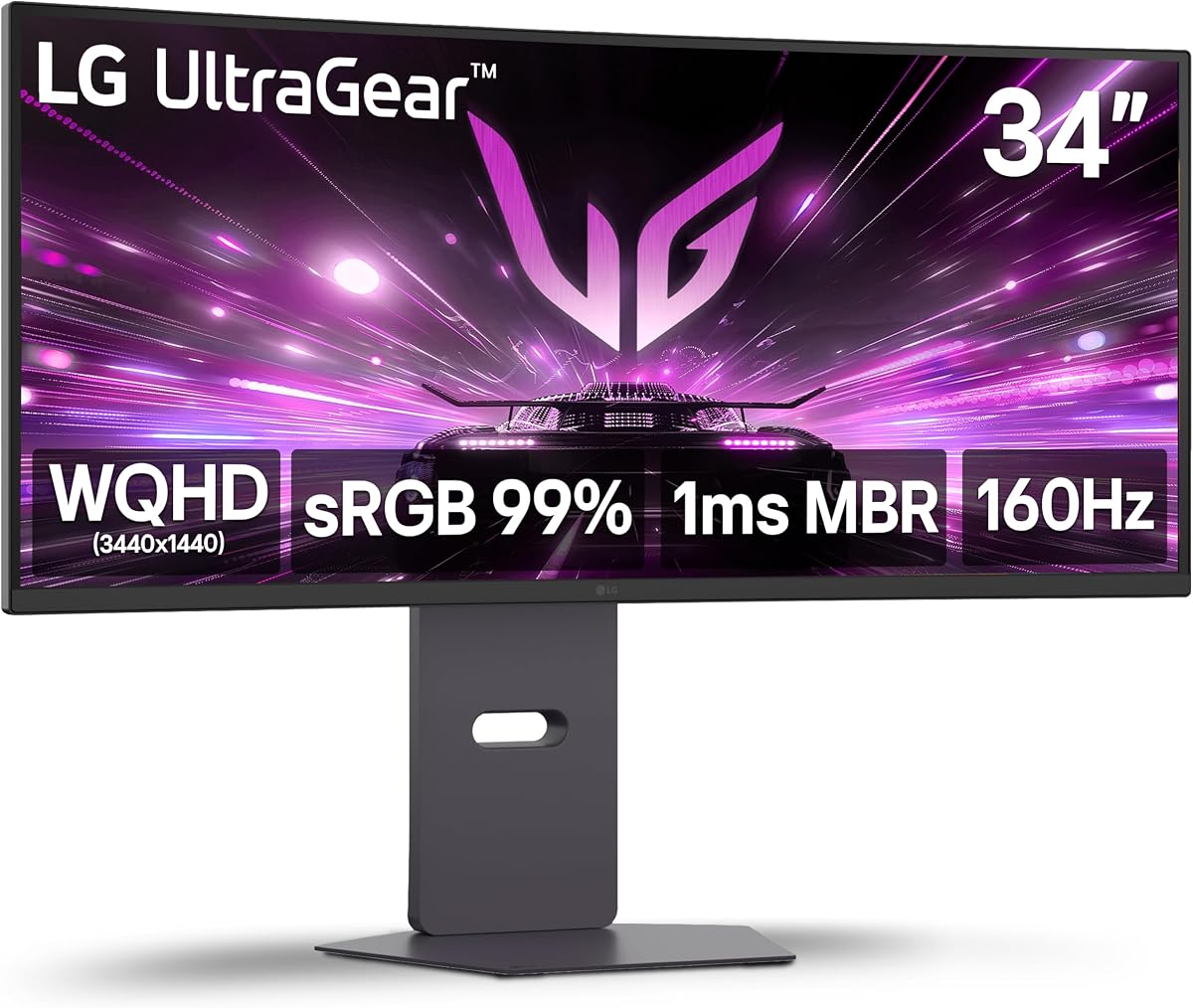
The LG 34G600A-B Ultragear combines speed with superior ergonomics for a top-tier experience. Rated at 4.5 stars it offers WQHD resolution and 160Hz refresh rates for fluid gameplay. The 1800R curve enhances immersion without stretching visuals unnaturally.
We may earn a commission when you buy through this link, at no additional cost to you.
Its stand allows height swivel and tilt adjustments ensuring comfort during long sessions. FreeSync Premium delivers tear-free visuals while HDR10 and 99 percent sRGB coverage provide vibrant colors. Built-in speakers with MaxxAudio add convenience for multimedia use.
While the price is higher than budget options the ergonomic benefits justify the cost for daily users. The ultrawide footprint requires ample desk space but offers significant productivity advantages. This balance of comfort and performance makes it a standout choice.
Ideal for serious gamers and professionals seeking comfort and quality. If you want a display that grows with your needs and supports various tasks efficiently this LG monitor is a safe investment.
The adjustable stand lets you position the screen at eye level reducing neck strain and improving posture.
HDR10 and wide color gamuts ensure rich contrast and accurate tones across games movies and creative work.
We may earn a commission when you buy through this link, at no additional cost to you.
The LG 34G600A-B Renewed brings premium ultrawide performance at a reduced cost. With a perfect 5.0 rating from verified buyers this refurbished unit offers peace of mind. You gain access to high-end specs without the full retail price tag.
We may earn a commission when you buy through this link, at no additional cost to you.
It retains all key features including 160Hz refresh rates WQHD resolution and ergonomic adjustments. The 1800R curve delivers immersion while FreeSync Premium ensures smooth motion. Buyers report excellent condition and reliability matching new units in performance.
While it offers substantial savings the warranty is typically shorter than new models. You must verify the specific return policy before purchasing to ensure protection against defects. For budget-conscious buyers this option provides high value and proven quality.
Choose this if you want LG quality with savings. It suits users comfortable with renewed electronics who still demand top-tier display performance for gaming and work.
Renewed units offer substantial savings while maintaining full functionality and build quality of the original product.
High customer ratings indicate consistent performance and condition quality for those willing to buy refurbished.
We may earn a commission when you buy through this link, at no additional cost to you.
The Samsung 32 Inch Odyssey G55C offers one of the deepest curvatures available for gaming. With a 1000R curve it wraps tightly around your peripheral vision for maximum immersion. Rated at 4.4 stars it delivers sharp visuals and quick responses for competitive play.
We may earn a commission when you buy through this link, at no additional cost to you.
Its QHD resolution provides detailed textures on a 32-inch screen. The 165Hz refresh rate and 1ms response time minimize blur during action scenes. Eye Saver mode reduces blue light helping you stay comfortable during late-night sessions.
The extreme curve can feel unnatural for non-gaming tasks like text editing. Stand adjustments remain basic compared to higher-end models. However for immersive gaming this curvature creates a unique sense of presence unmatched by flatter panels.
Best suited for dedicated gaming setups prioritizing immersion. If you want to feel fully surrounded by your game world this Samsung monitor delivers unmatched visual envelopment.
The 1000R curve mimics the human eye curvature wrapping visuals naturally around your field of view for deep immersion.
QHD resolution ensures razor-sharp clarity revealing hidden details in complex environments and dark scenes.
We may earn a commission when you buy through this link, at no additional cost to you.
The Sceptre 34-inch Curved Ultrawide offers a large canvas with competitive pricing. Rated at 4.2 stars it combines WQHD resolution with high refresh rates for dynamic visuals. The 1500R curve ensures immersive viewing for gaming and productivity tasks.
We may earn a commission when you buy through this link, at no additional cost to you.
Its 180Hz refresh rate provides exceptionally smooth motion handling for fast-paced games. Built-in speakers add convenience while LED backlights give the setup a modern look. Dual DisplayPort connections allow for flexible multi-system setups or backup options.
Stand adjustments are limited to tilt which may impact comfort over long periods. While it delivers strong performance the ergonomics lag behind premium competitors. However the price point makes these compromises acceptable for budget-focused buyers.
Choose this monitor for cost-effective ultrawide immersion. It works well for gamers needing extra screen space without investing in high-end ergonomic stands.
The 21:9 ultrawide format offers 30 percent more horizontal space than standard 16:9 displays for better multitasking.
180Hz refresh delivers smooth transitions and minimal motion blur for competitive edge in fast games.
We may earn a commission when you buy through this link, at no additional cost to you.
The Alienware 34 Curved Gaming Monitor delivers premium performance and sleek design. Rated at 4.6 stars it offers WQHD resolution with 180Hz refresh rates for exceptional fluidity. Iconic styling and robust build quality set it apart from standard displays.
We may earn a commission when you buy through this link, at no additional cost to you.
Its 180Hz refresh rate and 1ms response time eliminate blur for crisp gameplay. VESA DisplayHDR 400 certification enhances contrast while low blue light helps reduce strain. Dedicated console mode optimizes settings for console users seamlessly.
The price reflects its premium status and design features. It may require a larger desk and powerful hardware to drive at full potential. Yet the combination of speed aesthetics and build justifies the cost for enthusiasts.
Best for users seeking top-tier quality and design. If you want a monitor that looks as good as it performs this Alienware model is a standout choice.
Iconic design and robust build give this display a premium look that matches high-end gaming rigs.
180Hz refresh combined with 1ms response ensures every movement appears sharp and responsive during play.
We may earn a commission when you buy through this link, at no additional cost to you.
The AOC 34 Inch Curved Gaming Monitor pushes speed limits with 200Hz refresh rates. Rated at 4.5 stars it targets competitive players demanding the smoothest motion possible. The WQHD resolution keeps visuals sharp while the VA panel ensures deep blacks.
We may earn a commission when you buy through this link, at no additional cost to you.
With a 0.3ms response time motion blur is minimized for clear tracking during fast action. Height adjustable stands improve ergonomics while HDR Ready adds contrast depth. Multiple HDMI ports support diverse connectivity for various devices.
Full speed requires powerful graphics cards which may limit accessibility for some users. HDR implementation remains basic compared to specialized HDR displays. However raw speed remains unmatched in this price category for pure gaming performance.
Choose this monitor if speed is your top priority. It suits competitive gamers willing to invest in hardware that fully utilizes its high refresh capabilities.
200Hz refresh and 0.3ms response provide the smoothest motion available for serious competitive gaming.
Multiple HDMI ports and DisplayPort ensure flexible connections for consoles PCs and other devices.
We may earn a commission when you buy through this link, at no additional cost to you.
Selecting the right curved monitor depends on understanding key factors like panel type resolution and ergonomics. This guide walks you through what matters most.
Refresh rate determines how many frames a monitor displays per second. Aim for 160Hz or higher to ensure smooth motion in fast-paced games. Response time measures how quickly pixels change color affecting blur. Look for 1ms or less to minimize ghosting.
Prioritize 160Hz refresh and 1ms response for competitive gaming.
VA panels offer deep blacks and high contrast making them ideal for immersive gaming. IPS provides better color but may lack contrast. TN delivers speed but poor viewing angles. Check contrast ratios and color coverage for visual fidelity.
VA panels often balance contrast and speed best for curved monitors.
Resolution defines pixel count and sharpness. FHD suits smaller screens while WQHD and 4K enhance detail on larger displays. Ensure your graphics card can drive your chosen resolution at desired refresh rates for consistent performance.
Match resolution to screen size and GPU capability.
Curvature wraps around your field of view to enhance immersion. Lower numbers like 1000R create deeper immersion while higher numbers like 1800R are subtler. Choose based on how much wrapping you prefer during long sessions.
Deeper curves increase immersion but suit dedicated gaming setups.
Adjustable stands let you position the screen comfortably. Look for tilt swivel and height options to reduce neck strain. VESA mounting compatibility gives flexibility for arms or wall mounts if needed.
Ergonomic stands improve comfort during extended gaming sessions.
Ports like HDMI and DisplayPort support high refresh rates. Ensure your monitor has the correct ports to match your graphics card. Additional features like audio jacks or USB hubs can add convenience to your setup.
Check ports match your hardware to unlock full refresh rates.
Adaptive sync like FreeSync or G-Sync prevents screen tearing by matching refresh rates with GPU output. This creates smoother visuals without input lag. Confirm compatibility with your graphics card when buying.
FreeSync or G-Sync ensures tear-free smooth visuals.
Budget monitors offer great speed but often skip premium ergonomics. Premium options provide better stands and features. Always check warranty terms for peace of mind since electronics can fail unexpectedly over time.
Balance features with budget and confirm warranty coverage.
Connect the monitor to your graphics card using DisplayPort for maximum refresh rates. Ensure your system settings enable the full refresh rate and resolution. Calibrate brightness and contrast to match your room lighting for best visual results.
Keep the screen clean using a soft microfiber cloth to avoid scratches. Avoid direct sunlight to prevent glare and heat damage. Adjust tilt and height regularly to reduce eye and neck strain during long sessions.
Update your graphics drivers and monitor firmware periodically for best performance. Disable unnecessary background apps to free resources for gaming. Monitor heat levels and ensure proper airflow to prolong hardware lifespan.
Yes 160Hz offers smoother motion and better responsiveness compared to 60Hz or 144Hz. It is ideal for competitive shooters where split-second reactions matter. Most modern GPUs can handle this refresh rate at WQHD resolutions.
Curvature itself does not boost hardware performance but enhances immersion and reduces eye strain. It helps you focus on the center without moving your head frequently. Deep curves create a more enveloping experience.
To hit 160Hz at WQHD you typically need a mid-range to high-end GPU. Budget GPUs may struggle with demanding titles at high refresh rates. Check game benchmarks for your specific hardware.
Curved monitors can improve focus and reduce eye movement for multitasking but may distort straight lines. They excel in creative work and immersive entertainment. Consider ergonomic features more than curve for office tasks.
Enable adaptive sync features like FreeSync or G-Sync if supported. Set your refresh rate in graphics settings to match the monitor. Limiting frame rates can also help synchronize visuals without extra hardware.
DisplayPort usually supports higher refresh rates than HDMI especially at 1440p. Many monitors offer 160Hz only via DisplayPort. Check specifications for port limits before buying cables or connecting systems.
We reviewed ten top curved 160Hz monitors ranging from budget SANSUI options to premium Alienware models. Each brings unique strengths whether you need speed, resolution, or immersion. The LG 34G600A-B stands out for balancing ergonomics and performance.
Prioritize refresh rates and ergonomics based on your gaming habits and desk space. Consider resolution and curvature if visual immersion ranks higher than speed. Choose based on your GPU capabilities and available connectivity options.
Prices fluctuate so verify current deals before purchasing. Monitor sales for savings especially on renewed units like the LG Renewed. This guide remains your trusted resource for informed display decisions in November 2026.