
Amazon Fire HD 8 Kids
4.6Editor score
13 hour battery life
2 year warranty included
Parental control dashboard
Finding the right digital device for young children requires balancing fun with safety and education. A good kids tablet offers a durable design, easy parental controls, and access to age-appropriate content that keeps them engaged without exposing them to risks.
We evaluated ten leading models based on build quality, screen clarity, battery performance, and software features. Our comparison includes both branded options and third-party Android devices designed specifically for toddlers and early elementary school children.
Each pick highlights unique strengths like warranty coverage, included subscriptions, or expandable storage. Prices and availability can change frequently, so check the current links before making your final decision to ensure you get the best value.
4.6Editor score

4.3Editor score

4.0Editor score
As an Amazon Associate we earn from qualifying purchases.
This side-by-side comparison breaks down the key specifications and features of all ten selected tablets to help you quickly identify which device fits your child's needs and your budget requirements.


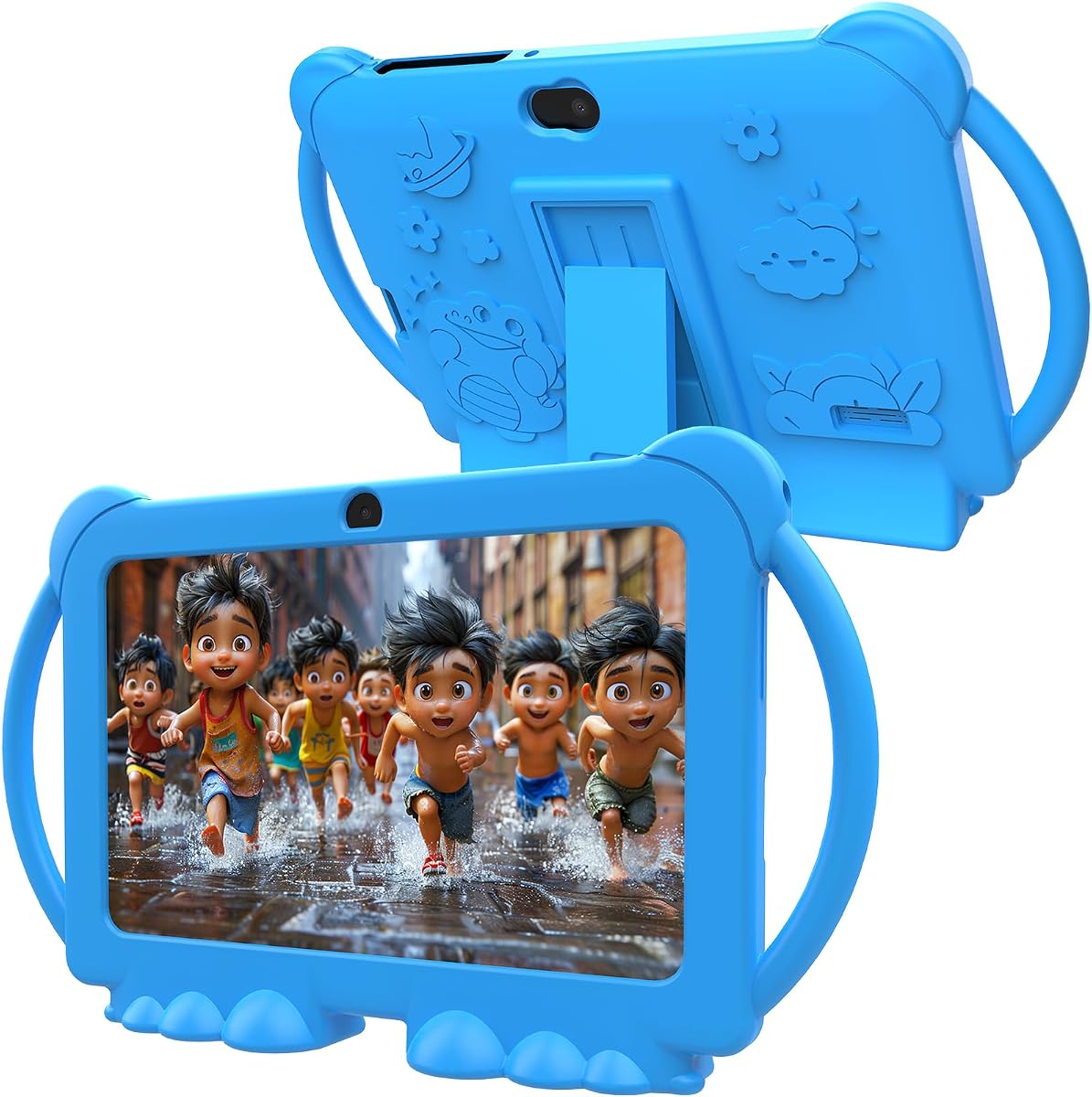


The Amazon Fire 7 Kids tablet stands out as a top-rated choice for young children with its robust build and comprehensive safety features. It holds a strong rating from parents and comes with a one year subscription to Amazon Kids+ right out of the box.
We may earn a commission when you buy through this link, at no additional cost to you.
Parents appreciate the worry free guarantee that covers accidental damage for two years. The interface is designed specifically for children, offering thousands of books, videos, and apps from trusted brands like Disney and PBS Kids. Battery life reaches up to ten hours so it lasts through long car rides or quiet afternoon play sessions.
While the storage capacity is smaller than some competitors, you can expand it with a microSD card. The case is sturdy and protects against drops and bumps which is essential for active toddlers. The parental dashboard makes it easy to set time limits and educational goals without needing technical skills.
This tablet is ideal for families who want a reliable device without breaking the bank. It balances entertainment with learning effectively and keeps kids safe online. Choose this if you value a proven track record and comprehensive support from a major manufacturer.
The two year worry free guarantee ensures peace of mind if the device gets damaged during normal use. You can return it and receive a replacement at no extra cost.
Amazon Kids+ provides access to thousands of ad free titles so children only see age appropriate material. This includes educational STEM activities and language learning games.
We may earn a commission when you buy through this link, at no additional cost to you.
The Amazon Fire HD 8 Kids offers an upgraded experience with a brighter screen and faster performance compared to the standard Fire 7. It is perfect for families who want more storage and longer battery life for extended use away from power outlets.
We may earn a commission when you buy through this link, at no additional cost to you.
With up to thirteen hours of battery life this tablet can easily last a full day of travel or school. The 8 inch HD display makes reading and watching videos more enjoyable. It includes a year of Amazon Kids+ and a sturdy kid proof case that handles rough play well.
The increased RAM allows apps to load faster and multitasking to be smoother. Parents can remotely review activity and set strict educational goals. The glass on the screen is strengthened to resist cracks better than previous versions which adds to its durability.
If you are willing to invest a little more for quality this is the top choice. It grows with your child better than budget models and offers a superior viewing experience. Select this for the best balance of features and reliability in the current market.
The 8 inch HD screen provides sharper images and better color accuracy for educational videos and games. This makes reading text easier on the eyes for young learners.
Up to thirteen hours of battery life means fewer interruptions for charging. This is particularly useful for long flights or days without easy access to an outlet.
We may earn a commission when you buy through this link, at no additional cost to you.
This Android 12 tablet offers a full Google Play experience at a very affordable price. It provides 4GB of RAM and 32GB of internal storage which is generous for this price range. The device includes a shockproof case and parental controls to keep usage safe.
We may earn a commission when you buy through this link, at no additional cost to you.
Parents can download thousands of apps from the Play Store including educational games and creative tools. The IPS display offers a clear view for videos and reading. It also has dual cameras and FM radio which adds extra utility for older kids.
While it lacks a dedicated kids warranty, the included case protects the device well. The parental control mode allows time limits and app blocking to keep kids focused. Battery life is decent for daily use around the house or short trips.
This is a great entry level option for families on a tight budget. It gives children access to a wide ecosystem of apps without high costs. Choose this if you want full Android freedom but still need some control over content.
Unlike locked systems this tablet runs full Android 12 so you can install any app from the Play Store. This flexibility helps keep the device useful as your child grows older.
With 4GB of RAM and 32GB of storage this device handles multitasking better than many budget competitors. You can store plenty of photos and videos locally.
We may earn a commission when you buy through this link, at no additional cost to you.
The YosaToo Kids Tablet runs the latest Android 16 which ensures a smooth experience and compatibility with new apps. It comes with pre-installed offline learning apps like YUBABE which is perfect for travel where Wi-Fi might be unavailable.
We may earn a commission when you buy through this link, at no additional cost to you.
It includes Google Kids Space and YouTube Kids so children have safe access to creative and educational content. The tablet allows you to filter content and manage screen time easily. The drop-proof silicone case is durable and includes a stand for hands-free watching.
With 4GB of RAM this tablet handles basic games and videos well. The parental controls let you set daily limits and monitor usage. It is a good fit for families who want modern software features at a low cost.
This tablet is ideal for trips or areas with unstable internet connections. The offline apps ensure learning continues without interruption. Pick this if you want the newest Android features without paying a premium for a big brand.
Pre-installed apps like YUBABE allow kids to play STEM and art games without Wi-Fi. This makes it a reliable companion for long car rides or airplane travel.
Running Android 16 provides access to the latest apps and security updates. This ensures the device remains secure and useful for a longer period of time.
We may earn a commission when you buy through this link, at no additional cost to you.
The Fire HD 8 Kids Pro is designed specifically for children aged six to twelve who need a more mature experience. It features a slim case and larger storage to handle more complex apps and games. The interface is more adult-like but still has guardrails.
We may earn a commission when you buy through this link, at no additional cost to you.
Kids can browse the web independently while parents set specific controls to block unsafe sites. The 64GB storage is excellent for downloading large games or videos for offline use. It includes voice and video calls to approved contacts which keeps communication safe.
Parental controls allow you to approve downloads and manage screen time remotely. The battery life matches the standard HD 8 with up to thirteen hours. This model bridges the gap between toy tablets and full productivity devices.
Choose this if your child is growing out of the standard kids models. It respects their need for independence while keeping safety intact. It is a great upgrade that can last through middle school years effectively.
The web browser comes with built-in controls to filter inappropriate sites. Parents can set specific rules so kids can learn to browse safely on their own.
Kids can make voice and video calls to approved contacts using Alexa enabled devices. This allows safe communication with family members without needing a phone.
We may earn a commission when you buy through this link, at no additional cost to you.
The PEICHENG Kids Tablet is a solid choice for families looking for a capable device at a low price. It runs Android 12 which allows access to the Google Play Store and a wide variety of educational apps. The shockproof case is included to protect against drops.
We may earn a commission when you buy through this link, at no additional cost to you.
Parents can limit screen time and filter web pages through the parental control mode. The 7 inch IPS screen is bright enough for reading and watching videos. It includes dual cameras which can be fun for children who like to take pictures.
You will need to set the password as the default is 0000 for the kids mode. Battery life is sufficient for casual use but not all day. The performance is decent for simple games and learning tools.
This tablet works well if you need a simple tool for specific apps or games. It offers full flexibility without monthly subscription requirements. Choose this if budget is the main priority and you can manage the setup yourself.
Because it runs full Android you can download any app from the Play Store. This is useful if your child has specific educational apps they already know and love.
The package includes a shockproof case that helps prevent cracks from drops. The case also has a stand function so kids can watch videos hands free.
We may earn a commission when you buy through this link, at no additional cost to you.
The ApoloSignage 2026 offers a large 10 inch display which is great for watching videos and drawing. It runs on Android 16 with an octa-core processor that handles multitasking smoothly. The 8GB of RAM ensures apps stay open and run fast.
We may earn a commission when you buy through this link, at no additional cost to you.
It includes Google Kids Space and parental controls to manage screen time and content. The screen has blue light reduction technology to help reduce eye strain during long sessions. You can expand storage up to 1TB which is rare at this price point.
While the weight is higher than smaller models, it provides a more immersive experience. The battery supports extended use between charges which is good for travel. The case protects against drops but the device is larger for small hands.
Choose this if your child needs a larger canvas for art or movies. It is a powerful device that can handle more demanding apps. Pick this for older kids who appreciate a bigger screen.
Advanced blue light reduction technology helps minimize eye strain. This is beneficial for children who read or watch videos for long periods of time.
With expandable storage up to 1TB you can store thousands of photos and videos. This makes it a great media player for the whole family.
We may earn a commission when you buy through this link, at no additional cost to you.
The HOTTABLET Kids Tablet is a practical choice for families needing lots of storage at a low price. It supports up to 1TB of expansion so you can download many videos and apps. The 7 inch IPS screen is clear and has an eye protection mode to reduce strain.
We may earn a commission when you buy through this link, at no additional cost to you.
It runs Android 12 with parental controls to filter content and set time limits. The silicone case is durable and includes a stand for watching videos. You can download educational apps from the Play Store to customize the experience.
Battery life is around eight hours which is enough for a few sessions. The default password is 0000 so remember to change it for security. Performance is solid for basic tasks like reading and watching videos.
This tablet is great for media consumption where storage space matters. It keeps costs down while offering essential features. Choose this if you want to store large offline libraries without paying more.
The eye protection mode helps alleviate dryness and fatigue. This is helpful for children who spend time reading text or watching long videos.
With Bluetooth and WiFi this tablet connects to external accessories. You can use headphones or Bluetooth speakers for a better audio experience.
We may earn a commission when you buy through this link, at no additional cost to you.
The aiprotablet 10 inch focuses on long life with a 6000mAh battery. This means it can last longer between charges than many smaller devices. It also supports PD fast charging so downtime is minimized when power runs out.
We may earn a commission when you buy through this link, at no additional cost to you.
It runs Android 16 with a powerful processor to handle apps smoothly. The 10 inch display is great for reading and videos with a clear resolution. Parental controls allow you to manage screen time and set learning goals easily.
Dual speakers provide better sound quality for videos and games. Face recognition adds convenience for unlocking the device quickly. The included case protects the tablet from drops and bumps during daily use.
Choose this if you need a device that lasts a full day of use. It is well suited for older children who use it for school or longer play sessions. Pick this for long-term reliability and convenience.
A 6000mAh battery provides extended use between charges. This is especially useful for family road trips or camping where outlets are scarce.
Support for 18W PD fast charging means you get power back quickly. This ensures kids spend less time waiting and more time learning or playing.
We may earn a commission when you buy through this link, at no additional cost to you.
The PRITOM 7 inch is a simple and effective device for young children. It runs Android 13 and comes with pre-installed iWawa software for safe content. The interface is designed to be private and easy for kids to navigate without help.
We may earn a commission when you buy through this link, at no additional cost to you.
It features a USB-C fast charging port which is modern and convenient. The case is made of soft silicone to protect against drops and scratches. You can download more apps from the Play Store to expand its capabilities.
Parental controls include spending limits and game time limits to manage usage. The storage is expandable with a micro SD card for more photos and videos. It is a reliable tool for basic educational use and entertainment.
This tablet works well for simple tasks and young users. It keeps costs down while providing the essential tools for a safe experience. Choose this for a straightforward option without unnecessary features.
The child-friendly interface makes it easy for kids to use. It reduces the risk of accidental changes or exposure to unsafe content.
With a USB Type-C charging port this tablet charges faster than older micro USB models. This reduces downtime when the battery gets low.
We may earn a commission when you buy through this link, at no additional cost to you.
Choosing the right tablet involves looking at several factors that impact safety, durability, and long term value for your child.
Kids tablets must be built to withstand drops and tumbles. Look for a model that includes a sturdy silicone or rubber case that absorbs impact. Check if the device is rated as kid proof and if the screen is made with strengthened glass to resist cracks.
Strong parental controls are essential for managing content and screen time. Look for dashboards that let you set daily limits, filter websites, and approve app downloads. Ensure you can monitor activity remotely so you know what your child is watching.
Long battery life ensures the tablet lasts through school or travel. Aim for devices that offer at least ten hours of use on a single charge. Fast charging capabilities are also a plus if your child forgets to plug it in overnight.
A larger screen helps with reading and watching videos. Consider 8 inch or 10 inch displays if your child will use it for education or media. HD resolution ensures text is clear and images are sharp which is better for eye comfort.
Storage space affects how many apps and videos you can save. Models with at least 32GB of internal storage are recommended. Check if the tablet supports microSD cards so you can expand storage later as needs grow.
A good warranty protects your investment from accidental damage. Many top brands offer a two year worry free guarantee that covers drops and spills. Verify the claim process is easy and that replacements are sent quickly without high costs.
Some tablets run custom software while others use full Android. Consider if your child needs access to the Google Play Store for specific apps. Check what educational content is included and if subscriptions renew automatically after the trial period.
A faster processor and more RAM make apps load quicker. Look for at least 4GB of RAM for smooth performance. This helps avoid lag when playing games or watching videos which improves the overall user experience for young children.
Keep the device in its case whenever your child uses it. If the screen gets dirty, wipe it with a soft cloth to avoid scratches. Store the tablet in a dry place away from direct sunlight to protect the screen from heat damage.
Many modern kids tablets run full Android 12 or 13 which allows access to the Google Play Store. This means you can download popular apps like Google Classroom or YouTube Kids. Always check the product details to confirm if Google services are included.
Most devices include a parental dashboard where you can set daily time limits. You can schedule specific hours for use and lock the device outside those times. This helps establish healthy habits and ensures your child gets enough time for other activities.
Yes, all tablets listed support standard Wi-Fi connections. You simply connect to your home network during the initial setup. This allows your child to access streaming services and educational websites safely at home.
The included subscriptions usually renew automatically unless you cancel. You can cancel any time through the parent dashboard. The tablet remains functional for offline content but you lose access to the paid library unless you renew.
No, most kids tablets are not waterproof. They are designed to be durable against drops but not water. Keep liquids away from the device to prevent damage to the internal components and screen.
Most tablets update automatically when connected to Wi-Fi. You can also check for updates manually in the settings menu. Keeping software up to date ensures the device runs smoothly and has the latest security patches.
Prices and availability can change quickly so check current offers before buying. Ensure you read the latest reviews to see how the device performs in real world use. With the right tablet you can provide your child with safe and fun digital learning.