
RisoPhy Mechanical Gaming Keyboard
4.5Editor score
Clicky Blue Switches
RGB Backlit Illumination
Full 104 Key Layout
Discover the top loud mechanical keyboard options for 2026. This guide compares tactile switches, clicky feedback, and durable designs for gamers and typists.
If you love the sound of typing, a loud mechanical keyboard delivers the satisfying clicks and thocks that make every keystroke feel rewarding. These boards feature switches designed to provide audible feedback, ensuring you know exactly when a key actuates during intense gaming or heavy writing sessions.
We evaluated ten top-rated models based on switch type, build quality, and overall user experience. Our comparison focuses on keyboards known for their distinct acoustic signature, helping you find the perfect match for your setup without compromising on durability or performance.
Each pick in this list highlights specific strengths like customization options or ergonomic design. Keep in mind that pricing can fluctuate frequently, so check current deals before making your final decision to ensure you get the best value for your investment today.
4.5Editor score

4.6Editor score

4.6Editor score
This side-by-side comparison highlights the key specifications of every model we reviewed. Use this table to quickly identify which keyboard offers the specific features and sound profiles that match your typing preferences and budget requirements.




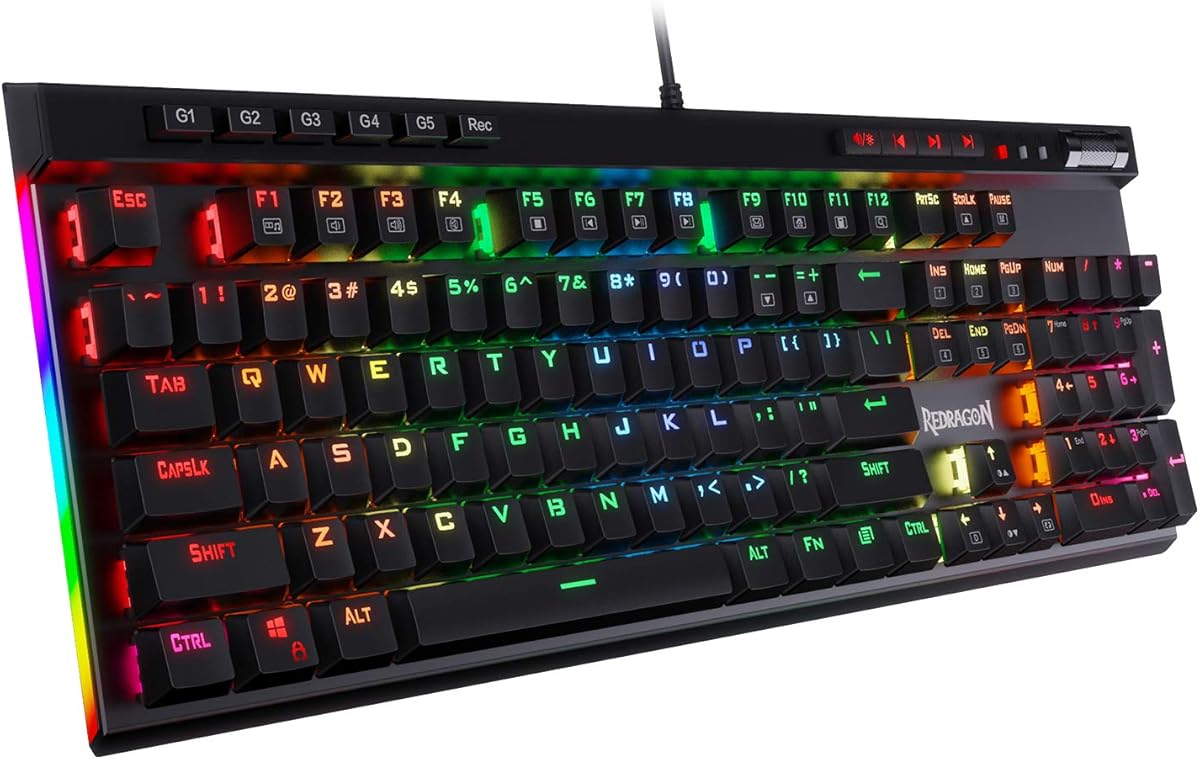
The Redragon K671 offers a solid entry point for those looking to explore mechanical keyboards. It carries a rating of 4.3 stars and is designed for gamers and general users who need reliable performance.
We may earn a commission when you buy through this link, at no additional cost to you.
Its standout feature is the hot-swappable design, which lets you change switches without soldering. The included red switches are smooth and linear, making it great for rapid keystrokes in games like RPGs and MMOs.
While the red switches are quieter than blue ones, the keyboard still provides a satisfying typing experience. The 11 backlight modes help you find the right ambiance, though you cannot change colors beyond the preset options.
This keyboard is ideal for beginners who want room to upgrade later. The 24-month warranty provides peace of mind, ensuring you can enjoy your setup without worrying about early failures or defects.
Swap out switches easily to customize your sound and feel without needing soldering tools or technical expertise.
Choose from 11 unique backlight modes to match your mood, with adjustable speed and brightness for day or night use.
We may earn a commission when you buy through this link, at no additional cost to you.
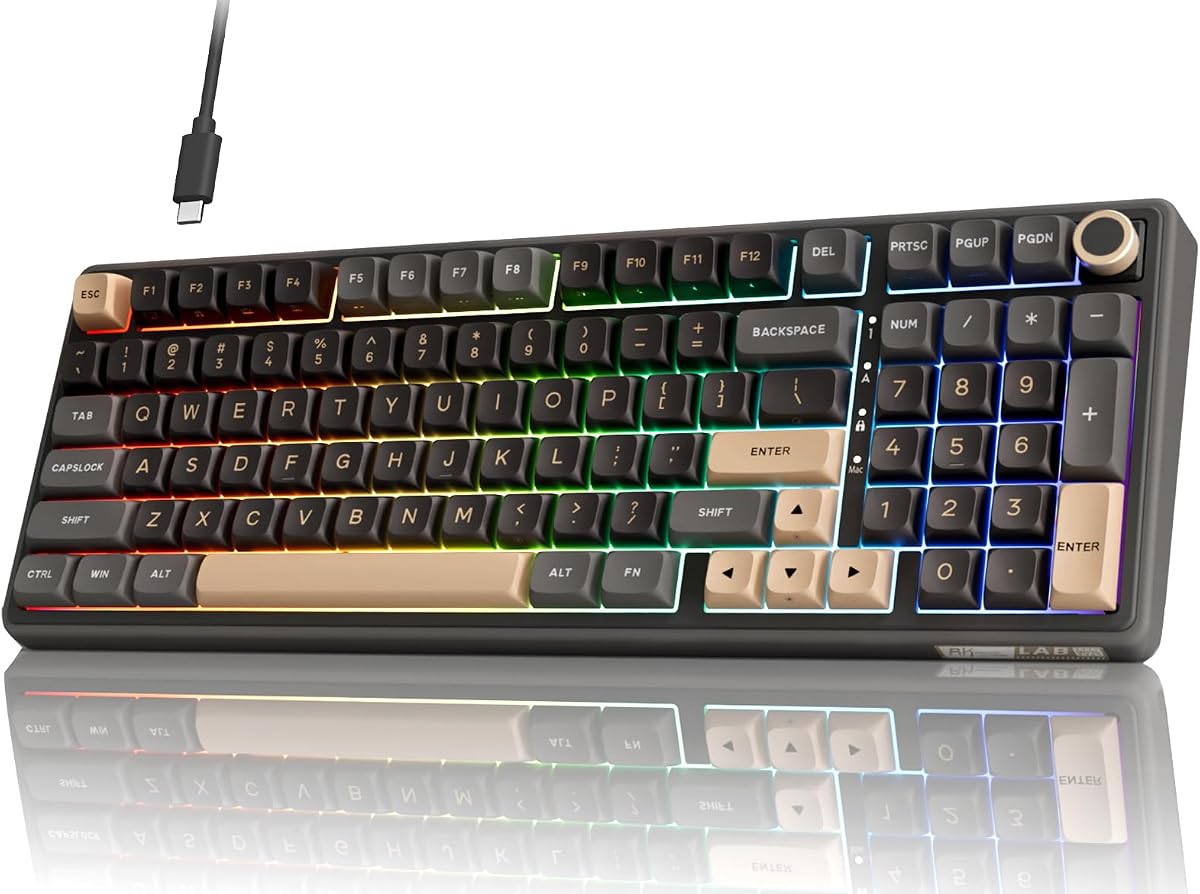
If you want loud feedback without breaking the bank, the RisoPhy Mechanical Gaming Keyboard is a top contender. It holds a 4.5-star rating and is built specifically for users who enjoy the tactile feel of blue switches.
We may earn a commission when you buy through this link, at no additional cost to you.
This keyboard delivers crisp, audible clicks on every keystroke, making it perfect for typing and gaming. The rainbow backlighting enhances your setup, while the spill-resistant design adds an extra layer of protection against accidents.
The layout includes a full 104 keys, ensuring you have all the functions you need. The ergonomic design with foldable kickstands helps maintain comfort during long sessions, reducing hand fatigue effectively.
This model is excellent for budget-conscious buyers who refuse to compromise on sound quality. The durable construction ensures it can handle heavy use, making it a reliable choice for daily tasks and gaming.
Experience higher accuracy and quicker response with the distinct click sound that confirms every keypress accurately.
Hydrophobic holes allow water to drain quickly, protecting internal components from liquid damage during spills.
We may earn a commission when you buy through this link, at no additional cost to you.
The RK ROYAL KLUDGE S108 stands out for its retro aesthetic and robust build quality. With a 4.6-star rating, it appeals to users who want a vintage look paired with the loud click of mechanical blue switches.
We may earn a commission when you buy through this link, at no additional cost to you.
The round keycaps offer a comfortable typing experience reminiscent of classic typewriters. A sturdy aluminum alloy panel ensures durability, while the detachable wrist rest provides the necessary support for extended typing sessions.
Software customization allows you to create macros and remap keys for better efficiency. The yellow backlighting gives the board a unique look, differentiating it from standard RGB options found on other gaming keyboards.
This is the perfect choice for those who value style and sound equally. While software support is limited to Windows, the keyboard performs exceptionally well on Mac systems too, offering versatility across devices.
Swap between vintage and standard keycaps to customize your look while enjoying a stable and comfortable click.
The metal panel and matte finish protect against scratches and wear, ensuring the keyboard looks new for years.
We may earn a commission when you buy through this link, at no additional cost to you.
The Redragon K668 is designed for users who want customization flexibility at a reasonable price. It scores 4.5 stars and includes features like hot-swap capability and extra shortcut keys for enhanced workflow.
We may earn a commission when you buy through this link, at no additional cost to you.
You can easily replace the stock switches with different types without soldering. The RGB lighting includes a unique music-sync mode that pulses with your desktop audio, adding a dynamic element to your gaming setup.
Four dedicated hotkeys offer quick access to functions like mute or screen lock. The two included sets of mixed color keycaps allow you to change the look of your board whenever you want a fresh vibe.
Ideal for tinkerers, this keyboard lets you tailor the typing feel to your preference. Even if the stock switches are linear, the hot-swap feature ensures you can upgrade to louder switches later if desired.
Accepts almost any 3-pin or 5-pin switch, giving you the freedom to experiment with different sounds and feel.
Enjoy up to 19 lighting modes including music sync that reacts to your system audio for an immersive experience.
We may earn a commission when you buy through this link, at no additional cost to you.
The R98 Pro is tailored for those seeking a smooth yet distinct typing sound. With a 4.5-star rating, it uses pre-lubed linear switches that are known for their creamy feel and pleasant acoustic signature.
We may earn a commission when you buy through this link, at no additional cost to you.
Its gasket mount design adds flexibility and a softer hand feel compared to rigid boards. The MDA profile PBT keycaps are durable and provide a strong sense of wrapping around your fingers during long typing sessions.
A detachable aluminum volume knob lets you adjust audio without reaching for your mouse. The layout retains essential keys while saving space, making it suitable for gaming and work on smaller desks.
This keyboard is excellent for users who prioritize sound and feel over loud clicks. The included foam and single key slotting reduce internal noise, ensuring a pure and consistent sound profile across all keys.
Pre-lubed linear switches offer excellent smoothness and a unique sound that enthusiasts love for its pleasant tone.
The 96% layout keeps the numpad and arrow keys while reducing overall footprint for a cleaner workspace setup.
We may earn a commission when you buy through this link, at no additional cost to you.
Logitech is a trusted name in peripherals, and the G413 SE lives up to that legacy. It boasts a 4.5-star rating and offers a no-nonsense design focused on durability and reliable performance for gamers.
We may earn a commission when you buy through this link, at no additional cost to you.
The tactile mechanical switches provide consistent actuation without being overly loud. Heat-resistant PBT keycaps ensure the board stays looking good even after years of heavy use, resisting fade and wear effectively.
A sleek brushed aluminum top case adds a premium feel to your desk. The white LED lighting provides a clean look, and media controls allow you to manage audio and functions without leaving the keyboard.
This is a safe choice for those who want a durable keyboard from a reputable maker. While it lacks RGB, its robust build quality makes it a long-lasting option for daily gaming and productivity tasks.
Elevate your setup with a black-brushed aluminum top case that serves as a sturdy backbone for the entire board.
6-Key rollover anti-ghosting ensures reliable input during complex key combos and intense gaming sessions.
We may earn a commission when you buy through this link, at no additional cost to you.
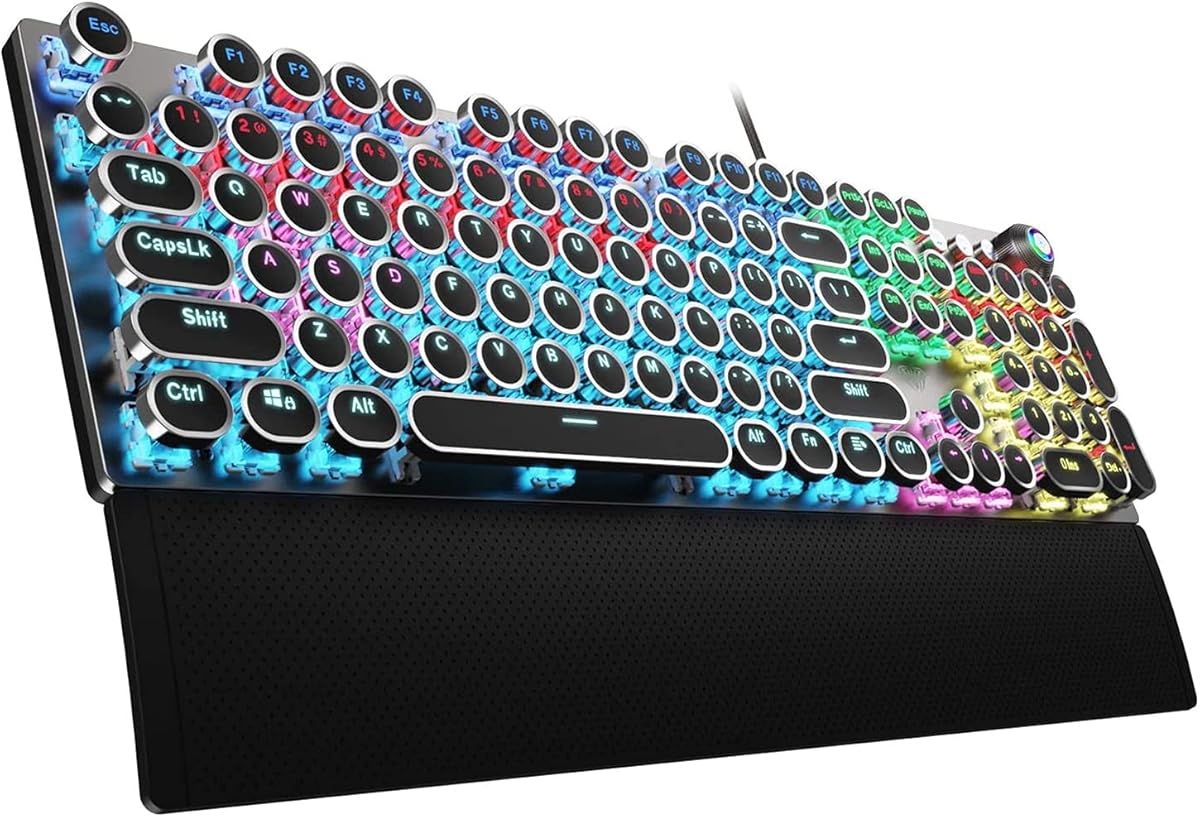
The AULA F2088 brings a classic typewriter look to modern computing. Rated 4.4 stars, it combines vintage aesthetics with mechanical performance, making it a fun choice for home offices or creative setups.
We may earn a commission when you buy through this link, at no additional cost to you.
Blue switches deliver a springy response and a crisp click sound that typists enjoy. Double-shot injection molded keycaps ensure durability and clear backlighting, while the stepped floating design helps reduce finger fatigue.
A unique control knob allows you to switch between media and lighting modes easily. The metal panel protects the keyboard from scratches, and the magnetic wrist rest provides extra comfort for long work sessions.
This model is great for users who want a keyboard that stands out visually. While it lacks software, its plug-and-play design ensures easy setup for any PC, Mac, or laptop without needing drivers.
Stepped floating keycaps fit fingertips perfectly, enabling precise positioning and preventing wrong typing during fast work.
Long press the knob to switch modes and quickly adjust volume or change lighting effects without interrupting your flow.
We may earn a commission when you buy through this link, at no additional cost to you.
The AULA F99 offers the flexibility of wireless connections without sacrificing mechanical performance. With a 4.5-star rating, it supports three connection modes and up to five devices, perfect for multi-device users.
We may earn a commission when you buy through this link, at no additional cost to you.
Its gasket structure optimizes stability and hand feel. Five layers of filling silencer reduce cavity noise, ensuring that even wireless models can maintain a solid and consistent typing sound profile.
Pre-lubed linear switches provide a smooth typing experience. The 8000mAh battery ensures long usage between charges, and double-shot PBT keycaps keep the characters vibrant and durable against daily wear and tear.
Ideal for those who want a clean setup with loud mechanical potential, this keyboard lets you customize switches later. While linear out of the box, hot-swap lets you add clicky ones for that desired auditory feedback.
Connect up to five devices and switch between them easily using key combinations for seamless work across platforms.
Integrated silicone pads and filling silencers counteract cavity noise for a more refined and professional sound.
We may earn a commission when you buy through this link, at no additional cost to you.
The Redragon K580 is packed with features for power users and gamers. It holds a 4.6-star rating and includes five dedicated macro keys, allowing you to record combos directly on the board without extra software.
We may earn a commission when you buy through this link, at no additional cost to you.
Stock blue switches deliver distinct tactile bumps and audible clicks on every keystroke. The hot-swap design lets you change switches to suit your preferred sound profile, making it adaptable for different uses.
A media wheel and dedicated controls make managing audio easy while you play. Double-shot keycaps resist fading, ensuring the board holds up to years of heavy use without looking worn or scratched over time.
This model is perfect for those who need efficiency and sound quality. The combination of macro keys and loud clicks makes it a strong contender for gamers who want quick access to complex commands during play.
Save complex combos or shortcuts directly on the keyboard with five dedicated macro keys for faster access in games.
Hot-swap socket accepts almost any switch so you can tweak the sound from loud clicks to smoother tones easily.
We may earn a commission when you buy through this link, at no additional cost to you.
The SteelSeries Apex 5 stands out as a premium option for those seeking advanced features. It carries a 4.6-star rating and combines the tactile click of blue switches with the durability of a membrane design.
We may earn a commission when you buy through this link, at no additional cost to you.
A unique OLED smart display lets you customize with gifs, game info, or Discord messages right on the keyboard. This feature adds a layer of interaction that few other models offer, enhancing your desktop presence.
The aircraft-grade aluminum alloy frame ensures unbreakable durability. Per-key RGB illumination allows for reactive effects, while the included magnetic wrist rest provides full palm support for extended gaming comfort.
This is the best choice for users wanting high-end build quality and unique tech. The hybrid switches offer a unique typing feel that is both responsive and durable, ideal for gamers who demand the best.
Customize the display with game info or messages, giving you quick access to stats without switching windows.
Manufactured with an aircraft-grade aluminum frame to ensure sturdiness and durability for long-term daily use.
We may earn a commission when you buy through this link, at no additional cost to you.
Choosing a loud mechanical keyboard involves considering switch types, build quality, and specific features that fit your workflow.
The most critical factor is the switch type. Clicky switches like blue switches provide loud, distinct feedback, making them ideal for those who enjoy auditory confirmation of each keystroke.
Look for boards that use pre-lubed or quality blue switches to ensure the sound is crisp rather than hollow or scratchy.
A sturdy frame made of aluminum or metal panels reduces flex and vibration. This not only improves durability but also enhances the acoustic profile of the keyboard by providing a solid base for the switches.
Metal frames and high-quality keycaps ensure the keyboard withstands heavy use without developing rattles or structural weakness.
Hot-swap keyboards allow you to change switches without soldering. This feature is valuable if you want to experiment with different sounds later or need to replace a faulty switch easily.
Opt for boards with 5-pin sockets for broader compatibility with various switch brands and styles to maximize future customization.
Consider whether you need a full-size layout with a numpad or a more compact tenkeyless design. Full-size boards offer complete functionality, while TKL models save space for a better mouse area.
Ensure the layout fits your desk space and workflow. A 96% layout is a good middle ground if you need a numpad but want to save space.
PBT keycaps are more durable and resist shine better than ABS keycaps. They also tend to produce a slightly deeper and more satisfying sound when typing.
Check if the keyboard includes double-shot PBT caps if sound quality and longevity are high priorities for your purchase.
While not directly affecting sound, lighting helps visibility in dark environments. Look for customizable RGB options if you want to personalize your setup to match your style.
Per-key RGB allows for reactive effects in games, adding visual feedback that complements the tactile feel of mechanical switches.
Features like wrist rests, media controls, and programmable keys can improve usability. A good wrist rest reduces strain, while media wheels make adjusting volume more convenient.
Consider software support if you plan to use macros or complex remapping, ensuring the keyboard offers the tools you need.
Prices range from budget-friendly options to premium models. Determine how much you are willing to spend based on the features you value most, such as sound quality or build materials.
Many high-quality loud keyboards are available under $50, so you do not need to overspend to get the satisfying click you want.
To maintain the sound quality of your mechanical keyboard, avoid using it near open liquids. Although some models are spill-resistant, spills can damage internal components and alter the acoustic profile of the switches permanently.
Clean the keyboard regularly using compressed air or a soft brush to remove dust and debris. This prevents buildup that can muffle the sound or cause keys to stick, ensuring consistent performance over time.
If your keyboard is hot-swap, you can adjust the sound by changing the switches. Experiment with different lubrication or switch types to find the perfect balance between loudness and smoothness for your style.
Yes, loud mechanical keyboards with clicky switches are excellent for gaming because they provide clear auditory feedback. This helps players know exactly when an action registers, improving timing and precision in competitive matches.
Using a loud keyboard in an office depends on your environment and coworkers. Blue switches are very audible, so it is best to check if your workplace is quiet or open before making this purchase.
Blue mechanical switches are designed to be significantly louder than linear or tactile switches. They produce a sharp click sound with every keystroke, which is much more audible in a quiet room.
Yes, you can make a keyboard louder by using switches with stronger tactile feedback or adding case foam that does not dampen sound. Avoid silicone gaskets if you want to maintain a louder acoustic profile.
While loud keyboards are generally safe, prolonged exposure to very high decibels can impact hearing. It is advisable to keep volume levels reasonable and take breaks if you find the noise overwhelming.
The RisoPhy Mechanical Gaming Keyboard is a top budget pick. It offers clicky blue switches and a full layout at a very affordable price, making it ideal for beginners seeking loud feedback.
We have explored ten excellent options that cater to different needs and budgets. From the affordable RisoPhy to the premium SteelSeries Apex 5, each model offers unique features that enhance the typing experience.
When choosing your keyboard, prioritize switch type and build quality to ensure you get the satisfying sound you desire. Consider additional features like hot-swap or wireless connectivity based on your specific workflow needs.
Prices and availability change frequently, so check the current links for the most up-to-date information. Investing in the right loud mechanical keyboard will elevate your setup and improve your daily typing comfort.