
HP 15.6 Laptop
4.5Editor score
16GB RAM for multitasking
Up to 10 hours battery
Full-size keyboard with keypad
Compare the top 10 laptops with 10 keypad for productivity and budget needs. Find the best models for business, school, and home office use today.
Finding a laptop with a dedicated numeric keypad can significantly boost productivity for data entry, accounting, and spreadsheet work. These devices combine portability with the efficiency of a full-size keyboard layout, making them ideal for professionals and students alike.
We have analyzed ten distinct models that feature this crucial input component alongside modern processors and ample storage. Our comparison focuses on performance, display quality, battery life, and overall value to help you make an informed decision without getting lost in technical jargon.
Each pick in this list highlights specific strengths ranging from budget-friendly options to powerful business machines. Please note that availability and pricing can fluctuate frequently, so verify current details before making your final purchase decision online.
4.5Editor score

4.8Editor score

4.3Editor score
This side-by-side comparison outlines the key specifications of all ten selected laptops to help you quickly identify which model matches your specific performance and portability requirements.


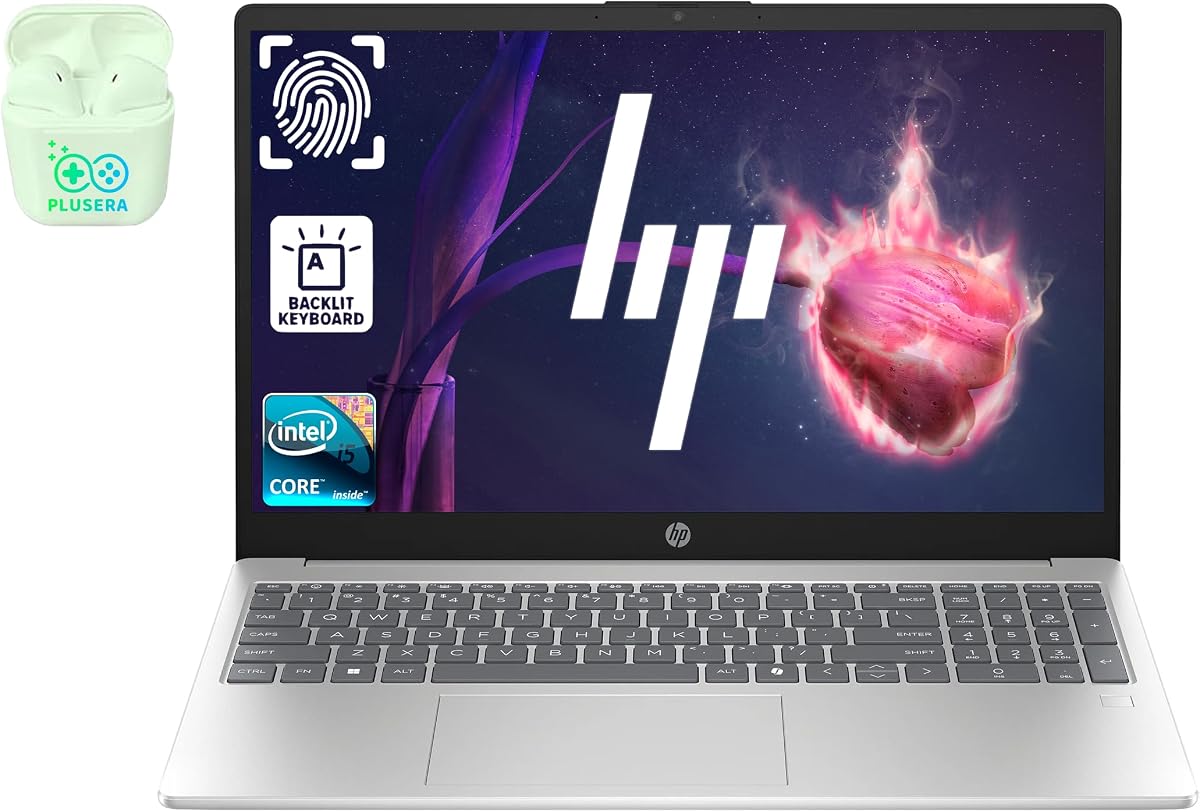

The HP 15.6 Laptop stands out as an affordable option for users needing a numeric keypad without breaking the bank. It offers a generous amount of RAM and storage which is rare at this price point making it a strong contender for students and home users.
We may earn a commission when you buy through this link, at no additional cost to you.
Powered by an Intel Pentium Gold processor this laptop handles everyday tasks like web browsing and document editing with ease. The inclusion of 16GB of memory ensures that you can keep multiple applications open without significant slowdowns during your daily workflow.
While the processor is not designed for heavy multitasking the ample RAM compensates for many common use cases. The battery life promises up to ten hours which is impressive for a device at this cost allowing for a full day of work or study.
This model is ideal for anyone looking for a budget friendly machine that does not compromise on keyboard layout. If you need a reliable device for spreadsheets and data entry on a tight budget this is a practical choice to consider.
The combination of 16GB RAM and a numeric keypad makes this a rare find in the budget category.
With up to 10 hours of battery life users can rely on this laptop for long work sessions away from an outlet.
We may earn a commission when you buy through this link, at no additional cost to you.
The HP 17.3 Business Laptop offers a spacious display that is perfect for complex spreadsheets and multitasking environments. It combines modern processing power with a full-size keyboard and numeric keypad ensuring that data entry remains efficient and comfortable.
We may earn a commission when you buy through this link, at no additional cost to you.
Featuring an Intel Core 5 10-Core processor this device delivers smooth performance for office applications and video meetings. The 512GB SSD provides fast storage access which helps in booting up quickly and launching applications without unnecessary delays.
While the larger screen enhances productivity it does add to the weight and reduce portability compared to smaller laptops. Users should consider whether the extra screen real estate justifies the trade-off in mobility for their specific work habits.
This laptop is highly recommended for home office users who prioritize screen space and efficiency over travel convenience. If you spend most of your day at a desk working with data the larger display will significantly improve your workflow.
The 17.3 inch display provides ample room to view multiple documents or spreadsheets side by side effectively.
Wi-Fi 6 ensures stable and fast internet connections which is crucial for cloud-based productivity tools.
We may earn a commission when you buy through this link, at no additional cost to you.
The HP Pavilion 15.6 balances performance and portability well making it a strong choice for students and professionals alike. It features a Full HD display which ensures clear visuals during work sessions and includes a dedicated numeric keypad for efficiency.
We may earn a commission when you buy through this link, at no additional cost to you.
Equipped with an Intel N100 processor this laptop handles daily tasks smoothly including video conferencing and document editing. The SSD ensures that the system boots up quickly allowing you to start working almost immediately after opening the lid.
While the 8GB RAM is sufficient for most standard tasks it might feel limiting if you run many browser tabs simultaneously. However for typical office work and online learning this configuration provides a reliable and stable experience.
This model is ideal for users who want a sleek lightweight laptop that does not compromise on screen quality. If you value a crisp display and a comfortable typing experience this Pavilion is a solid option to consider.
The 15.6 inch Full HD display delivers sharp text and images which reduces eye strain during long work sessions.
With an SSD storage drive you get instant access to files and applications which boosts overall productivity.
We may earn a commission when you buy through this link, at no additional cost to you.
The HP 255 G10 business laptop is powered by a robust AMD Ryzen 7 processor which delivers excellent speed for demanding tasks. It comes with 16GB of RAM and a fast SSD ensuring that the system remains responsive even with multiple applications running.
We may earn a commission when you buy through this link, at no additional cost to you.
Windows 11 Pro provides additional security and management tools which are valuable for business environments and power users. The inclusion of a numeric keypad on the full-size keyboard makes it suitable for accountants and data entry specialists.
While the hardware is impressive users should note that specific battery life details are not prominently highlighted in the specs. This is a laptop focused on performance and connectivity rather than extreme portability for travel.
If you need a reliable workhorse for office tasks this model offers great value with its high-end processor and memory configuration. It is particularly well-suited for business users who require consistent performance throughout the day.
Windows 11 Pro includes features like BitLocker and remote desktop which enhance security for business data.
The Ryzen 7 processor allows for smooth handling of heavy spreadsheets and data analysis tasks.
We may earn a commission when you buy through this link, at no additional cost to you.
This HP Portable Laptop offers an all-in-one solution by including a year of Microsoft 365 which is a significant value add. It is designed for everyday use with a numeric keypad and essential connectivity options for home and student needs.
We may earn a commission when you buy through this link, at no additional cost to you.
The Intel N200 processor is sufficient for basic tasks like web browsing and email making it a practical choice for budget conscious buyers. The 8GB RAM helps maintain smooth performance during light multitasking sessions.
One limitation to consider is the storage capacity which is lower than other models in this list. Users may need to rely on cloud storage solutions if they have large media libraries or extensive local files.
For students or home users who need a simple reliable machine this laptop delivers great value. The inclusion of software and a numeric keypad makes it a comprehensive package for daily productivity.
Getting Microsoft 365 for a year saves money and provides essential tools for writing and spreadsheet work immediately.
The hardware is tuned for essential tasks ensuring that the system remains efficient and easy to use.
We may earn a commission when you buy through this link, at no additional cost to you.
The HP 255 G10 Business Laptop boasts a high customer rating indicating satisfaction with its build quality and performance. It comes equipped with Windows 11 Pro and AI Copilot features which streamline workflows and assist with daily tasks.
We may earn a commission when you buy through this link, at no additional cost to you.
Featuring 16GB of RAM and a 512GB SSD this laptop ensures fast boot times and ample space for your documents. The AMD Ryzen 3 processor provides a balance of efficiency and speed suitable for general business operations.
While the processor is not the most powerful on the market it handles typical office applications effectively. The design is lightweight and portable making it easy to carry between meetings or to remote work locations.
This is a solid choice for professionals who want a dependable laptop with modern features like AI assistance. It offers a good mix of performance and usability for those working in corporate environments.
Built-in AI Copilot helps you organize tasks and summarize information quickly which boosts productivity.
Fast Wi-Fi 6 ensures stable connections for video calls and large file transfers.
We may earn a commission when you buy through this link, at no additional cost to you.
The Lenovo V15 Gen 4 Business Laptop stands out with its Intel Core i5 processor which is capable of handling demanding workloads. It features a Full HD display and includes a numeric keypad making it a practical tool for business and data entry.
We may earn a commission when you buy through this link, at no additional cost to you.
With 16GB of RAM and a 512GB SSD this model ensures fast performance and plenty of storage for your projects. The inclusion of an RJ45 port is a rare find in modern laptops and is useful for stable wired connections.
While the laptop is powerful it may be slightly heavier than ultrabooks which could impact portability. However for those who prioritize speed and connectivity options this trade-off is often acceptable for work purposes.
This is an excellent option for professionals who need a reliable machine for complex tasks. If you value performance and connectivity this V15 is a strong contender in the business category.
The RJ45 port allows for a stable Ethernet connection which is crucial for reliable video conferences and data transfers.
The 13th Gen i5 processor provides a significant speed boost for multitasking and productivity applications.
We may earn a commission when you buy through this link, at no additional cost to you.
The Dell Inspiron 15.6 features a Full HD touchscreen which adds an interactive layer to your workflow. Combined with a 10-Core processor and numeric keypad it offers a versatile experience for both traditional and touch-based input.
We may earn a commission when you buy through this link, at no additional cost to you.
Powered by an Intel Core i5 processor this laptop handles multitasking and media consumption with ease. The AI Copilot integration helps with content creation and task organization enhancing productivity for users.
While the 8GB RAM is sufficient for most tasks the touchscreen may consume more power which could affect battery life. Users who prefer touch interaction will find this model particularly intuitive and responsive.
This laptop is ideal for those who want the flexibility of a touchscreen with a professional keyboard layout. If you enjoy interacting with your display directly this Dell is a great choice to consider.
The touchscreen display allows for intuitive navigation and quick access to menus which simplifies workflows.
Integrated AI Copilot assists with writing and organizing information to speed up daily tasks.
We may earn a commission when you buy through this link, at no additional cost to you.
This HP 15.6 Business Laptop is a renewed model that offers excellent value with a high rating from users. It features a powerful Core i5 processor and a backlit keyboard which allows for comfortable typing in low light conditions.
We may earn a commission when you buy through this link, at no additional cost to you.
The inclusion of a fingerprint reader adds a layer of security to your device ensuring that your data remains protected. The numeric keypad makes it suitable for users who need to input data frequently throughout the day.
As a renewed device it may come with some cosmetic imperfections but generally offers reliable performance. This is a good option for those who want to save money without sacrificing essential features like security and typing comfort.
For budget conscious buyers who still want premium features this renewed model is a smart choice. It provides a professional experience at a fraction of the cost of a new laptop.
The fingerprint reader provides quick and secure access to your device without needing to enter a password each time.
A backlit keyboard ensures that you can type comfortably in dimly lit environments without straining your eyes.
We may earn a commission when you buy through this link, at no additional cost to you.
The HP 17 Business Laptop 2026 Edition offers a modern design with a large screen that is perfect for productivity. It includes a full-size keyboard with a numeric keypad and comes with Windows 11 to ensure a smooth user experience.
We may earn a commission when you buy through this link, at no additional cost to you.
Powered by a Ryzen 5 processor and 16GB of RAM this laptop handles multitasking efficiently. The 512GB SSD provides ample space for your files and applications ensuring quick access when you need them.
While the laptop includes Office 365 for the web it may not satisfy users who need the desktop version of Office. However for basic web-based tasks this is a powerful device that supports a wide range of workloads.
This model is ideal for users who want a large display and modern features in a reliable package. If you prioritize screen size and performance this HP 17 is a strong candidate for your next laptop.
As a 2026 edition this laptop includes the latest hardware optimizations for better performance and battery life.
Office 365 for the Web allows you to create and edit documents online without needing additional software costs.
We may earn a commission when you buy through this link, at no additional cost to you.
Selecting the right laptop with a numeric keypad involves evaluating several key factors beyond just the keyboard layout. This guide breaks down the most important considerations to help you find the perfect device for your needs.
The processor is the brain of your laptop and determines how well it can handle tasks. For numeric entry and spreadsheets look for at least an Intel Core i5 or AMD Ryzen 5 processor to ensure smooth operation.
A modern processor will prevent lag when you are switching between applications and working with large datasets.
RAM plays a critical role in multitasking capabilities allowing you to keep multiple windows open without slowdowns. Aim for at least 16GB of RAM if you plan to use the laptop for heavy data entry.
With more memory you can ensure that your work remains fluid even when running background processes.
Solid State Drives are essential for fast boot times and quick file access. A 512GB SSD is generally a good starting point for business users who need to store plenty of documents.
Speed in storage translates to less waiting time when opening files or starting your day.
The size of the display impacts how much information you can view at once. While 15.6 inches is standard a 17.3 inch screen provides more room for side-by-side work.
Choose a screen size that balances visibility with the need to carry the laptop around regularly.
Battery life is crucial if you need to work away from an outlet for extended periods. Look for models that offer at least 8 hours of battery life to get through a work day.
A long-lasting battery ensures that you are not tethered to a wall socket during meetings or travel.
Modern laptops should include a variety of ports to connect to external monitors and accessories. Wi-Fi 6 and Bluetooth support are also important for stable wireless connections.
Ensure the laptop has the ports you need to avoid carrying dongles for your peripherals.
Windows 11 Pro offers additional features for security and management which are beneficial for business use. It also ensures compatibility with most office software tools.
A reliable operating system helps keep your data secure and your workflows efficient.
The primary reason to choose this category is the numeric keypad. Ensure that the keyboard is full-size and that the keys feel comfortable for long typing sessions.
A quality keyboard reduces strain and improves speed when entering numerical data.
To get the most out of your numeric keypad ensure that the Num Lock key is activated. This allows the number keys on the right side of the keyboard to function as a calculator pad.
Keep your laptop clean by using a microfiber cloth to wipe the screen and keyboard regularly. This prevents dust from settling into the keys which can affect typing comfort.
Avoid placing your laptop in direct sunlight or extreme temperatures to maintain battery health. A cool and stable environment helps extend the lifespan of your device.
Yes almost all modern laptops with a numeric keypad include a touchpad as the primary pointing device. This allows you to navigate the interface easily without an external mouse.
While not strictly necessary a numeric keypad is highly beneficial for those who work with spreadsheets or numbers frequently. It significantly speeds up data entry and reduces errors.
Yes you can connect an external USB numeric keypad to almost any laptop. This is a good solution if your current laptop does not have a built-in keypad.
16GB RAM allows for smoother multitasking and handles heavier applications without slowing down. It is particularly useful for professionals running multiple business tools simultaneously.
Yes many renewed laptops come with warranties and have been tested to meet specific standards. They often provide excellent value for money for business use.
Windows 11 Pro includes advanced security features and management tools like BitLocker and Remote Desktop. These are valuable for business environments and data protection.
Choosing the right laptop with a numeric keypad depends on balancing performance needs with budget constraints. The top picks in this guide offer a range of options from budget-friendly models to high-performance business machines.
Prioritize features like RAM and processor speed if you deal with heavy data entry daily. For general use a mid-range option will often provide the best value for your money.
Remember to check current prices and availability before making your purchase as deals can change quickly. A little research ensures you get a reliable tool that supports your work effectively.