
Ostrich Charger Compatible with Dell Laptop Computer 65W 45W Round Tip Power Adapter
4.5Editor score
65W output max
Round tip connector
Multiple safety protections
This guide compares the top battery backup options for Dell laptops including UPS units and portable chargers to ensure uninterrupted power during outages or
Finding a reliable battery backup for your Dell laptop is essential for maintaining productivity during power outages or while traveling. Whether you need a stationary UPS or a portable power bank, the right choice protects your data and keeps your device running.
We evaluated ten top-rated products based on compatibility, output capacity, charging speed, and overall reliability. Our selection includes universal power adapters and dedicated battery packs that ensure your Dell laptop stays powered when you need it most.
Each pick below highlights key specifications and real-world performance metrics to help you decide quickly. Keep in mind that availability and pricing can change frequently so verify details before purchasing to get the best value for your needs.
4.5Editor score

4.3Editor score

4.2Editor score
The following table provides a side-by-side comparison of the top ten battery backup solutions we reviewed. Each entry lists key specifications to help you identify which model best fits your specific Dell laptop model and usage scenario.




The CyberPower EC850LCD stands out as a reliable UPS solution for keeping your Dell laptop and peripherals running during power failures. It offers immediate protection through surge suppression and provides a clear LCD interface for monitoring battery status and power conditions in real time.
We may earn a commission when you buy through this link, at no additional cost to you.
Its standout feature is the ECO mode which automatically cuts power to connected peripherals when your computer enters sleep mode. This intelligent function reduces energy waste and helps lower utility costs over time without compromising performance when you need full power.
While the unit is designed for desktop use and weighs more than portable battery banks it offers robust protection for stationary setups. The six battery backed outlets allow you to connect multiple devices ensuring your entire workspace remains operational during outages.
This product is ideal for users who prioritize energy efficiency and detailed monitoring capabilities. If you need a comprehensive backup system for your home office that includes software management and a strong warranty this UPS delivers consistent value.
The ECO controlled outlets automatically manage power distribution to reduce unnecessary energy consumption when devices are idle or in sleep mode.
The multifunction LCD panel displays immediate detailed information on battery levels and input voltage so you always know the system status.
We may earn a commission when you buy through this link, at no additional cost to you.
The Ostrich Charger provides a cost-effective alternative for Dell laptop owners needing a reliable power source without spending a premium. It meets strict safety standards and is designed to work seamlessly with a wide range of Dell Inspiron XPS and Vostro series laptops.
We may earn a commission when you buy through this link, at no additional cost to you.
Its key strength lies in its comprehensive safety mechanisms which protect against short circuits overvoltage and overheating. This ensures your device remains safe during charging cycles while the included converter cable expands its compatibility across different connector sizes.
While it lacks the smart monitoring features of a UPS this adapter delivers stable power for daily charging needs. The lifetime exchange policy offers peace of mind regarding durability making it a low-risk choice for budget-conscious buyers.
Consider this option if you primarily need a dependable power source for travel or as a spare charger at home. It delivers consistent performance and safety features that rival more expensive branded alternatives at a fraction of the cost.
This adapter fits all 65W and 45W Dell laptops with round connectors ensuring you can use it across various Dell series without issues.
Listed by a leading consumer product testing laboratory this charger meets rigorous electrical safety and design standards for the United States and Canada.
We may earn a commission when you buy through this link, at no additional cost to you.
The UGREEN Power Bank offers massive capacity and ultra-fast charging capabilities that make it a top contender for powering Dell laptops on the go. With support for PD 3.1 and QC 3.0 it can deliver up to 145W of power to ensure your device charges quickly.
We may earn a commission when you buy through this link, at no additional cost to you.
Its standout feature is the huge 25000mAh battery which can recharge laptops up to 1.3 times and mobile devices multiple times before needing a refill. The digital display provides a clear view of remaining battery life so you never run out of power unexpectedly.
Although the unit is compact it requires a powerful 65W charger to achieve its fast two-hour recharge time. This means users need a compatible wall adapter to fully utilize its quick turnaround capabilities which may not be standard for everyone.
This power bank is perfect for travelers who need extended battery life without the bulk of a larger station. If your Dell laptop supports USB-C charging this solution offers the best balance of capacity speed and portability in its class.
Deliver a total of 145W fast charging to power laptops from zero to over fifty percent in just thirty minutes with single port output.
Bi-directional technology allows for simultaneous fast charging of both the power bank and your devices when plugged into a high wattage adapter.
We may earn a commission when you buy through this link, at no additional cost to you.
The Omni 20C+ distinguishes itself as a premium all-in-one solution that combines high-wattage charging with versatile connectivity options. It features a 71Wh battery capacity that supports most USB-C laptops and includes wireless charging for smartphones making it highly versatile.
We may earn a commission when you buy through this link, at no additional cost to you.
Its unique USB Hub mode allows you to transfer files and connect peripherals directly through the power bank which is rare for portable batteries. This functionality turns the device into a central hub for your workflow while keeping your laptop powered up simultaneously.
While the unit includes a USB-C cable a wall charger is not included in the package which may be a surprise for some buyers. Additionally its total capacity is lower than larger power banks so plan usage accordingly for long trips.
Choose this power bank if you value multifunctionality and wireless charging capabilities alongside standard USB-C output. It serves best for professionals who need a compact yet powerful hub to manage all their devices during travel.
Charge smartphones wirelessly without cables by placing them on the integrated charging pad while simultaneously powering a laptop through USB-C.
Connect USB devices through the USB-A ports while transferring files to your laptop without needing additional dongles or adapters.
We may earn a commission when you buy through this link, at no additional cost to you.
This official Dell adapter ensures your Latitude and XPS models receive the exact power profile they were designed for during charging. It supports multiple voltage outputs including 65W 45W and 27W to adapt to different usage modes and battery states effectively.
We may earn a commission when you buy through this link, at no additional cost to you.
The main advantage is its compatibility with specific factory models and part numbers ensuring a secure connection that prevents common charging issues. You can use this with confidence knowing it meets Dell's strict standards for power delivery and safety.
While it may cost slightly more than third-party alternatives the reliability of an original adapter justifies the investment for critical work devices. It does not include extra features like a display or hub functionality but it provides consistent charging performance.
Opt for this adapter if you want guaranteed compatibility and avoid troubleshooting potential connection errors. It is a straightforward and reliable solution for keeping your Dell laptop fully charged and operational.
Designed specifically for Dell Latitude and XPS series models this adapter ensures perfect fit and optimized charging profiles for your device.
Supports 65W 45W 27W and 15W outputs to adjust power delivery based on your current battery state and performance needs.
We may earn a commission when you buy through this link, at no additional cost to you.
While not a battery backup itself this external drive provides essential optical functionality for laptops that lack internal drives. It is lightweight and powered directly by your notebook so it adds no extra weight or power requirements to your backpack.
We may earn a commission when you buy through this link, at no additional cost to you.
Its key feature is the plug and play design which requires no additional drivers or complex setup. You can install disc-based software or play DVDs immediately upon connecting the drive to any compatible notebook USB port.
This drive is best suited for legacy data access or installation needs rather than continuous power backup. It offers a sleek design that complements modern laptops but serves a different functional role than the other items on this list.
Consider this accessory if you need to read or burn discs occasionally while traveling. It ensures you remain functional for legacy media tasks without compromising the portability of your main laptop setup.
Simply plug the lightweight drive into your USB port and you will be ready to play or burn favorite media anywhere you go.
This premium drive is powered by your notebook USB port so no separate batteries or power cords are necessary for operation.
We may earn a commission when you buy through this link, at no additional cost to you.
This charger offers a reliable replacement for Dell Inspiron owners seeking an affordable yet safe power solution. It delivers the correct voltage and amperage for most Inspiron models and features an extended cord length that provides flexibility in positioning your outlet.
We may earn a commission when you buy through this link, at no additional cost to you.
Its main strength is its broad compatibility with a wide range of Inspiron models from various years. The included safety certifications ensure that the device meets international standards for electrical safety reducing risks of overheating or damage.
The 8.8-foot cord is a practical benefit that allows you to charge from a distance without needing an extension cord. However it uses standard materials so it may not be as durable as premium original branded chargers over many years.
Choose this adapter if you need a dependable backup charger for home or travel at a reasonable price. It is a solid choice for standard charging needs where extended cord reach and safety certifications are top priorities.
The eight point eight foot cord provides additional flexibility for plugging into wall outlets without the need for extension cords.
This adapter comes with CE and FCC safety certificates ensuring it meets rigorous standards for electrical safety and design.
We may earn a commission when you buy through this link, at no additional cost to you.
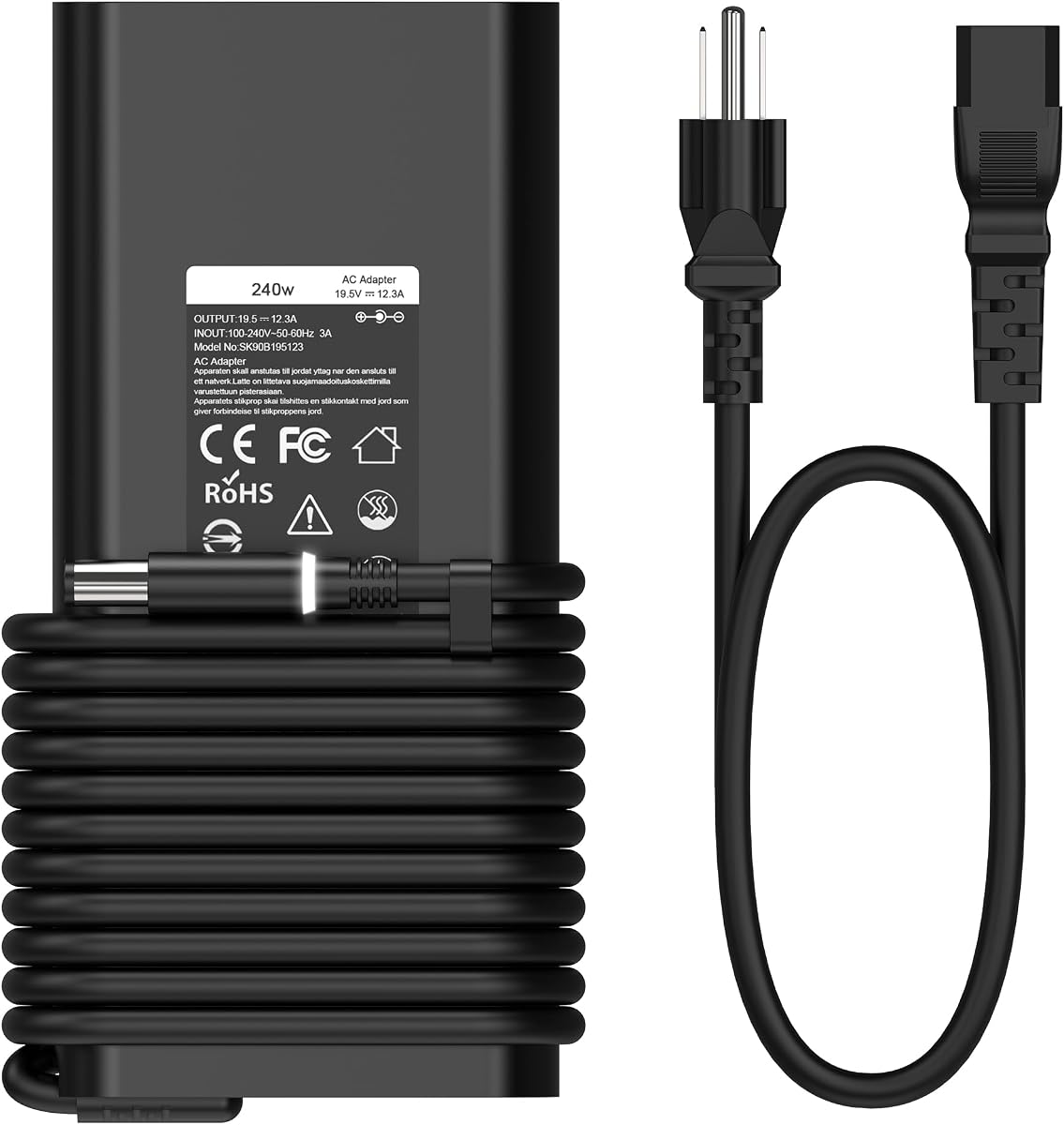
This charger is designed for high-performance Dell Alienware and Precision laptops that require substantial wattage to run demanding applications. It delivers up to 240W of power ensuring that gaming and workstation tasks can proceed without power throttling during intensive sessions.
We may earn a commission when you buy through this link, at no additional cost to you.
Its key advantage is the compatibility with a wide range of specific models including various Alienware and Precision series machines. Users can rely on this adapter to meet the high energy demands of powerful hardware without overheating or failing under load.
The 240W output ensures stability for long gaming or rendering sessions but requires a suitable wall outlet to handle the power draw. While the unit is slim the cable may be heavier than those for standard laptops to support the higher current flow.
Select this adapter if you own a high-end Dell workstation or gaming laptop that needs maximum power. It is an ideal choice for maintaining performance levels when using demanding software on the go.
Deliver up to 240 watts of stable power to handle demanding gaming and rendering tasks without performance throttling.
Compatible with a wide range of Alienware and Precision models ensuring correct connection and power delivery for your machine.
We may earn a commission when you buy through this link, at no additional cost to you.
This charger offers an impressive 330W output designed to handle the extreme power needs of top-tier gaming laptops. It ensures your CPU and GPU receive steady power during long gaming sessions preventing thermal throttling and maintaining smooth frame rates.
We may earn a commission when you buy through this link, at no additional cost to you.
The standout feature is its ability to deliver full-rated power output which eliminates frame drops and stuttering during intensive rendering or gaming. This high capacity ensures that your system performs at its peak regardless of the workload.
While it is not designed for portability it provides an essential solution for desktop replacements or stationary gaming setups. The 7.4mm tip matches specific Alienware models so verify your connector size before purchasing to ensure compatibility.
Opt for this charger if you own an Alienware M series or similar high-end machine that demands maximum wattage. It is the best choice for maintaining full system performance without worrying about power limits.
Delivers stable full-rated power output to prevent CPU and GPU thermal throttling during long intensive gaming sessions.
Compatible with multiple Alienware M series and X series laptops ensuring perfect fit and power delivery for your specific model.
We may earn a commission when you buy through this link, at no additional cost to you.
This kit provides an innovative way to connect PD capable power banks to laptops that use traditional barrel connectors. It includes fifteen different connector tips allowing you to use a single USB-C PD source for a wide variety of devices without multiple cables.
We may earn a commission when you buy through this link, at no additional cost to you.
Its key benefit is versatility the universal adapter turns any 20V PD power source into a compatible charger for your specific laptop model. The built-in smart chip adjusts the current automatically to ensure safe and efficient power delivery to your device.
While the cable is designed for charging only it is not suitable for data syncing or video output. This limits its use strictly to power delivery but makes it an excellent backup solution for travelers who carry a portable PD station.
Consider this adapter if you want to maximize the utility of your existing USB-C power bank. It is a practical tool for keeping devices charged when you have a universal power source but specific laptop plugs.
Connect most brand of laptops to PD chargers using fifteen included connector tips for maximum port flexibility.
Built-in PD and E-mark intelligence chip adjusts current automatically to ensure safe efficient power delivery to your laptop.
We may earn a commission when you buy through this link, at no additional cost to you.
Selecting the right battery backup solution involves evaluating several technical specifications to ensure compatibility and reliability for your specific Dell laptop model.
Ensure the backup or adapter provides enough wattage to power your laptop under load. Check your laptop specifications to find the required wattage and select a unit that meets or exceeds it for stable performance.
Always verify the wattage requirement of your Dell laptop before purchasing to avoid under-powering issues.
Different Dell models use different connector shapes such as barrel tips or USB-C. Confirm the exact connector size required by your device to ensure a secure and safe fit.
Double check your connector size and tip shape to prevent connection issues or damage to your charging port.
For portable power banks check the amp-hour or watt-hour rating to estimate runtime. Higher capacity means longer usage times away from a wall outlet.
Look for a battery with sufficient capacity to cover your expected usage duration away from an outlet.
Fast charging support like PD or QC reduces downtime. Ensure the backup solution supports fast protocols if your laptop utilizes them for efficient power replenishment.
Choose a device that supports fast charging protocols to minimize the time you spend plugged into a wall.
Reliable chargers should include protections against short circuits overvoltage and overheating. These features safeguard your laptop hardware from potential electrical damage.
Verify that the unit includes multiple safety certifications to protect your laptop from electrical hazards.
Consider how much space the battery backup will occupy in your bag. Slim and lightweight units are easier to carry daily than bulky stationary units.
Select a form factor that balances capacity with portability for your daily travel needs.
A good warranty indicates manufacturer confidence. Look for at least a one-year guarantee to cover defects and ensure reliable long-term performance.
Opt for brands offering solid warranty terms to protect your investment against early failures.
If using a portable power bank ensure it can be recharged efficiently via wall outlets. Some units may require high-wattage chargers to reach full capacity quickly.
Ensure you have the correct wall charger to efficiently recharge your portable power bank when it runs low.
Always check the compatibility of the connector before plugging it in to avoid damaging the charging port. Align the tip carefully and plug it in until you feel a firm click.
Store portable batteries in a cool dry place away from direct sunlight to maintain their health. Avoid leaving them fully drained for long periods to preserve battery life.
Regularly inspect cables for signs of wear or fraying to prevent electrical hazards. Replace any damaged accessories immediately to ensure safe power delivery to your laptop.
A UPS is a stationary device that provides backup power during outages and protects against surges for desktop setups. A portable power bank is a rechargeable battery designed to be carried for charging laptops on the go.
Yes if your Dell laptop has a USB-C port that supports charging. Ensure the power bank provides enough wattage to meet your laptop's specific charging requirements.
Check your laptop manual or the label on your original charger for the connector specifications. If unsure measure the tip diameter or contact Dell support with your model number.
Most modern chargers maintain performance by providing consistent power output. However ensure the wattage matches your laptop's needs to prevent throttling during intensive tasks.
Most chargers last several years with normal use depending on build quality. Power banks degrade over time but typically offer hundreds of recharge cycles before significant capacity loss.
It is generally safe but unplugging when not in use saves energy and reduces risk. Ensure the charger has overvoltage protection before leaving it connected for extended periods.
The top picks reviewed cover a wide range of needs from stationary UPS units to versatile portable power banks. Each model was selected based on compatibility safety features and performance reliability.
Prioritize wattage and connector fit to ensure your laptop receives the power it needs during outages or travel. Investing in a quality backup solution protects your data and keeps you productive.
Always verify current availability and pricing before purchasing as specifications can change over time. This guide helps you find the right match for your specific Dell model and usage scenario.