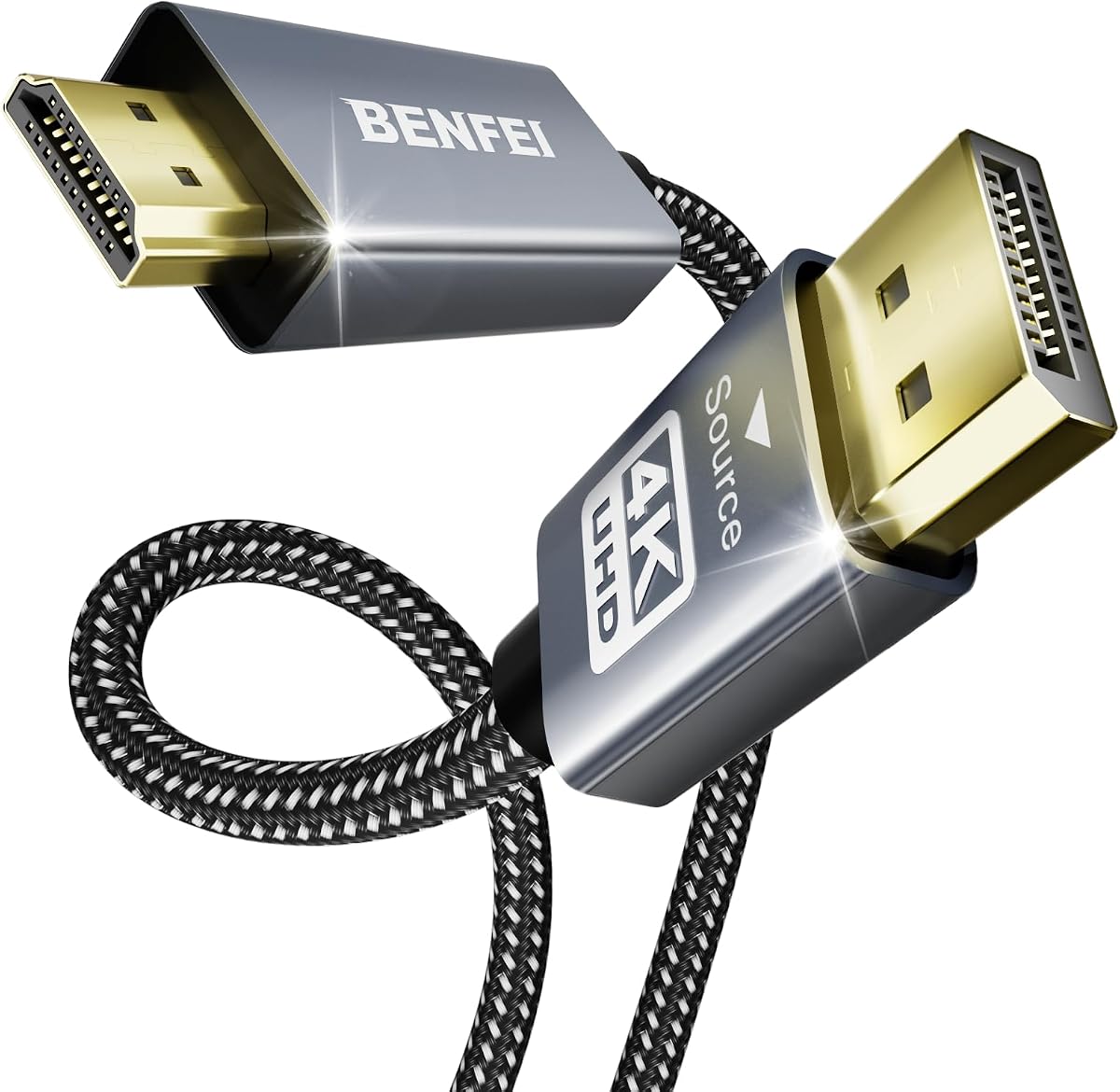
BENFEI 4K DisplayPort to HDMI
4.5Editor score
Built-in advanced IC chip
Gold plated connectors
18 month warranty
This guide compares the top Displayport to HDMI cables for resolution support, build quality, and signal stability to help you find the best match for your
Finding a reliable Displayport to HDMI cable is essential for connecting modern computers to TVs or monitors. You need a cable that supports high resolutions without signal loss or flickering issues during use.
We evaluated ten top-rated cables based on build quality, resolution support, and compatibility with common graphics cards. Our analysis focuses on real-world performance and durability features found in each model.
Each pick highlights specific strengths like audio sync or flexible braiding. Prices and availability may change over time so verify details before finalizing your purchase decision today.
4.5Editor score

4.7Editor score

4.8Editor score
This side-by-side comparison highlights key specifications and strengths across all ten selected cables to help you make an informed decision based on your specific display needs.


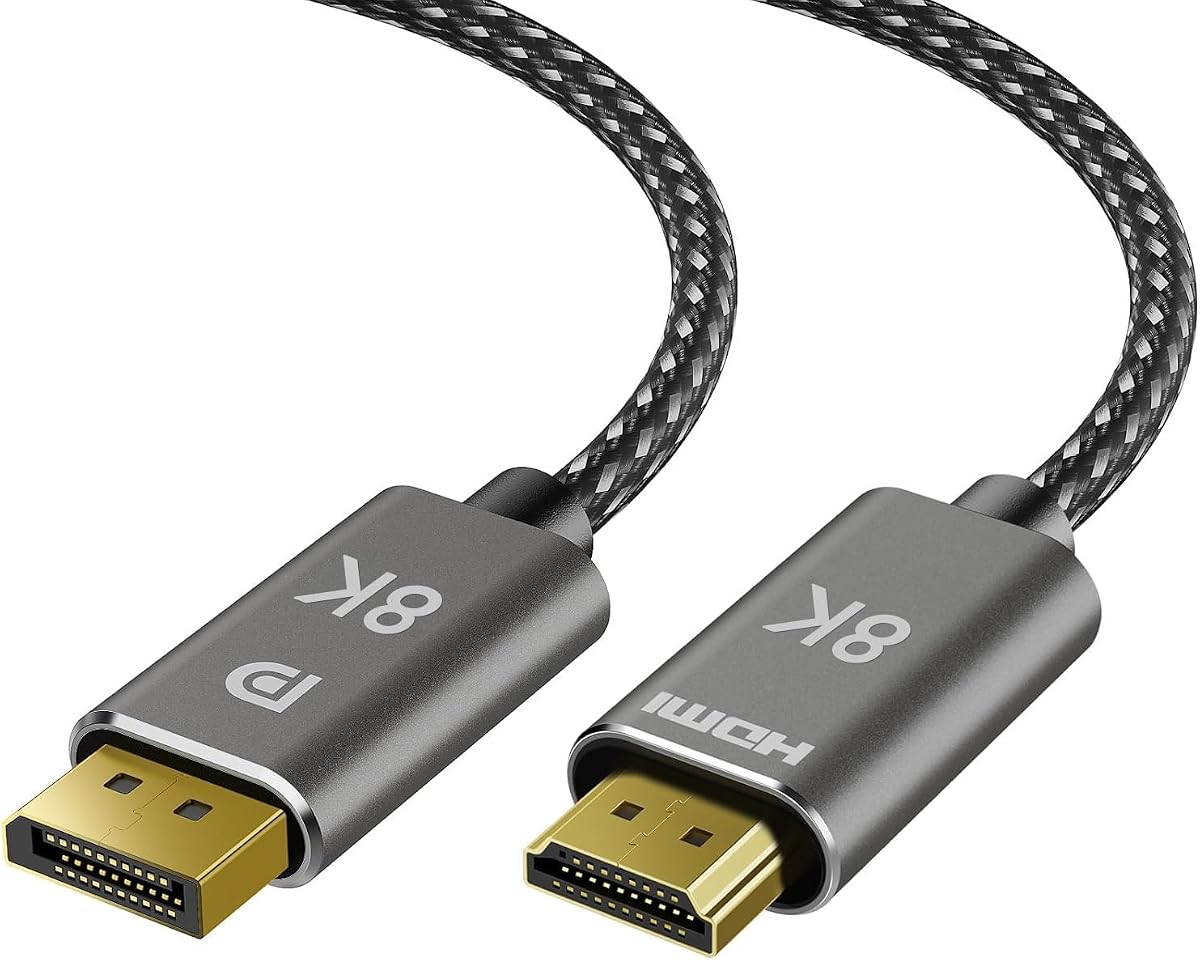

This UGREEN cable stands out for its reliable performance and strong build quality. It earned a high rating from users who value consistent signal transmission during daily use.
We may earn a commission when you buy through this link, at no additional cost to you.
The cable supports high resolutions like 1080P at 120Hz and 4K at 30Hz which covers most home office and entertainment needs. Its no-buckle design prevents damage at the connector which enhances longevity.
Users note that it handles multiple screens without flicker thanks to DP 1.2 transmission standards. The double shielding ensures minimal interference even in setups with other electronic devices nearby.
This pick is ideal for PC users connecting to monitors or TVs who need a durable cable without extra software. It delivers clear audio and video consistently for most standard display setups.
DP 1.2 technology ensures smooth video flow with support for high refresh rates like 120Hz at 1080P resolution.
The nylon braided jacket and aluminum case provide protection against bending and heat while maintaining flexibility.
We may earn a commission when you buy through this link, at no additional cost to you.
BENFEI offers a solid entry level cable that delivers high performance without a high cost. Users appreciate the balance of price and reliable signal quality for basic setups.
We may earn a commission when you buy through this link, at no additional cost to you.
The advanced IC chip converts signals accurately to support resolutions up to 4K at 30Hz. Gold plated connectors resist corrosion which helps maintain signal integrity over long periods of use.
Some users note the 6 foot length might be tight for larger desks. However the nylon braided layer ensures durability even with frequent plugging and unplugging at the port.
This cable is perfect for students or home users who need a dependable connection for presentations or movie nights. The 18 month warranty adds peace of mind for buyers seeking value.
You get reliable 4K support and durable shielding at a price point that fits tight budgets.
The unconditional 18 month warranty shows confidence in product quality and supports long term use.
We may earn a commission when you buy through this link, at no additional cost to you.
This active cable leads the list with support for cutting edge resolutions up to 8K at 60Hz. It earned top marks for its ability to handle next gen display standards effectively.
We may earn a commission when you buy through this link, at no additional cost to you.
The active design allows for higher bandwidth than passive cables which enables features like HDR and DSC. This makes it ideal for modern setups that demand ultra high resolution and smooth refresh rates.
Users report excellent heat dissipation thanks to the aluminum case and sturdy braided jacket. The DP 1.4 to HDMI 2.1 standard ensures compatibility with the latest graphics cards and monitors.
Investors in this cable is best for professionals or enthusiasts needing top tier visual fidelity. It delivers a premium experience for high end gaming or video editing on large screens.
Support for 8K at 60Hz ensures your setup is ready for the latest display technology standards.
Active technology enables advanced features like HDR and Dolby Atmos support for richer media consumption.
We may earn a commission when you buy through this link, at no additional cost to you.
Highwings provides a robust cable with a focus on durability and signal clarity. The nylon braided wire promises over 20,000 bends which helps it survive frequent handling or storage.
We may earn a commission when you buy through this link, at no additional cost to you.
Support for 4K at 30Hz with audio sync ensures immersive streaming or gaming experiences. The 24K gold plated connectors help minimize interference for stable transmission over the 6.6ft length.
Users note the chip may heat up during high resolution data transmission which is normal for this type of active signal conversion. Ensuring settings are consistent avoids display abnormalities during use.
This cable is a strong choice for PC users who need a reliable link to large screens. Its build quality offers peace of mind for daily desktop or laptop connections.
The nylon braided jacket provides exceptional flexibility and resistance to wear over thousands of uses.
Multi-layer shielding ensures clean video and audio transmission for a consistent viewing experience.
We may earn a commission when you buy through this link, at no additional cost to you.
Amazon Basics delivers a no fuss cable designed for reliable connectivity from computers to displays. It supports Dual-Mode DisplayPort making it versatile for various laptop and desktop setups.
We may earn a commission when you buy through this link, at no additional cost to you.
The cable handles uncompressed digital audio channels well which is great for presentations or streaming. Gold plated connectors ensure a stable connection that reduces signal loss over time.
Users confirm it works well for standard 1080p or 1920×1200 displays. While it does not support ultra high resolutions it is perfect for office work or casual media playback.
This option is ideal for users who trust established brands for basic connectivity. It provides clean audio and video without extra features at a reasonable price point.
Great for projectors and secondary monitors where stable audio and video are key for daily tasks.
Foil and braid shielding protects the signal from electromagnetic interference for clearer output.
We may earn a commission when you buy through this link, at no additional cost to you.
Warrky focuses on combining style with performance in this sleek aluminum cable. The one-piece shell offers excellent corrosion resistance which keeps it looking good even after heavy use.
We may earn a commission when you buy through this link, at no additional cost to you.
Five layer shielding and gold plated connectors ensure pristine signal transmission for 4K visuals. The nylon braided jacket withstands over 16,000 bends ensuring it remains flexible and functional.
Users appreciate the responsive support team which helps resolve setup issues quickly. This makes it a low risk choice for those who value customer service alongside hardware quality.
This cable is great for home or office setups needing a clean look and steady performance. It delivers consistent video and audio for most modern display requirements.
The slim aluminum shell provides a sleek look that complements modern desktops and laptops.
Tested for over 16,000 bends the nylon jacket ensures reliability for daily plugging and unplugging.
We may earn a commission when you buy through this link, at no additional cost to you.
JSAUX offers a longer 10ft option which provides extra flexibility for larger desks or meeting rooms. This length helps avoid reaching issues when connecting devices placed far from the display.
We may earn a commission when you buy through this link, at no additional cost to you.
The cable supports clear video up to 4K at 30Hz and 2K at 60Hz making it versatile for office and home use. The durable nylon exterior ensures it stays organized and protected from daily wear.
Users find it ideal for setups where the PC and monitor are separated by distance. The check signal requirement is clearly stated to prevent compatibility confusion at purchase time.
This pick is best for those needing extended reach without sacrificing signal quality. It is a practical choice for conference rooms or sprawling home office setups.
The 10ft length allows for flexible desk layouts without needing extra extension cables.
Support for 4K resolution ensures sharp images for presentations or media viewing.
We may earn a commission when you buy through this link, at no additional cost to you.
This cable targets advanced users with support for 8K at 60Hz and 4K at 240Hz. It brings the latest HDMI 2.1 advancements to setups using modern DisplayPort 1.4 sources.
We may earn a commission when you buy through this link, at no additional cost to you.
Users note that updating drivers and firmware may be necessary to unlock full resolution benefits. This ensures the best compatibility with newer graphics cards like RTX 30 series or RX 6000.
While it lacks VRR support the HDR and Dolby Atmos features enhance media quality significantly. The secure latch on the DP connector keeps the link stable during high performance tasks.
Ideal for tech enthusiasts wanting the highest resolution available this cable future proofs your setup. It delivers a smooth lag free experience for supported displays and content.
Support for 8K at 60Hz delivers incredible detail for high end media consumption.
High refresh rates like 240Hz ensure smooth motion for fast paced visual content.
We may earn a commission when you buy through this link, at no additional cost to you.
This two pack provides excellent value for users needing multiple cables for different rooms. Each cable supports reliable connections from computers to HD displays or projectors.
We may earn a commission when you buy through this link, at no additional cost to you.
The secure latch connector prevents accidental disconnections which is useful for presentations or permanent setups. Bare copper conductors and foil braid shielding ensure stable signal transmission.
Users find these cables perfect for home offices with multiple monitors or shared spaces. They offer consistent performance without requiring drivers or extra software for setup.
Buying a pack saves time and money compared to purchasing singles later. This makes it a smart choice for households or small offices needing redundancy.
Get two reliable cables in one purchase to cover multiple setups or keep a spare handy.
The latching design keeps the connection tight and prevents accidental unplugging.
We may earn a commission when you buy through this link, at no additional cost to you.
This cable leverages HDMI 2.1 features to deliver high performance for supported monitors and TVs. It supports up to 4K at 240Hz ensuring smooth visuals for fast content.
We may earn a commission when you buy through this link, at no additional cost to you.
The braided jacket and secure latch are designed for long term durability. It works well with a broad range of high end GPUs and monitors for top tier setups.
Users confirm it is compatible with popular gaming monitors and OLED TVs. However note that features like VRR or DDC CI are not supported so check your display needs.
This premium option is ideal for those with high end gear looking to unlock the most from their display. It ensures a stable and lag free experience for supported hardware.
Harness advanced video technology to support higher refresh rates and better resolution.
Premium build materials ensure this cable lasts through years of daily use and handling.
We may earn a commission when you buy through this link, at no additional cost to you.
Choosing the right cable requires understanding your display and device capabilities. These factors help you pick a model that fits your needs.
Check what resolution your monitor and PC support. Most cables handle 1080p well but higher resolutions like 4K need specific versions. Refresh rates impact smooth motion so ensure the cable matches your needs.
Always confirm the max resolution before buying to avoid signal issues.
Most cables are one-way from PC to display. Ensure your source has a DisplayPort and your display has HDMI. Reverse connections need different adapters not standard cables.
Confirm directionality before purchase to prevent return hassle.
Longer cables like 10ft help in large rooms while shorter ones suit small desks. Too long may lose signal without shielding so pick based on your layout distance.
Choose length that avoids excess slack but reaches comfortably.
Gold plated connectors resist corrosion and improve signal quality. A secure latch prevents accidental unplugging which helps in busy work environments.
Look for robust connectors to ensure lasting reliable connections.
Braided nylon jackets and multi-layer shielding protect against interference. This keeps video clear and prevents flickers from nearby electronics.
Prioritize durable jackets for daily use and safety.
Ensure the cable supports uncompressed digital audio for best sound. This is vital for movies and gaming where audio sync matters.
Check audio specs to match your sound system needs.
Newer GPUs may need drivers for advanced features like 8K. Ensure your graphics card supports the cable's standards for full performance.
Verify GPU specs before buying high end cables.
Budget cables work well for basic needs but premium ones offer better support. A warranty gives peace of mind in case of defects.
Balance cost with expected usage and support needs.
Connect the DisplayPort end to your computer or graphics card first then plug the HDMI end into your monitor. Ensure both ports are secure to avoid loose connections.
Adjust your display settings to match the supported resolution for best quality. This prevents flickering and ensures the audio and video sync correctly.
Store the cable loosely without tight bends when not in use to preserve its length. Regularly inspect connectors for dust or damage to maintain performance over time.
No these cables work only from a DisplayPort source like a PC to an HDMI display. Gaming consoles output via HDMI so you cannot connect them to a DisplayPort monitor with this cable. You would need an HDMI to DisplayPort adapter instead.
Most standard cables support up to 4K at 30Hz. Some advanced models support 8K at 60Hz. Check the specs for your specific model as higher refresh rates may need specific GPU drivers.
No these cables are plug and play. They transmit audio and video directly through the hardware without needing extra software. Drivers are only needed for advanced display features like specific refresh rates.
Check that you connected the correct ends with DisplayPort to the PC and HDMI to the monitor. Ensure your display is set to the correct input source. Also verify your PC resolution matches what the cable supports.
No most cables are uni-directional meaning they only send signals from a DisplayPort device to an HDMI display. You cannot reverse the connection to send from HDMI to DisplayPort without a converter.
The active 8K cables are best for this purpose. They support HDMI 2.1 features and high bandwidth needed for 8K at 60Hz. Ensure your PC GPU supports these standards before buying.
The top picks offer strong performance for various needs from budget to high resolution setups. The UGREEN active cable leads for premium specs while BENFEI provides great value for basic tasks.
Focus on compatibility with your PC and display to ensure smooth operation. Durability and shielding are key for long term use in busy environments.
Prices and availability may change over time so check current details before buying. Verify resolution and length requirements to match your setup perfectly.