
acer Nitro V 15.6
4.3Editor score
165Hz FHD IPS Screen
Intel Core i5-13420H
8GB GDDR7 VRAM
Finding the right gaming laptop requires balancing power and portability. Modern titles demand robust graphics capable of handling high frame rates and intricate visuals. The RTX 5050 offers a sweet spot for enthusiasts seeking solid performance without excessive bulk or cost.
We analyzed ten top contenders based on processor speed, thermal management, and display fidelity. Each model brings unique strengths to the table, whether you prioritize creative workflows or competitive multiplayer. Our selection highlights the most reliable machines currently available on the market.
Each pick details specific features, pros, and cons to help you decide. Note that product specifications and availability can shift over time. We recommend verifying the latest details before purchasing to ensure the device meets your current needs.
4.3Editor score

4.6Editor score

4.0Editor score
As an Amazon Associate we earn from qualifying purchases.
The following table provides a side-by-side comparison of key specifications across all ten selected models. Review each row to identify which device aligns best with your specific performance requirements and budget constraints.




The Acer Nitro V stands out as the top choice for those seeking a balance of power and value. Rated highly by users, it delivers a smooth experience for both gaming and creative work. Its standout quality is the combination of a high-refresh display and efficient thermal design.
We may earn a commission when you buy through this link, at no additional cost to you.
Powered by the Intel Core 7 240H and RTX 5050, this machine handles modern titles with ease. The 180Hz refresh rate ensures fluid motion, while the dual-fan cooling system keeps temperatures stable during extended sessions. This makes it a reliable tool for serious users.
One trade-off is the build quality, which can feel slightly less robust than premium options. Additionally, the battery life is average, meaning you may need to stay plugged in for heavy tasks. These are acceptable compromises given the performance level.
This laptop is ideal for gamers and creators who want strong specs without overspending. If you need a machine that delivers consistent performance and crisp visuals, this is a strong recommendation to consider today.
The 180Hz WUXGA screen offers vibrant colors and fast response times, making it perfect for competitive gaming and media consumption.
The dual-fan cooling system ensures that the CPU and GPU remain cool, preventing thermal throttling during intense workloads.
We may earn a commission when you buy through this link, at no additional cost to you.
This Acer Nitro V model offers an accessible entry point into the RTX 5050 ecosystem. It performs well for its price, providing solid gaming performance and decent multitasking capabilities. Its standout quality is the inclusion of GDDR7 VRAM at a budget-friendly tier.
We may earn a commission when you buy through this link, at no additional cost to you.
The Intel Core i5-13420H handles daily tasks smoothly, while the RTX 5050 with 8GB VRAM delivers high frame rates in supported games. The 165Hz display ensures smooth visuals, and the USB-C port with Thunderbolt 4 support allows for versatile connectivity options.
However, the memory is soldered, which limits future upgrades for users who need more than 16GB. The chassis is primarily plastic, which may feel less premium than metal alternatives. These trade-offs are common in budget segments.
Buy this if you are looking for maximum value without sacrificing core performance features. It is a practical choice for students and casual gamers who want a capable machine today.
The inclusion of 8GB of GDDR7 VRAM provides ample resources for rendering and gaming, enhancing visual fidelity without costing extra.
USB-C with Thunderbolt 4 support allows for fast data transfer and connection to external displays or docking stations easily.
We may earn a commission when you buy through this link, at no additional cost to you.
The Lenovo IdeaPad Pro 5-2025 brings premium features to the RTX 5050 lineup. It targets creative professionals who need color accuracy and strong AI performance. Its standout quality is the vivid 2.8K OLED display that enhances every visual task.
We may earn a commission when you buy through this link, at no additional cost to you.
Running on the AMD Ryzen AI 7 350, it handles creative workloads efficiently. The OLED panel offers deep blacks and vibrant colors, making it ideal for design and media. The 1TB storage provides ample space for large project files and media libraries.
The main trade-off is the higher price, which might be steep for pure gamers. OLED technology also carries a risk of burn-in if static elements are displayed for long periods. These are managed risks for professional use.
Purchase this if you need a versatile machine for creative work alongside gaming. The combination of premium build quality and a top-tier display makes it a standout choice for professionals.
The 2.8K OLED screen delivers true-to-life colors and deep contrast, essential for detailed design and video editing work.
The Ryzen AI 7 350 processor includes dedicated AI hardware to accelerate creative workflows and improve system responsiveness.
We may earn a commission when you buy through this link, at no additional cost to you.
The Alienware 16 Aurora is known for its innovative cooling design and reliable support services. It offers a unique approach to thermal management that helps maintain performance during long sessions. Its standout quality is the Cryo-Chamber structure.
We may earn a commission when you buy through this link, at no additional cost to you.
With an Intel Core 7 240H and RTX 5050, it delivers solid gaming performance. The 16-inch display provides a 300 nit brightness level, ensuring visibility in various lighting conditions. Dell Services offer 1 Year Onsite Support for peace of mind.
The cost is higher than competitors, and the display is limited to 120Hz refresh rate. However, the thermal design and support options justify the premium for users who value stability over raw speed.
This laptop is best for those who prioritize long-term reliability and unique engineering features. If you want a distinct design with strong service backing, this is a solid option.
The Cryo-Chamber structure focuses airflow to core components, ensuring efficient cooling without needing extra thermal shelves.
Dell Services provide 1 Year Onsite Service, bringing support directly to your home or office for faster resolution.
We may earn a commission when you buy through this link, at no additional cost to you.
The msi Cyborg A15 AI focuses on portability and style. It is designed for users who move frequently and need a powerful machine that is easy to carry. Its standout quality is its slim and lightweight chassis.
We may earn a commission when you buy through this link, at no additional cost to you.
Powered by the AMD Ryzen 7 260, it handles multitasking well. The RTX 5050 with DLSS features ensures good gaming performance. The translucent keycaps and backlighting provide a distinct look, while the 1TB SSD offers fast access to data.
Some users report mixed feedback on build quality and battery life. The plastic feel might not appeal to everyone looking for a premium metal finish. These trade-offs are typical for lightweight gaming devices.
Buy this if portability is your top priority. It is a great choice for students or professionals who need a portable laptop for gaming on the go.
Weighing approximately 4.3 lbs, this laptop is easy to transport between home, school, and work setups comfortably.
The translucent keyboard design enhances visibility and style, making it stand out visually during gaming or work sessions.
We may earn a commission when you buy through this link, at no additional cost to you.
The ROG Strix G16 brings advanced features like Wi-Fi 7 and MUX Switch to the RTX 5050 category. It targets enthusiasts who want cutting-edge connectivity and performance tuning. Its standout quality is the advanced cooling system.
We may earn a commission when you buy through this link, at no additional cost to you.
With the Intel Core i5-14450HX and RTX 5050, it offers smooth performance. The MUX Switch boosts gaming performance significantly, and the RGB lightbar allows for customization. Tool-free access makes upgrades easier for advanced users.
The lack of a rating is due to recent availability. Storage is limited to 512GB, which may require upgrades for large libraries. These are minor issues for users who value flexibility.
Choose this if you want the latest wireless tech and customizable hardware. It is an ideal pick for enthusiasts who enjoy tweaking their setup.
Wi-Fi 7 support ensures faster data transfer and lower latency, providing a better online experience for gaming and streaming.
Tool-free access to RAM and SSD slots allows for easy customization without needing a screwdriver or special tools.
We may earn a commission when you buy through this link, at no additional cost to you.
The GIGABYTE Gaming A16 introduces GiMATE AI features for a smarter user interface. It is designed for users who want an intelligent system for managing workflows. Its standout quality is the AI-powered interaction layer.
We may earn a commission when you buy through this link, at no additional cost to you.
Powered by the Intel Core i7-13620H, it handles heavy tasks efficiently. The 180-degree hinge allows flexible positioning for sharing content. DLSS 4 support ensures fast image generation and gaming performance.
The GiMATE AI is still new, so integration may vary. The rating is lower due to early adoption feedback. These are expected as new features mature.
Purchase this if you are interested in smart AI interfaces and powerful processing. It suits creators who want unique tools to enhance productivity.
GiMATE creates an intelligent interface that adapts to user needs, making interaction more intuitive and personalized over time.
The 180-degree hinge design allows the screen to lay flat, adapting to different scenarios and collaborative setups.
We may earn a commission when you buy through this link, at no additional cost to you.
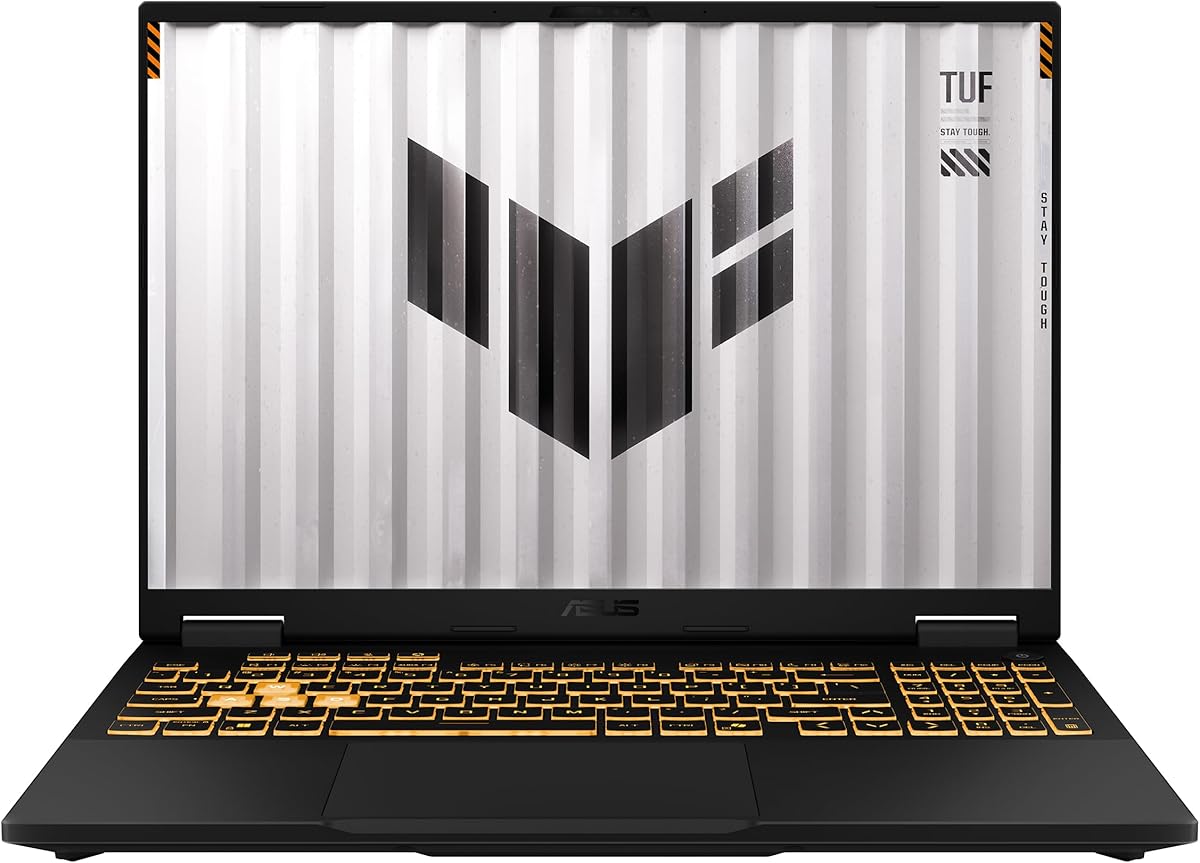
The TUF Gaming F16 is built to withstand harsh conditions. It targets rugged use cases with military-grade durability. Its standout quality is the reliability and high user rating.
We may earn a commission when you buy through this link, at no additional cost to you.
The Intel Core i5-13450HX and RTX 5050 deliver solid performance. Adaptive-Sync reduces lag and tearing for smooth gameplay. The Arc Flow Fans optimize cooling without extra noise.
Storage is limited to 512GB, and the design is subtle rather than flashy. These trade-offs are acceptable for users valuing longevity over aesthetics.
Buy this if you need a robust laptop for tough environments. It is a great choice for field work or heavy travel where durability matters.
MIL-STD-810H testing ensures the device can survive drops, shocks, and extreme temperatures during travel or field use.
Adaptive-Sync technology minimizes stuttering and tearing, providing a seamless visual experience for competitive gaming.
We may earn a commission when you buy through this link, at no additional cost to you.
The Lenovo LOQ offers robust features like G-Sync and large storage. It targets users wanting a balance of gaming and work. Its standout quality is the AI Engine+ tuning.
We may earn a commission when you buy through this link, at no additional cost to you.
With the Core i7-13650HX and RTX 5050, it handles complex tasks smoothly. G-Sync eliminates screen tearing. Rapid Charge Pro powers the laptop to 70% in under 30 minutes.
The price is higher than competitors. Port selection is standard. These are acceptable given the performance and charging speed.
Purchase this if you want G-Sync visuals and fast charging. It is a strong choice for gamers who need quick setup times.
NVIDIA G-Sync eliminates screen tearing and stuttering, ensuring silky-smooth frame rates in demanding game titles.
Rapid Charge Pro allows the battery to reach 70% in under 30 minutes, keeping you powered up during busy schedules.
We may earn a commission when you buy through this link, at no additional cost to you.
The msi Katana offers a strong i7 processor for demanding tasks. It is a practical choice for productivity. Its standout quality is the processor and battery capacity.
We may earn a commission when you buy through this link, at no additional cost to you.
The Core i7-14650HX ensures fast performance. The 75Wh battery offers extended usage. WiFi 6E ensures fast wireless connections.
The rating is moderate due to mixed reviews on build quality. Design is basic. These are common for value-focused devices.
Buy this if you need raw processor speed and battery life. It is a good fit for users who prioritize performance over looks.
The Core i7-14650HX delivers strong performance for multitasking, rendering, and gaming workloads.
The 75Wh Lithium-Polymer battery provides extended usage for portable computing needs without frequent recharging.
We may earn a commission when you buy through this link, at no additional cost to you.
Selecting the right laptop requires evaluating several key factors to ensure it meets your needs. This guide breaks down the essential elements to consider before making a purchase.
The CPU determines how well the system handles multitasking and background processes. Look for modern Intel Core or AMD Ryzen processors to ensure compatibility with the GPU.
Prioritize high clock speeds and core counts for smooth performance across gaming and creative applications.
A high refresh rate like 144Hz or 165Hz ensures fluid visuals during gameplay. OLED panels offer better contrast for creative work.
Ensure the display supports accurate colors and brightness levels for your specific use case.
Efficient cooling prevents thermal throttling during long sessions. Look for dual-fan systems and well-designed vents.
Good airflow design ensures the hardware maintains peak performance without excessive noise.
16GB RAM is recommended for modern gaming and creative workflows. DDR5 memory offers faster speeds for responsive multitasking.
SSD capacity affects load times. Aim for at least 512GB for comfortable usage without immediate upgrades.
USB-C, HDMI 2.1, and Wi-Fi 6E support ensure versatile connections to external devices. Thunderbolt ports allow for fast data transfer.
Check the port count to ensure you can connect all your necessary peripherals without needing a hub.
Slim chassis designs make laptops easier to carry between locations. Aluminum builds offer durability compared to plastic.
Consider weight and dimensions if you plan to travel frequently with the device.
High performance laptops often have limited battery life. Look for larger capacity batteries if you need unplugged usage.
Fast charging technology can help mitigate downtime during busy days.
Onsite service can save time if hardware issues arise. Check the duration and scope of the warranty.
Reliable support ensures peace of mind for long-term usage and investment protection.
Start by setting up your system with the latest drivers from the manufacturer. Ensure Windows updates are installed for optimal performance and security.
Use cooling pads during extended gaming sessions to maintain low temperatures. Keep the vents free of dust to prevent overheating and performance drops.
Avoid charging the device constantly to preserve battery health. Calibrate your display periodically to ensure color accuracy for creative work.
The RTX 5050 is well-suited for high-end gaming at 1080p and 1440p resolutions. It supports DLSS features that improve performance. While it may not match flagship GPUs, it handles modern titles efficiently.
An 180Hz display provides smoother motion and reduced blur. This is beneficial for fast-paced shooters and competitive gaming. Ensure the GPU can drive the refresh rate for optimal benefits.
Upgradeability varies by model. Some laptops allow RAM upgrades while others have soldered memory. Check specific specs to confirm if upgrades are possible before purchasing.
Thunderbolt 4 allows for fast data transfer and connects to external displays. It supports charging and docking stations. This improves connectivity options for professional workflows.
Yes, most models support HDMI 2.1 or USB-C with DisplayPort output. You can connect multiple external screens for expanded workspace. Check ports to confirm support.
The RTX 5050 accelerates rendering tasks. Coupled with strong CPUs and DDR5 memory, these models handle video editing well. Look for color-accurate displays for best results.
Effective cooling maintains performance during long sessions. Poor cooling leads to throttling and higher noise. Prioritize models with advanced fan designs for longevity.
Look for onsite service and at least one year of coverage. Extended warranties provide extra protection. Check terms for accidental damage protection.
The top picks like the Acer Nitro V and Lenovo IdeaPad Pro 5 offer distinct strengths for different users. Whether you need speed or color accuracy, these models cover most needs.
Prioritize display refresh rates and cooling systems for longevity. Ensure RAM and storage meet your future needs to avoid premature upgrades.
Always verify current pricing and availability as these change frequently. Checking deals online can help you secure the best value for your budget.