
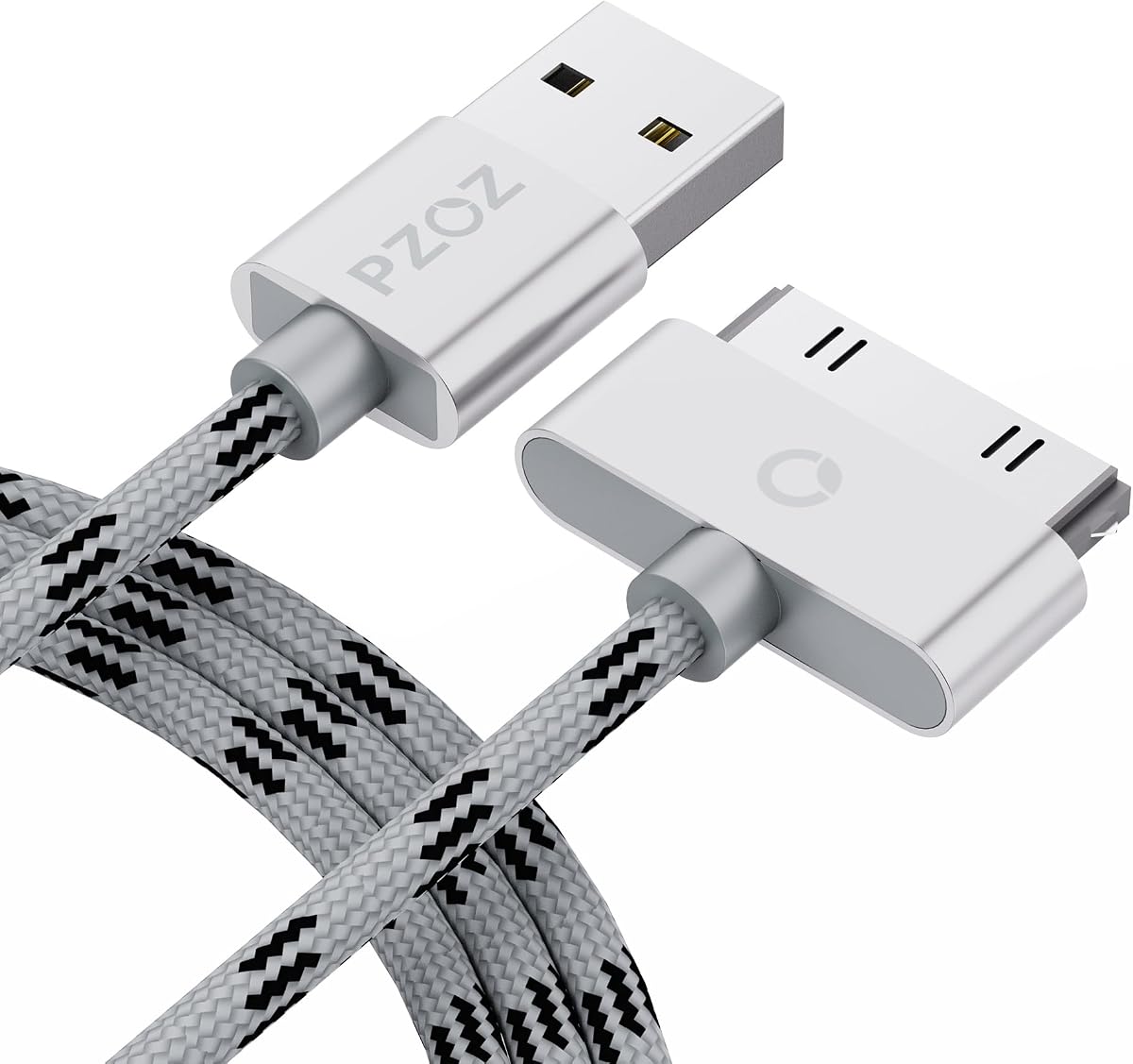
30 Pin Charger Cable for Old iPhone/iPod/iPad Support Fast Charging & Data
4.5Editor score
Braided cable for durability
Supports fast charging speeds
Compatible with legacy devices
This guide compares the best iPod Mini Charger Replacement options available in October 2026 to help you choose the most reliable charging solution for your
Finding a reliable power source for older Apple devices can be challenging as supplies dwindle. This guide explores top replacements to keep your classic music player running smoothly today.
We evaluated various cables and adapters based on compatibility, build quality, and user feedback. Our goal is to highlight options that balance durability with effective charging performance.
Each pick highlights key features and potential limitations to inform your decision. Please note that product availability and pricing may vary over time on different platforms.
4.5Editor score

4.7Editor score

4.5Editor score
The following table provides a side-by-side overview of the top ten options evaluated in this guide to assist with your selection process.



This basic power adapter set offers a straightforward way to charge older iPod models. It consists of two separate pieces including a wall plug and a short USB cable.
We may earn a commission when you buy through this link, at no additional cost to you.
It targets users looking for a budget-friendly way to power their devices without needing a complex dock. The white color matches the classic Apple aesthetic.
The main trade-off is the very short cable length which limits flexibility during use. Additionally the lower rating suggests potential durability or compatibility issues over time.
This is a suitable choice for those who need a simple replacement quickly and do not require long reach or heavy-duty construction for daily travel.
Provides essential charging capability for devices like the iPod Mini through standard USB interfaces.
We may earn a commission when you buy through this link, at no additional cost to you.
Herfair offers a robust cable that brings old devices back to life with modern build quality. It supports both charging and data transfer at high speeds for efficiency.
We may earn a commission when you buy through this link, at no additional cost to you.
The high-density braided cable provides superior toughness compared to standard rubber cords. The reinforced interface helps prevent common breakage points found in cheaper cables.
While it does not support audio out functions its primary focus on charging and syncing is clear. The generous warranty period adds confidence to the purchase.
This option is ideal for users who want a reliable and affordable replacement that feels premium and lasts longer than basic alternatives.
The braided wire design resists tangling and breakage ensuring the cable remains functional through daily use.
Supports 2.4A fast charging to replenish your device power quickly without long wait times.
We may earn a commission when you buy through this link, at no additional cost to you.
This cable set provides a convenient way to keep multiple connections available for your iPod Shuffle. It is designed specifically for the unique 3.5mm jack on these models.
We may earn a commission when you buy through this link, at no additional cost to you.
The lightweight design makes it easy to carry in a bag or case. You can use it with computers or power adapters to charge your device anywhere.
Because it uses the audio jack for data it requires alignment. However it works effectively for standard syncing needs with iTunes software.
Buyers looking for a small form factor solution with extra copies for travel will find this product valuable for maintaining their music player.
The 2 in 1 design allows you to charge and sync data at the same time efficiently.
We may earn a commission when you buy through this link, at no additional cost to you.
This cable is tailored for the iPod Shuffle series that use the clip design. It offers a practical way to charge and sync data without a dock.
We may earn a commission when you buy through this link, at no additional cost to you.
The design connects via a 3.5mm jack which is standard for these smaller players. You can use it with a PC or laptop to manage your music library.
It provides the necessary functionality for keeping your device updated with new tracks. The 2-pack ensures you have a spare ready if the primary is lost.
This is a good choice for owners of Shuffle devices who need a straightforward solution for maintenance and charging at home or office.
Easily connects to any standard USB port on a computer for power and data transfer.
We may earn a commission when you buy through this link, at no additional cost to you.
This cable features a built in metal woven mesh that resists stretching and bending over time. It is designed to maintain signal quality during data transmission.
We may earn a commission when you buy through this link, at no additional cost to you.
The stainless steel connector heads are compact and slot in securely. They are rated for thousands of insertion and removal cycles for longevity.
The internal construction uses aluminum platinum to reduce signal interference. This helps ensure that charging and syncing remain stable without dropouts.
Users who value physical durability and want to protect their data transfer speeds should consider this model for their classic iPods or phones.
The aluminum platinum layer inside the cable protects data signals from external interference.
We may earn a commission when you buy through this link, at no additional cost to you.
This cable meets Apple certification standards which ensures compatibility and safety for your device. It features a slim dock connector that works well with cases.
We may earn a commission when you buy through this link, at no additional cost to you.
The core is made of pure copper to support efficient charging and data transfer. The material helps reduce power loss during operation.
The four foot length provides a reasonable range for desktop or bedside use. It is durable enough to withstand regular plugging and unplugging.
This is a strong choice for users who prioritize certified quality and want a cable that fits comfortably with their device accessories.
Being Apple Certified means the cable meets strict safety and performance standards for your device.
We may earn a commission when you buy through this link, at no additional cost to you.
This is the official cable from Apple designed specifically for the iPod Shuffle. It connects directly to the computer or power adapter for charging.
We may earn a commission when you buy through this link, at no additional cost to you.
It is compatible only with the third generation model which uses this specific connection method. It ensures a reliable connection without risk of damage.
The package includes two cables which is useful if you need to keep one at home and one at work. This ensures you are never without a way to sync.
Owners of older Shuffle units should check their generation carefully. If you own a third gen model this is the safest and most reliable option.
Using an official Apple accessory guarantees that the connector fits perfectly and charges safely.
We may earn a commission when you buy through this link, at no additional cost to you.
This cable uses a pure copper wire core to ensure high effective data transmission speeds. It supports up to 2.1A current output for rapid charging.
We may earn a commission when you buy through this link, at no additional cost to you.
The connectors are made of heat-resistant stainless steel to slot in easily. The nylon material helps the cable remain tangle-free and strong.
The antioxidant metal plug is rated for over 3000 pullouts. This high durability makes it a reliable daily driver for older devices.
It is a good choice for those who need a robust cable that can handle frequent use without breaking down quickly.
Supports 2.1A current output to ensure rapid transmission and quick charging times.
We may earn a commission when you buy through this link, at no additional cost to you.
This is the standard cable from Apple for legacy 30 pin devices. It features a form-fitting construction that allows charging even when the device is in a case.
We may earn a commission when you buy through this link, at no additional cost to you.
It provides access to all controls and the dock connector easily. This ensures you do not have to remove protection to charge your device.
The build quality is excellent and typically lasts longer than third party options. However the power adapter is sold separately in some packages.
If you want the absolute best experience and reliability this official cable is the top choice for your classic iPod or iPhone.
The form-fitting construction allows you to charge your device while it is in a case.
We may earn a commission when you buy through this link, at no additional cost to you.
This cable is MFi Certified and uses the original connector from Apple for safety. It is designed to be used with devices without removing a case.
We may earn a commission when you buy through this link, at no additional cost to you.
It features a slim dock connector design and an optimum length of four feet. This makes it convenient to use with a Mac or Windows PC.
For older iPod nano models you should align the connector straight to avoid resistance. It is lightweight and easily coiled for storage.
This is a solid choice for those seeking MFi certification at a competitive price point with good build characteristics.
MFi Certification ensures the cable uses the original connector from Apple and meets safety standards.
We may earn a commission when you buy through this link, at no additional cost to you.
Selecting the right replacement charger requires attention to several technical and practical factors to ensure compatibility and longevity.
The most critical factor is ensuring the connector matches your specific iPod model. Older models like the iPod Mini use a 30 pin dock connector while later shuffles use a 3.5mm jack. Always verify the generation of your device before purchasing a cable to avoid connection issues.
Always verify the generation and connector type of your device before purchasing a cable to avoid connection issues.
Consider where you plan to charge your device when choosing a cable length. A longer cable allows you to keep the device nearby while plugged into a distant outlet. However longer cables can be more prone to tangling and require more storage space.
Choose a cable length that balances your charging needs with portability requirements.
Look for cables with reinforced joints and durable outer materials like braided nylon. These features help prevent the common problem of fraying near the connector. A well built cable will withstand daily bending and plugging better than cheap rubber ones.
Look for cables with reinforced joints and durable outer materials to withstand daily use.
If you need to sync music or photos often data transfer speed is important. Some cables support high speed syncing while others may be slower. Ensure the cable supports the data rates required for your specific needs to avoid long wait times.
Ensure the cable supports the data rates required for your specific syncing needs.
MFi or Apple certification indicates the cable meets safety and performance standards. This reduces the risk of electrical issues with your device. Certified cables are generally more reliable and protect your device battery from damage.
MFi or Apple certification indicates the cable meets safety and performance standards for your device.
Some cables support fast charging standards that can replenish battery power quicker. Check if the cable supports higher amperage outputs like 2.1A or 2.4A. This feature saves time when you need to use your device immediately after charging.
Check if the cable supports higher amperage outputs to save time when charging.
Compare the price of the cable against the warranty offered by the manufacturer. A longer warranty often indicates confidence in the product quality. This can provide peace of mind if the cable fails prematurely due to manufacturing defects.
Compare the price of the cable against the warranty offered by the manufacturer.
Always align the connector carefully when inserting it into your device port. Forcing the connector can damage the pins inside both the cable and the iPod.
Keep the connectors clean and free of dust or debris to maintain a good connection. Use a soft dry cloth to wipe the ends if they appear dirty.
Store the cable in a loose coil rather than wrapping it tightly around itself to prevent internal wire damage over time.
No the iPod Mini uses a proprietary 30 pin connector. You will need a dedicated 30 pin cable to connect to your power source. Using a modern USB-C adapter requires an additional adapter bridge to function properly.
Signs include intermittent charging or the device not recognizing the connection. If your existing cable is visibly frayed or bent it is time for a replacement. Testing with a known working cable can help confirm the issue.
Yes most replacement cables support both charging and data syncing. Ensure the product description mentions data transfer capabilities to avoid getting a charge only option. Using a high quality cable ensures stable syncing speed.
Original Apple cables offer guaranteed compatibility and safety standards. However certified third party options often provide better durability at a lower price. Choose based on your priority for brand trust or physical strength.
A length of 3 to 4 feet is generally ideal for most users. This provides enough slack to use the device comfortably while plugged in without excess cable clutter. Very long cables may slow down data syncing speeds.
The issue may be due to debris in the charging port or a power source fault. Try cleaning the port gently and testing a different outlet. Ensure the device is fully inserted into the connector for a solid connection.
Selecting the right power source for legacy devices ensures your music collection remains accessible. The top picks offer a mix of budget friendly and premium options to suit different needs.
Prioritize build quality and connector compatibility to avoid future frustration. A well made cable will keep your device powered for years to come.
Always check current availability and return policies before finalizing your purchase to ensure a smooth experience.