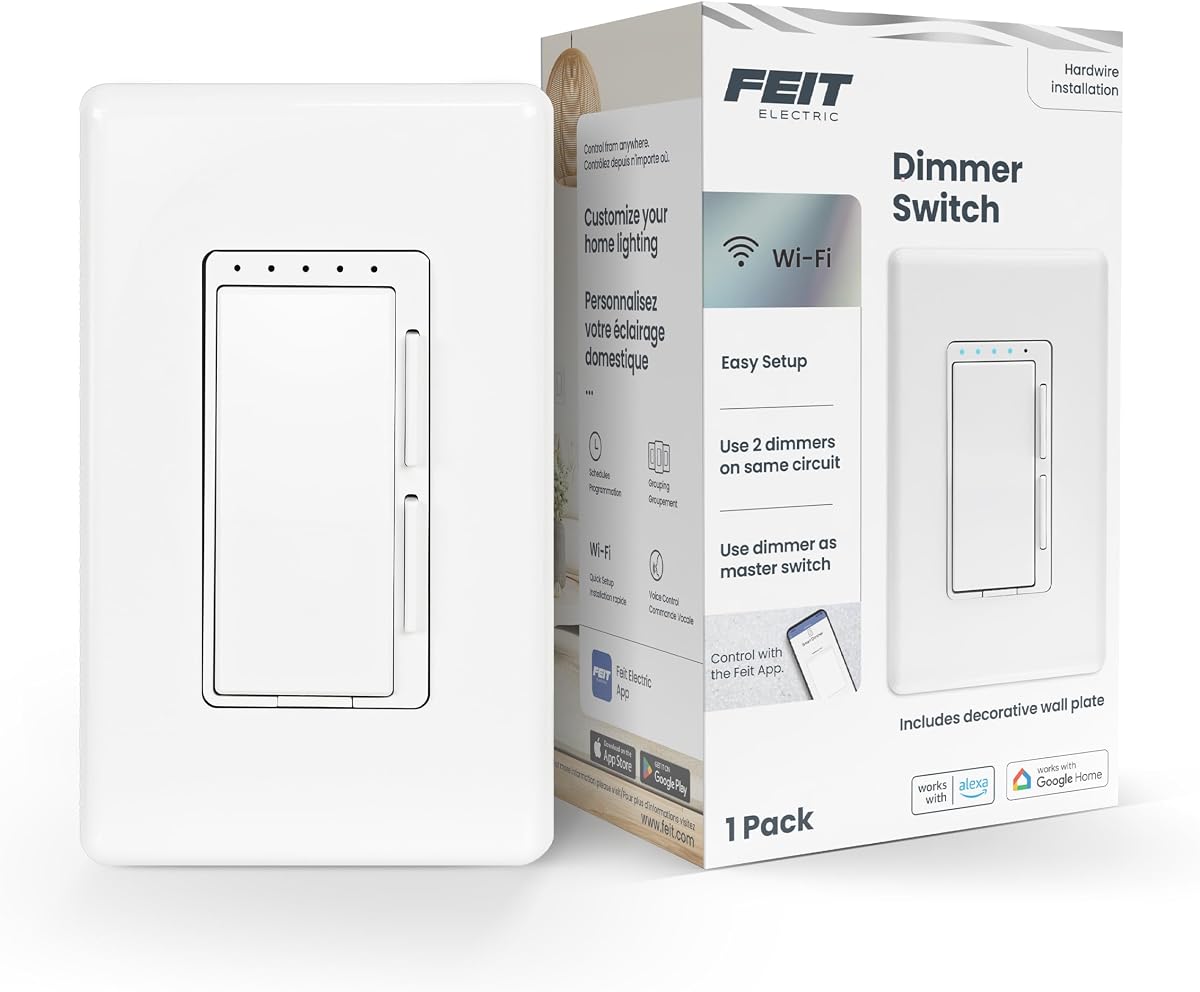
Feit Electric Smart Dimmer Switch
4.2Editor score
Affordable pricing option
Compatible with Alexa
Supports 150W LED
This guide compares the top in Wall Smart Dimmer Switch models for 2026 based on features compatibility ease of installation and smart home integration
Transform your home lighting with an in Wall Smart Dimmer Switch that offers precise control and energy savings. These devices replace traditional switches to allow remote adjustment of brightness levels from your smartphone or voice assistant.
We evaluated ten leading models focusing on connectivity protocols wiring requirements and dimming performance. Our analysis covers Wi-Fi and Matter compatible options that work with major ecosystems like Alexa and Google Home for seamless integration.
Each pick highlights specific strengths such as budget friendly pricing or advanced automation features. Please note that product availability and pricing can fluctuate so verify current details before making your final purchasing decision.
4.2Editor score

4.6Editor score

4.8Editor score
This side-by-side comparison highlights the key specifications and capabilities of each selected dimmer switch to help you find the perfect match for your home automation needs.




The Leviton Decora Smart Dimmer Switch offers a reliable way to modernize your lighting control. With a solid rating it stands out for its ability to create elegant ambiance through customizable fade rates.
We may earn a commission when you buy through this link, at no additional cost to you.
This switch allows you to control lights from anywhere using your smartphone. It features flicker-free dimming designed for LED bulbs ensuring smooth performance without visible jitter during brightness adjustments.
While it requires a neutral wire for installation it provides automatic softer lighting at night which is great for kitchens or bathrooms. The preset light level options ensure your lights always start at your preferred brightness.
Ideal for homeowners seeking a balance of design and functionality this switch integrates well with smart home setups. Its remote control capability adds convenience for managing lighting whether you are home or away.
Set the mood for dinner or a movie theater experience with adjustable lighting levels.
Check status and adjust lights remotely via smartphone regardless of your location.
We may earn a commission when you buy through this link, at no additional cost to you.
The Enbrighten Smart Dimmer Light Switch brings Matter support to your home automation setup without needing a hub. Its high rating reflects strong performance in smart home integration and ease of use.
We may earn a commission when you buy through this link, at no additional cost to you.
You can connect directly to a 2.4GHz Wi-Fi network and control lights via Alexa or Google Home. The QuickFit design reduces housing depth making installation easier in crowded electrical boxes.
Remote smart dimming works even when internet access is unavailable which adds reliability. Smart schedules allow you to automate lighting routines based on time weather or location for energy efficiency.
This switch is perfect for those upgrading to a Matter ecosystem. Its voice control ready features ensure hands-free operation while the color-coded flying leads speed up the wiring process.
Connect directly to Wi-Fi or use Matter-certified platforms without a separate hub.
Use Amazon Alexa or Google Home for convenient hands-free control of lights.
We may earn a commission when you buy through this link, at no additional cost to you.
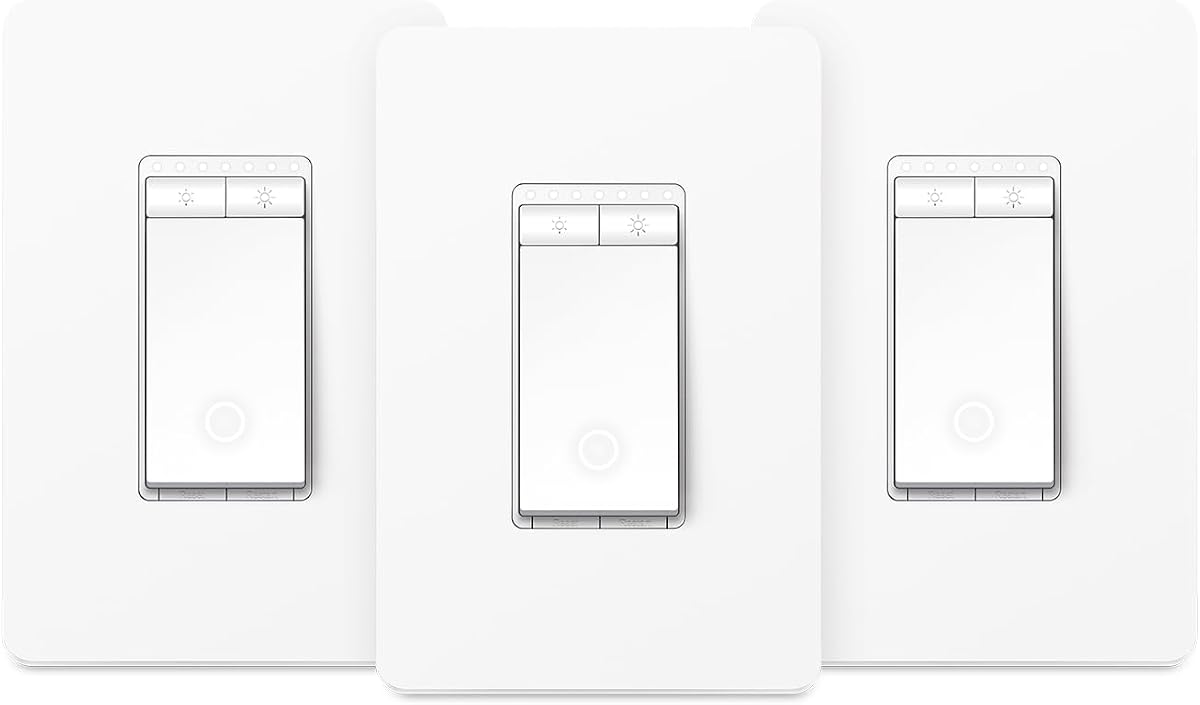
This Kasa Smart 3-Way Dimmer Switch Kit is designed to replace traditional switches in living rooms and hallways. It provides remote control via the Tapo or Kasa app for seamless convenience.
We may earn a commission when you buy through this link, at no additional cost to you.
Adjust lighting from 1 percent to 100 percent directly from the switch or app. The app-guided install simplifies setup though neutral wiring is required and electrician consultation is recommended.
Voice control with Alexa or Google Assistant allows hands-free operation. The 2-year warranty and ETL certification ensure trust and reliability for your lighting needs.
Ideal for stairways or large spaces where control is needed from multiple points. The scheduling feature lets you set brightness levels for night lighting or gentle waking routines.
Replaces traditional switches to adjust lighting remotely from two locations.
Adjust brightness directly from the switch or app with precise control.
We may earn a commission when you buy through this link, at no additional cost to you.
The Kasa Smart Dimmer Switch HS220 is a single pole solution that integrates smoothly into existing wiring. With a high rating it is known for reliable app-guided installation features.
We may earn a commission when you buy through this link, at no additional cost to you.
You can adjust brightness from 0 to 100 percent and set schedules for soft morning glows. Double-clicking the button fades lights off which is perfect for bedtime routines.
Voice control via Alexa or Google Assistant offers convenience without lifting a finger. Monitor lights from anywhere using the Kasa app on your smartphone or tablet.
This switch is great for standard rooms where a hub is not desired. Its secure 2.4GHz wireless network connection ensures stability without additional hardware requirements.
Follow step-by-step setup in the Kasa app with neutral wiring required.
Adjust brightness via button or app with scheduling and fade options.
We may earn a commission when you buy through this link, at no additional cost to you.
The Leviton Decora Smart Dimmer Switch 2nd Gen works with Apple Home Siri and other platforms for broad compatibility. It features customizable fade rates and preset light levels for personalized control.
We may earn a commission when you buy through this link, at no additional cost to you.
You can prevent flickering lights by fine-tuning performance settings for bulb types. Automatic softer lighting at night makes it ideal for kitchens where midnight snacks require gentle illumination.
Voice control works with Google Assistant Amazon Alexa and Apple Siri. The switch supports wired or wireless 3-way setups allowing flexibility in how you manage lighting zones.
Best for users invested in the Apple ecosystem who want Matter support. Check the My Leviton app to enable Matter via firmware update for unified smart home integration.
Set mood for dinner or movie theater experiences with adjustable brightness.
Use customizable fade rates and preset levels to match your preferences.
We may earn a commission when you buy through this link, at no additional cost to you.
This Tapo Matter Smart Dimmer Switch comes in a 2-pack for covering multiple rooms easily. It offers full dimming from 0 to 100 percent with smooth transitions that prevent eye irritation.
We may earn a commission when you buy through this link, at no additional cost to you.
Matter certification allows devices to work together across brands like Alexa Apple HomeKit and Google Home. You can manage lights anytime via app or voice commands from various assistants.
Set custom schedules to align with daily routines and use away mode to mimic occupancy for security. The app-guided install helps you replicate old switches with neutral wiring required.
Great for households wanting multiple switches at a budget friendly price. The unified control across platforms simplifies smart home management without complex hub setups.
Replicate old switches with neutral wiring and 2.4GHz Wi-Fi for setup.
Adjust brightness from 0 to 100 percent to set ideal ambiance.
We may earn a commission when you buy through this link, at no additional cost to you.
The Feit Electric Smart Dimmer Switch offers a cost-effective entry into smart lighting control. It supports Alexa and Google Assistant for voice commands to adjust brightness or set schedules.
We may earn a commission when you buy through this link, at no additional cost to you.
It handles dimmable LED and CFL loads up to 150W and incandescent up to 450W. A power indicator light shows connectivity status which helps troubleshoot connection issues quickly.
Use the Feit Electric app to make non-smart bulbs smart with timers and dimming settings. It works with single pole 3-way and 4-way installations with neutral wire required.
Best for those on a tight budget who still want voice control. Its simplicity and compatibility with standard voltages make it a reliable choice for basic smart upgrades.
Installation requires neutral wire and electrician assistance is recommended.
Control from anywhere with the Feit Electric app on your network.
We may earn a commission when you buy through this link, at no additional cost to you.
The Lutron Caseta Diva Smart Dimmer Switch connects with more smart home devices than any other brand. Its high rating reflects exceptional reliability and seamless integration with ecosystems like Alexa and Ring.
We may earn a commission when you buy through this link, at no additional cost to you.
Enable Smart Away to randomly turn lights on or off so it looks like you are home. The soft-glow light bar and slider provide precise wall control for smooth dimming effects.
It works without a neutral wire making it flexible for older homes. Pair with a Pico remote for wireless control from anywhere in the room without pulling extra wires.
Ideal for those building a comprehensive smart home ecosystem. The included Claro wallplate and ability to control multiple bulbs at once add value despite the hub requirement.
Connects with more devices including Alexa Apple Home and Sonos.
Enable Smart Away to randomly turn lights on/off for security.
We may earn a commission when you buy through this link, at no additional cost to you.
This Tapo Matter Smart 3-Way Dimmer Switch Kit allows control from two locations for hallways and stairways. It tracks energy usage so you can make eco-conscious adjustments to save on bills.
We may earn a commission when you buy through this link, at no additional cost to you.
Matter certified devices work together across brands offering flexible unified control. You can schedule lights to turn on off or dim at specific times to align with daily routines.
The app-guided install simplifies setup though neutral wiring and 2.4GHz Wi-Fi are required. Away mode turns lights on and off randomly to enhance home security while you are away.
Perfect for spaces needing multi-location control without complex rewiring. The energy monitoring feature adds an eco-friendly dimension to standard smart lighting automation.
Control fixtures from two locations ideal for living rooms and hallways.
Track usage of connected lights to save money on energy bills.
We may earn a commission when you buy through this link, at no additional cost to you.
The Lutron Caseta Smart Dimmer Switch is a top rated choice for premium smart lighting. Its ability to work without a neutral wire makes it flexible for homes of any age.
We may earn a commission when you buy through this link, at no additional cost to you.
Set lights to automatically adjust with changing seasons so your family always comes back to a well-lit home. It connects with more leading smart home devices than any other brand.
Use wireless Pico remotes to turn lights on or off from anywhere in the home. The hub allows activation of scenes with a touch of a button fitting everyday routines.
Best for users wanting reliability and extensive device support. Despite the hub requirement it delivers superior performance and peace of mind with features like Smart Away and schedule adjustments.
Set lights to adjust with seasons for a well-lit home arrival.
Connects with more devices than any other lighting control brand.
We may earn a commission when you buy through this link, at no additional cost to you.
Choosing the right in Wall Smart Dimmer Switch requires understanding your wiring home and smart home ecosystem needs to ensure compatibility and ease of use.
Check if the switch uses Wi-Fi Zigbee or Matter protocols. Wi-Fi switches connect directly to your router while Zigbee usually needs a hub. Matter offers better interoperability across different brands.
Look for switches that support your preferred voice assistants and do not require extra hardware if you want a simple setup.
Some switches need a neutral wire while others work without one. If you have older homes without neutrals ensure the product specifies it does not require a neutral wire.
Verify you have the correct power wires in the box before purchasing to avoid expensive re-wiring or hiring an electrician later.
Look for switches that offer a full 0 to 100 percent dimming range. This ensures smooth transitions from dark to bright without flickering at low levels.
Higher ranges allow precise control for creating ambiance or saving energy by keeping lights at lower brightness levels.
Ensure the switch supports your specific bulb types such as LED or incandescent. Check the wattage capacity to handle the total load of connected bulbs safely.
Incompatible switches may cause flickering or buzz which ruins the dimming experience and shortens bulb life.
Consider features like scheduling away mode and voice control. These add convenience by automating lighting based on time or mimicking occupancy for security.
Choose switches that allow preset levels or fade rates for a better user experience when turning lights on or off.
Some models come with app-guided setup and physical features like QuickFit designs to save space in crowded electrical boxes.
Look for switches with clear instructions and color-coded wires to make DIY installation easier and safer for you.
Check the warranty period and customer support availability. A longer warranty indicates the manufacturer trusts the product longevity and reliability.
Reliable support helps if you encounter connection issues or need advice on integrating with other smart devices.
Choose a finish and rocker design that matches your existing decor. Matte or gloss finishes affect how the switch looks under different lighting conditions.
Consider if you need a decorative wallplate included or if you already have one that fits the switch dimensions.
Turn off power at the breaker before removing your old switch and installing the new one. Ensure wires are connected securely and follow the color-coded guide provided by the manufacturer.
Download the manufacturer app on your smartphone and follow the step-by-step setup instructions. Connect the switch to your Wi-Fi network by selecting your network name and entering the password.
Clean the switch face with a soft dry cloth to remove dust and avoid using harsh chemicals that might damage the material. If connectivity issues arise try power cycling your router or restarting the switch.
Not all smart dimmer switches need a neutral wire. Some models like those from Lutron Caseta work without one making them suitable for older homes. Check the product specifications to confirm if a neutral wire is required for installation.
Yes you can use a smart dimmer with LED bulbs but ensure the switch is rated for LED loads. Some switches specify a maximum wattage for LEDs to prevent flickering or buzzing. Always check compatibility before purchasing.
Some smart dimmer switches require a hub while others connect directly to Wi-Fi. If you want to avoid extra hardware look for switches that advertise no hub required or Wi-Fi connectivity directly to your router.
To set up schedules use the manufacturer app on your smartphone. Navigate to the automation or scheduling section and select the times you want the lights to turn on or off. Adjust brightness levels if available.
If your internet goes down some switches still allow local control via the wall switch or voice commands. However remote access via app may be unavailable until the connection is restored. Check for offline capabilities.
Yes many smart dimmer switches work with voice assistants like Alexa or Google Assistant. You can issue commands to dim lights or turn them on or off without touching the switch directly.
Yes these switches are generally safe when installed correctly. Ensure they are UL or ETL certified to meet safety standards. Always turn off power before installation to avoid electrical hazards.
Yes most switches can control multiple bulbs on the same circuit as long as the total wattage stays within the switch limit. Check the maximum load capacity to avoid overloading the device.
The top picks cover a range of needs from budget options to premium systems with hubs. Leviton and Lutron models lead in integration and reliability while Tapo and Feit offer value.
Prioritize wiring compatibility and smart home ecosystem support when making your choice. Ensure the switch matches your bulb types and allows easy setup via an app.
Prices and availability change frequently so verify current listings before buying. Use the comparison table to find the model that fits your home requirements best.