
EVanlak Hdmi Edid Emulator Passthrough
4.2Editor score
Premium aluminum design
4K 60Hz support
Plug-and-play setup
This guide compares the top HDMI Edid Emulator Passthroughs for stability and compatibility helping you choose the right adapter for your display setup needs.
Finding the right HDMI Edid Emulator Passthrough can be challenging when dealing with complex video setups. These devices ensure your source recognizes connected displays correctly preventing signal loss or resolution errors during critical moments.
We analyzed ten top-rated models based on compatibility, resolution support, and ease of use. Our comparison covers everything from budget options to premium units designed for professional AV environments and home theaters.
Each pick highlights specific strengths and ideal use cases for different users. Keep in mind that prices and availability can change quickly so verify current details before making your final purchase decision today.
4.2Editor score

3.5Editor score

4.3Editor score
The following table provides a side-by-side look at key specifications and features across all ten products to help you quickly identify the best match for your specific setup requirements.




This HDMI EDID Emulator Passthrough is designed to maintain stable connections in multi-monitor setups. It supports resolutions up to 4K at 60Hz and 1080p at 120Hz making it suitable for modern displays and gaming monitors.
We may earn a commission when you buy through this link, at no additional cost to you.
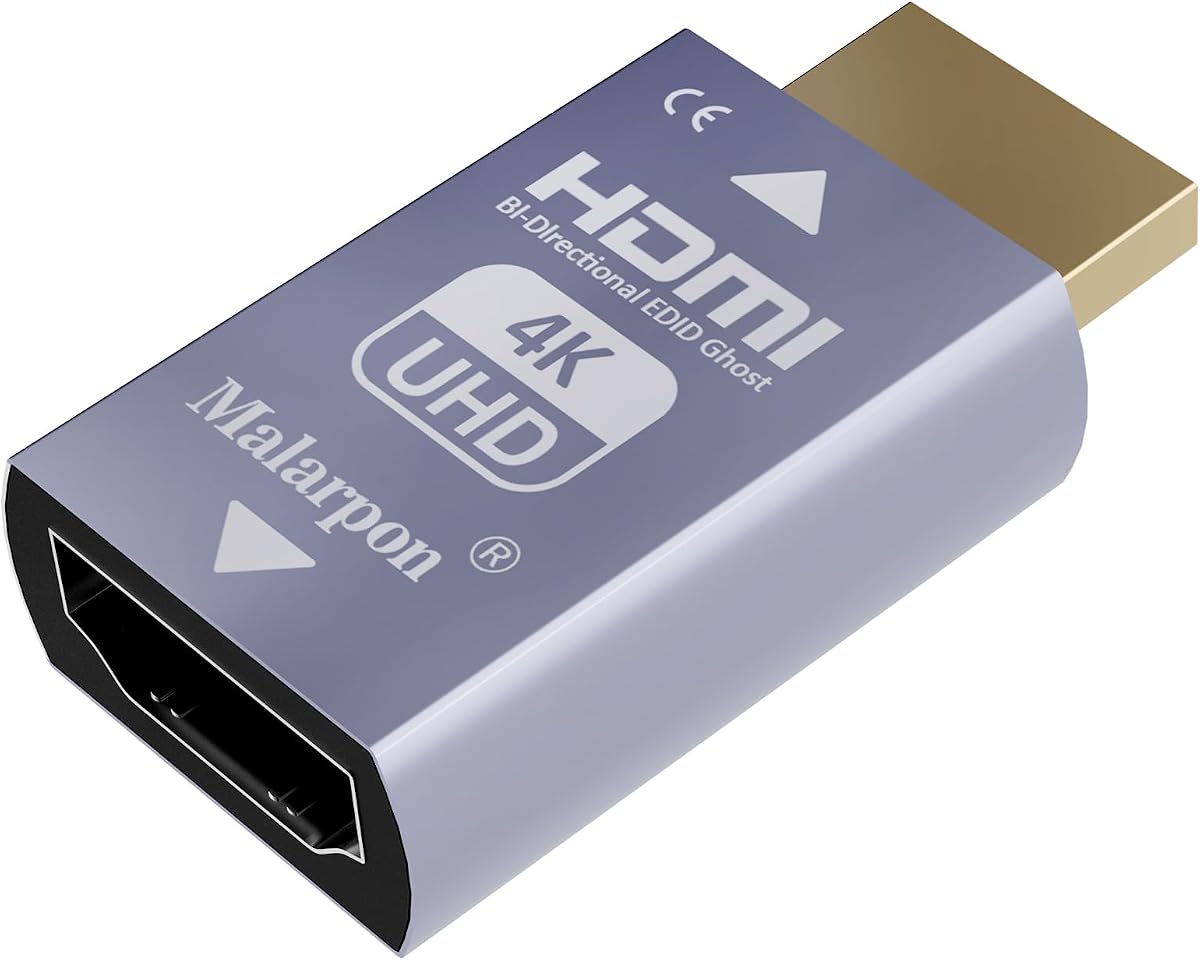
Its bidirectional signal transmission ensures that the system recognizes the display even if cables are loose or disconnected. This feature is particularly useful for users who frequently switch between different sources or KVM switches without losing desktop settings.
While the overall rating is moderate the device performs well in its core function of locking EDID settings. The lack of external power requirements simplifies installation and reduces clutter on your desk or entertainment center.
Ideal for home office users and enthusiasts who need reliable signal handshaking. If you prioritize compatibility with high refresh rates and simple setup this emulator offers a balanced solution for most standard HDMI configurations.
Supports 1080p at 120Hz ensuring smooth motion for gaming and video content.
Works reliably in series with KVM switches to prevent display reset during source changes.
We may earn a commission when you buy through this link, at no additional cost to you.
The EVanlak adapter stands out for its sleek aluminum design which ensures durability and efficient heat dissipation. It is an excellent choice for users looking for a reliable and affordable solution to manage EDID handshaking issues.
We may earn a commission when you buy through this link, at no additional cost to you.
It works seamlessly with a wide range of devices including Mac Thunderbolt connections AV receivers and video splitters. The plug-and-play nature means you can connect it and start using it immediately without installing any drivers.
While it lacks some advanced features found in higher-end models it effectively eliminates the need for manual EDID settings. This makes it a solid option for standard home theater setups or office environments where simplicity is key.
Best for users who want a no-frills reliable adapter that looks good and works well. If you need a cost-effective way to maintain display settings across switches or extenders this model is a strong contender.
Crafted with premium aluminum for durability and a modern aesthetic.
Works specifically with Mac Thunderbolt to HDMI switches and extenders.
We may earn a commission when you buy through this link, at no additional cost to you.
This PRO model is designed for advanced users who require HDMI 2.1 compatibility and precise control over EDID settings. It supports SCDC handshaking and offers 14 pre-set EDID values for flexible configuration.
We may earn a commission when you buy through this link, at no additional cost to you.
It ensures accurate signal transmission by copying external EDID data reliably. This is crucial for complex AV systems where mismatched capabilities can lead to connection failures or reduced video quality.
While it does not support 8K resolution it handles 4K at 120Hz well. The included HDCP pass-through ensures compliance with content protection standards without blocking signals unnecessarily.
Ideal for professional installations and enthusiasts needing robust features. If you have an HDMI 2.1 setup and need to manage specific audio video formats this emulator provides the necessary tools for optimal performance.
Supports HDMI 2.1 standards ensuring compatibility with newer high bandwidth devices.
Offers 14 built-in EDID settings for quick simulation of desired resolutions.
We may earn a commission when you buy through this link, at no additional cost to you.
This adapter is designed to keep your Windows system from rearranging the desktop when a display is disconnected. It locks EDID settings so the computer thinks the monitor is still present even when it is off.
We may earn a commission when you buy through this link, at no additional cost to you.
It supports bidirectional transmission allowing flexibility in how it is connected in your chain. The plug and play design means no drivers or software are needed for it to function correctly.
While it lacks HDCP support which may be a limitation for some streaming services it works well for standard video output. This makes it a practical choice for headless servers or KVM setups.
Best for users dealing with frequent disconnects or multi-screen splicing. If your priority is maintaining stable desktop configurations without manual intervention this emulator offers a straightforward solution.
Prevents Windows from resetting monitor arrangements when screens are removed.
Supports hot swapping allowing connections to be changed without rebooting.
We may earn a commission when you buy through this link, at no additional cost to you.
This emulator simulates a display even when no monitor is connected making it perfect for headless configurations. It ensures source devices continue to output stable video and audio signals without errors.
We may earn a commission when you buy through this link, at no additional cost to you.
It is especially suitable for environments with multiple displays or complex AV systems. By resolving compatibility issues caused by mismatched EDID information it ensures each device recognizes signals correctly.
With support for high resolutions and various audio formats it delivers optimal picture and sound quality. The plug and play design makes it ideal for both home users and business environments.
Best for users needing a virtual monitor for remote access or server setups. If you want to avoid display errors due to disconnected screens this adapter provides reliable signal stability.
Allows PC to output signal without a physical monitor connected.
Ensures consistent video output across multiple displays and AV receivers.
We may earn a commission when you buy through this link, at no additional cost to you.
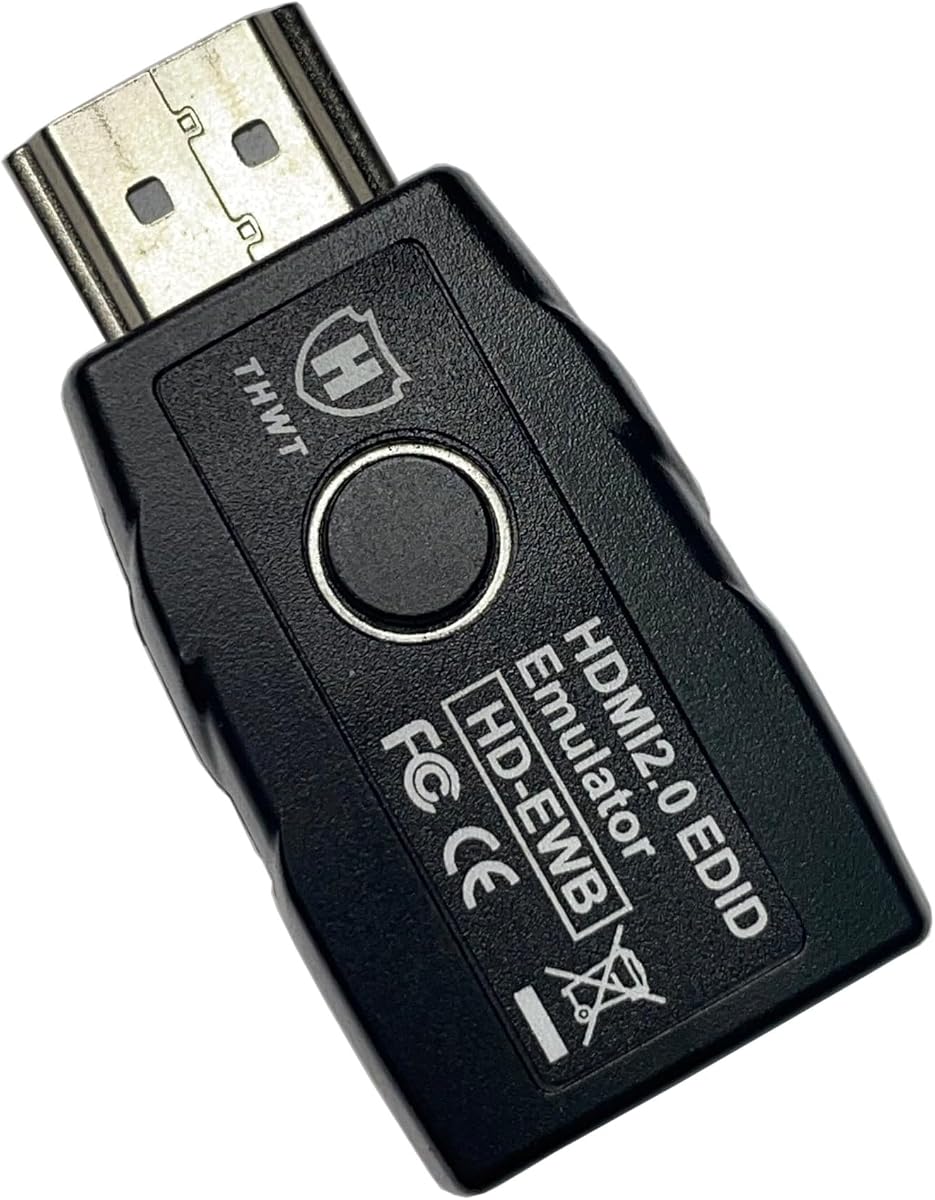
This emulator supports exact EDID copying and emulation which is crucial for maintaining compatibility with splitters and extenders. It offers preset internal and external modes for flexible configuration.
We may earn a commission when you buy through this link, at no additional cost to you.
It meets HDMI 2.0 standards and includes HDCP pass-through ensuring secure content delivery. A single button allows you to switch between internal and external EDID settings easily.
While it is not fully compatible with HDMI 2.1 devices it works well for most 4K setups. You should ensure you copy an EDID from a display that supports your desired audio format.
Best for users needing precise EDID control without complex software. If you want to copy your monitor's specific settings for reliable pass-through this model offers a practical solution.
Press button for 3 seconds to save external monitor EDID for emulation.
Supports HDCP 1.4 and 2.2 standards for protected content.
We may earn a commission when you buy through this link, at no additional cost to you.
This adapter is designed to ensure stable signal transmission even when displays are disconnected or cables become loose. It supports 4K at 60Hz and offers high compatibility with various devices.
We may earn a commission when you buy through this link, at no additional cost to you.
Features include a headless HDMI adapter design for lossless signal transmission. It works reliably with KVM switches and prevents display parameters from resetting during frequent source changes.
While it has a simple feature set it performs its core function well. The HDCP pass-through ensures that protected content is not blocked by the emulator itself.
Ideal for users needing a reliable pass-through adapter for AV setups. If you want to maintain signal integrity across switches and extenders this emulator is a solid choice.
Built for reliable extended use with lossless signal paths.
Connects in series with KVM switches to preserve display settings.
We may earn a commission when you buy through this link, at no additional cost to you.
This emulator keeps the EDID of the monitor active even when the screen is turned off or disconnected. It uses an aluminum body for durability and heat management.
We may earn a commission when you buy through this link, at no additional cost to you.
It allows each device to maintain the monitor's EDID when remotely accessing them. This prevents Windows from trying to rearrange things when the real monitor is disconnected.
While it supports 3840×2160 at 59Hz rather than 60Hz it provides a consistent experience. It helps avoid distorted images by ensuring the source device receives correct resolution data.
Best for users who need remote access or headless operation. If you want your computer to believe a monitor is always present this adapter maintains that link effectively.
Keeps monitor EDID active for stable remote desktop connections.
Windows does not reset desktop when screen is off.
We may earn a commission when you buy through this link, at no additional cost to you.
This manager product solves EDID incompatibility between multiple HDMI devices by copying and saving EDID data. It includes a repeater and retimer to amplify and equalize signals.
We may earn a commission when you buy through this link, at no additional cost to you.
It is based on HDMI version 2.0b and supports 4K at 60Hz with 18G bandwidth. The design includes CEC pass-through ensuring other functions are not affected.
With professional technical support available it offers a reliable solution for complex systems. The low power consumption design supports 7×24 hours of continuous operation.
Best for users needing advanced signal management in business or AV setups. If you require extended signal layers and professional support this manager provides the necessary tools.
Support repeater and retimer to provide high quality audio video.
Offers a professional team for system setup advice.
We may earn a commission when you buy through this link, at no additional cost to you.
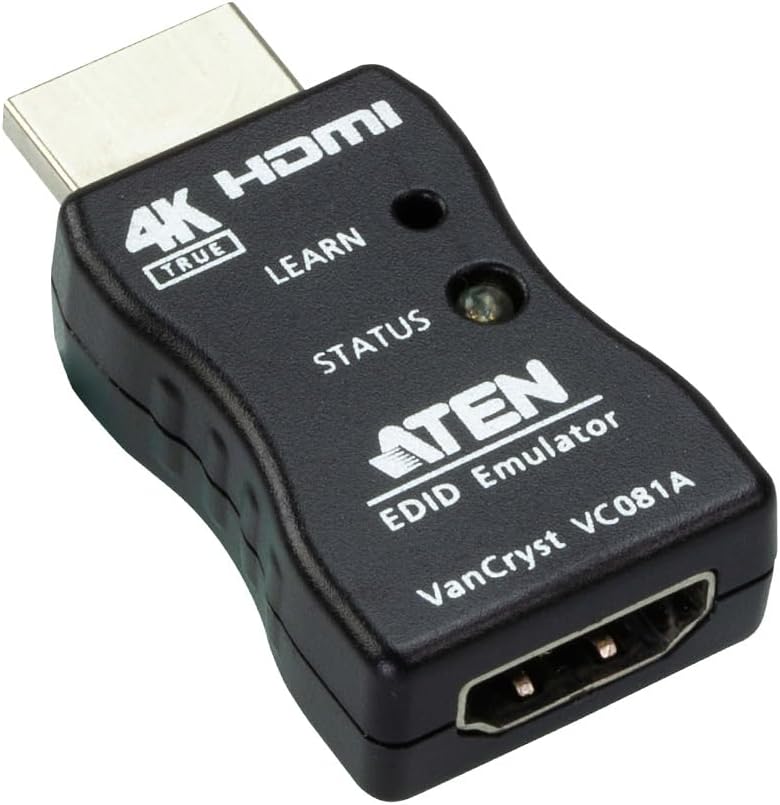
ATEN is a well-known brand in AV solutions and this adapter manages EDID communication between connected devices effectively. It learns and saves EDID from connected displays via a single button.
We may earn a commission when you buy through this link, at no additional cost to you.
It supports True 4K and HDMI standards including 3D and Deep Color. The compact and lightweight design makes it easy to integrate into any setup.
While the rating is lower than some competitors it maintains quality build and compliance. It is a reliable choice for users who prefer established brands for their infrastructure.
Best for users needing a trusted brand for enterprise or business setups. If you prioritize brand reputation and simple EDID management this adapter is a solid option.
Delivers up to 3840 x 2160 at 60Hz (4:4:4).
Supports Consumer Electronic Control for remote functionality.
We may earn a commission when you buy through this link, at no additional cost to you.
Selecting the right emulator requires considering several factors to ensure compatibility with your devices and resolution requirements.
Ensure the emulator supports the maximum resolution and refresh rate your display uses. Most modern units support 4K at 60Hz but some offer higher refresh rates like 120Hz which are critical for gaming or video editing.
Check the specs for 4K 60Hz or higher to avoid bottlenecks in your signal chain.
Most passive emulators draw power from the HDMI source eliminating the need for external adapters. However some advanced units may require USB power if the signal chain needs active amplification.
Prioritize passive designs unless you are cascading many devices that need signal boosting.
If you plan to stream protected content or use Blu-ray players ensure the emulator supports HDCP pass-through. Without this you may see black screens or resolution drops when playing protected media.
Always verify HDCP 2.2 support if your source devices are modern streaming boxes or consoles.
Bi-directional emulators allow flexibility in how you place the device in your signal chain. This can be useful if you need to connect it on the source side or the display side depending on the error.
Standard models are often sufficient if you know exactly where the handshake failure is occurring.
For headless setups where no monitor is connected a dummy plug style emulator is essential. This ensures your system outputs graphics correctly even when no physical display is detected.
Choose a unit with strong headless support if you run servers or remote desktop apps.
Avoid units that require software drivers or complex configuration steps. A simple plug and play design reduces troubleshooting time and ensures it works across different operating systems.
Look for descriptions mentioning drivers or software to guarantee ease of installation.
Some emulators only pass through stereo audio while others support multi-channel formats like 5.1 or 7.1. Check audio specs if you rely on surround sound for your home theater setup.
Match audio capabilities with your AV receiver to avoid losing surround sound channels.
Housing material can impact heat dissipation and longevity. Aluminum bodies often perform better than plastic when the unit is left on for long periods.
Select units with solid build quality to ensure stable performance in 24/7 operations.
Start by inserting the emulator between your source device like a laptop or console and the destination like an AV receiver or monitor. Ensure both ends are connected firmly to avoid loose signals.
If your emulator supports custom EDID copying use the button or software to save your display's settings. This step helps maintain stability if you frequently disconnect the monitor.
Clean the HDMI ports occasionally with compressed air to prevent dust buildup which can cause connection issues. Avoid using liquid cleaners on the device to prevent internal damage.
It simulates a display connection so the source device knows how to output video even when no monitor is present. This prevents errors like black screens when the display is off.
Most do not need extra power as they draw energy from the HDMI source. However some high-end models may require USB power for stable performance in long chains.
Yes many models support 4K at 60Hz or 120Hz suitable for gaming consoles. Check the resolution specs to ensure it matches your monitor capabilities for best results.
It can fix black screens caused by EDID handshake failures or when monitors are disconnected. However ensure your cables and connections are secure first to rule out other causes.
Most emulators work with Macs via HDMI or USB-C adapters. Some models explicitly mention Mac Thunderbolt compatibility for smoother integration with Apple hardware.
Not all do but some premium units support HDMI 2.1 and SCDC. Verify the model description for HDMI 2.1 compliance if you need higher bandwidth features.
These ten models cover a wide range of needs from budget-friendly plug-and-play units to advanced emulators with HDMI 2.1 support. Choosing the right one depends on your specific setup and technical requirements.
Prioritize features like HDCP support and resolution limits to ensure compatibility with your existing hardware. Always check reviews to confirm real-world performance matches your expectations.
Prices and availability can change so verify current details before purchasing. With the right adapter you can maintain stable video signals across any complex setup.