
Amazon Basics HDMI Cable
4.7Editor score
Supports 4K at 60Hz
Includes Ethernet channel support
Backwards compatible with older devices
Find the best HDMI cable for Fire TV Cube with our expert guide comparing top models for speed, durability, and compatibility to optimize your streaming setup.
Choosing the right HDMI cable for your Fire TV Cube ensures smooth streaming and crisp video quality. A high-speed cable supports 4K resolution and reduces signal loss for the best home theater experience.
We compared ten top-rated cables based on build quality, speed capabilities, and compatibility with various devices. Our list includes options for budget buyers and those seeking premium performance for gaming or 4K content.
Each pick highlights key features like durability, bandwidth, and connector quality to help you decide. Please note that prices and availability can change quickly, so check current listings before purchasing your cable today.
4.7Editor score

4.7Editor score

4.7Editor score
This comparison table lists all ten HDMI cables side by side so you can quickly see their key specifications and differences before making a final decision for your Fire TV Cube setup.




This Amazon Basics HDMI cable is a top choice for users needing a reliable connection without breaking the bank. It holds a strong rating from customers and delivers on its promise of high-speed performance for modern TVs.
We may earn a commission when you buy through this link, at no additional cost to you.
The cable supports 4K video at 60Hz which is essential for streaming content in sharp detail. It includes an Ethernet channel allowing you to share internet connections across devices easily. The gold-plated connectors ensure a solid physical connection.
While the jacket is basic it remains durable enough for regular home use. The 6 foot length works well for most setups behind a TV stand. Some users might prefer braided options for extra ruggedness.
Buyers looking for a straightforward high-quality cable should consider this option. It is perfect for Fire TV Cube setups where cost matters but quality cannot be compromised. Check availability before ordering.
Supports 18Gbps bandwidth for smooth 4K streaming without dropped frames or lag.
Built in Ethernet channel allows sharing internet connections between connected devices.
We may earn a commission when you buy through this link, at no additional cost to you.
The PowerBear 4K HDMI cable stands out for its durable construction and versatile use cases. It has earned a high rating from users who value longevity and clean installations in their home theater setups.
We may earn a commission when you buy through this link, at no additional cost to you.
Its braided nylon jacket resists tangles and fraying over time. The 10 foot length offers flexibility for longer runs or complex cable management. CL3 rating means it can safely be used inside walls.
Gold connectors resist corrosion ensuring a clean signal over years of use. The cable handles 4K at 60Hz effectively for most streaming needs. Some users find it a bit stiff to route in tight spots.
If you plan a permanent installation or want a cable that lasts this is a smart pick. It balances performance with physical durability well. Ensure your Fire TV Cube fits the connector spacing.
Safely rated for in-wall installation meeting safety codes for hidden setups.
Premium jacket protects against daily wear and prevents tangling in bundles.
We may earn a commission when you buy through this link, at no additional cost to you.
Silkland offers a certified HDMI 2.1 cable that prepares your setup for the future. It holds a strong rating and delivers on premium specs for those who need maximum performance.
We may earn a commission when you buy through this link, at no additional cost to you.
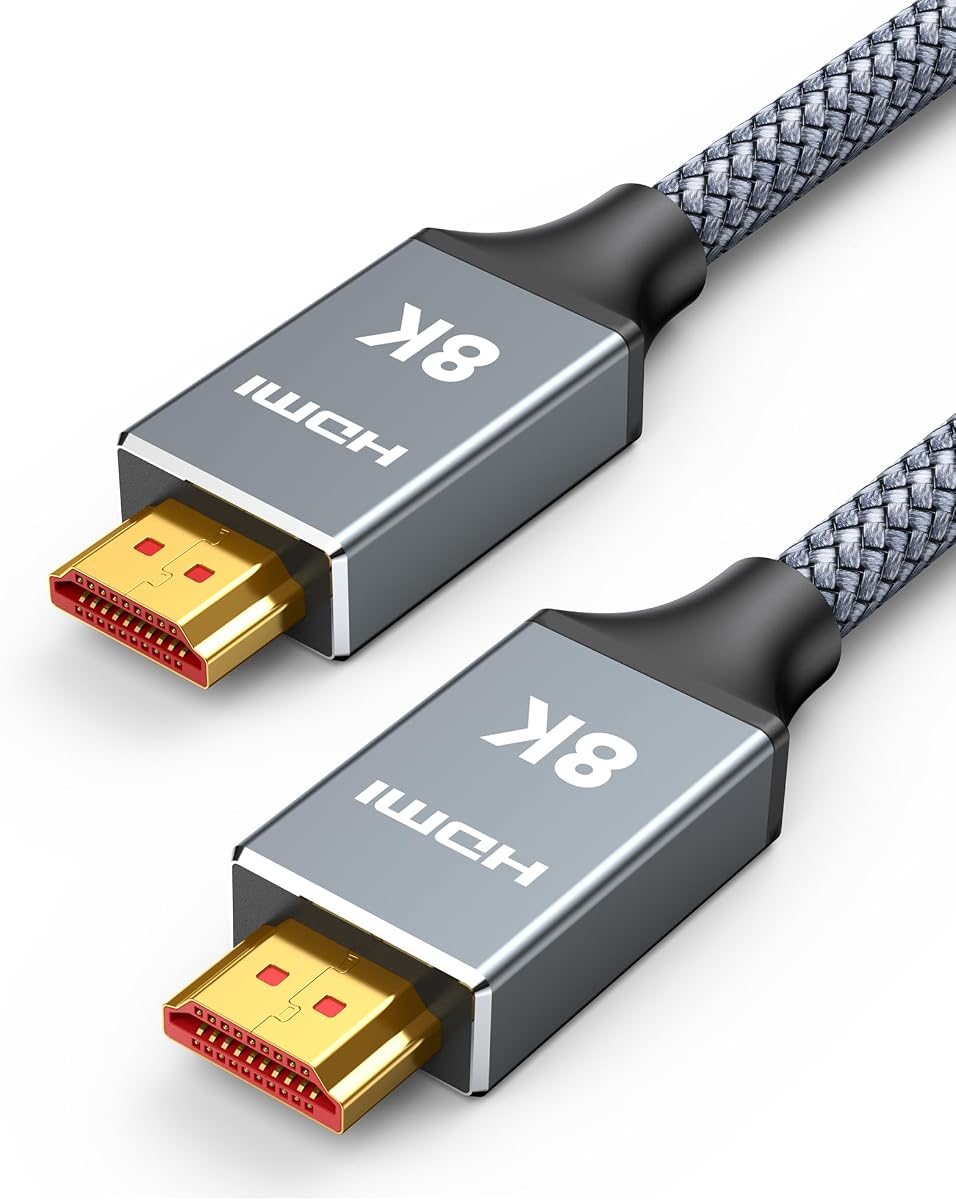
The 48Gbps bandwidth supports 8K and 10K resolutions making it ideal for next-gen consoles and high-end TVs. It includes a 2 pack so you can upgrade multiple devices at once. E-Braid technology ensures durability.
Features like VRR and ALLM help gamers achieve smoother motion. While overkill for basic Fire TV use it ensures compatibility with upcoming standards. The price reflects its top-tier specs and certification.
Gamers or tech enthusiasts looking for the best performance will appreciate this cable. It provides headroom for any HDMI device you might add later. Verify your display supports 2.1 before buying.
Official certification ensures the cable meets strict 48Gbps speed and feature standards.
Unique fishing net and nylon wrap provide superior protection against bends and wear.
We may earn a commission when you buy through this link, at no additional cost to you.
Highwings delivers a braided cable that offers a nice balance of style and function. It maintains a high customer rating and is built for daily use in home entertainment centers.
We may earn a commission when you buy through this link, at no additional cost to you.
The 6.6 foot length fits comfortably behind most TVs. It supports HDR which improves color and contrast for streaming content. The braided jacket prevents wear better than plain plastic covers.
It meets HDMI 2.0 standards supporting 4K at 60Hz perfectly for streaming boxes. The gold connectors resist rust. While it lacks Ethernet it covers all major video and audio needs.
This cable is a strong middle-ground choice for most Fire TV Cube owners. It offers durability at a fair cost. Check if Ethernet is needed before skipping this option.
Enables High Dynamic Range for richer colors and better contrast in video.
Designed to survive over 15000 bends without signal loss or damage.
We may earn a commission when you buy through this link, at no additional cost to you.
This converter allows older TVs without HDMI ports to use the Fire TV Cube. It holds a lower rating as expected for standard definition output but solves a specific compatibility need.
We may earn a commission when you buy through this link, at no additional cost to you.
It converts the digital HDMI signal into analog RCA output. This lets you use the Cube on CRT TVs or older models. It includes all necessary cables and power adapters for installation.
The video quality is standard definition which is much lower than modern HD. It is a last resort for very old equipment. Users should expect clear but not sharp visuals.
If you have an old TV and need to use a Fire TV Cube this is the solution. It is not for quality seekers but works for basic viewing needs. Confirm ports match your TV.
Works with older models lacking HDMI ports by converting to RCA connections.
Installs quickly with included cables and power adapter for immediate use.
We may earn a commission when you buy through this link, at no additional cost to you.
This extender is designed to save HDMI ports on TVs by adding a short male to female link. It has a solid rating and is meant for Fire Stick devices rather than the Cube.
We may earn a commission when you buy through this link, at no additional cost to you.
It allows you to plug in a stick without blocking other ports or needing to squeeze devices. The 0.5 meter length adds just enough space. It helps prevent bending damage to the TV port.
Note that this specific product is listed for Fire Stick devices. The Cube has a different power setup but you can use HDMI extenders to route cables. This one is very small.
Use this to manage cables or protect the TV port from strain. It is a niche product for specific setups. Check compatibility with your exact device before purchasing.
Reduces strain on the TV HDMI port by moving connection point slightly.
Tiny size keeps the connection close to the original port.
We may earn a commission when you buy through this link, at no additional cost to you.
Capshi offers a budget friendly HDMI 2.1 cable that supports high refresh rates. It has a strong rating for its price point and delivers on key gaming and high-res features.
We may earn a commission when you buy through this link, at no additional cost to you.
Support for 4K at 120Hz makes it great for gaming consoles if you upgrade. The 48Gbps bandwidth ensures enough data for these resolutions. It is built with gold plating and braided jacket.
At 6.6 feet it is a standard length for home use. It is a great way to enter 2.1 specs without the premium price. Some might want longer options for complex setups.
This cable is an excellent value for those looking at next-gen performance. It bridges the gap between basic and high end. Check if your TV has 120Hz before buying.
Allows smooth motion in games and video on supported displays.
Offers 2.1 features at a lower cost than many competitors.
We may earn a commission when you buy through this link, at no additional cost to you.
Silkland provides a long 10 foot 2.1 certified cable in a two pack. This is rated high by users and ensures you have enough length for larger rooms.
We may earn a commission when you buy through this link, at no additional cost to you.
The 10 foot length helps with long cable runs where shorter cables would fail. It maintains 48Gbps speed across that distance. Certified quality means reliable performance for 8K or 4K.
Braided cables are thicker and might be hard to hide. You get two cables which is good for a home setup. The price is higher than standard cables due to the specs.
For larger living rooms or complex installations this length is vital. It ensures signal integrity over distance. Check your installation space before committing to this size.
10 foot cable reaches across larger rooms without signal loss.
Official certification ensures stable data rates at long distances.
We may earn a commission when you buy through this link, at no additional cost to you.
This 2 pack offers high-speed certified cables at a good length for most homes. Users rate it highly for reliability and feature support across their media devices.
We may earn a commission when you buy through this link, at no additional cost to you.
The 6.6 foot length fits most setups easily while the two pack allows upgrades for other devices. It supports HDR and 2.1 features ensuring future compatibility with consoles or TVs.
It is a premium choice with a higher price. The braided jackets are durable but take up space behind the TV. Ensure your cables are well organized.
If you need two high-quality cables for a home theater this bundle is worth it. It saves time buying individually. Confirm your devices need 2.1 speeds.
Two cables in one box provide a cost effective solution for multiple needs.
Certified construction ensures consistent performance without screen flickers.
We may earn a commission when you buy through this link, at no additional cost to you.
This 2 pack offers short 3.3 foot cables for tight spaces near the TV. It holds a strong rating and is ideal for devices sitting right next to the display.
We may earn a commission when you buy through this link, at no additional cost to you.
The short length keeps cables neat and reduces excess wire in your setup. It supports 8K resolution and high bandwidth for premium features. Two cables are great for backup or console setups.
It is quite short so ensure your Fire TV Cube can connect easily. The price is higher than standard cables due to certification. Perfect for desktop or close setups.
If you need a clean look with short cables this is a great pick. It keeps the area organized. Verify the distance before purchasing to avoid needing extensions.
Short 3.3 feet length fits tight spaces with minimal slack.
Includes two cables for redundancy or multiple device connections.
We may earn a commission when you buy through this link, at no additional cost to you.
Rankie offers a 2 pack of cables that are affordable and reliable for standard needs. It has a strong rating from buyers looking for a simple bundle.
We may earn a commission when you buy through this link, at no additional cost to you.
These cables support HDMI 1.4 standards covering 4K at 30Hz. They include Ethernet and Audio Return Channel for basic connectivity. The two pack value is excellent for multiple rooms.
The build is standard plastic which is less durable than braided options. It is perfect for basic setups where high refresh rates are not needed. Good for spare cables.
If you want to upgrade several devices cheaply this pack works well. It covers most legacy needs. For best performance consider newer 2.0 options.
Two cables at a low price make it ideal for whole home use.
Supports basic Ethernet and ARC for shared internet and sound.
We may earn a commission when you buy through this link, at no additional cost to you.
Selecting the right cable requires understanding a few key technical factors that match your display and usage needs.
HDMI versions like 1.4, 2.0, and 2.1 define what features a cable can support. Version 2.0 is great for 4K60Hz streaming while 2.1 adds 8K and 120Hz support for gaming.
Match your cable version to your TV capabilities to ensure you get the full picture quality your devices can deliver.
Bandwidth measures how much data can pass through the cable. 18Gbps is standard for 4K60Hz while 48Gbps is needed for 8K and high refresh rates.
Choose higher bandwidth if you want future proofing for new content standards or gaming consoles.
The distance between your Fire TV Cube and the TV determines the necessary length. 6 feet is common for setups where the device sits behind the TV.
Select a cable long enough to reach comfortably without stretching or tight bends that could damage the signal.
Braided nylon jackets resist wear and tear better than plain plastic. Gold plated connectors help prevent oxidation and ensure a stable physical connection over years.
Look for cables tested for high bend cycles if you plan to move the device frequently.
Ethernet over HDMI allows internet sharing which is useful for consoles but not needed for Fire TV Cube. Audio Return Channel sends sound back from a TV to a soundbar.
Ensure the cable supports ARC if you connect an external sound system for better audio quality.
Official certification like HDMI 2.1 ensures the cable meets industry standards for speed and features. This prevents issues like flickering or black screens.
Choose certified cables from reputable brands to guarantee reliability in your entertainment setup.
Prices vary based on length, build, and version. You can find great budget options for basic streaming or premium for high-end setups.
Balance cost with features you actually need to avoid overspending on unused capabilities.
Connect one end of the HDMI cable to the Fire TV Cube and the other end to an available HDMI port on your TV. Ensure the connection is snug but do not force it to avoid damaging the ports.
After plugging in, switch your TV input source to match the HDMI port you used. Navigate to the Fire TV Cube home screen to verify the connection is active and displaying video.
To extend the life of your cable avoid sharp bends or kinks in the wire. Route cables behind furniture or use clips to keep them secure and reduce stress on the connectors.
No, the Fire TV Cube typically works well with HDMI 2.0 cables which support 4K60Hz. 2.1 is only necessary if you plan to connect devices that need higher bandwidth like next-gen consoles.
A 6-foot cable is usually ideal for placing the Cube behind the TV. If you have a larger cabinet or shelf, consider 10 feet to ensure you have enough slack without stretching.
Yes, any standard high-speed HDMI cable will work. Just ensure it supports at least HDMI 1.4 or higher to handle video signals without degradation.
If the cable supports HDMI ARC or eARC it can transmit audio formats like Dolby Atmos from your device to a soundbar. Most high-speed cables support this feature.
Flickering often occurs due to a bad connection or a cable with insufficient bandwidth. Check that the cable is fully inserted and try a certified cable for better stability.
For most users, a certified high-speed cable offers the same performance as expensive options. You only need to pay more for specific features like 8K support or in-wall safety ratings.
We reviewed ten high-quality HDMI cables that cover needs from budget to premium. The Amazon Basics and PowerBear cables offer great value for most standard Fire TV Cube setups.
For future proofing consider high-speed HDMI 2.1 options if you plan to upgrade to 8K displays or gaming consoles. These cables ensure you have enough bandwidth for advanced features.
Always check current prices and availability before buying as costs change frequently. Select the option that best matches your home theater needs for a reliable and smooth streaming experience.