
ASUS Dual GeForce RTX 5060 Ti 16GB
4.7Editor score
16GB GDDR7 memory
Compact 2.5-slot design
Dual BIOS profiles
This comprehensive guide compares the top 10 GPUs for Davinci Resolve including NVIDIA and AMD options to help you choose the best card for video editing
Finding the right graphics card is crucial for smooth video editing and rendering in modern creative software. A powerful GPU ensures that color grading and effects processing happen quickly without frustrating delays during your workflow.
We evaluated ten top graphics cards based on their architecture memory capacity and specialized features that benefit video editors. Our analysis focuses on real-world performance metrics relevant to professional resolution and creative workflows.
Each selection below highlights specific strengths for different budget levels and project requirements. Prices and availability change frequently so please verify current details before making your final purchase decision.
4.7Editor score

4.6Editor score

4.3Editor score
The following table provides a side-by-side comparison of the ten selected graphics cards to help you evaluate their specifications and suitability for your specific editing needs.




This graphics card stands out as a top choice for video editors seeking high performance. It scores well on technical specifications and offers robust features that directly benefit creative workflows in modern editing suites.
We may earn a commission when you buy through this link, at no additional cost to you.
The NVIDIA Blackwell architecture provides significant advancements in processing power which translates to faster rendering times. The 16GB of GDDR7 memory ensures that large video files and complex effects can be handled without bottlenecks.
While the price is higher than entry-level options the performance gains justify the investment for professionals. The cooling system is designed to maintain stable temperatures during long rendering sessions which prevents thermal throttling.
Editors working on high resolution projects or heavy color grading tasks will find this card invaluable. It balances raw power with efficiency making it a reliable workhorse for daily professional use.
The Blackwell architecture introduces improved neural shaders and processing units that accelerate AI-driven tasks like noise reduction and auto color correction within your editing software.
WINDFORCE cooling technology uses multiple fans and heat pipes to dissipate heat efficiently ensuring consistent performance even under sustained workload conditions typical of 8K video editing.
We may earn a commission when you buy through this link, at no additional cost to you.
This card offers a compelling entry point into professional GPU performance without a steep price tag. It is designed specifically for workstation applications which ensures compatibility and stability with creative software.
We may earn a commission when you buy through this link, at no additional cost to you.
The Turing architecture while older still delivers solid performance for many editing tasks. Real time ray tracing and professional rendering features make it suitable for 3D work and immersive content creation projects.
The main limitation is the memory size compared to newer cards which may restrict handling of extremely large projects. However for standard HD and 4K workflows it remains a cost effective and reliable solution.
Editors on a tight budget who need certified professional drivers will appreciate this option. It provides a stable foundation for learning and working without compromising on essential stability and feature support.
Quadro cards come with ISV certification meaning they are tested and validated to work seamlessly with professional creative applications reducing the risk of crashes or compatibility issues.
Integrated ray tracing cores allow for realistic lighting simulations in 3D rendering which is valuable for editors who incorporate motion graphics or visual effects into their projects.
We may earn a commission when you buy through this link, at no additional cost to you.
The Titan RTX was designed to bridge the gap between consumer and enterprise GPUs. It offers substantial compute power which is beneficial for editors who also engage in AI related tasks or machine learning.
We may earn a commission when you buy through this link, at no additional cost to you.
Its high CUDA core count and Tensor Cores accelerate tasks that rely on parallel processing. This makes it effective for background rendering and complex computation heavy effects within your video timeline.
Power requirements are significant so ensure your system can support the load. Despite being an older model it still holds up well against modern competitors in specific compute scenarios.
This card is ideal for power users who need versatility across different types of creative and technical work. It remains a strong choice for those who prioritize raw compute capability.
Tensor Cores are optimized for deep learning workloads allowing faster processing of AI tools that can automate editing tasks like scene detection or audio cleanup.
The large number of CUDA cores ensures that general GPU accelerated tasks run smoothly providing consistent frame rates during playback of high bitrate video sequences.
We may earn a commission when you buy through this link, at no additional cost to you.
This card stands out due to its generous memory capacity which is crucial for handling massive video files and complex scenes. It is built specifically for professional workloads and server environments.
We may earn a commission when you buy through this link, at no additional cost to you.
The 32GB of GDDR6 memory allows you to load larger textures and more effects into VRAM without swapping to system memory. This results in smoother playback and faster rendering for complex projects.
Blower style cooling is efficient for multi GPU setups but can be louder than traditional designs. The AI accelerators provide enhanced performance for tasks that leverage machine learning within your workflow.
Editors working with 8K footage or heavy compositing will benefit from the memory headroom. It is a solid choice for those who prioritize capacity over traditional gaming features.
With 32GB of memory you can run multiple applications simultaneously and handle large assets without performance degradation which is essential for high end professional editing suites.
Dedicated AI accelerators speed up tasks like content aware fill and intelligent upscaling providing noticeable improvements in workflow efficiency for supported software features.
We may earn a commission when you buy through this link, at no additional cost to you.
This card offers excellent value for editors who need strong performance without paying enterprise prices. It leverages modern architecture to deliver smooth playback and reasonable rendering speeds.
We may earn a commission when you buy through this link, at no additional cost to you.
The 16GB of memory is sufficient for most 4K projects and allows for comfortable multitasking. Cooling is handled well by the WINDFORCE system keeping temperatures in check during long sessions.
While it lacks some professional specific optimizations the raw power is competitive with higher priced options. For many users the difference in stability is negligible compared to the cost savings.
It is a smart choice for freelancers or small studios looking to maximize their budget. You get high end features without the premium attached to professional workstation branding.
Delivering high memory and modern interface support at a mid range price point makes this card one of the most cost effective options for serious editing work.
Server grade thermal conductive gel ensures heat is transferred efficiently from the GPU die to the heatsink maintaining consistent clock speeds under load.
We may earn a commission when you buy through this link, at no additional cost to you.
This is a top tier solution designed for the most demanding professional environments. It offers capabilities that go beyond standard editing into high end simulation and AI model training.
We may earn a commission when you buy through this link, at no additional cost to you.
The 96GB of memory ensures that you will never run out of VRAM regardless of project complexity. ECC memory provides additional reliability which is critical for mission critical workstation tasks.
The price reflects its enterprise positioning and is only justifiable for specific use cases. For typical video editing tasks other cards may offer similar performance at a fraction of the cost.
It is intended for studios handling massive datasets or requiring maximum stability and uptime. If your workflow involves large scale AI integration or complex simulations this card delivers unmatched capability.
ECC memory corrects data errors on the fly ensuring that your work is not compromised by memory faults during critical rendering or export operations.
With 1.8 TB per second bandwidth data transfer between memory and cores is exceptionally fast enabling real time manipulation of high resolution assets.
We may earn a commission when you buy through this link, at no additional cost to you.
This card focuses on longevity and reliability making it suitable for heavy daily use. It uses high quality components to ensure it withstands the demands of professional workloads over time.
We may earn a commission when you buy through this link, at no additional cost to you.
The phase change thermal pad helps maintain optimal operating temperatures better than traditional paste. This contributes to consistent performance during long rendering jobs without thermal throttling.
Build quality is exceptional with protective coatings that guard against dust and moisture. This makes it a great choice for environments where the system might be running continuously for days.
Editors who prioritize durability and peace of mind will appreciate the rugged design. It combines high performance with a construction that is built to last in a demanding office setting.
Advanced thermal pads and large fin arrays work together to dissipate heat quickly keeping the GPU at safe temperatures even during peak workload conditions.
Protective PCB coating prevents moisture damage which extends the lifespan of the card and reduces the risk of hardware failure in humid environments.
We may earn a commission when you buy through this link, at no additional cost to you.
This card excels in multi monitor setups making it ideal for editors who rely on complex workspaces. It provides four high resolution outputs to support expansive visual workflows.
We may earn a commission when you buy through this link, at no additional cost to you.
Twin media transcoders accelerate video export and encoding tasks efficiently. This means you can save time on file conversion while maintaining high quality outputs.
With 24GB of memory it handles large assets comfortably while remaining affordable. The PCIe 5.0 support ensures it can utilize the latest motherboard bandwidth for future proofing.
It is a strong contender for studios that need multiple display support without breaking the bank. Its features are well targeted at content creators who value flexibility in their setup.
Four DisplayPort 2.1 outputs allow you to connect multiple high resolution screens simultaneously which is perfect for timelines and reference monitors.
Dual encode engines support modern codecs allowing you to export videos faster without overloading the CPU which keeps the system responsive during export.
We may earn a commission when you buy through this link, at no additional cost to you.
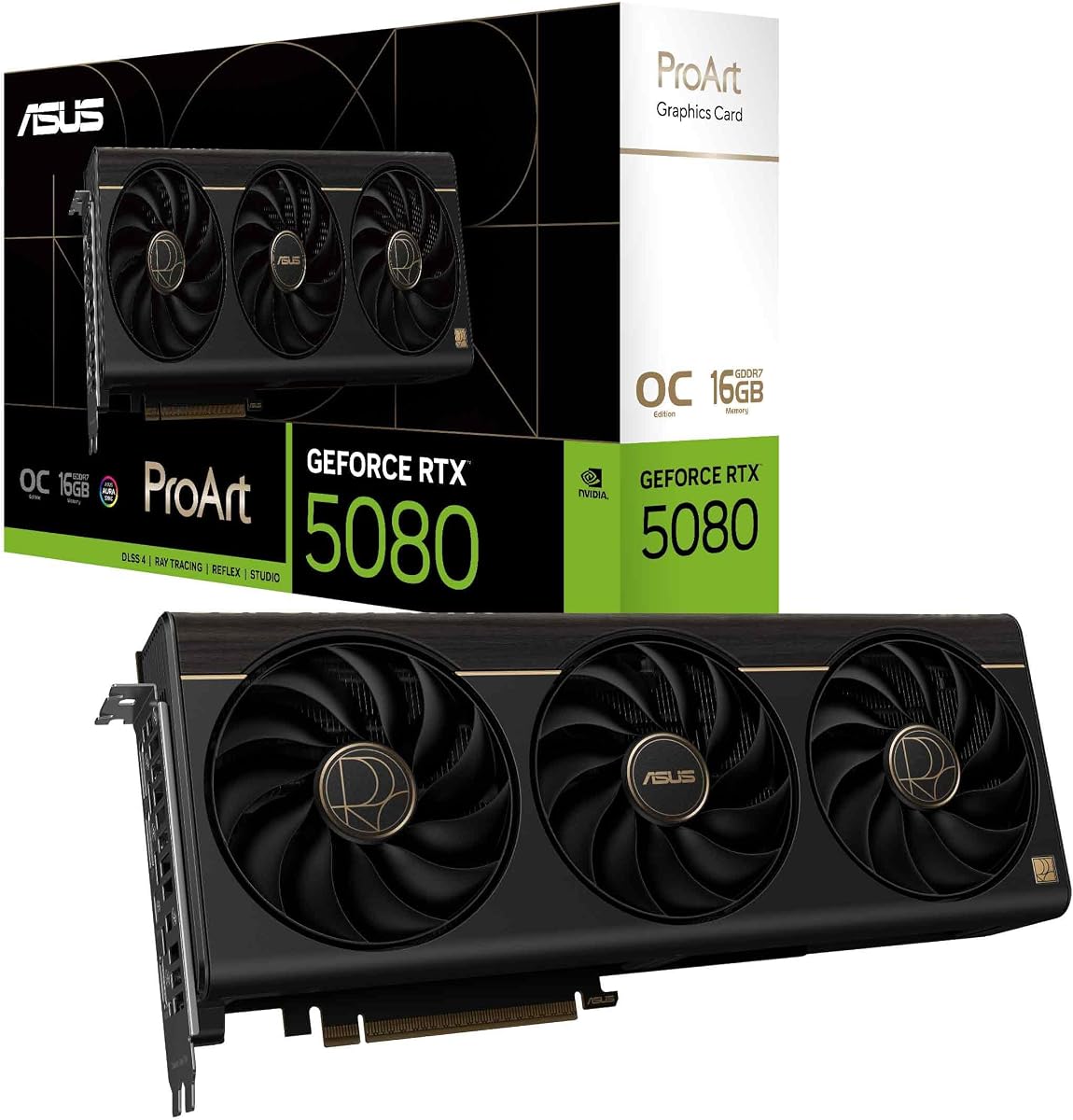
The ProArt line is dedicated to creators requiring high fidelity visuals. This card combines powerful performance with features tailored for color critical work in professional environments.
We may earn a commission when you buy through this link, at no additional cost to you.
Its output quality ensures accurate color representation which is vital for grading tasks. The design is sleek and professional fitting well into studio setups without distracting aesthetics.
The included USB Type-C port adds versatility for connecting peripherals directly. Thermal design is optimized to keep noise low while maintaining performance during active rendering.
For colorists and editors who prioritize visual accuracy this card is a top choice. It delivers the necessary power while ensuring your creative decisions are based on true color.
ProArt cards are calibrated to ensure precise color output which is essential for maintaining consistency across different display devices during production.
The USB Type-C port provides a convenient way to connect external storage or cameras directly to the system reducing cable clutter and improving workflow.
We may earn a commission when you buy through this link, at no additional cost to you.
This card is perfect for editors working with smaller workstations where space is limited. It provides solid performance in a compact package that fits into many standard cases.
We may earn a commission when you buy through this link, at no additional cost to you.
The 0dB technology stops fans when loads are low ensuring silent operation during light tasks like browsing or file management. This contributes to a comfortable working environment.
Dual BIOS allows you to switch between performance and quiet modes depending on your current needs. The 16GB of memory ensures you have enough capacity for typical editing projects.
It is an excellent choice for those who need a balance of size and capability. If you prioritize a quiet and small system without sacrificing core editing performance this card fits well.
The 2.5-slot design maximizes compatibility allowing you to install a capable GPU even in cases with limited internal space for expansion.
Fan stop technology ensures the card operates silently during light loads making it ideal for shared office spaces where noise is a concern.
We may earn a commission when you buy through this link, at no additional cost to you.
Selecting the right graphics card involves balancing budget with specific workflow requirements. This section covers key factors to consider before making your purchase.
GPU memory or VRAM is critical for storing textures and frame buffers. For 4K editing 16GB is a good baseline while 8K projects benefit from 32GB or more.
Ensure your card has enough memory to avoid swapping which can slow down playback and rendering significantly.
Newer architectures offer better efficiency and dedicated features like AI cores or ray tracing. These features often translate to faster processing times in supported software.
Look for cards that support the latest technologies to future proof your system against upcoming software updates.
High performance cards require significant power. Check your power supply unit capacity and connector availability before buying a high end GPU.
Underpowered systems can lead to instability or failure so always verify your PSU meets the manufacturer recommendations.
Graphics cards vary in length and slot count. Measure your case clearance to ensure the card fits properly without obstructing other components.
Compact cases may limit you to smaller cards which can impact cooling and performance options.
Effective cooling is necessary for sustained performance. Blower style cards are better for multi GPU setups while open designs run quieter and cooler.
Choose a cooling solution that matches your environment and noise tolerance levels.
Multiple monitors increase productivity. Verify the card has enough display ports and supports your monitor resolution and refresh rate.
Modern ports like DisplayPort 2.1 allow for higher bandwidth and better multi screen setups.
Some software favors specific vendors. Ensure the card has good driver support for your primary applications to avoid compatibility issues.
Professional cards often come with specialized drivers that can improve stability in creative suites.
Always update your drivers regularly to ensure compatibility with the latest software updates. Check the manufacturer website for the most stable version for your operating system.
Clean dust from the fans and heatsinks periodically to maintain optimal cooling performance. Use compressed air gently to avoid damaging internal components.
Monitor temperatures during heavy tasks using built-in software tools. If temperatures spike consider improving airflow in your case or adjusting fan curves.
Not necessarily. Consumer GPUs often offer better value and similar performance for most tasks. However professional cards provide certified drivers and stability which can be useful for enterprise workflows.
At least 12GB is recommended for comfortable 4K editing. 16GB or more provides headroom for complex effects and multiple layers without performance drops during playback.
Yes Davinci Resolve supports AMD GPUs. However performance can vary depending on the specific model and software version. NVIDIA GPUs generally have broader support for specific acceleration features.
Generally yes. Newer generations offer better efficiency and features. However ensure your CPU and storage can keep up to avoid bottlenecks in your system.
Most software supports multi GPU setups but scaling is not always linear. Some tasks may not benefit from additional cards. Check specific software documentation for multi GPU support details.
High end cards typically require at least 750W. Check the manufacturer specs for exact wattage and connector requirements to ensure your system remains stable.
We reviewed ten options ranging from budget friendly to enterprise grade. Each card offers unique benefits depending on your project scale and budget constraints.
Prioritize memory capacity and architecture features that match your daily workflow. Stability and cooling performance should also guide your final selection.
Remember that prices and availability fluctuate frequently. Verify current listings and specifications before making your final purchase to ensure you get the best value.