
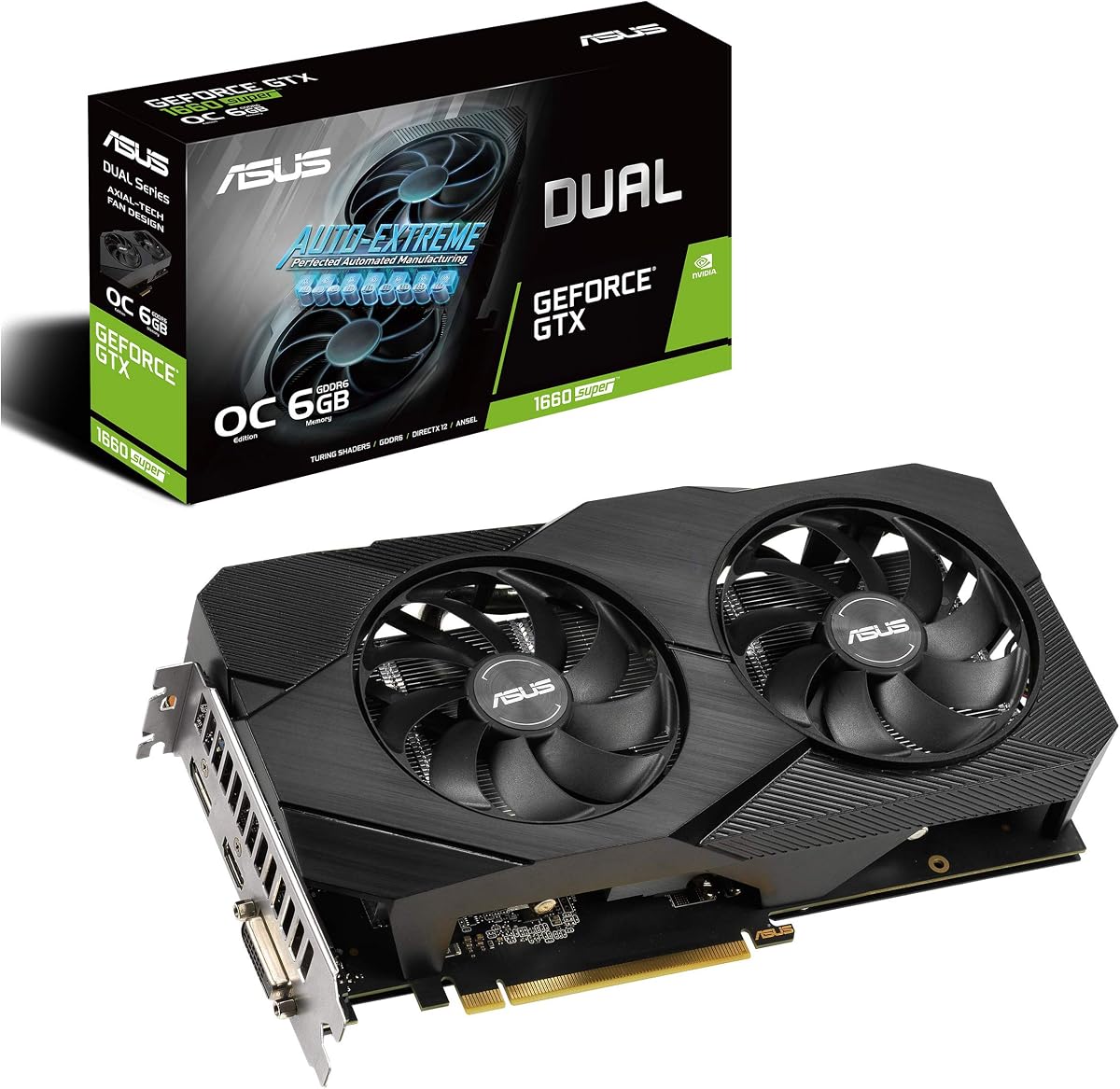
ASUS TUF Gaming GeForce GTX 1660 Super Overclocked 6GB Edition
4.6Editor score
NVIDIA Turing architecture
1408 CUDA cores
Overclocked 6GB GDDR6
Space-grade lubricant
This guide compares the best GPU for ASUS Prime A320M K motherboards to help you upgrade your PC with reliable graphics cards and verified performance metrics.
Choosing the right GPU for ASUS Prime A320M K motherboards requires understanding compatibility and performance needs. This guide helps you find graphics cards that fit well and deliver smooth gaming experiences without bottlenecks.
We compared ten real products based on ratings, features, and user feedback to create this list. Each option was selected for its reliability, cooling design, and ability to work seamlessly with the Prime A320M K platform.
Every pick shows key specs and pros to help you decide quickly. Prices change often so check current availability before buying to ensure you get the best value for your upgrade today.
4.6Editor score

4.7Editor score

4.6Editor score
Here is a side-by-side comparison of all ten graphics cards we reviewed. Each entry lists key specs to help you compare performance, memory, and connectivity options for your ASUS Prime A320M K system.



The ASUS Dual GeForce RTX 3050 6GB is our top pick for users seeking a balance of performance and efficiency. With a 4.7 rating it delivers solid value for entry to mid-level gaming on the ASUS Prime A320M K platform.
We may earn a commission when you buy through this link, at no additional cost to you.
Its NVIDIA Ampere Streaming Multiprocessors provide 2X the FP32 throughput improving frame rates and power efficiency. The 2nd Generation RT Cores and 3rd Generation Tensor Cores enable ray tracing and DLSS for smoother visuals in modern titles.
While the 6GB VRAM may limit future-proofing for AAA games it handles current titles well at 1080p. The Axial-tech fan design and IP5X dust resistance ensure quiet operation and durability over time.
Buyers looking for reliable ray tracing performance without overspending should choose this card. It pairs well with the Prime A320M K motherboard for a compact and efficient gaming setup.
The RTX 3050 supports 2nd Gen RT Cores and DLSS which boosts frame rates significantly in supported games without heavy hardware demands.
Its 2-slot design and stainless steel bracket make it easy to install while protecting against corrosion and dust ingress for long-term reliability.
We may earn a commission when you buy through this link, at no additional cost to you.
The ASUS TUF Gaming GeForce GTX 1660 Super offers exceptional value for budget builders upgrading the ASUS Prime A320M K. With a 4.6 rating it provides reliable performance for 1080p gaming at a fraction of the cost of newer cards.
We may earn a commission when you buy through this link, at no additional cost to you.
Powered by NVIDIA Turing it features 1408 CUDA cores and an overclocked 1845 MHz boost clock. The 6GB GDDR6 memory ensures smooth gameplay in popular titles while the Space-grade lubricant reduces noise for quieter sessions.
While it lacks ray tracing the card handles traditional rendering well. The TUF compatibility testing ensures it works flawlessly with TUF Gaming motherboards and components which adds peace of mind for system stability.
This card is ideal for casual gamers or those on a tight budget. It balances cost and performance effectively making it a smart choice for the Prime A320M K build.
Rigorous TUF compatibility testing guarantees seamless integration with TUF components reducing potential hardware conflicts and improving overall system reliability.
Space-grade lubricant combines ball bearing durability with quiet sleeve bearing operation ensuring sustained cooling without excessive noise during long gaming sessions.
We may earn a commission when you buy through this link, at no additional cost to you.
The ASUS Phoenix NVIDIA GeForce RTX 3060 V2 stands out as a premium choice for users demanding robust performance and future-proof capabilities. With a 4.6 rating it delivers excellent value for those targeting high-quality visuals on the Prime A320M K platform.
We may earn a commission when you buy through this link, at no additional cost to you.
Its 12GB GDDR6 memory supports demanding applications and modern games without VRAM bottlenecks. The NVIDIA Ampere Streaming Multiprocessors and 2nd Gen RT Cores provide efficient ray tracing and AI performance for immersive experiences.
Although the 650W PSU requirement and larger form factor need consideration the card supports HDMI 2.1 for high refresh rate displays. The Axial-tech fan design ensures effective cooling despite the increased thermal load.
Gamers prioritizing longevity and high-resolution gaming should opt for this model. It offers a strong balance of performance and features that complement the Prime A320M K motherboard well.
The 12GB GDDR6 memory allows seamless handling of high textures and multitasking reducing stutter and enhancing performance in demanding modern titles.
HDMI 2.1 and DisplayPort 1.4a outputs enable support for high refresh rate monitors providing smoother visuals in competitive and fast-paced gaming.
We may earn a commission when you buy through this link, at no additional cost to you.
The ASUS GeForce RTX 2060 6GB Phoenix Fan Edition provides a cost-effective entry into ray tracing gaming. With a 4.2 rating it remains a solid choice for users wanting RTX features without the premium cost of newer models.
We may earn a commission when you buy through this link, at no additional cost to you.
Powered by NVIDIA Turing it features 1920 CUDA cores and supports VR Ready applications. The short form factor design ensures compatibility with smaller chassis while the Phoenix double ball bearing fan extends fan lifespan significantly.
While the rating is lower than newer RTX 30 series cards it still delivers capable 1080p performance. The Auto extreme manufacturing technology ensures quality components for reliable operation over time.
Buyers seeking ray tracing on a budget should consider this renewed option. It balances performance and price well for the Prime A320M K platform.
The short form factor allows installation in smaller cases without sacrificing performance making it ideal for compact builds on the Prime A320M K.
VR Ready certification ensures sufficient performance for virtual reality headsets providing immersive experiences without requiring additional hardware upgrades.
We may earn a commission when you buy through this link, at no additional cost to you.
The Asus TUF Gaming GeForce GTX 1660 Super Renewed delivers high reliability at an attractive price. With a 4.8 rating it tops the GTX 1660 Super series in user satisfaction ensuring confidence for Prime A320M K upgrades.
We may earn a commission when you buy through this link, at no additional cost to you.
Featuring 1408 CUDA cores and an overclocked boost clock it handles modern gaming tasks efficiently. The Space-grade lubricant reduces noise while maintaining the durability of ball bearing designs for long-term use.
Although it lacks ray tracing the card provides stable performance for 1080p gaming. The Auto-extreme technology ensures premium quality components and the renewed condition offers cost savings without sacrificing core functionality.
Users prioritizing reliability and value will find this renewed TUF model appealing. It fits seamlessly into Prime A320M K builds with proven compatibility and performance.
Space-grade lubricant combines quiet sleeve bearing operation with dual-ball bearing durability reducing noise while maintaining fan performance over extended periods.
Renewed products undergo professional inspection and testing ensuring they function like new and come with replacement guarantees for buyer peace of mind.
We may earn a commission when you buy through this link, at no additional cost to you.
The ASUS GeForce GTX 1660 Super Dual-Fan Evo Renewed excels in quiet operation. With a 4.8 rating it is ideal for users prioritizing low noise while gaming on the Prime A320M K platform.
We may earn a commission when you buy through this link, at no additional cost to you.
The Dual-Fan Evo cooling provides doubled airflow for 3x quieter gameplay compared to single-fan designs. Powered by NVIDIA Turing with 1408 CUDA cores it maintains strong performance for standard gaming needs.
Its renewed status offers cost savings while ensuring tested functionality. The VR Ready certification ensures compatibility with headsets and the TUF compatibility testing reduces risk for system builders.
Those seeking a quiet and reliable 1080p GPU will appreciate this model. It fits well in Prime A320M K builds where noise reduction is a priority.
The Dual-Fan Evo design doubles airflow while reducing noise by three times ensuring consistent cooling without disturbing the gaming environment.
VR Ready certification guarantees sufficient performance to drive virtual reality headsets smoothly enabling immersive experiences without hardware conflicts.
We may earn a commission when you buy through this link, at no additional cost to you.
The ASUS GeForce GTX 1660 Super Phoenix is a compact powerhouse for smaller builds. With a 4.5 rating it delivers efficient performance and space-saving design ideal for the Prime A320M K motherboard.
We may earn a commission when you buy through this link, at no additional cost to you.
Powered by NVIDIA Turing with 1408 CUDA cores it supports up to 3 monitors via HDMI and DisplayPort. The Phoenix double-ball Bearing fan provides superior airflow with 2x longer lifespan for sustained reliability.
Auto-extreme technology delivers aerospace-grade Super Alloy Power II components ensuring stability and speed. While it lacks ray tracing it remains a strong choice for general gaming and multi-monitor setups.
Users with limited case space should consider this model. It combines small dimensions with solid features for a hassle-free Prime A320M K experience.
Its compact design fits into smaller cases without compromising airflow making it perfect for mini-ITX builds with Prime A320M K motherboards.
Support for up to three monitors enables productivity and gaming flexibility without needing additional cards or external adapters.
We may earn a commission when you buy through this link, at no additional cost to you.
The ASUS GeForce GTX 1660 Super Dual-Fan Evo offers excellent airflow and quiet operation. With a 4.8 rating it ensures stable thermal performance for Prime A320M K users seeking a fresh and reliable GPU.
We may earn a commission when you buy through this link, at no additional cost to you.
The dual-fan cooling provides doubled airflow for 3x quieter gameplay ensuring long sessions remain comfortable. Supported by NVIDIA Turing it features 1408 CUDA cores and Auto-extreme technology for consistent reliability.
It supports up to three monitors and offers a 3 Year Warranty for added assurance. While ray tracing is unavailable the card handles 1080p gaming and multi-monitor setups effectively.
Buyers needing extra cooling and a warranty should select this model. It delivers strong thermal performance and peace of mind for Prime A320M K builds.
The dual-fan cooling doubles airflow ensuring efficient heat dissipation for sustained performance during demanding gaming or rendering tasks.
Auto-extreme technology and Super Alloy Power II components increase longevity while the 3 Year Warranty adds confidence for long-term usage.
We may earn a commission when you buy through this link, at no additional cost to you.
The ASUS GeForce GT 1030 2GB is perfect for basic multimedia and light gaming. With a 4.6 rating it offers silent operation and low power draw ideal for Prime A320M K users avoiding heavy gaming.
We may earn a commission when you buy through this link, at no additional cost to you.
Its passive cooling heatsink ensures silent operation for HTPC setups. Powered by NVIDIA Pascal with a 1506MHz Boost Clock it handles basic tasks and older titles efficiently without needing extra power connectors.
While not suitable for modern AAA gaming it supports DX12 on Windows 10 for future-proof basic functionality. Auto-extreme manufacturing ensures quality and reliability for entry-level builds.
Users wanting a quiet system for web browsing or media consumption will find this card ideal. It provides the most efficient upgrade for non-gaming Prime A320M K systems.
The passive cooling heatsink eliminates fan noise entirely ensuring a silent environment for home theater or office setups.
Its low power draw allows operation without external power connectors simplifying installation for users with weaker power supply units.
We may earn a commission when you buy through this link, at no additional cost to you.
The ASUS STRIX GeForce GTX 970 Renewed stands out for its reliability and high rating. With a perfect 5.0 rating it offers excellent value for legacy upgrades on the Prime A320M K motherboard.
We may earn a commission when you buy through this link, at no additional cost to you.
Featuring DirectCU II + 0dB fan technology it provides silent gaming at 30% cooler performance. The 4GB GDDR5 memory with 256-bit interface supports modern titles better than lower-end cards from the same era.
GPU Boost Clock reaches 1253 MHz ensuring solid performance for older games and esports titles. While it is older architecture the card remains a reliable option for budget-conscious builders.
Those needing a proven reliable GPU for basic gaming should consider this renewed STRIX card. It delivers silent operation and solid performance for Prime A320M K systems.
DirectCU II + 0dB fan technology ensures silent gaming when loads are low and efficient cooling under heavy load conditions.
The 256-bit memory interface provides sufficient bandwidth for 4GB GDDR5 ensuring smooth performance in legacy games and applications.
We may earn a commission when you buy through this link, at no additional cost to you.
Selecting the right GPU involves checking compatibility, performance needs, and budget. Here are key factors to consider for your ASUS Prime A320M K system.
Ensure the GPU uses PCIe 4.0 or 3.0 slots supported by the A320 chipset. Most modern GPUs are backward compatible but check the physical slot size to avoid fit issues.
Confirming PCIe slot compatibility ensures seamless installation and full performance utilization without requiring motherboard upgrades.
Check your PSU wattage and connector availability. Higher-end GPUs like RTX 3060 need 650W while lower-end cards may not need extra connectors.
Matching PSU capacity prevents system instability and ensures safe operation for your chosen graphics card.
Measure your case's GPU clearance to ensure the card fits. Many Phoenix and Dual models are compact but premium cards can be longer.
Checking physical dimensions prevents installation issues and allows for proper airflow inside the chassis.
Choose VRAM based on gaming resolution. 6GB handles 1080p well while 12GB is better for future-proofing or multi-monitor setups.
Selecting enough VRAM ensures smooth performance in modern titles and reduces stutter during gameplay.
Ray tracing is only available on RTX series cards. If you want realistic lighting effects consider investing in an RTX 3050 or higher.
Opting for RTX series enables advanced visual features without requiring additional software tweaks.
Dual-fan or Phoenix models offer better cooling and lower noise than single-fan designs. Consider if silence is a priority for your workspace or bedroom.
Choosing a cooling design matches your noise tolerance while maintaining stable GPU temperatures.
New cards usually come with 3-year warranties while renewed ones may have limited coverage. Check return policies for renewed products to ensure confidence.
Prioritizing warranty coverage protects your investment and provides recourse for potential hardware issues.
Balance cost against performance. Entry-level cards like GT 1030 offer low cost but RTX 3050 provides better long-term value for gaming.
Evaluating cost vs performance ensures you spend only what is necessary for your use case.
Install the GPU carefully by aligning the PCIe slot and securing the bracket. Ensure any required power cables are connected securely to avoid instability.
Update GPU drivers regularly via the manufacturer website to access the latest features and performance optimizations.
Keep the interior of your case clean to maintain airflow and prevent dust buildup on fans or heatsinks.
Most standard PCIe GPUs fit the Prime A320M K as long as the case allows space. The motherboard supports PCIe slots that are backward compatible with newer cards so physical fit matters more than chipset generation.
The RTX 3050 has modest power needs often handled by existing PSUs. Verify wattage and connector availability before upgrading to avoid unnecessary expenses.
No, ray tracing is supported only on RTX series cards. GTX 1660 Super users rely on traditional rendering methods for game visuals.
Yes, renewed GPUs provide cost savings while maintaining functionality. Ensure you buy from trusted sources with replacement guarantees to reduce risks.
Use GPU Tweak II or third-party tools like MSI Afterburner to monitor temperature and performance in real time while gaming.
The GTX 1660 Super or RTX 3050 offer the best balance of performance and efficiency for casual 1080p gaming on the Prime A320M K platform.
Our top picks include the RTX 3050 for overall value, the GTX 1660 Super for budget performance, and the RTX 3060 for premium power. Each option delivers solid performance for the Prime A320M K platform.
Prioritize your specific needs such as budget power capacity or desired gaming resolution before choosing. Matching these factors ensures you get the best experience without unnecessary costs.
Prices and stock vary often so verify current availability and deals before finalizing your purchase to secure the best deal for your build.