
GIGABYTE B550 Gaming X V2
4.5Editor score
AMD AM4 Socket Support
PCIe 4.0 M.2
Integrated I/O Shield
This guide compares the top ten Gigabyte Motherboard models for gamers and creators, detailing their power phases, connectivity options, and thermal designs to
Selecting the right motherboard is crucial for any PC build. Gigabyte offers a wide range of boards that support the latest processors and memory standards. Finding the perfect match ensures stability and performance.
We evaluated ten top Gigabyte models based on their power delivery, thermal management, and connectivity features. Our analysis focuses on real-world usability and compatibility with current hardware trends in the market.
Each pick highlights specific strengths like overclocking support or budget-friendly pricing. Please note that prices fluctuate frequently, so check the linked pages for the most current availability before making your final decision.
4.5Editor score

4.4Editor score

4.2Editor score
The following table provides a side-by-side overview of the ten selected Gigabyte Motherboard models. It highlights key specifications like socket type, memory support, and essential connectivity features to help you compare them quickly.


This board stands out for its balanced feature set targeting AMD users. It holds a solid rating due to its reliable power design and modern connectivity options.
We may earn a commission when you buy through this link, at no additional cost to you.
The 14+2+1 phase VRM ensures stable power for high-end Ryzen processors. Its thermal design with large heatsinks keeps temperatures low during heavy loads.
While it is pricier than budget options, the included WiFi and USB-C features justify the cost. The EZ-Latch system simplifies installing components without tools.
If you need a reliable AM5 foundation for gaming or productivity, this is the top recommendation. It offers the best mix of future-proofing and performance available.
The digital VRM solution ensures stable voltage for demanding CPUs.
Supports PCIe 5.0 for next-gen storage speeds.
We may earn a commission when you buy through this link, at no additional cost to you.
This model pushes the envelope with WIFI7 and USB4 connectivity. It is designed for enthusiasts who want the absolute latest standards.
We may earn a commission when you buy through this link, at no additional cost to you.
The power design is robust enough for overclocking. Four M.2 slots provide ample space for high-speed storage expansion without adapters.
While the price is high, the longevity and future compatibility are significant benefits. The 5-year warranty adds peace of mind for long-term builds.
Enthusiasts looking for cutting-edge networking should consider this board. It delivers a high-performance platform for the most demanding workloads.
WIFI7 offers lower latency and faster speeds than previous generations.
Multiple M.2 slots support large storage configurations easily.
We may earn a commission when you buy through this link, at no additional cost to you.
The white aesthetic makes this board a standout for custom PC builds. It retains high-end specs similar to the standard model.
We may earn a commission when you buy through this link, at no additional cost to you.
The 80A power stages deliver efficient performance for overclocked chips. The thermal guard protects your SSD from heat throttling during operation.
While the color scheme adds cost, the build quality matches the premium look. It is an excellent choice for visible case setups.
Builders prioritizing aesthetics alongside performance will love this option. It proves that looks and power delivery can coexist effectively.
The white design complements RGB lighting in transparent cases.
High current stages reduce heat while boosting output.
We may earn a commission when you buy through this link, at no additional cost to you.
This board is the flagship for Intel users seeking maximum performance. It supports the latest Core Ultra processors with advanced power design.
We may earn a commission when you buy through this link, at no additional cost to you.
The Thunderbolt 4 ports enable fast data transfer and external displays. The 10GbE LAN ensures stable high-speed connectivity for large data files.
While expensive, the features justify it for professional workstation use. The EZ-Debug zone helps troubleshoot issues quickly without deep tech knowledge.
Professionals needing speed and stability will find this invaluable. It sets the benchmark for high-end Intel motherboard configurations.
Thunderbolt 4 allows for rapid data and video output.
10GbE LAN ensures fast file transfer capabilities.
We may earn a commission when you buy through this link, at no additional cost to you.
This board offers a high rating for its value and reliability. It is designed for builders who want solid performance without unnecessary extra costs.
We may earn a commission when you buy through this link, at no additional cost to you.
The digital VRM solution keeps the system stable during gaming. Its thermal design ensures your M.2 SSDs do not overheat during long sessions.
While it lacks some aesthetic features, the functional specs are robust. The USB-C port adds modern connectivity for peripherals and charging.
Most users will find this board a great middle ground. It balances cost and capability effectively for mainstream gaming setups.
High ratings indicate consistent stability in real use.
Triple M.2 slots allow for fast storage options.
We may earn a commission when you buy through this link, at no additional cost to you.
This board supports the older AM4 socket with DDR4 memory. It is perfect for upgrading an existing system without buying new RAM.
We may earn a commission when you buy through this link, at no additional cost to you.
The digital power solution provides steady current for Ryzen CPUs. Integrated I/O shield speeds up the build process significantly.
While it is an older platform, it still offers excellent gaming performance. The Q-Flash Plus allows BIOS updates without a CPU installed.
Upgraders looking to save on memory costs should choose this. It offers a budget-friendly path to modern performance.
Compatible with existing DDR4 and AM4 CPUs.
Integrated shield reduces build time for DIYers.
We may earn a commission when you buy through this link, at no additional cost to you.
This board targets Intel users looking for a DDR5 upgrade. It supports the 14th Gen processors with solid power design.
We may earn a commission when you buy through this link, at no additional cost to you.
The twin VRM solution ensures consistent performance under load. Its thermal design keeps the system stable during gaming.
While it does not match flagship pricing, it offers key modern features. The PCIe 5.0 support prepares you for future storage needs.
Gamers needing an Intel platform will find it a strong choice. It provides a reliable foundation for high-speed memory.
DDR5 support offers faster speeds for data processing.
PCIe 5.0 allows for next-gen storage readiness.
We may earn a commission when you buy through this link, at no additional cost to you.
This board offers a robust power design for Intel processors. It supports 14th Gen CPUs with strong VRM stages.
We may earn a commission when you buy through this link, at no additional cost to you.
The thermal design includes large heatsinks for stable operation. Four M.2 slots give plenty of room for expansion.
While power draw is high, it delivers top performance for gaming. The 6-layer PCB enhances durability and signal quality.
Users needing multiple storage drives and high power will appreciate it. It is a solid choice for high-end builds.
16+1+2 phase design handles overclocking well.
Four slots allow for extensive storage without adapters.
We may earn a commission when you buy through this link, at no additional cost to you.
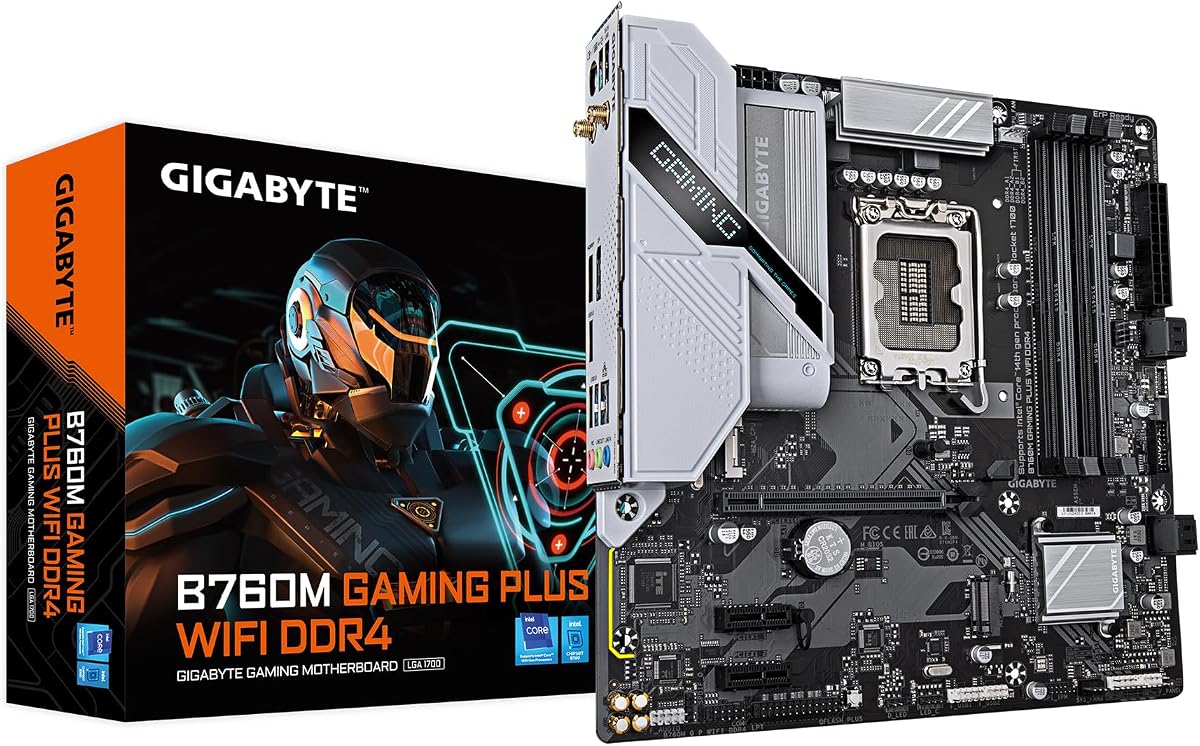
This board uses an M-ATX size for smaller cases. It supports 14th Gen Intel processors with DDR4 memory.
We may earn a commission when you buy through this link, at no additional cost to you.
The hybrid digital power ensures stability during daily use. Advanced thermal armor dissipates heat effectively for long runs.
While limited in slots, it fits well in compact builds. The Q-Flash Plus simplifies updates without extra hardware.
Small case builders will find it a great fit. It balances size with necessary performance features.
M-ATX design saves space in small cases.
Includes WiFi and USB-C for daily needs.
We may earn a commission when you buy through this link, at no additional cost to you.
This board is one of the most affordable options on the list. It supports Ryzen 5000 series CPUs with DDR4 memory.
We may earn a commission when you buy through this link, at no additional cost to you.
The digital twin power solution provides steady current for Ryzen chips. Integrated I/O shield speeds up the build process significantly.
While it lacks high-end features, it handles gaming well. The BIOS refresh offers intuitive control for easy setup.
Budget builders will find this the best entry point. It delivers solid reliability without breaking the bank.
Low cost makes it ideal for first-time builders.
Q-Flash Plus allows BIOS updates without CPU install.
We may earn a commission when you buy through this link, at no additional cost to you.
Choosing a motherboard involves matching its specs to your CPU and other components. This guide outlines key factors to consider for a successful build.
Ensure the motherboard socket matches your CPU. For example, AM5 works with newer Ryzen 7000 series, while AM4 supports older models.
Selecting the correct socket is the first step to ensure your system functions correctly.
DDR5 memory is standard on modern boards, offering higher speeds. Older boards use DDR4, which is more affordable but slightly slower.
Choose the memory type that fits your performance needs and budget.
VRM phases determine how well the board handles high-power CPUs. More phases mean better stability during intense workloads.
Look for boards with robust VRM systems if you plan to use high-end processors.
Effective cooling prevents performance throttling. Look for large heatsinks on VRMs and M.2 slots.
Proper thermal design ensures your hardware stays cool under load.
Check for USB-C, USB 3.2, and internal headers. Modern builds need fast external storage and charging options.
Ensure the rear panel has enough ports for your peripherals.
Wi-Fi 6E or WIFI7 is useful for wireless connections. Wired LAN speeds range from 1GbE to 10GbE for data-heavy tasks.
Choose a board with the networking speed you require.
PCIe 5.0 slots support next-gen graphics cards and storage. Check the number of M.2 slots for SSD expansion.
More slots provide better options for future upgrades.
A user-friendly BIOS makes tuning easier. Features like Q-Flash Plus allow updates without installing hardware.
Prioritize boards with intuitive software for easier management.
When installing, use a static-safe environment to avoid damage to sensitive components. Align the CPU correctly and apply thermal paste before attaching the cooler.
Update the BIOS immediately after building to ensure compatibility with your CPU. Use the Q-Flash tool if available to simplify this process.
Regularly clean dust from the heatsinks and vents to maintain cooling performance. Use compressed air to remove debris from the slots periodically.
AM5 boards support DDR5 memory and newer Ryzen 7000 and 8000 series processors. AM4 boards use DDR4 and support older Ryzen 3000 and 5000 series. AM5 offers better future-proofing.
Not necessarily. Midrange boards provide sufficient power for gaming. High-end models offer better overclocking and more features but are not required for standard gaming.
No, AM5 boards only support DDR5 memory. You will need to purchase new DDR5 RAM for these platforms. DDR4 is reserved for older AM4 boards.
Use the Q-Flash tool in the BIOS menu. Select the BIOS file from a USB drive and follow the prompts. Some boards allow updates without a CPU installed.
The B550 Gaming X V2 is a top budget choice. It supports older Ryzen CPUs and offers reliable features at a low cost. It is ideal for entry-level gaming.
Premium boards offer better VRMs, WiFi7, and Thunderbolt support. These are useful for overclocking and high-speed data transfer. They also include better aesthetics and warranty.
Most modern models include Wi-Fi 6E or WIFI7. Check the specific model name for 'AX' or 'WIFI' to confirm. Some budget models may require a separate adapter.
The ten models reviewed offer a wide range of options for different needs. From budget-friendly AM4 boards to high-end AM5 and Intel platforms, there is something for everyone.
Prioritize compatibility with your CPU and memory first. Ensure the board has the necessary ports and thermal design for your usage.
Prices change frequently so verify current details before buying. We hope this guide helps you select the perfect foundation for your PC build.