
ASUS ROG Strix G16 (2025)
4.3Editor score
RTX 5070 Ti GPU
240Hz 2.5K Display
Intel Core Ultra 9 CPU
Diablo 4 demands powerful hardware to run its dark, immersive world smoothly. Finding the right gaming laptop ensures you can enjoy high frame rates and stunning visuals without lag.
We evaluated ten top models based on processor power, graphics capabilities, display refresh rates, and cooling systems. Each selection meets the rigorous demands of modern action role-playing games.
Each pick highlights key strengths and trade-offs to match different needs and budgets. Prices and availability change frequently, so verify current details before making your final purchase decision.
4.3Editor score

4.4Editor score

4.5Editor score
As an Amazon Associate we earn from qualifying purchases.
The following table provides a quick side-by-side comparison of all ten selected gaming laptops, highlighting their core specifications to help you identify the best fit for Diablo 4.



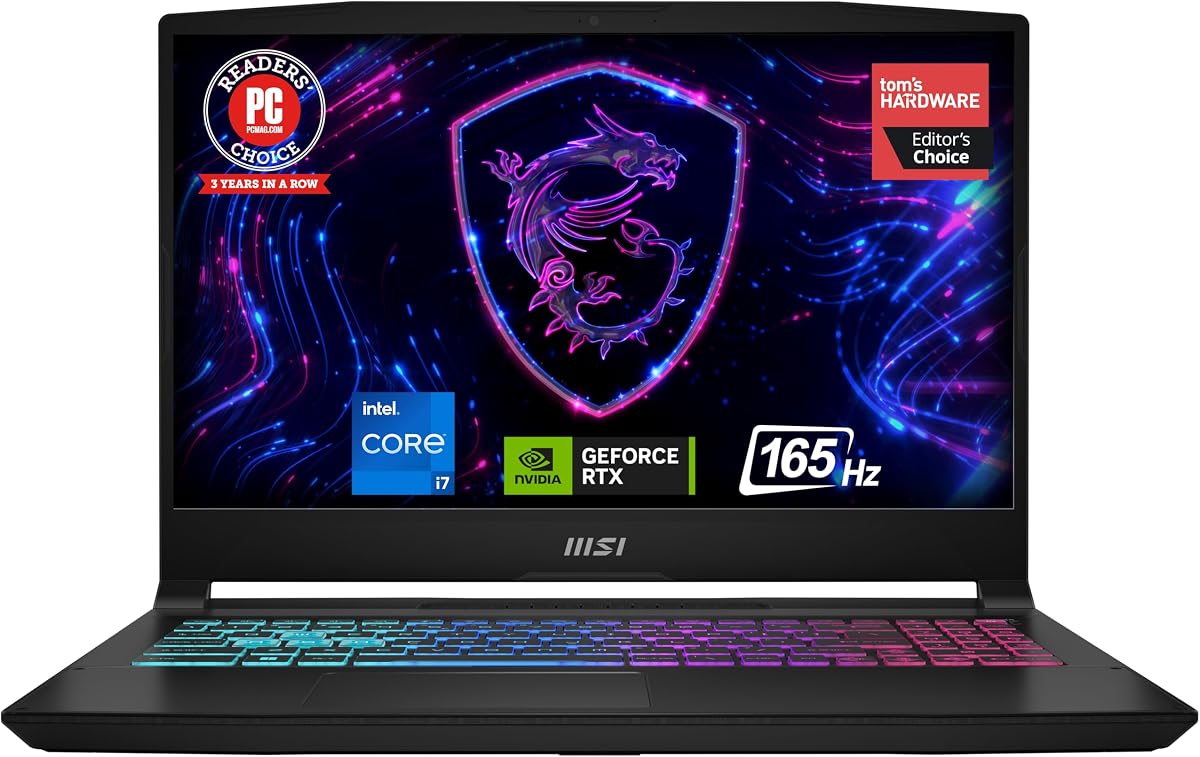

This laptop delivers a balanced performance profile ideal for running Diablo 4 smoothly. It features a strong processor and capable graphics unit that handle demanding games with ease.
We may earn a commission when you buy through this link, at no additional cost to you.
The display offers high refresh rates that ensure fluid motion during intense combat. The cooling system keeps the device stable even during extended gaming sessions without excessive noise.
Some users may find storage limiting if they install many large titles. Battery life is average for this class, meaning it performs best when plugged in during gameplay.
Overall it is a reliable choice for gamers seeking performance and stability. Its strong cooling and display make it a top contender in this guide.
The 165Hz refresh rate ensures fast action in Diablo 4 looks fluid and responsive to player inputs.
ROG Intelligent Cooling uses vapor chamber and liquid metal to maintain optimal temperatures during heavy loads.
We may earn a commission when you buy through this link, at no additional cost to you.
This model stands out with its generous memory and advanced AI processing capabilities. It offers significant power for gaming and content creation tasks alike.
We may earn a commission when you buy through this link, at no additional cost to you.
The display quality is excellent with high refresh rates suitable for competitive gaming. The graphics unit supports modern features that enhance visual fidelity and frame rates.
While Wi-Fi 6 is slightly older than Wi-Fi 7, it still provides reliable connectivity. The build might feel heavier than some ultra-portable alternatives.
It is a strong premium option for users needing extra memory and AI features. The value proposition is hard to beat for these specifications.
With 32GB of DDR5 RAM, multitasking and heavy game loads run smoothly without slowdowns.
NVIDIA RTX 5060 supports DLSS 4 and AI features that boost performance and image quality significantly.
We may earn a commission when you buy through this link, at no additional cost to you.
This laptop offers exceptional value with a powerful processor and fast display. It balances cost and performance effectively for budget-conscious gamers.
We may earn a commission when you buy through this link, at no additional cost to you.
The graphics card handles modern titles well and supports AI enhancements for smoother visuals. The screen is vibrant and quick enough for most gaming needs.
Users might notice limitations in extremely demanding scenarios compared to higher tier GPUs. Still, it provides a great experience for its price point.
It is ideal for those seeking a reliable machine without spending a fortune. The high user rating confirms its popularity and satisfaction among buyers.
The i7 13620H delivers enough power for gaming and multitasking without throttling performance.
The 165Hz IPS panel ensures smooth and color-accurate visuals for immersive gameplay.
We may earn a commission when you buy through this link, at no additional cost to you.
This device is designed for users who demand the highest possible performance. It combines cutting-edge processing and graphics capabilities for top-tier experiences.
We may earn a commission when you buy through this link, at no additional cost to you.
The display resolution and refresh rate provide unmatched visual clarity and smoothness. The cooling system ensures the hardware performs at its best for long periods.
The cost reflects the premium components inside and may not suit all budgets. Portability is limited due to the power and thermal systems involved.
It is the ultimate choice for enthusiasts willing to invest in quality. This machine will handle any game or creative task with ease.
The 2.5K resolution and 240Hz rate offer stunning clarity and fluid motion for competitive play.
ROG cooling technologies use vapor chambers and advanced fans to prevent overheating during stress.
We may earn a commission when you buy through this link, at no additional cost to you.
This laptop offers a large screen in a portable form factor ideal for mobility. It balances size and weight effectively for on-the-go use.
We may earn a commission when you buy through this link, at no additional cost to you.
The graphics performance is strong enough to handle modern titles smoothly. Connectivity options include modern standards that ensure fast internet speeds.
The resolution is lower than some 16-inch models which impacts sharpness. However the extra screen real estate compensates for this in many scenarios.
It is great for gamers who prioritize screen size over resolution. The design makes it easy to carry without sacrificing much power.
A 17.3 inch display provides more space to view game details and UI elements clearly.
MSI Cooler Boost ensures heat is managed efficiently for consistent performance levels.
We may earn a commission when you buy through this link, at no additional cost to you.
This model boasts a perfect user rating indicating high satisfaction among owners. It combines solid performance with a sleek and professional appearance.
We may earn a commission when you buy through this link, at no additional cost to you.
The processor and memory setup handles multitasking and gaming well. The display is responsive and provides good viewing angles for content creation.
Some users might prefer a higher refresh rate for competitive gaming. Battery life is decent but not exceptional compared to some rivals.
It is a safe pick for those valuing reliability and user feedback. The balance of specs and design makes it a versatile daily driver.
The Mica Silver finish offers a premium look that fits both gaming and office environments.
AMD Ryzen 7 and RTX 4050 pair well for smooth gaming and multitasking.
We may earn a commission when you buy through this link, at no additional cost to you.
This laptop serves as an affordable entry point for gaming. It provides essential performance features at a very accessible price point.
We may earn a commission when you buy through this link, at no additional cost to you.
The graphics unit handles mainstream titles well and supports AI enhancements. The screen offers good speed for most gaming activities.
Memory and storage are on the lower side which may require upgrades. Users should consider adding RAM or SSD capacity for better longevity.
It is best for casual gamers on a tight budget. Despite limitations, it delivers a competent experience for its cost.
Memory slots allow for future expansion to improve multitasking and gaming performance.
Priced low yet still offering fast refresh rates and capable graphics for entry gamers.
We may earn a commission when you buy through this link, at no additional cost to you.
This device strikes a great balance between features and price. It offers a modern set of specs suitable for most users.
We may earn a commission when you buy through this link, at no additional cost to you.
The display is vibrant and smooth which enhances gaming and media consumption. The cooling system works well to maintain performance levels.
Graphics capability is decent but not top-tier for max settings. Still it handles most current titles effectively with AI support.
It is a strong contender for those seeking a balanced machine. The included tools help manage performance and temperature efficiently.
NitroSense allows users to track performance and adjust fan speeds for optimal usage.
Includes HDMI 2.1 and Thunderbolt 4 for versatile external display and data connections.
We may earn a commission when you buy through this link, at no additional cost to you.
This laptop stands out for its strong graphics capabilities and high-resolution screen. It is well suited for rendering and detailed gaming visuals.
We may earn a commission when you buy through this link, at no additional cost to you.
The cooling system is designed to handle high loads effectively. Storage is fast and ample for most game libraries and applications.
Some users report mixed experiences which may vary by individual unit. The device is somewhat heavy making it less portable than others.
It is a good pick for those prioritizing raw graphical power. Check user feedback to ensure it meets specific expectations.
RTX 4070 offers high frame rates and advanced ray tracing features for immersive play.
QHD resolution brings sharp details to textures and environments in games.
We may earn a commission when you buy through this link, at no additional cost to you.
This model combines a slim form factor with capable gaming performance. It offers a modern experience with unique AI software tools.
We may earn a commission when you buy through this link, at no additional cost to you.
The processor and graphics are balanced well for most gaming tasks. The hinge design allows for flexible viewing angles in different settings.
Port selection is adequate but fewer than some competitors. Durability is good but the design is more delicate than rugged options.
It suits users who value style and portability. The AI tools add a unique touch to productivity and management.
GiMATE creates an intelligent interface to streamline workflows and gaming sessions.
The 180 degree hinge allows the laptop to lay flat for flexible use cases.
We may earn a commission when you buy through this link, at no additional cost to you.
Selecting the right gaming laptop involves balancing performance features with your budget and usage habits.
Graphics are vital for rendering the dark environments of Diablo 4 smoothly. Look for GPUs with ray tracing support and high VRAM to ensure stable frame rates.
A modern RTX series GPU is recommended for the best visual fidelity and performance in demanding titles.
High refresh rates reduce motion blur and make gameplay feel more responsive. A screen with at least 144Hz is recommended for fast-paced action games.
Choose a display with accurate colors and good brightness to fully appreciate the game art design.
A strong processor helps manage complex game physics and AI without lag. Modern i7 or Ryzen 7 series chips are typically sufficient for smooth multitasking.
Ensure the CPU matches your GPU to avoid bottlenecks during high load scenarios.
RAM capacity affects how many applications can run simultaneously without slowdowns. Sixteen gigabytes is generally the standard for modern gaming laptops.
Consider models with upgradeable RAM slots if you plan to multitask or install many titles.
Fast SSD storage reduces load times and improves overall system responsiveness. Gen 4 NVMe drives are becoming standard and offer great performance.
Ensure you have enough space for your game library and future updates without external drives.
Effective cooling keeps the device stable and prevents throttling during long sessions. Look for laptops with vapor chambers or advanced fan technologies.
Proper thermal design also helps reduce noise and extend the life of internal components.
Modern ports like USB-C and HDMI support external displays and peripherals. Wi-Fi 6 or 7 ensures low latency for online multiplayer experiences.
Check that the laptop includes all necessary ports for your setup and accessories.
Larger screens often mean better visuals but less mobility. Consider where you will use the laptop most often before choosing the chassis size.
Balance weight and battery life with the performance you need for your gaming habits.
Keep your laptop in a clean environment to prevent dust buildup in vents. Use compressed air occasionally to clear debris from cooling systems.
Maintain the battery by avoiding constant full discharge cycles. Calibrate the battery every few months to ensure accurate power estimates.
Update drivers regularly to ensure compatibility with new games and features. Monitor thermal performance during intense sessions to catch cooling issues early.
An RTX 4050 or higher is recommended to run the game smoothly at medium to high settings. Higher tier GPUs like RTX 4060 or 5060 allow for better visuals and frame rates.
Yes 16GB is generally sufficient for running Diablo 4 and background applications. If you multitask heavily upgrading to 32GB provides extra headroom for smooth operation.
A high refresh rate improves responsiveness in action games like Diablo 4. While 60Hz works 144Hz or higher makes movement look smoother and more precise.
Gaming laptops typically last three to five years with regular use. Proper maintenance and avoiding overheating can extend their lifespan significantly beyond that average.
Most gaming laptops are capable of video editing and other creative tasks. Their powerful GPUs and CPUs allow for smooth rendering and software performance.
Fifteen to sixteen inches offers a good balance between portability and immersion. Larger screens provide more detail but reduce ease of transport and desk space.
We explored ten strong options ranging from budget to high-end machines for Diablo 4. Each model offers unique strengths to suit different needs and preferences.
Prioritize graphics and display quality to get the most out of the game visuals. Thermal performance and memory will also impact your overall gaming comfort.
Check current pricing and availability since deals change frequently in the market. Choose the model that best aligns with your performance needs and daily usage.