
SSK Portable SSD 1TB External Solid State Hard Drive
4.5Editor score
Lightweight aluminum case
1050MB/s read speeds
USB-C and USB-A cables
This guide compares the top external SSDs for MacBook Air, evaluating speed, durability, and compatibility to help you choose the best portable storage
Choosing the right external storage for your MacBook Air is essential for handling large files and expanding capacity. A high-quality SSD offers speed and reliability that traditional drives cannot match.
We evaluated ten top models based on performance, build quality, and compatibility with macOS. Each product was analyzed for real-world usage scenarios involving video editing and data backup.
Each pick highlights specific strengths like rugged design or fast transfer rates. Please note that prices and availability change frequently so check current listings before purchasing.
4.5Editor score

4.7Editor score

4.6Editor score
The following table provides a side-by-side comparison of all ten selected external SSDs to help you quickly identify key specifications and features.






The Samsung T7 Portable SSD stands out as a top choice for MacBook Air users needing reliable and fast storage. With a high rating of 4.7 stars it is trusted by creators and professionals alike for its consistent performance.
We may earn a commission when you buy through this link, at no additional cost to you.
Its embedded PCIe NVMe technology delivers read and write speeds up to 1050MB/s and 1000MB/s respectively. This speed makes it almost twice as fast as the previous T5 model allowing you to transfer large files quickly without delays.
While it offers robust shock resistance up to six feet its aluminum unibody construction may get warm during extended heavy use. However this is a minor trade-off for the durability and speed it provides in everyday scenarios.
If you need a drive for video editing or storing game data this T7 is an excellent investment. Its ability to record 4K 60fps videos directly onto the drive makes it ideal for content creators on the go.
The T7 is designed to help makers build video editing empires or back up blogs in an instant due to its fast speeds.
With shock resistance up to six feet and a sturdy aluminum build this drive is ready to withstand any adventure you take it on.
We may earn a commission when you buy through this link, at no additional cost to you.
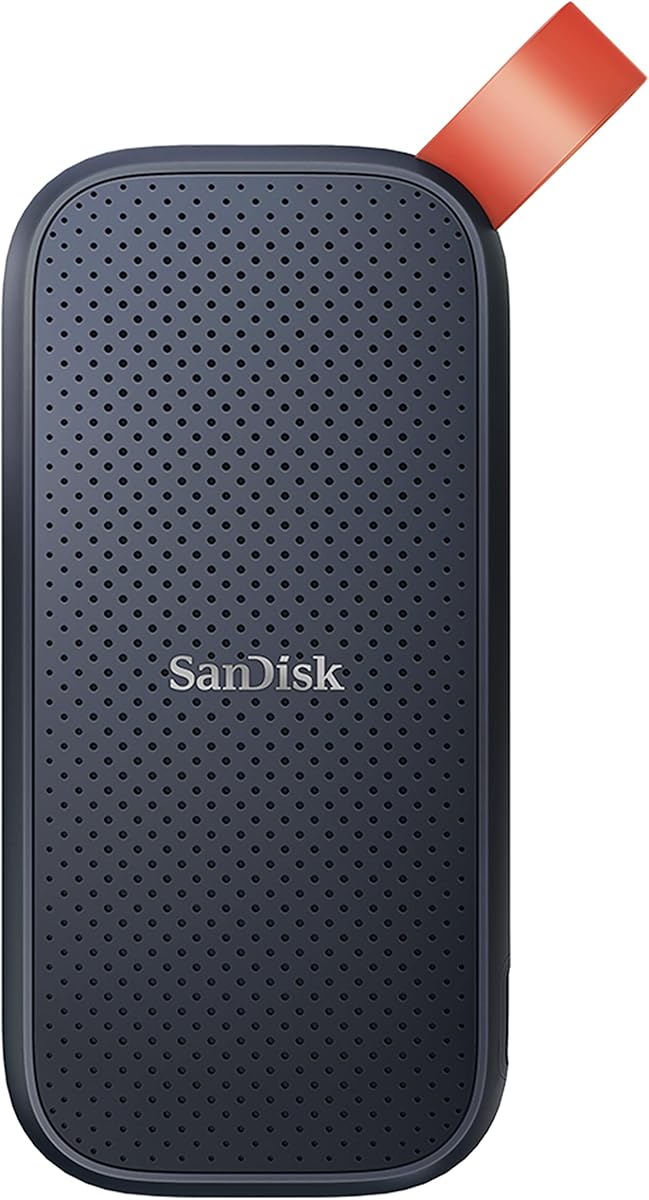
The SSK Portable SSD offers exceptional value for users seeking speed without breaking the bank. It achieves a solid 4.5 rating thanks to its fast performance and practical design features that cater to everyday needs.
We may earn a commission when you buy through this link, at no additional cost to you.
It delivers read speeds up to 1050MB/s and write speeds up to 1000MB/s ensuring instant access to your files. The SLC caching technology allocates 25% of capacity as high-speed cache to maintain consistent speeds during transfers.
While the aluminum case helps dissipate heat effectively some users might notice the case temperature rising during intense use. This is generally acceptable as it prevents overheating inside the drive and ensures reliability.
For those who need a lightweight drive for iPhone 4K ProRes capture or general backups this SSK model is a smart choice. Its portability and speed make it a strong contender in the budget category.
Weighing just 36.6 grams this drive is impressively light and easy to carry everywhere you go without adding bulk.
With blazing-fast 10Gbps speeds you can transfer large files quickly without slowing down your workflow or waiting long.
We may earn a commission when you buy through this link, at no additional cost to you.
The Samsung T9 Portable SSD is built for creators who need nonstop speed and reliability. With a rating of 4.6 stars it is praised for its sustained performance even during long and demanding processes.
We may earn a commission when you buy through this link, at no additional cost to you.
It features sustained read and write speeds up to 2000MB/s making it the fastest option in this guide. The Dynamic Thermal Guard ensures the drive stays cool even during heavy use which maintains performance over time.
While it is more expensive than other options the longevity and speed it provides justify the cost for professional workflows. However to get the full speed you may need a host device that supports USB 3.2 Gen 2×2.
If you are working on high-resolution projects or need a drive that performs like new with updates this T9 is the best premium choice. Its compatibility with iPhone 15 Pro Res video adds to its versatility for modern creators.
Load edit and transfer with sustained speeds up to 2000MB/s allowing you to race through projects without waiting on files.
Advanced thermal solution withstands heat to keep the drive at ideal temperatures ensuring reliable performance during heavy use.
We may earn a commission when you buy through this link, at no additional cost to you.
The SanDisk 2TB Extreme Portable SSD is designed for those who need high capacity and rugged durability. With a strong 4.6 rating it is trusted to take on adventures and protect valuable data effectively.
We may earn a commission when you buy through this link, at no additional cost to you.
It offers NVMe performance with read speeds up to 1050MB/s and write speeds up to 1000MB/s. The IP65 water and dust resistance along with 3-meter drop protection make it incredibly tough for outdoor or field use.
While it is a durable drive the carabiner loop can sometimes snag on bags or pockets during transport. This is a minor inconvenience given the peace of mind the drive provides when traveling or working in tough environments.
If you need to secure private content with 256-bit AES hardware encryption this drive is a top choice. It is ideal for professionals who require large storage and reliable protection for their files.
With up to 3-meter drop protection and IP65 resistance this drive can take a beating during your adventures or travels.
Included password protection with 256-bit AES hardware encryption helps keep your private content safe and secure at all times.
We may earn a commission when you buy through this link, at no additional cost to you.
The Lexar ES3 1TB Portable SSD is recognized for its slim and stylish profile that fits easily in your pocket. With a 4.4 rating it is appreciated for its balance of portability and speed for everyday tasks.
We may earn a commission when you buy through this link, at no additional cost to you.
It supports USB 3.2 Gen 2 providing read speeds up to 1050MB/s and write speeds up to 1000MB/s. Its thin design at only 10.5mm and light weight of 42g make it smaller than a card and very easy to carry.
While it is very thin the lack of Magsafe availability might be a drawback for some users seeking magnetic attachments. Additionally the support range excludes iPhone 14 and older models which may limit compatibility for some owners.
If you prioritize a compact form factor for your daily carry this ES3 is a great option. The included DataShield encryption software ensures your data remains safe while you work efficiently on the go.
At just 10.5mm thick and 42 grams this drive fits smaller than a card in your pocket for ultimate convenience.
High-speed transfer with 1050MB/s read speeds allows you to move files fast for more efficient daily work.
We may earn a commission when you buy through this link, at no additional cost to you.
The SanDisk 1TB Portable SSD is an older model that still offers reliable performance for mobile users. With a 4.5 rating it is known for fitting seamlessly into your mobile lifestyle without major issues.
We may earn a commission when you buy through this link, at no additional cost to you.
It provides up to 800MB/s read speeds which is sufficient for many general tasks though slower than the newest options. The tough rubber hook allows you to secure it to your belt loop or backpack for peace of mind.
While it is durable with up to two-meter drop protection the read speeds are lower compared to newer USB 3.2 Gen 2 drives. This makes it less ideal for heavy video editing but still good for backups and photo storage.
If you trust the SanDisk brand for professional assignments this drive is a safe choice. It is designed to back up your content and memories reliably while keeping your workflow uninterrupted on the go.
This drive fits seamlessly into your mobile lifestyle so you can back up content and memories wherever you are.
Up to two-meter drop protection and a tough rubber hook help secure your drive during adventures and daily use.
We may earn a commission when you buy through this link, at no additional cost to you.
The Lexar 2TB ES3 External SSD provides significant storage capacity for those who need to expand their instant quickly. With a 4.5 rating it is valued for its fast transfers and durability for everyday and office use.
We may earn a commission when you buy through this link, at no additional cost to you.
It offers read and write speeds up to 1050MB/s and 1000MB/s which is 9.5 times faster than hard disk drives. The built-in double layer graphite sheets enhance heat dissipation keeping the drive cool during fast transfers.
While it is durable with drop resistance up to 2 meters the weight may be slightly more than lighter 1TB models. This is acceptable for the added capacity and performance you get with this drive in professional workflows.
If you need instant storage expansion and super-fast backups this 2TB model is a strong option. The included 2-in-1 USB-C/USB-A cable ensures plug-and-play compatibility with your Mac PC or smartphone easily.
Get super-fast backups and instant storage expansion with speeds 9.5 times faster than traditional hard disk drives.
Built-in double layer graphite sheets conduct heat quickly to keep the drive cool even during blazing fast transfers.
We may earn a commission when you buy through this link, at no additional cost to you.
The Lexar 1TB Go Portable SSD with Hub is a unique device that combines storage with connectivity for creators. With a 4.5 rating it is favored for its flexibility in customizing setups for spontaneous creativity.
We may earn a commission when you buy through this link, at no additional cost to you.
It features blazing-fast performance up to 1050MB/s read and 1000MB/s write for seamless 4K recording. The hub includes four USB Type-C ports allowing you to connect multiple devices easily without extra adapters.
While the wireless plug-and-play Type-C connector frees you from tangled cables it requires firm insertion to ensure complete connection. This minor effort ensures the drive functions properly and maintains stability during your shoots or sessions.
If you are capturing Apple ProRes footage or need a portable hub for your workflow this drive is ideal. The combination of storage and connectivity gives you ultimate flexibility to suit your specific shoot needs.
The portable SSD plus hub gives you ultimate flexibility to customize your setup to suit the shoot with included cables.
Wireless plug-and-play Type-C connector frees you from tangled cables ensuring a clean and efficient workspace anytime.
We may earn a commission when you buy through this link, at no additional cost to you.
The SanDisk 1TB Extreme PRO Portable SSD offers powerful NVMe performance with impressive speeds for professional use. With a 4.5 rating it is trusted by users who need high-speed transfers in a tough package.
We may earn a commission when you buy through this link, at no additional cost to you.
It delivers up to 2000MB/s read and write speeds which makes it significantly faster than standard portable drives. The forged aluminum chassis acts as a heatsink to deliver higher sustained speeds during demanding tasks.
While it is rugged with IP65 water and dust resistance and 3-meter drop protection it is an older model compared to newer options. This means firmware may need updates but the hardware remains robust and reliable for use.
If you need fast sustained speeds and secure private content with 256-bit AES hardware encryption this PRO model is a strong choice. It is designed to take on any adventure while keeping your data safe and accessible.
Powerful NVMe solid state performance features up to 2000MB/s read write speeds for fast data transfer.
A forged aluminum chassis acts as a heatsink to deliver higher sustained speeds in a portable tough drive.
We may earn a commission when you buy through this link, at no additional cost to you.
The SanDisk 2TB Extreme Portable External SSD is a classic model with a high rating of 4.8 stars. It is appreciated by users for its reliability and high-speed transfers that let you move Hi-Res photos and videos faster.
We may earn a commission when you buy through this link, at no additional cost to you.
It offers read speeds up to 550MB/s which is lower than newer models but still efficient for many tasks. The shock-resistant solid state core and IP55 water and dust resistance ensure greater durability for everyday use.
While the speeds are not as high as the latest drives the three-year limited warranty adds confidence to your purchase. This makes it a solid value option for those who prioritize durability and warranty over raw speed.
If you need a compact pocket-sized drive for PC and Mac users this model is a dependable choice. Built by SanDisk a technology leader it delivers superior performance for storing and sharing your important content easily.
Built by SanDisk a technology leader this drive delivers superior performance with a three-year limited warranty.
Shock-resistant solid state core provides greater durability and resistance to vibration for reliable everyday use.
We may earn a commission when you buy through this link, at no additional cost to you.
Selecting the right external SSD for your MacBook Air requires understanding key factors like speed, durability, and compatibility to ensure it meets your specific needs.
The speed of an SSD is determined by its interface and internal technology. Look for USB 3.2 Gen 2 or Gen 2×2 support to ensure you get read speeds up to 1050MB/s or higher for efficient file transfers.
Prioritize drives with fast read and write speeds to avoid delays when working with large video files or backing up your system regularly.
If you travel frequently or use your drive in rugged environments durability is essential. Check for ratings like IP65 water and dust resistance or drop protection of at least 2 to 3 meters to keep your data safe.
Choose a drive with a solid aluminum body or shock-resistant core to withstand drops and harsh conditions without damaging your stored files.
Your storage needs depend on the type of files you handle regularly. For photo and general document storage 1TB may suffice but video creators often require 2TB or more to avoid frequent offloading.
Consider your current storage usage and future growth when selecting capacity to ensure you have enough room for all your important projects.
MacBook Air users often value compact and lightweight accessories. Look for drives that are thin and light enough to fit in a pocket or bag without adding bulk to your daily carry.
Select a design that includes practical features like a carabiner loop or a built-in hub to enhance usability and convenience on the go.
Ensure the SSD is compatible with macOS and your specific ports. Most modern drives use USB-C but having a USB-A cable included helps with older devices or hubs you may own.
Check that the drive works seamlessly with your iPhone or other devices if you plan to use it for cross-platform transfers or mobile backup.
Protecting sensitive data is crucial especially when working with private or client files. Look for drives that offer 256-bit AES hardware encryption or reliable software tools to password protect your storage.
Security features help ensure that your files remain private even if the drive is lost or stolen during travel or daily use.
High-speed transfers can generate heat which may affect performance over time. Drives with aluminum bodies or thermal guards are better at dissipating heat to prevent slowdowns during long sessions.
Good thermal management ensures that your drive maintains consistent speeds and longevity even when used heavily for professional tasks.
A solid warranty indicates confidence in the product quality. Look for brands with a track record of reliability and warranty terms that offer at least three years of coverage for peace of mind.
Choosing a trusted brand ensures that you will have support available if issues arise with the drive during its lifespan.
To use your SSD simply connect it to your MacBook Air using the provided USB-C cable. Your Mac should recognize the drive automatically allowing you to drag and drop files or set up Time Machine backups.
Always eject the drive safely before unplugging it to prevent data corruption. Use the eject icon in Finder or right-click the drive on your desktop to ensure all processes are finished first.
Store your drive in a cool and dry place when not in use to protect it from extreme temperatures or moisture. Avoid exposing it to direct sunlight or humid environments to maintain its longevity and performance.
Yes you can use an external SSD with MacBook Air for Time Machine backups. SSDs offer faster backup times and restore speeds compared to traditional hard drives. Simply connect the drive to your Mac and follow the prompts to set up Time Machine.
Most modern SSDs come with a USB-C to USB-C cable which works with MacBook Air. If your drive only has USB-A you may need an adapter to connect to your MacBook Air ports.
To protect your SSD use a padded case or pouch designed for portable drives. Secure the drive in a stable part of your bag and avoid placing heavy items directly on top to prevent drops or pressure damage.
A portable SSD uses flash memory which is faster and more durable than the spinning disks in regular external hard drives. SSDs are smaller lighter and have no moving parts making them more resistant to shocks.
Yes these external SSDs can store 4K video files efficiently due to their high transfer speeds. They are suitable for editing and moving large video files without dropping frames or slowing down your system.
External SSDs typically last several years depending on usage. Many models come with warranties ranging from three to five years. Avoid frequent power cycles and extreme heat to extend their lifespan further.
If the SSD is new it may need formatting to work with macOS. Most drives are formatted exFAT which works on both Mac and PC but you can format it to APFS for Mac-only use if preferred.
Many external SSDs include built-in encryption to protect sensitive data. Using password protection and secure formats ensures your files remain private even if the drive is lost or stolen.
We have reviewed ten excellent external SSDs for MacBook Air including the Samsung T7 as our top pick for overall performance and reliability.
When choosing prioritize speed and durability if you work with large files or travel often while considering capacity for your storage needs.
Always check current prices and availability before purchasing to ensure you get the best deal on the drive that fits your workflow.