
TEWENE exFAT USB 3.0 Thumb Drive
4.3Editor score
Clip design for portability
USB C adapter included
Fast transfer speeds
This guide compares the top ten exfat usb flash drives for reliable cross platform storage and high speed data transfer across all your devices.
Finding the right storage solution often depends on file system compatibility and speed. An exfat usb flash drive offers the perfect balance for modern users who need to move large files between Windows and Mac systems without formatting headaches.
We have carefully evaluated ten leading models based on their transfer speeds, durability, and overall value. Each product was selected for its ability to handle everyday tasks while maintaining reliable performance under various conditions.
Every pick highlights specific strengths and ideal use cases to help you decide. Keep in mind that prices and availability change frequently so check current listings before making your final purchase decision today.
4.3Editor score

4.6Editor score

4.7Editor score
This side by side comparison highlights the key specifications and features of each model to help you find the perfect fit for your storage needs and budget.



This drive offers a solid combination of speed and versatility at an affordable price point. Its preformatted exFAT file system ensures compatibility across Windows and Mac without extra setup steps.
We may earn a commission when you buy through this link, at no additional cost to you.
The USB 3.0 interface delivers read speeds up to 120MB/s making file transfers quick and efficient. The textured metal case helps dissipate heat during prolonged use while providing a secure grip.
While write speeds are slower than read speeds the overall performance remains reliable for everyday tasks. The included USB-C adapter extends usability to modern devices though it is quite small and easy to misplace.
Ideal for users needing a dependable drive for school or work this model balances cost and functionality well. Its robust quality control and lifetime support make it a trustworthy choice for daily storage needs.
The default exFAT format ensures seamless file sharing between different operating systems without requiring reformatting.
The metal casing not only looks premium but also protects internal components from heat and physical damage.
We may earn a commission when you buy through this link, at no additional cost to you.
SanDisk continues to deliver high performance with this ultra flair model offering speeds that outpace many competitors. The metal casing provides a premium feel while protecting your data from everyday wear and tear.
We may earn a commission when you buy through this link, at no additional cost to you.
With read speeds reaching 150MB/s transferring large movies or video files happens in seconds. The built-in password protection allows you to secure sensitive files with AES encryption using the included software.
The only limitation is the lack of a USB-C connector which might limit use on newer tablets or laptops. Additionally Mac users need to download separate software to access the password protection features.
This drive is perfect for professionals who need reliable storage with an added layer of security. Its balance of speed durability and brand reputation makes it a top contender for general use.
Password protection uses 128-bit AES encryption to keep your private files safe from unauthorized access.
USB 3.0 technology ensures transfers are significantly faster than older 2.0 drives saving you valuable time.
We may earn a commission when you buy through this link, at no additional cost to you.
Samsung tops our list with this robust drive offering exceptional speed and durability for demanding users. The titanium grey metal finish looks professional while providing serious protection against physical elements.
We may earn a commission when you buy through this link, at no additional cost to you.
Read speeds up to 300MB/s mean even 4K video files transfer in just seconds. The drive is waterproof shockproof and temperature proof ensuring your data stays safe in harsh conditions.
The price is higher than budget options but the build quality and warranty justify the investment. However the lack of a USB-C port means it is less versatile for modern mobile devices.
Recommended for power users or photographers who need reliable fast storage on the go. This drive represents the best in terms of performance and long term reliability for serious data management.
The metal body withstands water shocks and temperature changes keeping data intact during travel or accidents.
USB 3.1 standard delivers transfer times that are significantly faster than standard drives for urgent work.
We may earn a commission when you buy through this link, at no additional cost to you.
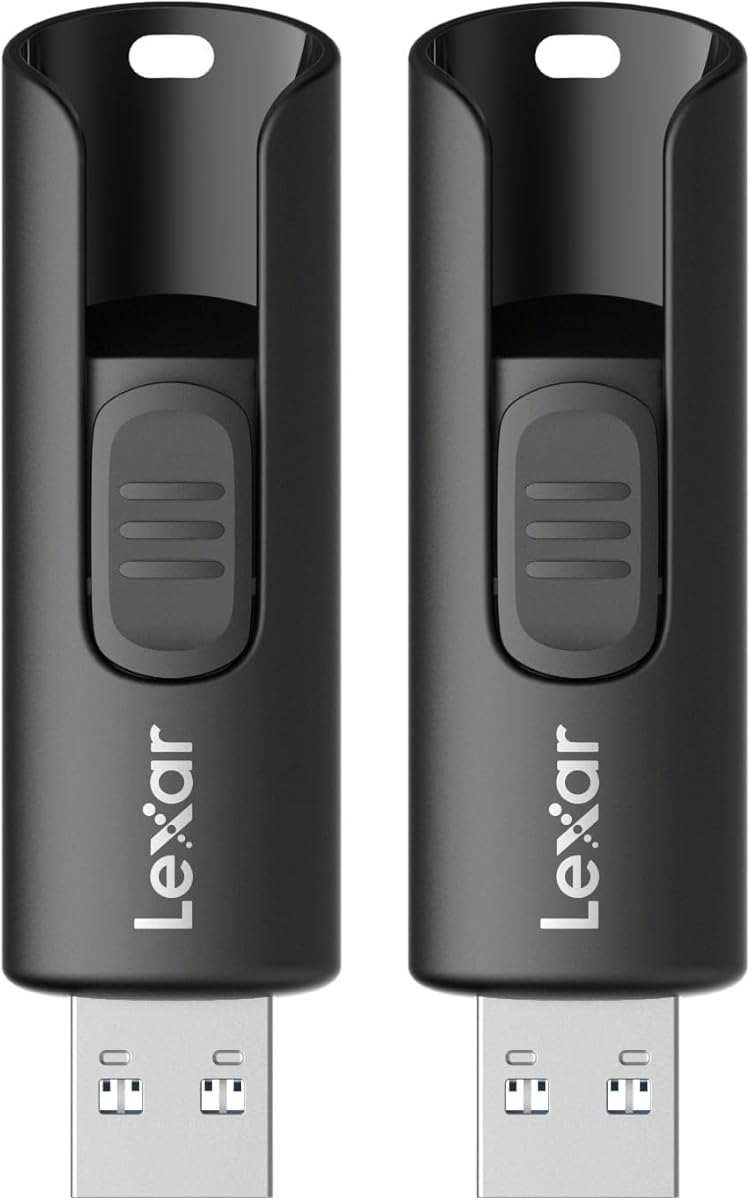
Getting two drives in one package offers excellent value for families or teams needing multiple storage options. The lightweight design makes them easy to carry and store without adding bulk to your bag.
We may earn a commission when you buy through this link, at no additional cost to you.
DataShield technology allows you to create a password protected safe for sensitive files without installing extra software. The push button retractable design removes the need for caps which can easily be lost.
Speed is decent for general file transfers but not as fast as higher end models. The plastic casing is durable enough for daily use but lacks the premium feel of metal alternatives.
This pack is ideal for students or home users who want backup storage for different devices. The security features and portability make it a practical choice for organizing personal files.
Lexar DataShield lets you protect files with password encryption and securely erase them from the safe.
The slim profile and retractable connector make this drive easy to attach to keychains or lanyards.
We may earn a commission when you buy through this link, at no additional cost to you.
This dual drive bridges the gap between old and new devices with both USB-A and USB-C connectors built in. The solid state design ensures fast read and write speeds for efficient workflow.
We may earn a commission when you buy through this link, at no additional cost to you.
A free app allows easy media backup on Android and iOS devices making it simple to manage photos on the go. The metal housing protects the connectors and adds a sturdy premium feel.
While it offers great flexibility the backup app does not support iCloud content which might limit some iOS users. The drive itself is cable-free which keeps it compact but requires direct connection.
Perfect for tech savvy users who switch between different device types frequently. The speed and connectivity options make it a versatile tool for modern computing environments.
Having both USB-A and USB-C connectors means you can connect to almost any device without adapters.
Solid state technology provides four times faster transfers compared to standard USB 3.0 drives for efficiency.
We may earn a commission when you buy through this link, at no additional cost to you.
For basic storage needs this two-pack offers a cost effective solution without sacrificing capacity. The LED light indicates activity which is helpful when transferring files on older systems.
We may earn a commission when you buy through this link, at no additional cost to you.
Compatibility is excellent across almost all operating systems without needing additional drivers. The default exFAT format ensures you can use it on Windows Mac and Linux out of the box.
Speed is the main limitation as USB 2.0 is much slower than modern 3.0 standards. The plastic build is functional but does not offer the same protection as metal drives.
This drive is suitable for storing documents or occasional backups where speed is not critical. The value proposition is strong for users who need multiple drives at a low cost.
Supports Windows and Mac and Linux without driver installation making it ready for immediate use.
The LED indicator lights up during data transfers so you know when the drive is active.
We may earn a commission when you buy through this link, at no additional cost to you.
This top-tier drive is built for professionals who need to store and move large files quickly. With read speeds up to 1000MB/s it handles high resolution video and creative projects effortlessly.
We may earn a commission when you buy through this link, at no additional cost to you.
The dual USB-C and USB-A connectors provide universal connectivity across laptops and smartphones. Encryption technology ensures your critical documents stay secure while you travel or work remotely.
The price reflects its high-end performance and may be overkill for casual users. Accessing some features requires the Memory Zone app which might be a step too far for some.
Ideal for content creators and IT professionals who need reliable high-speed storage. This drive delivers performance that justifies the cost for serious productivity tasks.
Read speeds of 1000MB/s allow you to meet tight deadlines with faster data access.
Up to 2TB capacity available ensures you have room to grow with your storage needs.
We may earn a commission when you buy through this link, at no additional cost to you.
This drive stands out for its budget-friendly pricing without sacrificing essential features like a USB-C adapter. The clip design makes it easy to attach to bags or keychains preventing loss.
We may earn a commission when you buy through this link, at no additional cost to you.
Read speeds up to 85MB/s are adequate for general file transfers and everyday tasks. The inclusion of an adapter ensures you can use it with modern devices even if they only have USB-C.
While the capacity is smaller than others it is sufficient for documents and small media files. The build quality is functional though it lacks the premium finish of higher-end models.
Perfect for students or travelers who need a simple reliable drive for basic storage. The value and convenience features make it a great choice for casual use.
The sturdy clip design allows you to secure the drive to your gear for easy access.
At a lower price point it offers great value for those needing portable storage on a budget.
We may earn a commission when you buy through this link, at no additional cost to you.
This dual port drive offers impressive speeds and compatibility across a wide range of devices. The zinc alloy shell provides strong protection against drops and abrasion for long term use.
We may earn a commission when you buy through this link, at no additional cost to you.
Read speeds up to 550MB/s are significantly faster than standard drives making it great for large files. It supports Windows Mac and Android systems without needing additional software installation.
The protective caps for both ports are useful but can be easily misplaced during use. Additionally it does not support Lightning ports for older iPhones which limits some compatibility.
Ideal for users who need fast access between computers and Android devices. The build quality and speed make it a reliable choice for daily data management.
Zinc alloy materials resist abrasion and drops protecting your data from physical damage.
High read speeds ensure you can quickly access photos and videos without waiting.
We may earn a commission when you buy through this link, at no additional cost to you.
The FIT Plus is designed to be almost invisible when plugged in keeping your devices looking clean. With 256GB of space it holds a large amount of data in a tiny form factor.
We may earn a commission when you buy through this link, at no additional cost to you.
Read speeds of 300MB/s ensure efficient transfers for your media files. The rugged design is waterproof and shockproof providing peace of mind during travel.
Because it stays plugged in it may block adjacent ports or add slight thickness to your device. The lack of visible connectors means you cannot easily remove it to save ports.
This is perfect for users who want permanent storage on their laptop or gaming console. The compact size and high capacity make it a great tool for expanding limited storage.
The seamless design fits snugly into ports without protruding or blocking other connections.
Built to withstand water and shocks this drive ensures your data remains safe anywhere.
We may earn a commission when you buy through this link, at no additional cost to you.
Selecting the right exFAT USB flash drive involves considering several factors including capacity speed durability and connectivity options to ensure it meets your specific storage needs.
Capacity determines how much data you can store on the drive ranging from 16GB to 2TB. For documents and small files 64GB to 128GB is usually sufficient but larger media files require 256GB or more.
Choose a capacity that matches your typical file sizes and growth expectations to avoid needing multiple drives.
Transfer speeds are measured in MB/s and impact how quickly files move between devices. USB 3.0 and 3.1 drives are significantly faster than USB 2.0 models which can take minutes to transfer large videos.
Look for read speeds above 100MB/s for efficient workflow especially if you frequently transfer large datasets.
Modern devices use different ports so a drive with dual USB-A and USB-C connectors offers maximum flexibility. Single port drives might require adapters for newer laptops and phones.
Prioritize dual connector drives if you use multiple types of devices to avoid carrying extra accessories.
The materials used affect how well the drive withstands drops water and dust. Metal casings offer better heat dissipation and protection compared to plastic models.
Select a rugged drive with shock and water resistance if you travel often or work in challenging environments.
exFAT is the preferred file system for cross-platform compatibility allowing files larger than 4GB to be used on both Windows and Mac.
Ensure the drive comes preformatted as exFAT to save time and avoid data loss from reformatting.
Some drives include built-in encryption or password protection software to keep sensitive data secure from unauthorized access.
If you handle confidential files choose a model with reliable encryption capabilities for peace of mind.
Established brands often provide better quality control and customer support which is crucial for data reliability. A longer warranty period indicates confidence in the product lifespan.
Opt for drives with at least a five-year warranty to protect your investment against early failures.
Price varies widely based on capacity speed and features so balancing cost with your needs is essential. Higher priced models offer better performance but may be unnecessary for basic tasks.
Evaluate the cost per gigabyte and feature set to ensure you get the best value for your budget.
To safely remove the drive from your computer use the eject option in the operating system to prevent data corruption. This ensures all write operations are completed before unplugging the device.
Store the drive in a cool dry place away from magnetic fields and direct sunlight to maintain its longevity. Use the protective cap or retractable mechanism to shield the connector from dust.
Regularly check the file system for errors using your system tools to avoid unexpected data loss. If you notice slow performance try reformatting the drive to restore optimal speeds.
exFAT supports files larger than 4GB while FAT32 does not making exFAT better for high-definition video. Both work on Windows and Mac but exFAT is more modern and efficient for larger drives.
Most modern Windows and Mac systems support exFAT out of the box without extra drivers. However older systems might need updates or third-party software to read or write to the drive.
Linux supports exFAT but you may need to install specific packages to read and write data. Once set up the drive works seamlessly for cross-platform file sharing with other OSs.
Actual speeds depend on the host computer's USB port and file types being transferred. USB 2.0 ports limit speeds to 40MB/s regardless of the drive's capabilities.
Use the built-in encryption tools if available or compress files with a password using software like 7Zip. Always back up critical data to another location before travel.
exFAT is reliable but flash drives are not ideal for long-term storage due to charge leakage. Keep backups on multiple devices or cloud services to prevent data loss over time.
Many drives still have a USB-A connector so they work on older ports without the adapter. You can buy universal adapters separately if you lose the included one.
Yes exFAT drives can be formatted for bootable media but specific tools like Rufus are needed. Ensure the drive has enough space for your operating system image.
Our top picks cover a range of budgets and needs from the budget-friendly TEWENE to the high-performance Samsung BAR Plus. Each model offers distinct advantages depending on your specific usage scenarios.
Prioritize speed and durability if you work with large files daily but opt for value if you need basic storage. Connectivity options like USB-C are increasingly important for modern device compatibility.
Prices change frequently so always check current listings before purchasing to ensure you get the best deal. With the right exFAT USB flash drive your data transfers will be fast and hassle-free.