
HP LaserJet M207dw
4.0Editor score
Dual-band Wi-Fi connectivity
Fast two-sided printing
Strong built-in security
This guide compares the top Ethernet laser printers for office and home use, focusing on speed, security, connectivity options, and reliability for efficient
Ethernet laser printers provide reliable network connectivity for consistent printing without wireless interference. They offer stable connections for shared office environments and ensure steady document output for professional tasks.
We evaluated ten leading models based on print speed, network features, security protocols, and paper handling capabilities. Our analysis focuses on real-world performance metrics and connectivity options for small teams.
Each pick highlights specific strengths like duplex printing, mobile support, or high-volume capacity. Prices fluctuate regularly so verify current listings before purchasing to ensure you get the best deal available.
4.0Editor score

4.0Editor score

4.4Editor score
The following table presents a side-by-side comparison of all ten evaluated models highlighting their key specifications and connectivity options.




The Brother HL-L2460DW earns Editor's Choice for its balanced mix of speed connectivity and reliability. It received a solid 4.0 rating from users who value consistent black and white output in home offices or small teams.
We may earn a commission when you buy through this link, at no additional cost to you.
Its standout qualities include a 36 pages per minute print speed alongside dual-band wireless Ethernet and USB connectivity. This flexibility ensures you can integrate the printer into various network setups without compatibility issues.
Trade-offs like the absence of a touchscreen are acceptable given the affordable price point. Users may find managing settings requires the mobile app but the core printing performance remains dependable and efficient.
Buyers seeking a reliable workhorse for document printing should consider this model. It delivers crisp text and supports mobile printing making it ideal for professionals who need straightforward fast networked output.
Documents appear crisp and clear ensuring professional presentations and reports maintain high visual standards for clients and colleagues.
Built-in Ethernet wireless and USB options provide multiple ways to connect devices ensuring stable printing for various office setups.
We may earn a commission when you buy through this link, at no additional cost to you.
The HP LaserJet M207dw stands out as a budget-friendly option without sacrificing essential network features. With a 4.0 rating it delivers dependable black and white printing suitable for small teams or home offices.
We may earn a commission when you buy through this link, at no additional cost to you.
Its key strengths include built-in security and Ethernet connectivity alongside dual-band Wi-Fi. The fastest two-sided printing in its class helps reduce paper waste and speeds up multipage document completion significantly.
Users may notice it is slower on single-sided prints compared to higher-end models. However the automatic duplex feature compensates well making it a practical choice for cost-conscious buyers.
This printer suits those needing secure networked printing on a budget. Its support for various devices and security features make it a smart investment for growing small businesses.
Low purchase price and energy-efficient design help reduce total cost of ownership while maintaining reliable document production.
Built-in security features protect printer data from potential attacks ensuring sensitive information remains safe during networked printing.
We may earn a commission when you buy through this link, at no additional cost to you.
The HP LaserJet Pro 4001dn delivers premium performance for small teams requiring speed and security. It earned a 4.4 rating reflecting satisfaction with its blazing fast print speeds and advanced data protection.
We may earn a commission when you buy through this link, at no additional cost to you.
Key strengths include a 42 pages per minute output and HP Wolf Pro Security. Ethernet connectivity ensures stable network printing for shared work environments without wireless interference or signal drops.
Wireless printing is not supported which may limit mobile access. This trade-off ensures maximum network stability and security for businesses prioritizing wired connections over flexibility.
Buyers seeking high-volume professional printing should choose this model. Its speed and security features make it ideal for teams needing fast reliable document output with minimal downtime.
HP Wolf Pro Security protects data at every layer ensuring secure printing for businesses handling confidential information daily.
42 pages per minute speed keeps workflows moving fast allowing teams to complete large projects efficiently without delays.
We may earn a commission when you buy through this link, at no additional cost to you.
The Brother DCP-L2640DW offers three-in-one functionality in a compact design suitable for small businesses. It holds a 4.1 rating from users who appreciate its efficient scanning and printing capabilities.
We may earn a commission when you buy through this link, at no additional cost to you.
Its key strengths include a 50-page auto document feeder and fast scan speeds. This saves time on multi-page tasks while maintaining the reliable 36 pages per minute print speed expected from laser technology.
Trade-offs like the lack of a touchscreen are balanced by the mobile app and Ethernet connectivity. Users gain all essential scanning copying and printing functions without taking up excessive desk space.
Buyers needing all-in-one capabilities should consider this model. Its speed and compact design make it a strong choice for offices wanting to consolidate devices without sacrificing performance.
The auto document feeder streamlines scanning and copying of multi-page documents reducing manual effort significantly.
Fast print and scan speeds allow teams to complete tasks quickly improving overall office productivity and workflow.
We may earn a commission when you buy through this link, at no additional cost to you.
The HP LaserJet Pro 3001dw provides reliable networked printing with robust security for teams. It received a 4.1 rating for its intelligent Wi-Fi and consistent output quality suitable for business use.
We may earn a commission when you buy through this link, at no additional cost to you.
Key strengths include HP Wolf Pro Security and intelligent Wi-Fi that stays connected reliably. The inclusion of Ethernet and Bluetooth ensures multiple ways to share resources across devices securely.
Bluetooth adds connectivity but may have limited utility for printing compared to Wi-Fi. However the fast 35 pages per minute speed and duplex printing offset this minor inconvenience effectively.
Buyers wanting secure stable printing should look at this model. Its intelligent connection features and professional quality make it a smart choice for offices needing dependable document output.
Intelligent Wi-Fi seeks the best connection ensuring your printer stays online and ready for printing tasks.
HP Wolf Pro Security protects printer data from threats keeping sensitive information safe during network printing.
We may earn a commission when you buy through this link, at no additional cost to you.
The Brother HL-L2405W delivers sharp prints for home offices without breaking the bank. It holds a 4.1 rating from users seeking reliable consistent quality for everyday document needs.
We may earn a commission when you buy through this link, at no additional cost to you.
Its key strengths include a compact design and flexible connectivity options. The dual-band wireless ensures stable connections allowing remote management and printing from mobile devices easily.
Trade-offs like slower speeds and no duplex may limit high-volume users. However for home tasks requiring crisp text this printer performs dependably at an accessible price.
Buyers working from home should consider this model. Its ease of use and mobile integration make it ideal for individuals needing quality prints without complex setup or maintenance.
The small footprint fits easily into home offices without crowding your desk space.
Manage and print remotely via mobile app allowing work to get done from anywhere.
We may earn a commission when you buy through this link, at no additional cost to you.
The HP LaserJet Pro M404dn offers dependable performance with stable Ethernet connectivity for shared offices. It earned a 4.4 rating reflecting satisfaction with its consistent output and security features.
We may earn a commission when you buy through this link, at no additional cost to you.
Key strengths include fast 40 pages per minute speed and built-in Wolf Pro Security. Energy efficiency helps reduce operational costs while maintaining the reliability needed for business printing.
The lack of wireless limits mobile printing unless using other methods. However the speed and security make it a strong choice for networks prioritizing wired stability.
Buyers needing reliable network printing should choose this model. Its fast output and security features make it an excellent choice for small teams focused on document production.
Designed to reduce energy consumption significantly helping lower total cost of ownership over time.
Built-in Ethernet makes it easy for multiple users to access and share resources efficiently.
We may earn a commission when you buy through this link, at no additional cost to you.
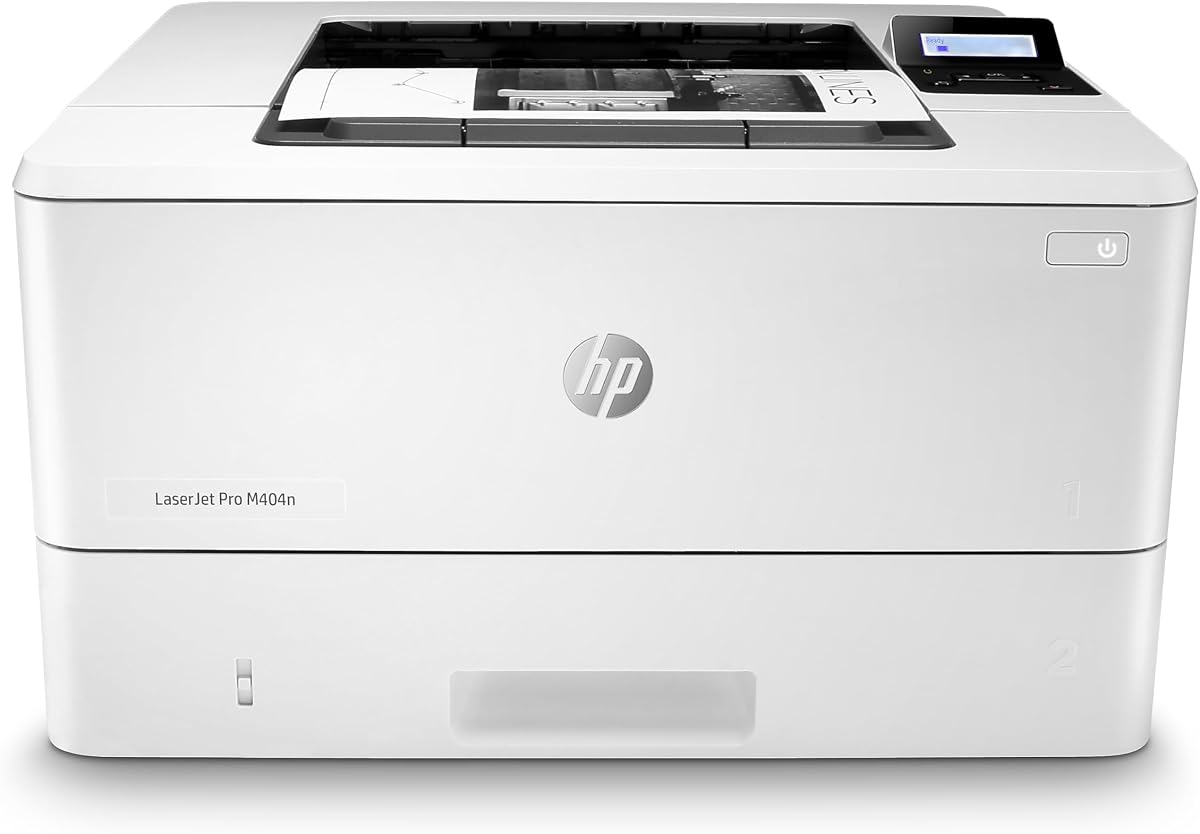
The HP LaserJet Pro M404n provides fast printing with essential security features for offices. It holds a 4.3 rating from users seeking dependable output without extra complexity.
We may earn a commission when you buy through this link, at no additional cost to you.
Its key strengths include built-in Ethernet and Wolf Pro Security ensuring safe stable printing. The 40 pages per minute speed helps teams stay productive during busy periods.
Lack of duplex printing may increase paper usage. However for environments needing speed and security this model delivers consistent performance with minimal setup requirements.
Buyers needing straightforward network printing should consider this model. Its speed and security features make it a practical choice for teams prioritizing reliability.
40 pages per minute speed ensures quick turnaround for daily printing tasks and large jobs.
Protection built into hardware and firmware safeguards data against cyberattacks effectively.
We may earn a commission when you buy through this link, at no additional cost to you.
The Brother HL-L5100DN balances speed and security for growing businesses. It earned a 4.4 rating for its reliable Ethernet connection and high output capacity.
We may earn a commission when you buy through this link, at no additional cost to you.
Key strengths include 42 pages per minute speed and expandable trays. Advanced security features help protect sensitive documents while the network interface ensures stable shared access.
The lack of wireless limits mobile printing options. However for wired networks this model delivers consistent performance suitable for moderate to high-volume office tasks.
Buyers needing robust Ethernet printing should consider this model. Its speed and capacity make it a solid choice for teams requiring dependable document production.
Expandable trays allow uninterrupted printing for large jobs without constant paper reloading.
Advanced security restricts unauthorized printing ensuring sensitive documents remain confidential.
We may earn a commission when you buy through this link, at no additional cost to you.
The Brother HL-6210DW handles high-volume tasks with exceptional speed and efficiency. It holds a 4.2 rating reflecting satisfaction with its professional-grade output capabilities.
We may earn a commission when you buy through this link, at no additional cost to you.
Its key strengths include 50 pages per minute speed and Gigabit Ethernet. Triple Layer Security ensures comprehensive protection while the expandable capacity supports uninterrupted printing.
Larger footprint may limit space usage but the speed justifies it for busy offices. Cost efficiency is improved by high-yield toner options reducing operational expenses.
Buyers needing fast reliable printing should choose this model. Its speed and security features make it ideal for teams with significant daily document requirements.
50 pages per minute speed keeps high-volume jobs moving quickly without delays.
Comprehensive protection safeguards network devices and documents during transmission and printing.
We may earn a commission when you buy through this link, at no additional cost to you.
Selecting the right Ethernet laser printer requires evaluating several factors to match your specific workflow needs.
Print speed is measured in pages per minute and directly impacts productivity. Look for models with at least 30 ppm for home offices and 40 ppm for busy teams.
Higher speeds reduce wait times during large print jobs and keep workflows efficient.
Ethernet provides stable wired connections ideal for shared environments. Some models offer dual connectivity with wireless or USB for added flexibility.
Choose models that support your network setup to ensure seamless integration with existing devices.
Input tray capacity determines how frequently you must reload paper. Models with 250 sheets or more suit moderate to high-volume users effectively.
Higher capacity reduces interruptions and improves efficiency for busy office environments.
Automatic duplex printing saves paper and reduces costs by printing on both sides. This feature is essential for businesses aiming to minimize waste.
Prioritize models with auto duplex to support sustainable printing practices.
Built-in security protects sensitive documents from unauthorized access or cyberattacks. Look for features like secure print and data encryption.
Security features safeguard your network and ensure confidential information remains safe.
Consider toner costs and yield along with the initial purchase price. Models with high-yield cartridges reduce per-page costs over time.
Evaluating long-term costs helps you choose a printer that fits your budget effectively.
Mobile printing allows printing from smartphones or tablets easily. Dedicated apps make managing printers remotely and tracking toner levels convenient.
Choose models with robust app support if remote management is important to you.
Reliable customer support and warranty terms ensure quick resolution of issues. Look for brands offering free support and extended warranties.
Strong support networks reduce downtime and maintain productivity effectively.
Connect the printer to your network using an Ethernet cable for stable performance. Ensure your router assigns a static IP address to avoid connection drops.
Install the manufacturer drivers and mobile app on all connected devices to enable seamless printing from multiple sources.
Regularly update firmware and clean the paper rollers to prevent jams and maintain print quality over time.
Ethernet provides a more stable connection that is not affected by wireless interference. This makes it ideal for shared office environments where consistent performance is critical.
Yes you need a local network to share the printer among multiple devices. Some models allow direct USB connection to a single computer if needed.
Some models support both simultaneously but Ethernet typically takes priority for stability. Check the specs to confirm multi-connection support before purchasing.
Duplex printing automatically prints on both sides reducing paper usage by half. It helps lower costs and supports eco-friendly printing practices effectively.
Enable built-in security features and restrict printing to authorized users only. Keeping firmware updated ensures protection against known vulnerabilities.
Toner yield per cartridge and cost per page vary by model. High-yield cartridges reduce costs but require checking availability before purchasing.
The top picks offer a balance of speed security and reliable connectivity for varied needs. From budget options to premium models each delivers consistent quality for document production.
Prioritize the factors that match your workflow like print speed and paper capacity. A stable Ethernet connection ensures reliable performance in shared environments.
Always check current pricing and availability before buying to ensure you get the best value for your specific requirements.