
Nintendo Switch Wired Internet LAN Adapter
4.7Editor score
Officially Licensed by Nintendo
Plugs into Switch Dock
Fast stable wired connection
Find the best Ethernet Adapter Nintendo Switch for stable wired internet. We compare ten top USB adapters for speed, compatibility, and gaming performance.
Getting a reliable internet connection is crucial for Nintendo Switch owners who want to play online games without lag. A quality Ethernet adapter provides a stable wired connection that Wi-Fi simply cannot match for competitive gaming and fast downloads.
We have analyzed ten top-rated USB to Ethernet adapters that work with the Nintendo Switch dock. Our comparison focuses on connection speed, build quality, ease of setup, and overall value for money based on verified user reviews and technical specifications.
Each pick in this guide highlights specific strengths like compact design or premium materials to help you choose the right adapter. Please note that product prices and availability can change frequently, so check the current listings before purchasing.
4.7Editor score

4.6Editor score

4.6Editor score
This side-by-side comparison highlights the key features of all ten adapters to help you make an informed decision quickly.





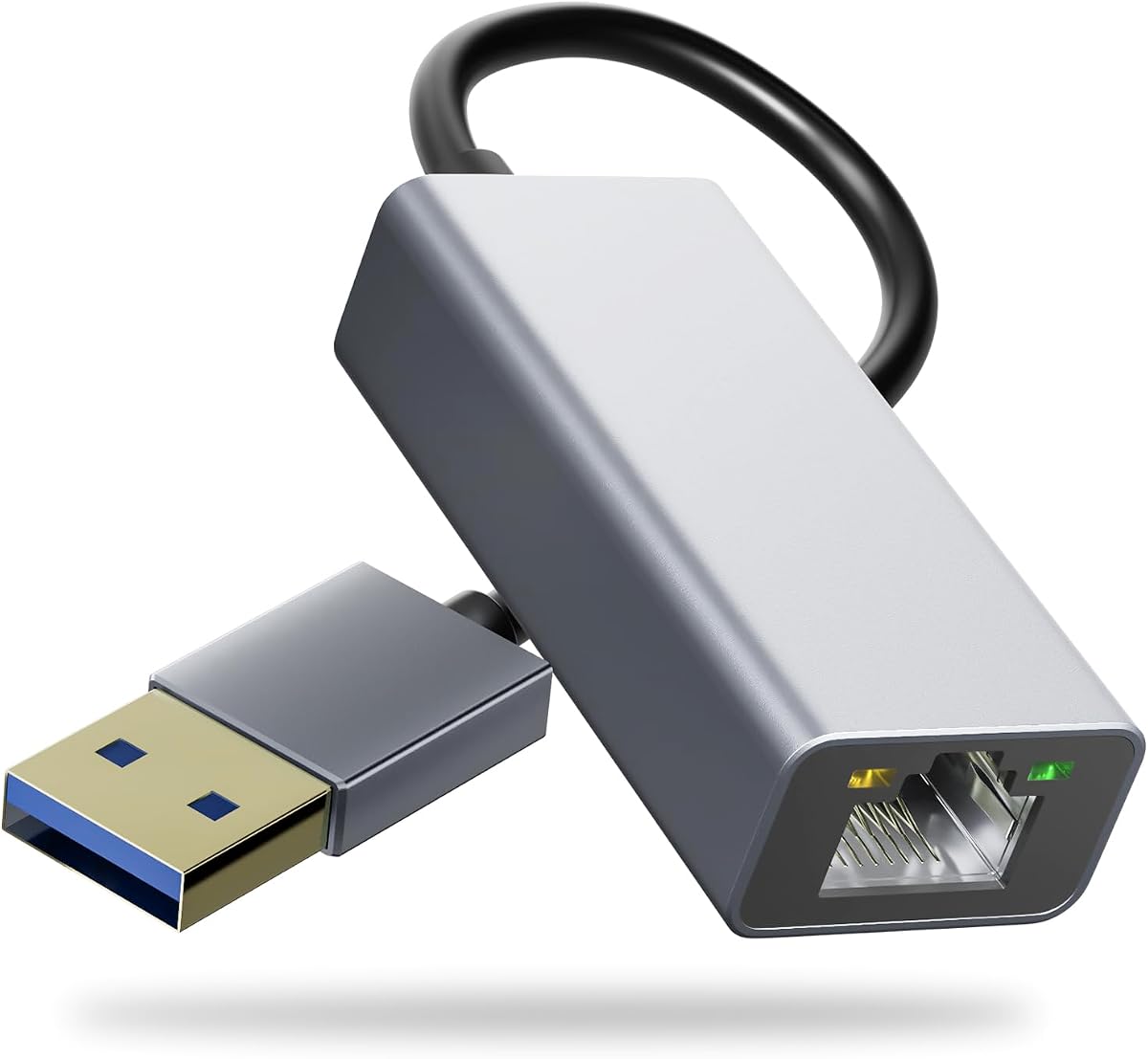

The TP-Link UE306 stands out as the top choice for Switch owners needing a reliable wired connection. With a rating of 4.6 stars from thousands of users, it delivers consistent performance without requiring complex setup steps.
We may earn a commission when you buy through this link, at no additional cost to you.
Its USB 3.0 interface ensures you get the full 1Gbps speed available through your Switch dock, making downloads and online gaming significantly smoother than wireless options. The plug-and-play functionality means you can connect it immediately without worrying about compatibility issues.
While the build is primarily plastic, the foldable connector design adds a layer of durability for travel. The main trade-off is the shorter cable which might require a dock with a flexible USB port to accommodate larger cables.
This adapter is perfect for anyone wanting a hassle-free solution that works right out of the box. We highly recommend it for daily use due to its balance of speed, compatibility, and value.
This adapter is explicitly designed to work with the Nintendo Switch system, ensuring no firmware conflicts arise when connecting via the dock.
The compact dimensions allow you to toss it into a travel bag without taking up much space, ideal for LAN parties or visiting friends.
We may earn a commission when you buy through this link, at no additional cost to you.
The HORi LAN Adapter is the only option officially licensed by Nintendo, making it the most premium choice for serious gamers. It holds a strong 4.7 rating due to its rock-solid reliability and seamless integration with the console ecosystem.
We may earn a commission when you buy through this link, at no additional cost to you.
Because it is designed specifically for the Switch dock, it fits perfectly and ensures a stable connection that rarely drops during intense online matches. The build quality feels more robust than many third-party alternatives, justifying the higher cost for many users.
The main drawback is the price point which is significantly higher than generic USB adapters. Additionally, it lacks the versatility to be used as a high-speed adapter for PCs compared to USB 3.0 options.
If you want peace of mind and a product guaranteed to work with your console, this is the ideal pick. It is especially recommended for competitive players who cannot afford any connection instability.
Nintendo's official license ensures that this adapter meets strict quality standards and will not cause issues with your console's firmware.
Users report fewer disconnects compared to Wi-Fi, making it perfect for ranked matches where latency spikes can cost a game.
We may earn a commission when you buy through this link, at no additional cost to you.
UGREEN is known for reliable budget-friendly tech accessories, and this adapter continues that tradition with a 4.6-star rating. It delivers full 1000Mbps speeds at a fraction of the cost of premium branded options.
We may earn a commission when you buy through this link, at no additional cost to you.
The adapter is completely driver-free for modern operating systems including Windows and macOS, and it works flawlessly with the Nintendo Switch. Its small design means it barely protrudes from the dock keeping your setup clean.
While it uses a standard plastic housing which is less durable than aluminum, it gets the job done reliably for gaming and streaming. The only minor issue is the lack of a protective case or extra cable management features.
For anyone on a tight budget who still needs a fast wired connection, this is the best value on the market. It is highly recommended for casual gamers and general users.
Despite the low price, you get the full gigabit speed required for fast game updates and smooth online multiplayer experiences.
Beyond the Switch, you can use this adapter on laptops with USB-A ports for quick internet access when Wi-Fi is weak.
We may earn a commission when you buy through this link, at no additional cost to you.
This generic adapter offers a reliable alternative with a 4.5 rating focusing on standard USB 3.0 performance. It is a good choice for those who want to avoid brand premiums while still getting a functional wired connection.
We may earn a commission when you buy through this link, at no additional cost to you.
It provides stable full gigabit speeds ideal for HD streaming and fast downloads. The adapter works with most major operating systems though some older Linux systems might require a quick driver install.
The build is basic and functional with a lightweight ABS housing. The trade-off for the lower price is a less premium feel compared to aluminum adapters on the market.
It is suitable for home use where budget is a priority. We recommend it for anyone needing a backup adapter or secondary connection for their console.
This adapter works with a wide range of devices beyond the Switch making it a versatile addition to your tech accessories collection.
By using a wired connection you eliminate wireless interference from other devices ensuring a smoother gaming session.
We may earn a commission when you buy through this link, at no additional cost to you.
UGREEN elevates this adapter with an aluminum shell that looks great and manages heat better than plastic alternatives. With a 4.6 rating, it is known for its solid construction and reliable performance in demanding setups.
We may earn a commission when you buy through this link, at no additional cost to you.
The metal housing not only looks stylish but also helps dissipate heat during long gaming sessions preventing thermal throttling. A small LED indicator light helps you confirm the connection status at a glance.
It is slightly larger than ultra-compact models which might make it harder to fit in tight docking setups. Additionally, older Windows systems may require driver installation unlike newer plug-and-play systems.
This adapter is perfect for users who value build quality and aesthetics. It is recommended for those who want a premium feel without paying for Nintendo branding.
The aluminum casing conducts heat away from the internal chip keeping the device cool during extended usage periods.
The LED light provides an immediate visual check to ensure your wired connection is active and functioning correctly.
We may earn a commission when you buy through this link, at no additional cost to you.
This USB-C variant is ideal for those using third-party USB-C hubs with their Switch or for use with modern laptops. It has a 4.7 rating due to its robust design and high performance across multiple device types.
We may earn a commission when you buy through this link, at no additional cost to you.
The USB-C connection future-proofs your accessory and works well with laptops that have dropped the Ethernet port entirely. It supports full gigabit speeds and is built with durable aluminum to last longer.
Note that the Nintendo Switch dock uses a USB-A port so you would need a USB-C to USB-A adapter to use this on Switch directly. The extra step can be a minor inconvenience for some users.
It is a great choice for hybrid users who game on Switch but also work on USB-C laptops. We recommend it for its versatility and premium construction.
USB-C is becoming the standard for modern devices so this adapter ensures you are ready for next-generation connectivity standards.
Like other aluminum models this version features a sturdy housing that protects internal components from daily wear and tear.
We may earn a commission when you buy through this link, at no additional cost to you.
The JEMDO adapter is unique because it features both USB-C and USB-A plugs on the same unit offering maximum flexibility. It has a strong 4.7 rating for users who switch between different device types regularly.
We may earn a commission when you buy through this link, at no additional cost to you.
You can plug it directly into a Switch dock with USB-A or a modern laptop with USB-C without needing adapters. The design is compact and the shell is built to withstand accidental drops and impacts.
The main consideration is ensuring you use the correct connector side for your device as using the wrong one might not fit. This adds a small step to the setup process compared to single-head adapters.
This is the ultimate choice for travel or for households with mixed device types. We recommend it for anyone needing one solution for all their devices.
Carrying one adapter for all your devices reduces clutter in your travel bag simplifying your setup at hotels or LAN parties.
The dual design saves you from buying separate cables for different devices which saves money and reduces electronic waste.
We may earn a commission when you buy through this link, at no additional cost to you.
Plugable is a trusted name in connectivity with a 4.6 rating based on decades of experience. Their adapters are known for stability and long-term reliability making them great for consistent gaming.
We may earn a commission when you buy through this link, at no additional cost to you.
This model uses a proven ASIX chipset known for low latency and stable data transfer. The lifetime support is a unique benefit that ensures you can get help if any issues arise in the future.
While it is slightly more expensive than basic adapters the peace of mind from the support is valuable. The physical design is standard but functional and effective for daily use.
We recommend this for users who prioritize long-term reliability over the lowest price. It is a solid choice for both casual and competitive gaming.
If you encounter any connectivity issues the team provides lifetime support so you never feel stranded after purchase.
The chipset used has been tested in many environments ensuring it performs well even under heavy network loads.
We may earn a commission when you buy through this link, at no additional cost to you.
This adapter has a 4.7 rating from users who appreciate its reliability and compact form. It uses an advanced IC chip to ensure stable data transfers without dropping connection during online play.
We may earn a commission when you buy through this link, at no additional cost to you.
It delivers full gigabit speeds ideal for competitive gaming and streaming. The design is lightweight and travel-ready making it easy to carry in a pocket or bag for on-the-go gaming.
The build is standard plastic which is less durable than metal options but sufficient for most users. It is a solid performer without any major flaws reported in user reviews.
We recommend this for anyone looking for a reliable and compact solution. It is perfect for users who value performance and portability equally.
The high rating indicates that most users have had positive experiences with its performance and reliability over time.
The IC chip inside helps manage data flow efficiently reducing latency which is critical for smooth online multiplayer.
We may earn a commission when you buy through this link, at no additional cost to you.
This UGREEN model distinguishes itself with a durable braided cable that resists tangling and fraying over time. It carries a 4.6 rating for its solid construction and dependable performance in daily use.
We may earn a commission when you buy through this link, at no additional cost to you.
The aluminum shell and braided cable suggest a product built to last longer than standard plastic adapters. It offers full gigabit speeds and looks stylish on any desk setup.
The braided cable adds some bulk to the setup which might not fit in very tight docking slots. It is also slightly more expensive than basic models due to the extra durability features.
We recommend this for users who want a long-lasting adapter that looks professional. It is ideal for home setups where the cable might be moved frequently.
The braided exterior protects the inner wires from damage extending the life of the adapter compared to standard rubber cables.
The sleek aluminum finish resists fingerprints and looks great next to your console or laptop keeping your setup tidy.
We may earn a commission when you buy through this link, at no additional cost to you.
Choosing the right adapter requires looking at speed, build, and compatibility to ensure a stable connection.
For the best online gaming experience you want an adapter that supports Gigabit speeds. All adapters in this guide offer 1Gbps which is ideal for fast downloads and stable multiplayer matches.
Always ensure the adapter matches your network capabilities to avoid bottlenecks.
The Nintendo Switch does not support installing drivers manually so you need an adapter that works without software. Look for products that explicitly state driver-free or Plug and Play compatibility.
This ensures you can start gaming immediately without technical hurdles.
Aluminum adapters tend to dissipate heat better and feel more robust than plastic ones. If you travel often with your console consider a model with a reinforced connector or braided cable.
Durable materials ensure your adapter lasts longer under frequent use.
The Switch dock uses a USB Type-A port so most adapters use a standard USB-A connector. If you plan to use this with modern laptops check for USB-C options or dual connector models.
Matching the port type prevents the need for extra adapters.
Some adapters have a small compact design that barely sticks out of the dock which is useful for tight spaces. Larger models might provide better heat dissipation but can be less portable.
Choose a size that fits your travel needs and docking setup.
Officially licensed adapters like HORi ensure maximum compatibility but often cost more. Third-party options from trusted brands like TP-Link or UGREEN are usually safe and more affordable.
Weigh the cost against the need for official certification.
Budget adapters offer great performance for a fraction of the cost of premium ones. Decide if you need specific features like aluminum build or lifetime support to justify the extra cost.
Most users will find excellent value in the mid-range options.
Some brands offer lifetime support which can be valuable if issues arise. Check the warranty terms before buying to ensure you are covered if the product fails.
Good support adds peace of mind to your purchase.
To set up simply plug the USB end of the adapter into your Nintendo Switch dock and connect an Ethernet cable to the RJ45 port. The console should automatically detect the wired connection and switch from Wi-Fi.
Ensure your Ethernet cable is firmly plugged into both the adapter and your router or modem to avoid loose connections. Test your connection in the Switch network settings to confirm stability before playing.
Care for your adapter by avoiding sharp bends in the cable and keeping it away from heat sources. Wipe it down occasionally to remove dust which can help maintain optimal performance over time.
Not all adapters work because the Switch does not allow manual driver installation. You must choose an adapter that supports the Switch out of the box. Many USB 3.0 adapters with Realtek or ASIX chips are compatible.
Wired connections significantly reduce lag compared to Wi-Fi by removing signal interference. However, internet speed depends on your ISP and router quality. An adapter ensures local hardware is not the bottleneck.
The standard Switch dock has a USB-A port so you need a USB-A adapter. If you use a USB-C hub compatible with Switch then a USB-C adapter works. Otherwise stick to standard USB-A models.
No the Nintendo Switch does not allow users to install drivers manually. You must buy an adapter that is plug and play. Most top adapters on this list are designed to work without drivers.
Official adapters guarantee compatibility but generic ones from trusted brands are often just as reliable. Consider your budget and whether extra cost is needed for peace of mind. Most users are fine with high-quality third-party options.
The Switch will show a wired icon in the network settings if it is working. If the adapter has an LED light check that it is blinking. You can also test your connection speed in the system menu.
The TP-Link UE306 stands out as our top pick for its balance of speed and ease of use. It offers reliable Gigabit performance without requiring complex setup making it ideal for most gamers.
For those seeking premium build quality the HORi licensed adapter provides unmatched peace of mind. However budget-conscious users will find excellent value in the UGREEN models which perform just as well.
Remember to check current prices and availability as they fluctuate frequently. Investing in a quality adapter will significantly improve your online gaming experience on the Switch.