
Logitech B100
4.6Editor score
Ambidextrous shape
Zero setup connection
Recycled plastic parts
Discover the top durable computer mouse options for 2026. This guide compares ten reliable models for long lasting performance and comfort.
Finding a durable computer mouse is essential for anyone who spends hours daily navigating digital interfaces. Whether you are a professional, a student, or a casual user, a reliable pointing device ensures productivity and comfort throughout your workflow without constant replacements.
This guide evaluates ten top rated models based on build quality, battery longevity, ergonomic design, and overall reliability. We have analyzed specifications, user feedback, and manufacturer warranties to identify mice that withstand daily wear and tear while maintaining precise performance.
Each selection highlights specific strengths such as wireless connectivity, wired stability, or unique scrolling mechanisms. Please note that availability and pricing may fluctuate over time, so verify current details before purchasing to ensure you get the best value for your needs.
4.6Editor score

4.5Editor score

4.5Editor score
The following table provides a side by side overview of all ten selected durable computer mouse models. Compare key specifications and features to determine which device best aligns with your specific usage requirements and budget constraints.





The Logitech M705 Marathon stands out as a top choice for users seeking a durable computer mouse with minimal maintenance. With a rating of 4.5 stars, it is celebrated for its ability to go up to three years on a single set of batteries. This endurance reduces waste and cost over time.
We may earn a commission when you buy through this link, at no additional cost to you.
Its hyper-fast scrolling mechanism allows you to navigate long documents effortlessly with a nearly frictionless metal wheel. The laser grade tracking ensures smooth cursor movement even on challenging surfaces like wood or polished tables. Two thumb buttons provide quick access to navigation tasks.
The Unifying receiver stays securely in your laptop, minimizing the risk of loss. However, the mouse is designed specifically for right-hand users, which might limit left-handed use. Despite this, the ergonomic shape supports comfortable extended sessions without strain.
For professionals needing a reliable wireless mouse, the M705 Marathon delivers consistent performance. It balances power efficiency with responsive tracking, making it an excellent long-term investment for office or home use.
The Marathon model consumes significantly less power than comparable wireless mice, enabling years of use before battery replacement is needed.
The metal scroll wheel offers two modes: precision scrolling for text and hyper-fast for web pages, enhancing productivity across different tasks.
We may earn a commission when you buy through this link, at no additional cost to you.
The Logitech B100 offers a straightforward and reliable solution for users prioritizing durability and simplicity. With a high rating of 4.6 stars, it proves that a durable computer mouse does not need to be expensive or complex. It connects directly via USB for instant use.
We may earn a commission when you buy through this link, at no additional cost to you.
Its ambidextrous design feels comfortable in either hand, making it versatile for shared workspaces. The 800 DPI sensor provides precise cursor control for standard tasks like document editing and web navigation. Side-to-side scrolling helps manage spreadsheets efficiently.
While it lacks wireless convenience or customizable buttons, the wired connection eliminates latency and battery concerns. The build uses certified recycled plastic, aligning with sustainability goals. This makes it an eco-friendly choice for basic computing needs.
Ideal for students or office setups requiring multiple units, the B100 delivers dependable performance without unnecessary features. It is a practical tool for those who value function over form and want a mouse that simply works.
This mouse works flawlessly with Windows and Mac systems right out of the box, requiring no software installation or configuration steps.
A significant portion of the plastic parts consists of certified post-consumer recycled materials, reducing environmental impact during production.
We may earn a commission when you buy through this link, at no additional cost to you.
The Logitech Signature M650 L combines premium features with exceptional durability for professionals seeking a high-end mouse. Rated 4.5 stars, it offers a silent typing experience with 90 percent less click noise. This makes it ideal for quiet environments like libraries or open offices.
We may earn a commission when you buy through this link, at no additional cost to you.
Its SmartWheel allows instant switching between precise and fast scrolling modes. The mouse connects via Bluetooth Low Energy or Logi Bolt receiver, ensuring stable wireless performance across devices. Side buttons can be customized to favorite shortcuts using Logitech Options+ software.
Designed for larger hands, it provides a snug fit with soft thumb areas and rubber grips. Battery life extends up to two years on a single AA cell. The mouse supports multiple operating systems including Windows, macOS, and ChromeOS for seamless cross-platform use.
If you need a durable computer mouse that reduces noise and enhances workflow efficiency, the M650 L is a top choice. Its robust design and advanced features justify the investment for heavy daily users.
SilentTouch technology drastically reduces click noise, allowing users to work without disturbing colleagues or family members nearby.
You can pair the mouse with multiple devices and switch between them effortlessly using Bluetooth or the Logi Bolt receiver.
We may earn a commission when you buy through this link, at no additional cost to you.
The Logitech M185 is a compact durable computer mouse designed for portability and everyday use. It receives a 4.4 star rating from users who appreciate its simplicity. The mouse fits well in travel bags and works with laptops for remote work on the go.
We may earn a commission when you buy through this link, at no additional cost to you.
Its contoured shape feels comfortable in either hand due to its ambidextrous design. The nano receiver plugs into the USB port and stores inside the mouse when not in use. Smart sleep mode extends battery life up to one year significantly reducing maintenance.
While it lacks advanced features like side buttons, the M185 offers reliable cursor control for general tasks. The scroll wheel allows line-by-line navigation which is sufficient for document reading. It supports Windows and Mac systems without requiring extra drivers.
This model suits users who need a reliable backup mouse or a primary device for small workspaces. Its balance of durability and portability makes it a versatile option for students and professionals alike.
The compact form factor ensures easy storage in laptop sleeves, making it perfect for commuters and travelers.
Smart sleep mode automatically conserves energy when the mouse is idle, maximizing the lifespan of the included battery.
We may earn a commission when you buy through this link, at no additional cost to you.
The Logitech M510 provides a full size ergonomic design that prioritizes comfort during long work sessions. Rated 4.6 stars, it is a durable computer mouse that helps reduce hand strain. Soft rubber grips and a broad palm area support the hand naturally.
We may earn a commission when you buy through this link, at no additional cost to you.
It features side-to-side scrolling which is particularly useful for viewing wide spreadsheets or maps. Back and Forward buttons allow quick navigation through web pages or applications. The Unifying receiver stays in your laptop to connect multiple devices easily.
Battery life reaches up to two years thanks to smart sleep modes and an on/off switch. While software is needed to program buttons, the default setup works well immediately. This model supports Windows and Mac systems seamlessly.
For users seeking comfort and productivity in one package, the M510 delivers. It balances robust build quality with useful features for managing complex tasks efficiently.
Horizontal scrolling capability enhances efficiency when working with large datasets or wide images on your screen.
The Unifying receiver allows you to connect up to six compatible devices to a single USB port for a clean workspace.
We may earn a commission when you buy through this link, at no additional cost to you.
The TECKNET USB Wired Mouse is a durable option for users needing precise control without wireless latency. With a 4.5 star rating, it features Tru-Wave technology for reliable tracking on various surfaces including glass. The adjustable DPI settings offer flexibility for different screen resolutions.
We may earn a commission when you buy through this link, at no additional cost to you.
It includes six buttons with dedicated Forward and Backward keys for browser navigation. The ergonomic design with soft rubber grips conforms to the hand comfortably. A five-foot USB cable ensures enough reach for most desktop setups.
While it does not support side buttons on Mac systems, it functions well on Windows and Chromebook environments. The durable build is tested for millions of keystrokes ensuring longevity. It is an affordable solution for office tasks.
This mouse is ideal for users who prefer wired stability and need precise cursor control for editing or design work. It offers strong performance at a competitive price point.
Tru-Wave technology ensures consistent cursor movement across different surface types, improving accuracy for detailed tasks.
Four DPI levels allow you to adjust cursor speed instantly, adapting to fast browsing or precise drawing needs.
We may earn a commission when you buy through this link, at no additional cost to you.
The Logitech Signature M550 L offers a large size design tailored for users with bigger hands seeking a durable computer mouse. Rated 4.5 stars, it features SilentTouch technology to reduce click noise by 90 percent. This helps maintain focus in quiet workspaces.
We may earn a commission when you buy through this link, at no additional cost to you.
The SmartWheel provides line-by-line precision or super-fast scrolling with a simple flick. You can connect via Bluetooth Low Energy or Logi Bolt USB receiver for versatile setup. Soft thumb areas and rubber grips enhance comfort during long hours.
Battery life extends up to 24 months on a single AA cell. The mouse works across multiple platforms including Windows, macOS, Linux, and Chrome OS. This ensures seamless integration with various devices in modern environments.
For professionals needing a quiet and comfortable wireless mouse, the M550 L is an excellent choice. Its robust construction and silent operation make it suitable for daily office use.
SilentTouch technology minimizes audible clicks, making this mouse ideal for shared offices or home use where noise matters.
Compatibility with major operating systems allows easy switching between devices without needing different software.
We may earn a commission when you buy through this link, at no additional cost to you.
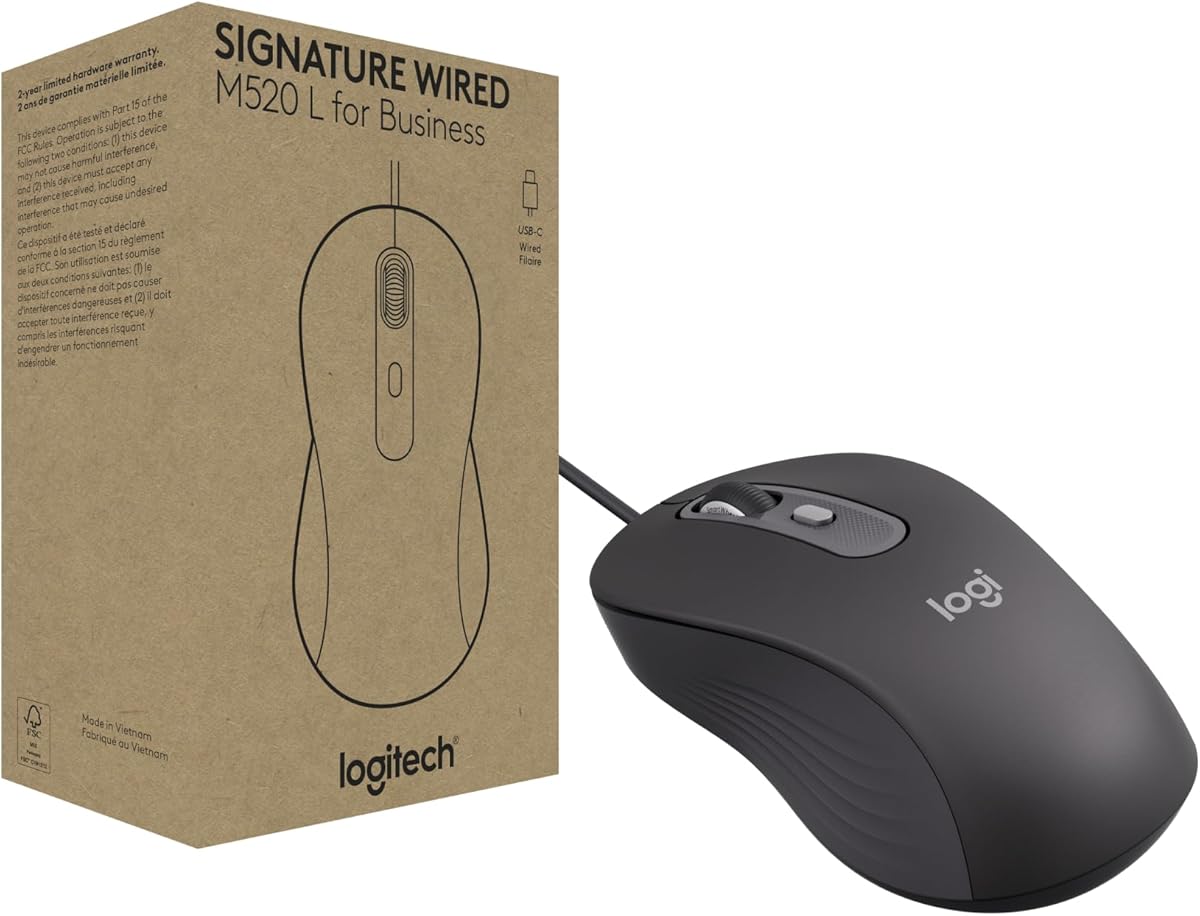
The Logitech Signature M520 L is a wired durable computer mouse designed for business and organizational use. With a 4.3 star rating, it features a USB-C connection compatible with modern devices. Silent Touch technology reduces clicking noise by 90 percent to promote focus.
We may earn a commission when you buy through this link, at no additional cost to you.
It is ambidextrous ensuring comfort for both left and right-handed users. A customizable DPI button allows one-click speed adjustments. The power-saving model consumes less energy compared to traditional mice supporting sustainability efforts.
Made with minimum 73 percent recycled plastic, it aligns with environmental goals. The mouse works across Windows, macOS, Chrome OS, and Linux systems. This simplicity ensures easy deployment across corporate devices.
Ideal for corporate environments requiring reliable silent peripherals, the M520 L delivers professional performance. Its durable build and modern connectivity make it a practical choice for offices.
Constructed with high percentage recycled materials, this mouse supports eco-friendly procurement policies for businesses.
Reduced noise levels make it suitable for open plan offices where distractions should be minimized during work hours.
We may earn a commission when you buy through this link, at no additional cost to you.
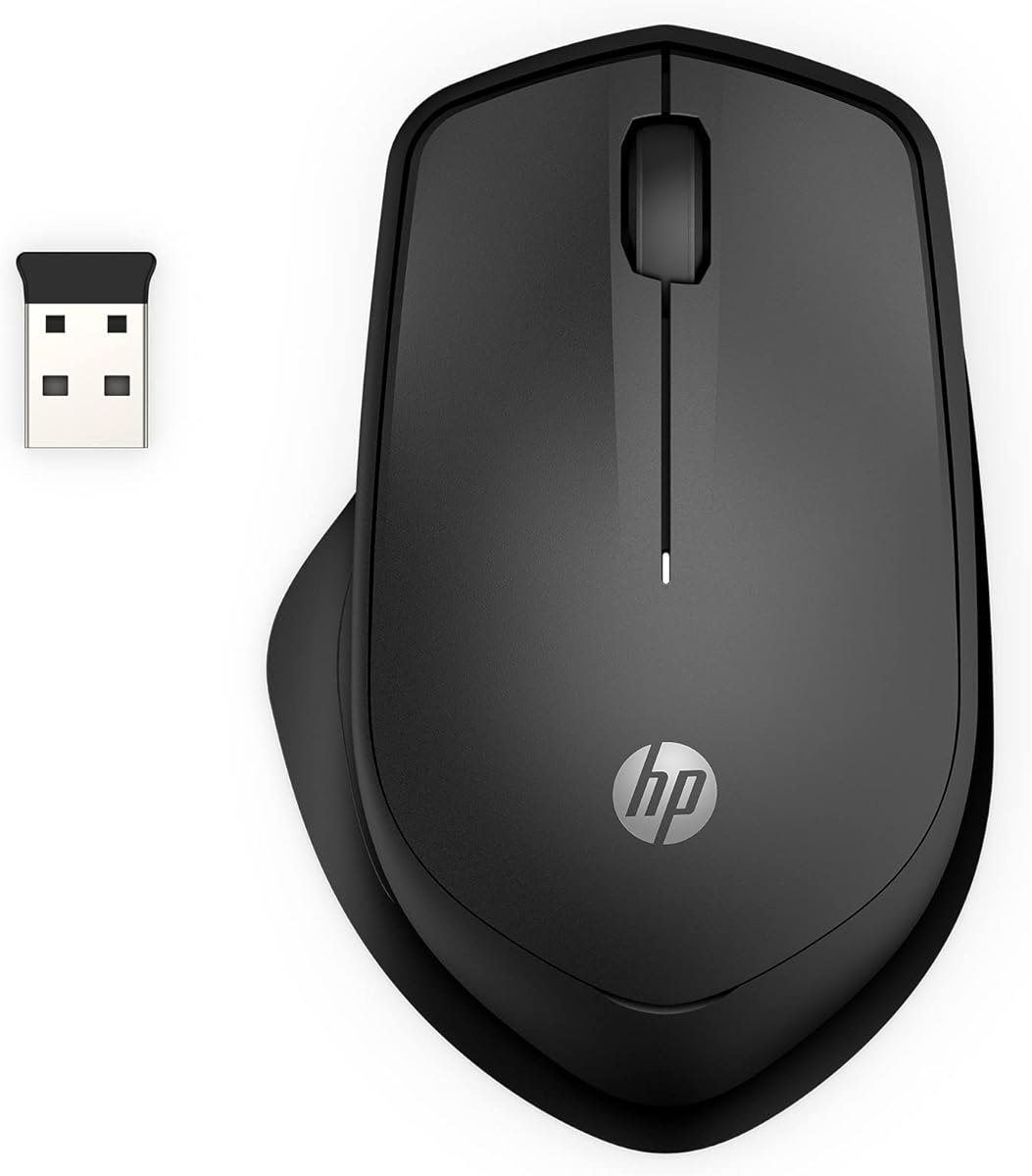
The HP 280 Silent Wireless Mouse provides a quiet and durable computer mouse for right-handed users. Rated 4.5 stars, it features up to 90 percent noise reduction on buttons. This makes it perfect for shared spaces or late-night work sessions.
We may earn a commission when you buy through this link, at no additional cost to you.
Multi-surface technology ensures smooth tracking without requiring a mouse pad. The ergonomic design fits comfortably in the hand for long use. Battery life reaches up to 18 months on one AA cell ensuring minimal interruptions.
A 1600 DPI sensor provides reliable precision for standard tasks. The nano receiver stores inside the mouse for easy portability. It supports Windows, Chrome OS, and Mac systems effectively.
For those seeking a quiet and reliable wireless option, the HP 280 is a solid choice. Its combination of comfort and silent performance meets daily productivity needs.
Silent click technology significantly lowers sound output, allowing discreet usage in quiet environments.
Advanced tracking technology enables smooth cursor movement on various surfaces without the need for additional accessories.
We may earn a commission when you buy through this link, at no additional cost to you.
The Acer Wireless Mouse offers adjustable sensitivity making it a versatile durable computer mouse for various tasks. With a 4.3 star rating, it supports five DPI levels up to 4000. This flexibility aids users switching between browsing and precise design work.
We may earn a commission when you buy through this link, at no additional cost to you.
It features an indicator light showing current settings and battery status. The click-to-wake function extends battery life by entering standby after inactivity. Forward and backward buttons enhance navigation speed through web pages and files.
Tested for up to 10 million clicks, the device promises long-term durability. The USB receiver stores inside the mouse to prevent loss. It works well with Windows and laptop setups requiring a wireless connection.
This mouse is a cost-effective option for users needing high sensitivity and navigation shortcuts. Its robust design and adjustable features make it a practical tool for everyday computing.
Built-in LED indicators provide clear visibility of DPI settings and battery status ensuring users stay informed.
Rated for 10 million clicks, this mouse is engineered to withstand heavy daily use without performance degradation.
We may earn a commission when you buy through this link, at no additional cost to you.
Selecting a durable computer mouse involves evaluating build quality, connectivity options, and ergonomic design to match your workflow.
Durability is determined by the materials used in manufacturing. Look for mice with reinforced buttons and sturdy plastic that resists cracking over time. Recycled plastic options can be more sustainable without compromising strength.
Always check the estimated click count and warranty period to gauge longevity before purchasing.
Wireless mice offer mobility but require batteries and can have latency. Wired models provide stability without power concerns but limit movement range. Choose based on whether portability or consistent connectivity is your priority.
Ensure wireless receivers stay securely in your device or opt for Bluetooth to reduce clutter.
Long battery life reduces interruptions for wireless users. Look for models with smart sleep modes that conserve energy when idle. Some high-end mice promise years of use on a single charge or battery cell.
Rechargeable options are available but add cost; consider your charging habits before deciding.
Comfort is crucial for preventing strain during long sessions. Ergonomic shapes fit naturally in your hand to reduce fatigue. Look for soft rubber grips and sculpted bodies that support the wrist and fingers.
Ambidextrous designs offer flexibility if you switch hands or share the device with others.
High DPI sensors allow precise cursor control for detailed tasks. Adjustable DPI settings help switch between browsing and editing modes easily. Laser sensors work on more surfaces than optical ones for better versatility.
Ensure tracking is smooth without jitter even when moving quickly across the desk.
Programmable buttons enhance productivity by assigning shortcuts to common actions. Check if the mouse supports software for customization. Forward and backward buttons are particularly useful for web navigation and file management.
Some models limit customization without specific software; verify compatibility with your operating system.
A durable mouse should work seamlessly with your existing devices. Verify support for Windows, macOS, or Linux systems. Multi-device support allows switching between laptops and tablets for a flexible setup.
Wireless protocols like Bluetooth or proprietary receivers must match your computer's ports for easy setup.
Eco-friendly models use recycled materials and energy-efficient designs. Look for certifications indicating post-consumer recycled content. Long battery life and durable construction also reduce electronic waste over time.
Prioritizing sustainable options supports environmental goals while ensuring long-term value for your investment.
Start by placing the mouse on a clean smooth surface to ensure optimal tracking performance. If using a wireless model, insert the battery and turn on the power switch before pairing with your device.
Clean the underside of the mouse regularly to remove dust that may interfere with the sensor. Use a soft cloth to wipe the exterior avoiding harsh chemicals that could damage rubber grips or finishes.
For long-term care, store the mouse in a dry place away from extreme temperatures. Replace batteries promptly when they run low to prevent leaks. Check for firmware updates if using a wireless model to maintain performance.
Look for specifications indicating high click endurance like 10 million clicks. Check user reviews for long-term reliability and warranty periods offered by the manufacturer. A sturdy build quality often correlates with better resistance to daily wear and tear.
Wired mice generally last longer because they do not rely on batteries or wireless modules. However modern wireless mice with efficient power management can operate for years without battery changes. Choose based on your need for mobility versus constant power.
Yes many modern durable mice feature laser or advanced optical sensors that track on glass. Verify the product specifications mention multi-surface technology before purchasing for smooth movement.
Smart sleep modes and on/off switches are key features that conserve power. Wireless mice with efficient transmission protocols also reduce energy consumption. Using rechargeable batteries can further lower costs over time.
Ergonomic design reduces physical strain which can indirectly extend the usable life of the mouse by preventing accidental drops or rough handling. It also ensures comfort during extended use sessions.
Use a soft cloth to wipe down the exterior. For the sensor lens use a dry cotton swab to remove dust. Avoid spraying liquids directly on the mouse to prevent internal damage.
The top picks in this guide include the Logitech M705 Marathon, Logitech B100, and Logitech M650 L for their proven reliability and comfort. Each offers unique strengths depending on whether you need wireless freedom or wired stability.
Prioritize features like battery life, ergonomic shape, and build materials that align with your daily tasks. A durable mouse is an investment in productivity and long-term value for your workspace.
Remember to check current prices and availability before purchasing to ensure you get the best deal for your needs.