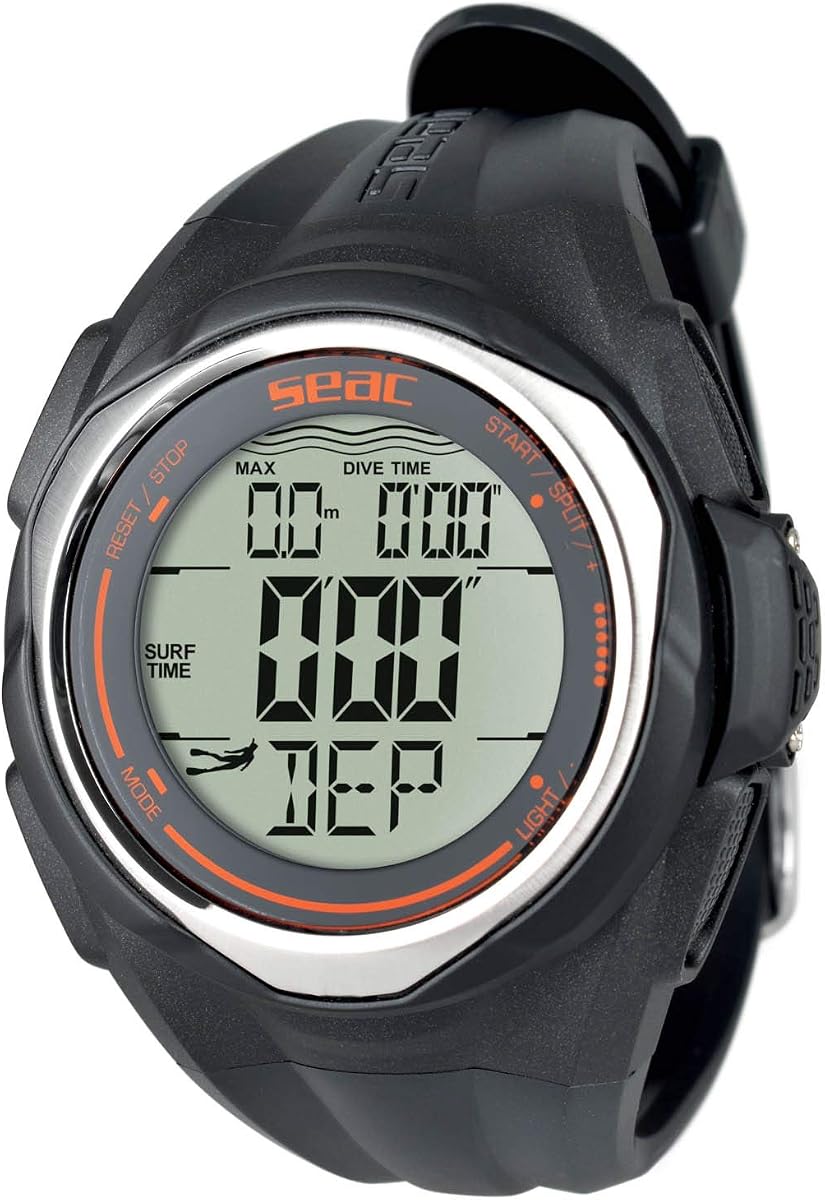
SEAC Partner
4.0Editor score
Freediving focused
Simple stopwatch function
Compact design
This guide compares the top dive computer for beginners focusing on safety features interface simplicity and durability to help new scuba divers choose the
Starting your scuba diving journey requires reliable equipment to ensure safety underwater. A dive computer tracks depth time and no decompression limits helping you manage your ascent safely.
We evaluated ten top models based on ease of use display clarity battery life and connectivity. Our selection includes wrist mounted and watch style options suitable for new divers.
Each pick highlights key features and real world performance metrics to guide your decision. Prices and availability may change so verify current details before purchasing your next dive tool.
4.0Editor score

4.8Editor score
4.2Editor score
The following table provides a side by side overview of key specifications for all ten selected dive computers. Use this to quickly compare features like connectivity depth ratings and interface styles before diving deeper into individual reviews.


The Mares Puck Pro EZ stands out as a top choice for new divers needing reliable tracking. Its high contrast screen ensures data is readable even in low light underwater environments.
We may earn a commission when you buy through this link, at no additional cost to you.
The single button interface simplifies menu navigation significantly. You can easily toggle between depth time and no deco limits without fumbling underwater. The replaceable power source supports up to 100 dives ensuring longevity.
While it lacks a built in compass the core decompression algorithms are accurate and safe. The Bluetooth connectivity allows for easy log uploads to your phone which is a nice touch for sharing adventures.
This unit is ideal for beginners who want straightforward performance without unnecessary complexity. Its reliability and clarity make it a strong recommendation for anyone starting their scuba journey.
The bright high contrast screen ensures you can always read critical data like depth and no deco limits quickly.
Seamless Bluetooth transfer makes logging dives and sharing stats with friends effortless after every session.
We may earn a commission when you buy through this link, at no additional cost to you.
The SEAC Partner is an entry level device perfect for those exploring freediving or basic surface activities. It focuses on timing and counting dives rather than deep decompression tracking.
We may earn a commission when you buy through this link, at no additional cost to you.
Its stopwatch and countdown functions are straightforward to use. The display is backlit helping with visibility in darker conditions. It records up to 99 sessions so you can track your progress over time.
The lack of depth tracking limits its use for scuba diving but fits freediving well. The water resistance up to 100 meters is sufficient for surface level activities and shallow dives.
If you are on a tight budget and just need a timer for breath holding sessions this is a solid pick. It is lightweight and easy to carry making it convenient for travel.
Built in stopwatch and countdown features provide essential timing tools for free dives without complex menus.
This model offers a low cost entry point for those wanting to track freediving sessions without high prices.
We may earn a commission when you buy through this link, at no additional cost to you.
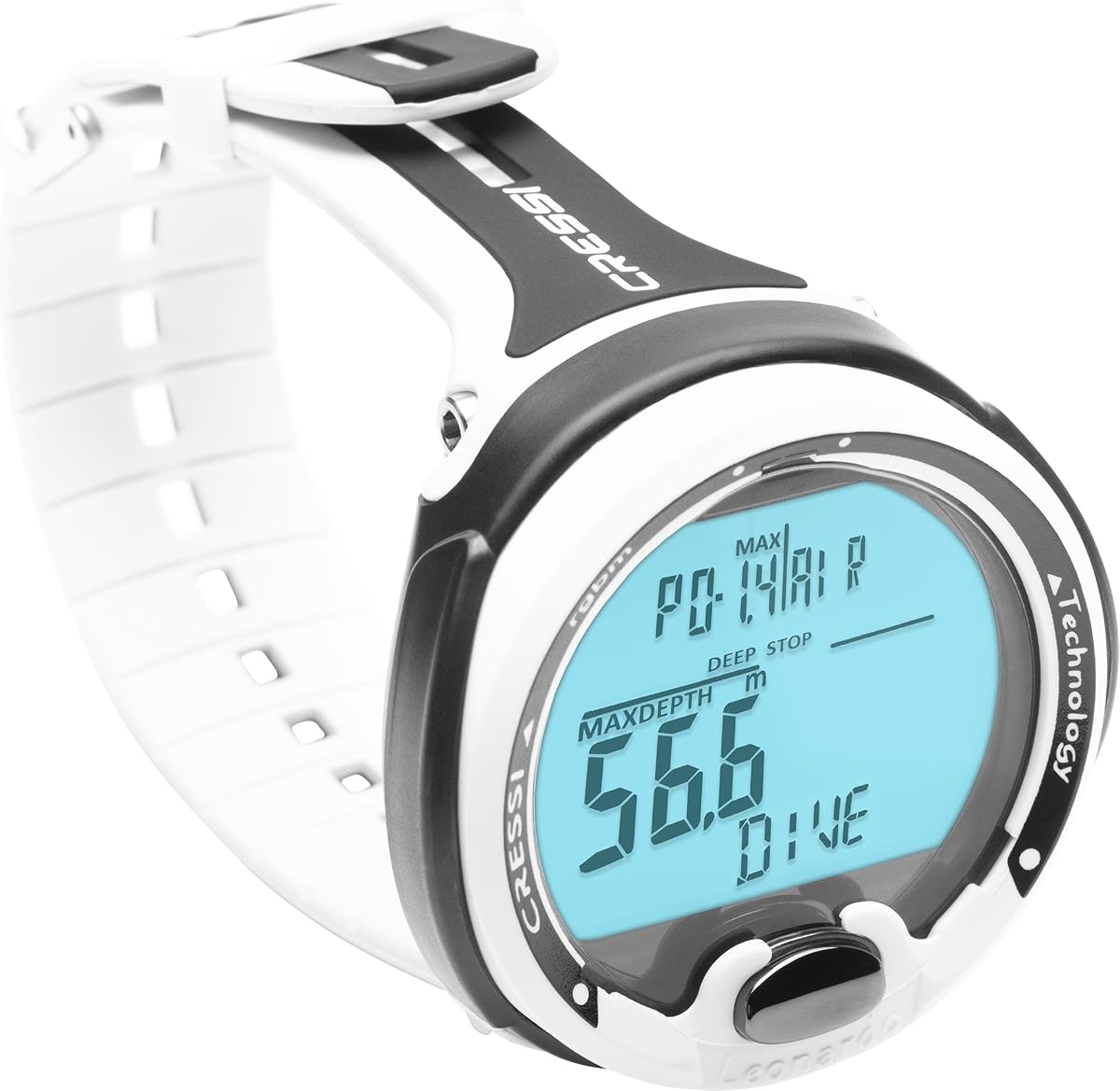
The CRESSI Leonardo 2.0 G2 brings Italian craftsmanship to your underwater adventures with a focus on safety. It supports Air Nitrox and Gauge modes for various scuba setups.
We may earn a commission when you buy through this link, at no additional cost to you.
The simplified control interface makes navigation easy with just one button. Visual and audible alarms ensure you catch important alerts quickly enhancing safety during dives. It pairs with iOS and Android for comprehensive tracking.
While the single button is simple it might feel limiting for advanced users needing quick access. However for beginners this ensures you won't accidentally change settings underwater. Data management is efficient via USB and infrared.
This unit is a premium choice for those willing to invest in long term reliability and safety features. Its connectivity and mode variety make it a robust tool for growing divers.
Supporting Air Nitrox and Gauge modes allows you to grow with this computer as your skills improve.
Visual and audible alerts ensure you are always aware of critical dive data changes underwater.
We may earn a commission when you buy through this link, at no additional cost to you.
The Shearwater Research Peregrine offers a robust two button interface that is intuitive for new divers. Its state aware menu structure ensures you only see relevant options at any time.
We may earn a commission when you buy through this link, at no additional cost to you.
Battery life per charge reaches up to 30 hours on medium brightness. The included USB wireless charging station adds convenience. The 316 stainless steel buttons provide durability against saltwater and impacts.
It is larger than a typical watch which might feel bulky for some. However the ease of use and reliable tracking make up for the size. It is a solid choice for those prioritizing function over style.
Ideal for divers who want a standalone computer without relying on phone apps. The wireless charging and long battery life ensure you are ready for multiple dives without worry.
The state aware menu adapts to your diving mode showing only relevant options to reduce confusion.
Included USB wireless charging station makes recharging simple and eliminates the need for cables.
We may earn a commission when you buy through this link, at no additional cost to you.
The Garmin Descent X30 features a rugged design with surface GPS for navigating to dive sites. Its large screen allows for more data visibility including depth and NDL metrics.
We may earn a commission when you buy through this link, at no additional cost to you.
The housing uses recycled ocean bound plastics aligning with eco conscious values. Surface GPS helps mark entry and exit points. You can customize screens with up to three data fields per page.
While powerful it might be overwhelming for a first time diver. The flip screen mode is useful for different wearing positions. The onboard water temperature sensor helps find thermoclines easily.
Best for divers who want a full featured tool for future growth. The GPS capabilities make it stand out for trip planning and surface navigation.
Built in GPS helps you navigate to dive sites and mark entry and exit points effectively.
Customize screens with multiple data fields to see the exact info you need at a glance.
We may earn a commission when you buy through this link, at no additional cost to you.
The Cressi Donatello offers a streamlined single button interface ideal for novice divers. It transitions between air and nitrox modes effortlessly providing flexibility.
We may earn a commission when you buy through this link, at no additional cost to you.
The freediving gauge mode adds versatility for breath hold sessions. User selectable deep stops help with personalized ascent management. Data transfer is simplified with the optional IR interface.
While the IR interface is optional it may require extra gear for some users. The customizable ascent planning helps ensure safety. The design is friendly for those new to diving.
This computer balances simplicity and functionality well. It is a great option for those who want one device for both scuba and freediving activities.
Seamlessly transition between air nitrox and freediving modes to suit various water activities.
User selectable deep stops allow you to tailor ascent safety to your specific dive needs.
We may earn a commission when you buy through this link, at no additional cost to you.
The Cressi Raffaello simplifies underwater navigation with a built in digital compass. This eliminates the need for a separate compass enhancing your dive experience with precision.
We may earn a commission when you buy through this link, at no additional cost to you.
The RGBM based mixed gas planning system allows meticulous preparation for multiple gas mixes. Bluetooth and USB connectivity provide dual options for data transfer. The battery offers an expected life of 4 years.
The battery is not user replaceable which might limit long term customization. However the long life reduces maintenance downtime. The apnea mode supports freediving activities effectively.
A strong choice for divers who value navigation tools integrated into their watch. The versatility in modes makes it suitable for varied underwater activities.
A built in digital compass ensures you never need to carry a separate tool underwater.
With an expected 4 year life the battery reduces maintenance downtime significantly.
We may earn a commission when you buy through this link, at no additional cost to you.
The Garmin Descent Mk3i features a stunning AMOLED display and titanium bezel for luxury. Dive readiness tools help you plan better based on lifestyle factors like sleep and stress.
We may earn a commission when you buy through this link, at no additional cost to you.
Advanced SubWave sonar allows preset diver to diver messages. A built in LED flashlight provides visibility in low light conditions. Multi band GPS ensures accurate surface tracking.
The price point is high and it may be too complex for a basic beginner. However the health monitoring and fitness apps support an active lifestyle. It is a premium tool.
Best for tech savvy divers who want a comprehensive watch for everything. The advanced features ensure you have every tool needed for safety and health.
Built in health monitoring tracks sleep and stress to improve your dive readiness.
SubWave sonar allows communication with other divers and tank monitoring underwater.
We may earn a commission when you buy through this link, at no additional cost to you.
The Garmin Descent G2 uses recycled ocean bound plastics for its housing aligning with eco values. It supports all types of diving from recreational to technical. Smartwatch capabilities include contactless payments.
We may earn a commission when you buy through this link, at no additional cost to you.
Multi GNSS support allows you to mark entry and exit points accurately. Advanced training features track VO2 max to monitor physical adaptation. Health monitoring gives insights on body battery and sleep.
While advanced it might be overkill for a first dive. However the durability and smart features are top notch. The 10 ATM rating ensures it withstands deep dives.
Ideal for divers who want a sustainable and smart tech solution. The comprehensive tracking helps you stay active and informed beyond the water.
100 percent recycled ocean bound plastics make this device an eco friendly choice.
Contactless payments and smart notifications keep you connected when you are out of the water.
We may earn a commission when you buy through this link, at no additional cost to you.
The SUUNTO D5 offers a compact color display with wireless tank pressure support. Its digital compass helps with navigation without extra gear. Vibration alarms ensure alerts are felt even in noisy environments.
We may earn a commission when you buy through this link, at no additional cost to you.
The wireless mobile connection keeps you updated on dive data. It is designed to be sleek and easy to wear. The 100m water resistance suits most recreational dives well.
While it has lower ratings than some others it remains a solid entry level option. The wireless features reduce the need for complex cables. It is lightweight and convenient.
Best for those seeking a simple stylish tracker with essential alerts. The vibration alarms and compass make it a safe choice for beginners.
Wireless tank pressure monitoring allows you to see data without complex sensor cables.
Vibration alarms ensure critical safety alerts are felt clearly even in noisy water conditions.
We may earn a commission when you buy through this link, at no additional cost to you.
Choosing a dive computer requires considering key factors to ensure safety and usability underwater. Use these points to find a model that matches your diving style and budget.
For beginners a simple interface with one or two buttons reduces confusion underwater. Look for menus that adapt to your current mode so you only see relevant data.
Prioritize models with intuitive controls to avoid errors during critical moments.
A clear high contrast screen ensures you can read depth and time in all lighting. Backlit displays are essential for early morning or night dives.
Choose a screen size that is large enough to read easily while wearing gloves.
Ensure the unit supports the type of diving you plan to do. Air and Nitrox modes are standard for beginners while freediving requires a specific algorithm.
Having versatile modes allows you to grow with the device as you advance.
Check how long the battery lasts on a single charge or replacement. Some units support hundreds of dives while others need frequent recharging.
Longer battery life reduces downtime and ensures the unit is ready for every trip.
Bluetooth or USB ports let you transfer dive logs to your phone or computer. This helps track progress and share experiences with friends.
Seamless data sync enhances the utility of your dive computer beyond the water.
Visual audible or vibration alarms alert you to critical changes in depth or no deco limits. These safety features prevent dangerous situations.
Prioritize computers with reliable alarm systems for peace of mind underwater.
Look for water resistance ratings and sturdy materials like stainless steel or durable plastics. Saltwater exposure can affect internal components over time.
Robust construction ensures the unit withstands the harsh marine environment for years.
A compact lightweight design makes the computer comfortable to wear during long dives. Bulky units can interfere with wetsuit cuffs or gear.
Choose a size that fits your wrist securely without adding unnecessary weight.
Before each dive ensure the battery is charged or replaced. Verify that the unit is powered on and functioning correctly by checking the display for errors.
During the dive keep an eye on depth and no deco limits. Adjust your ascent rate if alarms trigger to maintain safety margins. Avoid pressing buttons unnecessarily underwater.
After use rinse the device with fresh water to remove salt and sand. Store it in a cool dry place away from direct sunlight. Regular maintenance ensures longevity and accurate readings.
Yes a dive computer provides real time data that helps you stay safe underwater. It tracks depth time and decompression limits which are critical for preventing injuries.
Some models support both modes but it is best to check specifications. Dedicated freediving computers may lack scuba features so verify compatibility before buying.
It depends on usage but most units last for hundreds of dives. Check the manufacturer recommendations and replace it when low battery warnings appear.
Wireless features like Bluetooth make data transfer easier. If you plan to log dives digitally it can be a valuable investment for convenience.
It is the maximum time you can stay at a certain depth without needing a safety stop. The computer calculates this based on depth and previous dive history.
Most dive shops offer rentals but owning one ensures you have a unit you know how to use. It also saves money over multiple rental fees.
Rinse the sensor with fresh water and gently wipe with a soft cloth. Avoid harsh chemicals that could damage the internal components.
Try resetting the unit by removing the battery or restarting it. If the issue persists contact the manufacturer for support or repair.
We reviewed ten top dive computers for beginners focusing on ease of use and safety. The Mares Puck Pro EZ leads as a top choice due to its reliability and clarity.
Prioritize simple menus clear displays and strong battery life when making your decision. These factors ensure a safe and stress free experience underwater.
Always check current pricing and availability before purchasing. Models vary by region and time so stay updated on the latest options.