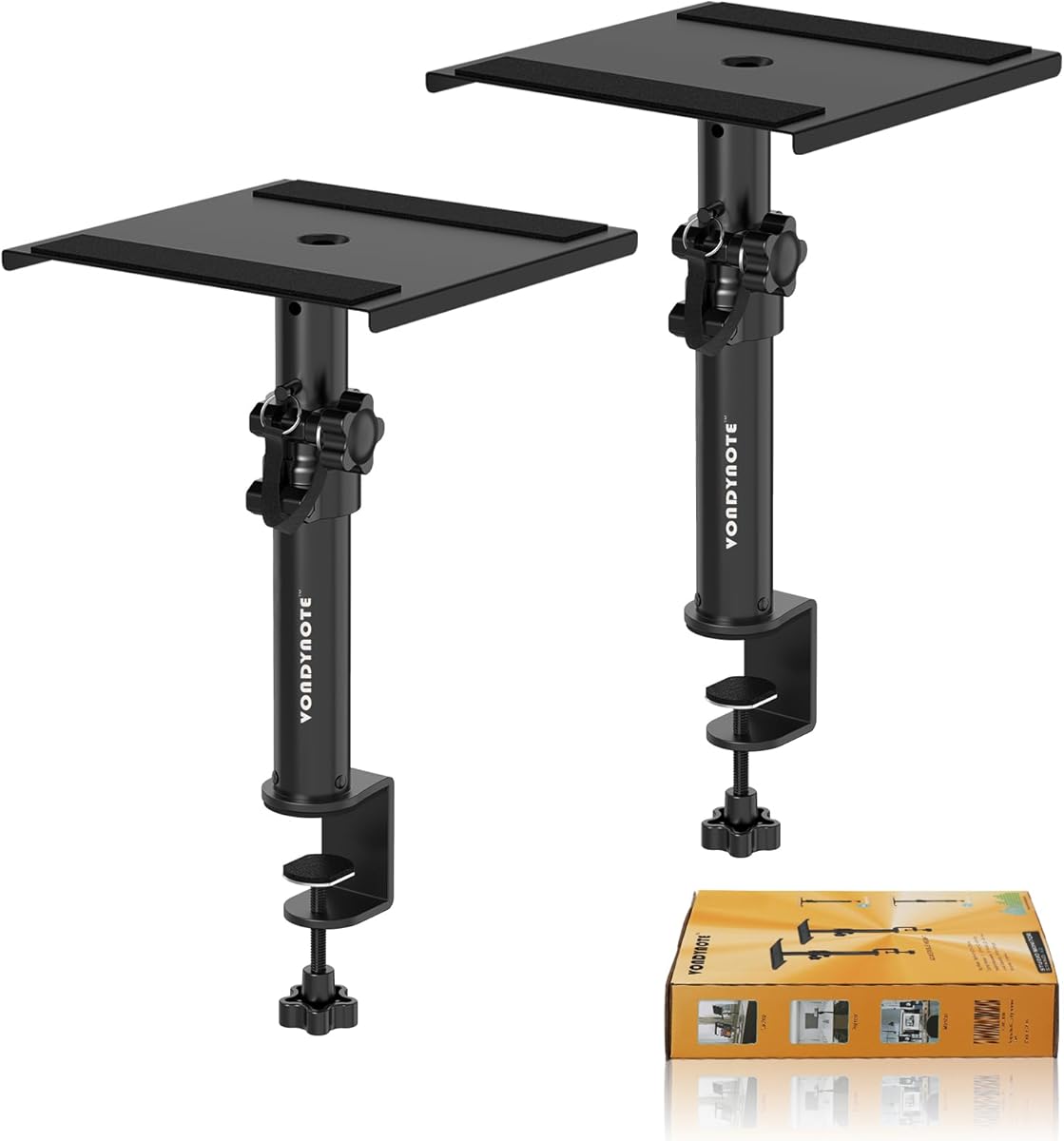
Vondynote Set of 2 Desktop Clamp
4.6Editor score
Space-saving clamp design
Height adjustment up to fourteen inches
Fits most desktop thicknesses easily
Desktop speaker stands are essential for optimizing your audio setup by elevating monitors to ear level. This positioning reduces vibrations and improves sound clarity for music and work.
We analyzed ten top-rated models based on stability, adjustability, and build quality. Our comparison covers clamp-on and freestanding options to fit various desk configurations and speaker sizes.
Each pick highlights unique features like tilt angles and cable management. Prices may vary over time, so verify current deals before purchasing your ideal speaker support solution.
4.6Editor score

4.8Editor score

4.7Editor score
As an Amazon Associate we earn from qualifying purchases.
This side-by-side comparison highlights key specifications for each model including height ranges, weight capacities, and unique features like tilt adjustments or clamp mechanisms.




The Liquid Stands Studio Monitor Stands stand out with a 4.8 rating for their heavy-duty stainless steel design. They offer exceptional stability and flexibility for various studio setups.
We may earn a commission when you buy through this link, at no additional cost to you.
Their adjustable tilt allows precise sound projection while the vertical or horizontal mounting adapts to tight spaces. The six millimeter padding isolates vibrations effectively.
Though they cost more than basic options, the durability and ten-year warranty justify the investment. The clamp may not fit very thick desks without modification.
Audio professionals seeking reliable support for heavier monitors should choose this model. It delivers consistent performance and protects your equipment over time.
The six millimeter anti-slip padding absorbs resonance to keep audio crisp and clear during playback sessions.
Adjust the plates to use the stands vertically or horizontally depending on your desk layout needs.
We may earn a commission when you buy through this link, at no additional cost to you.
The Vondynote Desktop Clamp Speaker Stands earn a 4.6 rating for their affordable and space-efficient design. They are perfect for small desktops needing quick elevation.
We may earn a commission when you buy through this link, at no additional cost to you.
The clamp mechanism secures to most desks without taking up valuable surface area. The range range allows positioning speakers at ear level easily.
They lack tilt adjustments which may limit sound staging flexibility. However their build quality remains solid for everyday listening tasks.
Budget-conscious users with limited desk space will find these stands ideal. They provide essential support without compromising stability.
Taking up only thirty two point five square centimeters of surface area keeps your desk clutter-free.
Reinforced steel screws and EVA pads protect your desktop while ensuring a firm grip on the edge.
We may earn a commission when you buy through this link, at no additional cost to you.
The Kanto SP6HD Speaker Stands receive a 4.7 rating for their premium build and acoustic optimization. They are designed specifically for medium-sized monitors.
We may earn a commission when you buy through this link, at no additional cost to you.
Closed cell foam padding absorbs resonance to deliver cleaner audio without unwanted vibrations. The hollow columns allow neat cable routing under your desk.
Fixed six inch height may not suit all setups but provides optimal tweeter alignment. The cost is higher than generic alternatives but the performance justifies it.
Audiophiles seeking superior sound isolation and aesthetics should consider this model. It enhances your listening environment significantly.
Heavy steel combined with closed cell foam minimizes resonance for clearer sound reproduction across frequencies.
Route cables through the hollow support column to maintain a tidy and professional desk appearance.
We may earn a commission when you buy through this link, at no additional cost to you.
The Vondynote Studio Monitor Stands achieve a 4.6 rating with their versatile tilt and height adjustments. They suit speakers requiring precise alignment for sound staging.
We may earn a commission when you buy through this link, at no additional cost to you.
The twelve degree tilt helps aim speakers toward the listener while the four height positions accommodate different setups. A security pin ensures locks remain stable.
Clamp size restricts placement on very wide surfaces. Installation takes effort but the stability gained is worth the time invested.
Users needing precise acoustic positioning will appreciate these stands. They balance functionality and price well for home studios.
Adjust the top plate from zero to twelve degrees to direct sound accurately toward your listening position.
A locking knob and pin fix the height securely at ten point four to fifteen point four inches.
We may earn a commission when you buy through this link, at no additional cost to you.
The Vondynote Desk Studio Monitor Stands earn a 4.6 rating for supporting heavier monitors with stability. Their higher height range suits tall desks effectively.
We may earn a commission when you buy through this link, at no additional cost to you.
The nine and a half inch base provides a wide footprint for balance. Tilt and rotation options enhance sound direction for immersive audio.
They occupy more space than clamping models which may suit smaller desks. The added stability compensates for the larger size.
Users with substantial monitors or high desks will benefit most. These stands offer robust support for demanding setups.
A nine point five by nine point five inch flat base supports up to sixty pounds securely.
Use vertically or horizontally to maximize performance or save space depending on your room layout.
We may earn a commission when you buy through this link, at no additional cost to you.
The Vondynote Studio Monitor Speaker Stands receive a 4.6 rating for their tall adjustable range and portability. They work well for varied room configurations.
We may earn a commission when you buy through this link, at no additional cost to you.
Height locks at four levels ensure stability while the safety pin adds security. The matte black finish matches most studio equipment.
Weight capacity is lower than premium options but suits bookshelf speakers. Transport is easy since the stands are disassembled.
Those needing flexible heights and easy transport should pick this model. It provides solid performance for home or mobile use.
Equipped with a safety pin locking device the speaker stays fixed at the height you want.
The stands can be easily disassembled for convenient carrying and storage during moves.
We may earn a commission when you buy through this link, at no additional cost to you.
The suptek Universal Desktop Speaker Stands earn a 4.5 rating for their solid design and ease of use. They suit gaming and general audio setups.
We may earn a commission when you buy through this link, at no additional cost to you.
Six point one inch elevation positions speakers for immersive listening while the large plate accommodates various models. Assembly is quick and straightforward.
Limited height adjustment reduces flexibility for different desk heights. The base is stable but may not support heavy commercial monitors.
Gamers and casual listeners will find these stands ideal. They improve sound projection without complexity or high cost.
Six point one inch elevation positions speakers at ear level for improved sound projection and a more immersive listening experience.
A seven point nine by six point five inch platform fits most desktop speakers securely while minimizing vibrations.
We may earn a commission when you buy through this link, at no additional cost to you.
The Desk Speaker Stands for Most Bookshelf achieve a 4.9 rating for their effective tilt and dual installation options. They are ideal for lighter speakers.
We may earn a commission when you buy through this link, at no additional cost to you.
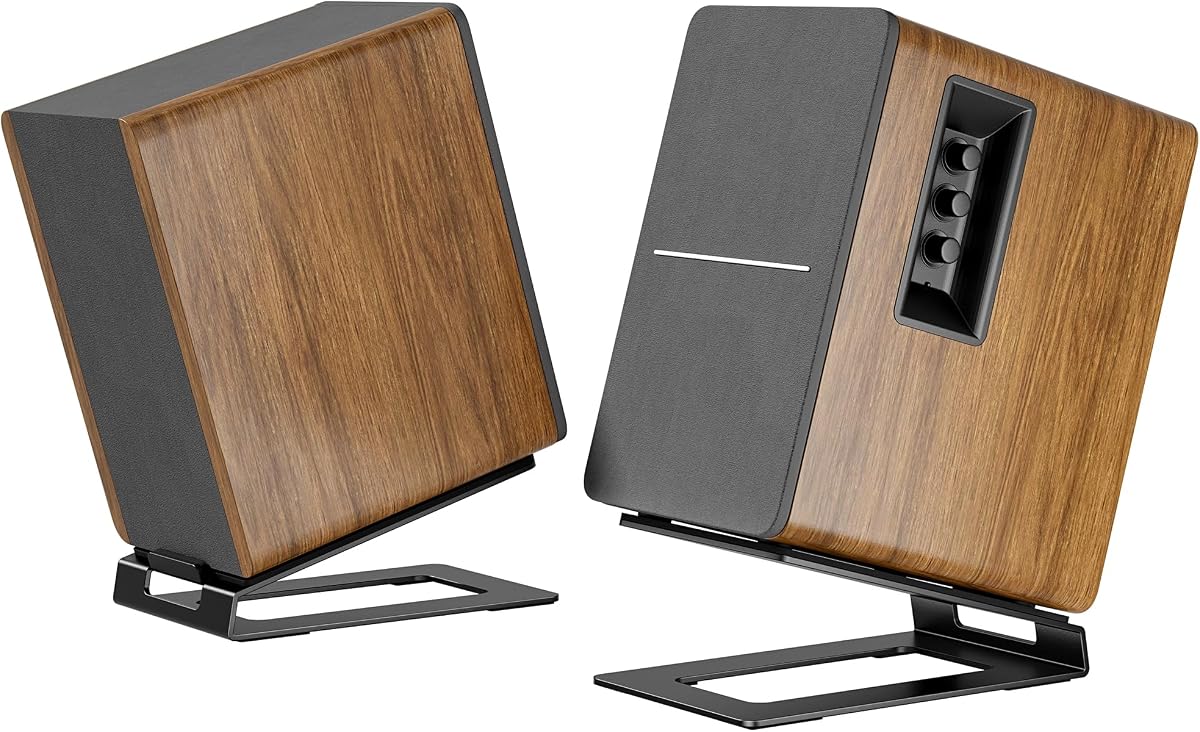
A sixteen degree upward tilt directs sound to your ears for a richer experience. You can use them freestanding or screw speakers for security.
Weight capacity limits usage to small speakers. However the compact size helps keep desks tidy and organized.
Users with light speakers and limited space should choose these stands. They deliver excellent acoustic improvement at low cost.
Engineered with a sixteen degree upward tilt these stands position speakers at the ideal listening angle.
Use freestanding out of the box or mount speakers with screws for enhanced stability and security.
We may earn a commission when you buy through this link, at no additional cost to you.
The PERLESMITH Universal Speaker Stands earn a 4.3 rating for their tall adjustable floor design. They work for satellite and small bookshelf speakers.
We may earn a commission when you buy through this link, at no additional cost to you.
The twist lock mechanism adjusts height between thirty three to forty five inches without tools. Hollow poles route cables for a cleaner look.
Weight capacity is low so avoid heavy monitors. The stands require floor space which may not suit all environments.
Those using floor placements with small speakers will appreciate this model. It offers great height flexibility at a fair price.
Adjustable height range from thirty three point three to forty five inches positions speakers for optimal acoustics.
Route wires through hollow poles or use hook and loop straps to secure cables along the outside.
We may earn a commission when you buy through this link, at no additional cost to you.
The Desk Speaker Stands with depth adjustment earn a 4.5 rating for their space-saving design. They allow storage underneath the speakers easily.
We may earn a commission when you buy through this link, at no additional cost to you.
A C-shaped cantilevered design leaves nearly six inches of desk free. The depth adjuster fits speakers securely without obstructing your workspace.
Tilt and pads improve audio quality but weight limits apply. These stands prioritize desk utility over heavy support.
Users with shallow desks needing room for keyboards should pick this model. They balance functionality and acoustics well.
Tilt design aligns speaker to ears while extendable ledge stopper ensures depth adjustment and safety.
The C-shaped design leaves the desktop clear allowing you to place items underneath for a clean look.
We may earn a commission when you buy through this link, at no additional cost to you.
Selecting the right speaker stands involves evaluating height stability and compatibility with your speakers to ensure optimal sound performance.
Adjustable height allows you to align speaker tweeters with your ear level which is crucial for accurate sound staging. Look for models offering multiple fixed positions or continuous adjustment to fit your chair and desk height. Tilt features help direct sound toward you without needing to reposition the speakers physically. This ensures you hear the full frequency range without distortion.
Prioritize stands that let you tweak height and angle for the best listening experience.
Every speaker stand has a maximum weight rating you must not exceed to prevent tipping or damage. Check the weight of your speakers and add a margin for safety before choosing a model. Steel bases and locking mechanisms provide the stability needed to keep speakers secure during use. Vibration isolation padding further enhances stability by reducing resonance transfer.
Ensure the stands can hold your speakers securely without wobbling or risking damage.
Clamp-on stands save valuable desk space by attaching to the edge while freestanding models sit on the surface. Consider your desk thickness and edge condition to see if a clamp fits securely. Freestanding stands offer more placement flexibility and may suit thicker desks better. Both types can offer excellent stability when installed properly.
Choose the mounting style that best suits your desk layout and surface type.
Cable management keeps your setup tidy by routing wires through the stands rather than across your desk. Hollow columns or built-in clips help reduce clutter and prevent tangling. This is especially useful in home studios where cable organization impacts workflow. Proper routing also minimizes interference or noise issues.
Look for stands with integrated routing options to maintain a clean workspace.
Resonance from speakers can muddy sound quality if not properly isolated by the stands. Materials like EVA foam or closed cell padding absorb vibrations to keep audio clear. This feature is essential for critical listening or recording setups. Check that padding covers the speaker contact points for maximum effect.
Select stands with effective padding to minimize unwanted vibrations during playback.
Sturdy construction materials like steel or aluminum ensure the stands last long without bending or breaking. Lightweight metals may not support heavier monitors securely. Finishes such as matte black also help blend with your equipment aesthetically. Quality assembly reduces risk of loosening over time.
Opt for durable materials that match the weight and look of your gear.
Simple installation saves time and ensures the stands function as intended from day one. Tools included with the package like Allen keys make setup straightforward. Clear instructions help avoid errors that could compromise stability. Some models require only minimal assembly for quick deployment.
Choose stands that offer tool-included assembly for hassle-free setup.
Plate size and mounting hole patterns must match your speakers to secure them properly. Small plates may not stabilize larger bookshelf monitors effectively. Check manufacturer specifications for supported speaker dimensions and mounting styles. Universal mounts provide flexibility for different speaker brands.
Verify that the stands fit your specific speaker dimensions for secure support.
Install stands on a flat sturdy surface ensuring the clamp or base grips securely. Verify that all locking pins and screws are tightened properly to prevent movement.
Place speakers on top aligning them symmetrically for balanced sound. Adjust tilt and height to align with your ear level for optimal listening.
Regularly inspect stands for loose hardware or worn padding. Clean surfaces with a dry cloth to avoid residue buildup that reduces grip.
Yes elevating speakers to ear level reduces resonance and improves sound clarity significantly. Isolation pads further minimize vibrations from surfaces enhancing audio accuracy. This positioning helps you hear frequencies more evenly without distortion.
It depends on the weight capacity of each model so always check the maximum load rating. Stands rated for sixty pounds or more typically support heavier speakers. Avoid exceeding limits to prevent damage or instability.
Clamp-on stands are safe if your desk has a smooth edge and thickness within the adjustable range. Check the maximum clamp width to ensure it fits securely. Uneven surfaces or very thick desks may need freestanding options instead.
Use stands with built-in isolation padding like EVA foam to absorb vibrations effectively. Ensure the speaker sits flat on the plate without wobbling. Secure mounting screws can also help reduce resonance from shifting.
Many models include hollow columns or clips designed to route cables neatly through the stand. This keeps wires hidden and organized improving your desk appearance. Always measure cable diameter to confirm it fits any built-in channels.
Set stands so the tweeters align with your ear level when seated for best sound. This usually means between six to fourteen inches off the desk surface. Adjust based on your chair height and viewing angle.
The top picks offer diverse options from budget clamps to premium tilt-enabled models for every need. Each stand improves your setup by providing stability and optimal positioning for better audio. Select the one matching your desk and speaker specs carefully.
Prioritize factors like height adjustability and vibration isolation when deciding. Investing in quality stands ensures long-term reliability and clearer sound performance for your gear.
Remember to check current prices and availability before purchasing your choice. Product features and deals may change so verify details on the official links provided.