
Dell Optiplex 9020 Desktop Computer PC
3.6Editor score
Intel Quad-Core i5 Processor
500GB HDD Storage Space
Windows 11 Pro OS
Finding the right desktop computer for kids can be challenging due to the wide range of options available. Parents need machines that balance performance, durability, and ease of use to support learning and creativity at home.
We evaluated ten leading desktop options based on processor speed, memory capacity, storage types, and overall build quality. This list covers various form factors including all-in-one units and traditional towers to suit different family needs.
Each pick highlights key specifications and real-world usability for schoolwork and entertainment. Note that prices and availability may change frequently, so verify current details before making your final purchase decision online.
3.6Editor score

4.5Editor score

4.2Editor score
As an Amazon Associate we earn from qualifying purchases.
This side-by-side comparison highlights the core specifications and unique attributes of each selected desktop computer to help you make an informed decision quickly.


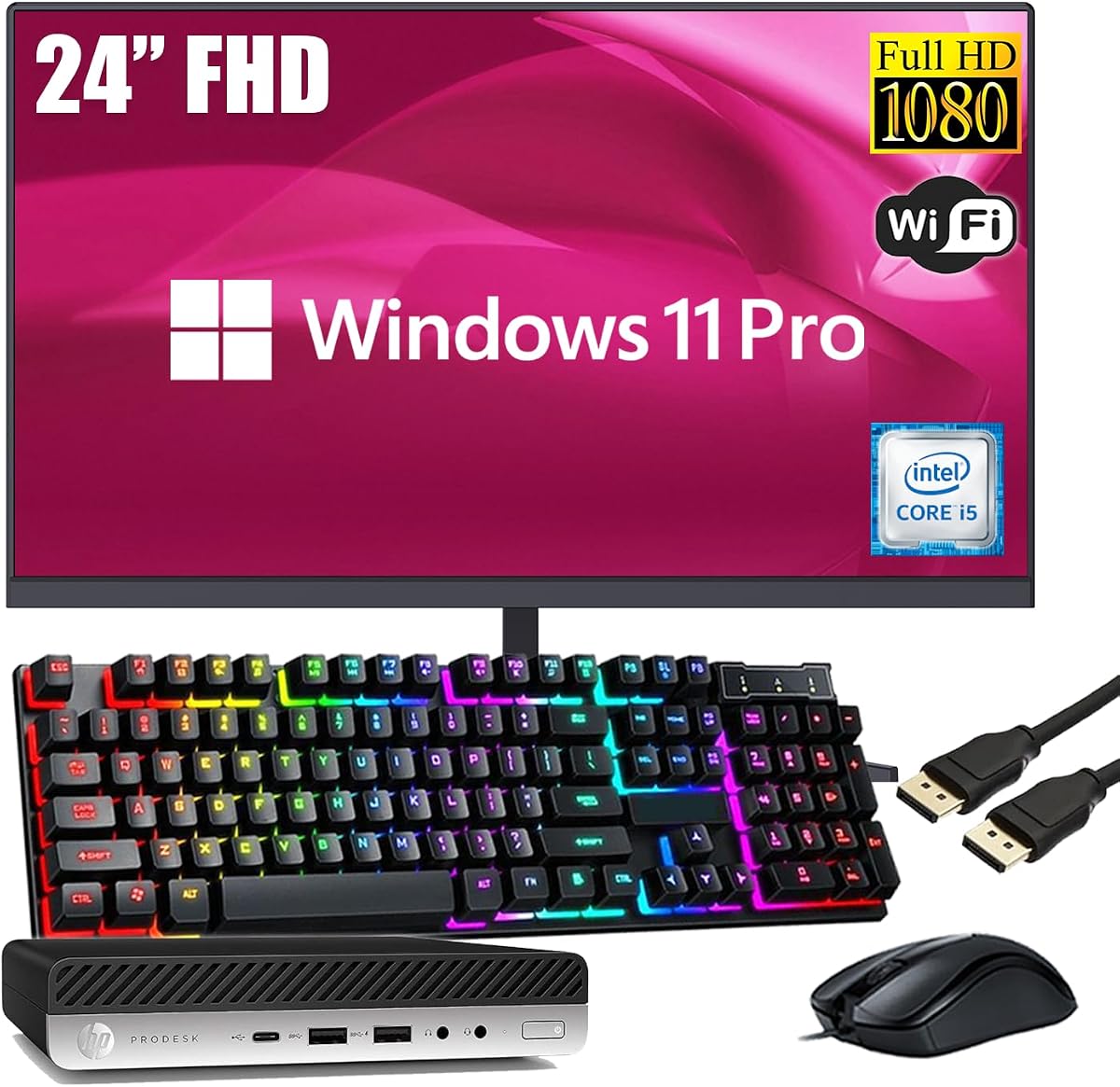


This renewed desktop offers a solid entry point for families needing a reliable machine for basic tasks. With a Core i5 processor and 8GB RAM, it handles web browsing and document editing smoothly.
We may earn a commission when you buy through this link, at no additional cost to you.
The inclusion of a 20-inch monitor makes it a complete package right out of the box. Windows 11 Pro ensures access to the latest security features and software compatibility for school projects.
While the HDD storage is slower than modern SSDs, it provides ample space for files and media. The build quality is robust, typical of business-class Dell hardware refurbished for consumer use.
Buyers should choose this unit if budget is the primary concern and they need a full setup quickly. It is an excellent choice for homework, research, and light multimedia consumption at home.
Getting a monitor included with the tower saves money and simplifies setup for parents managing multiple tech purchases.
Renewed units often come from commercial fleets, meaning they were built to withstand heavy daily use in office environments.
We may earn a commission when you buy through this link, at no additional cost to you.
This all-in-one unit stands out for its modern design and efficient performance suitable for student work. The 21.5 inch screen offers crisp visuals ideal for reading texts and watching educational videos.
We may earn a commission when you buy through this link, at no additional cost to you.
The Intel N100 processor handles everyday multitasking with ease, ensuring smooth navigation between browser tabs and apps. An 8-in-1 docking hub adds significant value by expanding connectivity options without clutter.
While storage is somewhat limited, it is adequate for documents and essential applications. The white finish fits well in clean, modern study spaces, making it an attractive addition to any home office.
It is the top pick for families wanting a tidy, reliable desktop that looks great on the desk. This model balances performance, aesthetics, and convenience better than any other option reviewed this year.
Combining the computer and monitor into one sleek unit reduces cable clutter and frees up valuable desk space for studying.
The integrated docking hub allows easy connection to peripherals, ensuring smooth operation for diverse needs.
We may earn a commission when you buy through this link, at no additional cost to you.
This model excels in memory capacity, offering 16GB of RAM which is rare for this price point. It ensures smooth operation even when many applications are open simultaneously for complex research tasks.
We may earn a commission when you buy through this link, at no additional cost to you.
The 1TB hard drive provides plenty of room for storing photos, videos, and large project files without needing external drives. The 22 inch monitor offers a comfortable viewing area for extended work sessions.
RGB lighting on the keyboard and mouse adds a playful touch that kids often enjoy. However, the renewed nature of the product means cosmetic conditions may vary slightly upon delivery to your home.
Families needing robust multitasking performance should consider this unit highly. It is particularly well suited for students who run multiple virtual tabs or software tools during their daily study routine.
With 16GB RAM, this system prevents slowdowns when switching between apps, ensuring a fluid user experience.
RGB lighting on peripherals adds a vibrant, customizable look that engages users during long work sessions.
We may earn a commission when you buy through this link, at no additional cost to you.
This desktop is ideal for users who need to store vast amounts of data locally. The 2TB hard drive is perfect for media libraries, archives, and large educational software packages requiring significant space.
We may earn a commission when you buy through this link, at no additional cost to you.
The 16GB RAM ensures that system performance remains steady even with memory-intensive applications running in the background. It handles basic multitasking well, suitable for general schoolwork and web research tasks.
Although the processor is an older generation, it still delivers reliable performance for everyday computing needs. Windows 11 Pro brings current security updates and professional management features to the setup.
Choose this unit if storage space is your top priority over raw processing speed. It offers a solid foundation for a home media server or a storage-heavy workstation for creative projects.
Two terabytes of space allows you to keep all files locally without worrying about cloud storage limits.
Windows 11 Pro includes advanced security and management tools beneficial for families managing multiple devices.
We may earn a commission when you buy through this link, at no additional cost to you.
This compact desktop delivers responsive performance thanks to its solid-state drive. Boot times are fast, allowing students to start working quickly without waiting for the system to load applications.
We may earn a commission when you buy through this link, at no additional cost to you.
The inclusion of a modern Intel 8th Gen processor and 16GB RAM ensures that daily tasks run smoothly. It is well equipped for video calls, online classes, and multimedia consumption at home.
A built-in webcam and modern connectivity like Wi-Fi 6 make it ready for hybrid learning environments. The RGB peripherals add a fun element to the workspace without costing extra to upgrade later.
It is a strong contender for families needing a balanced mix of speed and features. This unit is particularly useful for students who rely heavily on online tools and require reliable video calling capabilities.
Using an SSD instead of a traditional drive means faster boot times and quicker application launches for efficient work.
Wi-Fi 6 ensures a stable internet connection even when multiple devices are connected to the same home network.
We may earn a commission when you buy through this link, at no additional cost to you.
This mini desktop is perfect for small desks where space is at a premium. It packs significant processing power into a tiny chassis, keeping the workspace organized and clutter-free for focused study.
We may earn a commission when you buy through this link, at no additional cost to you.
The 256GB SSD provides quick access to files and applications. While the storage is smaller than traditional hard drives, it is sufficient for essential documents and system files without slowing down boot speeds.
USB-C connectivity allows for future-proofing and easier connections to modern displays or charging devices. It is a smart choice for families who value sleek design and efficient use of desk real estate.
Consider this option if you already have a monitor or need to mount the PC elsewhere. It is a reliable, space-saving solution for basic computing tasks and light multimedia work.
The tiny footprint leaves more room for books, notebooks, and other study essentials on the desk surface.
USB-C support ensures compatibility with the latest accessories and peripherals for versatile connectivity options.
We may earn a commission when you buy through this link, at no additional cost to you.
This premium all-in-one offers a polished experience with high-quality components tailored for productivity. The IPS screen delivers accurate colors and wide viewing angles, making it excellent for reading and detailed work.
We may earn a commission when you buy through this link, at no additional cost to you.
Equipped with 16GB RAM and a PCIe SSD, it balances performance and storage efficiently. Wireless peripherals simplify cable management and provide a cleaner look for a tidy home office setup.
The design emphasizes professionalism and durability, suitable for shared family spaces or home offices. Bluetooth and Wi-Fi 6 ensure stable connectivity for all external devices without interference during critical work times.
It is the best choice for families willing to invest in a durable, attractive system. This machine supports both serious academic tasks and casual browsing with equal ease and style.
IPS panel technology ensures consistent colors and sharp text, reducing eye strain during long study sessions.
Wireless connectivity options reduce desk clutter while maintaining reliable connections for all essential peripherals.
We may earn a commission when you buy through this link, at no additional cost to you.
This model offers a generous amount of solid-state storage, ideal for users who keep many files locally. The 512GB capacity handles large downloads and media libraries without needing external drives constantly.
We may earn a commission when you buy through this link, at no additional cost to you.
The 16GB RAM ensures multitasking remains fluid, even when working with multiple documents. It is a great fit for students needing to archive research or store multimedia projects efficiently at home.
The bezel-less screen design creates a modern look that enhances the viewing experience significantly. It combines style with function, offering a premium aesthetic without sacrificing practical utility for daily tasks.
Buyers looking for ample storage in an all-in-one form factor will appreciate this unit. It supports both creative work and academic research effectively with robust internal resources for any user.
Half a terabyte of space is rare for this class, allowing plenty of room for documents and projects.
The borderless display maximizes screen area, providing a modern and immersive visual experience for users.
We may earn a commission when you buy through this link, at no additional cost to you.
This package offers the most affordable way to get a fully functional desktop system for basic needs. The DVD drive adds value for users who still have physical discs or need to access older media files.
We may earn a commission when you buy through this link, at no additional cost to you.
It includes a standard Core i5 processor and 8GB RAM, capable of handling web browsing and document editing well. The 19-inch monitor is suitable for smaller desks where space is limited.
Ideal for simple tasks like homework and light gaming, it provides reliable utility without unnecessary extra costs. The included peripherals ensure you can start working immediately upon unboxing and setup.
Consider this if budget is the primary driver and you do not need the latest display tech. It is a functional tool for education and basic home computing at a very competitive price.
The DVD drive allows playback of physical discs, useful for educational software or media that hasn't been digitized.
A keyboard mouse and monitor are all included, saving the hassle of sourcing individual parts for a complete system.
We may earn a commission when you buy through this link, at no additional cost to you.
This all-in-one model delivers a great balance of price and performance for home use. The 512GB SSD ensures that the system boots quickly and stores ample files for daily tasks efficiently.
We may earn a commission when you buy through this link, at no additional cost to you.
Powered by the efficient N100 processor, it handles web browsing and document editing with ease. The included USB keyboard and speakers provide everything needed to start working right out of the box.
The modern look fits well in home offices or bedrooms without taking up too much space. It is a practical choice for families needing a tidy workstation for school and general use.
Buyers seeking reliable storage at a reasonable price will find this unit appealing. It supports smooth daily operations while maintaining a sleek and unobtrusive profile on any desk surface.
Finding a half-terabyte SSD at this price point is rare, offering excellent value for storage needs.
Built-in Wi-Fi 6 ensures stable connections for online learning and browsing without latency issues.
We may earn a commission when you buy through this link, at no additional cost to you.
Selecting the right desktop computer for a child requires understanding their specific needs and the types of tasks they will perform regularly.
The processor is the brain of the computer and determines how fast it can run applications. For schoolwork, an Intel Core i5 or newer N-series processor provides enough power for multitasking and web browsing without excessive cost.
Look for processors with at least four cores to ensure smooth performance when multiple programs are open.
RAM affects how many applications can run simultaneously without slowing down the system. 8GB is the minimum standard for modern computing, but 16GB offers better longevity for heavy multitasking.
Higher RAM ensures the computer remains responsive when switching between tabs, documents, and educational tools efficiently.
Solid State Drives (SSDs) are significantly faster than traditional Hard Disk Drives (HDDs) and reduce boot times. For a better user experience, prioritize an SSD even if it means less total storage capacity.
Aim for at least 256GB of storage to accommodate the operating system, apps, and student files comfortably.
A clear display reduces eye strain during long study sessions. Look for Full HD resolution (1920×1080) and IPS panels which provide better viewing angles and color accuracy.
Larger screens around 22 to 24 inches offer more workspace for splitting windows and reading detailed content easily.
All-in-one computers save space by combining the monitor and computer into one unit, while towers offer upgrade flexibility. Consider desk space and clutter levels when choosing between these styles.
Choose a design that fits comfortably on your desk and aligns with your home office layout constraints.
Modern connectivity ensures you can connect to printers, headphones, and other peripherals. Check for USB-C ports, HDMI outputs, and reliable Wi-Fi 6 support for stable internet connections.
Verify the number of USB ports available if you plan to connect multiple external devices simultaneously.
Windows 11 is the current standard and offers improved security features and a user-friendly interface for younger users. Ensure the system comes pre-installed to avoid setup hassles.
Pro versions of Windows include advanced management tools that can be useful for parental control and security settings.
Balancing cost with performance is key. Renewed computers often offer better value but come with limited warranties compared to new units.
Check for warranty terms before buying to ensure protection against hardware failure or defects after purchase.
Always place the computer on a stable, flat surface to ensure proper airflow and prevent overheating. Avoid putting drinks near the keyboard to prevent accidental spills that could damage internal components.
Keep the screen clean with a soft, dry microfiber cloth to maintain clarity. Do not use harsh chemicals or sprays directly on the display as they can damage protective coatings.
Install reputable antivirus software and enable automatic updates to keep the system secure from online threats. Encourage your child to save work frequently to avoid data loss during unexpected shutdowns.
For online school, look for a computer with a built-in webcam and reliable Wi-Fi 6 support. Models like the HP All-in-One offer a complete setup with audio and video features perfect for video calls.
No, a standard business-grade desktop is sufficient for typical homework tasks. Gaming PCs offer better graphics but are often unnecessary and more expensive than necessary for basic schoolwork.
Yes, SSDs are much faster and more durable than traditional hard drives. They improve boot times and overall responsiveness, making them the preferred choice for modern computing environments.
Tower models generally offer more upgrade options for RAM and storage. All-in-one units are harder to upgrade internally, so it is best to choose a model with enough memory upfront.
Most renewed computers come with a minimum 90-day warranty and technical support. This provides a safety net for initial setup issues without the full cost of a new machine purchase.
8GB is usually enough for basic browsing and documents. However, choosing 16GB ensures the computer stays fast as software requirements increase over time.
We explored ten diverse options ranging from budget towers to premium all-in-one systems to meet different family needs and preferences.
Prioritize speed and display quality to ensure a smooth learning experience and reduce eye strain during long hours of use at home.
Prices and availability change frequently, so check current deals on these models to find the best value for your specific requirements today.