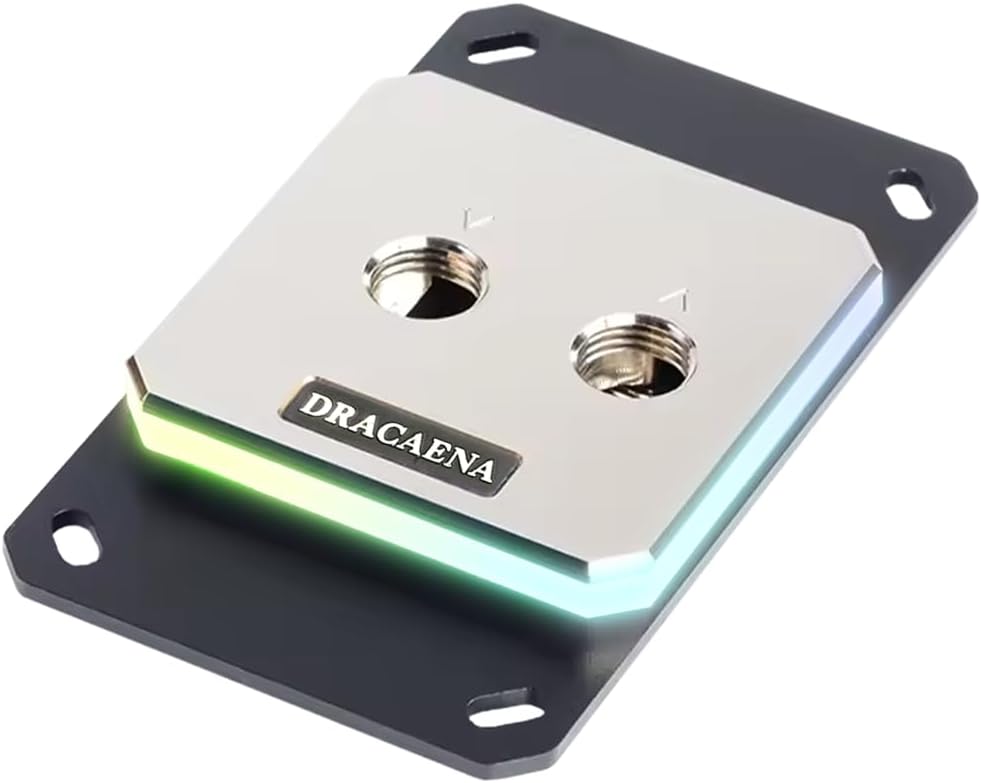
Dracaena.io CPU Water Block for AM5/AM4
4.6Editor score
Broad AMD socket support
All-copper water loop
Complete install kit included
Selecting the right CPU water block is essential for anyone looking to maximize thermal performance and aesthetic appeal in a custom loop. High-quality blocks ensure efficient heat transfer from your processor while complementing your build with sleek designs or vibrant lighting options.
We evaluated ten leading models based on thermal efficiency, build quality, socket compatibility, and visual features. Each product was analyzed for its cold plate design, material construction, and ability to handle demanding workloads without compromising on style or reliability.
Every pick highlights specific strengths like advanced microfin structures, integrated displays, or broad socket support. Note that availability and pricing may fluctuate, so always verify current details before making your final decision for your unique system configuration.
4.6Editor score

4.6Editor score

3.6Editor score
As an Amazon Associate we earn from qualifying purchases.
The following table provides a side-by-side overview of the top ten CPU water blocks available in the current market.

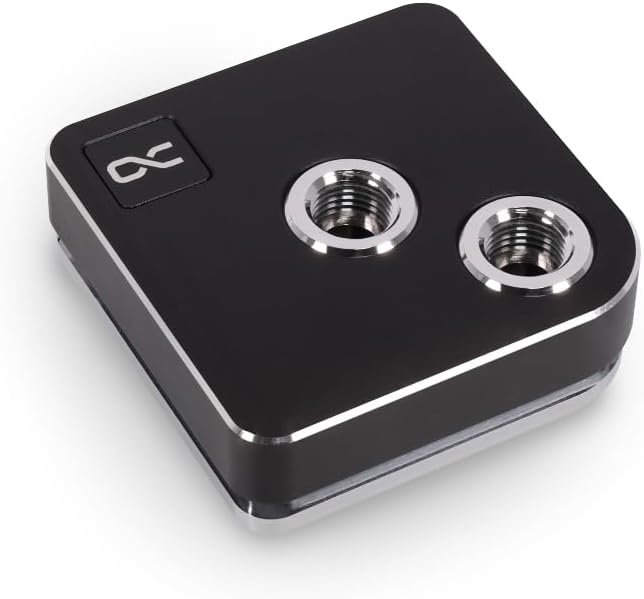

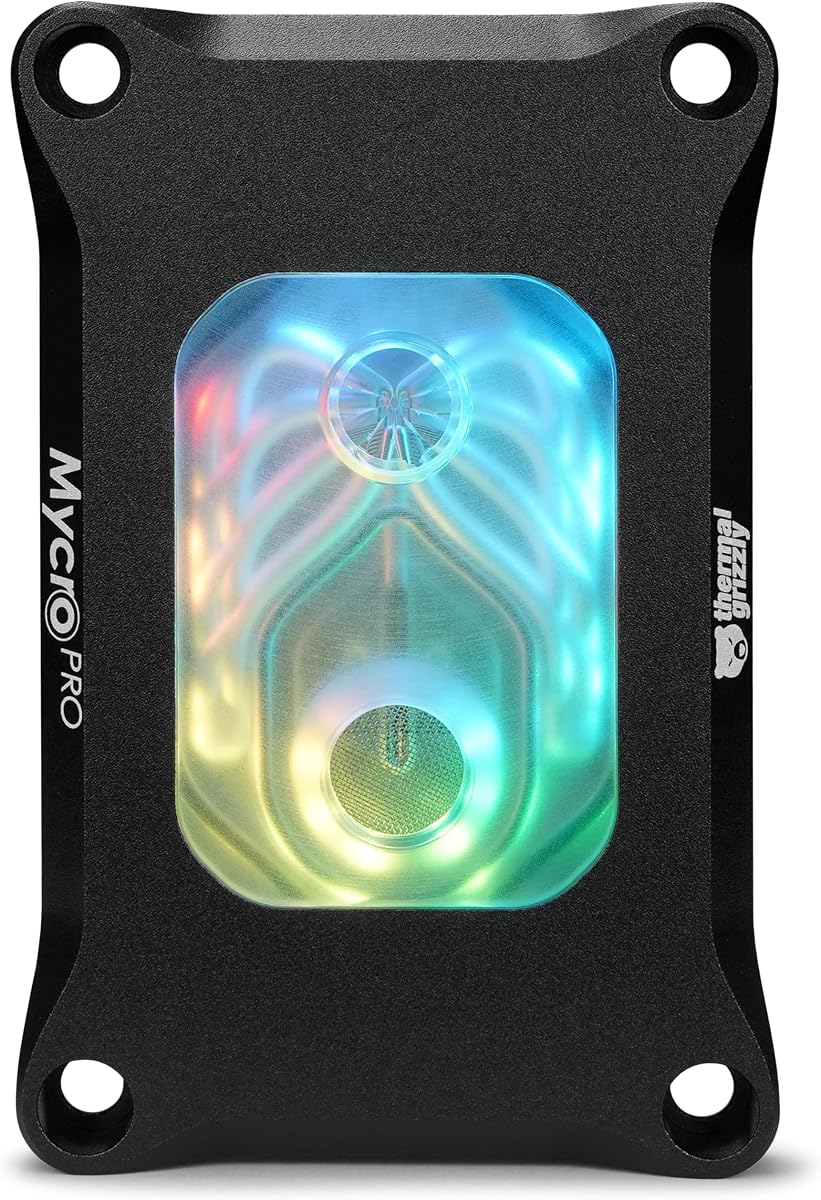
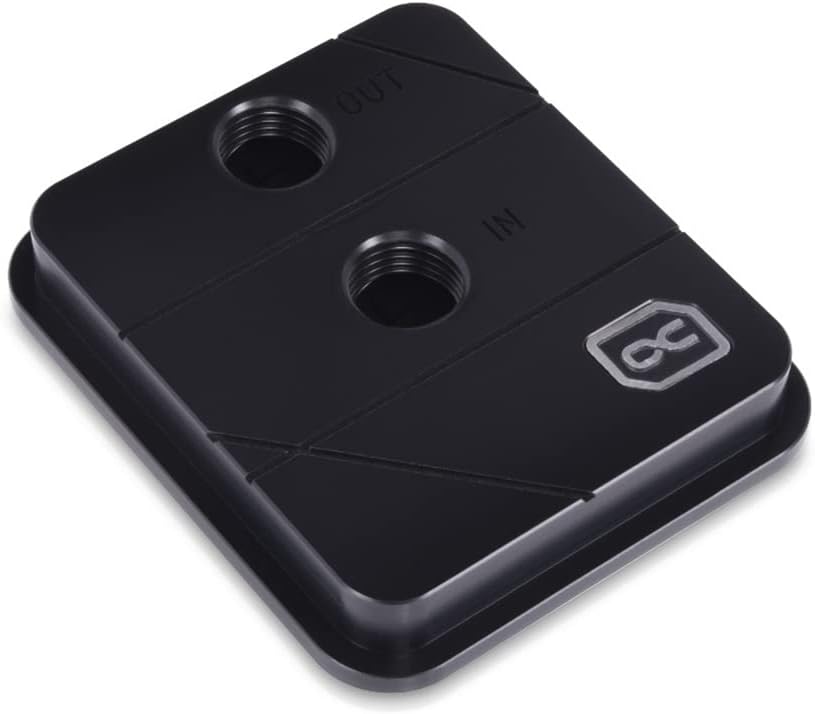


The EKWB EK-Quantum Velocity 3 stands out as a top performer for users seeking maximum thermal efficiency on modern platforms. It features a rating that reflects strong user satisfaction and is designed specifically for AMD AM5 and Intel LGA 1700/1851 systems.
We may earn a commission when you buy through this link, at no additional cost to you.
Its optimized internal geometry ensures that coolant flows efficiently across the entire surface of the processor, minimizing hot spots. The nickel-plated copper cold plate offers superior thermal conductivity, making it ideal for heavy workloads and overclocking scenarios where every degree counts.
While it delivers significant improvements over the Velocity 2 model, the precision engineering comes at a cost that may not suit budget-conscious builders. However, the compact dimensions allow it to fit comfortably in many cases without sacrificing other component clearance.
Enthusiasts who prioritize peak cooling performance and are building on supported sockets should consider this block a strong candidate. It represents a reliable upgrade path for those looking to extract the best from their latest generation processors.
The Velocity 3 achieves up to two degrees Celsius improvement compared to the previous generation through refined internal channels.
A nickel-plated copper cold plate ensures rapid heat transfer while resisting corrosion within your custom loop.
We may earn a commission when you buy through this link, at no additional cost to you.
The CORSAIR XC7 RGB Elite LCD offers a unique blend of high-performance cooling and visual customization through its built-in IPS screen. With a rating of 4.1, it appeals to users who want to monitor temperatures or display animated content directly on their CPU block.
We may earn a commission when you buy through this link, at no additional cost to you.
The Hexa-Flow cooling engine ensures that all cores receive even cooling, which is critical for modern multi-chip package CPUs. This is complemented by an ultra-fine copper cold plate that maintains stable temperatures during intense overclocking sessions.
Although the LCD screen is a major selling point, it does require a USB-C connection and reliance on iCUE software for full functionality. This setup simplifies installation but means you may need to manage additional software for your system.
Builders seeking a high-end visual statement paired with solid thermal performance will find this block compelling. It is particularly well-suited for those invested in the CORSAIR ecosystem who value integrated lighting and display features.
The 480×480 IPS LCD screen provides real-time stats and custom animations with 24-bit true color depth.
True USB-C connectivity allows for automatic iCUE setup without needing a separate controller unit.
We may earn a commission when you buy through this link, at no additional cost to you.
The Dracaena.io CPU Water Block is an outstanding choice for AMD users seeking value without compromising on core cooling performance. It carries a strong rating of 4.6 and supports a vast range of AMD sockets from AM2 to AM5, covering over fifteen years of hardware.
We may earn a commission when you buy through this link, at no additional cost to you.
Its all-copper internal water channels and 0.4mm microfin base plate maximize thermal conductivity effectively. Since there is no aluminum in the water path, you avoid potential corrosion issues that can arise with mixed metal loops in custom cooling setups.
While it does not include thermal paste, the included mounting hardware and 5V ARGB controller make installation straightforward for most users. The compact form factor ensures it fits well even in cases with tight motherboard spacing constraints.
Budget builders or anyone upgrading an older AMD system will find this block to be a reliable and cost-effective solution. It delivers pure copper contact and robust performance for those prioritizing function over flashy features.
Compatible with nearly every AMD platform from the last 15+ years, eliminating the need for adapters.
Full copper contact from inlet to outlet ensures longevity and stability in custom liquid cooling loops.
We may earn a commission when you buy through this link, at no additional cost to you.
The Alphacool Core 1 provides a straightforward and reliable solution for both Intel and AMD users who need a no-nonsense water block. With a rating of 4.6, it signals consistent satisfaction among users who prioritize performance over extra frills.
We may earn a commission when you buy through this link, at no additional cost to you.
Its black finish and standard dimensions make it easy to integrate into various system builds without clashing with other components. The nickel-plated copper cold plate ensures that heat is transferred quickly from the CPU to your coolant.
While it lacks RGB lighting or display features, the Core 1 focuses on delivering consistent cooling capabilities. This simplicity appeals to users who want to keep the visual focus on other parts of their loop or prefer a stealthy look.
Anyone building a custom loop that values reliability and broad socket support will appreciate the Core 1. It stands as a dependable option for those who want to avoid unnecessary complexity in their cooling choices.
Compatible with both Intel LGA 1700 and AMD AM4/AM5 for versatile integration into modern systems.
A clean black finish and standard threads allow it to blend seamlessly into any custom water cooling setup.
We may earn a commission when you buy through this link, at no additional cost to you.
This generic CPU water cooling block offers an entry-level option for users looking to experiment with liquid cooling without a large financial commitment. It holds a decent rating and features a 50mm copper base designed to carry heat away efficiently from the processor.
We may earn a commission when you buy through this link, at no additional cost to you.
The large water contact area ensures that heat is transferred quickly, and the chrome plate copper faucets add a touch of durability to the external connections. It supports a wide variety of older AMD and Intel platforms, making it useful for legacy builds.
While it lacks modern features like RGB or microfin structures, the straightforward design provides basic cooling functionality. The included accessory set with screws helps ensure a secure fit during installation on compatible boards.
Users working on retro or budget builds where modern aesthetics are not a priority may find this block sufficient. It serves as a practical starting point for those exploring the basics of custom water cooling.
Supports platforms from AMD 940 to Intel LGA2011 making it versatile for older system upgrades.
A large water contact area on the copper base helps move heat away from the CPU quickly.
We may earn a commission when you buy through this link, at no additional cost to you.
The Thermal Grizzly Mycro Pro RGB is engineered for users who demand high efficiency and reliability in their custom loops. It is designed specifically for AMD AM5 and AM4, earning a strong rating due to its performance and build quality.
We may earn a commission when you buy through this link, at no additional cost to you.
With 68 microfins and a 0.2 mm structure, the block maximizes surface area to ensure efficient heat dissipation under heavy loads. The nickel-plated copper cold plate further enhances thermal performance while the integrated fine mesh filter keeps coolant flow consistent.
Although it is tailored to AMD platforms, the included ARGB lighting adds a nice aesthetic touch to any build. The combination of premium materials like acrylic and EPDM O-rings ensures durability and stability over long-term use.
Enthusiasts who prioritize maximum cooling efficiency for their AMD processors will find this block a worthy investment. It balances performance and style effectively for those looking to optimize their custom cooling system.
Precision-machined 0.2 mm microfins increase surface area for maximum heat transfer under load.
An integrated fine mesh filter traps particles to support consistent and uninterrupted coolant flow.
We may earn a commission when you buy through this link, at no additional cost to you.
The TRYX Panorama WB stands out as a truly unique product with its curved 6.67-inch AMOLED screen and built-in GIPHY support. Despite a lower rating than some competitors, it offers features that no other block currently provides on the market.
We may earn a commission when you buy through this link, at no additional cost to you.
Its thermal architecture is based on Asetek Gen8 V2, ensuring rapid heat transfer during overclocking and gaming. The included VRM fan adds extra utility by actively cooling motherboard voltage regulators under heavy loads without adding extra noise.
While the cost is significant and the software setup requires a learning curve, the visual impact is unmatched. The screen supports various file types including PNG, JPG, and GIF allowing for deep personalization of your custom loop.
Those who want a show-stopping build and value visual immersion will find this block exceptional. It is a premium choice for users willing to invest in cutting-edge aesthetics alongside solid thermal performance.
The curved 6.67-inch AMOLED screen delivers anamorphic visual effects with vivid color reproduction.
A built-in PWM fan delivers targeted airflow to motherboard voltage regulators under heavy loads.
We may earn a commission when you buy through this link, at no additional cost to you.
The Alphacool Core XP3 is a compact and reliable option for users who need a straightforward cooling solution. It features a nickel-plated copper cold plate that performs well for standard workloads and gaming sessions.
We may earn a commission when you buy through this link, at no additional cost to you.
Its compact dimensions make it particularly useful for smaller builds where clearance is a concern. The acetal top material provides durability while keeping the design clean and understated for those who prefer a subtle look.
Although it lacks advanced lighting or display features, it delivers consistent performance and includes standard G1/4 threads for easy integration. The simplicity of the design helps reduce potential points of failure in your loop.
Anyone looking for a dependable and simple block without unnecessary complexity will appreciate the Core XP3. It remains a solid choice for those who prioritize function and space efficiency in their custom loops.
Measuring 73x63x21mm the Core XP3 fits easily into compact cases with limited motherboard clearance.
Nickel-plated copper and acetal materials provide a reliable balance of performance and longevity.
We may earn a commission when you buy through this link, at no additional cost to you.
The CORSAIR iCUE Link XC7 RGB Elite integrates seamlessly into a unified ecosystem designed to simplify complex PC builds. It features a patent-pending iCUE LINK system that allows components to be daisy-chained using universal connectors.
We may earn a commission when you buy through this link, at no additional cost to you.
Its Hexa-Flow cooling engine ensures even cooling across cores while a built-in temperature sensor provides precise control over your system's performance. The transparent flow chamber allows you to see the coolant moving through the block for a stunning visual effect.
While the iCUE LINK ecosystem requires a separate hub, it significantly reduces cable clutter and enhances system organization. This approach appeals to builders who value tidy setups and intelligent component communication.
Users invested in the CORSAIR ecosystem will find the convenience of this block compelling. It offers a modern approach to connectivity that prioritizes ease of installation and system intelligence.
The iCUE LINK ecosystem reduces cable clutter by allowing components to daisy-chain together easily.
A built-in cold plate sensor enables precise temperature monitoring and control through iCUE software.
We may earn a commission when you buy through this link, at no additional cost to you.
The Alphacool Core 1 LT features a distinctive acrylic design that appeals to users who want a transparent and modern look. It supports both Intel and AMD sockets and carries digital RGB lighting for customizable visuals.
We may earn a commission when you buy through this link, at no additional cost to you.
The acrylic finish adds a sleek touch to your loop while maintaining efficient cooling through its standard cold plate structure. This balance of form and function makes it suitable for those who want to show off their coolant color.
While acrylic requires careful handling to avoid scratches, the block delivers reliable performance and integrates easily with other Alphacool components. The transparent design highlights the flow of your liquid cooling system beautifully.
Anyone looking for a visually striking block that fits modern case windows should consider this option. It combines classic cooling reliability with a contemporary aesthetic that stands out in custom builds.
The acrylic finish and transparent design highlight your coolant and RGB lighting for a modern look.
Compatible with Intel LGA 1700 and AMD AM4/AM5 for flexibility across different system builds.
We may earn a commission when you buy through this link, at no additional cost to you.
Selecting the right CPU water block depends on several key factors ranging from performance needs to visual preferences.
Ensure the block supports your specific CPU socket such as LGA 1700 AM5 or AM4. Using a block with incompatible mounting hardware can lead to poor contact or physical damage to your processor.
Always verify the product specifications list your exact socket to avoid installation issues.
Most high-performance blocks use nickel-plated copper for the cold plate due to its superior thermal conductivity and corrosion resistance. Aluminum is sometimes used for top plates but should not be in direct contact with the coolant in a copper loop.
Look for pure copper internal channels to maximize heat transfer efficiency and protect the longevity of your loop.
A larger surface area created by microfins helps dissipate heat more effectively. Fin density and spacing affect how much heat can be removed from the coolant as it flows through the block.
Blocks with optimized microfin designs generally offer better thermal performance under high loads compared to smooth plate designs.
Many modern blocks include RGB lighting or integrated displays to enhance your build's look. Decide if you want standard LED lighting an LCD screen or an AMOLED display based on your visual priorities.
Consider the software ecosystem required to control these features to ensure it matches your existing system setup.
Standard G1/4 threads are common for fitting into custom loops. Some newer blocks offer USB-C or digital connectivity which may require specific hubs or controllers.
Check if you need additional components like hubs to support advanced connectivity features before purchasing.
Internal geometry impacts how coolant flows across the CPU die. Efficient designs minimize dead zones where coolant stagnates ensuring all core areas are cooled evenly.
Look for products that mention optimized flow or specific cooling engines like Hexa-Flow for consistent thermal results.
Measure your case clearance and VRM clearance to ensure the block fits. Some blocks with integrated fans or tall tops may interfere with other components like RAM or VRM heatsinks.
Compare the dimensions listed in the product data against your specific build layout before ordering.
Prices vary widely depending on features and brand. Entry-level blocks provide basic cooling while premium options offer displays and advanced lighting.
Balance your budget with your performance needs to find the best value for your specific situation.
Install the block onto your CPU using the provided mounting hardware. Ensure the thermal paste is applied evenly to the processor die before mounting to maximize heat transfer.
After installing the block connect the RGB cables or USB-C connectors if applicable. Test the loop for leaks before powering on your system.
Regularly check coolant levels and clean the loop to prevent buildup. Inspect the block for any signs of corrosion or wear over time.
Yes typically you need a separate pump reservoir combo to circulate coolant through the blocks. The blocks themselves do not include pumps and rely on the loop's pump to move liquid.
Some blocks come with mounting hardware for multiple sockets but you must verify compatibility with your specific CPU. Always check the product details to confirm support for your platform.
Most high-quality blocks can last for many years if maintained properly. Regular cleaning and monitoring for corrosion can extend the life significantly.
RGB blocks usually require a controller or motherboard header. Some integrated displays need USB-C controllers which may be sold separately.
Most blocks are compatible with standard water coolants but verify material compatibility to avoid corrosion. Some exotic coolants may affect certain materials like acrylic or aluminum.
No blocks require a closed liquid loop to function. You must have a full custom loop setup with a radiator and pump for proper operation.
The top picks cover a wide range of needs from budget-friendly AMD options to premium displays for enthusiasts. Each block offers unique strengths depending on your specific system requirements.
Prioritize socket compatibility and material quality when making your decision. Aesthetic features are secondary to reliable cooling performance and longevity.
Remember to check current pricing and availability before purchasing. Always verify that the product matches your exact build configuration.