
BUFFALO LinkStation 210 6TB 1-Bay NAS
3.9Editor score
Value NAS with RAID protection
Subscription free personal cloud access
Includes 6TB hard drive preinstalled
This guide compares the top Buffalo NAS models for home and business storage including capacity, security, and speed to help you choose the right network
Finding reliable network storage is essential for protecting your data and sharing files easily. Buffalo NAS devices offer robust solutions for homes and offices needing centralized backup and cloud access without monthly fees.
We evaluated ten current Buffalo NAS models based on capacity, security features, transfer speeds, and ease of setup. Our analysis focuses on real-world performance and value to help you find the best fit for your needs.
Each pick below highlights key strengths and ideal use cases for different users. Note that prices and availability can change frequently so verify details on the product page before purchasing to ensure accuracy.
3.9Editor score
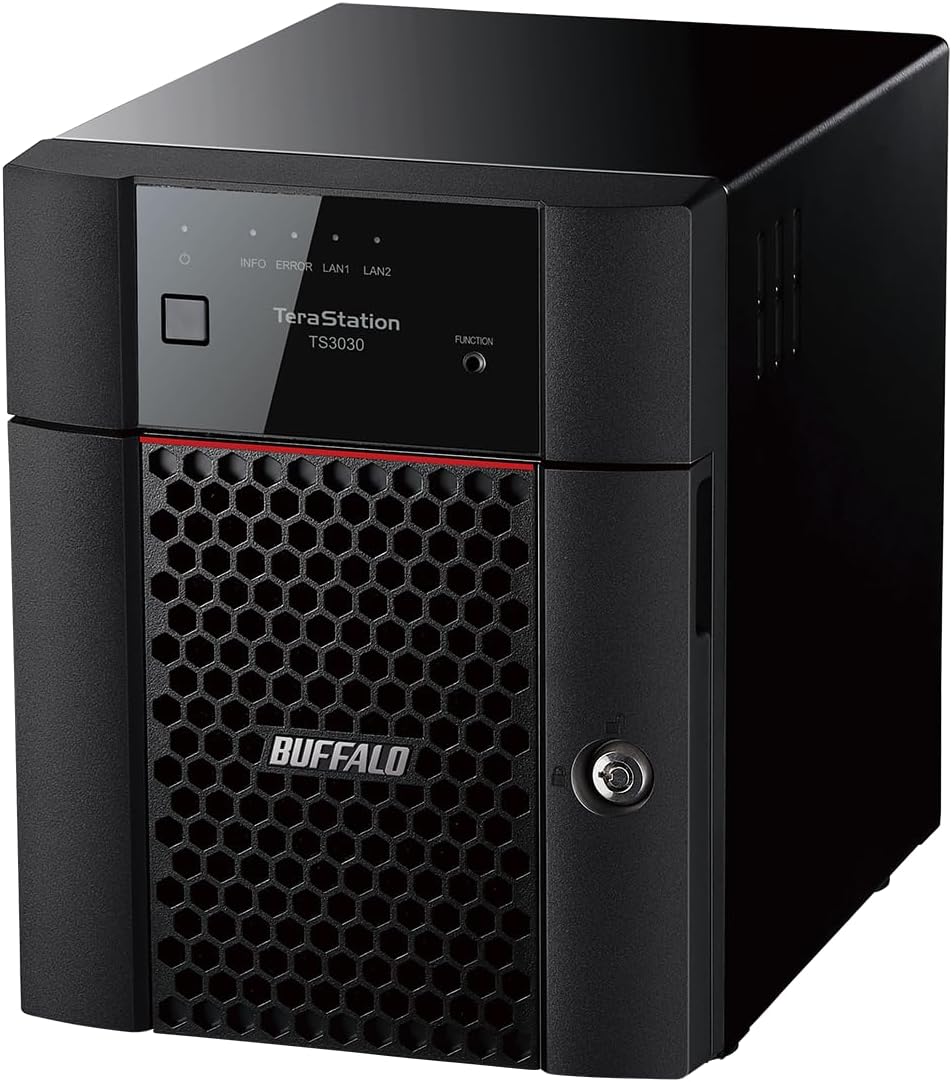
4.3Editor score

4.8Editor score
This table compares all ten reviewed models side by side so you can quickly see capacity, drive count, and key specs to choose the right network storage solution for your setup.


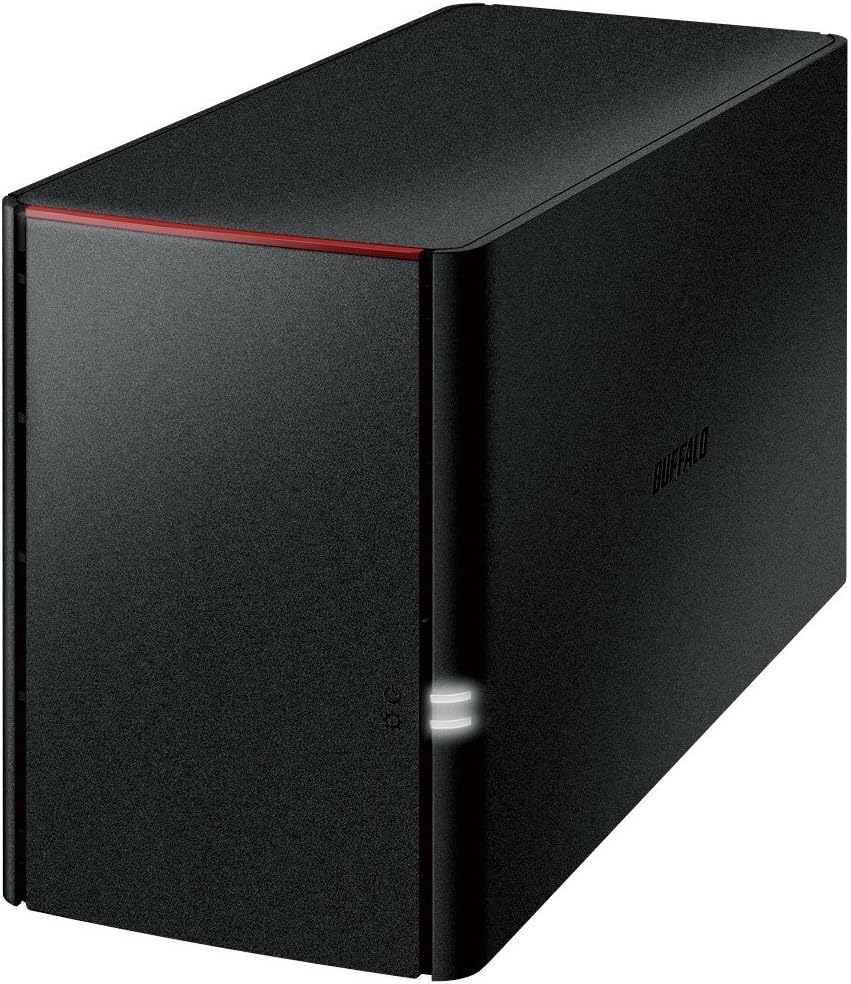


This model offers an affordable entry point into network storage with a full 6TB drive included. It is designed to keep data safe and accessible for home users without ongoing costs.
We may earn a commission when you buy through this link, at no additional cost to you.
It features a closed system that reduces vulnerabilities from third party apps. The storage is optimized for centralized backup and sharing across Windows and macOS devices easily.
While it lacks advanced speeds and multi bay RAID flexibility, the simplicity and cost effectiveness make it ideal for basic home backups. The included support adds peace of mind.
Buy this if you need a simple plug and play storage solution for home files. It works well for families needing shared access to media and documents without complexity.
You can store and access photos and videos from anywhere without paying monthly storage fees.
The closed system design minimizes security risks from external applications during file transfers.
We may earn a commission when you buy through this link, at no additional cost to you.
This 4 bay desktop NAS delivers exceptional value for those needing massive storage with fast network connectivity. It balances cost and performance perfectly for small teams or power users.
We may earn a commission when you buy through this link, at no additional cost to you.
The native 2.5GbE port ensures high speed file transfers without needing extra cable upgrades. RAID 5 provides reliability while leaving plenty of usable space for growth.
Although it carries a premium price tag for the capacity, the included drives and warranty justify the investment. Cloud sync options add an extra layer of disaster recovery for critical files.
Choose this if you want professional grade storage without spending on enterprise gear. It is ideal for offices needing fast shared access and robust backup features out of the box.
Native support for 2.5GbE allows faster file transfers than standard Gigabit connections.
Sync with major cloud providers like Dropbox and Azure for hybrid backup strategies.
We may earn a commission when you buy through this link, at no additional cost to you.
This top tier NAS is built for businesses requiring maximum speed and data security. It handles heavy loads without performance drops and offers advanced tools for ransomware protection.
We may earn a commission when you buy through this link, at no additional cost to you.
The native 10GbE port enables rapid transfers crucial for large media files or virtual machines. Snapshots allow instant recovery to previous states minimizing downtime during attacks.
Its price reflects enterprise level features but is justified by the reliability and support. The closed system and encryption keep sensitive data safe from unauthorized access or leaks.
Invest in this if your business needs a reliable file server that grows with you. It is the best choice for teams prioritizing speed and data integrity above all else.
Snapshots let you recover data near instantaneously with little to no system disruption.
High speed network support ensures no bottlenecks during heavy file access periods.
We may earn a commission when you buy through this link, at no additional cost to you.
The SoHo series is tailored for small businesses needing straightforward shared storage. It balances personal cloud access with professional reliability for critical business files and documents.
We may earn a commission when you buy through this link, at no additional cost to you.
It includes tools like NAS Navigator for automated backups and secure folder permissions. Direct Copy lets you back up devices via USB without needing a computer connection.
While the usable capacity is half the total in RAID 1, the redundancy protects against drive failure. It is a solid middle ground between home NAS and full business systems.
Pick this for a small office needing simple shared access and backup. It works well if you prioritize ease of use and data protection over maximum transfer speed.
Copy photos and files directly to the NAS from USB drives without a PC.
Set individual access restrictions for folders to keep private data secure.
We may earn a commission when you buy through this link, at no additional cost to you.
This rackmount option is perfect for IT closets where space is limited. It provides professional grade storage with fast speeds and a compact design that fits standard racks.
We may earn a commission when you buy through this link, at no additional cost to you.
The 2.5GbE port ensures quick transfers across the network while RAID 5 offers protection against drive failure. Hard drives are pre-tested and included for hassle free setup.
Although total capacity is smaller than desktop models the efficiency and form factor are key benefits. It is ideal for organizations needing reliable storage in a server room.
Choose this if you need to save space in your setup while keeping performance high. It suits businesses that prefer rackmount systems for better organization and cooling.
Designed to fit standard server racks for organized and secure storage deployment.
Four bays allow flexible RAID options to balance redundancy and capacity needs.
We may earn a commission when you buy through this link, at no additional cost to you.
This NAS stands out by running native Windows Server IoT for seamless integration with Windows networks. It simplifies management for admins familiar with Windows tools and policies.
We may earn a commission when you buy through this link, at no additional cost to you.
It includes NovaBACKUP for robust server and PC backups without extra licensing costs. Cloud sync with Azure and OneDrive extends storage capabilities for hybrid environments.
The cost is higher but justified if you rely on Windows specific features. It eliminates complexity by avoiding separate OS layers or client license fees for users.
Buy this if your environment runs heavily on Windows and you want unified management. It is ideal for small businesses that already use Windows Server for other tasks.
Runs Windows Server IoT 2025 for deep integration with Windows workgroups.
No CAL licenses required for client access making deployment simpler.
We may earn a commission when you buy through this link, at no additional cost to you.
This classic model remains a solid choice for basic home media and file sharing. It supports DLNA streaming to TVs and offers a stable network presence for general use.
We may earn a commission when you buy through this link, at no additional cost to you.
USB 2.0 allows simple external drive backup though speeds are limited compared to modern ports. It is compatible with most systems and easy to plug and play setup.
While it lacks newer speed and cloud features it provides dependable storage at a lower cost. It works well if you do not need advanced cloud sync or fast transfers.
Opt for this if you need a straightforward storage device for media and docs. It suits users who prioritize simplicity over high end features or massive capacity.
Stream videos and music directly to DLNA compatible TVs and devices on your network.
Connect external USB drives for additional backups or storage extension options.
We may earn a commission when you buy through this link, at no additional cost to you.
This model offers a balance of capacity and features for small office use. It includes business backup software to automate file protection and keeps setup simple with plug and play.
We may earn a commission when you buy through this link, at no additional cost to you.
RAID 1 provides mirroring for drive failure protection though usable space is half the total. Personal cloud access lets you retrieve files remotely without paying extra fees.
While the capacity is modest and the platform older it remains functional for routine backups. It fits well for users who need basic redundancy and shared access at a low cost.
Select this if you need a budget friendly desktop NAS with built in tools. It works for small teams needing secure shared storage without advanced enterprise complexity.
Bundled PC backup software automates file protection for multiple devices.
Just plug into a router or switch for instant network storage access.
We may earn a commission when you buy through this link, at no additional cost to you.
This unit focuses on mobile access allowing smartphones and tablets to backup data easily. It keeps important files safe with mirroring and connects via fast Giga LAN.
We may earn a commission when you buy through this link, at no additional cost to you.
The mobile app support ensures you can manage files from anywhere without complex setup. It is well suited for households with multiple mobile devices needing shared storage.
Mirroring protects data but cuts capacity in half which is a trade off to consider. If mobile access is a priority this model handles that need well for the price.
Buy this if you need easy backup for phones and tablets. It is a good option for families wanting simple network storage with reliable mobile support.
Access and backup files from smartphones and tablets remotely with ease.
Automatic mirroring protects against hard drive failure for important data.
We may earn a commission when you buy through this link, at no additional cost to you.
While this is a direct attached drive it fits users needing large capacity and RAID features. It works with PCs and Macs via USB 3.2 and includes Time Machine support.
We may earn a commission when you buy through this link, at no additional cost to you.
Hot swap allows replacing failed drives without powering down the device which reduces downtime. This makes it ideal for creative pros needing reliable local storage rather than network access.
It lacks network features but offers strong performance and simplicity for single user workflows. The high capacity and included redundancy make it a cost effective choice for heavy media.
Choose this if you need massive local storage without network sharing needs. It is great for workstations where direct connection provides the best performance and speed.
Replace failed hard drives without powering down the device to minimize downtime.
Schedule automatic backups for Mac computers using the built in Time Machine.
We may earn a commission when you buy through this link, at no additional cost to you.
Selecting the right NAS depends on your storage needs, budget, and required features. This guide breaks down key factors to help you make an informed decision.
Check total raw capacity versus usable space after RAID configuration. Most models include drives which simplifies setup but check if extra bays are available for future expansion.
Ensure the capacity matches your current needs and room for growth without replacing the unit soon.
Look for models with Gigabit 2.5GbE or 10GbE ports depending on your network and file transfer needs. Higher speeds prevent bottlenecks when multiple users access files simultaneously.
Match the NAS port speed to your router or switch capabilities for optimal performance.
RAID protects data against drive failure but reduces usable capacity. Decide if you prioritize redundancy like RAID 1 or 5 over maximum storage space.
Models with flexible RAID settings allow you to adjust redundancy based on changing needs over time.
Secure models feature 256-bit drive encryption and closed systems to block unauthorized access. Check for two-factor authentication and SSL support to keep files safe online.
Prioritize security features if you store sensitive business or personal data on the device.
Some NAS units support syncing with services like Dropbox and OneDrive for hybrid backup. This adds a layer of disaster recovery without relying solely on physical drives.
Use cloud sync if you need offsite protection and remote access to critical files.
Ensure the NAS supports Windows and macOS clients you use daily. Some models offer native OS options like Windows Server IoT for specific environments.
Check macOS version support carefully to avoid compatibility issues with latest updates.
Look for included backup software like NovaBACKUP or NAS Navigator for automated workflows. Snapshot features allow quick recovery to previous states after accidental changes.
Choose models with robust recovery tools to minimize downtime during data loss incidents.
Standard warranties range from 2 to 5 years including hard drive coverage. US based support helps resolve installation issues quickly for business continuity.
Register your product to access extended warranty options and data recovery services if available.
Connect the NAS to your router using an Ethernet cable and power it on. Use the provided software or web interface to set up user accounts and shared folders.
Install backup software on all computers that need to store files. Schedule automated backups to ensure data is protected regularly without manual intervention.
Keep the NAS in a cool well ventilated area to prevent overheating. Update firmware through the admin panel to maintain security and performance over time.
Most models listed include pretested hard drives so you do not need to buy separately. Check product details to confirm if drives are included with each specific unit.
Yes many models offer a subscription free personal cloud feature. You can access files from anywhere using the app or web browser without monthly fees.
TeraStation targets business users with advanced features and higher speeds. LinkStation is optimized for home and small office use with simpler setup and lower cost.
Yes Buffalo NAS works with macOS though some models limit support to older versions. Check compatibility notes for macOS 15 or earlier depending on the model.
Use RAID configurations like RAID 1 or 5 to mirror or distribute data across drives. Combine this with cloud sync and local backups for full protection against failure.
Use CAT6 or higher Ethernet cables to support 2.5GbE and 10GbE speeds. Standard cables may limit transfer rates on faster network ports.
Buffalo provides 24/7 US based support and installation walkthroughs for most models. You can contact support for help with setup and troubleshooting anytime.
Models with multiple drive bays allow adding larger drives for more capacity. Check if your model supports hot swap or requires powering down to replace drives.
The top picks cover a wide range from budget home options to premium business grade systems. Choose based on capacity needs speed requirements and specific features like cloud integration.
Prioritize reliability and security for important data by selecting models with encryption and RAID support. Fast network ports ensure smooth workflow even with large media libraries.
Remember that prices and stock fluctuate so check current details on the product page. Verify specs match your router and OS compatibility before completing your purchase.