
Bluetooth Transmitter with 3.5mm AUX Jack
4.1Editor score
Bluetooth 5.2 chipset
Dual link capability
aptX support
Universal compatibility
Discover the best Bluetooth transmitter for iPod Classic to stream music wirelessly. This guide compares ten top adapters for compatibility, sound quality, and
Keeping your beloved iPod Classic alive in a wireless world requires the right adapter. A good Bluetooth transmitter lets you connect modern headphones without changing your music player. It brings convenience to your daily commute or travel routine.
We evaluated ten real products based on compatibility, audio quality, and user experience. Each item was chosen for its ability to bridge the gap between old ports and new technology. The list covers various price points and feature sets for every user.
Every pick shows specific strengths like plug-and-play setup or high fidelity audio. Prices and availability change frequently so check the links for current deals. Use this guide to find the perfect match for your classic device today.
4.1Editor score

3.4Editor score
4.0Editor score
This side-by-side comparison helps you quickly identify the right adapter for your needs. We highlight key specs like connectivity type, supported devices, and audio features across all ten models.


This Bluetooth transmitter is designed specifically for classic Apple music players. It features a 30-pin connector that plugs directly into your device. The setup is straightforward and requires no software installation or drivers to function properly.
We may earn a commission when you buy through this link, at no additional cost to you.
It offers stable wireless audio transmission for daily listening. The lightweight design ensures it does not add bulk to your player. Users appreciate the plug-and-play nature which saves time during setup.
While it lacks advanced audio codecs like aptX, it serves basic needs well. The connection might drop occasionally in areas with high interference. This trade-off is acceptable for casual listeners prioritizing simplicity.
This is a great choice for those who want immediate wireless freedom. It works well with a wide range of iPod models. We recommend it for users seeking a no-fuss solution for their classic device.
Simply connect the adapter and pair with your headphones. No extra steps or apps are required for initial use.
The small form factor fits easily in your pocket or bag. It maintains the sleek look of your iPod Classic.
We may earn a commission when you buy through this link, at no additional cost to you.
This adapter supports a wide range of iPod models with 30-pin connectors. It allows high-definition stereo audio transmission to Bluetooth devices. The device is powered directly by your iPod without needing a separate battery.
We may earn a commission when you buy through this link, at no additional cost to you.
Users can benefit from automatic pairing functions that simplify connections. It supports standard A2DP and AVRCP profiles for basic control. This makes it versatile for car audio systems and home speakers.
However, volume control can only be adjusted through the iPod itself. Some users report connection dropouts with certain car stereos. These limitations might bother users wanting full control over their audio.
It is a reliable option for general use with older devices. The ease of use outweighs the minor drawbacks for many. Consider this if you need a straightforward connection for your classic player.
Works with iPod Touch, Nano, and Classic models post-2007. Check your specific model before purchasing.
Supports standard streaming and remote control profiles. This ensures basic functionality with most Bluetooth headphones.
We may earn a commission when you buy through this link, at no additional cost to you.
The AirFly SE is a highly rated adapter for various audio sources. It connects via a 3.5mm jack which can be used with an adapter for your iPod. The build quality is excellent and feels durable in hand.
We may earn a commission when you buy through this link, at no additional cost to you.
It offers extended battery life for long travel sessions without recharging. The buttons allow intuitive control over volume and pairing. Many users love the seamless connectivity with AirPods and other headphones.
Using it with an iPod Classic requires an additional 30-pin to 3.5mm adapter. This adds a layer of complexity compared to direct 30-pin adapters. The price is higher than budget alternatives too.
This is ideal for travelers who value battery life and build quality. It works well if you already have an adapter cable. Consider it if you want a premium feel and long usage time.
Lightweight and easy to carry in your bag. The USB-C charging ensures you are never left without power.
Built-in buttons let you adjust volume easily. No need to reach into your pocket for settings.
We may earn a commission when you buy through this link, at no additional cost to you.
The i10_Pro is a powerhouse for audio quality and features. It supports multiple codecs like aptX and Low-Latency for better sound. The device is tiny yet packs advanced streaming capabilities for listeners.
We may earn a commission when you buy through this link, at no additional cost to you.
You can stream to two sets of headphones simultaneously. This is perfect for sharing music with a friend on a plane. The remote controls allow easy management of playback from the device.
The setup process can be slightly more complex than plug-and-play units. The price point is higher than standard transmitters. But for audiophiles, the audio improvement is worth the investment.
This is the top choice for those prioritizing sound fidelity. It handles video and audio sync exceptionally well. If you want the best audio from your iPod, this is the model to choose.
Switch between codecs to optimize quality or speed. This flexibility suits different listening scenarios.
Connect two headsets for shared listening experiences. Works with AirPods and Bose headphones simultaneously.
We may earn a commission when you buy through this link, at no additional cost to you.
This budget-friendly option offers advanced features like Bluetooth 5.2. It supports aptX for high-quality audio streaming at a low cost. The device is versatile and works with many sources beyond iPods.
We may earn a commission when you buy through this link, at no additional cost to you.
You get dual-link capability to connect two headphones at once. The chip ensures minimal audio delay during video playback. It uses a 3.5mm jack which needs an adapter for classic iPods.
The design is larger than the dedicated 30-pin adapters. It is better suited for general use than just iPods. However, the price makes it a very attractive option for many users.
It is ideal for those on a budget who want modern features. The low latency is a huge plus for watching movies. Consider this if you already have a 30-pin adapter cable.
Bluetooth 5.2 ensures fast and stable connections. It reduces delay significantly for better syncing.
Works with TVs, gyms, and MP3 players. A great multi-purpose tool for home and travel.
We may earn a commission when you buy through this link, at no additional cost to you.
This adapter is designed specifically for airplane travel convenience. It features a built-in microphone for answering calls easily. The long battery life ensures it lasts through long flights without interruption.
We may earn a commission when you buy through this link, at no additional cost to you.
It supports dual connection for sharing audio with friends. The Bluetooth 6.0 technology provides stable signal transmission. The design is compact enough to fit in a travel pouch easily.
Using it with an iPod Classic requires a 30-pin to 3.5mm adapter. Some users find the mode switching between TX and RX slightly confusing. The battery life is excellent but requires periodic charging.
This is the best option for frequent flyers with AirPods. It handles calls and music seamlessly in transit. Consider this if you travel often and need reliability on planes.
Built-in microphone allows answering calls without interruption. Great for keeping track of important messages.
Works as both transmitter and receiver. Adds versatility for different usage scenarios.
We may earn a commission when you buy through this link, at no additional cost to you.
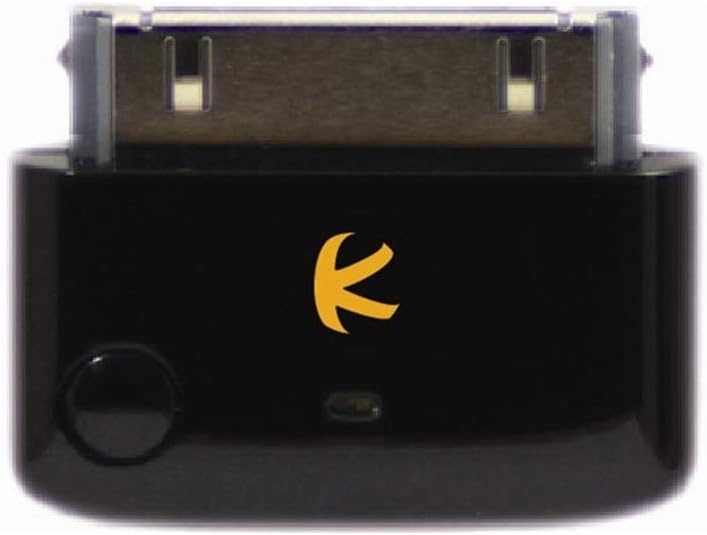
This simple adapter offers a quick way to add wireless to your iPod. It has a stylish black design that matches the classic look. The setup is minimal and requires no software installation.
We may earn a commission when you buy through this link, at no additional cost to you.
It pairs automatically and remembers your device for future use. The device is powered directly by the iPod without extra battery. This makes it convenient for daily commuting or workouts.
Audio quality is standard without high-end codecs. It might not satisfy audiophiles but works for casual music. The compact size means it fits in your pocket easily.
This is a great basic option for iPod Classic users. It brings wireless functionality without complexity. Choose this if you want a simple plug-and-play adapter.
Remembers paired devices for faster connection. No need to re-pair every time you use it.
Stylish and easy to carry. Complements the look of your device nicely.
We may earn a commission when you buy through this link, at no additional cost to you.
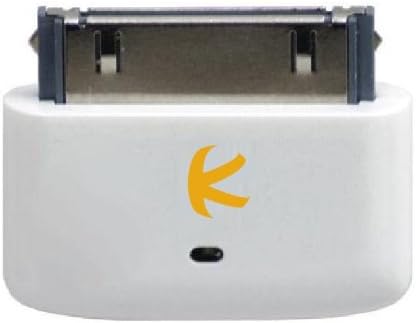
The i10s is one of the smallest transmitters available. It features a luxurious white finish that looks premium. There are no buttons on the device which keeps it sleek and easy to clean.
We may earn a commission when you buy through this link, at no additional cost to you.
It connects easily to receivers with standard pin codes. The design ensures no dirt accumulation around buttons. It is a great choice for those who value form factor.
However, without buttons you have less direct control. You rely on your source device for volume and playback. The price is higher than generic adapters for this specific design.
This is perfect for users wanting minimal bulk. It maintains a clean look without physical controls. Choose this if size and aesthetics are your top priorities.
No buttons mean a smooth surface. No dirt buildup in crevices over time.
Remembers paired devices for quick connection. Simple to use for daily listening.
We may earn a commission when you buy through this link, at no additional cost to you.
This version adds aptX support to the tiny i10s design. It delivers cleaner audio with reduced latency for compatible receivers. The build remains luxurious and compact for everyday carry.
We may earn a commission when you buy through this link, at no additional cost to you.
It is truly one of the smallest transmitters available. The aptX codec enhances audio quality significantly. This is great for users with aptX supported headphones or speakers.
However, you need an aptX receiver to see the full benefit. If your headphones only support SBC the added cost may not justify. The price point is premium compared to basic models.
This is the best choice for audiophiles needing portability. It offers high fidelity without bulk. Choose this if you have aptX devices and value sound quality.
Reduces audio latency for better sync. Ideal for watching videos on your device.
Delivers cleaner audio with true compatibility. Designed for Apple ecosystem users.
We may earn a commission when you buy through this link, at no additional cost to you.
The i10 allows you to stream to two sets of headphones. It is designed specifically for Apple devices like iPods. The black finish complements the look of your device well.
We may earn a commission when you buy through this link, at no additional cost to you.
You can share audio with a friend easily using this feature. It is a made for Apple product ensuring good compatibility. The size is tiny and fits in your pocket easily.
Using dual streaming may reduce battery life slightly. The device is more complex than single stream options. This might affect the overall user experience for some users.
This is great for users who share music often. It works well with AirPods and other Apple headphones. Choose this if sharing audio is a key requirement for you.
Send audio to two receivers at once. Perfect for sharing music on long flights.
Luxurious finish looks professional and clean. Maintains a premium aesthetic for your setup.
We may earn a commission when you buy through this link, at no additional cost to you.
Choosing the right adapter requires looking at several key factors. This section explains what to prioritize when comparing models to ensure compatibility and performance.
Most adapters use the 30-pin connector which is specific to older iPods. Ensure the adapter matches your exact port shape to avoid fit issues. Some universal adapters require a 3.5mm cable which adds bulk.
Always verify the pin configuration matches your device model before buying to avoid fit issues.
Codecs like aptX provide better sound quality and lower latency. If you use high-end headphones look for these features in the specs. SBC is standard but may sound compressed compared to aptX.
Prioritize aptX support if you want clearer audio with less delay.
Some adapters have their own batteries while others draw power from the iPod. Direct power adapters are more convenient but use your device's battery. Battery-powered ones add flexibility but require charging.
Decide if you prefer using your iPod battery or a rechargeable device.
The size of the adapter matters for portability. Tiny models like the i10 are discreet but might have fewer buttons. Larger models may offer better controls but add to the bulk.
Choose a size that fits comfortably in your pocket without scratching the device.
Higher quality adapters ensure better sound reproduction for your music. Look for models with DSP or specific codec support. Basic models may not fully utilize the iPod's sound output.
Invest in a model with better audio features if sound is a priority.
Prices range significantly from budget options to premium models. Budget options may lack advanced features but work well for basic listening. Premium models offer better build and sound but cost more.
Determine your budget and weigh it against the features you need most.
Check the product details for specific model compatibility. Some adapters only work with iPods made after 2007. Ensure it supports your exact iPod generation to avoid connection issues.
Always check the compatibility list before purchasing to ensure it works with your model.
Auto pairing and memory features make using the adapter easier. Models that remember your device save time on setup every day. Manual pairing can be tedious if you switch headphones often.
Look for models with memory functions to simplify your daily routine.
To start using your adapter plug it into the 30-pin port on your iPod. Turn on the Bluetooth on your headphones and put them in pairing mode. The adapter should automatically pair if it is in pairing mode.
Keep the adapter clean by wiping it with a soft cloth. Avoid exposing it to water or extreme temperatures. Store it in a protective case when not in use to prevent scratches.
If using a battery-powered model charge it fully before first use. Monitor the battery level and charge when low to avoid interruptions. For direct power models ensure the iPod has enough charge for long sessions.
No the iPod Classic does not have built-in Bluetooth capability. You need an external adapter like the ones listed above to connect wirelessly to headphones. This allows you to stream audio without a physical cable.
SBC is the standard Bluetooth codec supported by most devices. aptX offers higher quality sound and lower latency for a better experience. If your headphones support aptX you will hear clearer audio.
Most adapters designed for 30-pin iPods are compatible with older iPhones like iPhone 4. Newer iPhones use Lightning ports so you need a different adapter. Check compatibility details for your specific phone model.
Some adapters are powered directly by the iPod and do not need charging. Others have built-in batteries that require periodic charging. Check the product description to see which type you are buying.
Audio lag can happen if the adapter does not support low latency codecs. Using aptX or FastStream codecs helps reduce this delay significantly. Consider adapters with these features for watching videos.
Some adapters support dual streaming to connect two sets of headphones. Check if the model explicitly mentions dual link capability. This is great for sharing music with a friend on a trip.
Most Bluetooth adapters offer a range of about 30 feet indoors. Walls and obstacles can reduce this distance slightly. The connection remains stable within normal room sizes.
Try turning off the adapter and turning it back on to reset. Some models have a reset button or a way to clear pairing memory. Consult the user manual for specific reset instructions.
You have reviewed ten top adapters designed to bring wireless streaming to your classic player. The top picks cover budget and premium options to suit different preferences. Each model brings unique benefits depending on what you need most.
Prioritize factors like codec support and connector type when making your decision. Sound quality matters if you listen to music for hours each day. Ease of use and build quality are also important for daily wear.
Remember that prices fluctuate frequently on online marketplaces. Always check the current price and availability before purchasing to get the best deal. Your classic iPod deserves the right upgrade to keep playing today.