
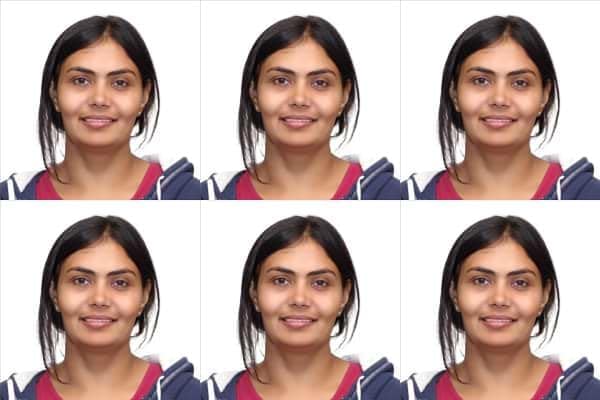
US Online Passport photo prints 2×2 inch
4.7Editor score
Fast 24 hour delivery
Professional editing included
Compliant with all standards
Finding the right way to create compliant identification images at home can save time and money for frequent travelers. These solutions range from dedicated hardware systems to convenient online printing services that meet strict government standards.
We evaluated ten top-rated products based on ease of use, print quality, and compliance with official photo requirements. Our comparison includes dedicated printers, camera kits, and professional online editing services tailored for various needs.
Each pick highlights specific strengths such as wireless connectivity, rapid turnaround, or all-in-one hardware setups. Please note that availability and pricing may vary over time so check current listings before purchasing.
4.7Editor score

4.6Editor score

3.1Editor score
As an Amazon Associate we earn from qualifying purchases.
This side-by-side comparison helps you quickly identify which solution fits your specific needs for quality speed and convenience.




This system ranks as the top choice for those wanting a complete hardware solution. It offers a 4.6 rating and comes preconfigured to meet US passport standards immediately.
We may earn a commission when you buy through this link, at no additional cost to you.
The package includes everything needed such as a camera and a die sub printer. You can transfer images via SD card or USB cable ensuring a smooth workflow.
While the cost is higher than online services it pays off for frequent applicants. The inclusion of a tabletop cutter ensures precise 2×2 inch prints every time.
Ideal for families or offices needing multiple compliant photos regularly. This system eliminates the need for external editing software or mailing services.
The system includes a digital camera and printer so you do not need to source separate components.
An included 2×2 tabletop passport cutter ensures your prints meet exact size requirements without guesswork.
We may earn a commission when you buy through this link, at no additional cost to you.
This solution offers a budget friendly way to print passport photos using your own smartphone. It holds a 4.3 rating and is compatible with both iPhone and Android devices.
We may earn a commission when you buy through this link, at no additional cost to you.
Wireless connectivity makes it easy to send photos directly from your phone to the printer. The package includes enough ink and paper for 108 prints.
It is preprogrammed to handle passport sized photos immediately which reduces setup time. However the quality depends somewhat on your phone camera capabilities.
Best for occasional users who want convenience without buying a dedicated camera. The included cutter ensures you get the correct 2×2 inch size.
You can use your current device to capture images so there is no need for extra hardware.
The box comes with paper and ink for over 100 prints reducing immediate additional costs.
We may earn a commission when you buy through this link, at no additional cost to you.
This system is another strong hardware option rated 4.1 stars. It is preprogrammed to work straight out of the box for US passport compliance.
We may earn a commission when you buy through this link, at no additional cost to you.
It includes a digital camera and supports image transfer via SD card or USB. The die sub printer ensures professional grade output for your documents.
While it shares features with other models it remains a solid choice for those seeking reliability. The price reflects the all-in-one nature of the kit.
Recommended for users who prefer a dedicated system over online services. It provides consistent results without relying on external internet connectivity.
The system is preprogrammed so you can start printing compliant photos immediately after unboxing.
Includes a dedicated digital camera and printer designed to work together seamlessly.
We may earn a commission when you buy through this link, at no additional cost to you.
This service offers a high-rated alternative for those who prefer online processing. It holds a 4.7 rating and ensures your photos meet official standards through expert review.
We may earn a commission when you buy through this link, at no additional cost to you.
They provide detailed guidelines on lighting and background to help you take a good shot. Once uploaded they post your photos within 24 hours.
The photos are cut to exact size unless you prefer a sheet. This eliminates the need for you to own a printer or cutter.
Ideal for travelers needing a photo quickly without buying hardware. It is perfect for those who want professional editing without the effort.
They provide specific advice on lighting and background to help you capture the perfect photo at home.
Your photos are posted to you within 24 hours of order which speeds up your application process.
We may earn a commission when you buy through this link, at no additional cost to you.
This system is designed for high-quality output with a wireless console for easy control. It comes with a Kodak camera and a LCD display for managing images.
We may earn a commission when you buy through this link, at no additional cost to you.
The software creates a gallery of past images allowing for easy reprints without reshooting. It supports a vast selection of foreign and domestic passport sizes.
While it offers professional features the rating suggests some users may find it complex. It is built for efficiency and reducing the risk of human error.
Best for professional settings or users needing specific international sizes. It provides control that is hard to match with standard home printers.
The console keeps a gallery of the past six captured images for easy reprints or template changes.
You can choose from a wide range of foreign and domestic passport and visa output sizes.
We may earn a commission when you buy through this link, at no additional cost to you.
This option focuses on simple online ordering with professional preparation. You upload your photo and receive four professionally prepared prints by mail.
We may earn a commission when you buy through this link, at no additional cost to you.
The team reviews and adjusts your image to meet US specifications. They use high-quality glossy paper and inspect the prints before shipping.
The photos are securely packaged to keep them clean during delivery. This ensures they are ready to submit when they arrive.
Ideal for those who want a hassle-free experience. It works well for anyone with a decent smartphone photo who needs reliable service.
Your uploaded photo is carefully reviewed, adjusted, cropped, and sized to meet US specifications.
The prints are carefully packaged to help protect them during delivery and keep them clean.
We may earn a commission when you buy through this link, at no additional cost to you.
This service offers flexibility with local pickup or self-printing options. You can get 2×2 inch photos quickly and even add more copies easily.
We may earn a commission when you buy through this link, at no additional cost to you.
Same-day pickup is available at local drugstores which speeds up the process. You can choose to get a sheet for unlimited copies or just a few.
It handles the process efficiently so you do not need to deal with cropping or sizing yourself. The photos are prepared to meet application standards.
Best for those who need a photo today and have a nearby store. It balances convenience with speed better than mailing services.
Same-day pick up at your local drugstore is available for immediate needs.
You can add 4 or 10 more photos or choose to get a photo sheet for self printing unlimited copies.
We may earn a commission when you buy through this link, at no additional cost to you.
This option is great for those needing multiple copies of their passport photo. It holds a 4.5 rating and supports various quantity choices up to 20 pieces.
We may earn a commission when you buy through this link, at no additional cost to you.
It includes tips on optimal lighting to ensure your uploaded photo meets standards. You can choose 8 pcs or other amounts to suit your needs.
The service ensures the photos are ready for Visa and Immigration applications. This reduces the risk of rejection due to poor image quality.
Ideal for families or groups needing many prints for multiple documents. It simplifies the ordering process by handling the printing and sizing.
You can choose from various quantities such as 2 4 6 8 10 12 or 20 pieces.
They ensure well-lit surroundings to avoid shadows that can affect clarity of the photo.
We may earn a commission when you buy through this link, at no additional cost to you.
This service stands out with same day shipping and a perfect 5.0 rating. It offers various quantities including 6 pcs to meet your application needs.
We may earn a commission when you buy through this link, at no additional cost to you.
Your photos are prepared for ID Visa and Immigration applications ensuring they meet required standards. The quality is consistently high based on user feedback.
Same day shipping is a major advantage for urgent passport renewals or visas. It minimizes the wait time compared to standard mailing services.
Best for anyone who needs a photo today for an urgent application. The high rating suggests reliable service and good customer support.
The service offers same day shipping to help you get your photos quickly for urgent needs.
Photos are high quality and ready for ID Visa and Immigration applications.
We may earn a commission when you buy through this link, at no additional cost to you.
While not a printer this light box helps you take professional quality photos at home. It is a great tool for ensuring even lighting and neutral backgrounds.
We may earn a commission when you buy through this link, at no additional cost to you.
It features 120 LED lights with CRI over 95 for true color accuracy. The box includes 8 backdrops allowing you to choose a neutral color.
The lighting is dimmable so you can adjust the brightness to suit your room. This helps avoid shadows on the face which is key for compliance.
Best used alongside online printing services to improve your input photo quality. It offers a pro level lighting setup for less than a studio.
CRI over 95 and 5500K daylight help capture true colors so your face looks natural.
Includes 8 backdrops to help you choose a plain neutral background suitable for photos.
We may earn a commission when you buy through this link, at no additional cost to you.
Selecting the right solution depends on your budget how often you need photos and your technical comfort.
Decide if you want a printer system or an online editing service. Hardware gives you control but requires setup and consumables while services offer convenience but rely on shipping times.
Choose hardware for frequent needs and services for occasional use.
Check how many prints you need per order. Some systems allow unlimited copies while others provide a fixed number. Ensure the solution meets the 2×2 inch requirement for US passports.
Verify the output size matches government standards.
Modern systems often support wireless connectivity for ease of use. Look for SD card or USB support if you prefer physical transfer. This affects how quickly you can get a photo printed.
Wireless options simplify the workflow for most users.
Many solutions require a specific plain background. If you use a service follow their guidelines to avoid rejection. If you use hardware ensure your space has even lighting to avoid shadows.
Good lighting is key for acceptance of your photo.
Ensure the printer produces high-quality prints that meet official specs. Look for systems preconfigured for US passports to reduce errors. Online services should offer professional review of your image.
Check that prints are sharp and meet size standards.
Consider how fast you need the photo. Online services may offer same day shipping but require digital uploads. Hardware solutions give you immediate prints once set up.
Prioritize speed if you have an urgent application.
Calculate the total cost including paper and ink or service fees. Hardware has a higher upfront cost but lower per photo price. Services are cheaper upfront but add up with frequent use.
Choose based on your frequency of use.
Look for preprogrammed systems that work straight out of the box. User-friendly consoles and clear instructions save time. Avoid complex setups if you want simplicity.
Simple setup reduces frustration and errors.
Start by reading the instructions for your specific system. For hardware ensure the camera and printer are connected correctly. For services upload a clear well-lit photo.
Take your photo facing a neutral wall with even lighting. Avoid glasses and shadows on the face. Use a light box if possible for better control.
For printers check ink levels regularly and run cleaning cycles if needed. Store consumables in a dry place. For services keep your digital files organized for future uploads.
A compliant photo must be 2×2 inches with a plain background and even lighting. Your face must be fully visible with eyes open and a neutral expression. Avoid hats shadows or glasses unless medically required.
Yes many systems support smartphone images. You can upload these to online services or use apps with printers. Ensure the resolution is high enough for printing at 2×2 inches.
Use a system with a built-in cutter or template. Online services will crop your photo to the exact size. For manual printing use a 2×2 inch guide to check dimensions.
Hardware is cheaper for frequent needs due to lower per-photo cost. Services are better for occasional use since they avoid upfront equipment costs. Consider how often you need photos to decide.
A plain white or light gray background is standard for US passports. Avoid patterns or textures. Many services accept a neutral wall if the lighting is even and shadows are absent.
Hardware solutions provide prints instantly. Online services can offer same day shipping or 24 hour delivery. It depends on the provider so check their delivery estimates.
We reviewed ten solutions ranging from dedicated printers to online services. The Passport Photo Printer System leads as our top pick for all-in-one reliability.
Your best choice depends on whether you value convenience or control. For most users a mix of a light box and an online service offers the best balance.
Remember to verify the latest specifications with your passport agency. Prices and availability may change so check the current listings before finalizing your purchase.