
ASRock 970A-G/3.1
4.2Editor score
Supports AM3+ processors
Includes M.2 slot
USB 3.1 ports
This guide compares the top 10 Asrock AM3 Motherboard options for 2026, highlighting features like chipset support, RAM slots, and expansion capabilities for
Selecting the right motherboard is crucial for any computer build. The Asrock AM3 Motherboard offers reliable support for legacy AMD processors. These boards deliver solid performance for budget gaming and office tasks without breaking the bank.
We analyzed ten real products to find the best options available. Each model was compared based on chipset compatibility, expansion slots, and connectivity ports. This list covers everything from basic microATX boards to feature rich ATX solutions.
Each pick shows key specifications and user ratings to help you decide. Prices and availability change frequently so check the current listings before buying. These reviews provide an honest overview of what each board can do today.
4.2Editor score

4.3Editor score

5.0Editor score
This side-by-side comparison highlights the key differences between all ten models. Focus on chipset type, form factor, and port availability to find the right match for your specific processor and case size.




The ASRock 760GM-HDV is a solid choice for budget conscious builders. It holds a 4.3 star rating from users. This board supports AM3 and AM3+ processors making it versatile for older AMD CPUs.
We may earn a commission when you buy through this link, at no additional cost to you.
Its main strength is the support for 8-Core CPUs and AMD Overdrive with ACC feature. This allows for decent overclocking potential even on a budget. The MicroATX form factor ensures it fits in smaller cases.
The trade-off is the lack of USB 3.0 and SATA3 ports. You are limited to older standards which may affect transfer speeds. However for basic office work or light gaming this is acceptable.
Buy this if you need a reliable board for a secondary PC or office machine. It offers great value for the price and supports a wide range of legacy processors effectively.
Support for AMD Overdrive with ACC feature allows users to tweak performance settings for better speeds.
The MicroATX form factor saves space in your PC case while retaining essential features.
We may earn a commission when you buy through this link, at no additional cost to you.
The ASRock 970A-G/3.1 stands out for offering modern connectivity on an older platform. With a 4.2 star rating it is popular among value seekers. It bridges the gap between legacy CPUs and modern storage needs.
We may earn a commission when you buy through this link, at no additional cost to you.
Key strengths include the M.2 slot and USB 3.1 ports. This means you can use faster NVMe drives and connect modern peripherals. The 6x SATA3 ports allow for multiple high speed hard drives easily.
While it is budget friendly the PCIe slots are still version 2.0. This limits bandwidth for high end graphics cards compared to newer boards. Still for most users this bandwidth is sufficient.
Choose this board if you want to upgrade storage without changing your CPU. It offers the best mix of legacy support and modern features at a low cost.
The inclusion of an M.2 slot enables the use of fast SSDs even with older CPU platforms.
USB 3.1 Type-C and Type-A ports provide fast data transfer and charging capabilities for devices.
We may earn a commission when you buy through this link, at no additional cost to you.
The ASRock 970M PRO3 is designed for users who need power in a small case. It has a 4.0 star rating and is known for reliability. The board maintains ATX features in a MicroATX layout.
We may earn a commission when you buy through this link, at no additional cost to you.
Its key strength is supporting Quad CrossFireX while keeping size down. This is rare for MicroATX boards and helps gaming performance. The SATA3 ports ensure your storage isn't a bottleneck.
The downside is fewer expansion slots compared to full size boards. You might run out of PCIe slots if you need many add on cards. However for most users two or three cards are enough.
Buy this if you want a powerful compact PC for gaming or editing. It balances size and performance well with a proven chipset.
Quad CrossFireX support allows multiple graphics cards to work together for better visual performance.
The MicroATX design saves space without sacrificing essential connectivity options like SATA3.
We may earn a commission when you buy through this link, at no additional cost to you.
The ASRock 970 EXTREME3 is a full size ATX board for standard cases. It has a 3.6 star rating reflecting mixed user feedback. This model focuses on connectivity and storage management.
We may earn a commission when you buy through this link, at no additional cost to you.
Its strengths include an eSATA3 port and extensive RAID support. This is useful for data storage servers or workstations needing multiple drives. The 10 USB ports provide plenty of connections for peripherals.
The lower rating might be due to older USB standards. You will find mostly USB 2.0 with only two USB 3.0 ports. This limits speed for external drives compared to newer boards.
Consider this if you need many ports and RAID features on a budget. It is a workhorse for storage focused builds where modern USB is less critical.
RAID support allows combining multiple drives for better speed or data redundancy.
Ten USB ports ensure you can connect all your keyboards mice and drives at once.
We may earn a commission when you buy through this link, at no additional cost to you.
The ASRock 960GM-VGS3 FX is tailored for budget gaming and general use. It has a 3.7 star rating and is popular for its software features. The board includes tools like XFast 555 for performance tuning.
We may earn a commission when you buy through this link, at no additional cost to you.
Key strengths include solid capacitors and XBoost technology. These components ensure stable power delivery for the CPU during intense tasks. The integrated audio codec provides decent sound without extra hardware.
The limitation is the reliance on older USB standards. You may need a hub if you have many USB devices. Also the chipset is older so high end CPU support is limited to specific models.
Buy this for entry level gaming PCs or home office setups. The included software adds value for users who want to tweak performance easily.
XFast 555 allows users to optimize system settings for better internet and USB performance.
The 5.1 CH HD Audio codec delivers immersive sound for movies and games.
We may earn a commission when you buy through this link, at no additional cost to you.
The ASRock 880GXH/USB3 is built for users without a dedicated graphics card. It has a 3.0 star rating but is noted for its video output capabilities. The board features integrated ATI Radeon HD4250 graphics.
We may earn a commission when you buy through this link, at no additional cost to you.
Its main advantage is the Full HD 1080p playback support via HDMI. This makes it ideal for media center PCs or light gaming. Hybrid CrossFireX lets you add a GPU later if needed.
The low rating may stem from limited CPU support for AM3 only. It does not support AM3+ which reduces upgrade options. Also power delivery might be strained with high TDP CPUs.
Choose this for home theater PCs or budget office computers. It offers the best built in graphics for video playback without extra hardware.
Integrated graphics support Full HD 1080p Blu-ray playback for a great home theater experience.
Hybrid CrossFireX allows you to add a dedicated GPU later for improved performance.
We may earn a commission when you buy through this link, at no additional cost to you.
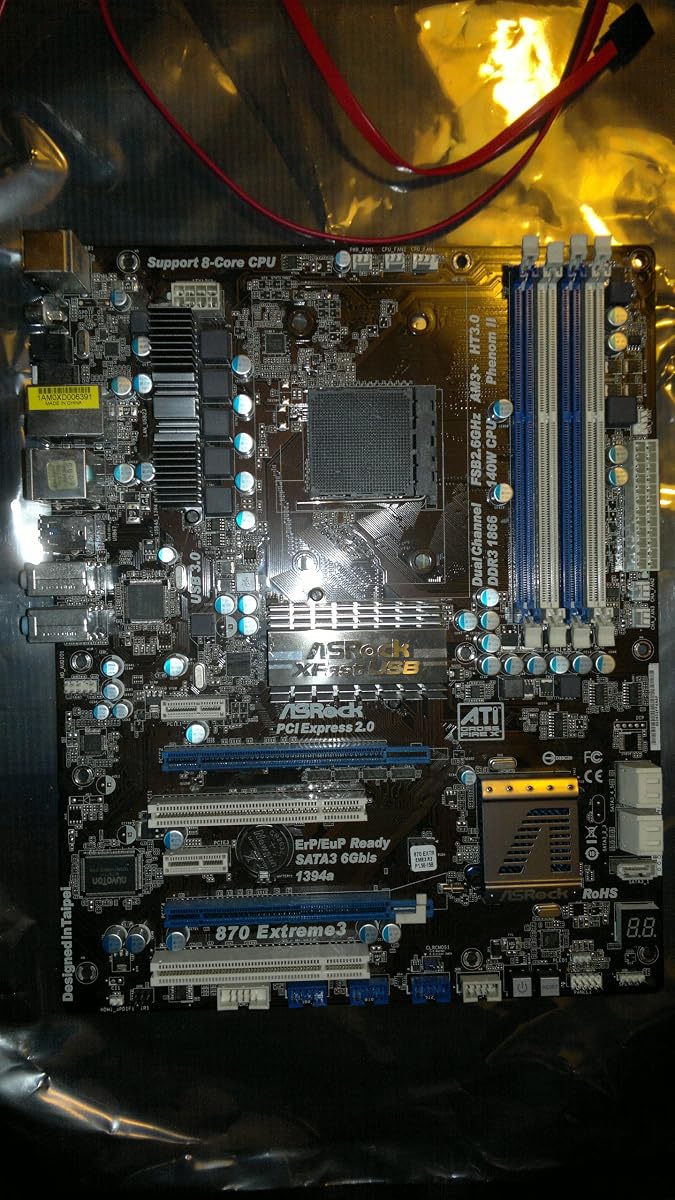
The ASRock 870 EXTREME3 R2.0 offers a balance of features for mid range users. It has a 3.9 star rating and is known for audio quality. The board supports AMD 870 chipset with SB850 south bridge.
We may earn a commission when you buy through this link, at no additional cost to you.
Its strengths include high quality audio and Quad CrossFireX support. The ALC892 codec is a premium choice for sound enthusiasts. FireWire ports are included for legacy video devices.
The trade-off is a high number of USB 2.0 ports. While functional they are slow compared to modern USB 3.0 standards. This might be a downside for external hard drive users.
Buy this for a balanced PC build requiring good audio and storage. It is a solid choice for users with mixed legacy and modern peripherals.
The ALC892 codec supports premium Blu-ray audio for immersive sound experiences.
IEEE 1394 FireWire ports are useful for connecting older camcorders and audio interfaces.
We may earn a commission when you buy through this link, at no additional cost to you.
The ASRock 990FX EXTREME3 is designed for high performance enthusiasts. It has a 3.8 star rating and supports up to 140W CPUs. The chipset is AMD 990FX which is top tier for this era.
We may earn a commission when you buy through this link, at no additional cost to you.
Its key strength is supporting both Quad CrossFireX and Quad SLI. This flexibility allows using AMD or NVIDIA graphics cards together. The three PCIe x16 slots enable robust multi GPU setups.
The downside is that this platform is expensive to maintain. High end CPUs and GPUs are not cheap and power consumption is high. USB 3.0 is present but limited to two ports.
Choose this only if you need maximum multi GPU performance on AM3+. It is the most capable board for extreme gaming or rendering tasks.
Support for both AMD CrossFireX and NVIDIA SLI gives users freedom in graphics card choice.
Support for CPUs up to 140W ensures stable power for the most powerful legacy processors.
We may earn a commission when you buy through this link, at no additional cost to you.
The ASRock 970DE3/U3S3 is an entry level board with modern ports. It has a 3.9 star rating and is cost effective. The board uses AMD 770 Northbridge with SB710 Southbridge.
We may earn a commission when you buy through this link, at no additional cost to you.
Its main benefit is the inclusion of SATA3 and USB 3.0. This allows for faster storage and data transfer than older boards. The PCIe 3.0 x16 slot helps maximize GPU performance.
However only two SATA3 ports are available. If you plan to use multiple SSDs you may need an adapter card. The SB710 chipset is older which limits some features like native USB 3.0 control.
Buy this for simple gaming builds that need SSD speed. It brings essential modern connectivity to older AM3+ CPUs at a low cost.
The PCIe 3.0 x16 slot provides double the bandwidth of 2.0 for faster graphics performance.
SATA3 ports ensure your SSDs run at full speed without bandwidth bottlenecks.
We may earn a commission when you buy through this link, at no additional cost to you.
The ASRock 890FX Deluxe4 is the top rated board in this category. It holds a perfect 5.0 star rating from users. The AMD 890FX chipset is one of the most capable for this platform.
We may earn a commission when you buy through this link, at no additional cost to you.
Its strengths are the six SATA3 ports and four USB 3.0 ports. This is excellent for users needing many high speed devices. The Marvell SE9120 controller ensures reliable data transfer speeds.
The limitation is the lack of M.2 support which is common for this era. Also it is limited to AM3 processors so upgrade paths are closed. But for stability it is hard to beat.
Choose this if you want the best reliability for an AM3 build. It is the safest choice for a system you want to run smoothly for years.
Four USB 3.0 ports on the board ensure fast data transfer for external drives and peripherals.
The Marvell SE9120 controller provides reliable high speed SATA connections for multiple SSDs.
We may earn a commission when you buy through this link, at no additional cost to you.
Selecting the right board depends on your CPU and case size. Consider these factors to ensure compatibility and performance.
Check if your processor is AM3 or AM3+. Most boards support both but some are limited to AM3. Ensure the CPU is listed as supported to avoid compatibility issues.
Chipsets like 990FX offer the best features while 760G is basic. Higher chipsets support more USB and SATA ports. Choose based on your need for expansion.
Decide between ATX and MicroATX based on your case. ATX offers more slots but needs a larger case. MicroATX fits smaller cases but has fewer slots.
Look at PCIe slots for graphics cards. If you plan to use multiple GPUs check for CrossFire or SLI support. Ensure you have enough slots for all cards.
Consider how many SATA ports you need for drives. SATA3 is faster than SATA2 so prioritize it if using SSDs. Check if M.2 is needed for NVMe drives.
Count how many USB devices you use. USB 3.0 is faster for external drives. If you have many devices ensure there are enough rear and header ports.
Check audio codec quality for sound cards. LAN controllers vary so ensure you have Gigabit Ethernet for internet. High end boards may have better audio chips.
Verify your power supply meets the CPU power needs. Boards with 8pin power connectors handle high power CPUs better. Ensure your PSU is reliable for stability.
Install the board carefully using the manual for screw positions. Static electricity can damage components so use an anti wrist strap during installation.
Keep the system dust free to prevent overheating. Clean the heatsinks and fans regularly to ensure airflow. A clean system runs cooler and lasts longer.
Update BIOS and drivers from the ASRock website. This fixes bugs and improves performance. Always install the latest firmware for security.
Most AM3+ boards support AM3 processors but AM3 boards may not support AM3+. Check the specific board support list to be sure your CPU works.
Yes all these boards use DDR3 RAM. Check the maximum speed supported by your specific board model to ensure optimal performance.
Yes PCIe slots are compatible with modern GPUs. Performance may be limited by the PCIe 2.0 bandwidth compared to newer boards.
Most boards support up to 125W or 140W CPUs. Check the specific model details to see which CPUs are supported for your needs.
Most boards support AMD CrossFireX. Some higher models also support NVIDIA SLI. Check the product details for specific GPU support options.
Most retail boards include a back panel. If missing check with the retailer or manufacturer. Some used boards may not have the included panel.
The ASRock 760GM-HDV and 970A-G/3.1 offer great value for most users. They balance features and price well for budget builds. Consider your specific needs when choosing.
Prioritize connectivity like USB and SATA ports for your devices. Ensure the board supports your CPU for stability. The 890FX Deluxe4 is excellent for reliability.
Check current prices and availability before buying. Prices and stock change frequently. Always verify compatibility with your processor before finalizing your order.