
Vilros Raspberry Pi 5 AI Kit
5.0Editor score
Hailo-8 accelerator included
Up to 26 TOPS
Full hardware bundle
Compare top AI Raspberry Pi Kits for vision and language models. This guide reviews hardware specs, sensors, and learning resources to help you choose the
Artificial intelligence is transforming how we interact with hardware. Raspberry Pi kits now include sensors and accelerators for vision and language tasks. These tools help beginners build projects without needing expensive servers.
We evaluated ten kits based on hardware quality, sensor variety, and learning resources. Each option supports different boards and speeds. We focused on what matters for makers and students exploring AI today.
Each pick shows core features, included modules, and supported frameworks. Prices change often, so check current listings before buying. This guide helps you find a kit that fits your skills and goals.
5.0Editor score

4.6Editor score
4.5Editor score
This side-by-side comparison shows hardware specs, sensors, and included tools for each kit. Use this table to find the right balance of power, learning resources, and cost for your project.


This kit offers a complete path into AI with Raspberry Pi. It supports multiple language models and vision tools. The included Pan-Tilt HAT and sensors let you build interactive projects right away.
We may earn a commission when you buy through this link, at no additional cost to you.
The curriculum includes video lessons from Paul McWhorter. You can learn Python, OpenCV, and MediaPipe through structured examples. The Fusion HAT+ provides power and voice interaction capabilities.
Assembly takes time, but the hardware is high quality. The Pan-Tilt HAT helps you understand motion control. You must supply your own board, which adds to the total cost.
This is the top pick for beginners who want guided learning. If you want a lab with voice and vision, this kit fits. It covers a wide range of AI tasks well.
Combine voice, vision, and sensors for rich experiences.
Learn from Paul McWhorter with clear examples.
We may earn a commission when you buy through this link, at no additional cost to you.
This kit delivers strong AI power with an onboard NPU. It runs neural networks efficiently with Hailo support. The bundle includes a case, cooler, and storage to start quickly.
We may earn a commission when you buy through this link, at no additional cost to you.
You get up to 26 TOPS for detection tasks. The active cooler keeps the Pi 5 stable during use. Preloaded OS saves setup time. It is built for serious workloads.
The cost is higher than starter kits. You must provide your own board. The hardware is robust, so it is worth the investment if you need speed.
Choose this if you need top-tier AI performance. It is ideal for developers working on detection and segmentation. The hardware is reliable for demanding projects.
Hailo accelerator boosts neural network tasks.
Includes case, cooler, and storage.
We may earn a commission when you buy through this link, at no additional cost to you.
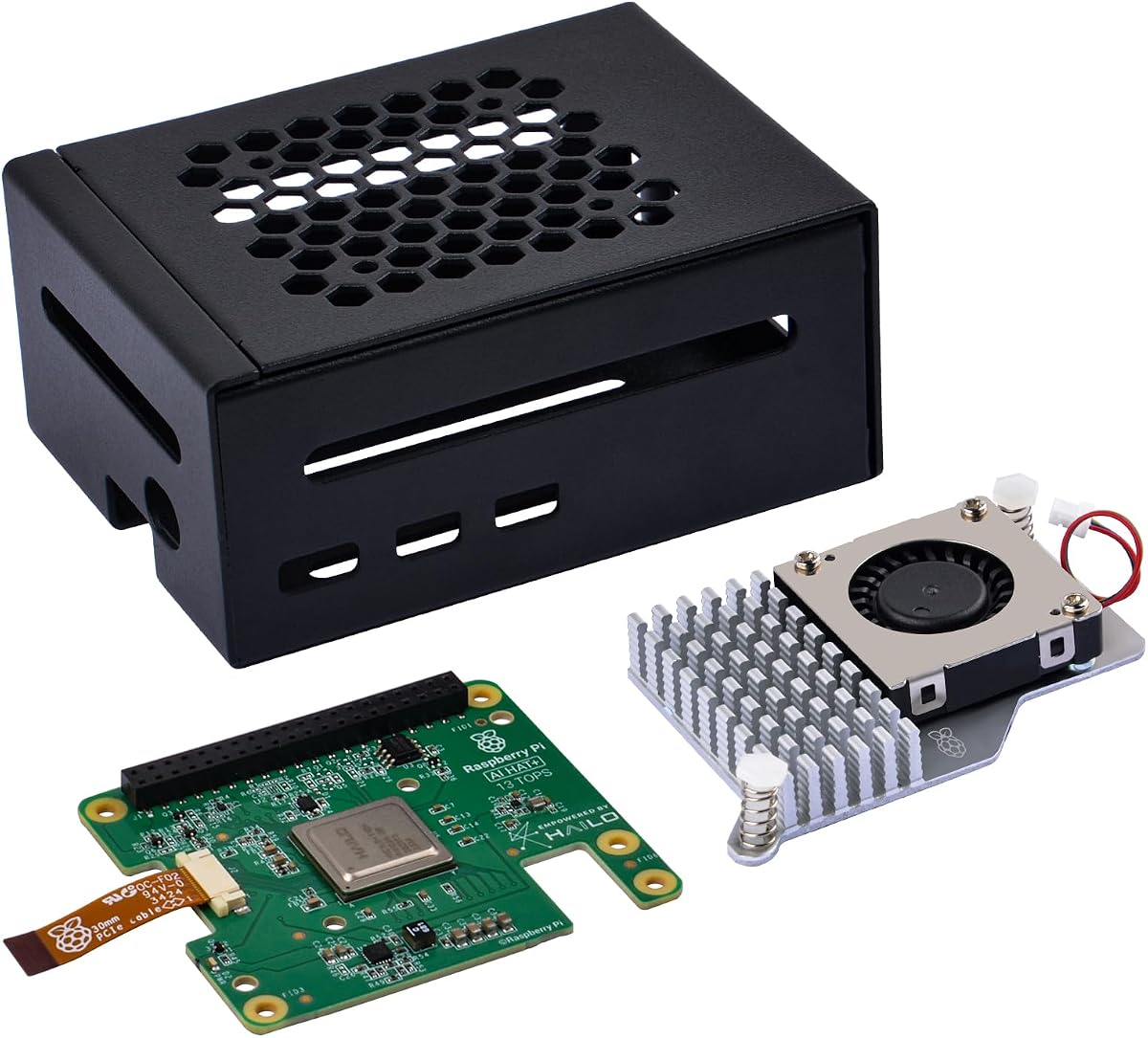
This kit adds AI capability to Pi 5 with a Hailo module. It provides 13 TOPS for detection. The metal case and active cooler protect hardware and maintain temperature.
We may earn a commission when you buy through this link, at no additional cost to you.
The NPU is detected automatically by the OS. You can run camera apps that use the accelerator. The PCIe link ensures fast data transfer for AI tasks.
You must supply your own Pi 5 board. Documentation is less extensive than other kits. The hardware is solid for its price point.
This kit is great for budget AI builds. If you have a board, it adds power at low cost. It fits makers who need a compact AI solution.
Case shields board from damage and dust.
Fan keeps temperatures low during AI tasks.
We may earn a commission when you buy through this link, at no additional cost to you.
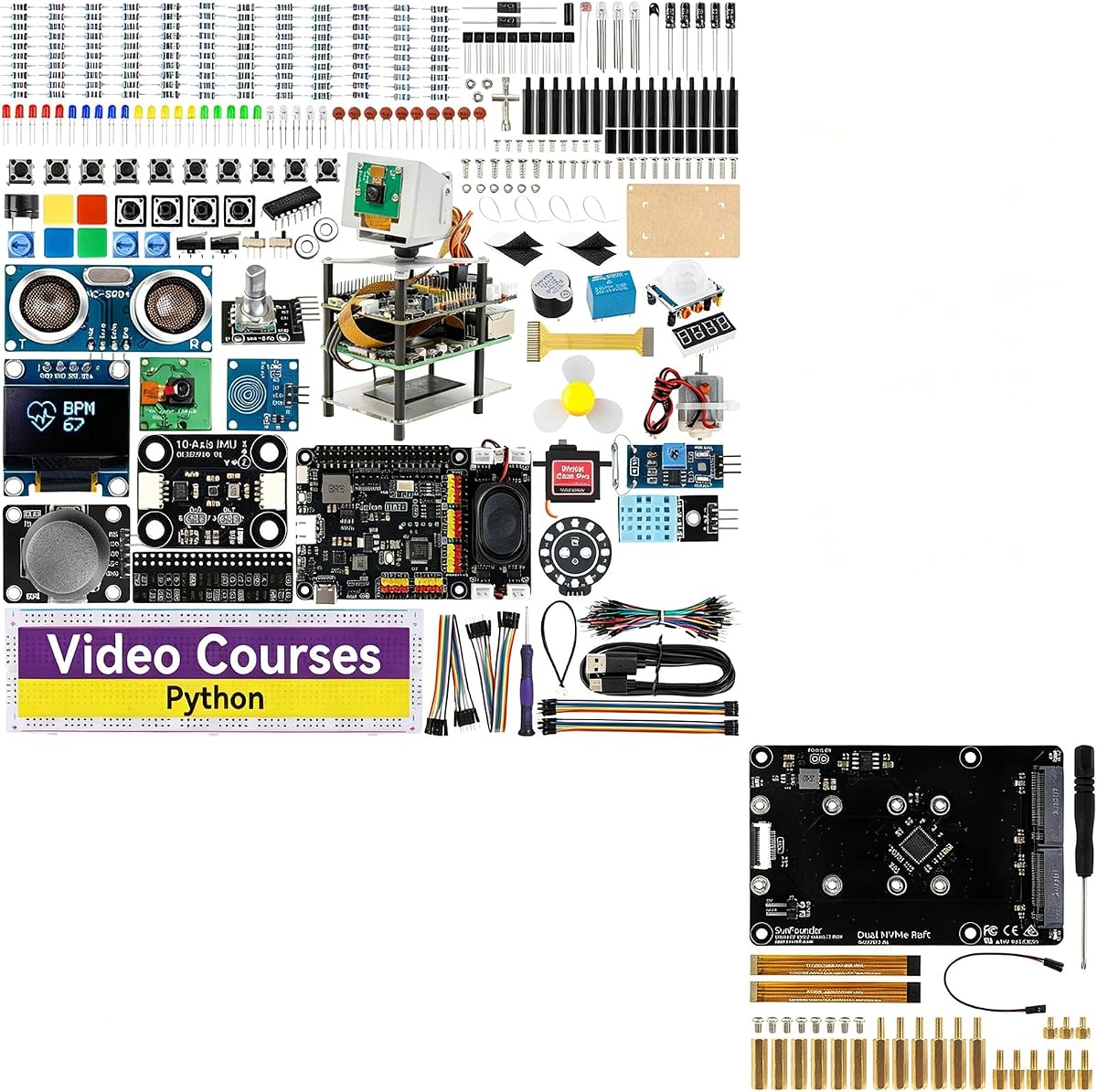
This kit combines AI learning with fast storage. The Dual NVMe Raft adds slots for SSDs. You can build a NAS or use drives for data-heavy AI projects.
We may earn a commission when you buy through this link, at no additional cost to you.
The Fusion Lab provides voice and vision modules. It supports multiple LLMs and OpenCV. The Raft supports RAID for data protection or speed.
Setup requires wiring and configuration for RAID. You must supply a Pi 5 board. The storage options make it useful for media or AI servers.
This kit is for users wanting AI and storage. If you plan to build a server or media center, it fits. It balances learning and hardware utility.
Adds slots for RAID 0/1 and storage.
Fusion HAT+ supports vision and voice.
We may earn a commission when you buy through this link, at no additional cost to you.
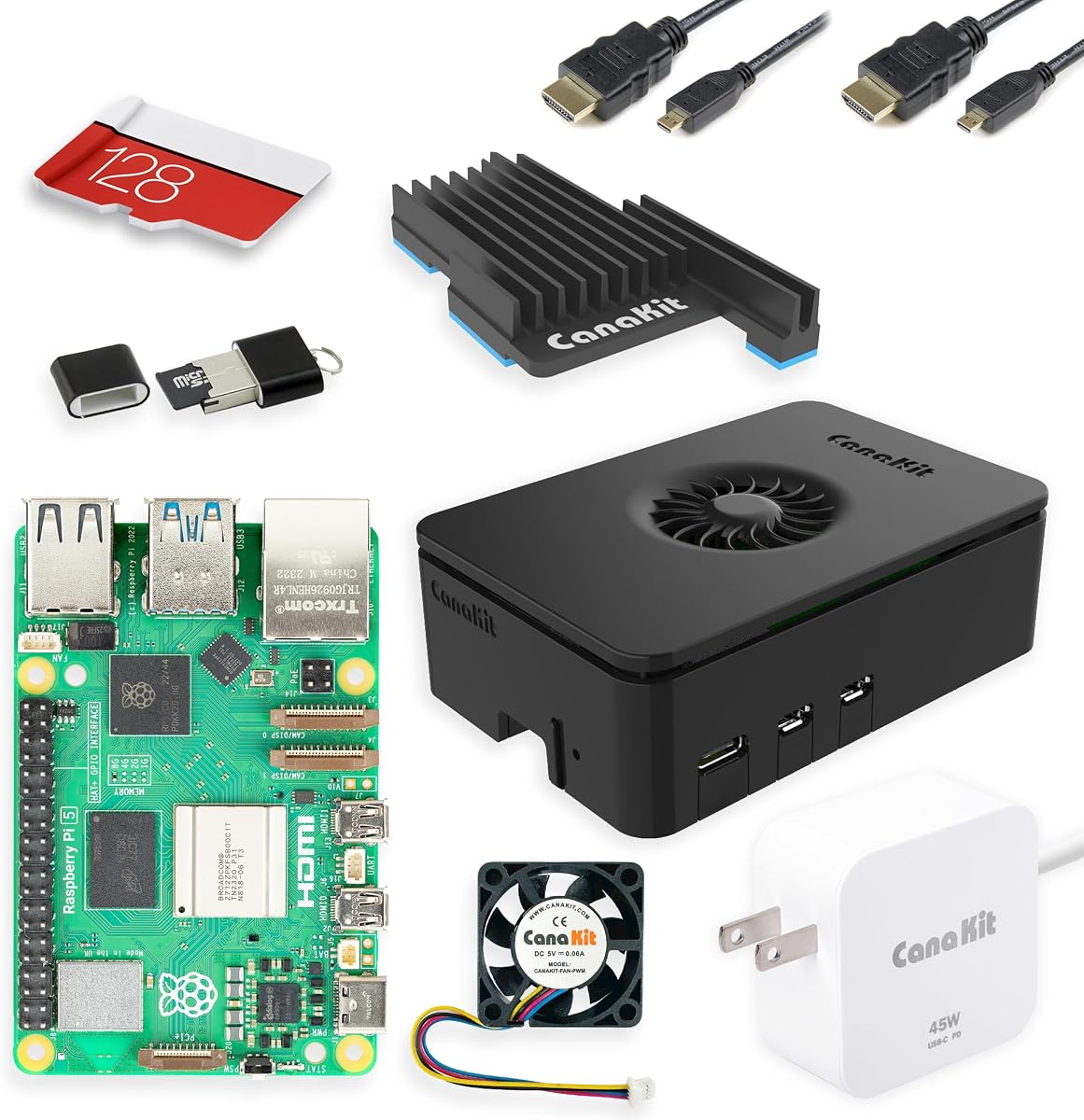
This is a complete Pi 5 kit with accessories. It includes the board, case, and power supply. The OS is preloaded on the card. It is solid hardware for any AI build.
We may earn a commission when you buy through this link, at no additional cost to you.
The Turbine case is stylish and functional. The 45W supply supports expansion. The 8GB RAM is enough for many AI models.
It does not include vision sensors or accelerators. You need to add modules for AI tasks. It is a strong base for adding custom parts.
Use this as a foundation for AI kits. If you want a reliable system to start, it fits. It is good for general-purpose computing.
Includes 8GB RAM and official OS.
Turbine case protects and looks good.
We may earn a commission when you buy through this link, at no additional cost to you.
This kit offers official components for Pi 5. It includes active cooling and reliable power. The setup is fast with preloaded OS. It supports edge AI and Docker tasks.
We may earn a commission when you buy through this link, at no additional cost to you.
The case has an integrated fan for cooling. The power supply is designed for Pi 5 needs. This hardware is stable for long runs.
It does not include AI-specific modules. You need to add accelerators or sensors for vision. It is a strong base for custom builds.
Choose this for stable edge computing. If you plan to add AI modules later, it works. It is reliable for professional use.
Active fan maintains stable temps.
Preloaded OS ready in minutes.
We may earn a commission when you buy through this link, at no additional cost to you.
This kit builds a robot with AI features. It has 12 servos for movement and sensors for interaction. ChatGPT-4o integration allows voice commands and vision recognition.
We may earn a commission when you buy through this link, at no additional cost to you.
The robot performs many actions like walking. It supports FPV streaming via app. The microphone and camera make interactions engaging.
It uses Pi Zero 2 W, so power is limited. Complex models run slower than Pi 5. The kit is fun but less powerful.
This is best for robotics learning. If you want a moving AI project, it fits. It is engaging for beginners and kids.
Combines 12 servos with voice and vision.
Control robot and see view via app.
We may earn a commission when you buy through this link, at no additional cost to you.
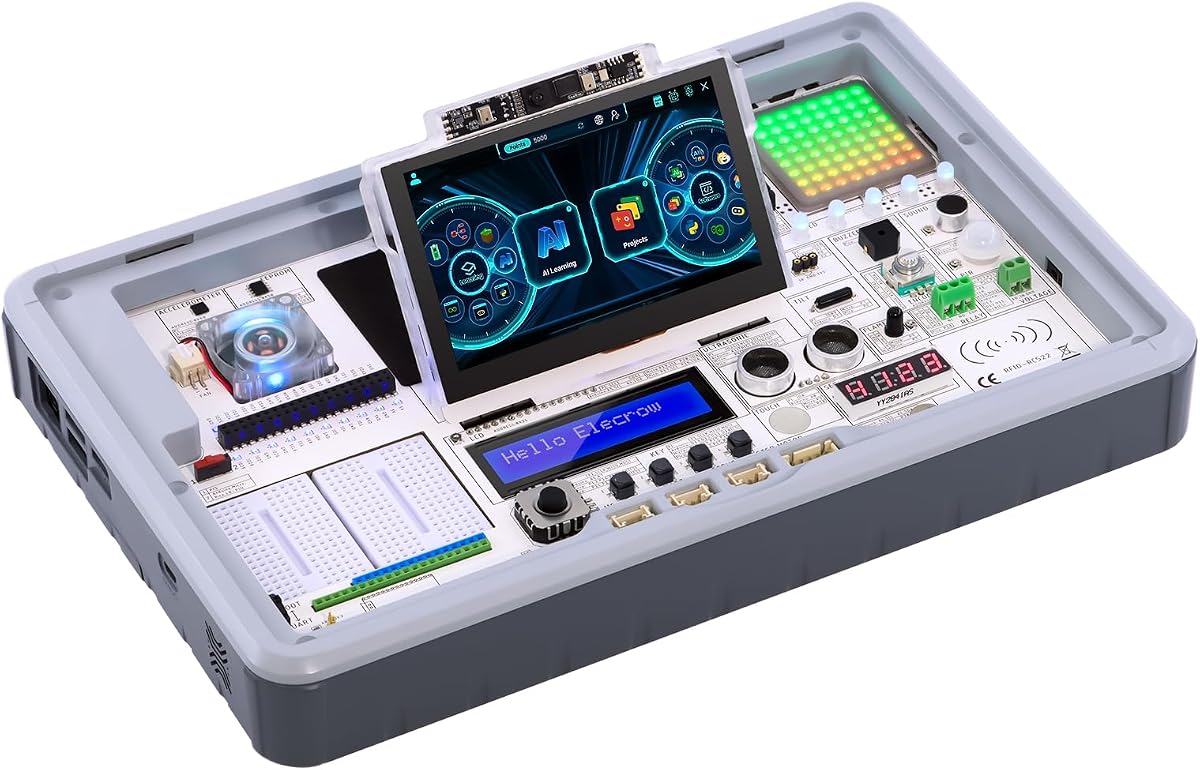
This kit focuses on learning with many sensors. It has a built-in display and camera. You can start coding without wiring. The lessons guide you through basics.
We may earn a commission when you buy through this link, at no additional cost to you.
It supports OpenCV and LLMs. The layout is simple for students. It works with multiple boards including Pi 5.
You must supply your own Pi 5. The lessons are many but some are basic. It is great for classrooms.
This kit is best for education. If you want to learn step by step, it fits. It is a strong training station.
41 sensors simplify prototyping.
4.3-inch touchscreen for easy control.
We may earn a commission when you buy through this link, at no additional cost to you.
This station supports vision and voice projects. It has a touch display and sensitive microphone. It offers many courses for AI learning.
We may earn a commission when you buy through this link, at no additional cost to you.
The layout is clear for sensors. You can run LLMs and OpenCV. It is ready for development tasks.
You must supply your own Pi 5. The course count is high. Some lessons are basic but helpful.
This is good for voice and vision. If you want a full learning station, it fits. It is useful for teachers.
Built-in mic enables voice projects.
200+ courses cover basics to advanced.
We may earn a commission when you buy through this link, at no additional cost to you.
This package includes a Pi 5 with 16GB RAM. It supports many models without running out of memory. The station has sensors, camera, and mic.
We may earn a commission when you buy through this link, at no additional cost to you.
It offers 200+ lessons. The board is pre-configured for AI. This is a complete package for serious learners.
It is expensive for basic projects. The RAM is more than most need. It is ideal for heavy workloads.
This kit is best for advanced users. If you need memory for models, it fits. It is a full development solution.
Handles large models without swapping.
Board and station in one kit.
We may earn a commission when you buy through this link, at no additional cost to you.
Selecting the right AI Raspberry Pi Kit depends on your goals and current skills. Look at hardware, sensors, and learning resources.
Check which boards the kit supports. Some require Pi 5 for full power. Others work with older models. Confirm if the board is included.
Ensure the kit fits your board to avoid incompatibility.
Kits with NPUs or accelerators offer better speed for vision tasks. Look for TOPS ratings. High performance helps with real-time models.
An accelerator is key for fast detection.
Vision projects need cameras and sensors. Look for cameras, HATs, or motion sensors. These expand what you can build.
More modules mean more project options.
Good kits include lessons or videos. Look for courses that explain code and hardware. This helps beginners progress faster.
Strong resources reduce the learning curve.
AI tasks generate heat. Ensure the kit has a cooler or case. Power supply must match your needs.
Proper cooling ensures stable performance.
Check for USB, PCIe, or GPIO support. These affect how you add sensors or storage. Fast links help with data transfer.
Verify ports match your peripherals.
Some kits add mics and speakers. These enable voice commands. Look for LLM support for natural language.
Voice features make projects more interactive.
Consider how easy it is to assemble. Look for clear instructions. Kits with expansion slots allow growth.
Easy setup helps you start quickly.
Begin by reading the hardware manual. Connect power and storage. Install any required software updates.
Use the lessons to start projects. Follow the guide for cameras and sensors. Run simple tests first.
Keep the kit clean and dry. Avoid dust on sensors. Store parts in a safe place to maintain hardware.
A regular kit includes a board, case, and accessories. An AI kit adds vision sensors, cameras, and accelerators. It supports tasks like object detection and speech processing.
Some kits include lessons for beginners. Others assume Python knowledge. Look for kits with video courses if you are new to code.
Pi 5 offers better speed for AI models. Kits using Pi 5 or Pi 4 are ideal for tasks like OpenCV. Check compatibility before buying.
Kits with sensors and lessons fit well for education. They allow group projects. Ensure the kit includes enough parts for students.
Some kits support language models. They allow voice interaction. Check if the kit mentions LLM support before purchasing.
Look for durable kits with weather-resistant cases. Avoid kits with fragile parts. Ensure the power supply fits outdoor use.
Top picks cover learning, speed, and value. The SunFounder Fusion Lab leads in curriculum. The Vilros Kit offers top performance. The GeeekPi Kit delivers budget value.
Choose based on your needs. If you want voice and vision, select the Fusion Lab. If you need speed, look at the Vilros Kit.
Prices and availability change often. Check current listings before buying. Use this guide to find the right fit.