
ASUS ProArt PA32QCV
3.9Editor score
Factory calibrated for Delta E less than two
MacBook color matching preset included
Five year warranty coverage included
Finding the right display can transform your workflow when working with high-resolution content like video editing or graphic design. A 32 inch 6K monitor offers incredible pixel density ensuring text and images appear crisp and detailed without needing constant scaling or zooming during intense sessions.
We have carefully evaluated ten leading models available this year focusing on real-world performance for creative professionals and power users. Our comparison looks beyond basic specs to consider color accuracy connectivity options ergonomics and overall build quality to help you find the perfect screen for your desk setup.
Each pick below highlights specific strengths whether you need Thunderbolt support daisy chaining or touchscreen capabilities for unique workflows. Please note that pricing and availability fluctuate frequently so checking the latest details before purchasing ensures you get the best value for your investment today.
3.9Editor score

3.8Editor score

5.0Editor score
As an Amazon Associate we earn from qualifying purchases.
This side-by-side comparison highlights key specifications across all ten models including resolution connectivity types panel technology and refresh rates to help you quickly identify the right monitor for your specific needs.


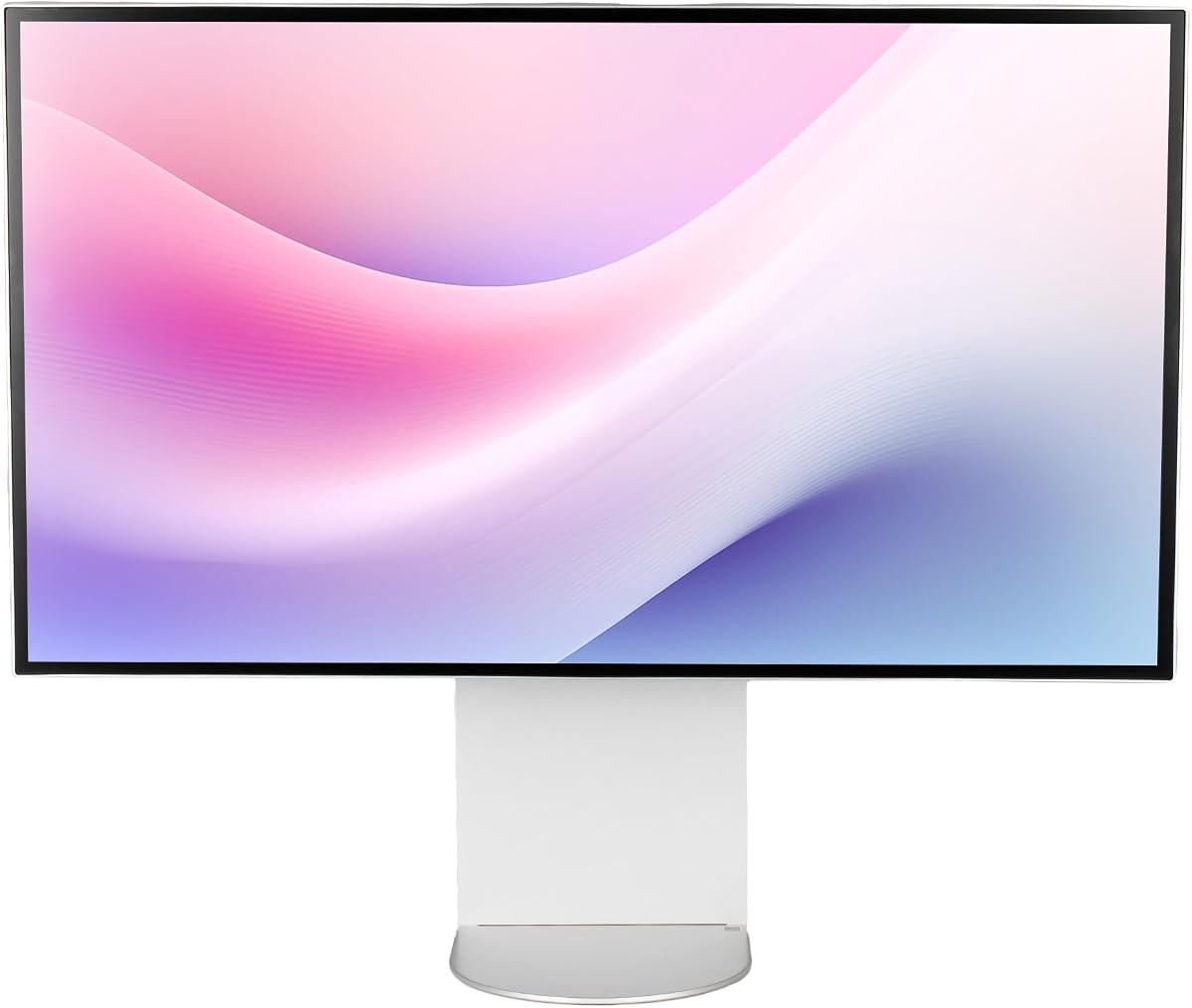
This monitor stands out as a top choice for professionals who need maximum detail and reliable connectivity. It features a 6K resolution panel that delivers sharp text and images while supporting the latest Thunderbolt 5 standard for ultra-fast data transfers.
We may earn a commission when you buy through this link, at no additional cost to you.
The color performance is outstanding with near perfect coverage of Adobe RGB and DCI-P3 gamuts. This makes it ideal for photo editing and video grading where color consistency is critical. The contrast ratio is significantly better than standard IPS panels thanks to the Nano IPS Black technology.
While the price is high the value comes from future-ready features like daisy chaining and 96W power delivery. You can connect multiple devices and charge your laptop through a single cable reducing desk clutter effectively.
If you work in creative fields and need the best visual fidelity this is a strong recommendation. The ergonomic stand allows for easy adjustments ensuring comfort during long work sessions.
Thunderbolt 5 offers transfer speeds up to 80Gbps which is twice as fast as previous generations ensuring quick file syncing.
With factory calibration and high gamut coverage this monitor ensures your colors match printed outputs accurately.
We may earn a commission when you buy through this link, at no additional cost to you.
The ASUS ProArt PA32QCV is an excellent option for Mac users seeking professional color accuracy without breaking the bank. It comes factory calibrated to ensure colors are true to life right out of the box without needing external calibration tools.
We may earn a commission when you buy through this link, at no additional cost to you.
Connectivity is robust with dual Thunderbolt 4 ports that support daisy chaining and high wattage power delivery. The built-in Auto KVM switch allows you to control two computers with one keyboard and mouse which is very efficient for multitasking.
One limitation is the refresh rate which caps at 60Hz but this is standard for productivity focused monitors. The 5-year warranty adds peace of mind for long-term business use.
This model is best for editors and designers who prioritize color fidelity and ecosystem compatibility over gaming performance.
The Mac Color P3 preset matches your MacBook screen perfectly for seamless visual transitions between devices.
Auto KVM lets you switch inputs instantly saving time when working across multiple systems simultaneously.
We may earn a commission when you buy through this link, at no additional cost to you.
This is the world's first 6K touchscreen monitor offering a unique blend of high resolution and direct interaction. It transforms your desk into a digital canvas which is perfect for artists architects and designers who sketch or annotate directly on screen.
We may earn a commission when you buy through this link, at no additional cost to you.
The resolution is incredibly sharp at 216 PPI making text and images appear incredibly smooth. The included Active Stylus provides low latency and high pressure sensitivity for a natural drawing experience similar to paper.
The fold stand allows you to lay the screen flat for drawing or upright for viewing. While the cost is high it provides capabilities no other monitor on this list can match.
If you need a versatile tool that doubles as a large drawing tablet this is the only real choice available.
The fold stand lets you easily switch from an upright monitor to a flat drawing tablet in seconds.
Low latency and pressure sensitivity allow for natural brush strokes and precise annotations without lag.
We may earn a commission when you buy through this link, at no additional cost to you.
The Samsung Odyssey G8 brings 6K resolution to gamers with a dual mode feature that allows switching between 6K at 165Hz and 3K at 330Hz. This flexibility ensures you get the right balance of detail and speed depending on the game.
We may earn a commission when you buy through this link, at no additional cost to you.
The Fast IPS panel delivers vibrant colors and quick response times to reduce motion blur. G-Sync compatibility ensures smooth gameplay by syncing the GPU and panel together for better visual fluidity.
While designed for gaming the high resolution makes it capable for productivity work as well. However the color accuracy may not be as precise as creative specific monitors without calibration.
This is the top choice if you want a single display for both professional work and high-performance gaming sessions.
Switch between 6K visual fidelity and 3K speed instantly to match your gaming needs.
High refresh rates and G-Sync prevent tearing and lag for a more immersive experience.
We may earn a commission when you buy through this link, at no additional cost to you.
This monitor includes a built-in webcam which is perfect for users who need a clean desk setup for video calls and work. The 6K resolution ensures high clarity for both your content and your video feed.
We may earn a commission when you buy through this link, at no additional cost to you.
With 450 nits of brightness it performs well in brightly lit offices. The LED technology provides efficiency and visual brilliance which helps maintain image quality over time.
The response time is acceptable for general work and casual gaming but not ideal for competitive esports. The design is sleek and ergonomic offering plenty of adjustability.
It is a solid choice for office professionals who want simplicity and high resolution without extra peripherals.
The integrated webcam eliminates the need for a separate camera saving desk space and cable clutter.
450 nits ensure images remain visible and clear even in well-lit office environments.
We may earn a commission when you buy through this link, at no additional cost to you.
This bundle version of the LG UltraFine includes a cleaning kit and cable ties adding immediate value. It maintains the strong performance of the standard model with Thunderbolt 5 and high color accuracy.
We may earn a commission when you buy through this link, at no additional cost to you.
The KVM functionality allows you to control multiple computers with one set of peripherals increasing productivity. The 2000 to 1 contrast ratio ensures deep blacks and vivid details for professional media.
With 96W power delivery you can charge most laptops through the monitor alone reducing the need for extra adapters on your desk.
Buying the bundle saves time and ensures you have everything needed to start working immediately.
The included cleaning kit and cable ties help maintain the monitor and your workspace easily.
KVM functionality lets you switch between systems quickly without changing keyboard and mouse.
We may earn a commission when you buy through this link, at no additional cost to you.
The G32X focuses on simplicity and build quality with a CNC-machined aluminum body that looks premium. It supports 500 nits of brightness which is higher than many competitors making HDR content look better.
We may earn a commission when you buy through this link, at no additional cost to you.
Connectivity includes a 100W power port ensuring you can charge high-performance laptops while streaming video. The minimalist stand design blends well with modern desks and supports universal mounts.
Anti-glare and eye care features help reduce fatigue during long hours of work. It is a strong contender if you prefer sleek design over brand name.
This monitor is ideal for those who value aesthetics and solid performance without unnecessary branding.
500 nits of brightness deliver vibrant images and strong contrast for HDR content.
The aluminum body ensures durability and a sleek look that fits any modern office.
We may earn a commission when you buy through this link, at no additional cost to you.
This model is designed for those who want to mount their monitor using a custom arm. It comes without a stand but includes a honeycomb design for better cooling during intensive tasks.
We may earn a commission when you buy through this link, at no additional cost to you.
The glossy finish enhances color vibrancy and black depth making images pop. With 223 PPI the text and details are incredibly sharp for any viewing distance.
While the lack of a stand requires extra purchase it offers flexibility to position the screen exactly as needed. It is a great choice for dedicated studio setups.
Choose this if you have a specific mounting solution in mind and want a unique look.
The honeycomb structure helps dissipate heat ensuring stable performance during long sessions.
Omitting the stand allows you to use any VESA arm for a personalized setup.
We may earn a commission when you buy through this link, at no additional cost to you.
This bundle includes a two-year enhanced protection plan which offers peace of mind for business users. It comes with multiple cables including Mini DisplayPort which adds convenience for connecting different devices.
We may earn a commission when you buy through this link, at no additional cost to you.
The brightness and resolution are consistent with the standard UltraSharp model ensuring high quality visuals. Having protection included simplifies the support process if any issues arise.
While the base monitor is standard the added value of the warranty makes it worth considering for teams.
It is a smart pick if you need long-term reliability and support assurance.
The protection plan covers defects and issues for two years ensuring minimal downtime.
Included cables like Mini DisplayPort make it easier to connect various legacy devices.
We may earn a commission when you buy through this link, at no additional cost to you.
This standard model offers the core benefits of LG Ultrafine technology without extra bells and whistles. It has HDR 600 support and a responsive 5ms time which handles everyday tasks well.
We may earn a commission when you buy through this link, at no additional cost to you.
The stand allows for height tilt and pivot adjustments making it comfortable for different users. It is a great entry point into the 6K ecosystem from a trusted brand.
While it lacks the latest Thunderbolt 5 it still covers essential needs for most professionals. It balances performance and cost effectively.
Choose this if you want reliable performance without paying for premium connectivity features.
Full ergonomics allow you to set the perfect angle for long working hours.
It delivers consistent quality for general professional work without unnecessary extras.
We may earn a commission when you buy through this link, at no additional cost to you.
Selecting the right 6K monitor involves more than just resolution. Here are key factors to consider to match your needs.
6K resolution offers over 20 million pixels which provides extreme clarity for text and design work. Ensure the panel supports at least 220 PPI for sharpness without scaling.
Higher pixel density means less eye strain and more screen real estate for tools and content.
IPS panels provide wide viewing angles and accurate colors essential for creative work. Nano IPS Black enhances contrast by 2000:1 compared to standard IPS.
Select IPS for color accuracy and avoid TN or VA if viewing angles matter to you.
Thunderbolt 5 and 4 ports allow high-speed data and video over one cable. USB-C power delivery is critical if you want to charge your laptop via the monitor.
Look for dual Thunderbolt or USB-C hubs to manage multiple devices easily.
Check for factory calibration and color gamut coverage like Adobe RGB or DCI-P3. Delta E under 2 ensures colors match professional standards.
Accurate color is non-negotiable for print design and video grading tasks.
Most productivity monitors run at 60Hz but gaming focused models offer higher rates. Fast response times reduce motion blur for dynamic content.
Prioritize higher refresh rates if you game or watch high-speed video regularly.
Adjustable stands with height tilt and pivot support better posture during long work sessions. VESA mount compatibility offers flexibility to use third-party arms.
Comfort features reduce physical strain and improve overall workflow efficiency.
Premium brands often offer longer warranties up to five years for business units. Extended service plans add security for expensive hardware investments.
A solid warranty saves money and stress if repairs are ever needed.
Prices vary widely based on features like Thunderbolt version or touchscreen. Determine if extra features justify the cost for your specific use case.
Balance price with the features that directly impact your daily tasks.
To ensure the best image quality calibrate your monitor settings after setup. Use provided presets like sRGB or DCI-P3 if you work with standard color spaces.
Clean the screen regularly using a microfiber cloth and approved LCD cleaner. Avoid harsh chemicals or paper towels that can scratch the delicate surface.
Keep firmware updated through manufacturer software to maintain performance and compatibility with new devices. Proper ventilation ensures long life and stable operation.
Yes if you need detailed workspace for editing or coding. The extra pixels allow multiple windows side by side without scaling which improves efficiency significantly.
Use certified Thunderbolt 5 or 4 cables for full bandwidth. Standard HDMI cables may not support 6K at high refresh rates so check compatibility carefully.
Yes rendering 6K requires a strong GPU. Ensure your computer can handle the resolution for smooth performance especially during gaming or 3D work.
Most support Mac via Thunderbolt or USB-C with native scaling. Some brands like ASUS and LG have specific Mac optimized modes for better integration.
165Hz provides smoother motion for gaming or video. 60Hz is sufficient for standard productivity tasks like document editing and browsing.
Some models include basic speakers but they are often low quality. External speakers or headphones usually provide better audio experiences.
The top picks like the LG UltraFine and ASUS ProArt offer strong value for professional workflows with excellent color and connectivity options.
Prioritize features like Thunderbolt 5 for speed or touchscreen capability if your work requires direct interaction on the screen.
Always verify current pricing and availability as these models may change features based on demand.