
Seasonic Prime TX-1600 Noctua Edition
4.7Editor score
Ultra-quiet Noctua fan
Titanium efficiency rating
Semi-passive fan control
This guide compares the top 1600W power supplies for high-end PCs, evaluating efficiency, noise, modularity, and ATX 3.1 compliance to find the best PSU.
Modern high-performance computers demand robust power delivery systems to handle intense workloads. A 1600W power supply provides the necessary headroom for extreme gaming setups and professional workstations requiring stable electricity.
We analyzed ten leading models based on efficiency certifications, build quality, and feature sets. Our comparison focuses on ATX 3.1 compliance, noise levels, and overall reliability for demanding applications.
Each selection highlights specific strengths like silent operation or advanced voltage regulation. Note that prices and availability fluctuate frequently, so verify current listings before making a final purchase decision.
4.7Editor score

4.4Editor score

4.6Editor score
This table offers a side-by-side look at key specifications for every unit on our list to help you quickly identify the right model for your specific build needs.


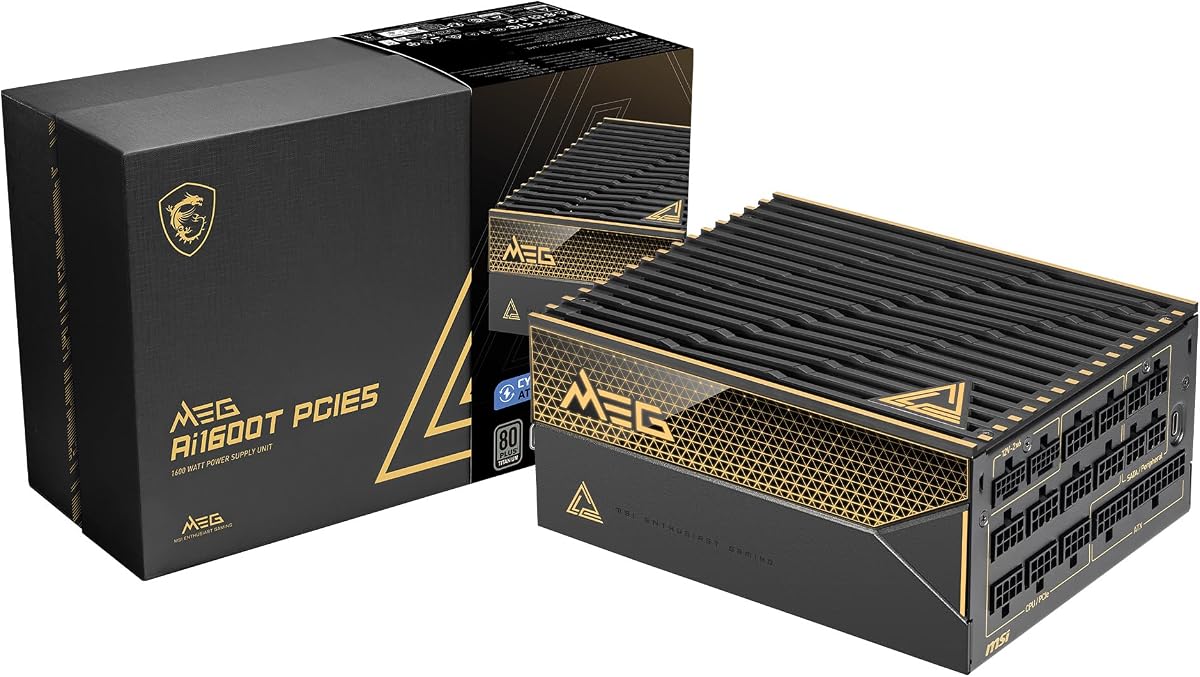


The ASRock PG 1600G stands out as a top contender for enthusiasts seeking high wattage without breaking the bank. It holds a strong 4.4 rating and brings modern ATX 3.1 standards to a price point that often surprises buyers.
We may earn a commission when you buy through this link, at no additional cost to you.
Its standout quality is the inclusion of native 12V-2×6 connectors alongside robust 10-year coverage. The unit uses 100% Japanese capacitors ensuring reliability while offering a dedicated 5V boost function for voltage stability during spikes.
Trade-offs include a significant depth of 180mm which might challenge smaller cases. Some users report fan noise increases under heavy sustained load though the iCool mode helps mitigate this during lighter usage periods.
This PSU is ideal for gamers building next-gen systems with multiple GPUs or high-end processors. We recommend it for those who prioritize raw power and modern connectivity standards over absolute silence in every scenario.
It supports PCIe 5.1 standards with robust cables and a TempGuard system that monitors terminal heat for added protection against overheating events.
The unit achieves high efficiency with Cybenetics Platinum certification reducing energy waste and keeping operational heat lower than many competitors in this class.
We may earn a commission when you buy through this link, at no additional cost to you.
This Noctua edition represents the pinnacle of silent power supply design. With a high 4.7 rating it delivers exceptional electrical performance that makes it perfect for noise sensitive workstations and high-end gaming rigs.
We may earn a commission when you buy through this link, at no additional cost to you.
The key strength lies in its custom Noctua fan and titanium certification. It runs nearly silent even under load thanks to optimized fan grill design and semi-passive operation that keeps the fan off until 50% load.
The trade-off is the price which is significantly higher than standard units. For users who do not need absolute silence this cost might not be justified but for recording studios or quiet homes it is unmatched.
We recommend this for professionals needing a noiseless environment who also require massive power capacity. It is the ultimate choice for those who value silence above all else in their computing experience.
The custom fan design reduces noise levels to near inaudible ranges making it the quietest option on the market for silent builds.
Certified at 94% efficiency at typical loads it minimizes power waste and reduces heat generation significantly better than lower rated units.
We may earn a commission when you buy through this link, at no additional cost to you.
The EVGA SuperNOVA 1600 G2 brings high wattage to a budget friendly price point. It has earned a 4.6 rating from users who appreciate its balance of power and cost effectiveness for demanding builds.
We may earn a commission when you buy through this link, at no additional cost to you.
Its primary strength is the price and reliability. You get a 10-year warranty and fully modular design without the premium cost of newer certifications. It handles SLI and Crossfire setups effectively with solid protection mechanisms.
The trade-off is the lack of native ATX 3.1 or PCIe 5.1 connectors. You may need adapters for newer GPUs though these are common and affordable. It lacks the latest efficiency certifications compared to titanium units.
This PSU is best for budget conscious builders needing extreme wattage for older or current gen hardware. We recommend it for those who want maximum power per dollar without worrying about the newest voltage standards.
It includes heavy-duty protections against overvoltage and short circuits ensuring your components are safe even during power fluctuations or surges.
The fully modular cables reduce clutter in your case allowing for better airflow and a cleaner build aesthetic regardless of the cable count.
We may earn a commission when you buy through this link, at no additional cost to you.
This model is designed for users who want precise control over their power rails. It holds a 4.3 rating and features a unique digital control system that allows advanced configuration and monitoring of the power supply.
We may earn a commission when you buy through this link, at no additional cost to you.
Its key strength is the combination of Titanium efficiency and ATX 3.1 readiness. The digital system lets you switch between single rail and multiple rail configurations which is beneficial for specific overclocking scenarios or multi-GPU setups.
The trade-off is the complexity involved in setting up the digital features. It is also quite expensive compared to standard models. Some users find the physical switches and digital interface slightly confusing without manual guidance.
We recommend this for power users who need specific voltage rail tuning capabilities. It is perfect for enthusiasts building top-tier systems who want the flexibility to configure their power delivery exactly how they need it.
The digital control allows users to adjust rails and monitor power usage with precision ensuring optimal stability for demanding workloads and overclocking.
The full mesh front design improves airflow while keeping the fan quiet ensuring your system stays cool without adding excessive noise to the room.
We may earn a commission when you buy through this link, at no additional cost to you.
The standard Prime TX-1600 offers a balanced mix of features that appeal to a wide range of high-end builders. It carries a 4.5 rating and is known for its reliable performance across various system configurations and load conditions.
We may earn a commission when you buy through this link, at no additional cost to you.
Its main strengths include dual native 12V-2×6 connectors and full ATX 3.1 compliance. The hybrid fan control ensures quiet operation at low loads while maintaining cooling performance under heavy stress. It uses high quality Japanese capacitors for stability.
The main trade-off is the cost which is higher than Gold rated units. Some users may find the weight of the unit makes installation slightly more difficult in tight spaces or smaller cases.
We recommend this for builders who want a top-tier standard without paying for the special Noctua edition. It is an excellent choice for future-proofing a system with the latest power standards and reliable components.
With native dual 12V-2×6 connectors you can power the latest graphics cards directly without needing adapters ensuring a cleaner and safer connection.
The hybrid fan mode keeps the system silent during idle and light usage while ramping up only when necessary for cooling efficiency.
We may earn a commission when you buy through this link, at no additional cost to you.
The HX1500i brings modern software features to high wattage power management. With a 4.5 rating it is perfect for users who want to monitor and control their power delivery directly from their desktop interface.
We may earn a commission when you buy through this link, at no additional cost to you.
Its standout feature is the integration with CORSAIR iCUE software. You can create custom fan curves and toggle protection settings on the fly. The 140mm fan is fluid dynamic bearing which ensures longevity and quiet performance across loads.
The trade-off is that some features rely on software running in the background. While powerful this might be unnecessary for users who prefer plug and play simplicity. The 1500W output is slightly lower than 1600W but still very robust.
We recommend this for CORSAIR ecosystem users who enjoy software customization. It is a great pick for gamers who want to track real-time power stats and adjust cooling profiles based on their current workload.
The software allows you to monitor power draw and adjust settings in real time giving you insights into your system's energy consumption patterns.
The Zero RPM mode keeps the fan completely off during low loads ensuring silent operation when your PC is idle or handling light tasks.
We may earn a commission when you buy through this link, at no additional cost to you.
This unit distinguishes itself with an industry leading 12 year warranty. It has a 4.5 rating and is built to last with server grade components that ensure stability even under continuous heavy loads and demanding operations.
We may earn a commission when you buy through this link, at no additional cost to you.
Its strengths include triple titanium certification and robust protection features. The unit is ATX 3.1 ready with native dual connectors. The braided cables are high quality and the fan is designed for low noise operation even during peak performance.
The trade-off is the cost which is higher than many competitors. The physical size is also substantial so you need to ensure your case can handle it. These factors make it a more specialized choice for premium builds.
We recommend this for users who plan to keep their system for many years. The extra warranty coverage provides peace of mind for expensive professional workstations or gaming rigs where reliability is the top priority.
Server grade capacitors and tri-certification ensure that the unit runs cool and efficiently reducing wear and tear over time for long lifespan.
Full support for ATX 3.1 and PCIe 5.1 guarantees that your power supply can handle the latest graphics cards and power demands for years.
We may earn a commission when you buy through this link, at no additional cost to you.
The ROG Thor stands out with its visual magnetic OLED display. It holds a 4.3 rating and features GaN MOSFETs which offer better efficiency than traditional units. This makes it a favorite for builders who want style and technology combined.
We may earn a commission when you buy through this link, at no additional cost to you.
Its key strength is the GPU First Voltage Stabilizer that improves power delivery to graphics cards. The OLED display shows real time power usage so you can monitor your system without software. The Turbo mode helps during power spikes.
The trade-off is the high price and physical bulk of the unit. You need to ensure your case allows enough clearance for the side facing display. It might be too much for users who do not care about RGB aesthetics.
We recommend this for RGB enthusiasts and ROG ecosystem fans who want to monitor power visually. It is a great pick for showpiece builds where aesthetics matter as much as raw electrical performance and stability.
The OLED screen displays real-time power consumption allowing you to see exactly how much energy your system is using at any moment.
The GaN MOSFETs and intelligent stabilizer provide cleaner and more efficient power delivery reducing waste heat and improving system stability.
We may earn a commission when you buy through this link, at no additional cost to you.
The P2 model focuses on efficiency and reliable power delivery. It holds a 4.6 rating and is Platinum certified meaning it saves more energy than Gold units. This makes it a strong choice for users who care about power consumption.
We may earn a commission when you buy through this link, at no additional cost to you.
Its strengths include the 100% Japanese capacitors and ECO mode fan control. The ECO mode keeps the fan off at low loads for silence. It also supports SLI and Crossfire with fully modular cables for a clean build.
The trade-off is the ECO mode which limits cooling options during high loads compared to units with hybrid modes. It also lacks the newest ATX 3.1 connectors which might limit future GPU compatibility in the long run.
We recommend this for users who want proven Platinum efficiency and reliability. It is a great option for those who prioritize energy savings and silence over the absolute newest power standards available today.
Platinum certification ensures high conversion efficiency meaning less electricity is wasted as heat which can lower energy costs over time.
ECO mode keeps the fan stopped during idle and low load periods ensuring your PC remains silent when you are not gaming or rendering.
We may earn a commission when you buy through this link, at no additional cost to you.
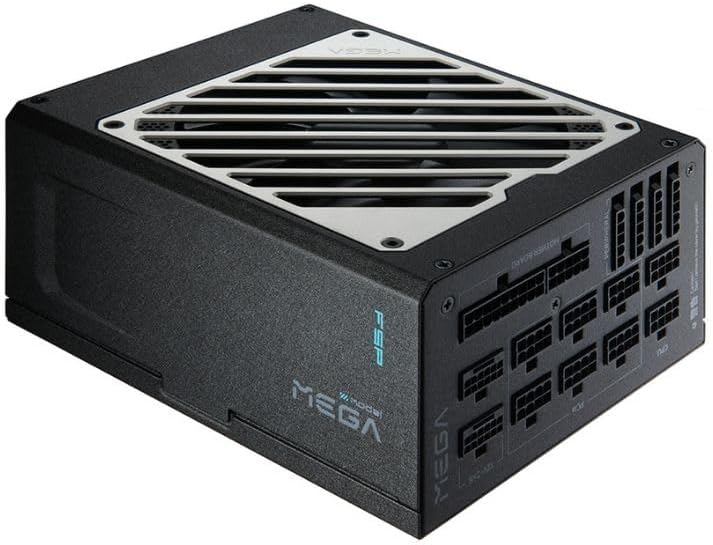
The FSP MEGA TI offers a unique mix of compact design and massive power. It holds a perfect 5.0 rating and delivers 1650W which is higher than most 1600W units. This makes it a standout for high density builds needing power.
We may earn a commission when you buy through this link, at no additional cost to you.
Its strengths include the small footprint and Titanium certification. You get 200% power excursion support for the latest GPUs. The Zero RPM mode ensures silence and the unit uses 105°C Japanese capacitors for long term durability in tough conditions.
The trade-off is that FSP is less visible in consumer markets. It also handles high currents which requires careful cable management. Users might find support channels more limited than big brands if issues arise in the future.
We recommend this for builders needing maximum power in a smaller space. It is a great choice for those who prioritize efficiency and raw wattage without the extra marketing features of bigger names.
Delivering 1650W in a compact frame gives you more headroom than standard units ensuring you have power for extreme setups without a huge PSU.
Certified Titanium means it achieves top tier efficiency levels reducing wasted energy and heat while providing stable voltage for demanding components.
We may earn a commission when you buy through this link, at no additional cost to you.
Choosing the right power supply requires understanding efficiency ratings, connectors, and build quality.
Efficiency ratings like Gold or Titanium measure how much energy is converted to usable power. Higher ratings mean less waste and lower heat generation.
Look for Platinum or Titanium to maximize efficiency and reduce electricity costs over time.
Modern graphics cards require specific connectors like 12V-2×6 for PCIe 5.1. Ensure your PSU has native connectors to avoid adapters.
Native connectors reduce the risk of loose connections and ensure stable power delivery to your GPU.
Modular PSUs allow you to connect only the cables you need. This improves airflow and reduces clutter inside the case.
Fully modular designs are recommended for cleaner builds and better cooling performance.
Fan noise can affect your gaming experience. Look for units with hybrid or semi-passive control to keep the fan off at low loads.
High quality fans with fluid dynamic bearings ensure quieter operation over long periods.
Capacitors store and regulate power. Japanese capacitors are known for high reliability and long life compared to others.
Choose units with 100% Japanese capacitors to ensure stability and prevent failures over time.
A good PSU includes protections against short circuits, overvoltage, and power surges. These features protect your expensive components.
Verify that the unit has OVP, UVP, and OCP to safeguard your hardware against power fluctuations.
A longer warranty indicates the manufacturer's confidence in the product. Units often come with 10 to 12 year coverage.
Always check the warranty terms to ensure your investment is protected for years to come.
High wattage units can be larger than standard ones. Always check the depth and width against your case specifications.
Ensure there is enough space for the unit and cable routing before making a final purchase decision.
Always plug the PSU into a surge protector rather than a direct wall outlet to protect against power spikes. This simple step can extend the lifespan of your unit significantly.
When installing the unit, ensure all cables are pushed fully into the connectors until they click. Loose connections can cause power interruptions or damage to the hardware.
Periodically clean the intake vents with compressed air to prevent dust buildup. This helps maintain airflow and keeps the fan operating efficiently over years.
If you plan to use two high end graphics cards or an extreme overclocked CPU you may need this power. Most single GPU gaming systems will operate fine on lower wattage units.
Titanium units are more efficient than Gold rated ones. This means they waste less electricity as heat which can lower your power bill and keep your case cooler.
Yes all these units are backward compatible with older standards. You can use existing PCIe 6+2 pin connectors or adapters for older graphics cards without issues.
Many units have semi passive modes that turn the fan off when loads are low. This saves wear on the fan and reduces noise when your PC is idle.
The difference is minor and usually does not impact real world performance. Both provide plenty of headroom for even the most demanding workstation setups available today.
If you need a completely silent system then yes it is worth it. The difference in noise levels can be significant in quiet rooms or recording studios.
We have reviewed ten exceptional models ranging from budget friendly to premium tiers. Each option offers unique strengths whether you value silence, efficiency, or raw power delivery.
Prioritize ATX 3.1 compliance and native connectors if you want future proof compatibility. Otherwise standard units provide reliable performance for current generation hardware.
Remember to check current listings for the best deals as prices change frequently. Your perfect power supply is likely one of these top ten choices.