
Alienware 34 240Hz QD-OLED
4.5Editor score
240Hz variable rate
QD-OLED technology
1800R curve
TrueBlack 400 HDR
Finding the right display is crucial for immersive gaming experiences. A quality monitor enhances clarity and response times significantly. Gamers seek high refresh rates and accurate colors for competitive play.
We compared ten Alienware models based on panel technology and response times. Each option offers unique features like OLED or fast IPS panels. Our analysis highlights performance strengths across different price points.
Each pick showcases specific strengths for various gaming styles. Prices fluctuate regularly so verify current listings before purchasing. This guide helps you choose the perfect display for your setup.
4.5Editor score

4.6Editor score
4.6Editor score
As an Amazon Associate we earn from qualifying purchases.
This side-by-side comparison highlights key specifications across ten models to help you select the ideal display for your gaming needs.




This display delivers essential QHD performance for gamers seeking fluid visuals in high definition. Its 180Hz refresh rate ensures smooth gameplay across various titles.
We may earn a commission when you buy through this link, at no additional cost to you.
The Fast IPS panel covers 95% DCI-P3 for vibrant colors. A dedicated console mode locks in settings for marathon sessions comfortably.
While HDR 400 is present, peak brightness limits deep shadow contrast. However, the low blue light solution helps preserve eye health during long play.
It suits most gamers wanting clarity and speed without OLED costs. We recommend it for balanced performance in competitive and casual titles.
The 27 inch panel offers detailed worlds with fast response times for clarity.
Console mode and hardware low blue light reduce strain during extended use.
We may earn a commission when you buy through this link, at no additional cost to you.
Experience ultrawide immersion with this 34 inch QD-OLED panel delivering seamless speed. The 240Hz refresh rate supports elite gameplay across action titles.
We may earn a commission when you buy through this link, at no additional cost to you.
Color range and clarity are exceptional with 99.3% DCI-P3 coverage. Infinite contrast from OLED ensures deep blacks in dark scenes effectively.
Curved 1800R design may not suit all workflows or desk layouts. Burn-in risk exists if static elements remain visible for extended periods.
Ideal for enthusiasts seeking cinema-like realism in competitive games. Pair with a variable refresh rate GPU for optimal sync performance.
TrueBlack 400 certification brings stunning depth to shadows and light.
Adaptive sync technologies ensure smooth transitions without tearing or lag.
We may earn a commission when you buy through this link, at no additional cost to you.
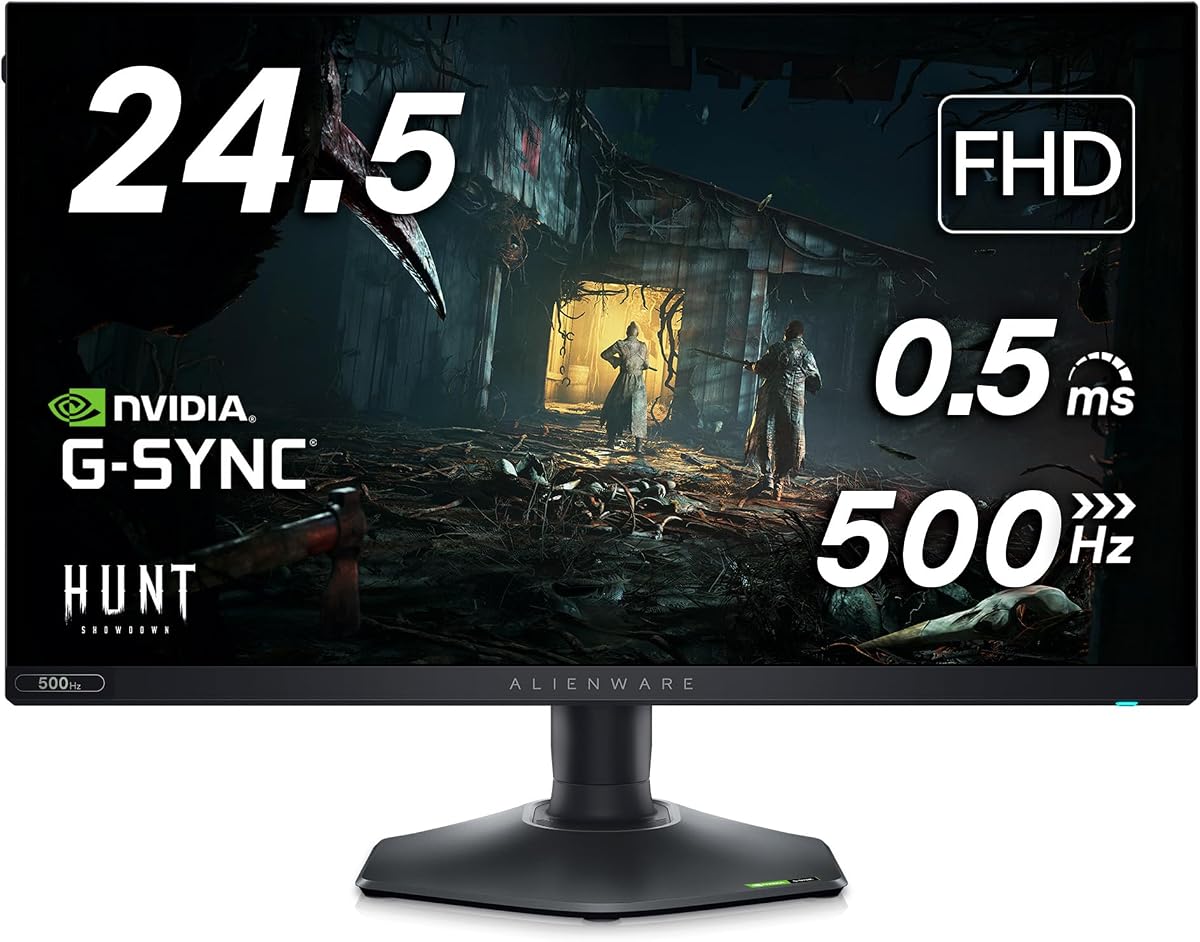
Industry-leading 360Hz refresh and 0.5ms response enable smooth gameplay. AMD FreeSync Premium ensures tear-free graphics during action-packed sequences.
We may earn a commission when you buy through this link, at no additional cost to you.
The hexagonal base offers a small footprint for mouse movement. An integrated headset hanger keeps desks organized efficiently.
Full HD resolution may appear pixelated compared to QHD panels. The base design might limit stand clearance in tight setups.
Perfect for competitive players prioritizing speed over resolution. We suggest it for esports setups needing quick reaction clarity.
Fast IPS technology delivers vivid colors with wide viewing angles.
Height and pivot adjustments support personalized viewing comfort.
We may earn a commission when you buy through this link, at no additional cost to you.
Legend 2.0 design features customizable lighting and 360 ventilation. NVIDIA G-SYNC ULTIMATE certifies smooth gaming at 175Hz refresh.
We may earn a commission when you buy through this link, at no additional cost to you.
Quantum Dot technology provides superior color performance versus standard OLED. Creator mode supports precise work for content creation tasks.
Static elements risk burn-in without proper screen savers. Height adjust may be limited compared to other ergonomic stands.
Recommended for creators needing both gaming and color accuracy. Ensure your GPU supports G-SYNC for full benefits.
Infinite color gamut and high peak luminance enhance realism.
Ultra-low latency ensures responsive inputs in competitive games.
We may earn a commission when you buy through this link, at no additional cost to you.
This model brings QD-OLED performance to a 26.5 inch form factor. A 240Hz refresh rate delivers sharp clarity and smooth motion.
We may earn a commission when you buy through this link, at no additional cost to you.
Quantum Dot inkjet printing enhances color purity and dark scenes. The compact footprint suits desks requiring more physical space.
Fewer sizes exist for this specific resolution and panel combo. Cost remains high due to advanced display technologies.
Best for users wanting OLED visuals in a smaller screen. Consider connectivity options before finalizing your purchase.
High density pixels provide vivid detail across media and games.
Adaptive sync prevents tearing during rapid frame changes.
We may earn a commission when you buy through this link, at no additional cost to you.
Renewed units offer advanced ultra-precise printing for 4K resolution clarity. The 240Hz rate supports life-like color accuracy and immersive worlds.
We may earn a commission when you buy through this link, at no additional cost to you.
166 PPI density renders dark scenes with exceptional rendered detail. Improved cable management ensures efficient desk efficiency.
Renewed items lack full warranty coverage compared to new units. High refresh rates demand powerful GPUs to drive 4K visuals.
Consider this for budget-conscious enthusiasts seeking premium tech. Check seller ratings before purchasing refurbished monitors.
Dolby Vision and HDR create stunning range in every scene.
360-degree ventilation supports optimal panel temperature stability.
We may earn a commission when you buy through this link, at no additional cost to you.
Native 480Hz refresh delivers a new category of motion clarity. Anti-glare coating preserves visibility during long competitive sessions.
We may earn a commission when you buy through this link, at no additional cost to you.
NVIDIA Reflex Latency Analyzer optimizes systems for lowest latency. Fast IPS maintains accurate colors despite high speeds.
Full HD resolution reduces text sharpness for non-gaming tasks. Driving 480Hz requires a very powerful GPU.
Choose this if absolute speed is the top priority. Ideal for professional esports where reaction times decide wins.
Reflex technology synchronizes with GPUs for minimal delay.
Wide viewing angles ensure vibrant colors from any seat.
We may earn a commission when you buy through this link, at no additional cost to you.
This bundle includes a USB LED light and 7-in-1 hub. The monitor delivers industry-leading 360Hz variable refresh for fast gameplay.
We may earn a commission when you buy through this link, at no additional cost to you.
AM freeSync Premium ensures smooth graphics without tearing. Hexagonal base optimizes footprint for keyboard and mouse movement.
Accessories are useful but may not fit all setups perfectly. Resolution limits appeal for general desktop productivity tasks.
Great for budget setups needing extra peripherals immediately. Ideal for competitive gamers prioritizing low response times.
USB hub supports multiple inputs for streamlined cable management.
Compact base design frees space for peripherals and tools.
We may earn a commission when you buy through this link, at no additional cost to you.
Overclocked 280Hz reduces motion blur for competitive edges. Fast IPS Nano Color delivers vivid, accurate colors from any angle.
We may earn a commission when you buy through this link, at no additional cost to you.
Triple sync certification ensures stutter-free gaming across PC and consoles. HDR600 certification brightens peaks and deepens shadows.
Overclock modes may require driver adjustments for stability. Stand weight adds stability but limits portability options.
Select this for high frame rate shooters. Perfect for hybrid setups mixing console and PC gaming.
Nano Color technology enhances gamut for vibrant and accurate tones.
Adjustable stand supports ergonomic comfort during long sessions.
We may earn a commission when you buy through this link, at no additional cost to you.
This 21:9 curved display maximizes field of view. WQHD resolution ensures sharp and detailed images in games.
We may earn a commission when you buy through this link, at no additional cost to you.
NVIDIA G-SYNC synchronizes GPU to minimize distortions like tearing. 98% DCI-P3 coverage ensures game colors are experienced as intended.
120Hz is adequate but lags behind newer 240Hz options. Older hardware may require driver updates for peak performance.
Best for cinematic gaming and productivity multitasking. A solid choice if you prefer wider screens over fast refresh.
Consistent viewing experience with wide 178 degree angles.
AlienFX customizable lighting lets gamers set the scene.
We may earn a commission when you buy through this link, at no additional cost to you.
Selecting a gaming monitor requires balancing resolution, speed, and panel technology to suit your specific needs.
Refresh rate determines how many frames the screen shows per second. Higher rates like 144Hz or 240Hz reduce motion blur.
Look for at least 144Hz for smooth competitive gaming.
Fast IPS panels offer speed and color accuracy. OLED panels provide infinite contrast but risk burn-in.
Choose IPS for longevity and OLED for deep blacks.
Resolution affects image sharpness. WQHD is a standard balance. 4K offers detail but needs more GPU power.
Pick QHD for high frame rates and clear text.
Adaptive sync prevents screen tearing. Ensure compatibility with your graphics card.
G-SYNC and FreeSync Premium Pro deliver the best experience.
Response time measures how quickly pixels change color. Faster times reduce ghosting.
Aim for 1ms or lower for competitive play.
Adjustable stands allow height and tilt changes. This reduces neck strain during long sessions.
Ensure the stand offers full adjustability.
HDMI and DisplayPort support high resolutions. Check ports match your GPU capabilities.
Use DisplayPort for high refresh rates.
HDR improves contrast and color range. Ensure VESA certification for quality.
Look for HDR600 or TrueBlack 400 standards.
Connect via DisplayPort or HDMI to enable high refresh rates. Install GPU drivers for full feature support.
Adjust brightness and color presets to reduce eye strain. Use low blue light modes during evening sessions.
Clean the screen with a soft microfiber cloth. Avoid harsh chemicals to prevent panel damage.
Yes, most models support NVIDIA G-Sync or G-Sync Compatible. Check specific product details for compatibility with your GPU.
OLED panels offer superior contrast and color. They are ideal for media consumption but require care to avoid burn-in.
Use DisplayPort 1.4 or HDMI 2.1 cables to support 240Hz at higher resolutions. Check your GPU for compatible ports.
Yes, curved wide screens offer multitasking space. Ensure the resolution is sharp enough for text readability.
Set the response time to Extreme in the menu. Ensure VRR is enabled to match frame rates with the monitor.
Monitors typically last 5 to 7 years with proper care. Avoid static images to extend panel life.
Our top picks cover budget options and premium OLED choices. Each model serves different speed and visual quality needs.
Prioritize refresh rate for competitive games or resolution for single-player immersion. Balance these against your budget limits.
Verify current availability and prices before buying. Technology evolves quickly so stay updated on new releases.