
Crucial E100 SSD
4.5Editor score
Affordable Gen4 performance
Up to 4700MB/s
Easy installation process
Compare the top Crucial Internal NVME SSD models for speed and value. This guide reviews ten drives to help you choose the right storage upgrade for your needs.
Choosing the right storage solution is essential for modern computing performance. The Crucial Internal NVME SSD offers a reliable and fast option for users seeking to upgrade their systems. These drives provide significant speed improvements over traditional storage technologies.
We evaluated ten distinct models based on performance, compatibility, and value. Our analysis focuses on real-world usage scenarios including gaming, content creation, and general productivity. This list covers various capacities and interface generations to suit different budgets.
Each pick highlights specific strengths and ideal use cases for potential buyers. Readers will find detailed insights into speed, reliability, and included software bundles. Please note that pricing and availability may change over time.
4.5Editor score
4.8Editor score

4.6Editor score
This comparison table outlines the key specifications for each of the ten selected Crucial Internal NVME SSD models. It helps you quickly identify the best fit based on capacity, speed, and specific feature sets.


The Crucial P310 stands out as a top performer in this category. With a rating of 4.7 stars, it delivers exceptional speed and reliability for various users. Its Gen4 NVMe interface ensures rapid data transfer for demanding tasks.
We may earn a commission when you buy through this link, at no additional cost to you.
This drive offers up to 7100MB/s read speeds which significantly reduces load times. It works seamlessly with laptops desktops and handheld gaming consoles like ROG Ally. The included Acronis software simplifies cloning and data recovery processes.
Some users may prefer models with built-in heatsinks for thermal management. However, the performance remains stable under typical usage conditions. The compatibility with PCIe Gen3 systems provides flexibility for older hardware upgrades.
Anyone seeking a balance of performance and reliability should consider this drive. It is ideal for gamers and professionals who need fast access to large files. The inclusion of recovery software adds significant value to the purchase.
Games boot faster and load quicker due to high sequential read speeds.
It works with a wide range of laptops desktops and handheld gaming devices.
We may earn a commission when you buy through this link, at no additional cost to you.
This model adds a critical component for console gamers and thermal-sensitive builds. The built-in heatsink helps maintain consistent performance during long sessions. It meets the specific requirements for PlayStation 5 expansion slots.
We may earn a commission when you buy through this link, at no additional cost to you.
The drive offers the same high-speed performance as the standard P310. It ensures that game loads are fast and system bootups are smooth. The physical design fits securely in PS5 slots without needing extra parts.
Users might find it pricier than the non-heatsink version. However, the convenience of a ready-to-use solution justifies the expense for console owners. It also works well in desktops that lack their own cooling solutions.
This is the ideal choice for PS5 owners looking to expand storage. It also suits PC users who want a plug-and-play solution without extra assembly. The thermal protection ensures longevity and stability under heavy workloads.
The integrated heatsink dissipates heat effectively to prevent throttling.
It is specifically designed to meet PlayStation 5 storage specifications.
We may earn a commission when you buy through this link, at no additional cost to you.
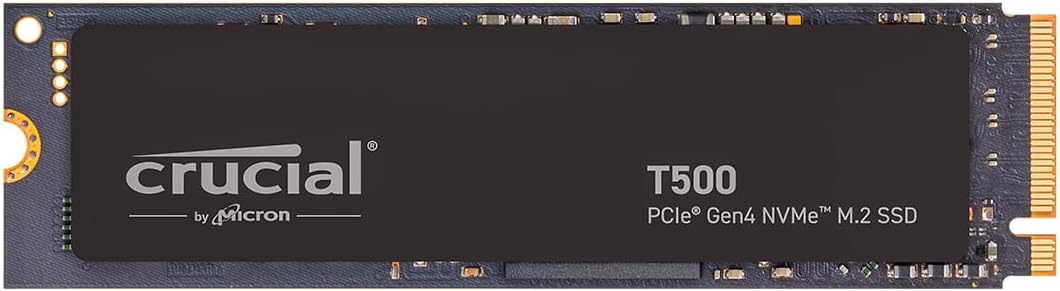
The T500 represents the pinnacle of Gen4 performance available from Crucial. With a 4.8 rating, it is trusted by professionals and gamers alike. Its TLC NAND ensures consistent speeds under sustained workloads.
We may earn a commission when you buy through this link, at no additional cost to you.
Read speeds reach up to 7300MB/s which is ideal for creative workflows. It boosts application performance by up to 42 percent for tasks like video editing. The included Adobe Creative Cloud subscription adds significant value.
While pricier, the performance gains justify the cost for heavy users. It might be overkill for basic office tasks but excels in demanding environments. The high IOPS ensures smooth multitasking across many applications.
Creatives seeking speed and software value should prioritize this drive. It also suits gamers who want the fastest possible load times. The combination of hardware and software benefits makes it a standout choice.
Creative applications load and process data significantly faster with this drive.
Includes one month of Adobe Creative Cloud for photo and video projects.
We may earn a commission when you buy through this link, at no additional cost to you.
For users needing more space, this 2TB variant offers ample room. It maintains the same performance characteristics as the 1TB model. The higher capacity is perfect for large libraries of games and media files.
We may earn a commission when you buy through this link, at no additional cost to you.
The performance remains consistent with up to 7100MB/s read speeds. This ensures that increased storage does not compromise data access times. It is a reliable choice for desktops and laptops with free M.2 slots.
The price is higher than smaller capacities but offers better value per gigabyte. Users should ensure their system supports 2TB drives which most modern ones do. The lack of a heatsink might require additional planning for thermal management.
This drive is best for those who plan to store many files. It eliminates the need for multiple drives or external storage solutions. The robust performance ensures that large datasets remain accessible and fast.
The 2TB capacity allows for extensive media and game libraries.
Read and write speeds match the 1TB version for reliable performance.
We may earn a commission when you buy through this link, at no additional cost to you.
The P510 brings next-generation Gen5 speeds to a more accessible price. It delivers up to 11000MB/s read speeds which is a significant leap. This makes it an attractive option for future-proofing new builds.
We may earn a commission when you buy through this link, at no additional cost to you.
It includes the Adobe Creative Cloud bundle adding value to the purchase. The TLC NAND ensures reliable performance under sustained load conditions. It works well for users with compatible high-end motherboards.
Users must ensure their system supports PCIe Gen5 slots to benefit fully. Without this support the drive will downclock to Gen4 speeds. The power usage might be slightly higher than Gen4 drives.
This drive is ideal for early adopters seeking speed at a reasonable cost. It offers a balance between cutting-edge technology and practical utility. The software bundle further enhances its appeal for creative users.
Read speeds reach up to 11000MB/s for extremely fast data access.
Gen5 readiness ensures compatibility with upcoming high-speed hardware.
We may earn a commission when you buy through this link, at no additional cost to you.
The T710 is the fastest drive in this roundup with massive throughput. It targets hardcore gamers and professionals needing the absolute best speed. The Gen5 interface delivers up to 14900MB/s read performance.
We may earn a commission when you buy through this link, at no additional cost to you.
Security is enhanced with hardware AES-256-bit encryption features. This protects sensitive data without impacting performance significantly. The included Adobe CC subscription offers a month of creative tools.
Thermal management is critical as Gen5 drives generate more heat. Users should plan for a compatible heatsink to sustain peak performance. The price point is higher reflecting its premium status.
This drive suits users who prioritize speed above all else. It ensures minimal bottlenecks in demanding workflows and gaming scenarios. The security features add a layer of protection for valuable files.
It delivers the highest read speeds available in Crucial product lineup.
Hardware encryption helps keep sensitive files secure from unauthorized access.
We may earn a commission when you buy through this link, at no additional cost to you.
The E100 is perfect for tight budgets without sacrificing speed. It delivers Gen4 speeds up to 4700MB/s which is a vast upgrade over SATA. The compact M.2 design fits into most modern laptops.
We may earn a commission when you buy through this link, at no additional cost to you.
Reliability is supported by a three-year limited warranty. This provides peace of mind for users upgrading older systems. It is ideal for boot drives or secondary storage for essential apps.
The capacity may be limited for large media libraries. However, it suffices for OS and primary work applications. Users requiring more space should consider larger capacity models.
This is the ideal choice for budget-conscious upgradess seeking speed. It ensures that even basic systems benefit from fast storage technology. The low cost makes it a risk-free entry into NVMe storage.
Users can access Gen4 speeds at a very accessible price point.
The three-year warranty ensures reliable long-term service coverage.
We may earn a commission when you buy through this link, at no additional cost to you.
This model utilizes QLC NAND for cost-effective storage capacity. It offers standard Gen4 performance suitable for general daily tasks. The Micron quality ensures a solid baseline of reliability for users.
We may earn a commission when you buy through this link, at no additional cost to you.
Sequential read speeds remain competitive for web and document workflows. It is a good fit for casual users needing affordable NVMe upgrades. The QLC design allows for efficient manufacturing and pricing.
Write speeds may drop after the SLC cache is exhausted. It is not the best choice for constant large file transfers. Most casual users will not notice this under typical conditions.
This drive is best for general users needing affordable storage. It balances price and performance for everyday computing needs. The reliability of the manufacturer ensures long-term usability.
The QLC NAND allows for competitive pricing and high storage density.
Ideal for web browsing and office work with reliable performance.
We may earn a commission when you buy through this link, at no additional cost to you.
This version combines top-tier performance with integrated cooling. It meets the PS5 specs while offering high-speed TLC NAND reliability. The built-in heatsink ensures stable operation during long gaming sessions.
We may earn a commission when you buy through this link, at no additional cost to you.
Performance reaches up to 7300MB/s read speeds for fast loading. It includes the Adobe Creative Cloud subscription for added value. The physical design fits securely into PS5 expansion slots.
Users should verify compatibility with their specific console models. The cost is higher due to the heatsink and premium features. However, the convenience of a complete package is significant.
This is the best choice for console gamers seeking top performance. It also suits desktop users needing efficient thermal management. The combination of speed and cooling makes it a versatile option.
It meets all requirements for seamless PlayStation 5 expansion.
The heatsink helps maintain peak speeds under heavy sustained load.
We may earn a commission when you buy through this link, at no additional cost to you.
The T700 offers robust Gen5 performance for demanding use cases. It supports up to 11700MB/s read speeds for fast data access. This makes it ideal for high-end workstations and gaming rigs.
We may earn a commission when you buy through this link, at no additional cost to you.
It comes with a five-year warranty ensuring long-term reliability. The included Adobe CC subscription adds value for creative workflows. It requires a compatible motherboard to unlock full Gen5 benefits.
Thermal management is critical for sustained performance. Users should ensure a robust cooling solution is in place. The price reflects its high-performance status and advanced technology.
This drive is best for users needing top-tier data speeds. It ensures that large creative files load and process quickly. The five-year warranty adds confidence in its longevity and support.
The five-year warranty provides extensive coverage for hardware issues.
It is designed to work with latest Intel and Ryzen processor platforms.
We may earn a commission when you buy through this link, at no additional cost to you.
Selecting the right NVMe drive requires considering capacity speed and compatibility. This guide outlines the key factors to help you make an informed decision.
Capacity determines how much data you can store on your drive. Choose 1TB or higher if you work with large media files or install many games. Smaller capacities like 480GB are suitable for boot drives.
Match capacity to your typical file sizes and application needs.
Gen4 offers excellent speeds for most users today. Gen5 provides higher throughput for future-proofing but requires specific hardware. Check your motherboard compatibility before choosing Gen5 models.
Ensure your system supports the PCIe generation you purchase.
TLC NAND generally provides better endurance and speed than QLC. Consider TLC for heavy workloads or frequent writes. QLC is acceptable for standard storage needs at a lower cost.
Prioritize TLC for reliability in professional or gaming scenarios.
High-speed drives generate heat that can throttle performance. Look for models with integrated heatsinks or use a compatible one. Proper cooling maintains consistent speeds under load.
Invest in cooling solutions to prevent performance drops.
Warranty periods vary from three to five years. Longer warranties offer better long-term protection and peace of mind. Check the terms to understand the coverage limits.
Select a drive with a warranty that matches your expected usage duration.
Many drives include cloning tools or creative software subscriptions. These add value beyond the hardware itself. Verify what software is included with your specific model.
Take advantage of included tools to simplify setup and creative work.
The standard M.2 2280 format fits most modern devices. Verify your system slot dimensions before purchasing to avoid fit issues. Some consoles have specific requirements for physical size.
Confirm physical compatibility with your target device.
Ensure the drive works with your laptop desktop or console. Some drives are optimized for specific platforms like PlayStation 5. Check the product details for compatible device lists.
Verify platform compatibility to avoid purchase errors.
Begin by inserting the drive into the M.2 slot on your motherboard or console. Secure it firmly with the provided standoff or screw to ensure a stable connection. Avoid forcing the connector to prevent damage to the pins.
Install the necessary drivers and software provided by Crucial or your manufacturer. Use the included cloning software to migrate your existing data if upgrading from an old drive. Proper initialization is required before the system recognizes the storage.
Regularly check for firmware updates to maintain performance and stability. Keep the system cool by ensuring airflow around the drive. Avoid sudden power loss during writes to prevent data corruption.
Yes certain models in this lineup are optimized for PlayStation 5. Ensure the drive meets the required speed and physical specifications. Check the product description for PS5 compatibility details.
Some models include an integrated heatsink for thermal management. Others rely on the motherboard cooling solution. High-performance drives benefit from a heatsink to sustain speeds.
Gen5 offers significant speed improvements for high-end systems. It requires compatible hardware to function at full speed. Most users will find Gen4 sufficient for current needs.
Warranties range from three to five years depending on the model. Premium drives often include longer coverage. Always check the specific product terms for full details.
Most M.2 slots in laptops support these SSDs. Verify your laptop has an available slot and supports the PCIe generation. Some ultrabooks may have proprietary storage solutions.
Many models include Acronis True Image for data cloning. This helps migrate your OS to the new drive easily. Verify software inclusions before purchase.
We highlighted ten distinct models offering various speeds and capacities. The T500 and P310 series provide balanced performance for most users. The T710 and T700 cater to those needing top-tier Gen5 speeds.
Prioritize capacity and thermal management based on your specific workflow. Gamers may prefer models with integrated heatsinks for console use. Professionals should look for TLC NAND and included software bundles.
Always verify current pricing and availability before making your purchase. Prices change frequently so checking the latest offers is wise. These drives offer reliable storage for all your computing needs.