
CORSAIR Vengeance SODIMM 16GB
4.8Editor score
16GB Single Module
Up to 5600MHz
Easy Installation Process
This guide compares the top DDR5 laptop RAM modules for performance and reliability. We analyze speed, capacity, compatibility, and value to help you choose
Choosing the right DDR5 laptop RAM is essential for modern computing needs. Whether you are a gamer or a professional, high-speed memory ensures your system runs smoothly without bottlenecks during heavy workloads or intense gaming sessions.
We evaluated ten top-rated modules based on speed, compatibility, and brand reputation. Each product was selected for its ability to boost performance in the laptops and notebooks that support the latest DDR5 standards for future-proofing.
Each pick highlights key specifications like capacity and frequency. Note that availability and pricing can change frequently due to market demand and supply chain fluctuations so verify details before finalizing your purchase decision.
4.8Editor score

4.8Editor score

4.5Editor score
The following table provides a side-by-side comparison of all ten selected DDR5 laptop RAM modules. Review the key specifications and features to find the perfect match for your specific laptop model and performance requirements.




This 32GB DDR5 RAM kit is a top choice for users seeking high performance. With a rating of 4.8 it stands out for its reliability and speed capabilities. It delivers smooth multitasking and responsive system performance across various tasks.
We may earn a commission when you buy through this link, at no additional cost to you.
The kit operates at 5600MHz providing significant speed boosts for gaming and workloads. It supports Intel XMP 3.0 and AMD EXPO for optimized tuning. Rigorous testing at component and module levels ensures top-tier reliability and consistency.
While it requires BIOS adjustments for maximum speed this is standard for high-performance RAM. The price is higher than basic options but justified by the performance gains. Users gain versatility through downclocking options for different system needs.
Ideal for professionals and gamers on 12th Gen Intel or Ryzen 7000 systems. This memory solves bottlenecks effectively. We recommend it for those wanting top-tier stability and speed for their DDR5 laptops.
The 32GB capacity allows running multiple heavy applications simultaneously without slowdowns or crashes during critical work.
Backed by decades of memory expertise this RAM undergoes rigorous testing for consistent long-term performance stability.
We may earn a commission when you buy through this link, at no additional cost to you.
This CORSAIR Vengeance module offers a cost-effective path to DDR5 speeds. It scores 4.8 for delivering reliable upgrades. It is ideal for users who need a single stick to expand capacity without breaking the bank.
We may earn a commission when you buy through this link, at no additional cost to you.
Frequencies reach up to 5600MHz for faster task execution. The SODIMM form factor fits most Intel and AMD laptops. Installation is straightforward usually requiring just a screwdriver to access slots for easy upgrades.
Maximum speed depends on motherboard and CPU adjustments which may challenge beginners. It is a single module which limits dual-channel benefits. Still it provides great value for those starting their DDR5 journey.
Perfect for budget-conscious gamers needing a quick performance boost. It handles demanding tasks well. We suggest checking BIOS compatibility before buying to ensure smooth operation.
Industry-standard SODIMM ensures it fits a wide range of laptops and small form factor PCs easily.
Lower power consumption helps maintain system efficiency and reduce heat during extended usage sessions.
We may earn a commission when you buy through this link, at no additional cost to you.
The G.SKILL Ripjaws kit provides premium speed and low latency. It holds a 4.5 rating for performance enthusiasts. This kit is designed for users who want maximum responsiveness in their DDR5 laptops.
We may earn a commission when you buy through this link, at no additional cost to you.
It features CL40 timing for reduced delays. Support for Intel XMP 3.0 allows easy speed adjustments. Matched kits ensure stability. Memory must not be mixed with other sets to avoid system instability or failure.
Overclocking is required for top speeds which adds complexity. The price reflects premium quality. Mixing kits causes issues so strict adherence to matching is necessary for best results.
Recommended for high-end gaming and creative work. It balances speed and capacity effectively. Verify compatibility using the official configurator tool before purchase.
Includes profiles for Intel XMP 3.0 enabling enthusiasts to push speeds safely for better benchmarks.
Sold as a matched set ensuring components are designed to run together without compatibility hiccups.
We may earn a commission when you buy through this link, at no additional cost to you.
TEAMGROUP offers a solid 32GB kit at 5600MHz. With a 4.6 rating it promises speed and energy efficiency. It is a great choice for users needing reliable power for modern tasks.
We may earn a commission when you buy through this link, at no additional cost to you.
The new structural composition boosts performance significantly. On-die ECC stabilizes the system against errors. A 1.1V voltage saves power during use. A lifetime warranty adds security to the purchase.
Users should check the official website for latest warranty terms. It is standard non-ECC but still reliable. It is suitable for general workloads but might not fit extreme enterprise needs.
Recommended for those valuing energy efficiency and speed. It handles heavy loads well. Always verify warranty details before finalizing your order.
New design elements contribute to better thermal performance and higher stable frequencies under load.
On-die ECC provides internal error correction for consistent data integrity during intensive sessions.
We may earn a commission when you buy through this link, at no additional cost to you.
This GIGASTONE kit is designed for laptops needing top performance. It has a 4.7 rating for reliability. It provides a massive 32GB capacity for seamless multitasking in modern computing.
We may earn a commission when you buy through this link, at no additional cost to you.
PMIC improves power efficiency for better battery life. The unbuffered design suits consumer devices well. It runs at 1.1V standard voltage. Compatibility includes notebooks and all-in-one computers.
Not suitable for desktops so check your device type. Standard timings mean no extreme overclocking. It is a safe upgrade for most users without complex tuning.
Great for anyone needing more RAM without high costs. Verify your model supports DDR5 before installing. It delivers solid results for daily workloads.
Built-in PMIC optimizes energy use to extend battery life while maintaining high performance.
Specifically engineered for notebook and all-in-one systems to ensure fit and stability.
We may earn a commission when you buy through this link, at no additional cost to you.
This CORSAIR 32GB kit is a reliable upgrade for DDR5 laptops. It scores 4.7 for performance. It is perfect for users needing a substantial capacity boost for demanding apps.
We may earn a commission when you buy through this link, at no additional cost to you.
Maximum speed is achieved via BIOS tuning. Installation is simple with common tools. It supports XMP 3.0 for easy configuration. Compatible with a wide range of Intel and AMD devices.
Max speed depends on hardware compatibility. Users must adjust settings manually. It offers a good balance of cost and high-end features for enthusiasts.
Ideal for gamers wanting faster load times. Ensure your motherboard supports these specs. This kit simplifies the upgrade process for most users.
Designed for easy user installation with minimal tools required for most laptops.
Works with nearly any Intel or AMD system for broad upgrade possibilities.
We may earn a commission when you buy through this link, at no additional cost to you.
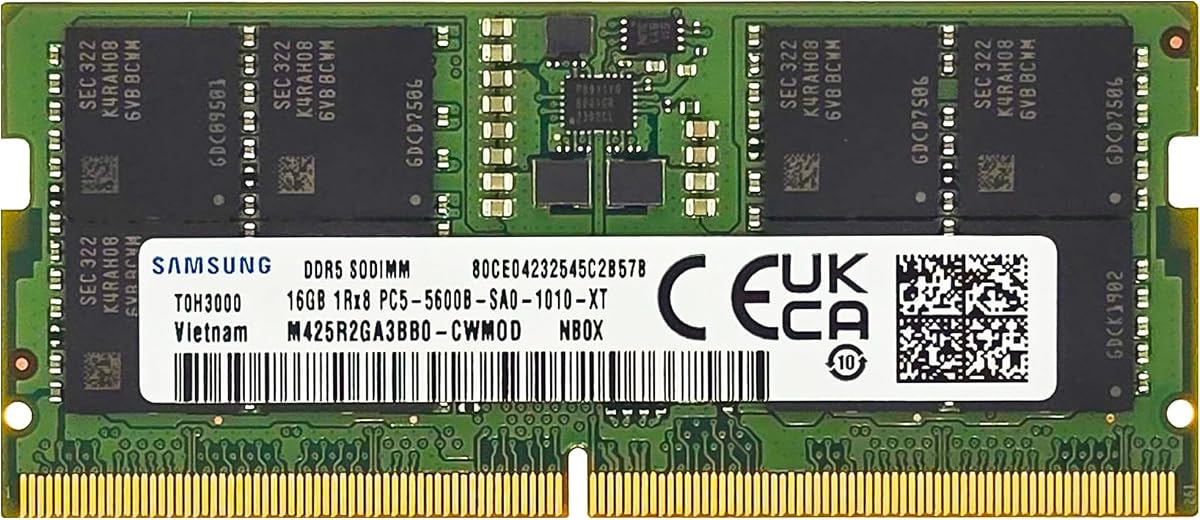
Samsung's 16GB module brings standard speeds to laptops. It holds a 4.5 rating for reliability. It is a solid option for users needing a single stick upgrade.
We may earn a commission when you buy through this link, at no additional cost to you.
It operates at 5600MHz for quick performance. Single rank design fits specific slots well. Reduces bottlenecks for smoother operation. Compatible with select laptop models that support DDR5.
Limited to 16GB which may not suffice for heavy multitasking. Always check your device list. Still it provides a trusted brand upgrade for general users.
Good for basic capacity expansion. Verify laptop compatibility before buying. Samsung offers a safe and stable upgrade option.
Expands available memory to improve overall system performance and workload capacity.
Follows JEDEC standards for reliable and consistent performance across supported devices.
We may earn a commission when you buy through this link, at no additional cost to you.
This Samsung 32GB kit offers dual module convenience. It follows Samsung's proven specs. It is suitable for those needing more memory for better multitasking in laptops.
We may earn a commission when you buy through this link, at no additional cost to you.
It runs at 5600MHz. CL46 timing is standard. Compatible with select laptops. Increases workload capacity effectively. A 1.1V rating ensures efficient power usage.
Lacks an official rating so read user feedback carefully. Standard speed and timing are expected. It provides a reliable upgrade for general computing needs.
Ideal for capacity upgrades. Ensure your device supports two modules. Check specifications carefully before purchasing.
Dual modules allow for greater capacity to handle demanding tasks smoothly.
Meets JEDEC standards for consistent performance and reliability.
We may earn a commission when you buy through this link, at no additional cost to you.
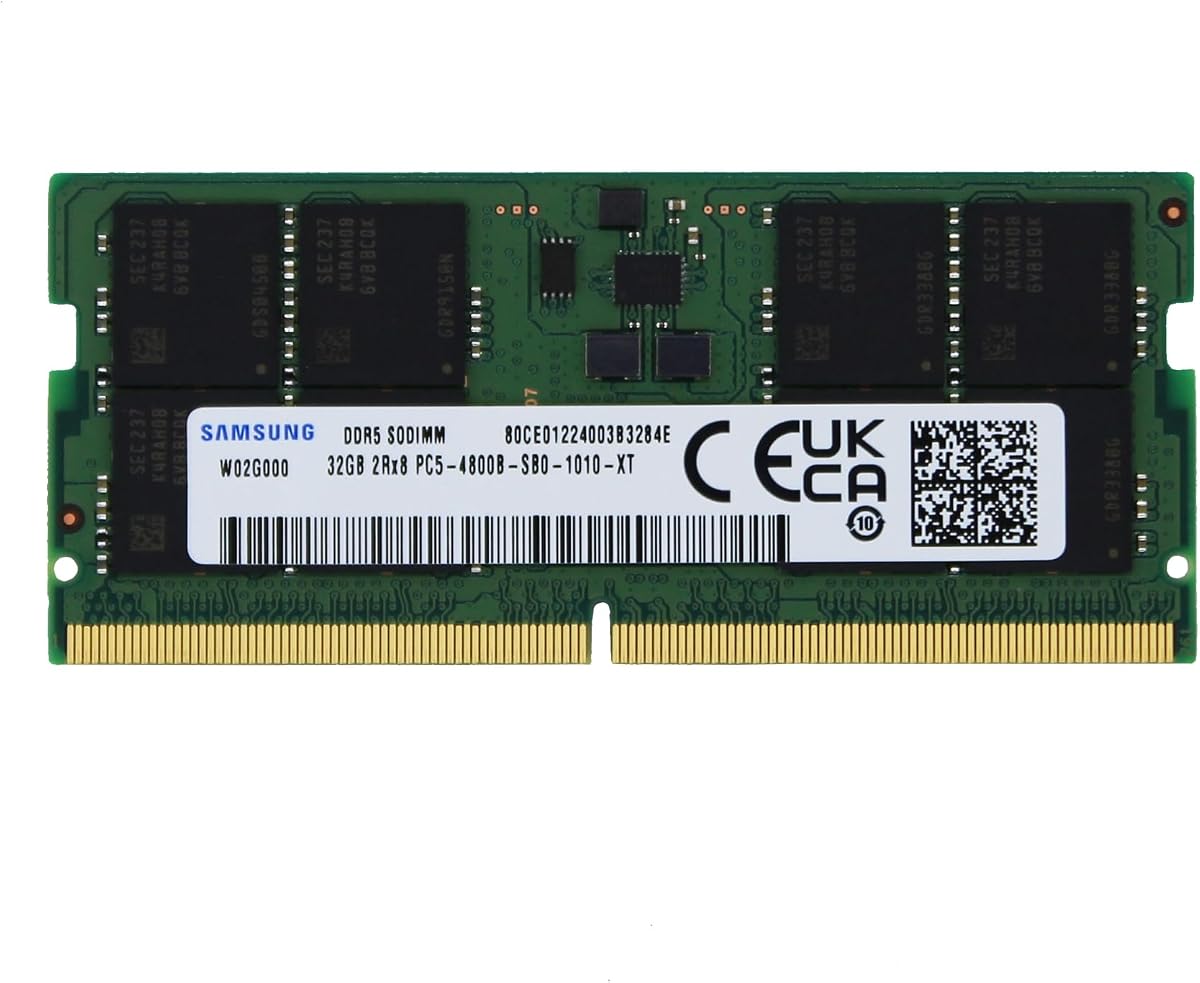
This Samsung 32GB module is a standout for stability. It has a perfect 5.0 rating. It is a great choice for users who value capacity over max speed.
We may earn a commission when you buy through this link, at no additional cost to you.
It runs at 4800MHz with dual rank design. CL40 timing is fast. Compatible with select laptops. Expands system resources effectively. Standard voltage ensures efficient power usage.
Lower speeds might affect extreme gaming. Single module limits dual-channel benefits. Still it offers high reliability and capacity for general use.
Recommended for stable system upgrades. Ensure your laptop supports dual rank RAM. Check specs carefully before purchasing.
High user satisfaction confirms consistent and reliable operation for demanding tasks.
Increases system memory to improve performance and reduce bottlenecks effectively.
We may earn a commission when you buy through this link, at no additional cost to you.
This Samsung 16GB kit offers dual module simplicity. It follows Samsung's proven specs. It is suitable for those needing a balanced upgrade for general use in laptops.
We may earn a commission when you buy through this link, at no additional cost to you.
It runs at 5600MHz. CL46 timing is standard. Compatible with select laptops. 1Rx16 single rank design ensures fit. 1.1V rating ensures efficient power usage.
Lacks an official rating so verify feedback. Standard speed is expected. It provides a reliable upgrade for standard computing needs.
Ideal for capacity upgrades. Ensure your device supports two modules. Check specifications before purchasing.
Dual module design ensures proper system configuration and improved stability.
Follows JEDEC standards for consistent performance and reliability.
We may earn a commission when you buy through this link, at no additional cost to you.
Selecting the right DDR5 laptop RAM requires understanding several key factors. This guide covers compatibility, capacity, speed, and other essential considerations to help you make an informed decision.
Always verify your laptop supports DDR5. Older models may use DDR4. Check your motherboard specifications. Some systems only accept specific modules.
Confirm compatibility before purchasing to ensure proper installation.
Capacity affects multitasking. 16GB works for general use. 32GB suits heavy workloads. Choose based on your needs.
Higher capacity improves performance for demanding applications.
Speed impacts data transfer. 5600MHz is faster than 4800MHz. Higher speeds improve load times. Match your CPU's support.
Ensure your system can handle the desired frequency.
Timing values like CL40 or CL46 affect response. Lower numbers are faster. High speed alone doesn't mean lower latency. Balance speed and timing.
Select timings that match your performance goals.
Most DDR5 modules use 1.1V. Lower voltage improves efficiency. Check your system's voltage support. Mismatched voltage can cause instability.
Standard voltage ensures stable operation in most laptops.
Laptops require SODIMM modules. Desktops use DIMM. Ensure you buy the correct form factor. Check slot count in your device.
SODIMM is standard for portable computers.
Non-ECC is standard for consumer laptops. ECC adds error correction but costs more. Most users prefer Non-ECC for simplicity. Check your use case.
Non-ECC is suitable for typical gaming and work.
Warranty ensures peace of mind. Look for lifetime warranties. Reputable brands offer better support. Check return policies before buying.
A solid warranty protects your investment effectively.
Before upgrading power down your laptop and disconnect it from power. Ground yourself to avoid static discharge that can damage components. Locate the memory slots under the bottom cover.
Align the notch on the RAM module with the slot. Push the module at a slight angle until it clicks. Secure it with clips or screws. Avoid forcing the module to prevent breakage.
After installation power on your laptop and enter BIOS. Ensure the RAM is recognized at the correct speed. If needed enable XMP or EXPO profiles. Regular cleaning helps maintain performance over time.
It is generally not recommended to mix brands. Mismatched modules can cause instability. Use matched kits for best results. Consult your manufacturer for advice.
For many modern games 16GB is sufficient. However future titles may need more. Consider 32GB if you multitask heavily. Check game requirements before upgrading.
DDR5 uses standard SODIMM slots. Installation is similar to DDR4. Always check your manual. Proper alignment prevents damage. Ensure the slot is clean.
5600MHz offers faster data transfer. This improves load times. However some systems may not support the higher speed. Verify your CPU supports the frequency.
Some laptops have soldered RAM. Check if slots are available. If soldered upgrades are impossible. Consider purchasing more memory initially for such devices.
This may be due to BIOS settings. Check for reserved memory. Ensure all slots are populated. Reinstall modules if they are not detected properly.
DDR5 is more power-efficient than DDR4. This can help extend battery life. However usage patterns affect results. Lower voltage modules are best for portable devices.
Visit your laptop manufacturer's website. Download the latest BIOS update. Follow the provided instructions carefully. Backup your data before updating.
This guide reviewed ten top DDR5 laptop RAM options from leading brands. We highlighted top picks for value performance and premium needs. Selecting the right module improves your laptop's overall efficiency.
Prioritize compatibility with your device and CPU. Consider capacity and speed based on your workload. Brands like Crucial and CORSAIR offer proven reliability. Always verify specifications before buying.
Prices and availability change often due to market conditions. Check current listings for the latest updates. Investing in quality RAM ensures your system stays capable for future tasks.