
4 Pack HDMI Dummy Plug 4K HDR, Virtual Monitor EDID Emulator
4.8Editor score
Affordable 4 pack option
Supports 1080P@120Hz
Industrial grade durability
Compare the top 10 HDMI Dummy Plug options for remote desktop mining and headless setups to find the best EDID emulator for your GPU performance needs today.
An HDMI dummy plug acts as a virtual monitor to keep your graphics card active when no physical screen is connected. This small adapter tricks the system into thinking a display is attached, enabling essential features like hardware acceleration and remote desktop access for headless servers.
We evaluated ten real products based on resolution support, build quality, compatibility across operating systems, and user feedback. Our analysis focuses on models that offer stable EDID emulation, HDR support, and durability for intensive tasks like cryptocurrency mining or 24/7 rendering.
Each pick below highlights specific strengths such as 4K660Hz performance or multi-pack value. Note that product availability and pricing may fluctuate over time, so verify current details before purchasing to ensure you get the best solution for your specific workstation setup.
4.8Editor score
4.6Editor score

4.5Editor score
The table below compares key specifications and features across all ten selected HDMI dummy plugs to help you identify the right match for your hardware requirements and intended use cases efficiently.


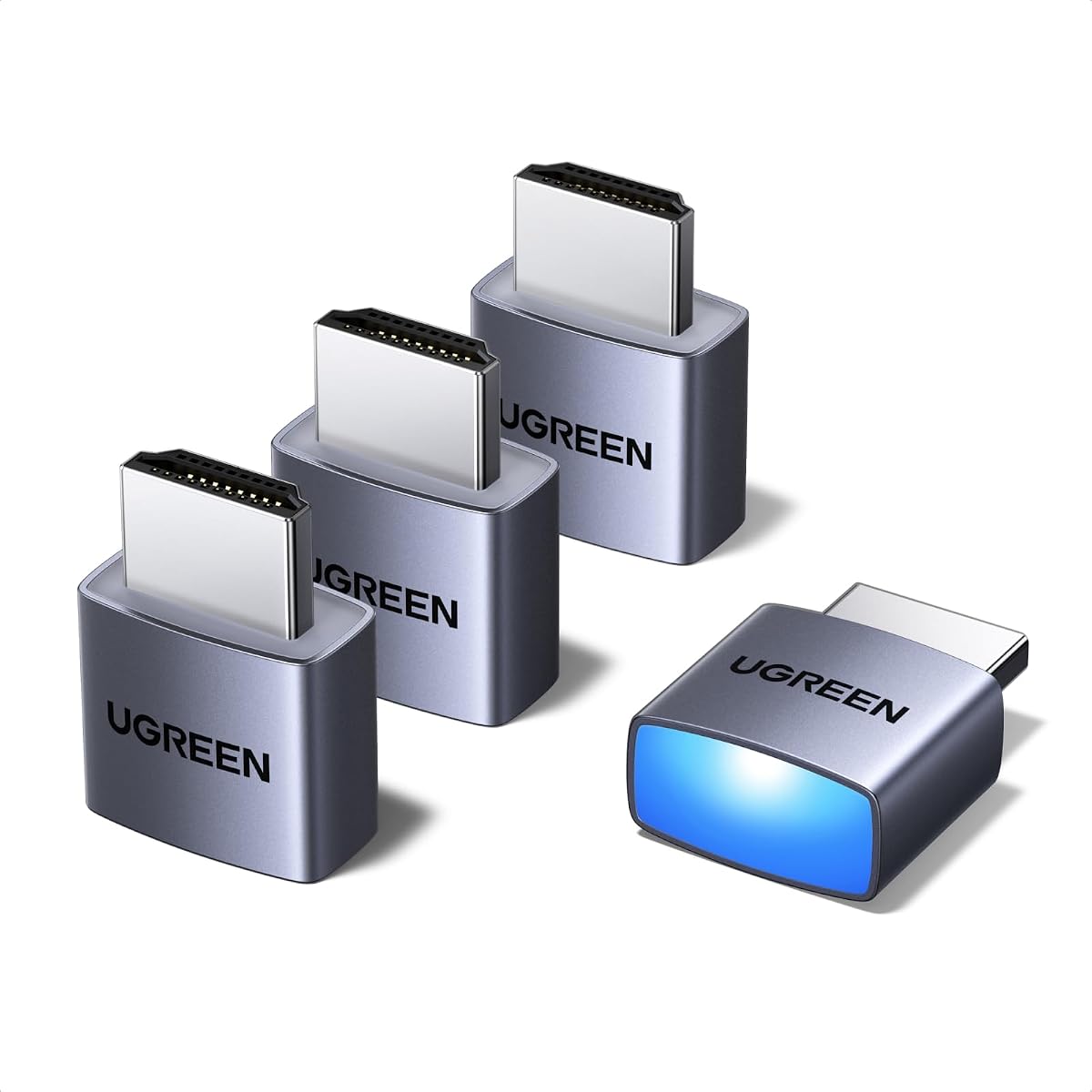
The UGREEN 4 Pack HDMI Dummy Plug stands out as a reliable solution for users needing stable virtual display emulation. With a solid 4.6 rating, it balances high-resolution support and durability effectively for headless PC deployments and remote management tasks across diverse environments.
We may earn a commission when you buy through this link, at no additional cost to you.
Its ability to support True 4K@60Hz HDR Performance ensures that your GPU remains fully active for intensive operations like video editing or remote desktop access. The aluminum shell enhances heat dissipation during long workloads, preventing overheating issues that often plague cheaper plastic alternatives.
While the 60Hz limit might not suit high-refresh gaming setups, the trade-off is acceptable for server farms and trading stations where stability outweighs speed. The included LED provides immediate visual feedback on connection status, reducing troubleshooting time during critical maintenance windows.
This model is ideal for professionals managing multiple headless servers or developers testing game builds without physical monitors. Its universal compatibility ensures smooth operation across Windows, Mac, and Linux systems, making it a versatile choice for any modern workstation setup.
True 4K@60Hz HDR performance unlocks full GPU capabilities for color-critical tasks without needing a real monitor.
The sturdy aluminum shell prevents overheating during 24/7 tasks like cryptocurrency mining or video rendering.
We may earn a commission when you buy through this link, at no additional cost to you.
This 4 Pack HDMI Dummy Plug offers exceptional value for users needing multiple units for server clusters or multi-workstation environments. With an impressive 4.8 rating, it combines industrial-grade build quality with reliable performance at a price point that outperforms many competitors in its class.
We may earn a commission when you buy through this link, at no additional cost to you.
True 4K@60Hz HDR Virtual Display support ensures your GPU stays active for tasks like cryptocurrency mining and remote desktop operations. The aluminum armor resists overheating during marathon computing tasks, while the built-in status LED provides real-time connection verification for mission-critical setups.
The main limitation is the standard 60Hz limit for 4K, which might restrict high-refresh gaming streams. However, for headless server deployments and automated trading stations, the stability and cost savings far outweigh this constraint for most professional users.
Buyers looking to equip a home lab or small office without overspending will find this option particularly compelling. Its tool-free plug-and-play design means you can get operational in seconds, eliminating the need for software configuration or external power sources entirely.
Purchasing a 4 pack significantly lowers the per-unit cost for large scale headless PC deployments.
Aluminum armor and soldering ensure long-term reliability for 24/7 uptime requirements.
We may earn a commission when you buy through this link, at no additional cost to you.
The DTech HDMI Dummy Plug is a specialized solution for users facing the notorious Apple OSX headless display issue. It emulates a high-resolution display up to 4K, allowing Mac Mini servers to run effectively without physical monitors while maintaining full GPU acceleration for rendering tasks.
We may earn a commission when you buy through this link, at no additional cost to you.
Gold plated connectors ensure stable digital signal transmission, unlocking the full potential of graphics cards for game streaming and VR setups. The compact design makes it easy to manage in server racks, while its low cost offers an affordable alternative to expensive physical displays.
While it lacks explicit HDR documentation, its reliable performance for remote control and mining makes it a trusted choice. The 3 pack allows for redundancy across multiple units, which is helpful for testing different configurations simultaneously without buying individual units.
This model is best suited for Mac users needing reliable headless functionality and IT administrators managing mixed OS environments. Its plug-and-play nature means no drivers are required, ensuring immediate functionality across Windows and Linux systems as well.
Specifically designed to solve display detection issues on Mac systems running headless operations.
Gold plated dongles prevent signal degradation and ensure consistent digital transmission over time.
We may earn a commission when you buy through this link, at no additional cost to you.
For users needing a simple, functional adapter without extra features, this Headless Ghost Display Emulator provides reliable results at a budget-friendly price. Its ultra-compact design ensures it fits neatly behind monitors or laptops, making it ideal for hidden server setups.
We may earn a commission when you buy through this link, at no additional cost to you.
The device works with Windows, OSX, and Linux, providing universal compatibility without requiring any external drivers or power cables. By acting as a dummy plug for GPU tasks like crypto currency mining, it keeps your system running smoothly without the overhead of physical display management.
The primary limitation is its 1080P resolution cap, which may restrict high-definition remote desktop work. However, for basic automation and headless server management, this trade-off is acceptable for those prioritizing simplicity over graphical fidelity.
This model is perfect for hobbyists and small office setups where basic remote control is sufficient. Its 'set and forget' nature ensures long-term stability without user intervention, making it a reliable choice for always-on workstations.
Low profile design allows for discreet installation in tight server racks or laptop docks.
Works with any graphics card having HDMI output, ensuring broad device support without special drivers.
We may earn a commission when you buy through this link, at no additional cost to you.
This 3 Pack HDMI Dummy Plug offers solid performance for users prioritizing long-term reliability and warranty support. Its 4K HDR capability ensures your GPU stays active for high-quality remote control tasks, while the included 2-year unconditional warranty provides peace of mind for business investments.
We may earn a commission when you buy through this link, at no additional cost to you.
The gold-plated interface guarantees complete signal transmission, reducing the risk of connection drops during critical operations. It is designed to enable the GPU to create a virtual display efficiently, making it suitable for cryptocurrency mining and video rendering without lag.
While the rating is slightly lower than top competitors, the combination of HDR support and warranty coverage makes it a strong contender. Its low power consumption aligns with eco-friendly requirements, adding value for environmentally conscious buyers.
Ideal for small businesses needing reliable server solutions, this pack balances cost and features effectively. The plug-and-play simplicity ensures immediate setup, reducing technical barriers for non-technical users managing headless workstations.
A 2-year unconditional warranty ensures long-term support for business and personal server setups.
Simulate high-resolution 4K HDR environments for professional remote desktop and streaming tasks.
We may earn a commission when you buy through this link, at no additional cost to you.
This model is unique for its support of high refresh rates up to 240Hz, making it a top choice for VR development and cloud gaming servers. The HDR display emulator simulates peak brightness up to 1015 nits, providing vivid output suitable for color-sensitive applications.
We may earn a commission when you buy through this link, at no additional cost to you.
The full board copper pouring enhances signal stability and reduces electromagnetic interference, ensuring consistent performance during 24/7 tasks. Its compatibility extends to Raspberry Pi and Jetson Nano devices, broadening its utility beyond standard desktop PCs and laptops.
While the default resolution may vary depending on system settings, the flexibility to switch between 1080P and 1440P allows users to optimize based on their specific GPU capabilities. This versatility is rare in budget-friendly options.
Professionals in game streaming or VR development will appreciate the high refresh capabilities. The low power consumption and hot-swappable design make it easy to integrate into existing labs without disrupting workflow or power budgets.
Supports up to 240Hz refresh rates, essential for VR testing and high-speed gaming simulations.
Full board copper pouring minimizes interference for a reliable connection even under heavy loads.
We may earn a commission when you buy through this link, at no additional cost to you.
This HDMI 2.1 compatible headless adapter supports 4K@120Hz, enabling high-fidelity streaming to devices like Steam Deck or ROG Ally. It is ideal for gamers and developers testing next-gen visual performance without needing a physical 4K display attached.
We may earn a commission when you buy through this link, at no additional cost to you.
The device ensures HBCC stays active for GPU tasks, which is critical for cryptocurrency mining rigs that might otherwise disable features on SSH access. Its plug-and-play simplicity ensures you can tweak settings for 4K 120Hz HDR Moonlight streaming instantly.
Users must note that Windows 11 limits this to 4K60Hz despite the hardware capability, whereas Win10 supports the full 120Hz. This distinction is crucial for system administrators planning specific OS configurations for headless gaming PCs.
For those building a cloud gaming server or streaming station, this is the most future-proof option available. The negligible heat emission and low power requirements ensure it runs silently in any setup without adding thermal load to your machine.
Designed specifically for Moonlight streaming and handheld gaming devices needing high bandwidth HDMI 2.1.
Keeps HBCC active to ensure your GPU maintains full performance for rendering and mining tasks.
We may earn a commission when you buy through this link, at no additional cost to you.
This 8-pack offers the most scalable solution for large server farms and enterprise deployment projects. The thick aluminum shell provides enhanced durability and electromagnetic shielding, ensuring reliable operation in dense rack environments with high heat output.
We may earn a commission when you buy through this link, at no additional cost to you.
While the default resolution is set to 1440P, the support for high refresh rates up to 240Hz makes it versatile for diverse workstation needs. HDR display emulation enhances brightness and color accuracy, suitable for video preview and display mirroring tasks.
The bulk value proposition makes it cost-effective for organizations managing hundreds of headless nodes. Its energy-efficient design aligns with sustainability goals, reducing power usage and the need for physical displays across the network.
IT managers handling large deployments will find this option ideal for centralizing hardware requirements. The hot-swappable design and zero-driver installation minimize downtime during routine hardware checks or server maintenance procedures.
Eight units in a pack provide excellent value for managing large-scale headless server deployments.
Thick aluminum shells protect against electromagnetic interference in crowded server environments.
We may earn a commission when you buy through this link, at no additional cost to you.
This model stands out by defaulting to 2160P resolution, which offers higher fidelity for remote desktop workflows without needing manual configuration. The HDR peak brightness of 1015 nits ensures vivid, realistic display simulation for color-sensitive work.
We may earn a commission when you buy through this link, at no additional cost to you.
Full copper board construction enhances stability and reduces electromagnetic interference, critical for uninterrupted operation. It supports refresh rates up to 240Hz, making it a versatile choice for both productivity and gaming simulation environments.
While it is part of the same series as other packs, the default resolution and build quality justify its placement in high-performance setups. Its low power consumption ensures it is eco-friendly for businesses prioritizing sustainability.
Professionals managing Mini Mac or Linux servers will benefit from the specific compatibility and reliable emulation. The device's ability to simulate active connections allows for seamless multi-monitor simulation and screen sharing without physical hardware.
Defaults to 2160P resolution to provide immediate high fidelity for remote work and streaming.
HDR support up to 1015 nits ensures realistic color accuracy for professional video tasks.
We may earn a commission when you buy through this link, at no additional cost to you.
As the premium choice, this adapter supports up to 8K resolution at 30Hz and 4K at 120Hz, catering to the highest-end GPU requirements. It is designed for users needing maximum bandwidth for professional rendering or ultra-high fidelity cloud gaming setups.
We may earn a commission when you buy through this link, at no additional cost to you.
Gold plated fit-headless connectors ensure stable digital signal transmission, even under heavy load. The device supports Steam Deck and ROG Ally streaming, ensuring compatibility with modern handheld gaming ecosystems without compromising performance.
While the price point is higher, the future-proofing capabilities justify the cost for enthusiasts and professionals. Its ability to trick the GPU into thinking a monitor is attached ensures HBCC stays active for mining or rendering tasks.
This model is perfect for high-end home labs and enterprise setups where budget is secondary to maximum performance. Its plug-and-play nature simplifies integration into complex workflows, requiring no software drivers or external power.
Up to 8K resolution ensures compatibility with next-generation displays and future GPU releases.
Optimized for Steam Deck and Moonlight streaming, supporting 120fps on handheld devices.
We may earn a commission when you buy through this link, at no additional cost to you.
Selecting the right HDMI dummy plug involves assessing resolution limits, build quality, and compatibility with your operating system.
Ensure the plug supports your desired resolution such as 4K at 60Hz or higher refresh rates for gaming. Many models default to 1080P or 1440P, so verify the max output to match your GPU capabilities.
Prioritize models explicitly stating 4K support if you need high-resolution remote desktop or video editing performance.
Look for aluminum shells and gold-plated connectors to prevent overheating and signal degradation over time. These materials protect against corrosion and electromagnetic interference in server environments.
Thick aluminum shells provide better heat dissipation for 24/7 mining or rendering tasks compared to standard plastic designs.
Verify the product supports your specific OS, especially if you use Mac Mini or Raspberry Pi. Some models specifically address Apple OSX headless issues that standard adapters miss.
Universal compatibility with Windows, Mac, and Linux ensures you can reuse the plug across different systems without needing new purchases.
If you need accurate color reproduction for video editing, choose a plug that mentions HDR support. This feature ensures brightness and color data is emulated correctly for professional workflows.
High peak brightness values indicate a better ability to simulate realistic display characteristics for color-critical applications.
Bulk packs offer better value if you are deploying multiple headless servers or need backups for testing. Buying a single unit may be costlier if you need multiple ports.
Ensure the pack size matches your current needs to avoid unnecessary inventory while maintaining flexibility for future expansion.
If you need 4K at 120Hz or 8K support, ensure the plug supports HDMI 2.1. Older 2.0 models will limit you to 60Hz at 4K regardless of GPU power.
Check your graphics card ports to confirm they support the required standard before purchasing to avoid compatibility issues with high refresh rates.
Look for models offering at least a two-year warranty to protect against manufacturing defects or connection issues. Reliable support ensures you can get replacements quickly if needed.
A solid warranty period reflects the manufacturer's confidence in the product's long-term stability and performance under continuous load.
Choose passive plugs that draw power directly from the HDMI port to save energy and reduce heat generation in tight spaces. Active adapters often require extra power and add complexity to your setup.
Low power consumption is crucial for battery-powered setups or eco-friendly server deployments where efficiency is a priority.
Plug the HDMI dummy plug into your graphics card's HDMI port directly. The system should recognize it immediately as an active monitor without requiring driver installation or configuration steps.
For best performance, ensure your GPU drivers are up to date to fully support the resolution and refresh rate capabilities of the emulator. This prevents display detection issues when managing remote sessions.
Keep the adapter in a cool, dry environment when not in use to protect against dust buildup and corrosion. If you notice connection issues, reseat the plug and check for physical damage on the gold contacts.
Most HDMI dummy plugs work with any discrete graphics card that has an HDMI output port. However, high refresh rates like 120Hz or 4K resolution may require specific HDMI 2.1 cards to function correctly.
Yes, a dummy plug allows your GPU to stay active even without a monitor connected. This is essential for mining rigs and rendering tasks that rely on hardware acceleration to function efficiently.
No, HDMI dummy plugs are designed to be plug-and-play. They emulate the EDID data that Windows or Mac reads as a physical monitor, requiring no additional software installation.
Yes, many systems require a display to boot properly. The dummy plug tricks the GPU into detecting a monitor, allowing your computer to boot and run headless.
Only specific models designed for HDMI 2.1 support up to 8K at 30Hz. Most standard models cap at 4K.60Hz, so check the product specifications for the resolution limits you need.
Your system may switch to single-screen mode or lose external display settings. Replugging the adapter restores the virtual monitor connection, allowing you to regain control without restarting.
Yes, many models specifically address the Apple OSX headless display issue. This allows your Mac Mini to output high-resolution video remotely or to a virtual display.
The UGREEN 4 Pack HDMI Dummy Plug remains our top choice for balancing performance and durability with HDR support. For budget-conscious buyers, the 4 Pack option offers excellent value without sacrificing essential features.
Prioritize resolution and refresh rate needs based on your workflow. Gamers should look for HDMI 2.1 support while server admins can save with standard 1080P models.
Always check current pricing and stock before purchasing as availability may vary by region. Our guide provides the latest data to help you make an informed decision for your setup.