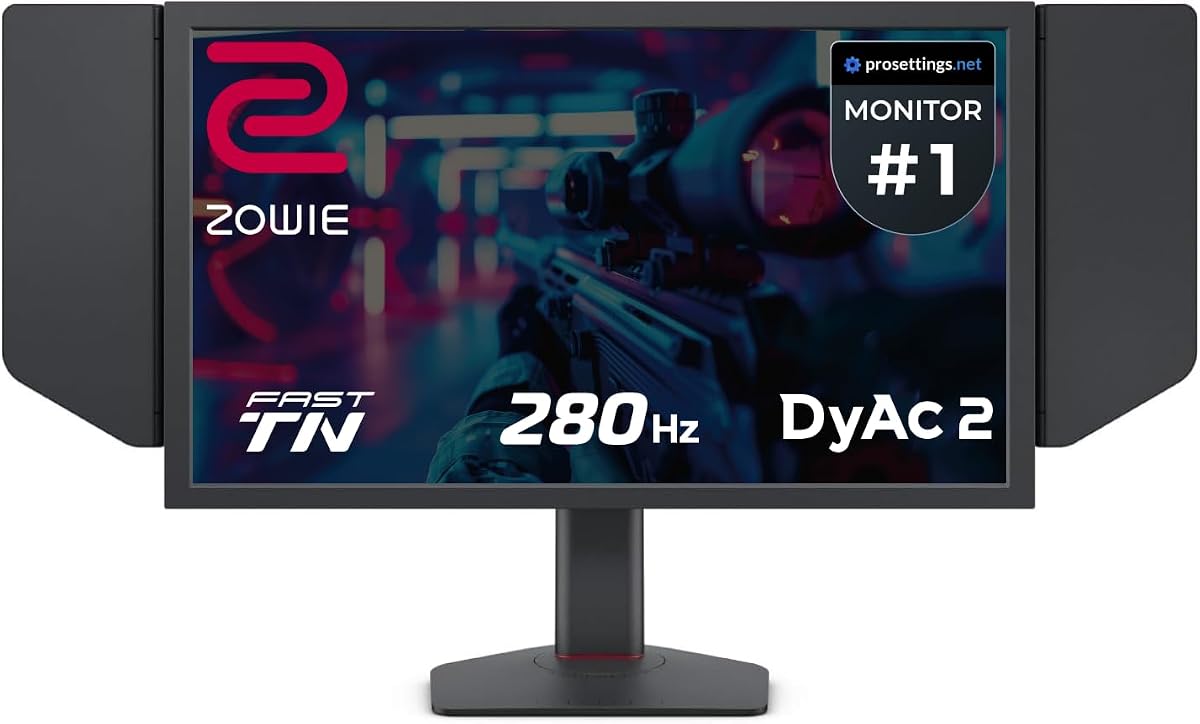
BenQ Zowie XL2546X+
4.3Editor score
280Hz refresh rate for smooth motion
DyAc 2 technology reduces blur
Fast TN panel ensures sharp visuals
Finding the right Benq monitor for gaming means balancing speed, clarity, and comfort. Gamers need displays that react instantly while protecting eyes during long sessions. This guide explores top models designed for competitive play and immersive experiences.
We analyzed ten models based on refresh rates, panel technology, and specific gaming features. Each selection offers unique strengths, from high-speed TN panels to vibrant IPS options. Our goal is to help you match a screen to your gaming style and budget.
Each pick highlights key specs and real-world performance traits. Prices may shift over time, so check current listings before buying. Use this guide to narrow down choices and find a monitor that elevates your gameplay significantly.
4.3Editor score

4.6Editor score

4.2Editor score
As an Amazon Associate we earn from qualifying purchases.
This side-by-side table compares all ten monitors to highlight key differences in resolution, refresh rate, and panel type for easier decision-making.


This monitor stands out as the top choice for competitive gamers. It holds a 4.6 star rating and delivers 600Hz refresh rates. Its standout quality is DyAc 2 technology that minimizes blur during intense action.
We may earn a commission when you buy through this link, at no additional cost to you.
The latest panel design improves electrical conductivity for faster response. It offers clearer sharper images than standard panels. Vivid color film boosts performance by thirty-five percent for better target identification.
While TN panels traditionally lack wide angles, the focus here is speed. The trade-off is acceptable for players prioritizing reaction time over color accuracy. Eye adaptation is facilitated by soft light output.
If you play FPS titles like CS:GO, this is the one to buy. It ensures every frame counts during critical moments. We recommend it for serious esports competitors seeking maximum clarity.
DyAc 2 uses dual backlight technology to reduce motion blur significantly.
New color film increases vibrancy and reduces washout on dark targets.
We may earn a commission when you buy through this link, at no additional cost to you.
This model offers a compelling entry point for esports enthusiasts. It carries a 4.3 rating and features 280Hz refresh rates. Its standout quality is the sharpness of moving images compared to IPS screens.
We may earn a commission when you buy through this link, at no additional cost to you.
The Fast TN panel provides clearer outlines of overall moving images. This helps focus attention on enemies without distracting afterimages. It also reduces overshoot for a cleaner visual experience during play.
The main trade-off is the slightly lower refresh rate compared to premium models. For many players this difference is negligible during actual gameplay. The price point makes high-speed gaming accessible to more users.
If you want pro features without paying top dollar, consider this. It delivers essential clarity and speed for competitive titles. We recommend it for budget-conscious gamers seeking performance.
Fast TN panels deliver better sharpness for action-heavy game scenarios.
Redesigned panel offers vibrant hues for easier enemy identification.
We may earn a commission when you buy through this link, at no additional cost to you.
This monitor brings premium features like 4K resolution to gaming setups. It holds a 4.2 rating and supports 165Hz refresh rates. Its standout quality is the built-in eARC for console audio without extra hardware.
We may earn a commission when you buy through this link, at no additional cost to you.
AI Detail Enhancement ensures games are showcased in pleasing palettes. The 65W USB-C port links battle stations seamlessly. Pixsoul Engine enhances colors for a vibrant and immersive experience.
The trade-off is the price and refresh rate compared to dedicated esports monitors. For single-player games and console play, this is ideal. It balances high resolution with solid speed for diverse users.
If you prioritize resolution and console audio, buy this model. It fits well with modern consoles and powerful PCs. We recommend it for users wanting visual richness and premium tech.
Built-in eARC supports up to 7.1 channels for immersive sound.
KVM and USB-C allow easy switching between different platforms.
We may earn a commission when you buy through this link, at no additional cost to you.
This monitor delivers 400Hz refresh rates for competitive titles. It holds a 4.3 rating and focuses on motion clarity. Its standout quality is the sharpened visuals on standard resolutions used by pros.
We may earn a commission when you buy through this link, at no additional cost to you.
The latest panel design improves electrical conductivity for better response. It effectively reduces overshoot to ensure images stay crisp. DyAc 2 enhances blur reduction while facilitating eye adaptation.
The trade-off is the reliance on TN panels which have narrower angles. For front-facing gamers this is rarely an issue. The speed and clarity outweigh this limitation for esports.
If you need reliable speed for ranked matches, this works well. It provides clear images and reduced blur for accurate aiming. We recommend it for players focused on pure performance.
Native FHD resolution ensures better sharpness for common esports settings.
Dual backlight technology offers soft light output for comfort.
We may earn a commission when you buy through this link, at no additional cost to you.
This monitor is perfect for MacBook users needing 4K displays. It holds a 4.4 rating and supports Mac Color Match. Its standout quality is the ability to adjust volume and brightness directly from Mac keyboards.
We may earn a commission when you buy through this link, at no additional cost to you.
The dual USB-C ports deliver 90W power for your MacBook. They also charge other devices like iPad with 15W. The stand supports height and tilt adjustments for ergonomic positioning.
The trade-off is that it is designed more for work than competitive games. Casual gaming looks great but refresh rates are not top-tier. Still, the color quality is unmatched for creative work.
If you use a Mac for gaming and creative work, buy this. It simplifies setup with single cable connectivity. We recommend it for Apple ecosystem users.
Exclusive color tuning ensures vibrant P3 gamut matches MacBook screens.
Supports multiple devices via USB-C hubs and HDMI ports.
We may earn a commission when you buy through this link, at no additional cost to you.
This monitor focuses on eye comfort during long gaming sessions. It holds a 4.6 rating and features IPS technology. Its standout quality is Low Blue Light Plus which filters high energy radiation.
We may earn a commission when you buy through this link, at no additional cost to you.
Brightness Intelligence Tech auto adjusts based on ambient light. This ensures comfort and vivid color quality at all times. Input Hotkey makes switching between devices seamless with one click.
The trade-off is the 100Hz refresh rate which is lower than esports models. For general gaming and work, this is sufficient. It balances comfort with decent performance for daily use.
If you play casually and need eye protection, this is ideal. It adapts brightness automatically to reduce fatigue. We recommend it for users balancing work and play.
Low Blue Light Plus filters harmful rays while keeping colors vivid.
Auto adjusts based on content and ambient light for comfort.
We may earn a commission when you buy through this link, at no additional cost to you.
This monitor is excellent for developers who also game. It holds a 4.4 rating and features a 4K display. Its standout quality is the Nano Matte Panel which minimizes distractions and reflections.
We may earn a commission when you buy through this link, at no additional cost to you.
Coding Modes offer clear fonts and code differentiation. Night Hours Protection allows usage during dark hours without strain. Deep blacks and high contrast enhance movie watching and gaming.
The trade-off is the lack of high refresh rates typical for gaming. However, the screen quality supports immersive play effectively. It is best for users who code and play casually.
If you work with code and play games, buy this model. It reduces eye strain and provides clarity for tasks. We recommend it for professionals seeking multi-purpose displays.
Nano Matte Panel diffuses ambient light to preserve color accuracy.
Advanced modes deliver clear fonts to reduce eye strain during work.
We may earn a commission when you buy through this link, at no additional cost to you.
This monitor blends office utility with casual gaming support. It holds a 4.4 rating and features IPS tech. Its standout quality is the built-in noise-cancelling microphone for calls.
We may earn a commission when you buy through this link, at no additional cost to you.
USB-C connectivity synchronizes images and charges devices with one cable. Brightness Intelligence optimizes performance for work and play. The stand allows height adjustments for comfort.
The trade-off is the 1080p resolution which lacks sharpness for modern games. For light gaming this is adequate. It is best for those needing a versatile daily driver.
If you need a hub monitor for work and play, consider this. It reduces cable clutter and supports mobile devices well. We recommend it for hybrid work environments.
Microphone reduces background noise during calls when connected via USB-C.
Synchronizes images and charges devices with all-in-one USB-C cable.
We may earn a commission when you buy through this link, at no additional cost to you.
This monitor delivers precise colors for design and gaming. It holds a 4.5 rating and features factory calibration. Its standout quality is Delta E less than two for accurate color matching.
We may earn a commission when you buy through this link, at no additional cost to you.
ICCsync ensures Mac and monitor color profiles stay matched. The Nano Matte Panel diffuses light to reduce glare during sessions. USB-C connects images and data through one cable.
The trade-off is the 100Hz refresh rate which suits creative work best. Casual gaming benefits from the color quality and speed. It is ideal for designers who also game.
If you value color accuracy for creative and gaming, buy this. It provides consistent visuals across devices. We recommend it for Mac users needing reliable color.
ICCsync automatically matches ICC profiles between Mac and monitor.
Adjust height and pivot to create a comfortable creative environment.
We may earn a commission when you buy through this link, at no additional cost to you.
This monitor offers high refresh rates at a competitive price. It holds a 4.5 rating and features AMD FreeSync Premium. Its standout quality is the 180Hz refresh rate for fast-paced titles.
We may earn a commission when you buy through this link, at no additional cost to you.
Zero-Frame Design allows edge-to-edge display focus. Ports include HDMI and DisplayPort for easy connection. Ergonomic tilt supports better posture during extended play.
The trade-off is the smaller 23.8-inch size compared to 27-inch screens. For desk space constrained users this is a benefit. It delivers smooth gaming without large footprint.
If you need high refresh rates in a compact unit, buy this. It offers FreeSync support for tear-free play. We recommend it for budget gamers needing speed.
Technology reduces screen tearing for a smoother gameplay experience.
Edge-to-edge display maximizes screen real estate and focus.
We may earn a commission when you buy through this link, at no additional cost to you.
Selecting the right monitor depends on balancing refresh rate, resolution, and eye comfort features.
Refresh rate determines how many frames the monitor displays per second. Higher rates like 400Hz or 600Hz provide smoother motion for esports games where every millisecond counts.
Look for refresh rates that match your hardware. High-end gaming PCs benefit from 165Hz or higher, while casual players might find 100Hz sufficient.
TN panels offer fast response times but limited viewing angles. IPS panels provide better color accuracy and wider viewing angles but may have slightly slower response times.
Choose TN for pure competitive speed and IPS for balanced visuals and color quality.
Resolution impacts image clarity and detail. 1080p is common for esports, while 4K offers stunning visuals for single-player titles. Higher resolution requires more GPU power to maintain frame rates.
Ensure your graphics card can support the chosen resolution for smooth performance.
Features like Low Blue Light Plus and Brightness Intelligence protect eyes during long sessions. They adjust light output to reduce strain and improve comfort.
Prioritize eye care features if you game for extended periods regularly.
Check for HDMI 2.1, DisplayPort, and USB-C ports based on your devices. USB-C with Power Delivery simplifies setup by charging laptops through the monitor.
Ensure the monitor supports the input standards required by your console or PC.
Features like DyAc 2 reduce motion blur and improve clarity. KVM switches let you control multiple devices from one set of peripherals.
Consider features that match your workflow and specific gaming needs.
Adjustable stands for height, tilt, and pivot ensure proper viewing posture. A well-ergonomic monitor reduces physical strain during extended play.
Look for VESA mounting options if you plan to use a monitor arm.
Prices vary significantly between entry-level and pro-tier monitors. Identify which features matter most to you before comparing costs.
Focus on performance factors that enhance your gameplay rather than unnecessary extras.
Start by connecting the monitor using HDMI or DisplayPort for optimal refresh rates. If using USB-C for laptops, ensure the cable supports Power Delivery and data transfer for full functionality.
Adjust brightness and eye care settings based on ambient lighting. Use modes like Low Blue Light during evening sessions to reduce strain and maintain comfort over time.
Clean the screen with a soft microfiber cloth to avoid scratches. Avoid using harsh chemicals that could damage the panel coating or affect eye care features.
The BenQ Zowie XL2586X+ is ideal for esports with 600Hz refresh rate. It features DyAc 2 technology to reduce blur during fast action. TN panels ensure quick response times essential for FPS titles.
Yes, the BenQ MOBIUZ EX271U supports built-in eARC for console audio. It allows up to 7.1 channels without extra speakers. This simplifies setup for console gamers needing immersive sound.
DyAc 2 uses dual backlight technology to enhance blur reduction. It provides soft light output for easier eye adaptation. This results in clearer visuals during fast-paced scenes.
Yes, models like the MA320U and PD2706QN are Mac-Ready. They offer P3 color gamut matching and USB-C connectivity. You can control brightness and volume directly from Mac keyboards.
The GW2790Q features Low Blue Light Plus and Brightness Intelligence. These reduce harmful blue light and auto-adjust for comfort. It is great for long gaming and work sessions.
TN panels offer faster response times but narrower viewing angles. IPS panels provide better colors and wider angles. Choose TN for speed or IPS for balanced visuals.
Most BenQ monitors support VESA mounting standards. This allows installation on walls or monitor arms. Check specific model specs for compatible VESA hole patterns.
Yes, models like the MOBIUZ EX271U support FreeSync Premium. This reduces screen tearing and improves gameplay smoothness. It ensures better compatibility with AMD GPUs.
We reviewed ten models including top picks like the XL2586X+ for esports and EX271U for premium 4K gaming. Each offers distinct strengths tailored to different gaming preferences and budgets.
Prioritize refresh rates and eye care features based on your gameplay style. If speed is essential, look to the Zowie series. For immersion, the MOBIUZ or MA320U are excellent choices.
Check current listings before purchasing since prices can change over time. Use this guide to find the monitor that best supports your gaming goals and setup.