
MELOGAGA RGB Computer Speakers
4.2Editor score
Dual 3W high-fidelity drivers
Vibrant 7-color LED lighting
Inline volume rotary knob control
This guide compares the top ten cheap PC speakers for desktop and laptop setups, evaluating sound quality, design, connectivity, and value to help you find the
Finding affordable audio solutions for your workspace or gaming setup often requires balancing cost with performance. Cheap PC speakers have evolved significantly, offering impressive sound quality and features that rival more expensive options without breaking the bank.
We have evaluated ten distinct models based on their build quality, audio performance, ease of use, and overall value proposition. This selection includes a mix of traditional stereo pairs, compact soundbars, and specialized designs tailored for modern desks.
Each entry in this list provides a detailed look at what makes the product stand out, including key specifications and real-world usability notes. Please keep in mind that availability and specific offers may vary over time as market conditions change.
4.2Editor score

4.4Editor score

4.6Editor score
The following table provides a side-by-side overview of the ten selected models, highlighting their primary specifications and key attributes to assist in quick decision-making.





This model stands out as a reliable option for users needing straightforward audio enhancement without complex configuration. It receives strong ratings from users who appreciate its consistent performance and ease of integration with various computer systems.
We may earn a commission when you buy through this link, at no additional cost to you.
The speaker set utilizes a passive radiator system to enhance low-frequency response which is a notable feature at this price point. Users can easily adjust volume levels using the in-line control which adds a layer of convenience for daily use.
While the design is functional rather than flashy, the metal finish and scratch-free base ensure longevity on busy desks. The blue LED indicators provide a subtle visual cue for power status which helps avoid accidental power usage.
This is an ideal pick for office workers or students who need clear audio for calls and media without cluttering their workspace with cables. We recommend it for anyone seeking a dependable entry-level stereo system.
The USB power source eliminates the need for external power bricks while the inline volume knob ensures quick adjustments without software reliance.
The bottom radiator design actively improves bass output compared to standard small drivers making it suitable for movies and music alike.
We may earn a commission when you buy through this link, at no additional cost to you.
This entry offers an extremely accessible entry point for those needing basic audio from a laptop or desktop. It is recognized for its minimal footprint which suits smaller desks where space is at a premium.
We may earn a commission when you buy through this link, at no additional cost to you.
The column shape is distinctive and helps save desk area while directing sound forward. Users find the matte metal paneling gives it a modern look that blends well with contemporary office furniture setups.
The long cable length allows for flexible placement under monitors or further from the computer tower. Volume control is handled via an inline knob which keeps the setup clean and manageable.
Ideal for budget-conscious buyers or temporary setups where high fidelity is secondary to having sound output. We suggest this for users who prioritize space savings and simplicity over deep audio richness.
The vertical column shape minimizes horizontal desk usage allowing more room for peripherals while still delivering clear audio output.
Anti-slip foot pads ensure the speakers remain in place during use preventing accidental movement or sliding across smooth surfaces.
We may earn a commission when you buy through this link, at no additional cost to you.
This speaker brings premium design elements to the budget category with a focus on audio projection and build integrity. The 30-degree tilt ensures sound reaches the listener's ears directly which improves perceived quality.
We may earn a commission when you buy through this link, at no additional cost to you.
The dual full-range drivers combined with passive radiators deliver a balanced sound profile that handles highs and mids well. The gold-plated AUX input reduces signal noise for a cleaner listening experience over time.
Recognition from industry standards like the VGP award highlights its reliability and design effectiveness. The matte finish resists fingerprints and looks professional in any home office or gaming environment.
This is a strong choice for users who want better audio performance without moving to high-end systems. We recommend it for those who value thoughtful ergonomics and consistent sound quality.
The upward tilt aligns the drivers with ear level enhancing clarity and immersion without requiring physical speaker elevation.
Recognized for quality and innovation this model reflects Japanese design standards that prioritize user experience and durability.
We may earn a commission when you buy through this link, at no additional cost to you.
This soundbar style speaker is designed to attach directly to a monitor eliminating the need for separate speaker stands. It is particularly useful for users with limited desk space who still want a full audio experience.
We may earn a commission when you buy through this link, at no additional cost to you.
The adaptive channel switching ensures left and right audio remain correct regardless of where the unit is clamped on the monitor. Touch controls on the front allow for quick muting and volume changes without reaching around.
Inclusion of a USB-C adapter broadens compatibility to modern laptops that lack traditional USB ports. The dual passive radiators help provide a richer low end than typical desktop soundbars of this size.
We suggest this for modern setups with USB-C laptops and clean desk preferences. It is a practical solution for anyone needing to maximize workspace efficiency.
The patented clamp allows secure attachment to top or bottom of monitors saving desk space while keeping audio close to the user.
Built-in USB-C adapter support ensures compatibility with newer MacBooks and Android devices for a universal solution.
We may earn a commission when you buy through this link, at no additional cost to you.
This compact speaker is designed for users who move their workspaces frequently or need temporary audio solutions. Its small footprint makes it easy to pack and carry along with a laptop for meetings or study sessions.
We may earn a commission when you buy through this link, at no additional cost to you.
The integrated headphone jack allows users to connect external headphones if privacy is needed without disconnecting speakers. Volume and power are controlled by a single button on the front of the unit for intuitive operation.
We 2.2 watts RMS power is modest but sufficient for quiet environments or small rooms. The frequency range covers standard human hearing needs making it versatile for media and communication.
Ideal for students or travelers who need audio on the go without carrying heavy equipment. We recommend this for those prioritizing portability over high volume output.
We compact size and light weight make it easy to slip into a bag for on-the-go audio needs at school or work.
The headphone jack adds flexibility allowing users to switch to personal listening without unplug in the speakers.
We may earn a commission when you buy through this link, at no additional cost to you.
This soundbar focuses on delivering clear stereo sound through a simplified connection method. It uses a single USB cable for both power and audio which reduces cable clutter on the desk surface significantly.
We may earn a commission when you buy through this link, at no additional cost to you.
The high-excursion drivers help push more air for better sound volume and dynamic range. Users can easily switch output to the speaker via the taskbar audio icon ensuring quick access to the audio source.
Enhanced bass tuning provides more depth than typical budget bars which improves music and movie experiences. The build is designed to be robust enough for daily office use without frequent maintenance.
Great for users who want a clean desk look with good sound quality. We recommend this for general computing tasks and media consumption where clarity is key.
By combining power and audio into one USB cable the setup remains tidy and professional on any work surface.
Compatible with Windows and macOS systems this speaker adapts easily to different operating systems without configuration issues.
We may earn a commission when you buy through this link, at no additional cost to you.
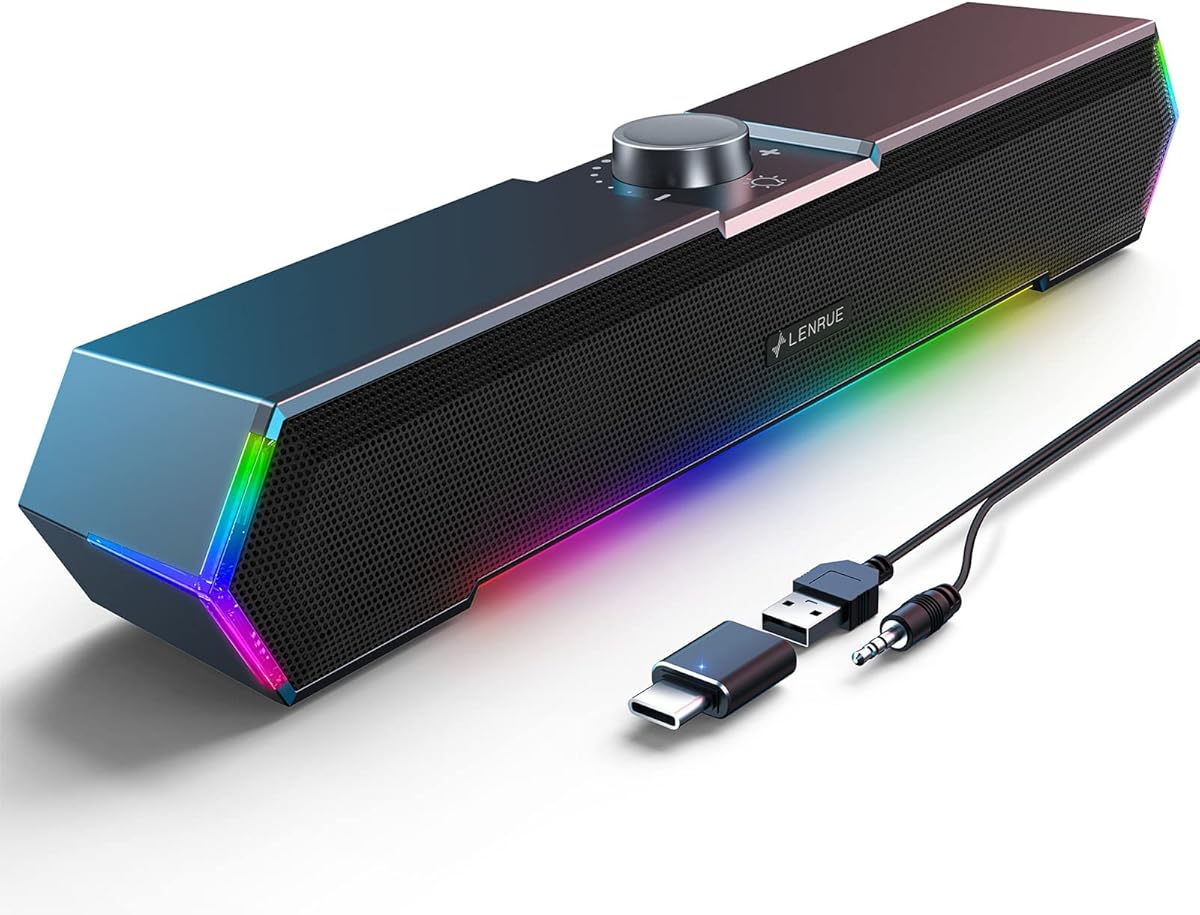
This model stands out with its dynamic angular lighting effects which can enhance a gaming or entertainment setup visually. The surge stereo technology uses specific amplifier ICs to ensure sound remains clear and distortion-free during use.
We may earn a commission when you buy through this link, at no additional cost to you.
A top-mounted volume knob allows for easy adjustments without reaching for a control panel. The design includes glued cables to reduce visual clutter which helps maintain a streamlined appearance on the desk.
Inclusion of a USB-C adapter ensures it works with modern devices that do not have traditional USB-A ports. The sound quality is noted for its immersive cinema effect suitable for videos and gaming sessions.
Recommended for gamers or streamers who want to customize their desktop ambiance. It is a strong choice for those who value style alongside standard audio performance.
The touch angular game lights provide a modern aesthetic that can be turned on or off with a single touch for versatility.
Surge clear sound technology ensures that audio remains crisp and noiseless during playback for a better experience.
We may earn a commission when you buy through this link, at no additional cost to you.
These speakers bring a splash of color to any desk with their 7-color cycling LED backlighting. The dual 3W drivers ensure that the audio remains balanced with deep bass and crisp highs for a good listening experience.
We may earn a commission when you buy through this link, at no additional cost to you.
The ultra-compact design fits easily on crowded desks without sacrificing audio quality. Users can adjust volume levels conveniently using the inline rotary knob which prevents clutter around the speaker base.
Installation is straightforward with USB power and 3.5mm audio input requiring no software. This makes it suitable for a wide range of devices from PCs to tablets and laptops.
Perfect for users who want to add visual flair to their workspace while maintaining decent audio. We recommend this for casual listeners and gamers alike.
The 7-color LED lighting cycles through mesmerizing patterns adding a stylish glow to gaming setups and workspaces.
The built-in rotary knob allows quick sound level adjustments without touching the computer or navigating menus.
We may earn a commission when you buy through this link, at no additional cost to you.
This mini speaker set is optimized for environments where space is extremely limited. The upgraded 2x3W technology delivers clear Hi-Fi sound which ensures audio remains crisp even at lower volumes.
We may earn a commission when you buy through this link, at no additional cost to you.
Cables are glued together to minimize tangles and desk clutter keeping the workspace tidy. The anti-slip foot pads ensure the speakers stay stable on smooth surfaces during daily use.
Users benefit from a comprehensive warranty package including money-back guarantees and user support. The inline volume control allows for easy adjustment without needing external settings changes.
Ideal for small desks or temporary office setups where space is premium. We suggest this for users prioritizing cleanliness and compact audio.
The mini size fits under monitors or on narrow shelves without taking up any extra desktop space.
Glued cables reduce tangling and maintain a neat appearance on the desk.
We may earn a commission when you buy through this link, at no additional cost to you.
This model from Creative is known for its unique design that angles drivers forward for better projection. The far-field drivers combined with rear radiators create a spacious sound that is rare in compact units.
We may earn a commission when you buy through this link, at no additional cost to you.
The 45-degree elevation directs sound precisely to the listener reducing loss and improving clarity. It connects via a single USB cable making setup incredibly simple for any compatible laptop or desktop.
Front-facing volume controls are conveniently placed for instant adjustments without navigating menus. The frequency response extends well into the lower mids providing a satisfying sound for music and movies.
Highly recommended for users seeking a blend of style and performance. It is a premium choice in the budget category for those who care about acoustic engineering.
Far-field drivers tuned with rear radiators reproduce excellent audio quality in a small form factor.
45-degree elevated drivers ensure enhanced audio projection and immersive personal listening experience.
We may earn a commission when you buy through this link, at no additional cost to you.
Selecting the right budget speakers involves evaluating several key factors to ensure they meet your specific audio and desk requirements.
Most budget PC speakers rely on USB power which simplifies setup by removing the need for external power bricks. This ensures a single cable connection for power and often audio depending on the model which reduces desk clutter significantly. Always verify that your computer has available USB ports that match the speaker requirements such as USB-A or USB-C.
USB connectivity is the standard for budget desktop audio because it ensures compatibility and simplicity.
Look for models with RMS power ratings between 2W and 14W to ensure adequate volume for typical room sizes. Higher power generally translates to clearer sound at higher volumes but also consider driver size which affects bass depth. For music and gaming prioritize models with passive radiators which enhance low-frequency response without needing external subwoofers.
Higher wattage and passive radiators contribute to a richer audio experience in budget devices.
Consider whether you prefer a stereo pair or a soundbar design based on your desk layout constraints. Stereo pairs offer wider sound separation but take more space whereas soundbars fit neatly under monitors. Check dimensions to ensure they fit comfortably under your monitor or near your keyboard without obstructing view.
Compact dimensions and mounting options like clip-on bases help preserve valuable workspace area.
Physical volume controls on the speaker body or inline on the cable allow quick adjustments without software. Touch controls offer a modern look but may be less reliable than mechanical knobs for precise adjustments. Some models include headphone jacks for private listening which adds flexibility for shared spaces.
Accessible physical controls ensure convenient operation during daily usage.
Materials like metal finishes and anti-slip bases improve durability and stability on smooth desks. Plastic casings are common in budget models but higher quality plastics can last longer than brittle variants. Check if the manufacturer offers a warranty as this reflects confidence in the product lifespan and reliability.
Durable finishes and stable bases prevent damage and ensure long-term usability.
Ensure the speakers support your operating system including Windows macOS Linux or Chrome OS. Most USB speakers are plug-and-play but drivers may be needed for advanced features. USB-C adapters are becoming essential for modern laptops so check if they are included in the package.
Broad OS compatibility ensures the speakers work with your current computer setup.
Some models include RGB lighting or unique aesthetic touches which can enhance your desktop setup visually. Features like adaptive channel switching or gold-plated inputs improve functionality but may increase cost. Evaluate which extras add real value to your specific use case before purchasing.
Useful extras like cable management or lighting can enhance the user experience.
Review customer feedback to understand real-world performance and potential issues like connectivity glitches or build flaws. High ratings indicate general satisfaction but reading recent reviews helps verify ongoing quality consistency. Pay attention to comments about volume levels and bass response to see if they match your expectations.
Verified buyer feedback provides critical insight into actual product reliability.
To start, connect the USB cable to your computer to power the speakers and insert the audio cable into the corresponding 3.5mm jack. If the speakers have a power switch or button press it to turn them on before adjusting volume.
Ensure the volume is set to a low level before playing media to avoid sudden loud bursts that could damage the drivers. Use inline or physical controls to adjust levels to a comfortable listening range without distortion.
Keep the speakers clean by dusting them with a soft dry cloth occasionally. Avoid exposing them to moisture or direct sunlight which can degrade the materials and affect sound quality over time.
Most budget PC speakers are powered directly by your computer's USB port so no external power adapter is needed. This simplifies setup by reducing cable clutter. However some larger models may require a separate AC adapter for higher power output.
Yes if the tablet or smartphone supports USB audio output or has a 3.5mm headphone jack. Some speakers include USB-C adapters for modern devices but check compatibility with your specific mobile hardware first.
To reduce background noise ensure your speakers have a gold-plated input and are not placed near electrical interference sources. Adjusting the volume to moderate levels and keeping the computer audio settings properly calibrated also helps.
Some models include a 3.5mm headphone jack to allow private listening by connecting external headphones. Check the product specifications or packaging to confirm if this feature is available before purchase.
Verify that the audio output device is set to the USB speakers in your system sound settings. Check all cable connections and ensure the volume is not muted. If using a USB-C adapter ensure it is properly connected.
USB speakers often provide cleaner power and reduce audio noise because they avoid reliance on the computer's internal sound card. They also simplify cabling but may limit audio quality on systems with poor USB power delivery.
Most manufacturers offer a minimum 1-year warranty covering defects in materials and workmanship. Some brands provide extended warranties such as 18-month worry-free coverage or lifetime support with money-back guarantees.
Yes budget speakers are suitable for gaming to provide basic audio feedback and sound effects. For competitive gaming with precise positioning consider models with stereo separation and clear highs.
We have reviewed ten affordable options that cater to diverse needs from compact designs to advanced audio features. The top picks stand out for their reliability balance of features and price performance.
Prioritize your specific requirements such as space constraints or sound clarity when selecting a model. Ensure the chosen speakers integrate seamlessly with your current computer setup.
Remember that product availability and offers may change so always verify the current details before purchasing. Regularly check the latest reviews for up-to-date user experiences.