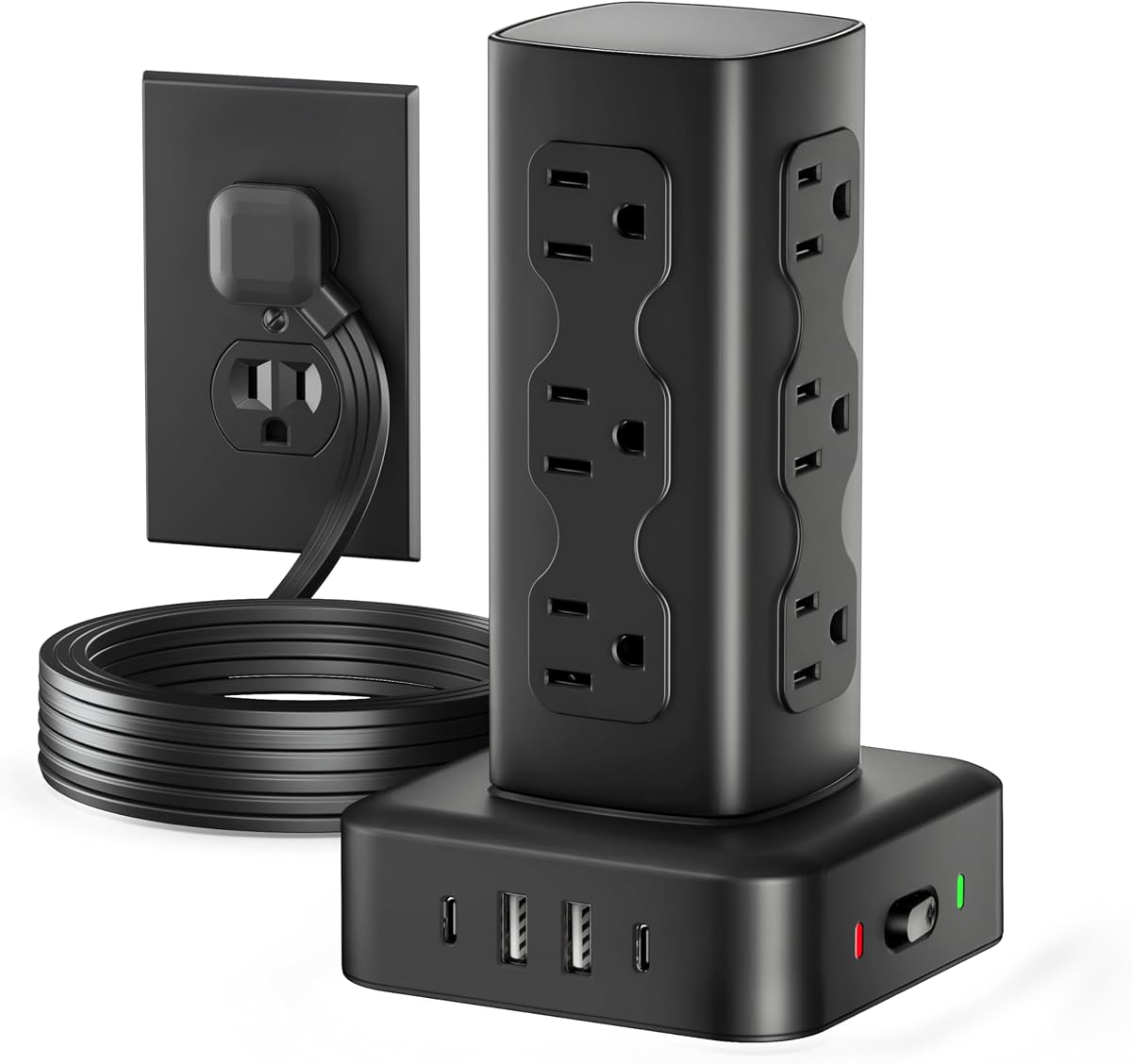
Power Strip Tower with 12 AC Outlets & 4 USB Ports(2 USB C), 6FT Cord
4.7Editor score
12 wide AC outlets
2 USB-C and 2 USB-A ports
2000J surge protection
This comprehensive guide compares the top ten charging tower models available in October 2026, helping you find the perfect power solution for your home or
A charging tower is an essential device for modern workspaces, offering vertical organization and multiple power sources in one compact unit. These devices help reduce desk clutter while providing safe and efficient charging for numerous electronics simultaneously.
We compared ten top-rated charging towers based on outlet count, USB capabilities, safety features, and design quality. Each product was evaluated for its ability to handle diverse device loads while maintaining a sleek and space-saving profile for any environment.
Every pick highlights key strengths and potential trade-offs to help you choose wisely. Prices and availability change frequently, so always verify current details before purchasing to ensure you get the best value for your specific setup requirements.
4.7Editor score

4.7Editor score

4.7Editor score
The following table provides a side-by-side comparison of all ten selected charging towers, detailing their core specifications to help you quickly identify the model that best fits your power and space requirements.


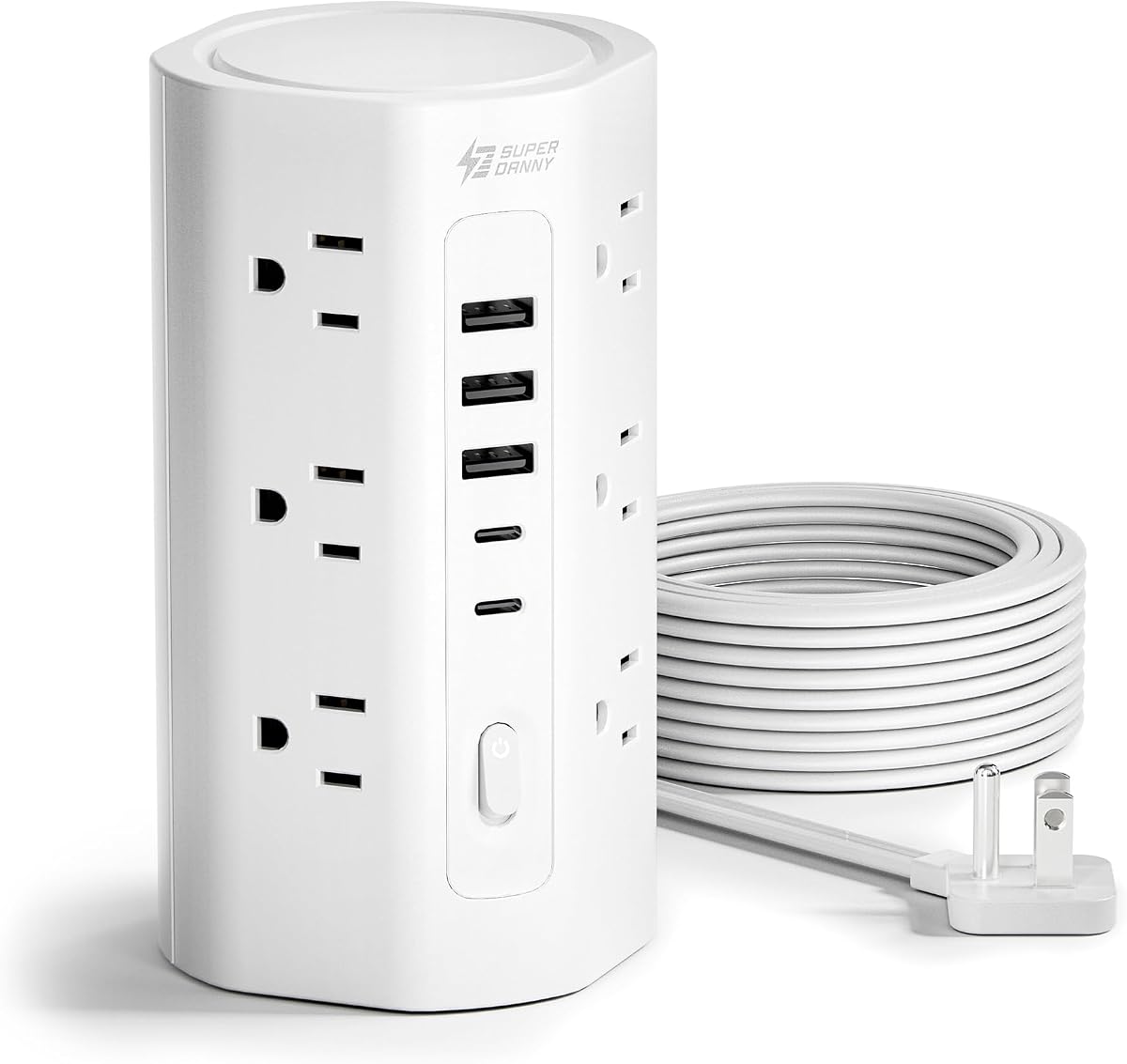
The kakyanill Charging Station stands out as a top choice for users needing extensive power options in a vertical format. With a rating of 4.5 stars, it offers a robust mix of AC and USB ports to handle diverse device needs efficiently.
We may earn a commission when you buy through this link, at no additional cost to you.
This tower features 9 AC outlets spaced widely to accommodate bulky adapters without blocking adjacent slots. The 8 USB ports include both USB-C and USB-A types, supporting fast charging up to 4.8A total output for phones and tablets.
A key advantage is the 6-foot retractable flat cord which reduces clutter when not fully extended. The flat plug design allows it to sit flush against walls, making it ideal for tight spaces behind furniture or desks.
Ideal for home offices or dorm rooms, this tower balances capacity with safety through its built-in circuit breaker and fire-resistant shell. Users appreciate the individual switches that allow precise power management for connected electronics.
The retractable base lets you rotate the tower to store excess cord length, keeping your workspace neat and preventing tripping hazards during daily use.
Industrial-grade safeguards including overload protection and a fire-resistant ABS shell ensure your expensive electronics remain safe from power surges or overheating issues.
We may earn a commission when you buy through this link, at no additional cost to you.
The JACKYLED Power Strip Tower offers exceptional value with 12 AC outlets and 6 USB ports, making it a versatile solution for families or shared workspaces. Its 4.7 rating reflects strong user satisfaction with its reliability and design.
We may earn a commission when you buy through this link, at no additional cost to you.
Each layer of the tower includes an independent switch, allowing you to manage power for specific devices without unplugging them. This feature enhances energy efficiency and provides convenience when managing multiple electronics simultaneously.
The USB ports utilize smart charging technology to detect devices and deliver optimal speeds safely. While the USB-C output is standard, it works well with most modern smartphones and tablets that do not require high-wattage charging.
For those seeking a budget-friendly option that does not compromise on safety or capacity, this tower is an excellent choice. The retractable cord adds to its practicality, keeping your floor or desk tidy during operation.
Independent switches on each layer let you turn off specific sections of the tower, saving electricity when certain devices are not in active use.
With 1050 joules of surge protection, this tower actively guards connected devices against voltage spikes, short circuits, and overheating for long-term device health.
We may earn a commission when you buy through this link, at no additional cost to you.
The Kakyanill 115W USB Charging Station distinguishes itself with powerful USB-C delivery capable of fast-charging laptops and other high-demand devices. Its 4.5 rating highlights strong performance in both power output and build quality for professional settings.
We may earn a commission when you buy through this link, at no additional cost to you.
Two USB-C ports support up to 65W PD each, while two others offer 20W PD for smaller gadgets. The remaining USB-A ports share a total of 5V/3A, ensuring all connected devices receive appropriate power without manual adjustment.
Safety is prioritized with a built-in indicator light and easy-to-use reset switch. The anti-slip rubber feet keep the tower stable on desks, preventing accidental tipping when plugging or unplugging heavy adapters or cables.
This tower is ideal for users who rely heavily on USB-C charging for laptops and tablets. The 6-foot retractable cord adds flexibility, allowing you to position the tower wherever needed without cluttering your workspace with excess wire.
The high total USB wattage ensures that even when multiple devices are connected, each receives sufficient power for fast and efficient charging cycles.
Four-sided compact tower design with anti-slip rubber feet ensures the unit remains securely in place even when fully loaded with multiple charging devices.
We may earn a commission when you buy through this link, at no additional cost to you.
This Power Strip Tower focuses on maximizing AC outlet availability with 12 widely spaced connections, making it perfect for offices with many traditional plugs. A 4.7 rating indicates high reliability and user satisfaction with its build and performance.
We may earn a commission when you buy through this link, at no additional cost to you.
It includes 4 USB ports, with 2 being USB-C to handle modern devices without extra adapters. The 2000J surge protection offers robust defense against electrical surges, ensuring your connected hardware remains protected during power fluctuations.
The ultra-thin 0.31-inch flat plug allows the tower to fit behind furniture without blocking adjacent outlets. This design detail is crucial for maintaining accessibility to wall sockets while still utilizing the tower for additional power needs.
Ideal for workstations requiring numerous AC inputs, this tower combines safety with space efficiency. The 6-foot extension cord provides flexibility in placement, enabling you to position the unit where it best suits your layout.
With 2000 joules of protection, this tower actively safeguards devices from overloads, short circuits, and voltage spikes, providing peace of mind for expensive electronics.
The 0.31-inch flat plug sits flush against walls, saving space and preventing interference with nearby appliances or outlets behind your desk or sofa.
We may earn a commission when you buy through this link, at no additional cost to you.
The TenTrend Power Strip Tower is engineered for users who need significant USB power, offering 230W total output across 8 ports. Its 4.5 rating reflects strong performance for charging laptops, tablets, and phones simultaneously without overheating.
We may earn a commission when you buy through this link, at no additional cost to you.
Two orange USB-C ports deliver up to 65W each, suitable for most modern laptops. Four blue USB-A ports provide 15W for phones and peripherals, ensuring each device type receives appropriate power levels for fast charging.
The 5-foot flat cord lies flush on surfaces, reducing tripping risks and maintaining a clean look. The compact dimensions allow it to fit on small nightstands or crowded desks without taking up excessive space.
This tower is best suited for users prioritizing USB charging over AC outlets. If your setup relies heavily on modern USB devices, this model provides the power and organization needed to keep everything running efficiently.
With 230 watts of total USB output, this tower can charge multiple high-power devices like laptops and tablets simultaneously without sacrificing speed.
Built-in overcurrent, overvoltage, and overheat protection ensure safe operation even when multiple high-wattage devices are connected to the tower at once.
We may earn a commission when you buy through this link, at no additional cost to you.
This Flat Plug Power Strip Tower excels in reach, featuring a 10-foot extension cord that allows flexible placement away from wall outlets. With a 4.7 rating, it is praised for its ability to cover large rooms while maintaining a slim profile.
We may earn a commission when you buy through this link, at no additional cost to you.
It includes 12 AC outlets and 8 USB ports, providing ample connection points for household devices. The USB-C ports offer 20W PD fast charging, which is ideal for smartphones and tablets that do not require laptop-level wattage.
The 0.27-inch ultra-thin plug sits flush against walls, preventing blockage of adjacent sockets. Pure copper construction in the cord ensures better current carrying capacity, supporting up to 15A for heavier electrical loads safely.
Best for rooms where wall outlets are distant, this tower bridges the gap with its long cord. Its lightweight design and anti-slip feet make it easy to move and secure on various surfaces without slipping.
The 10-foot cord provides the flexibility to place the tower anywhere in a room, solving power access issues without requiring permanent wall extensions.
Made from fire-resistant ABS+PC material rated up to 1382°F, this tower offers enhanced safety against overheating and fire hazards during normal use.
We may earn a commission when you buy through this link, at no additional cost to you.
The Anker Desktop Charger offers a refined solution for desk setups, combining 3 AC outlets with 6 USB ports capable of up to 100W on individual USB-C ports. Its 4.7 rating speaks to its reliability and high-quality construction.
We may earn a commission when you buy through this link, at no additional cost to you.
Designed specifically for desktop use, this charger balances power and space efficiently. The 8-point safety system protects against overvoltage, short circuits, and other risks, ensuring your connected devices remain secure during use.
With a weight of about 560 grams, it is stable enough to handle heavy charging loads without tipping. The compact footprint means it does not consume valuable desk real estate while still providing essential power options.
Ideal for professionals who need reliable USB-C charging for laptops and peripherals, this tower is a premium choice. While it has fewer AC outlets than others, its USB capabilities and safety features make it worth the investment.
The 8-point safety system is engineered to protect devices from overvoltage, short circuits, and overheating, ensuring long-term reliability for your electronics.
Designed specifically for desktop use, this charger fits neatly on desks without taking up too much space while providing high-wattage USB-C charging capabilities.
We may earn a commission when you buy through this link, at no additional cost to you.
This 10FT Tower Power Strip is designed for flexibility, offering a dedicated 20W PD USB-C port for fast iPhone charging and a long 10-foot cord for versatile placement. A 4.5 rating reflects its utility for home and travel alike.
We may earn a commission when you buy through this link, at no additional cost to you.
It features 12 wide AC outlets that accommodate bulky adapters without blocking adjacent slots. The USB ports intelligently distribute power to charge various devices like earbuds and smartwatches without needing extra adapters.
The weighted, non-slip base prevents tipping, making it stable even when loaded with multiple devices. The flat plug allows it to sit flush against walls, ensuring it does not interfere with nearby outlets or furniture.
For travelers or those with distant outlets, the long cord is a significant advantage. Its portable design and efficient layout make it a practical choice for temporary setups or rooms where power access is limited.
The dedicated 20W PD USB-C port charges compatible devices like iPhone 17 from 0-50% in just 30 minutes, saving time for busy schedules.
1.5-inch wide-spaced outlets ensure that large adapters can be plugged in without blocking other sockets, maximizing the utility of each connection.
We may earn a commission when you buy through this link, at no additional cost to you.
This 6FT Power Strip Tower is a compact yet powerful solution for dorm rooms or small offices, featuring 12 wide-spaced AC outlets and 4 smart USB ports. Its 4.7 rating highlights its reliability and efficient design for student use.
We may earn a commission when you buy through this link, at no additional cost to you.
The 1800J surge protection safeguards your devices against unexpected power surges, which is crucial in shared living spaces. The reset/off switch allows you to save energy by cutting power to the tower when not in use.
Measuring only 3.15 by 5.79 inches, it takes up minimal floor or desk space. The anti-slip rubber feet keep the tower stable, preventing it from sliding when you plug or unplug heavy items into the outlets.
Best for students needing multiple outlets in a limited space, this tower balances power and size effectively. The 6-foot cord is sufficient for most room layouts, and the wide spacing ensures all plugs can be used simultaneously.
The mini vertical power tower design takes up less space than traditional strips, making it ideal for cramped dorm rooms or small desks.
With 1800 joules of surge protection and an automatic shut-off feature, this tower keeps your devices safe from electrical hazards in shared living spaces.
We may earn a commission when you buy through this link, at no additional cost to you.
The 10Ft Tower Power Strip excels in reach with a 10-foot flat extension cord that eliminates tripping hazards and allows flexible placement throughout a room. With a 4.7 rating, it is a reliable choice for spaces with distant power outlets.
We may earn a commission when you buy through this link, at no additional cost to you.
It includes 12 AC outlets with 1.5-inch spacing to fit bulky adapters easily. The USB ports auto-detect devices to deliver optimal charging speeds, ensuring phones, tablets, and watches stay powered without extra adapters.
The 0.31-inch ultra-thin plug hides discreetly behind furniture, maintaining a clean look while maximizing socket accessibility. V-0 fire-retardant casing ensures safety by preventing overheating during prolonged use with multiple devices.
Ideal for large rooms or setups where outlets are far away, this tower offers robust connectivity and safety. The included 3-year maintenance plan adds value, providing peace of mind for long-term use in homes or offices.
The 10-foot flat cord allows you to position the tower exactly where needed, reducing cable clutter and tripping risks across large rooms.
With 1700J surge protection, overload protection, and fire-retardant casing, this tower provides a full spectrum of protection against common electrical hazards.
We may earn a commission when you buy through this link, at no additional cost to you.
Selecting the right charging tower requires considering factors like outlet count, USB capabilities, safety features, and physical design to match your specific environment needs.
Consider how many devices you need to plug in simultaneously. Look for towers with widely spaced outlets to ensure bulky adapters do not block adjacent sockets.
Choose a tower with at least as many outlets as you currently use plus a few extra for future devices.
Check the total USB wattage and the number of USB-C ports. Higher wattage allows faster charging for laptops and tablets, while USB-C ports modern compatibility.
Prioritize towers with dedicated USB-C ports if you use USB-C devices regularly to avoid needing extra adapters.
Surge protection is measured in joules. A higher rating indicates better protection against power spikes, which is essential for expensive electronics.
Select a tower with at least 1000 joules of surge protection for reliable safety in home or office environments.
Cord length determines where you can place the tower. Retractability reduces clutter, while flat cords lie flush to prevent tripping.
Ensure the cord is long enough to reach your desired location without needing extension cords or placing the tower too far away.
Measure your available desk or floor space to ensure the tower fits comfortably. A lighter unit is easier to move, while a heavier one may be more stable.
Choose a compact design that blends into your setup without dominating the visual space of your workspace.
Look for certifications like UL or FCC which indicate the tower has been tested for electrical safety standards. These reduce the risk of fire or electrical hazards.
Always verify that the tower meets local safety regulations before purchasing for peace of mind during daily use.
Individual outlet switches allow you to control power to specific devices without unplugging them. This feature enhances convenience and energy efficiency.
Prioritize towers with switches if you frequently turn specific devices on and off to save power and extend device life.
Established brands often provide better customer support and warranty coverage. A longer warranty can protect against defects and ensure long-term usability.
Check customer reviews and warranty terms to gauge the reliability and support quality of the product manufacturer.
Place the charging tower on a flat, stable surface away from water sources or direct sunlight to maintain safety and prevent overheating. Ensure the cord is not stretched tightly to avoid strain on the connection.
Periodically unplug the tower and use a soft, dry cloth to dust off the outlets and exterior. This prevents buildup that could lead to electrical resistance or overheating over time.
If you notice any fraying on the cord or unusual heat, disconnect the tower immediately and contact customer support. Regular inspection helps identify issues early and ensures safe long-term operation.
Charging towers often include surge protection and safety certifications that standard strips may lack. The vertical design also promotes better airflow, reducing overheating risks during prolonged use.
Yes, if the tower offers USB-C ports with sufficient wattage such as 65W or higher. Always check the port specifications to ensure it meets your laptop charging requirements.
A flat plug sits flush against the wall, preventing it from blocking adjacent outlets. This design saves space and allows for easier placement behind furniture or desks.
Most modern charging towers are designed for grounded outlets to ensure safety features work correctly. Always verify your outlet compatibility before connecting the tower.
Measure your available vertical and horizontal space before buying. Check the product dimensions to ensure it fits on your desk or shelf without obstructing other items.
Charging towers are generally designed for indoor use and lack weatherproofing. For outdoor use, look for products specifically rated for outdoor environments to avoid safety hazards.
The best charging tower depends on your specific needs for outlet count, USB power, and space constraints. Models like the kakyanill and JACKYLED offer excellent balance for most users.
Prioritize safety features like surge protection and certifications to protect your electronics. Also consider cord length and plug design for ease of placement in your environment.
Prices and availability change frequently, so always check current listings before purchasing. This guide aims to simplify your choice to find the perfect power solution for your setup.