
Hearvo USB 3.0 HDMI KVM Switch
4.0Editor score
4K@60Hz HDMI Output
USB 3.0 Data Transfer
Plug and Play Setup
Explore the top laptops with KVM support for seamless multi-device control. This guide compares models, features, and compatibility to help you choose the
Finding a laptop with KVM support transforms your workspace into a versatile hub. It allows seamless switching between multiple systems without cluttering your desk. This guide helps you identify the best solutions.
We evaluated ten top-rated products based on speed, compatibility, and build quality. Each selection balances performance with ease of use. Our comparisons focus on real-world usability for professionals.
Each pick highlights unique strengths and ideal use cases. While prices fluctuate, these models offer lasting value. Always check current deals before purchasing to ensure you get the best offer today.
4.0Editor score
4.6Editor score

4.9Editor score
This side-by-side comparison highlights key features across all ten selected products. Evaluate each model's strengths to find the perfect fit for your specific workflow needs.


The Hearvo USB 3.0 HDMI KVM Switch stands out as a budget-friendly option for managing two computers with one monitor. Rated 4.0 stars, it delivers solid performance for everyday tasks. Its support for 4K@60Hz ensures sharp visuals during presentations.
We may earn a commission when you buy through this link, at no additional cost to you.
Key strengths include versatile USB 3.0 ports allowing fast data transfer. The adaptive EDID feature optimizes display settings automatically. This setup reduces clutter significantly by sharing keyboards and mice across systems seamlessly.
Trade-offs involve reliance on manual switching. While remote options exist, they require extra desk space. However, these compromises are acceptable given the low price and high reliability for standard office use.
Ideal for students or home office users needing cost-effective control. If you manage work and personal laptops, this device provides clean workflow without expensive hardware upgrades. Highly recommended for entry-level KVM needs.
This device offers dual computer control without breaking the bank. It fits tight budgets while maintaining professional-grade connectivity.
Support for 4K@60Hz ensures you enjoy crisp images. Whether editing or browsing, clarity remains consistent across both computers.
We may earn a commission when you buy through this link, at no additional cost to you.
This KVM switch handles up to four computers with dual monitor output. Rated 4.2 stars, it suits complex workspaces needing heavy multitasking. Its hybrid docking station approach simplifies cabling for diverse laptop models.
We may earn a commission when you buy through this link, at no additional cost to you.
Strengths include USB-C docking with 100W charging capability. You can power your laptop while switching. Crystal clear 4K@60Hz visuals ensure detail remains sharp during video calls or detailed work sessions.
Trade-offs involve a steeper learning curve for initial configuration. Multiple video cables are needed per desktop. However, once set up, the system delivers stable performance that supports heavy daily usage effectively.
Perfect for IT professionals or teams managing multiple machines. If your desk hosts different desktop and laptop types, this switch unifies your workspace. Consider this if you need scalable connectivity.
Managing four systems becomes effortless with this switch. It bridges the gap between diverse hardware seamlessly.
Integrated charging and data transfer streamline your setup. You gain port expansion without additional hubs.
We may earn a commission when you buy through this link, at no additional cost to you.
Expand your laptop workspace to three monitors with this USB-C KVM switch. Rated 4.3 stars, it enables productive multitasking across work and personal laptops. Its docking station design replaces multiple peripherals with one unit.
We may earn a commission when you buy through this link, at no additional cost to you.
Key strengths include 10Gbps data transfer for connected devices. Fast charging ensures your laptop stays powered. Switching between laptops occurs in seconds using simple panel buttons or remote controls.
Trade-offs involve Mac OS limitations regarding display modes. Only mirror mode is supported on some systems. Despite this, the speed and capacity make it a top choice for Windows and Linux professionals.
Best for developers or designers needing extra screen real estate. If you need three screens from one laptop, this device delivers. It transforms a single laptop into a robust workstation instantly.
Three displays boost workflow efficiency significantly. Compare data across screens without constant toggling.
Charging via USB-C simplifies your desk. No need to hunt for power outlets while switching.
We may earn a commission when you buy through this link, at no additional cost to you.
This docking station combines a KVM switch with triple monitor capabilities. Rated 4.2 stars, it supports up to 8K resolution. It is designed for high-end desktops and modern USB-C laptops needing powerful connectivity.
We may earn a commission when you buy through this link, at no additional cost to you.
Strengths include shared 1Gb Ethernet keeping both computers online. Downloads continue on the inactive system. High-speed data transfer ensures quick file sharing between laptops or desktops during intensive workflows.
Trade-offs include higher costs and specific hardware needs. You need compatible USB-C video output. However, professionals in trading or design will appreciate the ultra-smooth refresh rates and resolution options.
Ideal for high-performance workstations requiring top-tier visuals. If you use 8K monitors or fast gaming displays, this device supports them. It bridges desktop power with laptop flexibility seamlessly.
Experience stunning detail with 8K support. Perfect for editing and high-end design tasks.
Sharing network tasks reduces downtime. Background processes continue on both devices simultaneously.
We may earn a commission when you buy through this link, at no additional cost to you.
Simplify dual-laptop workspaces with this KVM docking station. Rated 4.2 stars, it offers 12-in-1 connectivity. It supports switching between work and personal laptops quickly while keeping cables organized.
We may earn a commission when you buy through this link, at no additional cost to you.
Key strengths include simultaneous charging for both laptops. You can power up while switching. Plug-and-play setup eliminates software needs, making it easy to start working immediately without configuration.
Trade-offs involve macOS display limitations. Mirroring only is supported on Mac systems. However, for Windows users or those needing efficient dual setup workflows, this dock is robust and reliable.
Perfect for hybrid workers managing two systems. It reduces desk clutter effectively. If you juggle work and personal devices, this switch keeps your environment clean and productive.
Switch laptops instantly without reconnecting. Keep your desk tidy and efficient for daily tasks.
Access SD cards and Ethernet easily. Expand your laptop capabilities without extra dongles.
We may earn a commission when you buy through this link, at no additional cost to you.
Rated 4.9 stars, this is a premium KVM docking station. It supports triple monitor setups for laptops and desktops. Users report high satisfaction due to its reliability and advanced feature set.
We may earn a commission when you buy through this link, at no additional cost to you.
Strengths include 10Gbps USB data speeds. Files transfer quickly, and peripherals work smoothly. Shared network connections mean downloads continue on the inactive system without interruption.
Trade-offs involve higher costs compared to basic switches. Setup requires careful cable management. However, for power users needing top performance, this device delivers professional-grade stability.
Best for developers or traders needing multiple screens. If you need to view three feeds simultaneously, this switch makes it possible. It is a top-tier solution for professional setups.
View three monitors seamlessly. Ideal for complex data analysis or trading workflows.
10Gbps transfers keep you moving fast. No lag during critical file operations.
We may earn a commission when you buy through this link, at no additional cost to you.
This KVM switch offers 11-in-1 docking capabilities. Rated 4.1 stars, it connects two laptops to two monitors easily. It supports 4K dual display for high-quality visuals during work sessions.
We may earn a commission when you buy through this link, at no additional cost to you.
Key strengths include a shared Gigabit LAN port. Both laptops can access the internet simultaneously. Fast switching allows you to toggle between laptops without disconnecting cables manually.
Trade-offs involve limitations on macOS displays. Only mirrored screens are supported. However, Windows users will find this device robust for standard dual-monitor workflows.
Ideal for home office setups needing dual screens. If you need to share keyboards and mice efficiently, this switch helps. It provides solid value for everyday multitasking.
Manage two screens with ease. Perfect for standard work-from-home requirements.
Keep both laptops online. No need to disconnect network cables when switching.
We may earn a commission when you buy through this link, at no additional cost to you.
This KVM switch supports up to 8K resolution. Rated 4.2 stars, it focuses on high-quality Displayport connectivity. It is ideal for users needing crisp visuals and high refresh rates for gaming.
We may earn a commission when you buy through this link, at no additional cost to you.
Strengths include 4 USB 3.0 ports for peripherals. You can share printers and webcams easily. The desktop controller lets you keep the switch unit hidden while accessing functions quickly.
Trade-offs require an external power supply and specific cables. It does not support HDMI inputs directly. However, for Displayport users seeking high refresh rates, this device performs well.
Perfect for gamers or visual professionals. If you need 120Hz refresh rates, this switch supports them. It ensures smooth transitions between desktop and laptop gaming sessions.
Enjoy 120Hz gaming performance. Ideal for smooth gameplay on both systems.
8K resolution ensures details stand out. Great for professional video editing or coding.
We may earn a commission when you buy through this link, at no additional cost to you.
This USB-C switch supports up to 20Gbps speed. Rated 3.9 stars, it fits portable workstations well. Its compact design allows you to switch laptops while keeping your travel gear light.
We may earn a commission when you buy through this link, at no additional cost to you.
Key strengths include powerful 140W charging pass-through. Your laptop charges even when switching. High-speed data ensures files move quickly between devices, boosting productivity on the go.
Trade-offs involve specific docking cable length limits. You must ensure pigtail compatibility for best results. Despite this, it remains a strong choice for travelers using USB-C monitors.
Best for professionals traveling between offices. If you use a laptop dock often, this switch helps. It keeps your setup flexible and ready for any environment.
Move files fast with 20Gbps. No lag when accessing external storage.
Lightweight and compact. Ideal for moving between desks or hotels.
We may earn a commission when you buy through this link, at no additional cost to you.
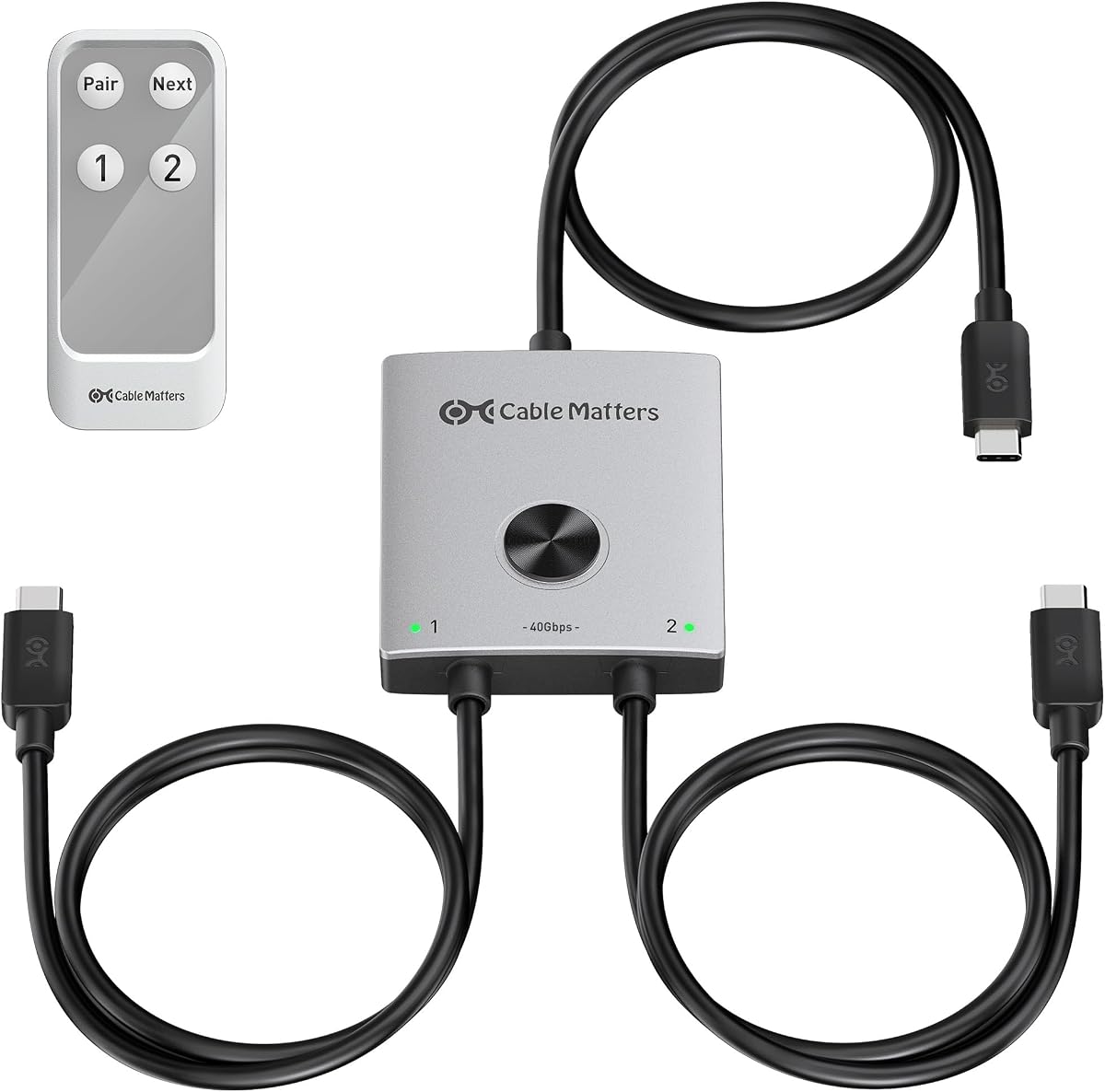
Rated 4.6 stars, this switch supports up to 40Gbps bandwidth. It is designed for Thunderbolt 4 docks and high-end laptops. You can switch between laptops without losing connection to your display.
We may earn a commission when you buy through this link, at no additional cost to you.
Strengths include shared docking station connectivity. You can use Ethernet and peripherals seamlessly. The RF remote lets you switch devices without direct line of sight, ensuring convenience.
Trade-offs require compatible Thunderbolt docks. Non-detachable cables are not supported. However, for users with MacBook Pros or high-speed Windows laptops, this device offers unmatched performance.
Perfect for high-end professionals needing top speed. If you use Thunderbolt displays, this switch integrates perfectly. It delivers reliability and speed for demanding workflows.
Match Thunderbolt 4 speeds. Perfect for syncing large datasets quickly.
Switch without reaching under the desk. RF remote ensures easy access.
We may earn a commission when you buy through this link, at no additional cost to you.
Selecting the right KVM switch depends on your specific hardware needs and workflow. Consider these key factors to ensure compatibility and performance.
Check if the switch supports your monitor resolution. Look for 4K@60Hz or higher for sharp visuals. High refresh rates are important for gaming or video editing.
Ensure your KVM switch supports your desired resolution.
Verify video port types like HDMI, DisplayPort, or USB-C. Your switch must match your laptop outputs. Some models support hybrid interfaces for mixed hardware.
Match video port types to your devices.
USB 3.0 or higher ensures fast peripheral data. Look for USB 3.1 Gen2 for faster file transfers. Low-speed USB may slow down printers or scanners.
Choose USB 3.0 or higher for speed.
Power delivery lets you charge via the switch. Look for 60W to 100W for most laptops. Higher wattage like 140W supports fast charging for modern machines.
Check wattage to match your laptop charger.
Manual buttons or remotes allow easy switching. Remote options keep desks cleaner. Some models offer hotkeys for keyboard control.
Select a switching method that fits your workflow.
Ensure compatibility with Windows, macOS, or Linux. macOS often limits multi-monitor features. Verify your operating system supports the switch features.
Check OS compatibility before buying.
Look for solid materials for durability. External power supplies help stability. Good build ensures long-term reliability.
Prioritize durable construction for daily use.
Some switches allow network sharing across devices. This keeps downloads running on inactive systems. Essential for continuous cloud sync tasks.
Choose network sharing if needed.
Connect video cables from your computers to the KVM switch. Ensure they match the supported ports like HDMI or USB-C. Verify cables are secure to prevent signal loss.
Plug in shared peripherals like keyboards and mice. Connect them to the USB ports on the switch. Ensure all USB connections are firm to maintain stable data transfer.
Use the remote or panel button to switch between devices. Adjust display settings if needed to optimize resolution. Regularly check cables to avoid wear and tear over time.
Yes, many KVM switches support dual monitors. Check the product specifications to confirm. Higher-end models allow for multiple display outputs.
Many KVM switches offer power delivery. Look for models with PD support to charge your laptop. Ensure the wattage meets your device requirements.
Common ports include HDMI, USB-C, and DisplayPort. Match the switch ports to your laptops. Ensure all inputs and outputs align for proper connection.
Most KVM switches work with macOS. However, some features may be limited. Check specific product compatibility notes before purchasing.
Some KVM switches include cables. Others require you to buy them separately. Always check what is included in the package.
Higher-end KVM switches often need external power. This ensures stable data transfer. Check the product requirements before setup.
We reviewed ten top KVM switches tailored for laptops. Each offers unique strengths from budget to premium options.
Prioritize compatibility and display resolution when choosing. Ensure the switch matches your laptop ports and power needs.
Prices fluctuate, so check current deals before buying. Find the best value for your specific workflow today.