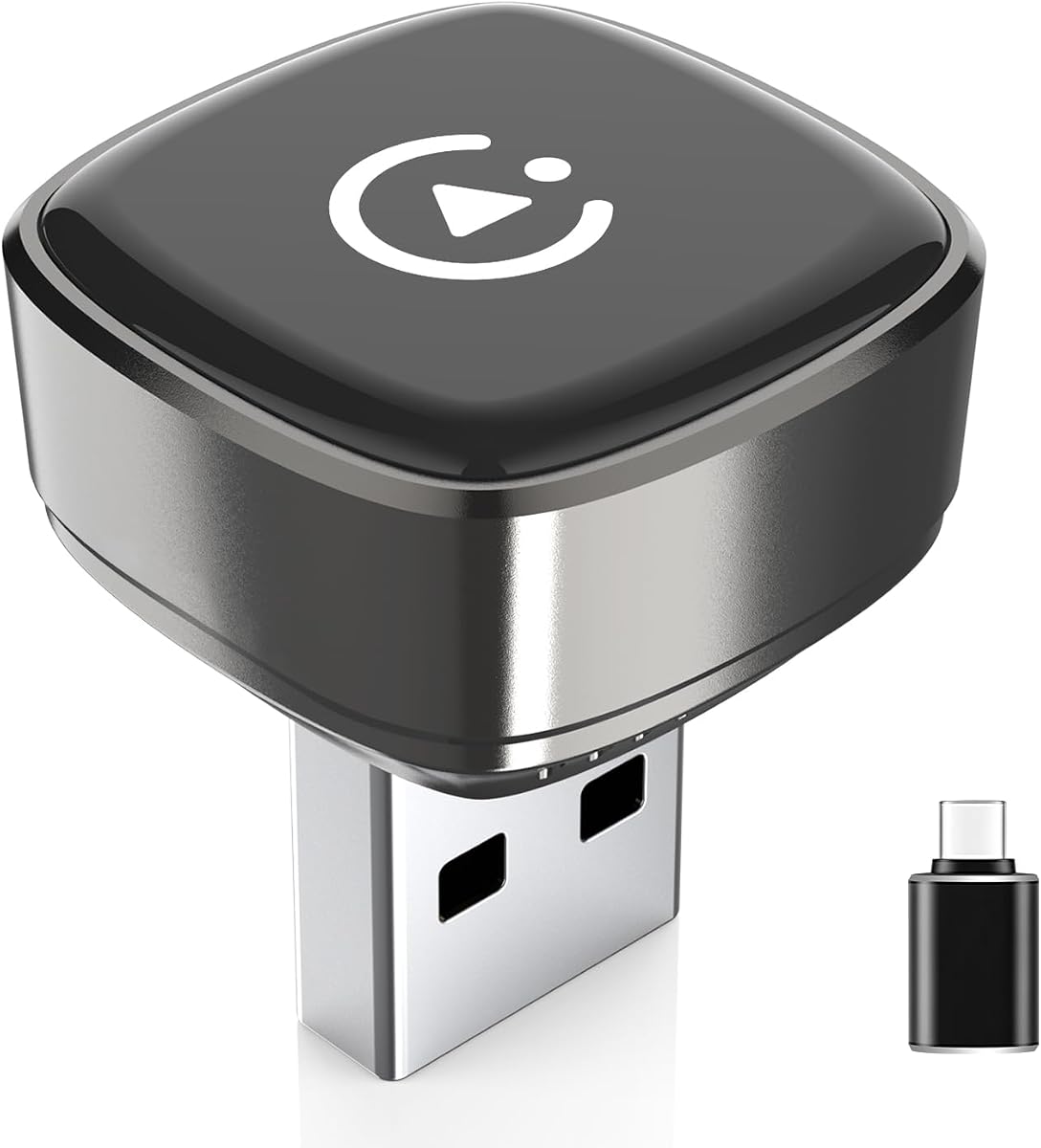
Wireless CarPlay Adapter for iPhone
4.2Editor score
Compact stylish design
Plug and play setup
Automatic reconnection
Compare the top 10 Carplay Adapter for Tesla models to find the best wireless solution for your vehicle's wired system.
Finding the right Carplay Adapter for Tesla can transform your driving experience significantly. These devices convert wired connections into seamless wireless interfaces, allowing you to access navigation and music without cables. A good adapter ensures stable connectivity and fast boot times for daily use.
We have evaluated ten leading options based on performance, compatibility, and build quality. Our analysis focuses on real-world usage scenarios including long road trips and daily commuting. We examined connection speeds, latency, and ease of setup for every model listed in this guide.
Each selection highlights unique features that cater to different driver needs and preferences. Prices may fluctuate based on availability and market demand over time. Always verify current pricing before making a purchase decision to ensure you get the best value available now.
4.2Editor score

4.3Editor score

4.5Editor score
This side-by-side comparison helps you evaluate key specifications across all ten selected models to find the perfect match for your setup.


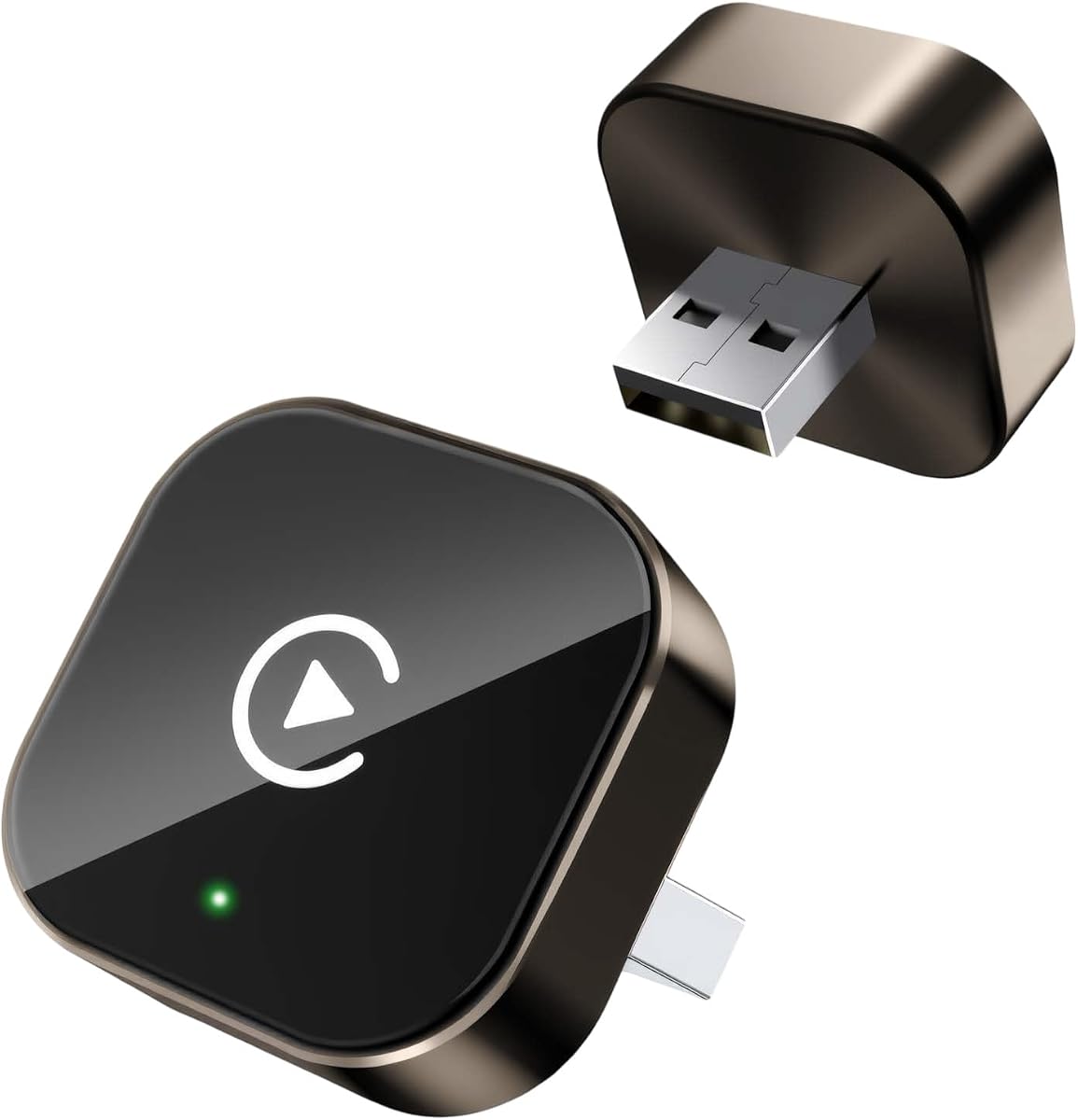


The Jemluse Wireless CarPlay Adapter stands out as an Editor's Choice for its robust build and fast connection capabilities. With a rating of 4.3 stars users appreciate the seamless transition from wired to wireless interfaces. The device ensures your iPhone connects automatically upon starting the vehicle.
We may earn a commission when you buy through this link, at no additional cost to you.
Its standout feature is the 7A Microchip technology which boosts transmission rates by up to 40 percent. This results in quicker access to navigation apps and media streaming without noticeable lag. The aluminum alloy housing provides excellent heat dissipation ensuring stable performance even during long drives.
While it is priced slightly higher than some competitors the durability justifies the cost. The metal box has undergone over 50000 tests to ensure longevity. You might find the price point a concern if you are on a tight budget for accessories.
This adapter is ideal for drivers who prioritize reliability and build quality in their tech choices. If you frequently take road trips or need consistent connectivity the investment pays off. We recommend this for anyone seeking a premium wireless CarPlay experience.
The 8-core processor significantly reduces latency for smoother media playback and navigation updates.
Aluminum alloy construction ensures better heat management and resistance to physical wear.
We may earn a commission when you buy through this link, at no additional cost to you.
The Burnt Sugar Wireless Carplay Adapter offers a highly efficient solution for converting wired systems to wireless. It features a 2026 upgraded chipset that promises low lag and stable GPS performance. Users report smooth streaming and quick pairing times across various vehicle models.
We may earn a commission when you buy through this link, at no additional cost to you.
Its ultra-mini design is a significant advantage for those who prefer a clean dashboard without visible clutter. The device blends seamlessly into the vehicle cabin making it nearly invisible after installation. It supports dual-band Wi-Fi and Bluetooth 5.3 for enhanced stability during use.
However potential buyers should note that this adapter is not compatible with Tesla vehicles. It is designed specifically for standard wired CarPlay systems in other brands. If you own a Tesla you will need to look at other options in this list.
This adapter is perfect for daily commuters who need reliability and a small footprint. The price point is competitive making it a strong contender for value seekers. Ensure your vehicle is compatible before purchasing to avoid any return hassles.
The tiny box design keeps your dashboard clutter-free while maintaining high performance.
Latest technology ensures better energy efficiency and faster data transmission speeds.
We may earn a commission when you buy through this link, at no additional cost to you.
The Wireless CarPlay Adapter 2026 Upgraded boasts an impressive rating of nearly 4.6 stars from users. It utilizes a newly upgraded dual-chip system to ensure efficient transmission and zero latency. This makes it a reliable choice for streaming music or using navigation apps while driving.
We may earn a commission when you buy through this link, at no additional cost to you.
Its metal shell design enhances durability and space aesthetics making it look premium in any car. The compact size means it does not get in the way of your driving controls or visibility. Once set up it automatically connects at every startup for a seamless experience.
One limitation is that it does not support Android devices so it is strictly for iPhone users. The initial setup requires a one-time pairing process which might be slightly confusing for non-tech-savvy users. However once configured it runs smoothly without further intervention.
We recommend this adapter for iPhone owners seeking high performance and a durable build. The zero latency claim holds true for most users based on feedback. It is a solid investment for those who prioritize stability and design in their tech accessories.
The dual-chip setup minimizes lag ensuring real-time responsiveness for apps and maps.
Premium materials ensure heat dissipation and a longer lifespan for the device.
We may earn a commission when you buy through this link, at no additional cost to you.
The Wireless Carplay Adapter in Grey offers an affordable entry point into wireless connectivity for your car. It converts wired OEM CarPlay systems to wireless with minimal effort required from the user. The mini design allows it to hide easily within the vehicle USB port.
We may earn a commission when you buy through this link, at no additional cost to you.
Users appreciate the simple plug and play feature which reduces setup time significantly. Once connected the adapter automatically activates the connection every time the car starts. It supports over 800 vehicle models making it versatile for many standard cars.
The rating is slightly lower than top picks which may indicate some consistency issues. It is not compatible with BMW or modified cars so checking your vehicle specifications is crucial before buying. This limits its universality compared to other adapters in this guide.
This budget option is great for drivers who want basic wireless functionality without spending much. If your car is on the supported list this adapter provides excellent value. Just ensure compatibility to avoid returns since return policies can vary.
An affordable way to upgrade your car's connectivity without breaking the budget.
Compatible with a vast number of vehicle models making it a versatile choice.
We may earn a commission when you buy through this link, at no additional cost to you.
This adapter is unique because it supports both iPhone and Android devices offering flexibility for mixed households. It converts wired OEM CarPlay to wireless effortlessly maintaining original car functions. The design is stylish and lightweight making it easy to carry between vehicles if needed.
We may earn a commission when you buy through this link, at no additional cost to you.
The auto-reconnect function ensures you do not need to pair manually every time you drive. It saves time by linking automatically as soon as the car starts. FCC certification guarantees it meets strict safety standards to prevent signal interference during operation.
Users have reported a lower rating which might suggest some connectivity instability. The setup process is generally easy but can be tricky for some first-time users. If you rely on stability for critical navigation this might be a consideration.
Ideal for families with both Android and iPhone users this adapter provides a shared solution. The lifetime updates add long-term value even if the initial experience varies. Ensure you check reviews carefully before purchasing to gauge current performance.
Works with both Android Auto and CarPlay for versatile household compatibility.
Certified for safety to ensure no interference with other electronic devices in car.
We may earn a commission when you buy through this link, at no additional cost to you.
The Latest Upgrade version brings Bluetooth 5.4 technology which offers superior stability and speed. It delivers near-zero latency making it perfect for high-speed navigation and video streaming. Users praise the reliable performance for music calls and GPS functions during daily drives.
We may earn a commission when you buy through this link, at no additional cost to you.
The multi-core processor preserves original sound quality and vehicle controls seamlessly. This means your steering wheel buttons and knobs work exactly as before without issues. The USB-C dongle ensures compatibility with modern vehicles lacking traditional USB ports.
While the performance is top-notch the price is on the higher side of the spectrum. You need to complete a simple setup process before the device works effectively. It is an investment for those who demand the best in connectivity quality.
We recommend this for drivers who value premium performance and the latest tech features. The lifetime expert support adds peace of mind for long-term use. It stands out as a high-performance option for serious car tech enthusiasts.
Latest Bluetooth standard ensures faster pairing and more stable wireless connections.
Enhanced processing power keeps audio quality high and navigation smooth.
We may earn a commission when you buy through this link, at no additional cost to you.
The AI Box CarPlay 3-in-1 is a premium solution that transforms your car screen into a theater hub. It supports Netflix YouTube and other apps directly on the car display. This feature sets it apart from standard adapters that focus only on navigation and music.
We may earn a commission when you buy through this link, at no additional cost to you.
Its build quality is superior with an aluminum alloy body that handles extreme temperatures well. The device supports expandable storage via USB drives for offline media playback. You can download apps directly to the device ensuring smooth operation without phone dependency.
The price is significantly higher than standard adapters which might not fit every budget. It is explicitly not compatible with Tesla or BMW vehicles which limits its audience. If you do not need video streaming the cost might not be justified.
For those wanting maximum entertainment features this is the ultimate choice. It delivers a cinematic experience for passengers during long road trips or waiting times. Ensure your vehicle is compatible before investing in this high-end device.
Stream popular video apps directly on your car screen for unlimited entertainment.
Use USB drives or TF cards to store offline media for areas with weak signal.
We may earn a commission when you buy through this link, at no additional cost to you.
The Teeran 2 in 1 Adapter supports both CarPlay and Android Auto making it ideal for families. It allows effortless switching between iPhone and Android phones without unplugging cables. This flexibility saves time and reduces wear on your phone charging ports.
We may earn a commission when you buy through this link, at no additional cost to you.
Its ultra-compact design is about the size of a dollar coin helping keep your interior clean. The tapered plug sits flush with the USB port reducing clutter significantly. It includes both USB-A and USB-C cables to fit different car layouts easily.
Users report average ratings which may indicate minor connectivity issues in some cars. The heat vents help prevent overheating during long summer drives. However the setup might require patience to ensure both systems are recognized properly.
This adapter is a smart choice for households with multiple phone operating systems. The 18 months protection adds value for peace of mind. If you need versatility this adapter offers a balanced option at a competitive price.
Switch between Apple and Android systems without needing to swap cables.
Built-in vents prevent overheating ensuring stable performance in hot weather.
We may earn a commission when you buy through this link, at no additional cost to you.
The Wireless CarPlay Adapter in Black is a reliable choice for iPhone users needing wireless connectivity. It features a next-gen A7S chip that connects in seconds with no latency. Users report high satisfaction with its ability to maintain a solid connection on bumpy roads.
We may earn a commission when you buy through this link, at no additional cost to you.
Its ultra mini design blends seamlessly with the car interior reducing cable clutter effectively. The device includes a USB-C cable to ensure compatibility with modern vehicles. It is tested for over 700 hours of vibration to ensure durability and stability.
While it lacks Android support it excels in its specific niche of CarPlay functionality. The 1-year warranty adds confidence for buyers considering this device. It is straightforward with no complicated setup required for daily use.
Ideal for drivers who want a no-fuss reliable adapter for their iPhone. The fast connection saves time during morning commutes. Check your car compatibility to ensure it fits your specific USB port needs.
Next-generation chip delivers fast and stable connection with zero latency.
Extensive testing ensures the device stays connected even on rough terrain.
We may earn a commission when you buy through this link, at no additional cost to you.
This adapter utilizes a 2026 upgraded chipset to provide fast and stable wireless connections. It supports both CarPlay and Android Auto making it versatile for different devices. The low-latency connection ensures responsive navigation and smooth music streaming for all users.
We may earn a commission when you buy through this link, at no additional cost to you.
It features USB-A and USB-C ports allowing flexible installation options. The auto-connect function simplifies the process by pairing automatically when you enter the vehicle. The compact design blends discreetly into any dashboard without taking up space.
It is not compatible with Tesla or vehicles with built-in wireless CarPlay. This limitation is important to note before purchasing. However for other standard wired cars it provides a solid upgrade option.
This adapter is a good fit for drivers seeking modern tech at a reasonable price. The 2026 firmware ensures you stay up to date with software improvements. Check your specific vehicle requirements to ensure it meets your connectivity needs.
2026 chipset ensures efficient data processing and stable wireless performance.
Supports both USB-A and USB-C ports for broader vehicle compatibility.
We may earn a commission when you buy through this link, at no additional cost to you.
Selecting the right adapter requires understanding your vehicle compatibility and specific needs.
First check if your vehicle has factory wired CarPlay since most adapters require this feature. Many models specifically exclude Tesla or BMW so verify your car details before purchasing. Read product descriptions carefully to avoid buying the wrong type.
Verify that the adapter lists your car model to prevent compatibility issues later.
Look for adapters with dual-band WiFi and Bluetooth 5.3 or higher for stable connections. Fast data transfer ensures smooth navigation updates and lag-free music streaming during drives. This is critical for safety and user experience on the road.
Prioritize dual-band technology to minimize disconnection risks during long trips.
Metal alloys offer better heat dissipation than plastic ensuring longer device life. A sturdy build withstands vibration and temperature changes better over time. This is important since car interiors can get extremely hot in summer or freezing in winter.
Choose metal housings to ensure durability and stable performance in extreme weather.
Automatic reconnection saves time by linking your phone immediately upon starting the car. This feature eliminates manual pairing steps every morning. Make sure the product explicitly supports auto-reconnect to ensure convenience.
Ensure the adapter reconnects automatically to save daily pairing time.
Higher ratings generally indicate reliable performance and satisfied customers. Check recent feedback to see if there are ongoing issues with firmware or connectivity. Consistent positive reviews build trust in the product quality.
Read recent user feedback to confirm current performance and reliability.
Look for products offering at least a one-year warranty for peace of mind. Lifetime technical support helps if you face setup or connection issues. This service level can be crucial if you are not tech-savvy.
Select products with long warranties and accessible support teams.
Compact designs ensure the adapter does not clutter your dashboard or ports. Hidden or flush-fit options keep your vehicle looking clean and organized. A smaller form factor also reduces the risk of accidental bumps or damage.
Opt for small compact designs to keep your car interior tidy.
OTA updates keep your device current with the latest fixes and features. Regular updates improve performance over time and resolve bugs. Check if the manufacturer promises ongoing support for updates.
Ensure the adapter supports over-the-air updates for longevity.
Start by plugging the adapter into your vehicle's USB port where CarPlay is active. Wait for the LED indicator to show it is ready for pairing.
Turn on Bluetooth on your phone and select the adapter name from the list to establish a connection. Follow any on-screen instructions to finalize setup.
Keep the device clean and free from dust to ensure heat dissipation works properly. Avoid bending the cable near the adapter to prevent internal damage over time.
Most standard adapters do not work with Tesla because their systems use a different protocol. Some specific AI Box models might offer workarounds but verify compatibility before buying. Always check product descriptions for Tesla exclusions.
Insert the adapter into the USB port then enable Bluetooth on your phone. Search for the device name in your Bluetooth settings and connect. It will auto-connect next time you start the car.
Most adapters do not require an app for basic functionality. They rely on standard Bluetooth pairing for connectivity. However some advanced models might use apps for settings adjustments.
Only specific dual-system adapters support both CarPlay and Android Auto. Many models are iPhone only so check product details for Android compatibility. Look for 2-in-1 labels to ensure OS support.
Disconnections often happen due to low USB power or interference. Try using a different port or reducing nearby Bluetooth devices. Ensure your firmware is updated to fix known bugs.
Check the product page or manual for update instructions. Some devices update automatically via OTA when connected to Wi-Fi. Others may require a manual connection via phone for installation.
The Jemluse Burnt Sugar and AI Box options lead our top picks for various needs. Each offers unique strengths like build quality small design or video support for users.
Prioritize compatibility and connectivity speed when selecting your adapter. Ensure the device matches your vehicle type to avoid setup issues later.
Always check current prices on Amazon before purchasing as rates change often. Verify your compatibility requirements again before finalizing your order today.