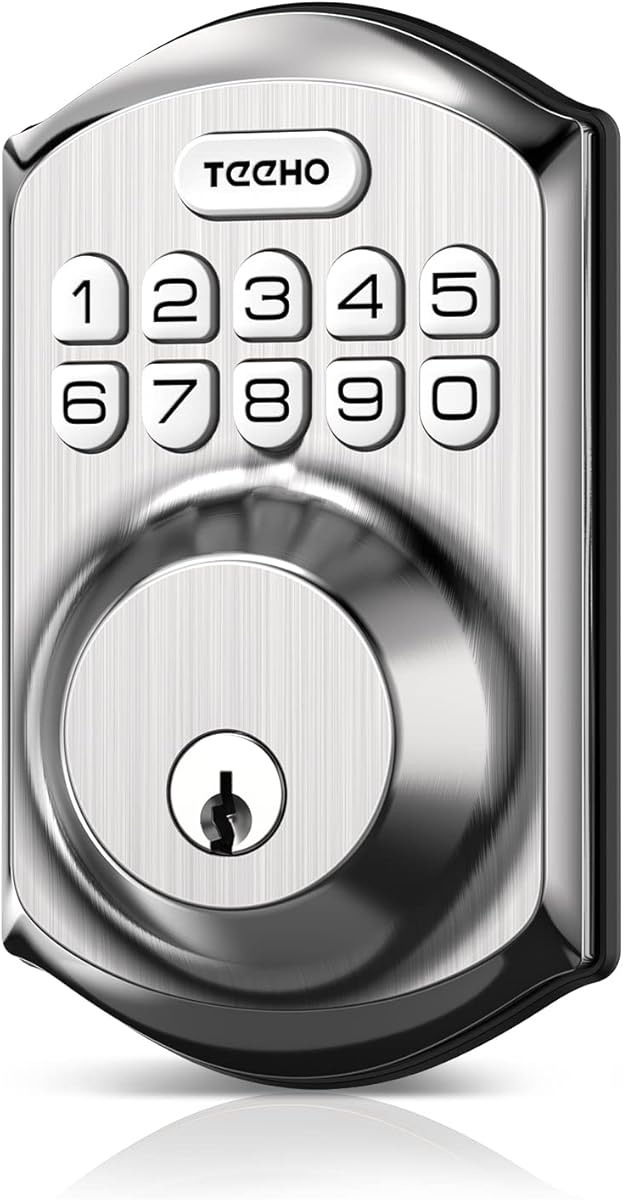
TEEHO TE001 Keyless Entry Deadbolt
4.5Editor score
20 access codes supported
One-time PIN option
IP54 weather resistance
This guide compares the top 10 digital door locks featuring smart connectivity fingerprint access and keypad entry to help you secure your home with modern
Smart home security has evolved rapidly with digital door locks offering keyless entry and remote control. These devices blend convenience with advanced protection for modern households seeking seamless access management.
We evaluated leading models based on connectivity reliability biometric speed and overall build quality. Each product was analyzed for ease of installation battery life and compatibility with popular voice assistants.
Each pick highlights unique strengths whether you need budget friendly options or premium features. Note that prices fluctuate so verify current offers before purchasing to ensure you get the best value today.
4.5Editor score
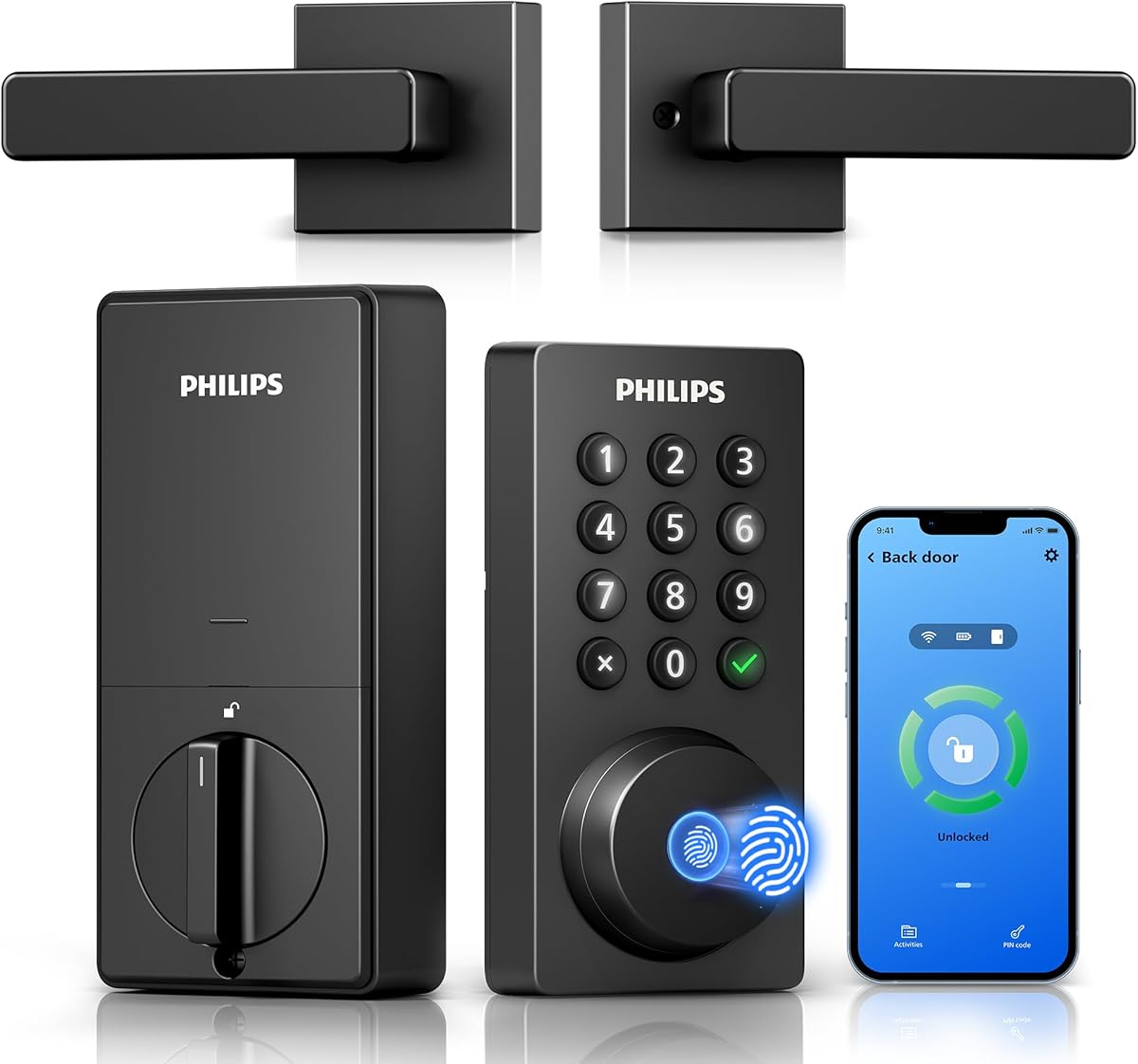
4.3Editor score
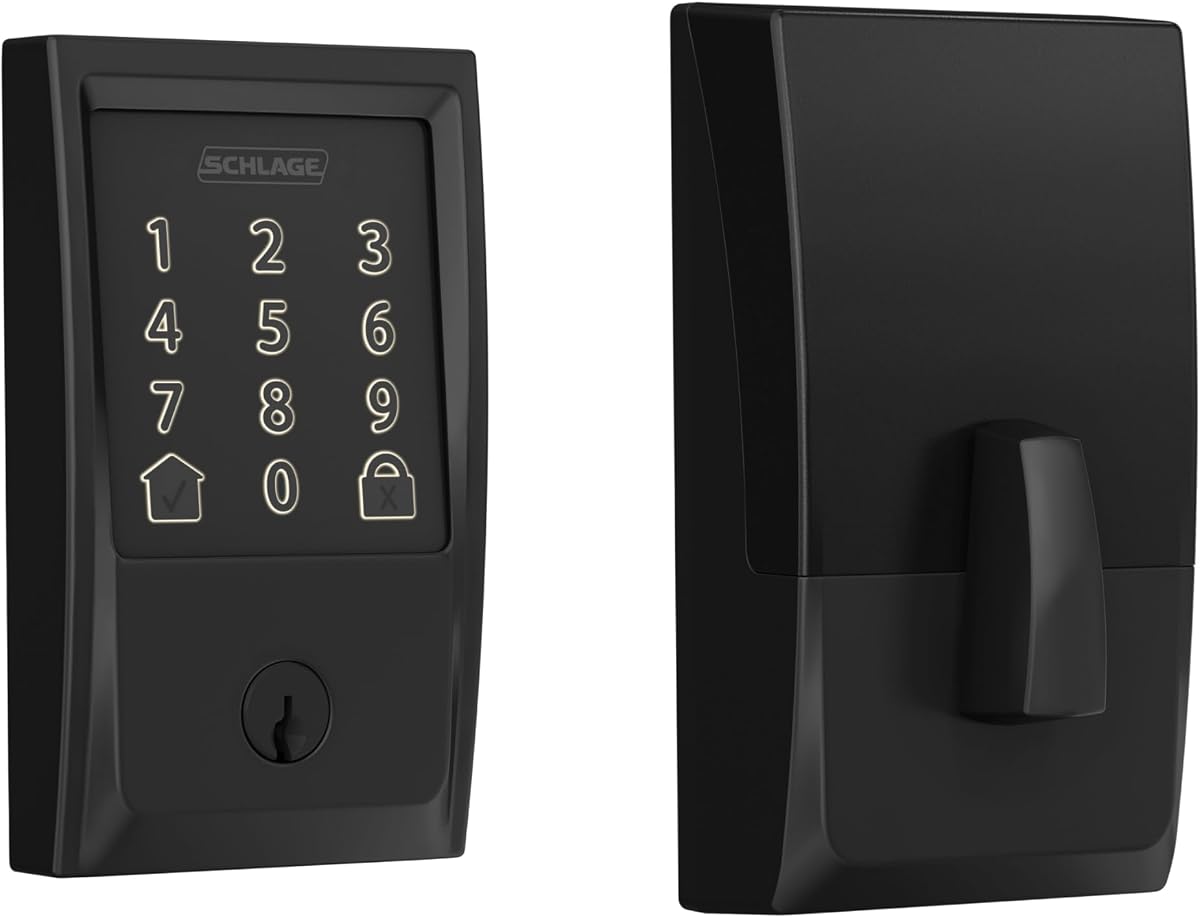
4.2Editor score
The following table provides a side by side overview of key specifications and features for each digital door lock selected to help you compare at a glance.





The Philips WiFi Keypad Deadbolt stands out as a top contender with a 4.3 rating from users. It delivers keyless entry through fingerprints and codes without needing a separate hub for connectivity.
We may earn a commission when you buy through this link, at no additional cost to you.
Its standout feature is the rapid 0.3 second fingerprint recognition which ensures smooth entry even for families. The built-in WiFi allows full remote control via the Philips Home Access App letting you manage access codes and check lock status from anywhere.
While the auto-lock feature is disabled by default which might confuse new users this allows for customizable timing. The requirement for 2.4GHz WiFi networks is standard for smart locks but limits compatibility with some router setups.
This lock is ideal for homeowners seeking a balance of speed and smart features without extra hardware. Its all-in-one handle set makes replacement easy while real-time alerts keep you informed of door activity.
The 0.3 second fingerprint scan ensures you enter quickly without fumbling for keys or codes during busy moments.
Direct WiFi connection eliminates the need for additional bridges reducing cost and complexity in your smart home setup.
We may earn a commission when you buy through this link, at no additional cost to you.
This model offers flexible access options including app voice and fingerprint entry. It maintains a 4.2 rating by providing reliable Wi-Fi connectivity without extra hubs for remote management.
We may earn a commission when you buy through this link, at no additional cost to you.
Users appreciate the ability to create up to 100 custom passcodes for different needs. The Away Mode adds an extra layer of security by restricting unlock methods when you are not home.
The lack of a door sensor means it cannot detect if the door is physically open which is a minor drawback. Installation remains straightforward with a screwdriver but cable routing requires attention for proper operation.
It suits families needing versatile entry methods and remote control features. The flexible unlock options ensure everyone can choose their preferred way to access the home securely.
Choose from app passcode fingerprint key or voice control to match your family's daily routines effortlessly.
Lock or unlock your door from anywhere using the app to ensure security while you are away from home.
We may earn a commission when you buy through this link, at no additional cost to you.
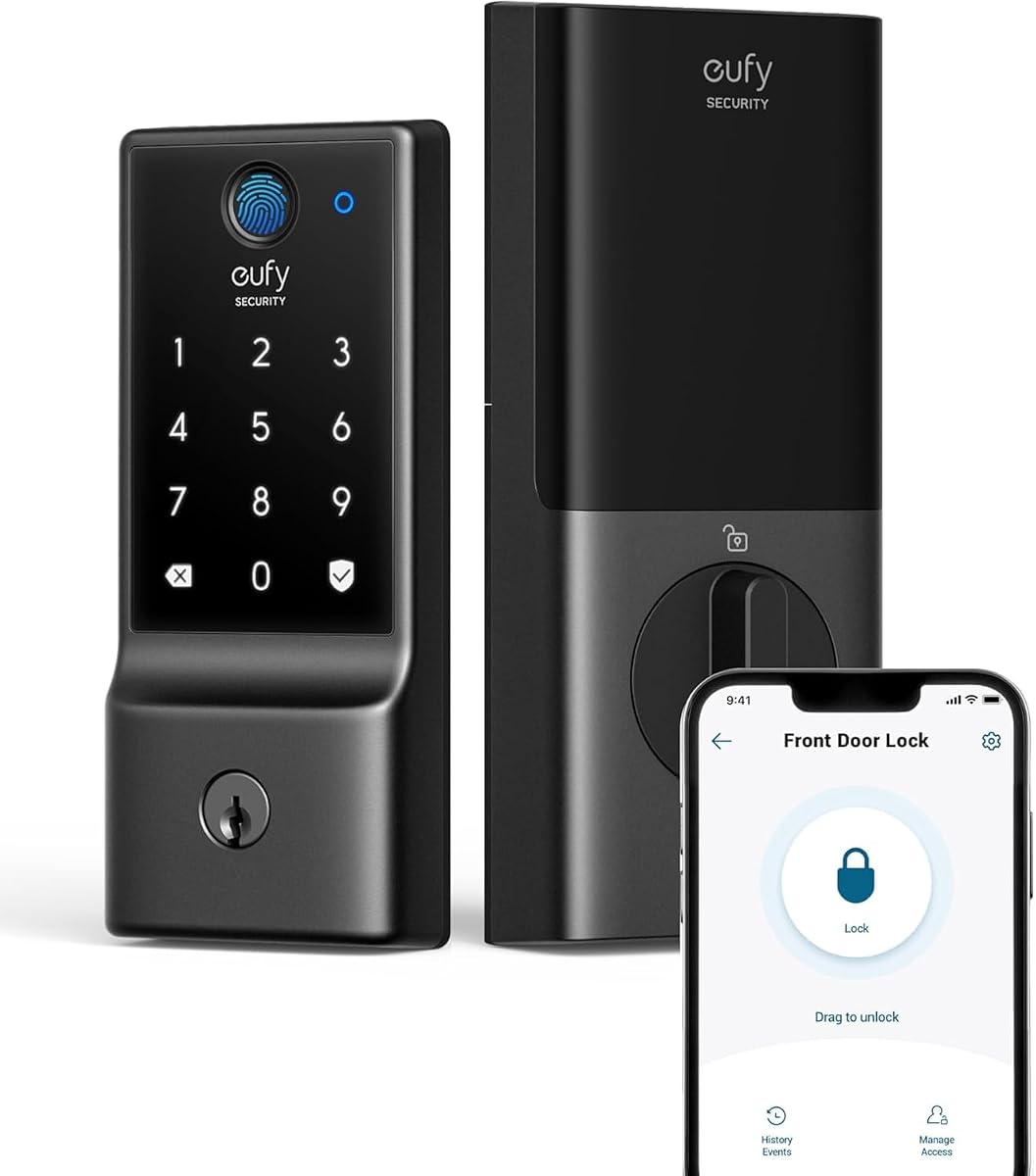
The eufy Security Smart Lock C220 boasts an 8-month battery life reducing maintenance needs. It uses self-learning AI to improve fingerprint recognition accuracy over time for seamless access.
We may earn a commission when you buy through this link, at no additional cost to you.
Built-in Wi-Fi allows control from anywhere without bridges simplifying setup. The BHMA Grade 3 certification ensures durability against forced entry attempts while maintaining a waterproof rating.
Installation may require removing a spacer to fit bores under 54mm which is a small task for DIYers. Operating temperatures are limited which may restrict use in extreme climates.
This lock is excellent for those prioritizing long battery life and adaptive security. The AI improvement ensures recognition becomes more accurate with each use reducing failed attempts.
Self-learning AI refines recognition patterns with every touch increasing accuracy and convenience over time.
With up to 8 months of battery life you spend less time replacing batteries and more time enjoying security.
We may earn a commission when you buy through this link, at no additional cost to you.
Schlage Encode delivers premium security with BHMA certification for highest residential standards. It features a built-in alarm for forced entry attempts giving peace of mind.
We may earn a commission when you buy through this link, at no additional cost to you.
The fingerprint-resistant touchscreen ensures reliable entry even with dirty fingers. Auto-lock options let you customize timing to secure the door automatically after use.
While it comes at a higher cost the advanced security features justify the investment for many homeowners. It relies on Wi-Fi which needs a stable network for remote control.
This lock is best for those prioritizing top-tier security and brand reliability. The included batteries and high build quality make it a long-term solution.
Certified by BHMA for highest residential security this lock offers industry-leading protection for your home.
The built-in alarm triggers on unusual door movement alerting you to potential break-in attempts immediately.
We may earn a commission when you buy through this link, at no additional cost to you.
This lock offers 6-in-1 versatility including fingerprint app and voice control. It is designed for easy installation taking only 10 minutes without drilling.
We may earn a commission when you buy through this link, at no additional cost to you.
Bluetooth connectivity enables app control for access management. The reversible handle supports both left and right-handed doors making it versatile for various entryways.
Remote control requires a separately sold WiFi gateway which adds to the cost. Bluetooth range limits control to proximity unless the gateway is added.
It suits landlords and property managers needing scalable access solutions. The cost-effective design balances features with affordability for rental properties.
Streamline management by granting temporary access and tracking records for tenants or guests from one app.
Install in just 10 minutes using a screwdriver without needing professional help or drilling into your door.
We may earn a commission when you buy through this link, at no additional cost to you.
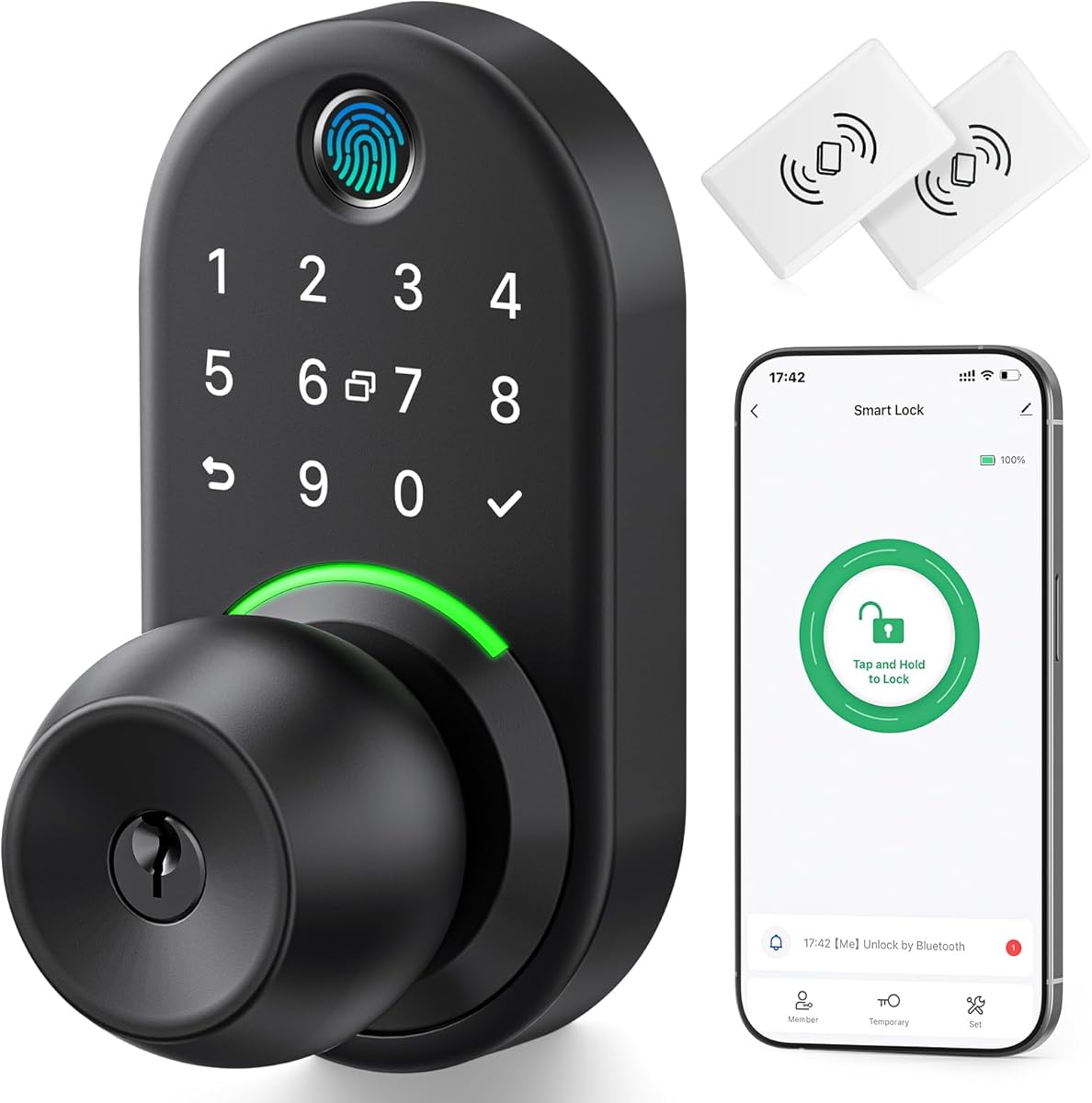
TEEHO TE001 offers great value with a 4.5 rating. It supports 20 access codes including one-time PINs for guests.
We may earn a commission when you buy through this link, at no additional cost to you.
Battery life lasts up to a year with low battery alerts. The IP54 rating protects against weather making it suitable for exterior doors.
Lack of WiFi means no remote control but local access is reliable. It is a solid choice for budget conscious buyers.
Ideal for entryways needing simple keyless entry. The one-time PIN feature adds convenience for visitors without sharing permanent codes.
Create one-time PINs that delete after use to securely grant access without compromising long-term security.
IP54 resistance ensures the lock withstands rain and dust keeping performance consistent outdoors.
We may earn a commission when you buy through this link, at no additional cost to you.
This keypad lock features a backlit screen for night use. It supports 20 codes for family members and guests easily.
We may earn a commission when you buy through this link, at no additional cost to you.
Aluminum construction ensures durability against daily wear. Installation takes 15 minutes making it accessible for most users.
Lacks biometric options but covers essential needs. The anti-peeping feature hides codes from onlookers.
Good for those wanting keypad convenience without smart tech. The simple interface makes it user-friendly for all ages.
The backlit keypad ensures you can see and enter codes easily even in dark conditions.
Randomize code entry to prevent others from guessing your PIN based on keypad wear.
We may earn a commission when you buy through this link, at no additional cost to you.
Combines fingerprint and app access for flexibility. It stores 50 passwords and fingerprints for multiple users.
We may earn a commission when you buy through this link, at no additional cost to you.
Auto lock ensures doors are secure. Corrosion resistance protects against elements for long-term use.
Remote access needs a gateway. Bluetooth connectivity handles local control effectively.
Ideal for users wanting biometric options without high cost. The app helps manage access simply.
Store up to 50 credentials allowing large families or shared spaces to manage access easily.
The auto lock function secures the door automatically to prevent accidental unlocked states.
We may earn a commission when you buy through this link, at no additional cost to you.
This lock uses on-device AI for accurate recognition. It offers 8-in-1 unlock options including app and voice.
We may earn a commission when you buy through this link, at no additional cost to you.
Local encryption protects your data. Anti-peeping privacy codes prevent others from seeing your PIN.
Requires a gateway for remote features. Battery lasts 12 months reducing maintenance frequency.
Suitable for tech savvy users seeking privacy. The AI learning improves access speed over time.
Data is encrypted locally on the lock eliminating cloud storage risks for your access history.
Enter random digits before or after your code to hide the real sequence from observers.
We may earn a commission when you buy through this link, at no additional cost to you.
This lock has integrated WiFi for remote control. It offers 8 ways to enter including fingerprint and voice.
We may earn a commission when you buy through this link, at no additional cost to you.
IP65 rating protects against rain and dust. Battery lasts 240 days reducing frequent changes.
Setup requires network configuration for best use. The set includes two knobs for matching doors.
Ideal for comprehensive smart home integration. The multiple entry methods accommodate different preferences.
IP65 protection ensures the lock survives harsh outdoor conditions maintaining reliable performance.
Check lock status and receive alerts directly from your phone without extra hubs.
We may earn a commission when you buy through this link, at no additional cost to you.
Selecting the right digital door lock requires evaluating several key factors to ensure it meets your security and convenience needs effectively.
Connectivity options include built-in WiFi Bluetooth or requiring a hub. Built-in WiFi allows direct control via your network reducing extra costs.
Choose a lock with connectivity that matches your network setup and smart home ecosystem to ensure seamless remote control.
Unlock methods range from fingerprints codes and keys to voice control. Multiple options provide flexibility for family members and guests.
Prioritize locks that offer biometric options if speed is a priority or codes if you prefer traditional entry without biometric data.
Battery life typically ranges from six months to a year depending on usage frequency. Longer life reduces maintenance and ensures consistent security.
Look for locks with low battery alerts to avoid unexpected lockouts and extend operational time between changes.
Most digital locks are designed for DIY installation using standard tools like a screwdriver. Ensure the lock fits your door thickness and bore size.
Check if extra adapters or spacers are needed to avoid complications during the setup process.
Weather resistance ratings like IP54 or IP65 indicate protection against rain and dust. This is crucial for exterior doors exposed to elements.
Select a lock with an appropriate rating for your local climate to ensure durability and functionality year round.
Certifications like BHMA Grade 3 confirm reliability and security standards. These ensure the lock meets industry tested durability requirements.
Opt for certified products to guarantee high quality protection against forced entry attempts.
Access management features allow you to create temporary codes and track entries via an app. This is vital for rentals and monitoring visitor activity.
Choose a lock with detailed activity logs and easy code sharing to maintain control over who enters your home.
Smart home integration with Alexa or Google Assistant enables voice control and automation routines. This enhances convenience by linking with other devices.
Ensure the lock is compatible with your existing smart home platform for a unified experience.
To use your lock effectively begin by programming the admin codes and fingerprint data during initial setup. Test multiple methods to ensure they work smoothly before relying on them daily.
Regular maintenance includes checking battery levels every few months and replacing them promptly. Clean the keypad and fingerprint sensor with a soft cloth to prevent dust or dirt interference.
Avoid using rechargeable batteries unless specified and ensure the lock is properly aligned with the door frame. Periodically update the app firmware to access new features and security patches.
Many modern digital door locks now come with built-in WiFi connectivity eliminating the need for a separate hub. Some models still use Bluetooth which may require a gateway for remote access. Always check product specifications to confirm connectivity requirements.
Battery life varies by model but typically ranges from six months to a year. Frequent usage or extreme temperatures can reduce this duration. Look for locks with low battery indicators to stay informed.
Yes locks with WiFi or connected hubs allow remote control via smartphone apps. This enables you to lock or unlock the door from anywhere. Ensure your home network is stable for best performance.
Modern fingerprint sensors are designed to work in a wide temperature range but extreme cold might affect sensitivity. If needed use passcodes as a backup during such conditions. Check operating temperature ratings before purchase.
Most digital locks continue to function locally even without internet. You can still unlock via fingerprints codes or keys. Remote control features will not work until the connection is restored.
Resetting usually requires a physical reset button on the lock. Follow the manufacturer's instructions to restore factory settings. Always keep your master codes backed up to avoid lockouts.
The top picks offer a range of features to suit different budgets and needs. From advanced AI biometrics to budget friendly keypads there is an option for every home.
Prioritize connectivity reliability and battery life when making your decision. A lock that integrates well with your lifestyle ensures long term satisfaction and security.
Remember to verify current prices and availability before buying. Features and pricing change so staying informed helps you secure the best deal today.