
TiVo Stream 4K
4.2Editor score
Centralized App Search
Android TV Powered
Compact and Affordable Design
This expert guide compares the top ten Android TV Box models for October 2026, evaluating performance, features, and value to help you choose the right
Choosing the right Android TV Box can transform your viewing experience by unlocking endless streaming options and smart features. A quality device ensures smooth navigation, high-resolution output, and reliable connectivity for all your favorite apps and services.
We have analyzed ten leading models based on processor power, storage capacity, software support, and connectivity options. Our comparison focuses on real-world performance metrics and user feedback to highlight the most capable streamers available this month.
Each pick includes detailed specifications and pros to help you match a device to your needs. Prices and availability fluctuate often, so check current listings before purchasing to ensure you get the best deal for your setup.
4.2Editor score

4.4Editor score

4.3Editor score
The following table provides a side-by-side overview of all ten selected Android TV Box models, highlighting their core specifications and key capabilities to simplify your decision process.


The Xiaomi TV Box S 3rd Gen stands out as the top choice for users seeking a balance of performance and smart features. It holds a strong 4.4 rating from buyers who praise its smooth navigation and high-quality video output.
We may earn a commission when you buy through this link, at no additional cost to you.
Its 4K UHD resolution combined with Dolby Vision and HDR10+ ensures vivid colors and deep contrasts. The quad-core processor running up to 2.5GHz handles multitasking effortlessly while 2GB RAM supports multiple streaming apps.
While it offers ample storage for common apps, power users might need cloud solutions for large offline media libraries. The lack of an Ethernet port means reliance on Wi-Fi which is generally strong with dual-band support.
This device is ideal for households prioritizing a clean interface and seamless casting capabilities. We recommend it for anyone wanting a reliable daily driver for major streaming services and voice control.
Dolby Vision and Atmos support deliver cinema-quality sound and picture without requiring additional hardware upgrades.
Personalized recommendations and unified search across apps make finding content quick and intuitive for all users.
We may earn a commission when you buy through this link, at no additional cost to you.
This generic Android TV Box offers exceptional specs on paper with 4GB RAM and 64GB storage at an accessible price point. Users report a perfect 5.0 rating due to its stability and ability to handle diverse apps smoothly.
We may earn a commission when you buy through this link, at no additional cost to you.
Powered by Android 14.0 it delivers a modern interface with better system optimization compared to older versions. The quad-core CPU ensures fast app launches and lag-free browsing for both streaming and local media playback.
Some users note that firmware updates can be inconsistent with non-branded boxes. The included keyboard helps with text entry but remote navigation may feel less polished than top-tier branded devices.
It suits tech-savvy users who want maximum storage for offline games and files without breaking the bank. We suggest it for those comfortable troubleshooting settings to maximize performance and compatibility.
The newer Android version provides improved security and smoother navigation for daily entertainment needs.
With 64GB ROM you can download many apps and media files without needing external storage solutions immediately.
We may earn a commission when you buy through this link, at no additional cost to you.
This variant of the Xiaomi Box S offers identical core performance but emphasizes the Bluetooth remote capabilities. It carries a 4.1 rating reflecting user satisfaction with its smart features and audio support.
We may earn a commission when you buy through this link, at no additional cost to you.
The 6nm platform ensures efficient power usage while maintaining high throughput for 4K streaming at 60fps. Its Wi-Fi 6 support makes it future-proof for faster home networks and reduced interference.
Some reviewers mention that the Google TV interface can sometimes feel cluttered compared to clean Android builds. The voice assistant works well for basic commands though complex queries may require clarification.
Ideal for families wanting hands-free control and unified search across multiple subscriptions. We recommend it for users who value convenience over raw hardware customization.
Wi-Fi 6 and Bluetooth 5.2 enable stable connections for streaming and peripherals without physical cables.
Voice commands simplify finding shows and controlling smart home devices directly from the TV screen.
We may earn a commission when you buy through this link, at no additional cost to you.
This box positions itself as a future-ready option with 128GB storage and 8K decoding support. Users appreciate the ample space for local media and a 4.4 rating suggests reliable performance in daily tasks.
We may earn a commission when you buy through this link, at no additional cost to you.
The inclusion of a LAN port offers a wired connection option for stable streaming which is rare in compact boxes. Android 14 OS ensures access to the latest app versions and security updates.
While it supports 8K decoding few services offer native 8K streaming currently so this feature is mostly forward-looking. The generic nature of the box means firmware updates may depend on the vendor's timeline.
It is best for users who store large media libraries and want wired connectivity options. We recommend it for those needing storage without paying a premium for branded devices.
With 128GB you can store thousands of apps or videos without managing space constantly.
The LAN port provides a stable alternative to Wi-Fi reducing buffering on congested networks.
We may earn a commission when you buy through this link, at no additional cost to you.
This model mirrors the features of the earlier Xiaomi entry with a focus on user-friendly navigation. Its 4.4 rating highlights consistent satisfaction with its performance and integration of popular streaming apps.
We may earn a commission when you buy through this link, at no additional cost to you.
The 6nm chip keeps power consumption low while delivering smooth playback of high-bitrate streams. Users value the intuitive Google TV home screen that aggregates content from different services effectively.
While the remote is responsive its design may lack dedicated buttons for specific apps like Netflix or Prime Video. The compact size makes it easy to hide behind the TV without obstructing ventilation.
It is perfect for casual viewers who want a plug-and-play smart experience without complex configuration. We recommend it for households prioritizing ease of use and voice interaction.
Google TV aggregates suggestions from multiple apps so you spend less time searching across interfaces.
Wi-Fi 6 ensures consistent speeds for 4K streaming even in homes with many connected devices.
We may earn a commission when you buy through this link, at no additional cost to you.
The TiVo Stream 4K remains a top budget option by offering a centralized dashboard for all streaming content. Its 4.2 rating reflects its utility as a simple and effective tool for daily viewing.
We may earn a commission when you buy through this link, at no additional cost to you.
Powered by Android TV it supports major apps and live TV services without requiring a subscription to TiVo. The search feature lets you find content across Netflix and Prime simultaneously.
It lacks some modern conveniences like voice control for smart home devices which newer models offer. Storage is minimal so offline content storage is not practical on this device.
We recommend it for anyone who wants a no-fuss upgrade to a smart TV without paying for premium features. It is ideal for users focused on live TV and essential streaming apps.
Search results come from all installed apps saving you from opening each service individually to find shows.
Setup requires minimal effort making it accessible for non-technical users or quick installations.
We may earn a commission when you buy through this link, at no additional cost to you.
Google's own Streamer delivers fast performance and deep integration with your existing Google ecosystem. A 4.3 rating indicates high user satisfaction with its speed and reliability across various streaming apps.
We may earn a commission when you buy through this link, at no additional cost to you.
The remote features physical buttons for common services and voice control that can dim lights or check weather. It supports Dolby Vision for high-quality HDR output on compatible displays.
It requires an HDMI 2.1 cable which may not be included in the box leading to extra costs. The premium pricing means it is best suited for users who value ecosystem consistency over price.
We recommend it for heavy Google users who want seamless casting and home automation capabilities. It is the top choice for those seeking official support and long-term software updates.
Integration with Google accounts allows for personalized recommendations and shared watchlists across devices easily.
Dedicated buttons for popular apps and voice control make navigating large libraries much easier than standard remotes.
We may earn a commission when you buy through this link, at no additional cost to you.
The Ugoos AM6B Plus targets enthusiasts with top-tier hardware and extensive connectivity options. It boasts a 4.5 rating from users who appreciate its raw performance and ability to handle demanding media tasks.
We may earn a commission when you buy through this link, at no additional cost to you.
Its hexa-core CPU and DDR4 RAM provide smooth playback of high-bitrate local files and complex apps. The inclusion of USB 3.0 and Ethernet allows for flexible external storage and stable network connections.
The device runs Android 9.0 which is less common than Android 12 or newer versions. This means newer apps may not always be compatible without workarounds or custom ROMs.
It is perfect for advanced users who want to customize their media server or run specialized apps. We recommend it for those with technical skills who prioritize hardware power over software simplicity.
The Amlogic S922X-J chip handles heavy decoding tasks efficiently keeping playback smooth during high-load scenarios.
Multiple USB ports and Ethernet allow for diverse setups including NAS connections and external hard drives.
We may earn a commission when you buy through this link, at no additional cost to you.
This box offers a recent Android version and decent hardware at an accessible price for general users. Its 3.8 rating suggests mixed reviews regarding stability compared to more established brands.
We may earn a commission when you buy through this link, at no additional cost to you.
The Allwinner H618 processor handles standard 4K content but may struggle with very high bitrate local files. H.265 decoding ensures smooth playback of compressed files without excessive buffering.
Some users report that the interface can feel sluggish compared to newer chips. The included accessories are basic but sufficient for most common streaming needs.
It is a viable option for budget-conscious buyers who need a recent OS version for app compatibility. We recommend it for casual users who prioritize cost over high-end performance.
Android 12 provides better security and app compatibility than older versions ensuring a smoother modern experience.
H.265 and 3D playback enable viewing various media files without needing external conversion tools.
We may earn a commission when you buy through this link, at no additional cost to you.
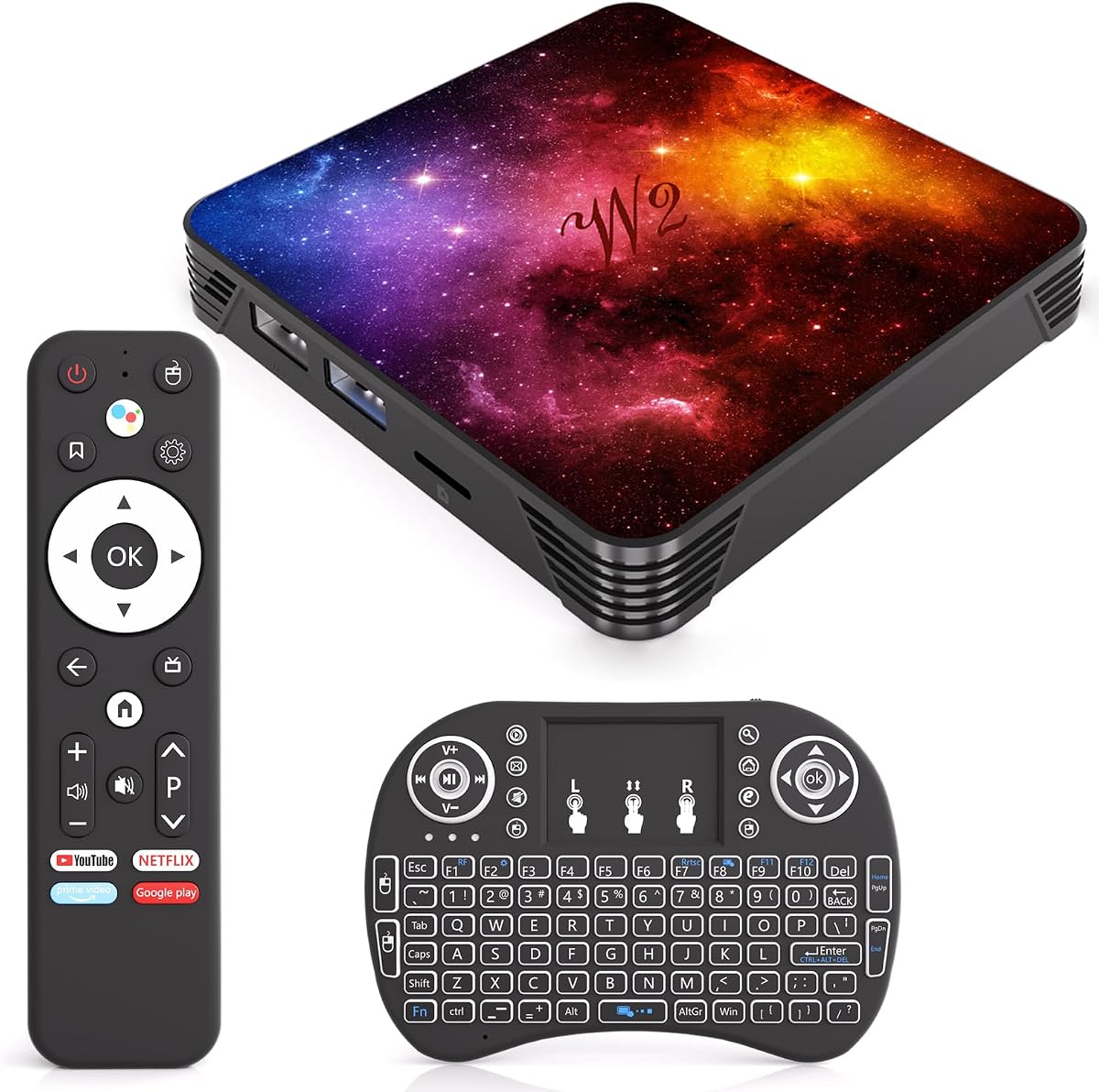
This 2026 model runs Android 13 and includes features like multi-screen interaction for seamless casting from phones. A 3.7 rating indicates that while it has good specs, user experience varies by batch.
We may earn a commission when you buy through this link, at no additional cost to you.
The RK3528 processor provides stable multitasking and quick app loading for most users. Its support for 8K decoding ensures that the device is ready for future content releases.
The included mini keyboard is a practical addition for text-heavy tasks like searching. However, firmware consistency and support can be unpredictable compared to major brands.
It suits users who want the latest OS and casting features on a budget. We recommend it for those comfortable with potential setup tweaks and minor stability issues.
Cast content from your phone directly to the TV for larger screen sharing and easier control.
Android 13 brings enhanced security and improved privacy features for safer everyday browsing and streaming.
We may earn a commission when you buy through this link, at no additional cost to you.
Selecting the right Android TV Box depends on matching hardware capabilities with your specific streaming and media needs.
The processor determines how fast the box can load apps and decode video files. Aim for a quad-core CPU and at least 2GB of RAM to ensure smooth navigation and multitasking.
Internal storage is vital if you plan to install many apps or save media locally. Choose a model with 32GB or more to avoid frequent space management.
Newer Android versions like 13 or 14 offer better security and app compatibility. Ensure the device receives updates to protect your data and run modern apps.
Check for HDMI 2.1 for high frame rate video and USB ports for external drives. Ethernet ports are valuable if your Wi-Fi signal is weak in your viewing area.
Look for 4K with Dolby Vision and HDR10+ for the best picture quality. Audio features like Dolby Atmos enhance immersion if your sound system supports it.
Voice control simplifies searching for titles and navigating menus efficiently. A keyboard or multi-function remote can save time if you type frequently.
Google TV devices can control lights and thermostats directly from the TV. This feature is convenient if you already use a smart home ecosystem.
Established brands often provide better support and software updates than generic models. Research user reviews to ensure reliability before committing to an unknown brand.
Connect the box to your TV via HDMI and power it on. Follow the on-screen setup wizard to connect to your Wi-Fi network and sign in to your accounts.
Install streaming apps from the Google Play Store to access your favorite services. Use the remote to navigate menus and search for content across different apps.
Keep the device in a cool place with good airflow to prevent overheating. Regularly check for system updates to maintain performance and security.
Yes an Android TV Box can turn any regular TV into a smart display. It adds streaming apps and voice control features that allow you to access content without relying on the built-in TV software.
Most modern models support 4K but you must check the specifications to confirm. Some budget boxes only support 1080p so look for 4K UHD and Dolby Vision labels before buying.
An Ethernet connection provides a more stable and consistent internet link compared to Wi-Fi. It is ideal for 4K streaming to avoid buffering when the wireless signal is weak or congested.
A minimum of 16GB is sufficient for basic streaming apps but 32GB or 64GB is better for power users. Larger storage allows you to download apps and media without constantly managing space.
Google TV is a newer interface layered on top of Android TV that focuses on content discovery. It offers better recommendations and a unified home screen compared to the classic Android TV layout.
Yes most Android TV Boxes allow sideloading apps via APK files. You can install third-party media players or games not found in the Play Store if you enable unknown sources in settings.
We highlighted the Xiaomi TV Box S 3rd Gen as the top choice for most users due to its balanced performance and Google TV features. It offers excellent value with Dolby Vision support and a clean interface for daily viewing.
For budget buyers the TiVo Stream 4K provides a simple way to aggregate streaming services. The Google TV Streamer 4K stands out for those who prefer deep ecosystem integration and advanced voice control.
Always check current listings to verify pricing and availability before purchasing your device. Features and software versions may change over time so ensure the model you buy meets your specific needs today.