
KAIGERR Light Gaming Laptop
4.6Editor score
Ryzen 7 5700U 8-Core
16GB DDR4 RAM
Lightweight Portable Design
Finding the right laptop for emulators requires balancing raw processing power with efficient graphics capabilities. Whether you want to run classic console games or modern system emulations, the hardware must handle complex translation layers without lag or frame drops during long sessions.
We evaluated ten distinct models focusing on processor cores, memory speed, and integrated or dedicated graphics performance. Our analysis covers budget-friendly options and premium machines to ensure you find a device that matches your specific emulation needs and financial constraints effectively.
Each pick highlights key strengths like battery life, display quality, and connectivity options for external peripherals. Remember that pricing fluctuates frequently so verify current deals before purchasing to ensure you get the best value for your specific emulation setup requirements today.
4.6Editor score

5.0Editor score

4.4Editor score
As an Amazon Associate we earn from qualifying purchases.
We compared all ten models side by side to highlight their unique strengths for emulation tasks. This table summarizes core specifications like processor speed, memory capacity, and graphics solutions to help you quickly identify the right match for your gaming library.




This laptop stands out as a top contender for emulation due to its exceptional processor and memory configuration. It carries a perfect user rating and delivers the power needed for demanding console emulators like Dolphin or PCSX2 without compromise.
We may earn a commission when you buy through this link, at no additional cost to you.
The Ryzen 7 8745HS processor offers desktop class performance that handles complex instruction sets found in modern emulators. Paired with 64GB DDR5 RAM this system ensures smooth multitasking even with background streaming or recording software active.
While the price is higher than average it provides future proofing that saves money over time. The integrated Radeon 780M graphics are surprisingly capable handling many retro games at high frame rates with accurate timing.
Buyers looking for a reliable machine that balances portability with raw power will appreciate this choice. Its comprehensive specs make it the ideal daily driver for serious emulator enthusiasts who need consistent performance.
The 64GB DDR5 RAM allows for seamless handling of large game files and memory intensive emulation cores without stuttering.
Radeon 780M RDNA 3 graphics provide the shader performance required for accurate emulation of complex console graphics.
We may earn a commission when you buy through this link, at no additional cost to you.
This model offers a compelling balance of cost and capability for casual emulation. With a high user rating it proves that you do not need a high end machine to enjoy retro gaming on the go.
We may earn a commission when you buy through this link, at no additional cost to you.
The Ryzen 7 5700U delivers reliable eight core performance that handles translation layers efficiently. This processor is well suited for emulators like RetroArch or Yuzu when settings are tuned appropriately.
While it lacks the extreme speed of newer DDR5 models the 16GB RAM is sufficient for most modern emulation needs. The portable form factor ensures you can game anywhere without carrying a heavy burden.
This is the smart choice for students or gamers on a budget who still want solid performance. Its reliable hardware and lower price make it an accessible entry point into serious emulation.
You get powerful eight core processing power at a fraction of the cost of dedicated gaming laptops.
The lightweight chassis makes it easy to carry in a backpack for gaming during commutes or breaks.
We may earn a commission when you buy through this link, at no additional cost to you.
This laptop represents the pinnacle of performance for demanding emulation scenarios. Its dedicated graphics and high refresh screen provide an unmatched visual experience for users who prioritize quality above all.
We may earn a commission when you buy through this link, at no additional cost to you.
The Intel Core i7 14650HX paired with RTX 5060 handles even the most graphically intensive emulators with ease. You can upscale textures and increase resolution without worrying about frame rate drops.
The advanced thermal management ensures that sustained workloads do not lead to throttling or overheating issues. This stability is crucial for long gaming sessions where consistency is required.
Enthusiasts willing to invest in top tier hardware will find this machine indispensable. It turns emulation into a premium experience with stunning visuals and powerful processing for any game library.
The NVIDIA RTX 5060 GPU allows for advanced shader rendering and upscaling features not possible with integrated chips.
The 165Hz display delivers smooth motion and sharp details essential for high frame rate emulation.
We may earn a commission when you buy through this link, at no additional cost to you.
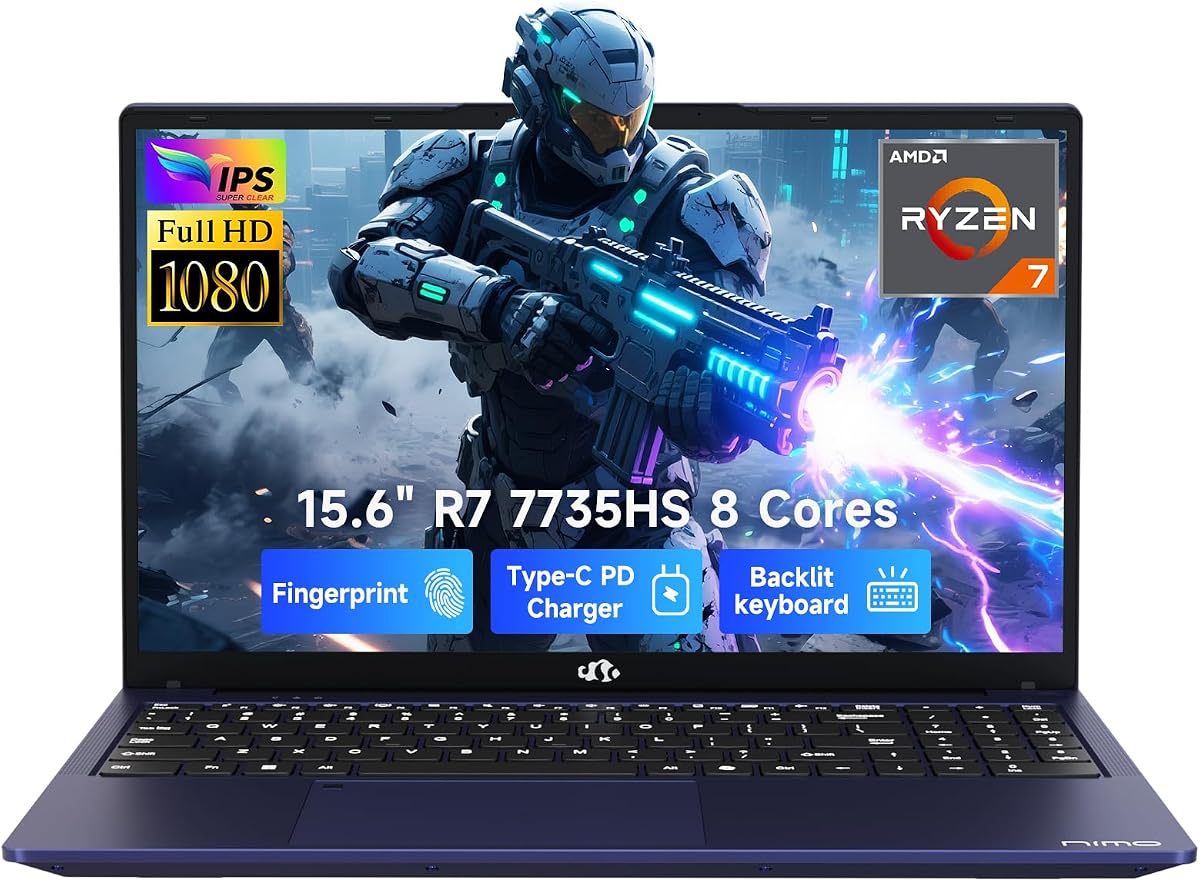
This laptop offers a strong balance of speed and connectivity for daily emulation. It features reliable Ryzen 7 power that supports most popular emulators efficiently in a comfortable chassis.
We may earn a commission when you buy through this link, at no additional cost to you.
The Radeon 680M graphics deliver a smooth experience for mid tier emulation tasks. Users report consistent performance when running retro games and older console titles without major frame drops.
It supports modern connectivity standards like USB-C which is helpful for connecting external controllers or displays. The fingerprint login adds a layer of security for your game saves and personal data.
Those looking for a practical machine that handles standard emulation well will find it a great fit. It combines essential performance features with a design that supports portable gaming.
The 8-core Ryzen 7 processor ensures that emulators run smoothly alongside other background applications.
USB-C ports allow for fast charging and easy connection to external monitors or docks.
We may earn a commission when you buy through this link, at no additional cost to you.
The larger display makes this laptop ideal for viewing detailed game graphics. It offers ample screen real estate for multitasking between emulators and documentation or streaming software easily.
We may earn a commission when you buy through this link, at no additional cost to you.
With 32GB of DDR5 RAM this system handles multiple applications simultaneously. The Ryzen 5 processor provides consistent performance for emulation needs without overheating under typical loads.
The spacious screen allows you to see UI elements clearly which is vital for complex emulation settings. It is a practical choice for home use where portability is less important.
Users prioritizing visual comfort over carrying weight will appreciate this model. It is a solid option for desktop replacement scenarios focused on gaming and emulation.
The 17.3 inch screen provides a larger viewing area that enhances the visual experience of retro games.
DDR5 RAM ensures quick data access which helps reduce loading times in emulation environments.
We may earn a commission when you buy through this link, at no additional cost to you.
This model is designed for users who need performance in a smaller package. The combination of Ryzen 7 power and DDR5 memory makes it a capable device for mid range emulation.
We may earn a commission when you buy through this link, at no additional cost to you.
The 32GB RAM ensures that heavy emulators run smoothly without system lag. The integrated graphics provide a reliable experience for retro gaming with good visual output quality.
It includes modern features like a fingerprint scanner which adds convenience to daily use. The compact build allows you to transport it easily for gaming on the go.
For those seeking a balance between power and portability this laptop is a strong contender. It delivers the necessary specs for smooth emulation in a manageable size.
Despite its smaller form factor it maintains the performance required for serious emulation tasks.
The fingerprint sensor offers quick secure access to your device and game libraries.
We may earn a commission when you buy through this link, at no additional cost to you.
This is an excellent entry point for users testing the waters of emulation. It provides enough power for older systems and lighter titles without requiring a large financial investment.
We may earn a commission when you buy through this link, at no additional cost to you.
The Ryzen 7430U offers decent multitasking capabilities which helps when managing emulators and streaming apps. The 16GB RAM allows for decent performance in standard emulation scenarios.
While not suited for the most demanding games it handles many classic titles with ease. The thin bezel design maximizes screen space for a better viewing experience.
Budget conscious gamers will find this laptop a reliable companion for casual play. It meets basic emulation needs effectively while remaining easy to carry anywhere.
You get essential specs like ample RAM and storage without the premium price tag of high end models.
WiFi6 ensures stable connections for downloading large game files and updates quickly.
We may earn a commission when you buy through this link, at no additional cost to you.
This laptop combines professional tools with gaming capability for a versatile daily driver. It handles emulation well while serving as a robust machine for work and study tasks.
We may earn a commission when you buy through this link, at no additional cost to you.
The Core i7 processor delivers reliable performance that supports emulation alongside productivity apps. The inclusion of Windows 11 Pro adds stability and features beneficial for power users.
The 16GB RAM ensures smooth multitasking which is useful when running multiple emulators or tools. The included office suite makes it ready for use right out of the box.
Those who want a single device for both work and retro gaming will appreciate its balance. It offers enough power for standard emulation without sacrificing professional utility.
The inclusion of Office and Pro features makes it a complete solution for work and play.
The Intel Core i7 provides the necessary processing speed for general emulation tasks.
We may earn a commission when you buy through this link, at no additional cost to you.
This laptop offers a sleek design with impressive battery life for mobile users. While not designed for heavy emulation it can handle lighter retro titles effectively.
We may earn a commission when you buy through this link, at no additional cost to you.
The Ryzen 3 processor and 8GB RAM are sufficient for older console emulators. The large 17.3 inch screen provides a clear view of game content without strain.
Users prioritizing battery life will appreciate its long endurance which supports extended unplugged gaming. The modern RAM type helps maintain decent responsiveness in daily tasks.
It is a good option for casual gamers who travel frequently. The combination of screen size and battery makes it a practical choice for light emulation.
Extended battery life allows you to game for hours without needing a power outlet.
The large screen reduces eye strain during long gaming sessions.
We may earn a commission when you buy through this link, at no additional cost to you.
This model is a practical choice for users seeking a straightforward solution for gaming. It offers reliable performance for standard emulation needs with a focus on value.
We may earn a commission when you buy through this link, at no additional cost to you.
The Ryzen 7430U processor handles light to medium emulation tasks well. The 16GB RAM ensures that basic multitasking is smooth during gameplay.
Privacy features like the webcam cover add a layer of security that is often overlooked. The battery life is sufficient for travel and remote usage.
It is a solid choice for anyone needing a budget friendly device that gets the job done. You get essential specs and features for a very competitive price.
The webcam cover slide provides physical security for your privacy during video calls.
You get 16GB RAM and a decent processor for an entry level price point.
We may earn a commission when you buy through this link, at no additional cost to you.
Selecting the right device requires understanding your specific needs for performance and portability.
Emulation relies heavily on CPU performance to translate instructions from old hardware. Look for at least 8 cores to ensure smooth playback of modern emulation systems.
High single core speed is crucial for maintaining frame rates in demanding emulators.
RAM is critical for loading large game assets and managing multiple background processes. Aim for 16GB minimum but 32GB or more is recommended for future proofing.
More memory allows you to run emulators alongside streaming or recording software.
Integrated graphics have improved significantly but dedicated GPUs provide better upscaling. Look for RDNA 3 or RTX series chips for the best visual fidelity.
Strong graphics ensure that shaders render correctly and visuals remain sharp.
If you plan to travel with your device consider the weight and battery life. A balance between power and size ensures you can game anywhere.
Lighter devices are easier to carry but may have shorter battery life.
A clear screen helps in viewing detailed graphics and UI elements. Look for FHD resolution and high refresh rates for smooth motion.
High quality displays reduce eye strain during long gaming sessions.
You will need ports for controllers and external storage. Ensure the device has USB-C and USB-A ports for versatile connections.
Wi-Fi 6 support is essential for fast downloads of game files.
Start by installing the latest drivers for your graphics and chipset to ensure compatibility. Update your operating system regularly to patch security vulnerabilities and improve performance.
Use cooling pads if you plan to game for extended periods to keep the hardware cool. This prevents throttling and ensures your device runs at peak performance.
Back up your game saves and configurations regularly to external storage. This protects your progress in case of hardware issues or accidental file deletions.
While many modern integrated GPUs can handle retro games well a dedicated GPU offers better performance for high end emulation. If you plan to use upscaling or run demanding titles a dedicated card is recommended.
Most standard emulators run well with 16GB of RAM. However if you intend to run multiple systems or stream simultaneously upgrading to 32GB will prevent bottlenecks.
Mac laptops are capable for specific emulators especially those optimized for Apple Silicon. However Windows devices generally offer broader support for a wider range of emulation tools.
Yes battery life is critical if you plan to game on the go. Look for models with at least 8 hours of battery life to ensure uninterrupted sessions.
Most modern controllers connect via Bluetooth but USB ports are still useful for wired connections. Ensure you have enough USB-A and USB-C ports for your setup.
A larger screen can enhance the visual experience but it reduces portability. Choose based on your preference for mobility versus viewing size.
The top picks highlight the best devices for various needs from budget entry to high performance. The NIMO 15.6 High End offers exceptional power while the KAIGERR Light Gaming provides great value.
Prioritize processor speed and memory capacity to ensure your device can handle the latest emulation software. This ensures a smooth experience regardless of the complexity of the game.
Always check current prices and availability before making a final decision. Prices fluctuate frequently so comparing deals will help you get the best value for your setup.