
Razer Basilisk V3 Pro 35K Wireless Gaming Mouse
4.4Editor score
35K Optical Sensor Gen-2
140 Hour Battery Life
HyperScroll Tilt Wheel
13 Customizable Controls
Discover the top high dpi mouse for 4k gaming precision available in October 2026. Our expert guide compares sensor performance and features to help you choose.
Finding the right high dpi mouse for 4k gaming precision is essential for competitive players who demand pixel perfect accuracy. Modern sensors now track on glass and offer granular adjustments for flawless aiming during intense sessions.
We compared ten top models based on sensor quality, build durability, and wireless performance. Each product was evaluated for its ability to maintain stability and responsiveness under the demanding conditions of high resolution gaming.
Every pick below highlights key strengths and tradeoffs to help you match a mouse to your playstyle. Keep in mind that prices change frequently so verify current availability before making your final purchase decision.
4.4Editor score
4.4Editor score

4.5Editor score
This side-by-side comparison breaks down the technical specifications and real world performance of each model to help you identify the best fit for your setup.
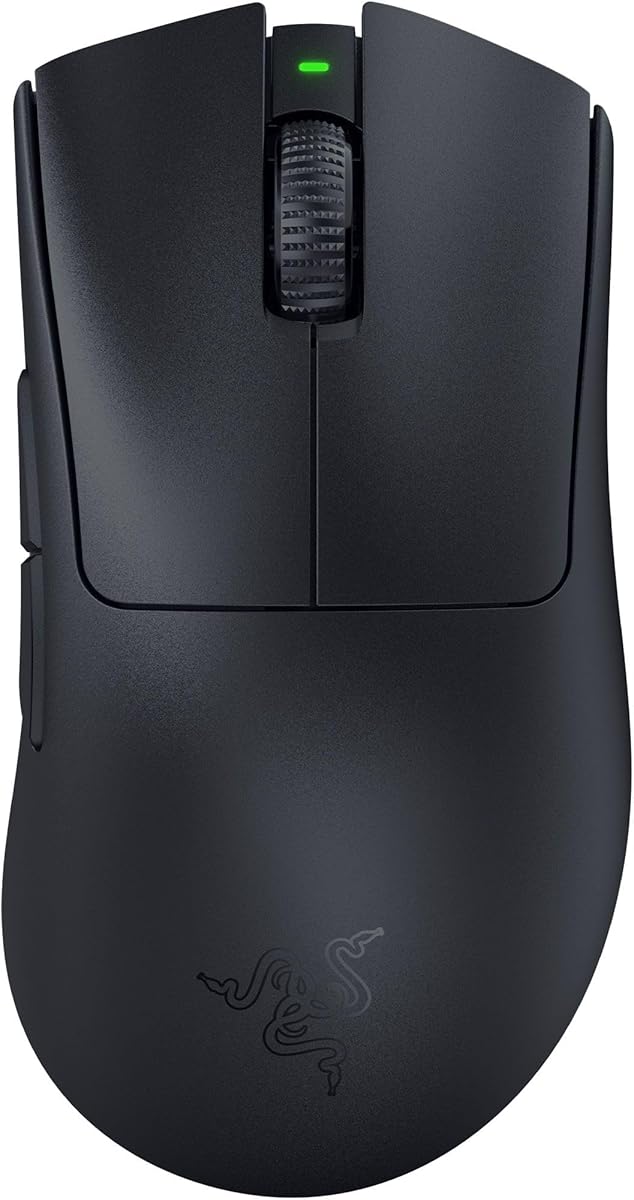




The Razer Basilisk V3 Pro stands out with its 35K optical sensor delivering exceptional accuracy. It earns a strong rating for its ability to track movements precisely on various surfaces including glass.
We may earn a commission when you buy through this link, at no additional cost to you.
Its Focus Pro sensor supports 1-DPI step adjustments allowing granular control essential for 4K gaming. The 140 hour battery ensures long sessions without interruption.
While the price is high the build quality and features justify the investment. The HyperScroll wheel offers both tactile and smooth modes adapting to your needs.
Ideal for serious gamers needing top tier precision this mouse delivers consistent performance. Its customization options through Synapse enhance overall usability and control.
The 35K sensor provides zero smoothing ensuring every movement translates directly to cursor action.
Smart-Reel mode automatically switches between free-spin and tactile based on scroll speed.
We may earn a commission when you buy through this link, at no additional cost to you.
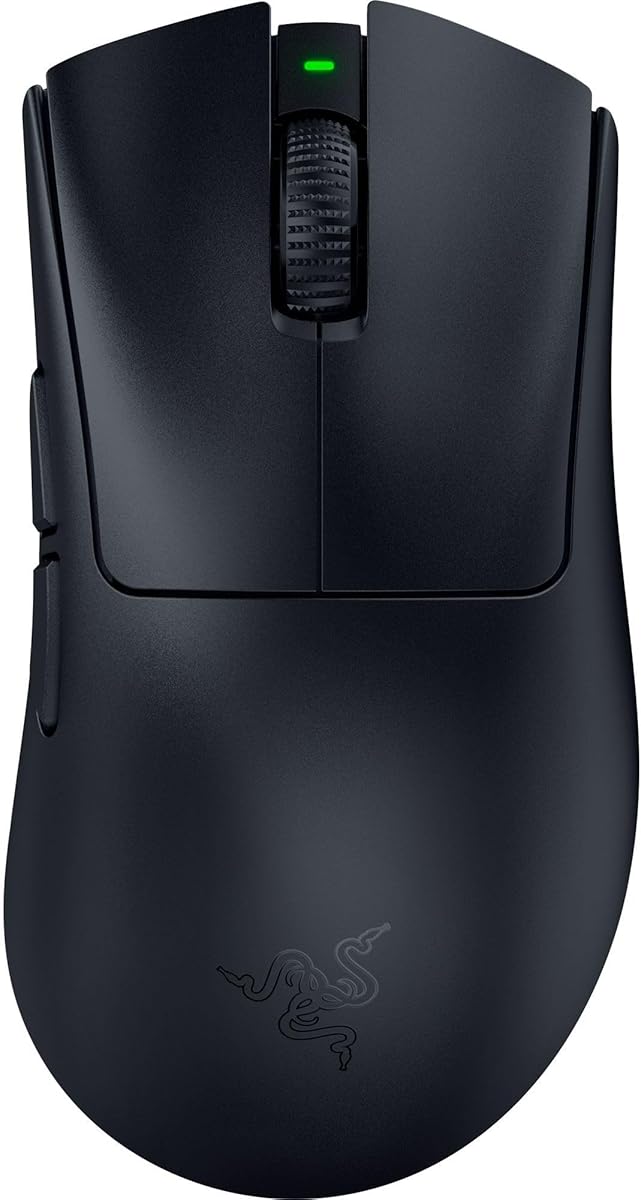
The Razer DeathAdder V3 Pro combines lightweight agility with proven ergonomic comfort. Its 63g weight makes it ideal for fast flicks during competitive 4K gaming.
We may earn a commission when you buy through this link, at no additional cost to you.
Featuring the Focus Pro 30K optical sensor it ensures flawless tracking across surfaces. Optical switches Gen-3 deliver 0.2ms actuation with no debounce delay.
Some users may miss additional side buttons but the core design prioritizes speed and precision. The wireless connection remains stable even in noisy environments.
Perfect for esports fans who value speed this mouse offers top tier performance. Its legacy of comfort and precision continues to make it a favorite.
Weighing only 63g the mouse reduces fatigue during extended high intensity gaming sessions.
Gen-3 switches offer 90 million click lifecycle eliminating double clicking issues.
We may earn a commission when you buy through this link, at no additional cost to you.
This model offers the versatile HyperScroll tilt wheel and extensive customization options. It balances performance with rich RGB lighting and long wireless battery life.
We may earn a commission when you buy through this link, at no additional cost to you.
The 30K sensor ensures precise tracking while 13-zone Chroma lighting adds immersion. You can enjoy up to 150 hours on Bluetooth for extended use.
While heavier than some competitors the ergonomic design compensates with comfort. The tactile wheel mode helps with weapon cycling during intense gameplay.
Best for gamers who love customization and RGB this mouse delivers on all fronts. Its sensor quality and battery life make it a versatile choice.
Over 16.8 million colors allow dynamic effects reacting with integrated games.
Free-spin mode for browsing and tactile mode for gaming precision.
We may earn a commission when you buy through this link, at no additional cost to you.
The Razer DeathAdder V4 Pro pushes boundaries with its 45K Focus Pro sensor and 8K polling rate. At just 56g it is built for speed and precision.
We may earn a commission when you buy through this link, at no additional cost to you.
Its optical scroll wheel provides tactile feedback while the dual wireless and wired mode adds flexibility. Tracking accuracy is ensured with 99.8% precision.
Some users may not need 8K polling but the performance is undeniable. The battery life supports up to 150 hours at 1000 Hz.
For competitive gamers seeking the edge this mouse offers unmatched speed. The re-engineered shape enhances control during fast-paced matches.
The Focus Pro Optical Sensor Gen-2 offers 900 IPS and 99.8% accuracy.
Switch seamlessly between wired and wireless without losing 8K performance.
We may earn a commission when you buy through this link, at no additional cost to you.
The GravaStar Mercury M1 Pro features a durable magnesium alloy shell and 26K sensor. Its tri-mode connection allows switching between Bluetooth and 2.4G.
We may earn a commission when you buy through this link, at no additional cost to you.
With 4K polling rate it ensures ultra-smooth tracking for pixel-perfect accuracy. The tactile buttons deliver crisp clicks for precise actions during fights.
Though heavier at 88g the ergonomic sculpting reduces fatigue during long sessions. The battery life reaches up to 200 hours ensuring reliability.
Ideal for those valuing premium materials this mouse offers robust performance. Its unique design stands out while delivering consistent competitive gaming results.
The magnesium alloy construction provides structural strength and refined texture.
Switch between 2.4G Bluetooth and wired for flexible connectivity options.
We may earn a commission when you buy through this link, at no additional cost to you.
This model uses a carbon fiber hybrid shell for strength and lightweight handling. The PAW3955MAX optical sensor supports 52000 DPI with precise adjustments.
We may earn a commission when you buy through this link, at no additional cost to you.
Its battery life reaches 800 hours at 1000Hz providing flexibility for gaming and daily use. Web driver customization eliminates the need for desktop software.
While the brand is less known the specs are impressive for the price. The dual-layer skates ensure smooth gliding during fast flicks.
Perfect for budget-conscious gamers wanting high specs this mouse delivers. The web driver ease of use enhances overall convenience and setup.
The hybrid injection-molded shell provides enhanced structural strength and stable handling.
Adjust DPI and macros without installing desktop software using web drivers.
We may earn a commission when you buy through this link, at no additional cost to you.
The Logitech G502 Hero features the HERO sensor delivering precision tracking up to 25600 DPI. It includes 11 programmable buttons and an adjustable weight system.
We may earn a commission when you buy through this link, at no additional cost to you.
Its dual mode hyper-fast scroll wheel allows switching between free-spin and tactile modes. The mechanical button tensioning ensures crisp clicks for consistent feedback.
Though wired it offers robust connectivity and reliability for long sessions. The LIGHTSYNC technology provides customizable RGB that syncs with games.
Best for budget buyers needing customization this mouse is a classic choice. Its sensor quality and buttons make it a versatile option for any game.
Arrange up to five 3.6 g weights for a personalized balance configuration.
Hyper-fast free spin or tactile mode for precise control during gaming.
We may earn a commission when you buy through this link, at no additional cost to you.
The Redragon M916 is one of the lightest mice at 49 grams with a 26K DPI sensor. Its 4000Hz report rate ensures precise tracking and low consumption.
We may earn a commission when you buy through this link, at no additional cost to you.
Connecting via BT or 2.4Ghz nano receiver offers purest moving experience. Five programmable buttons allow tactical keybinds for any game.
While features are simpler it offers great value for wireless speed. The ergonomic shape handles long parties comfortably reducing fatigue.
Ideal for budget gamers needing lightweight performance this mouse is solid. Its driver support helps tailor controls to your exact preferences.
Selected materials provide the fastest and cleanest controlled using with no hassle.
Switch between BT and 2.4Ghz for the precise mouse moving experience.
We may earn a commission when you buy through this link, at no additional cost to you.
This model features the iconic ergonomic design favored by millions for comfort. The HyperScroll tilt wheel allows free-spin or tactile mode for feedback.
We may earn a commission when you buy through this link, at no additional cost to you.
Optical switches Gen-2 provide 0.2ms actuation speed for crisp execution. The Focus Plus 26K optical sensor tracks movement flawlessly with zero smoothing.
While wired it ensures consistent performance with zero input lag. The RGB zones react dynamically with integrated games enhancing immersion.
Perfect for gamers prioritizing ergonomics and precision this mouse excels. Its reliability and comfort make it a top choice for extended play.
The thumb rest and shape perfectly support the hand for quick access.
Gen-2 switches offer 70 million clicks with zero unintended misclicks.
We may earn a commission when you buy through this link, at no additional cost to you.
The Logitech G703 uses the HERO 25K sensor with 1:1 tracking for precision. LIGHTSPEED wireless ensures pro-level responsiveness and connectivity for long play.
We may earn a commission when you buy through this link, at no additional cost to you.
Supporting POWERPLAY wireless charging it solves battery anxiety by keeping the mouse charged at rest. Advanced button tech offers metal-spring tensioning for consistency.
Though 95g the design brings together comfort and durability effectively. LIGHTSYNC RGB reacts to in-game action providing dynamic visual feedback.
Ideal for wireless lovers needing endurance this mouse is robust. The sensor quality and charging compatibility make it a premium choice.
Full-spectrum lighting responds to in-game action and screen color effectively.
Metal-spring tensioning keeps buttons poised to trigger with less force.
We may earn a commission when you buy through this link, at no additional cost to you.
Selecting the right high dpi mouse for 4k gaming precision requires understanding several critical factors that influence performance comfort and longevity.
The sensor is the heart of any gaming mouse. For 4K precision look for high DPI sensors like the 35K or 45K options available today. Ensure the sensor supports 1-DPI adjustments for granular control.
Prioritize sensors that offer zero smoothing or filtering to maintain raw accuracy during gameplay.
Polling rate determines how often your mouse reports position to the computer. Higher rates like 8000Hz reduce input lag. Ensure the wireless technology used offers low latency similar to wired connections.
Choose a mouse with a high polling rate for competitive scenarios where split seconds matter.
Durability impacts longevity and feel. Options include plastic carbon fiber or magnesium alloy. Optical switches are preferred for their longevity and click reliability without double-click issues.
Look for mice with durable materials and high click cycle ratings for long-term use.
Ergonomics ensure comfort during long sessions. Mice range from ultra-light 49g to heavier 95g models. Match the shape to your grip style like palm claw or fingertip.
Select a weight that reduces fatigue while maintaining control over your movements.
Wireless freedom is essential for many but wired options eliminate battery worries. Tri-mode mice allow switching between Bluetooth 2.4GHz and wired. Ensure the wireless tech is fast and stable.
Decide based on whether you prioritize freedom or uninterrupted charging flexibility.
Software allows macro programming and RGB customization. Some mice offer web drivers for easier setup. Ensure buttons are remappable for specific game actions.
Choose a mouse with intuitive software that supports your specific control needs.
Battery life varies significantly from 35 to 800 hours. Consider if you need daily charging or long sessions. Some models support wireless charging docks like POWERPLAY.
Check battery specs to ensure they align with your typical gaming session duration.
Prices range from budget friendly to premium. Higher price often brings better sensors and build quality. Assess which features matter most for your gameplay needs.
Balance your budget with the essential features required for high precision gaming.
First ensure you install the latest drivers for your mouse to access full features. Adjust your DPI settings in software to match your screen resolution and sensitivity preferences for optimal accuracy.
Clean the sensor lens regularly to maintain flawless tracking. Dust or debris can affect performance so use a soft dry cloth to wipe it gently.
Store your wireless mouse properly when not in use to conserve battery. If using a mouse pad ensure it is flat and free of debris to allow smooth gliding.
For 4K gaming settings around 1000 to 3000 DPI are often preferred for better control. Higher DPIs like 25000 are useful for extreme accuracy but should be adjusted via software to match your playstyle.
Yes many modern optical sensors like the Focus Pro series support tracking on glass. Ensure the mouse specifically mentions glass tracking in its specs for reliable performance on reflective surfaces.
No modern wireless technology like HyperSpeed or Lightspeed delivers latency indistinguishable from wired. With 8K polling rates wireless mice are now standard for competitive esports without noticeable lag.
Disable Enhanced pointer precision in Windows settings to prevent acceleration. Use the mouse software to set 1:1 tracking ensuring consistent cursor movement with your hand motions.
Optical switches offer faster actuation and longer lifespans. They eliminate debounce delay and reduce double-click issues making them ideal for high performance gaming environments.
Most modern gaming mice support RGB customization via dedicated software. You can sync lighting with games or adjust colors to match your setup for an immersive experience.
Update firmware when new performance improvements or bug fixes are released. Check the manufacturer website or software periodically to ensure your mouse runs at optimal efficiency.
Lighter mice between 50 and 70 grams are preferred for FPS games allowing quick flicks and reduced fatigue. Heavier mice suit users who prefer stability over speed.
The Razer Basilisk V3 Pro and DeathAdder V4 Pro lead in performance with top tier sensors and build quality. These options ensure pixel perfect accuracy for competitive and casual gaming alike.
Prioritize ergonomics and sensor precision when selecting your mouse. Features like high polling rates and optical switches are worth the investment for serious players.
Remember that prices change so check current listings before purchasing. With the right choice you can elevate your gaming experience to new levels of precision.