
1080P60 HDMI Video Encoder H.265/H.264 Live Streaming Encoder
4.0Editor score
Compact palm-sized design factor
Browser setup without software required
Supports SRT and WebRTC protocols
This guide compares ten top H265 H264 HDMI Iptv Encoders for live streaming IPTV broadcasting and video distribution with detailed specs and expert insights.
Choosing the right encoder for your video needs can be challenging. These devices convert HDMI signals to network streams efficiently. Look for support for modern codecs like H265 and versatile protocol options.
We evaluated ten models based on video quality, protocol support, and ease of setup. Our analysis focuses on performance for live streaming IPTV distribution and multi-platform broadcasting needs.
Each pick highlights key strengths and ideal use cases. Prices and availability change frequently so verify details before purchase. This list helps you find the perfect fit for your setup.
4.0Editor score

4.5Editor score

4.4Editor score
This side-by-side comparison highlights the core specifications and capabilities of each encoder model. We focus on resolution support protocol options and unique features to help you decide quickly.

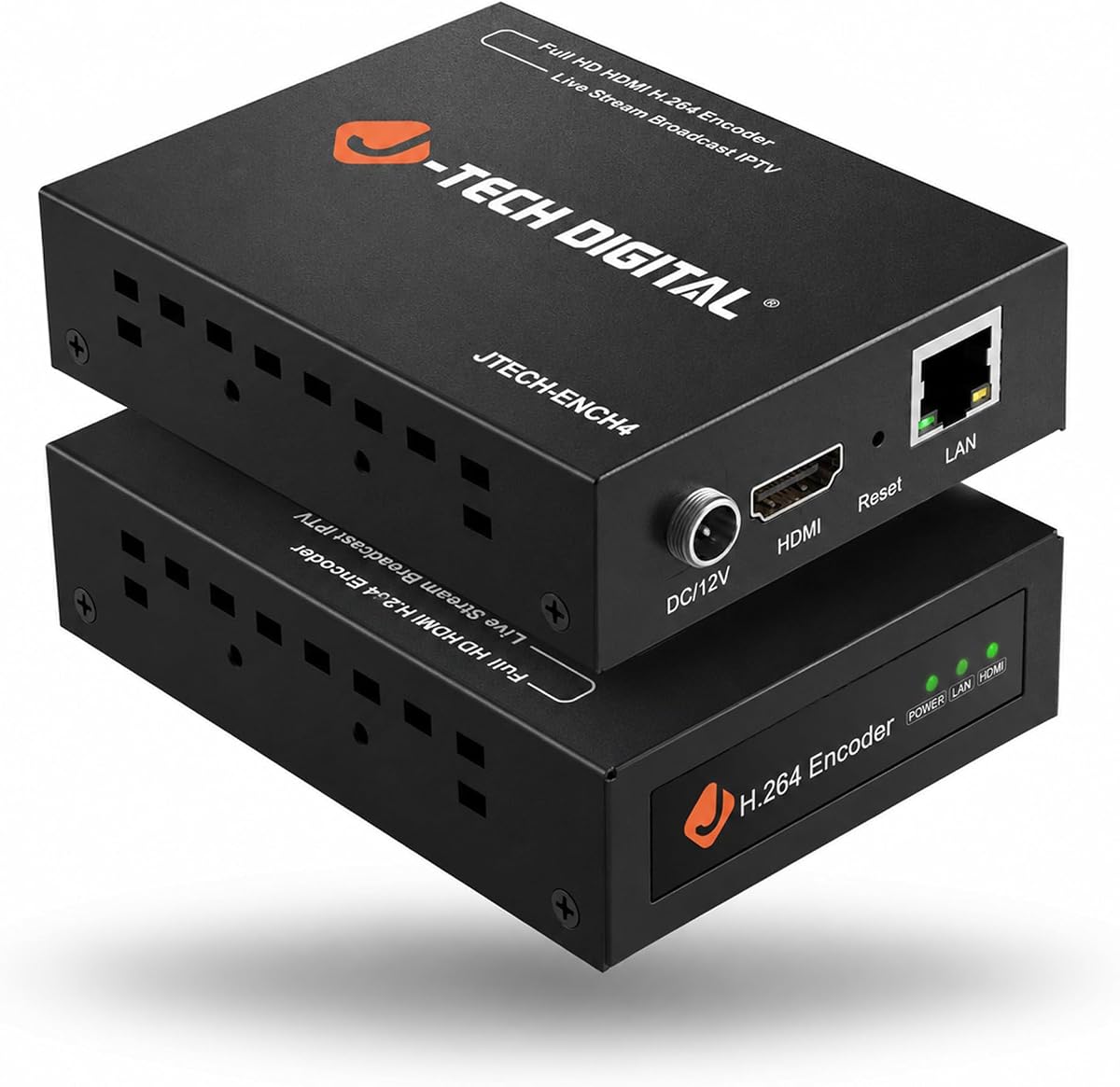


This encoder stands out as our top pick due to its robust feature set and high-quality video output. It delivers professional-grade performance for broadcast and live streaming applications. The inclusion of 4K input support ensures future-proofing for high-resolution sources.
We may earn a commission when you buy through this link, at no additional cost to you.
The dual encoding chip allows seamless switching between H.265 and H.264 standards. You can push multiple streams using different protocols to various platforms at once. The customizable OSD and audio options let you brand your stream effectively.
While the price is higher than basic models the reliability justifies the cost. Advanced users will appreciate the detailed parameter control available through the interface. Those new to streaming might find the settings slightly complex.
Ideal for studios or corporate AV teams needing flexible multi-platform distribution. The lifetime warranty adds confidence for long-term deployment. We recommend this for anyone prioritizing quality and protocol versatility.
The device supports RTSP RTMP HTTP UDP HLS and more. This flexibility ensures compatibility with almost any streaming server or CDN.
Add static text scrolling captions and logos directly to your stream. These features help identify your brand during live events.
We may earn a commission when you buy through this link, at no additional cost to you.
This model offers exceptional value with a high user rating and broad protocol support. It is designed for professional environments that demand reliability and flexibility. The dual chip technology ensures smooth conversion to network streams.
We may earn a commission when you buy through this link, at no additional cost to you.
You can manage settings via a user-friendly interface without needing external software. The ability to output four streams with different protocols makes it perfect for simulcasting. WebRTC support is a great addition for low latency needs.
The only limitation is the lack of analog audio input which may require external mixing. However for digital sources the quality is outstanding. It integrates well with NVR systems via ONVIF.
Best for users needing reliable streaming for security monitoring or broadcasting. The ease of setup makes it accessible for non-technical staff. This encoder balances performance and usability effectively.
With WebRTC and SRT support latency is minimized significantly. This is crucial for real-time interaction during live broadcasts.
The intuitive interface simplifies configuration tasks. Detailed manuals guide you through the setup process step by step.
We may earn a commission when you buy through this link, at no additional cost to you.
This encoder brings premium performance with support for high refresh rate 4K input. It is well suited for professional environments requiring smooth motion video. The J-Tech brand is known for reliability and dedicated customer support.
We may earn a commission when you buy through this link, at no additional cost to you.
The Web GUI allows remote management which is essential for distributed installations. You can fine-tune brightness and contrast to match display requirements. Three substreams enable adaptive bitrate streaming for varied network conditions.
One trade-off is that substreams drop in resolution which may impact quality. However the main stream remains crisp and high quality. The support team based in Texas provides reliable assistance.
Recommend for AV integrators needing 4K60 compatibility and flexible bitrate control. The detailed manual ensures successful deployment even for complex setups. It is a solid investment for quality-focused projects.
You can switch between constant and variable bitrate modes easily. This optimizes bandwidth usage based on network conditions.
Free lifetime technical support is available via phone. This adds confidence for enterprise deployments needing assistance.
We may earn a commission when you buy through this link, at no additional cost to you.
This budget-friendly encoder delivers excellent value for standard HD streaming needs. It removes complexity by allowing browser-based setup without extra drivers. Users save bandwidth thanks to the H.265 compression standard.
We may earn a commission when you buy through this link, at no additional cost to you.
Its compact size allows it to fit behind monitors easily. You can adjust audio inputs via the included 3.5mm jack. This is perfect for simple setups where cost is a priority.
The lack of 4K support limits future expansion options. However for 1080P streaming the performance is smooth and stable. The one-year warranty provides basic protection against defects.
Best for small businesses or home users needing a simple stream solution. It eliminates the need for PC software entirely. We recommend it for entry-level professional streaming.
Configuration happens directly in any web browser. DHCP handles IP assignment automatically for plug and play use.
H.265 compression reduces bandwidth needs by 50 percent. This improves quality for the same data usage.
We may earn a commission when you buy through this link, at no additional cost to you.
This unit excels at providing dual outputs from a single HDMI source. It allows each output to use a different protocol for diverse distribution. The SDK support invites developers to tailor the device further.
We may earn a commission when you buy through this link, at no additional cost to you.
Ideal for broadcast scenarios where you need to feed a CDN and archive locally at once. The protocol options cover most major platforms used today. Customization services like logo printing add branding value.
Using two streams may increase network bandwidth requirements. You should plan your network accordingly to avoid congestion. The technical support is available to help with SDK integration.
Perfect for broadcasters needing simultaneous feeds with different settings. It balances flexibility with robust hardware capabilities. We recommend it for advanced streamers.
You can push two different streams from one input. This simplifies multi-platform broadcasting setups significantly.
SDK and API docs allow secondary development. You can automate features or integrate with other systems.
We may earn a commission when you buy through this link, at no additional cost to you.
This encoder delivers reliable 1080P performance for standard HD broadcasting. It handles HDCP 1.4 decryption to allow content from protected HDMI sources. The ability to output four streams adds significant value for multi-streamers.
We may earn a commission when you buy through this link, at no additional cost to you.
The adjustable audio settings help match the stream to your production quality. You can manage the device via computers or phones easily. The interface is simple enough for quick deployment.
While limited to Full HD it performs well within that range. It is not suitable for future 4K upgrades but remains a solid choice. The stability is key for 24/7 operation.
Best for general live streaming and IPTV distribution needs. It offers great value for the feature set provided. We recommend it for standard HD broadcasts.
Supports HDCP 1.4 to decode protected content. This allows streaming from various HDMI sources legally.
Compatible with computers and mobile phones. You can view stream status via URL on any device.
We may earn a commission when you buy through this link, at no additional cost to you.
This model adds Power over Ethernet which simplifies installation in hard-to-reach spots. It allows embedding analog audio directly into the stream without a mixer. This is a huge advantage for churches and venues.
We may earn a commission when you buy through this link, at no additional cost to you.
The four-platform streaming capability ensures you reach a wider audience. Custom OSD lets you add text or logos dynamically. The PoE requirement means you need a compatible switch or injector.
The compact design makes it easy to mount. Audio embedding ensures sound is always synced with video. You get the same local support as other J-Tech models.
Ideal for AV integrators needing clean cabling and audio sync. It is perfect for environments with limited power outlets. We recommend this for PoE network setups.
PoE lets you use a single cable for data and power. This reduces cable clutter and installation complexity.
Embeds analog audio to HDMI video streams. You avoid complex external audio routing.
We may earn a commission when you buy through this link, at no additional cost to you.
This encoder offers 4K UHD support with robust protocol options. It is a strong choice for users needing high-resolution inputs. The device handles four streams efficiently to meet diverse needs.
We may earn a commission when you buy through this link, at no additional cost to you.
Web management allows you to check status without extra tools. ICECAST support enables you to broadcast audio or video to web pages. It adapts well to many environments.
Note that 30fps is the max for 4K but this works for most content. The detailed manual helps with setup on first try. It is reliable for daily use.
Best for users wanting 4K input without breaking the bank. It balances performance and price effectively. We recommend it for hybrid streaming setups.
Manage the device via a browser URL. You see stream status in real time.
Includes ICECAST to broadcast web streams easily. Great for web page integration.
We may earn a commission when you buy through this link, at no additional cost to you.
This ultra-mini encoder is built for portability and remote control. It can run directly from a USB port so no extra power brick is needed. The cloud system lets you monitor streams from anywhere.
We may earn a commission when you buy through this link, at no additional cost to you.
Real-time OSD editing means you can change text on the fly. The low power usage is great for battery setups. It is perfect for field work or travel.
Since it is new there are no user ratings yet. The specs suggest solid performance for 1080P streams. We recommend it if you need portability.
Ideal for journalists or mobile event crews. Cloud control simplifies remote management. We recommend it for portable streaming.
Runs directly from a USB port. You avoid extra power supplies.
Cloud system allows remote monitoring. You control the encoder via web UI.
We may earn a commission when you buy through this link, at no additional cost to you.
This unit stands out with a perfect rating and 4K UHD support. It is ideal for users needing high-resolution encoding. The dual stream feature adapts to different terminal requirements.
We may earn a commission when you buy through this link, at no additional cost to you.
Telnet remote access gives you deep control over settings. You can manage encoding from anywhere with internet access. It is built for reliability and performance.
While limited to 30fps at 4K it is sufficient for most uses. The web interface makes it accessible to users. We recommend it for 4K needs.
Best for high-quality streaming or archival. It balances performance and control. We recommend it for professional users.
You can encode two streams with diff rates. This adapts to different terminals.
Telnet remote access gives deep control. Manage settings from anywhere.
We may earn a commission when you buy through this link, at no additional cost to you.
Selecting the right H265 H264 HDMI Iptv Encoder involves evaluating your streaming and network needs. We break down key factors to help you decide.
Choose between 1080P or 4K based on your input sources. 4K encoders offer future-proofing but cost more. If you stream standard HD content 1080P is sufficient. Always match resolution to your source hardware. Higher resolution means better quality and higher cost.
Match the encoder to your source resolution. For most users 1080P is adequate.
Ensure the device supports RTMP SRT and HLS. These are the most common protocols. If you need security look for RTMPS. Broad protocol support helps you integrate with various CDNs. Check platform requirements before buying.
Look for support for RTMP SRT and HLS. Check platform requirements first.
Some encoders only handle embedded HDMI audio. Others include 3.5mm analog input. If you use external mics analog input is essential. Integrated audio simplifies setup. Consider your audio routing needs.
Check if analog audio input is available. This is vital for external mics.
Standard units require separate power adapters. PoE models save on cabling. If your switch supports PoE consider those models. It simplifies installation significantly. Check your network setup for PoE.
Decide between adapter or PoE. PoE reduces cable clutter.
On-Screen Display allows logos and text. This is key for branding. Look for scrolling text and logo support. Simple OSD options help identify your content. Advanced models let you control OSD remotely.
Check for text and logo overlay. This helps branding and security.
Basic units output one stream. Advanced ones support up to four. More outputs help you reach more platforms. If you simulcast consider multi-output models. This saves extra equipment costs.
Determine if you need multiple outputs. More streams help reach more audiences.
Web UI control simplifies configuration. Some models include Telnet. Check for mobile compatibility. Remote tools help you adjust settings on the fly. Ensure management matches your workflow.
Look for Web UI or Telnet access. Remote control helps workflow.
Technical support ensures smooth operation. Look for lifetime warranties. Local teams help with setup. Support is vital for troubleshooting. Check support hours and location.
Verify warranty and support options. Local teams help with setup.
Connect the encoder to your HDMI source and verify signal. Use a network cable to link to a router or switch. Ensure the device receives power or PoE. Confirm link status LEDs are active.
Access the web interface to configure settings. Enter your RTMP URL and stream keys. Set your bitrate and resolution to match needs. Test the stream to ensure stability.
Keep firmware updated for security and features. Monitor stream health via web status. Regularly check network stability. Avoid overheating by ensuring ventilation.
H265 offers better compression efficiency than H264. It saves bandwidth while keeping quality. Use H265 for HD streams. Both are widely supported. H264 remains useful for older platforms.
No these encoders work standalone. They connect directly to HDMI sources. You can stream from cameras or consoles. A PC is not required. This saves space and cost.
Yes most support both platforms. They support RTMP for standard streams. Check platform key requirements. Multi-protocol support helps this. You can simulcast easily.
SRT provides secure low latency streaming. It is great for unstable networks. This helps maintain quality. Many platforms now support SRT. It improves reliability significantly.
You find RTMP in the Web UI. Enter your stream URL and key. Set the bitrate and resolution. Save changes and restart stream. Check status to confirm.
OSD stands for On-Screen Display. It allows logos or timestamps. This helps brand your content. You edit text via Web UI. It appears on the stream.
Many models support 4K input. They output 30fps at 4K. If you need 60fps check specs. 1080P units are cheaper. Choose based on your needs.
Most models include lifetime support. Look for local teams. Warranty coverage varies. Check contact details. Support helps with setup.
We have reviewed ten top H265 H264 HDMI Iptv Encoders for you. Each offers different strengths for streaming or IPTV needs. Consider your resolution and protocol needs.
Prioritize features like PoE or dual streams. Budget and quality are key. Select the model matching your workflow.
Remember to check current prices before buying. Availability changes often. Ensure you get the best deal for your needs.